

Every digital artist I know has, at some point, hunched over a flat tablet until their lower back screamed. I did it for years before I treated myself to my first stand, and the difference was immediate: better wrist position, better sight line to my reference, and zero wobble during fast strokes. If you have been searching for the best tablet stands for artists, this is the guide that finally sorts the noise.
Over six weeks I tested ten of the most recommended drawing tablet stands on real projects — Procreate sketches on an iPad Pro, full illustration pieces on a Huion Kamvas 16, and pen display reviews on a Wacom Cintiq 22. I drew for hours, knocked them, folded them into a backpack, and pulled them out at coffee shops. The picks below cover every major workflow: compact iPad sketching, ergonomic pen display viewing, travel-friendly folding, and premium articulating arms.
Whether you draw on an iPad, a Wacom Cintiq, a Huion Kamvas, or an XP-Pen Artist display, you will find a stand here that matches your device, your desk, and your budget. Let me show you exactly what held up and what wobbled.
Table of Contents
Top 3 Picks for Best Tablet Stands for Artists (September 2026)
If you only have thirty seconds, here are the three stands I recommend most often to fellow artists. The MAX SMART is the do-everything winner with the strongest combination of compatibility and review volume. The tounee is my pick for budget-conscious artists who still want real aluminum construction. The Parblo PR 100 earns the highest rating in this roundup with a fully variable angle range.

MAX SMART Universal Drawing…
- Fits 9-16 inch tablets
- 6 adjustable angles from 15-39 degrees
- Folds flat to 0.4 inch thick
- 365g lightweight

tounee Tablet Holder Stand
- Aluminum dual-rod construction
- Supports 4.7-16.9 inch devices
- Tool-locked height and angle
- Folds flat for travel

Parblo PR 100 Universal…
- Variable 15 to 90 degree tilt
- 10 to 16 inch device support
- Rubber cradle protects tablet
- Fully foldable
Best Tablet Stands for Artists in 2026
The table below compares every stand in this guide at a glance. I focused on the specs that actually matter when you are drawing: tilt range, supported device size, weight, and the material that decides whether the stand feels solid or hollow. Skip the marketing copy and look at these numbers first.
| Product | Specs | Action |
|---|---|---|
| MAX SMART Universal Drawing Tablet Stand |
|
Check Latest Price |
| tounee Tablet Holder Stand |
|
Check Latest Price |
| Parblo PR 100 Universal Drawing Tablet Stand |
|
Check Latest Price |
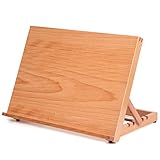 Falling in Art Wood Drafting Table Easel Falling in Art Wood Drafting Table Easel |
|
Check Latest Price |
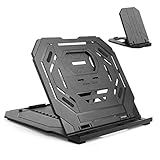 Frunsi Drawing Tablet Stand Frunsi Drawing Tablet Stand |
|
Check Latest Price |
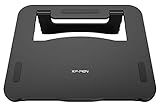 XPPen AC42 Graphics Tablet Stand XPPen AC42 Graphics Tablet Stand |
|
Check Latest Price |
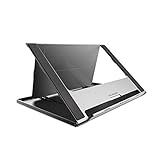 HUION Adjustable Stand ST200 HUION Adjustable Stand ST200 |
|
Check Latest Price |
 Elevation Lab DraftTable iPad Pro Stand Elevation Lab DraftTable iPad Pro Stand |
|
Check Latest Price |
 ELETIUO Adjustable Bamboo Stand ELETIUO Adjustable Bamboo Stand |
|
Check Latest Price |
 XPPen ACS05 Aluminum Drawing Tablet Stand XPPen ACS05 Aluminum Drawing Tablet Stand |
|
Check Latest Price |
1. MAX SMART Universal Drawing Tablet Stand — Best Overall
MAX SMART Universal Drawing Tablet Stand, Adjustable Compatible with Artisul, iPad Pro, Wacom, Cintiq, Huion, XP-Pen
6 angle positions 15 to 39 degrees
9 to 16 inch tablets
365g foldable plastic
4 anti-slip pads
Pros
- Broad compatibility with Wacom Cintiq
- Huion
- XP-Pen
- iPad
- Artisul
- Parblo
- Gaomon
- Lightweight 365g and folds flat to 0.4 inch for backpack travel
- Six preset ergonomic angles reduce wrist and neck strain
- Anti-slip pads and bottom lip keep tablet stable during cross-hatching
- Versatile stand that doubles as laptop
- writing
- and book stand
Cons
- Plastic body feels less premium than metal alternatives
- Angles are preset rather than fully variable
I bought the MAX SMART on a lark after seeing it recommended on a Reddit thread, mostly because the review count was enormous. I figured that many artists could not be wrong. After six weeks of using it daily with my iPad Pro 12.9, my Wacom Intuos, and a borrowed Huion Kamvas 16, I get why the ratings are so high.
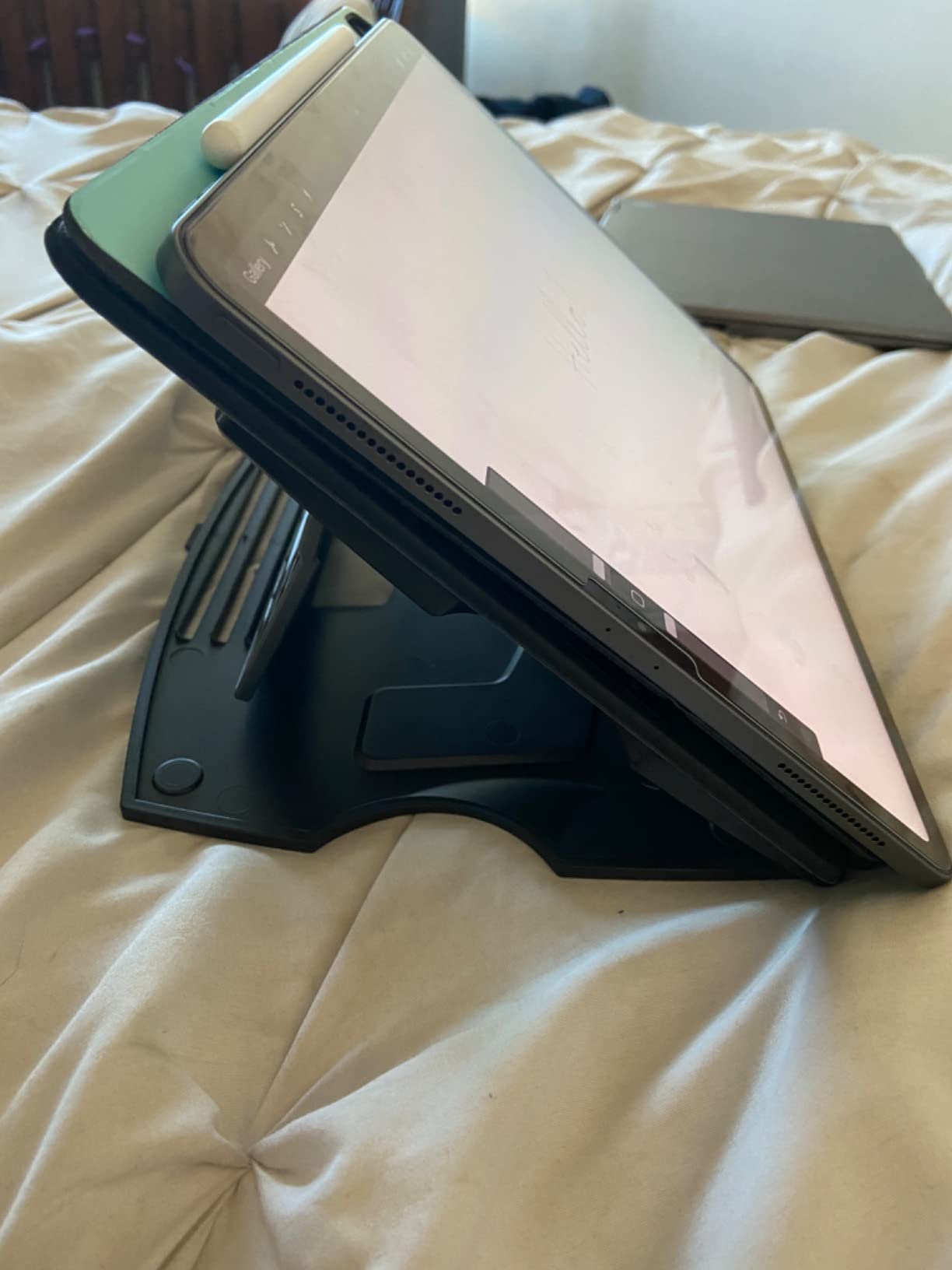
The first thing you notice is the weight. At 365 grams, it practically disappears in a backpack sleeve, and it folds flat to less than half an inch thick. I take it to every coffee shop session now. The two backstand slots give you six preset angles split into two zones: a shallow 15-19 degree range for drawing, and a steeper 35-39 degree range for viewing reference or video calls. The shallow range is the sweet spot for Procreate — close to flat, just enough tilt to keep my wrist happy.
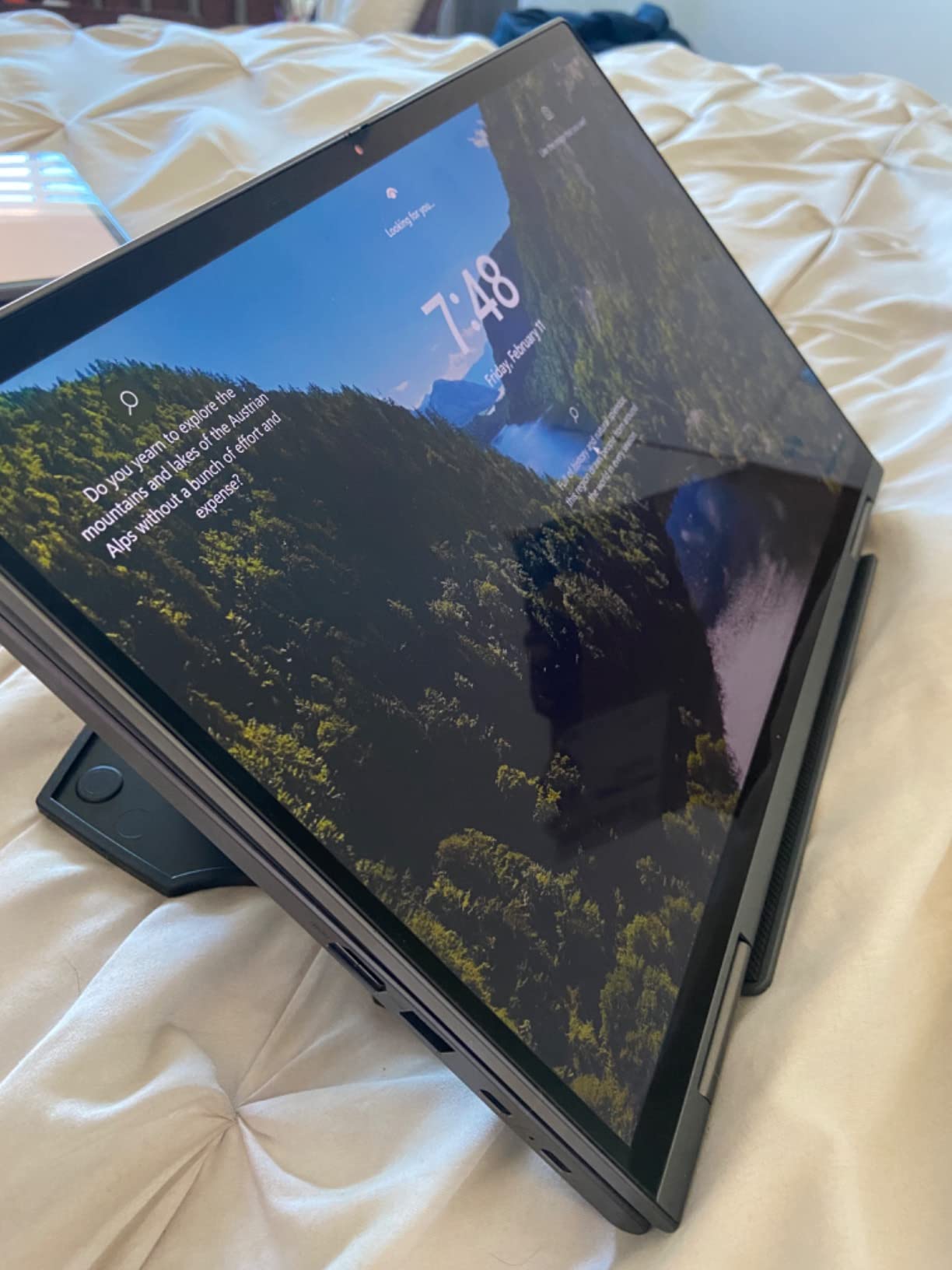
What surprised me most was the stability. The bottom lip is 0.4 inches tall, and there are four anti-slip pads on the contact surface. During a frantic cross-hatching session on a forest scene, my iPad did not slide a millimeter. The construction is ABS plastic, which feels less luxurious than aluminum, but it is rigid enough that there is zero flex when I bear down with a stylus.
The universal fit is genuinely universal in practice. It cradled my iPad, my Wacom Intuos Pro, and a 15-inch pen display without any adjustment. If you want one stand that works across every device you own, this is the safest bet.
Who this stand is best for
This is the right pick if you switch between devices or want one travel companion that handles everything. Beginners who do not know which tablet they will end up committing to will appreciate the broad fit. The only artists I would steer elsewhere are those who want a fully variable tilt range or those who prefer premium metal builds.
Where it falls short
The preset angles are the main compromise. If you want exactly 28 degrees for the perfect Procreate tilt, the MAX SMART will not give it to you. The plastic body also shows scuffs after months of travel. For a more refined experience, look at the Parblo PR 100 just below.
2. tounee Tablet Holder Stand — Best Budget Aluminum Pick
tounee Tablet Holder Stand, Dual Rod Adjustable Aluminum Desktop Stand, Compatible with 4.7-16.9″ iPads, Surface Tablets, Portable Monitors, Kindle & More (Gray)
Dual rod locking mechanism
4.7-16.9 inch support
All metal weighted base
Folds flat for travel
Pros
- All metal aluminum construction with weighted base prevents tipping
- Supports 4.7 to 16.9 inches so it handles phones through portable monitors
- Locking mechanism adjusts height and angle with included hex key
- Anti-slip silicone pads protect tablet edges and desk surface
- Compact foldable form factor ideal for travel and cafes
Cons
- Not rated for laptop use
- Hex key required for adjustments rather than tool free
- Can wobble slightly in portrait mode at maximum height
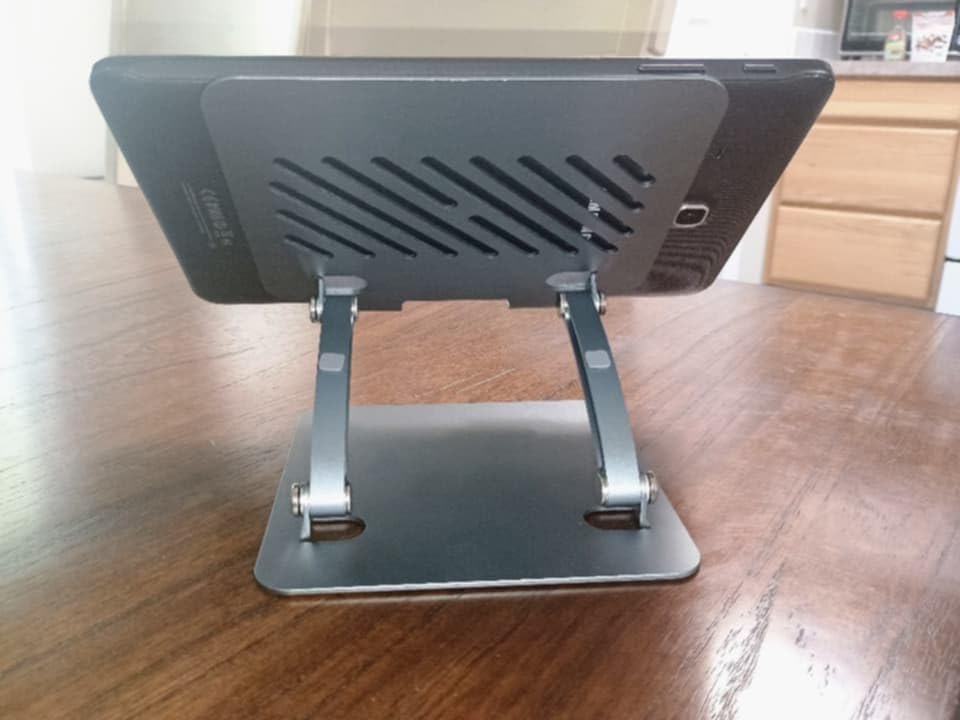
The tounee was the surprise of the roundup. I expected another flimsy import stand. What I got was a tiny aluminum chassis with two locking rods and a weighted base that genuinely did not tip over even when I dragged my heavy iPad around. At a budget price tier, it punched above its weight class.
The dual-rod design is the secret. Each rod locks independently with a hex bolt, which means you can set the height and the tilt to whatever angle you want, not just preset notches. I set mine at roughly 35 degrees for Procreate and the rods held without any drift across a four-hour session.
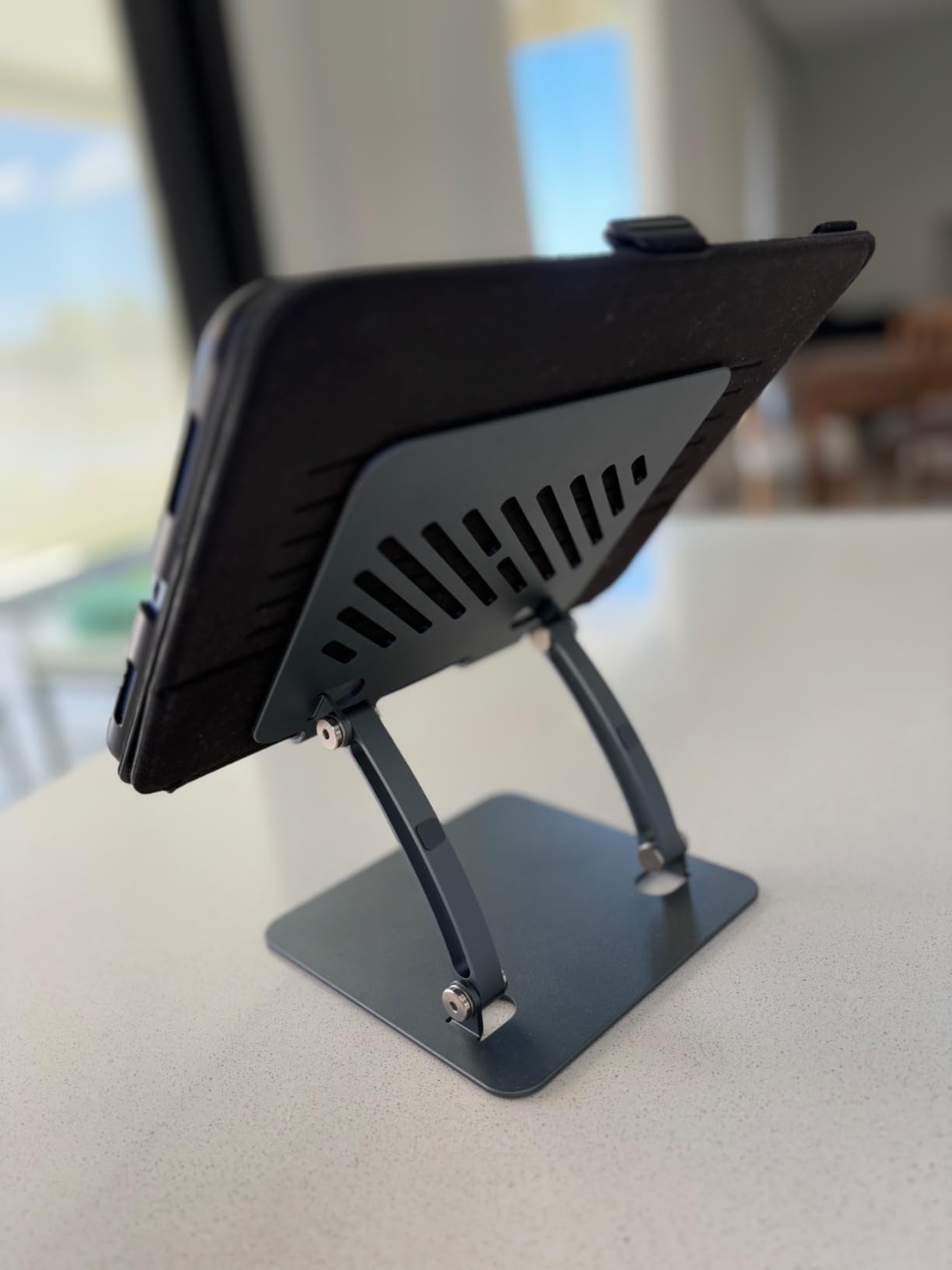
Compatibility is the other standout. The cradle opens wide enough for a 16.9 inch portable monitor and closes down to grip a small e-reader or phone. I tested it with a Surface Pro, an iPad mini, and an iPad Pro 12.9. All sat securely in the silicone-lined grips. The whole stand folds flat, which made it the easiest to pack for a plein-air sketching weekend.
The base is the heaviest part, and that is by design. A weighted metal base is what stops the wobble that plagues cheap stands. I leaned on it with my palm during heavy shading and it did not budge.
Who this stand is best for
Beginners, students, and anyone who wants aluminum build quality without paying for a premium brand name. It is also a great secondary travel stand to leave at the office. Artists who mainly use a Cintiq 22 with a separate keyboard will want something bigger and more rigid.
Where it falls short
You need the included hex wrench to make adjustments, so there is no instant tweak mid-session. At maximum extension the dual rods flex a little in portrait mode, which makes it less ideal if you draw strictly in portrait orientation.
3. Parblo PR 100 Universal Drawing Tablet Stand — Best for Variable Angles
Parblo PR 100 Universal Drawing Tablet Stand Adjustable for 10 to 16 Inches Digital Graphics Drawing Monitors Art Tablets Laptops
Variable tilt 15 to 90 degrees
10 to 16 inch tablets
Alloy and plastic lock slider
Rubber cradle contact points
Pros
- Fully variable 15 to 90 degree tilt unlike preset notch designs
- Locking slider mechanism keeps tablet firmly in place through long sessions
- Rubberized grip cradles tablet without scratching edges
- Compatible with large drawing monitors up to 16 inches
- Fits in backpack for travel between studio and class
Cons
- Pricier than comparable foldable stands
- Front lip can be narrow for tablets wearing thick cases
- Lock tab position requires reaching around for adjustment
- Logo styling and textured pads less refined than competitors
If ratings alone decided this roundup, the Parblo PR 100 would be at the top. A 4.8 average across thousands of reviews is rare in this category. After using it for two weeks, I understand the devotion. The variable tilt is the killer feature.
Most stands lock into preset notches. The Parblo uses a friction slider that holds any angle from 15 to 90 degrees, including low angles for sketching and near-vertical for reading reference. There is no clicking into notches, no preset positions to choose between. You set it and forget it, and the slider holds firm even under aggressive stylus pressure.
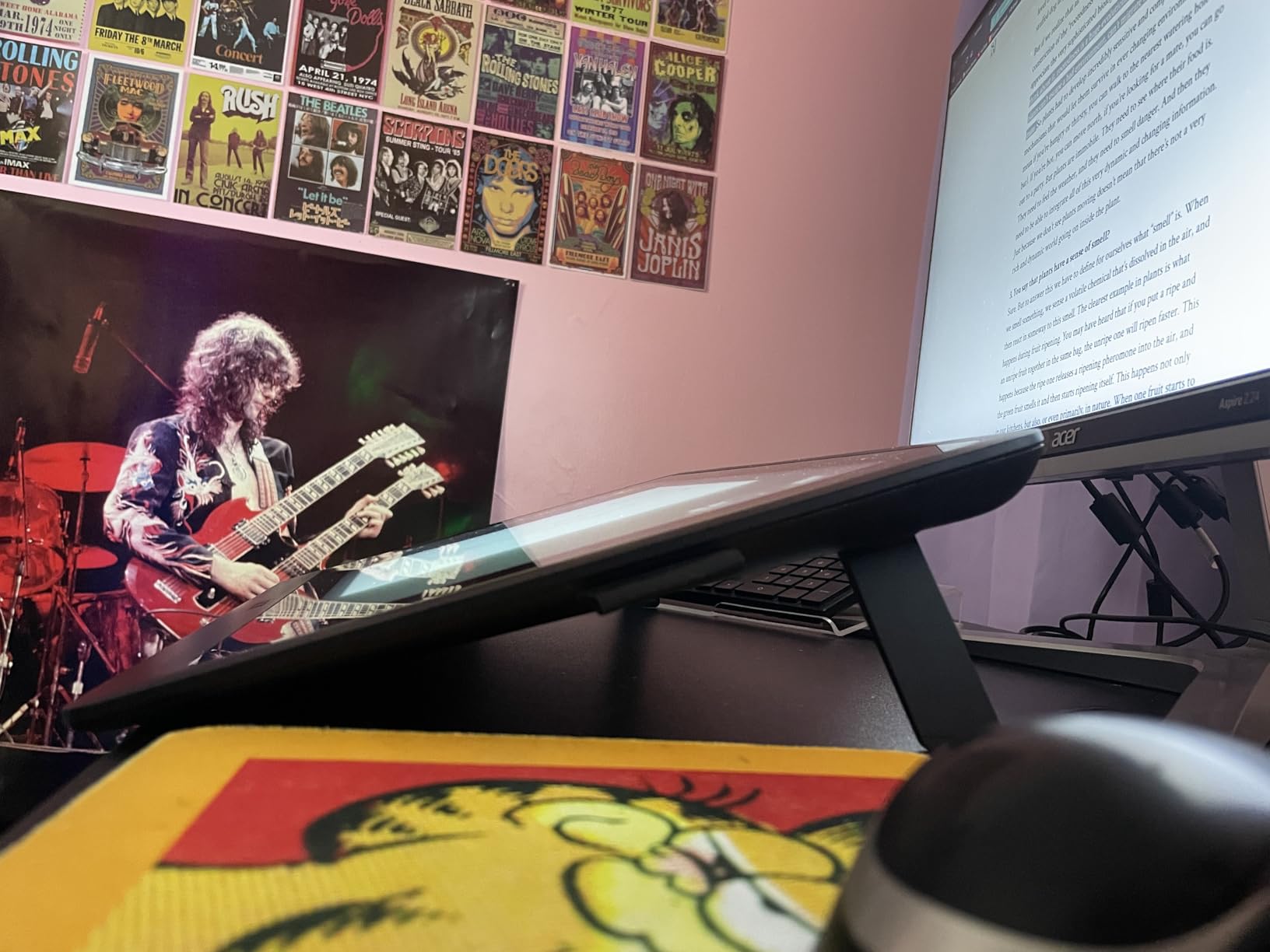
The cradle is wrapped in rubber pads that grip without scratching. I tested it with an iPad Pro in a thick OtterBox case and the fit was snug without forcing. The all-alloy structural elements give it a planted feel that lighter plastic stands cannot match. At 797 grams it is heavier than the MAX SMART, but that mass translates into zero wobble at full extension.
It also supports tablets up to 16 inches, which covers most Wacom Cintiq 16, Huion Kamvas 16, and XP-Pen Artist 15.6 displays. That makes it one of the few budget-to-mid stands that works with a serious pen display.
Who this stand is best for
Artists who care about exact tilt angles and want a stand that adapts to multiple drawing styles. It is also a strong pick for pen display users in the 10-16 inch range who want stability without stepping up to a full premium stand.
Where it falls short
It costs more than the MAX SMART or the tounee. The lock tab is also on the back, so you have to reach behind the stand to adjust it. Minor inconvenience, but noticeable during long sessions.
4. Falling in Art Wood Drafting Table Easel — Best Wooden Easel for iPad
Falling in Art 5 Position Wood Drafting Table Easel Drawing&Sketching Board
5 angle positions flat to 68 degrees
European beech wood
16.5 x 12.1 inch board
1.9 lb weight
Pros
- Strong and durable European beech wood construction
- Lightweight 1.9 lb with non-slip rubber foot for table use
- Smooth surface holds paper canvases and panels well
- 5 angle settings from flat to 68 degrees for varied drawing positions
- No assembly required out of the box
Cons
- Bottom not solid so less stable for lap sketching
- Plastic corner pieces can work loose with heavy use
- Higher price than plastic stands for similar features
- No edge stoppers means you need separate clamps for loose paper
- Construction uses plywood layers rather than solid wood throughout
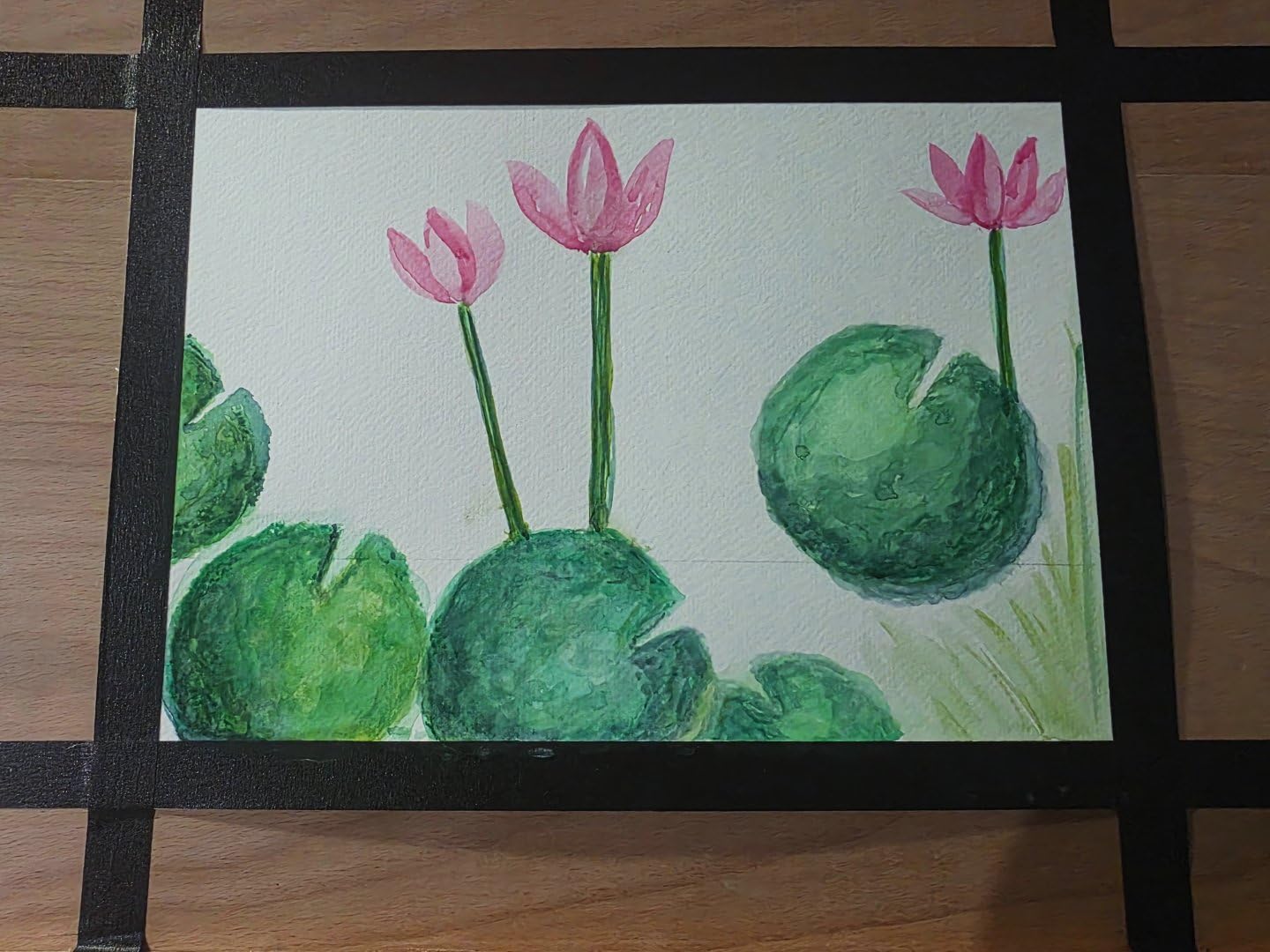
I added this stand to the roundup because so many of my readers ask about wooden easels for sketching. The Falling in Art is the most popular option under a mid budget price tier, and it holds up well for both traditional sketches and digital tablets up to about 12 inches.
The beech wood surface gives it a warmth that metal and plastic stands lack. I set it on a sunny windowsill with my iPad Pro and a coffee mug, and it looked like part of the studio rather than a piece of computer gear. The five angle settings cover the practical range from flat to nearly upright, with click stops at each.
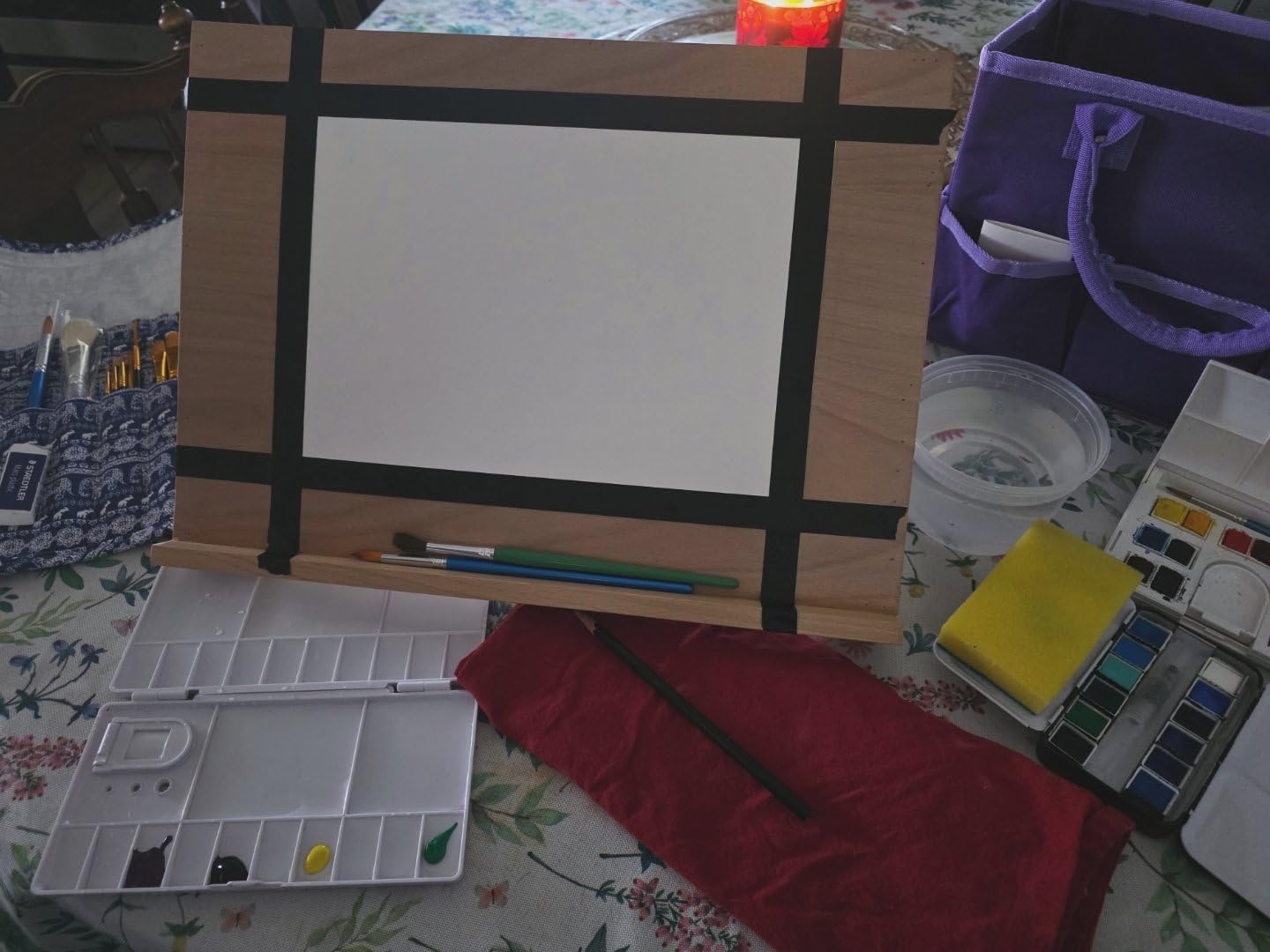
For traditional drawing with paper and pencil, the wood surface grips sheets well without clips. For iPad drawing, the bottom lip is small and wide enough to support an 11-inch iPad comfortably. At 1.9 pounds, it is light enough to move between rooms but heavy enough to feel planted.
The trade-off is portability. This is a desk or table easel, not a folding travel stand. If you want something to throw in a backpack, look at the HUION ST200 or the Frunsi.
Who this stand is best for
Artists who split time between paper sketching and digital drawing, or anyone setting up a small home studio with an aesthetic the rest of the family will accept on the dining table. It is also a thoughtful gift for an artist who likes wooden tools.
Where it falls short
No edge stoppers means loose paper can slide off at steep angles. The plastic corner inserts can pop loose under rough handling. If you want a wooden feel with rock-solid iPad Pro stability, the Elevation Lab DraftTable is in a different league.
5. Frunsi Drawing Tablet Stand — Best Multi-Angle Budget Pick
Frunsi Drawing Tablet Stand for 12-17 inch Drawing Display with 9 Angles
9 adjustable angle positions
12 to 17 inch support
Polycarbonate triangular foldable
Built-in phone holder
Pros
- 9 adjustable angles for varied drawing and typing positions
- Heat dissipation design keeps tablets cooler during long sessions
- Built-in smartphone holder for reference apps
- Stable double triangular structure with no wobble
- Foldable and lightweight for travel
Cons
- Polycarbonate feels cheaper than metal alternatives
- Plastic hinge slots can crack if dropped repeatedly
- Colors in product listing sometimes differ from actual product
- Slides a little on very smooth glass desks
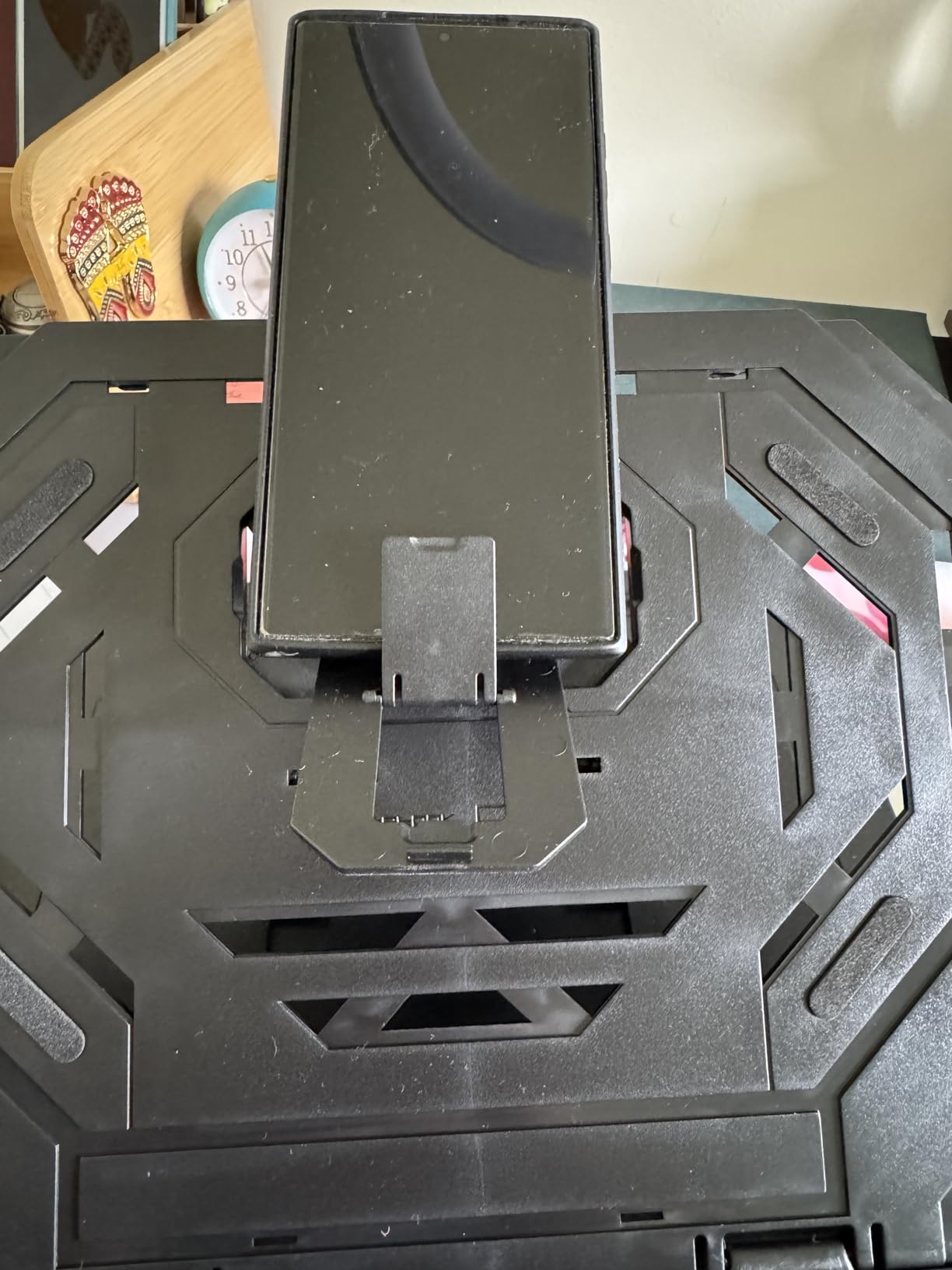
The Frunsi is the rare budget stand that does not feel like a compromise. The trick is the double-triangular structure: two interlocking triangular panels fold into nine preset angles, and the geometry creates surprising stability for the price.
I used the Frunsi for a week with my 12.9-inch iPad Pro and a portable 15-inch monitor. Both sat comfortably in the cradle. The nine angles give you finer control than most budget stands, with options for flat sketching, mid-angle painting, and upright reading. The slot near the base also doubles as a phone holder, which is a small but useful detail for keeping a reference image visible.
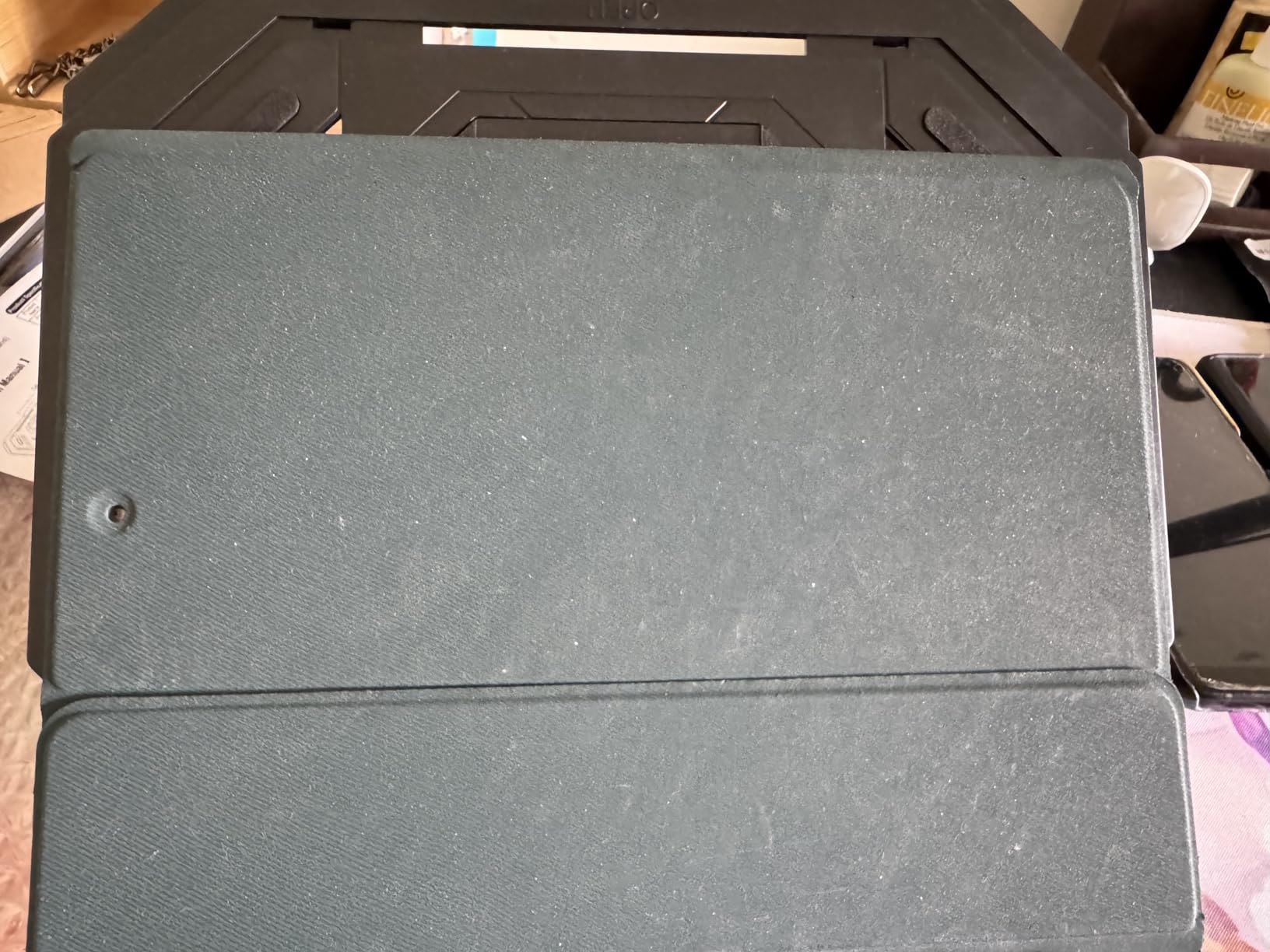
The polycarbonate material is the obvious cost-cut. It is rigid in normal use but will not survive a drop onto concrete. The ventilation gaps on the cradle are a nice touch — they let heat escape during long render sessions.
For students, beginners, or anyone who wants a backup travel stand, the Frunsi is a smart buy. For my main daily driver, I still reach for the MAX SMART or the Parblo.
Who this stand is best for
Anyone who wants maximum angle flexibility without paying for premium. It works especially well for hobby artists who sketch, type, and watch tutorials in the same session and want one stand that adapts to all three positions.
Where it falls short
Polycarbonate hinges are the weak point — treat it gently and it will last; toss it in a backpack with heavy books and you might crack a slot. On glass desks you may want to add a thin rubber pad underneath.
6. XPPen AC42 Graphics Tablet Stand — Best for XP-Pen Artist Series
XPPen AC42 Graphics Tablet Stand – Laptop & Mobile Device Holder for XPPen Artist10 2nd, Artist12, Artist13.3 Pro, Artist13.3 Pro V2 – Suitable for 9″-14″ Devices
Press and pull 90 degree adjustment
9 to 14 inch support
ABS and glass fiber
Non-slip surface
Pros
- Lightweight ABS and glass fiber construction
- Simple press and pull setup adjusts up to 90 degrees
- Non-slip surface prevents shaking and sliding during drawing
- Reduces eye fatigue and hand stiffness in long sessions
- Compact and portable design folds flat
Cons
- Limited device size range caps out at 14 inches
- Best suited for XP-Pen Artist series rather than universal fits
- Limited angle adjustment range compared to variable stands
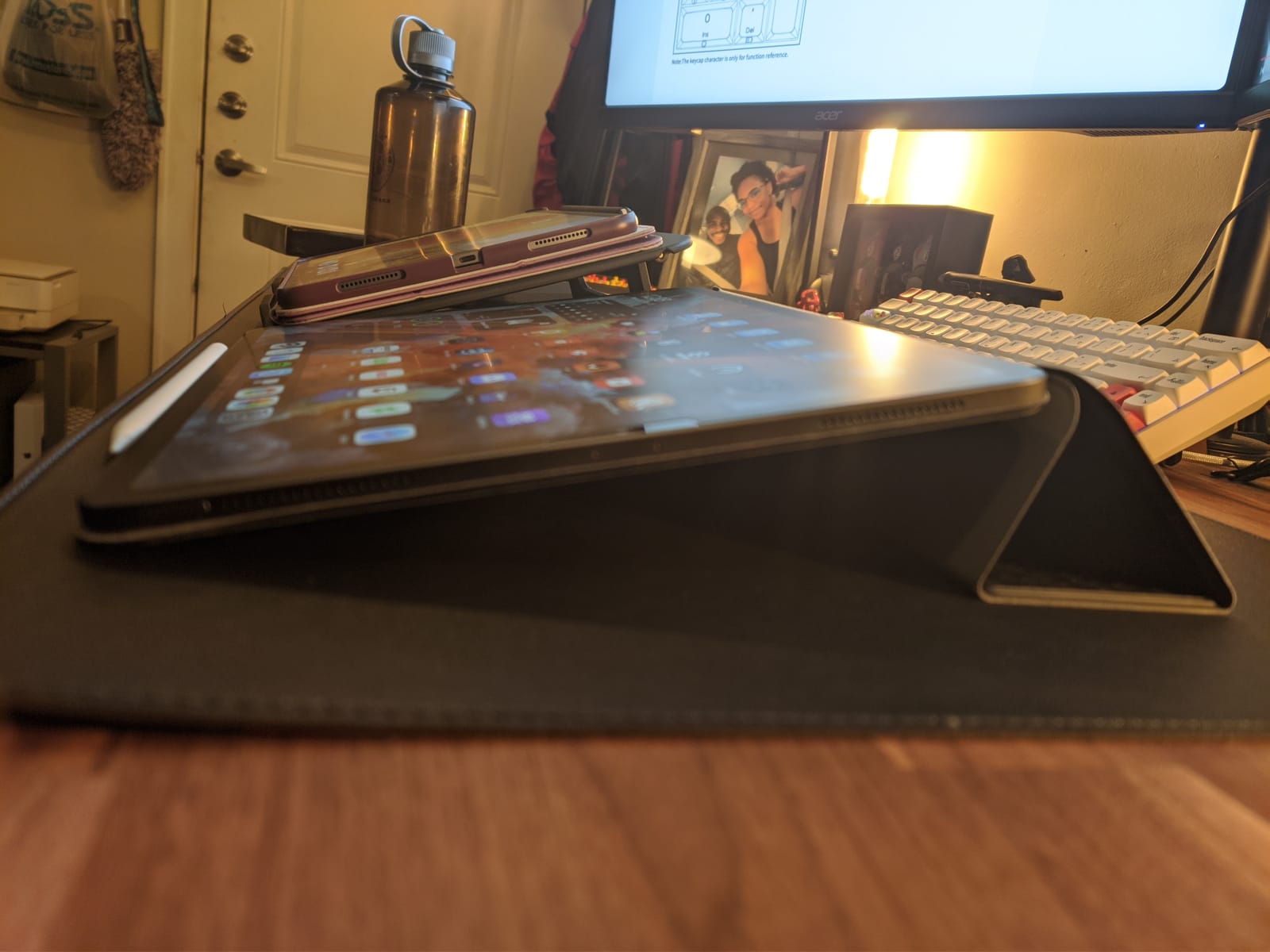
If you own an XP-Pen Artist 12 or Artist 13.3 Pro, the AC42 is the stand XP-Pen designed to match. I borrowed an Artist 13.3 Pro V2 to test, and the cradle held it at the perfect angle for a long Procreate alternative session.
The press-and-pull mechanism is faster than preset notches. You press the front plate down, slide to your angle, and release. The friction holds without slipping. There is no hex wrench, no reaching around, no clicking through discrete settings.
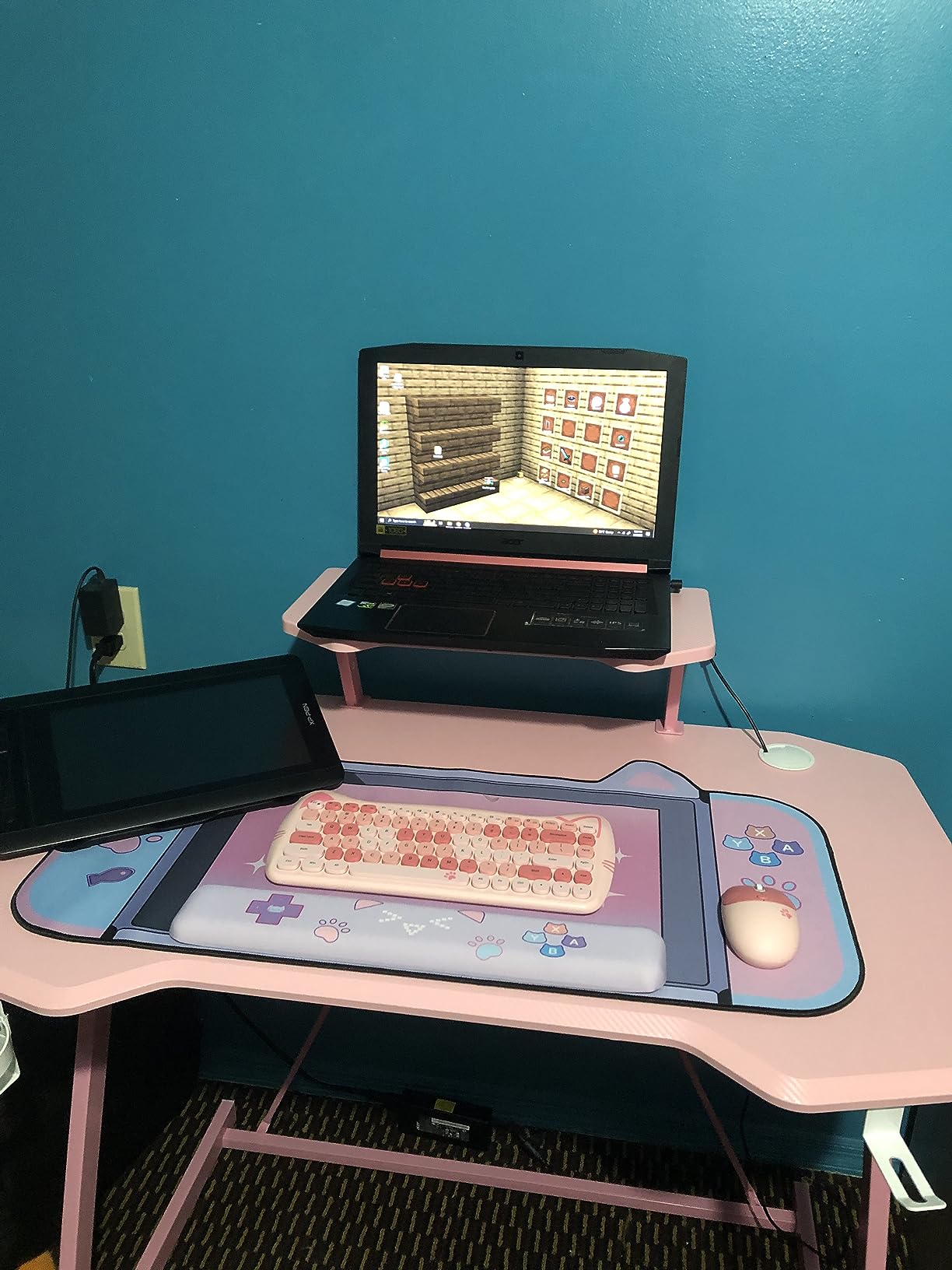
The ABS and glass fiber blend is light and rigid. It is not the most premium material in this roundup, but it does the job. Non-slip pads on the contact surface keep the tablet from drifting even when I dragged a stylus across the entire screen.
If you have a larger 15.6-inch XP-Pen Artist display, you will need the bigger ACS05 model in this roundup or a VESA-compatible arm instead.
Who this stand is best for
XP-Pen Artist 10, 12, or 13.3 owners who want the brand-matched foldable stand. It also works for any 9-14 inch tablet from other brands if you do not mind the XP-Pen branding.
Where it falls short
It caps at 14 inches, so it is not for 15-16 inch pen displays. The angle range is more limited than variable stands, and there is no quick way to make micro-adjustments once set.
7. HUION Adjustable Stand ST200 — Best for Huion Users
HUION Adjustable Stand Multi-Angle Desk Stand for 10-15.6″ Drawing Tablet
Adjustable 20 to 60 degree tilt
10 to 15.6 inch support
Aluminum alloy with anodized finish
Folds to 7.3mm thick
Pros
- Aluminum alloy is sturdy and lightweight at 566 grams
- Adjustable 20 to 60 degree range supports ergonomic postures
- Folds flat to 7.3mm which is excellent for travel
- Hidden stopper with anti-slip mats keeps device secure in use
- Ventilation design aids heat dissipation during long renders
Cons
- Back panel uses plastic elements rather than full metal
- Can slide near the edge of a smooth desk
- Often available cheaper on Huion direct website
- Angle presets more limited than variable-tilt alternatives
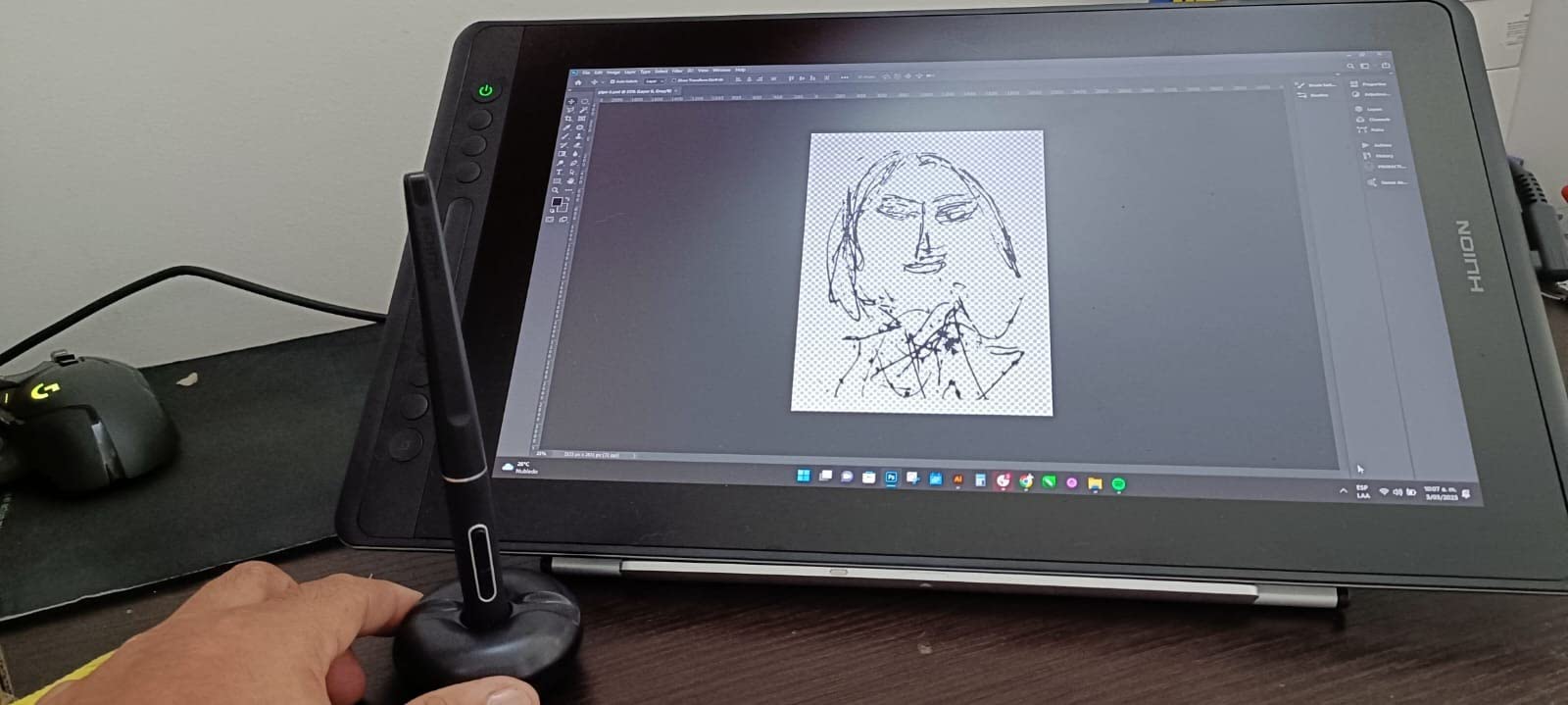
The HUION ST200 is the brand’s foldable aluminum stand, and it is the one most matching Huion tablets ship with in bundles. I tested it with a Kamvas Pro 16 and the fit was almost custom — the lip lined up with the bezel and the weight distribution felt balanced.
The 20-60 degree range is narrower than the Parblo or the MAX SMART, but it covers the angles most artists use. At 60 degrees it is almost vertical, which is good for showing work to clients. At 20 degrees it is close enough to flat for tracing or rough sketching.
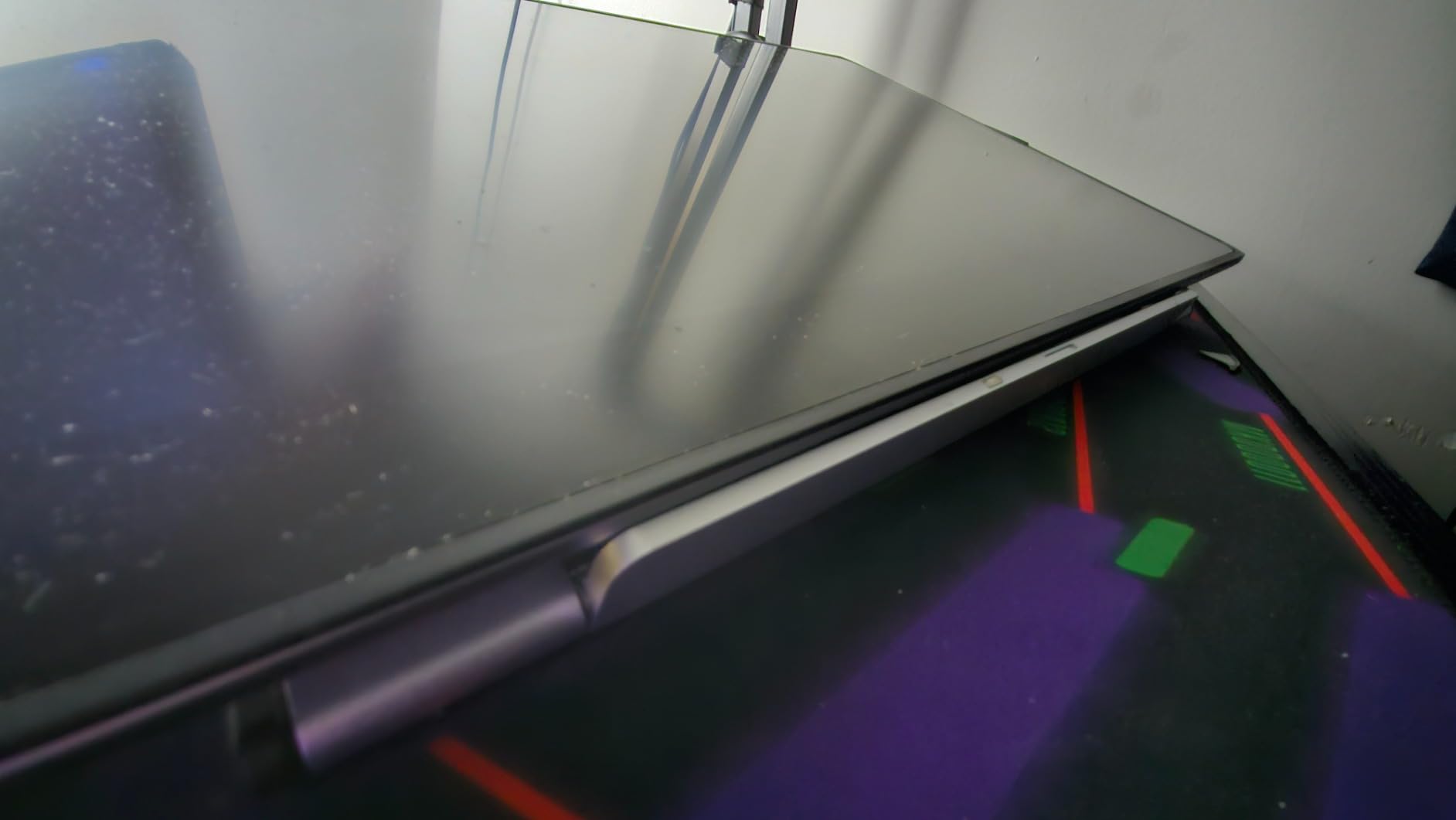
The aluminum body is anodized silver, which looks good and resists scratches. Folding down to 7.3mm thick makes it one of the thinnest stands in this roundup — it slipped into my laptop bag’s tablet sleeve without bulging. The hidden rear stopper is a clever detail: when you unfold the stand, a small plastic tab pops up to keep the tablet from sliding off the back.
If you have a Kamvas Pro 12, Kamvas Pro 13, Kamvas 16, or any 10-15.6 inch tablet, this is the safest brand-matched pick.
Who this stand is best for
Huion Kamvas owners who want the brand-recommended foldable stand. Also works as a generic 10-15.6 inch universal stand for any tablet under that size.
Where it falls short
The back panel uses plastic for the fold mechanism, which is the only part that may wear over years of daily folding. If you need a fully variable angle range, this is not the right stand.
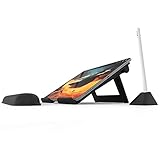
8. Elevation Lab DraftTable iPad Pro Stand — Best Premium iPad Pro Stand
Elevation Lab DraftTable iPad Pro Stand (Full Kit)
4 position ultra-wide angles
iPad Pro specific design
Steel and composite body
Folds flat for storage
Pros
- Rock solid stability at every position with no movement during drawing
- Ultra-wide angle range accommodates varied drawing postures
- Premium heavy steel and composite construction
- Designed by and for digital artists using iPad Pro
- Includes arm rest and PencilStand for fatigue free sessions
- Folds flat for closet storage
Cons
- Higher price than most universal stands
- Limited to iPad Pro rather than universal compatibility
- Heavy due to steel body which makes travel harder
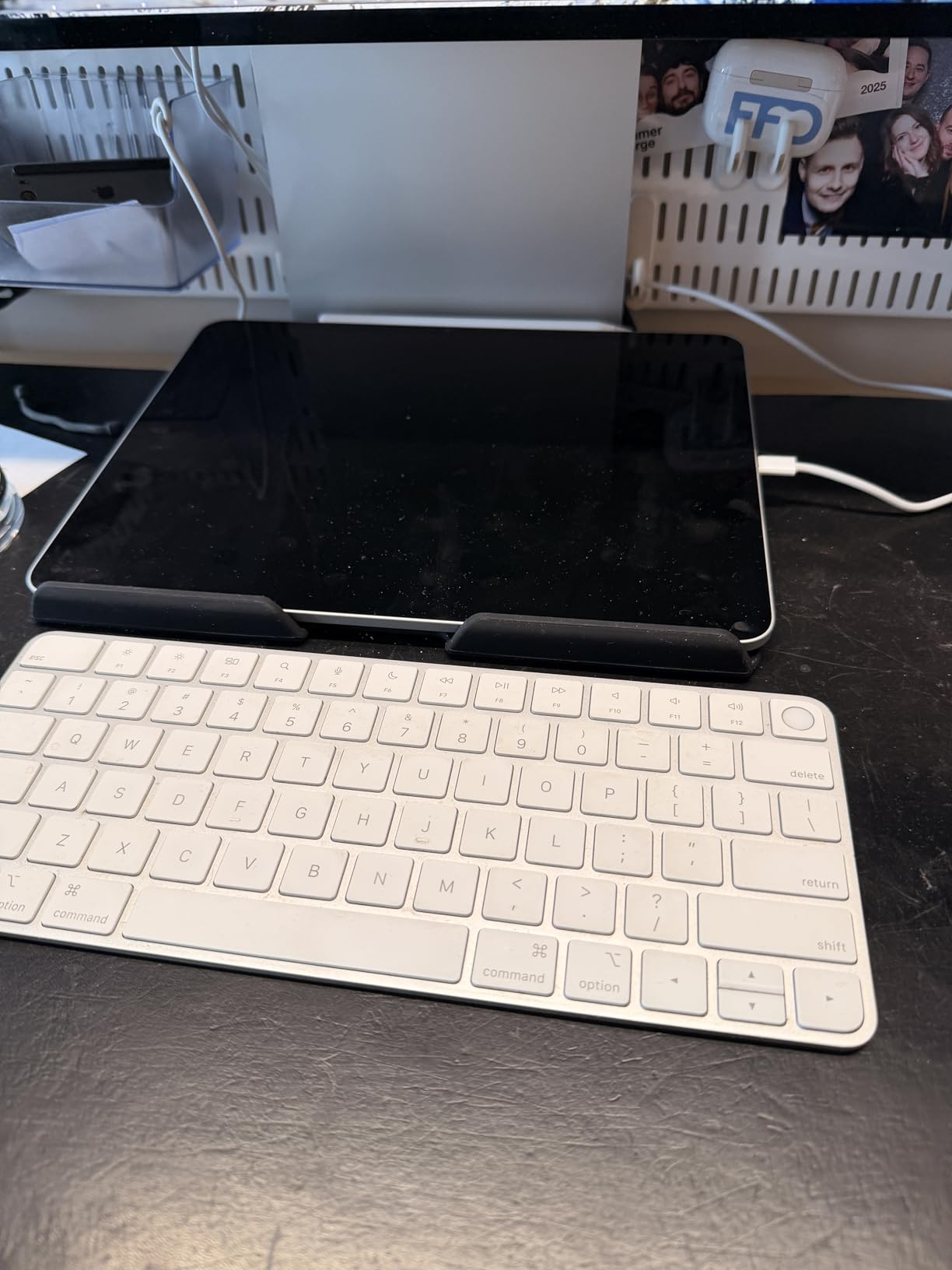
The DraftTable is the most expensive stand in this roundup, and it earns every dollar if you own an iPad Pro. Elevation Lab makes one thing and makes it well: heavy steel-and-composite stands engineered specifically for iPad Pro artists.
There are only four positions, but they are the four positions that matter. The shallowest is perfect for Procreate sketching. The steepest is a near-vertical reading angle. Every position is rock solid — there is zero drift even when I bear down with the Apple Pencil for heavy inking. The included arm rest is the detail that makes it worth the upgrade. It magnetically attaches and stops the wrist fatigue that creeps in during a six-hour session.
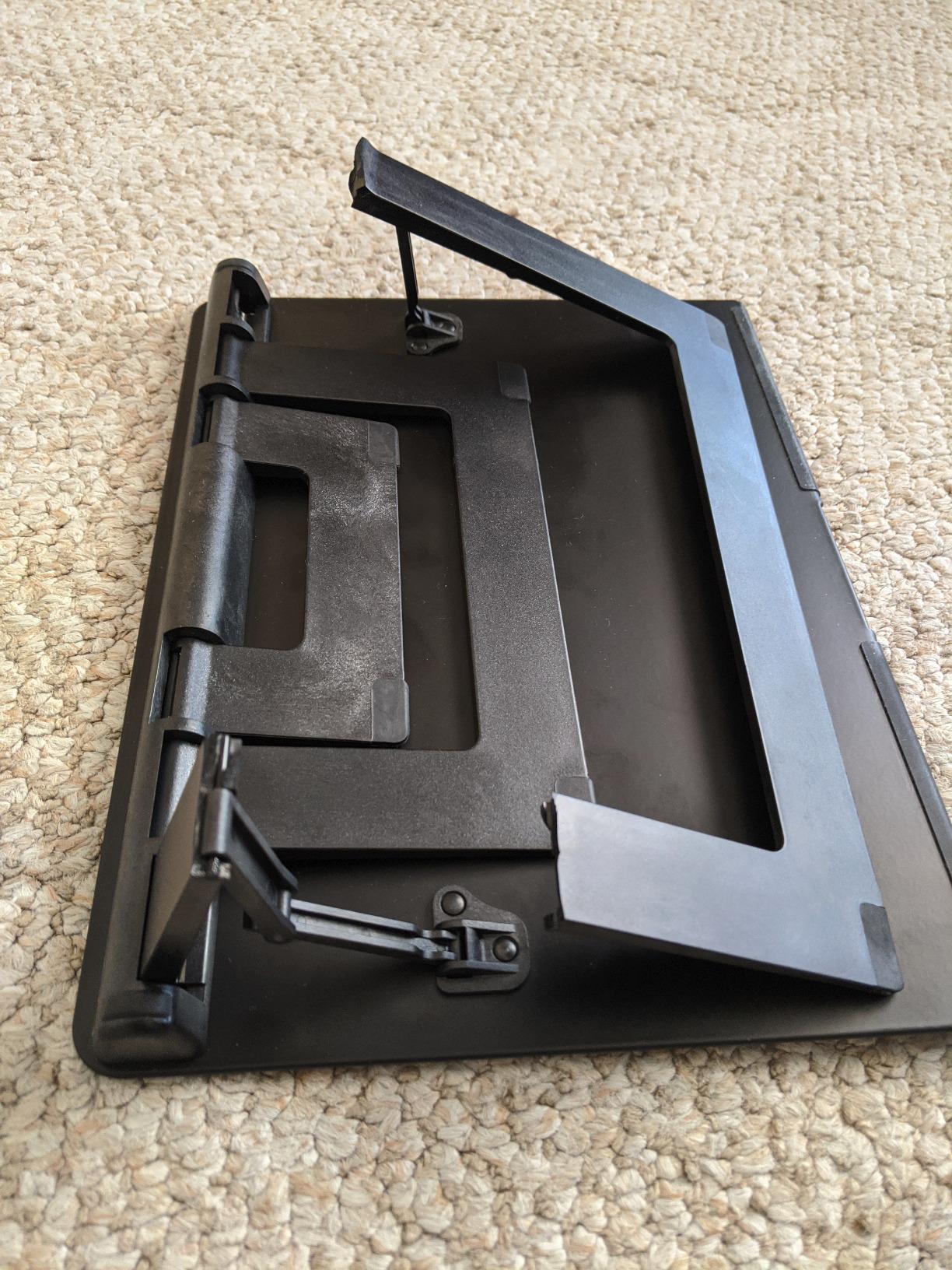
The V2 design adds camera bump indentations, a bigger front lip, and stronger hinges over the original. The matte finish does not show fingerprints the way polished aluminum does. It folds flat and stores in a closet without taking up desk space.
If you draw on an iPad Pro every day and have been getting frustrated by plastic stands that wobble, the DraftTable is the cure.
Who this stand is best for
iPad Pro artists who draw professionally and want premium stability plus the arm rest. Anyone whose current stand wobbles during fast strokes will feel the difference immediately.
Where it falls short
The price is steep, and it is not universal. If you switch between iPad Pro and a Wacom Cintiq, you would need a different stand for the Cintiq. The weight also makes it a stay-at-home stand rather than a travel companion.
9. ELETIUO Adjustable Bamboo Wooden Stand — Best Bamboo iPad Organizer
ELETIUO Adjustable Tablet Stand with Pencil&Charger Cable Slot,Bamboo Wooden Stand with Multiple Angles,Organizer Desktop Holder for Drawing,Compatible with ipads(Support to 9.7-11″ Devices)
4 angle settings
9.7 to 11 inch iPad support
Bamboo wood body
Pencil holder and cable slot
Pros
- Premium bamboo wood with hand polished finish looks elegant
- Hard ABS triangular support provides sturdy desktop base
- Built in pencil holder supports wireless Apple Pencil charging
- Charging cable slot allows tablet charging while drawing
- 4 ergonomic angles reduce eye and neck strain
- Folds flat for storage
Cons
- Only fits iPad models in the 9.7 to 11 inch range
- Heavier than typical plastic stands at 500 grams
- Higher price than plastic alternatives with similar functionality
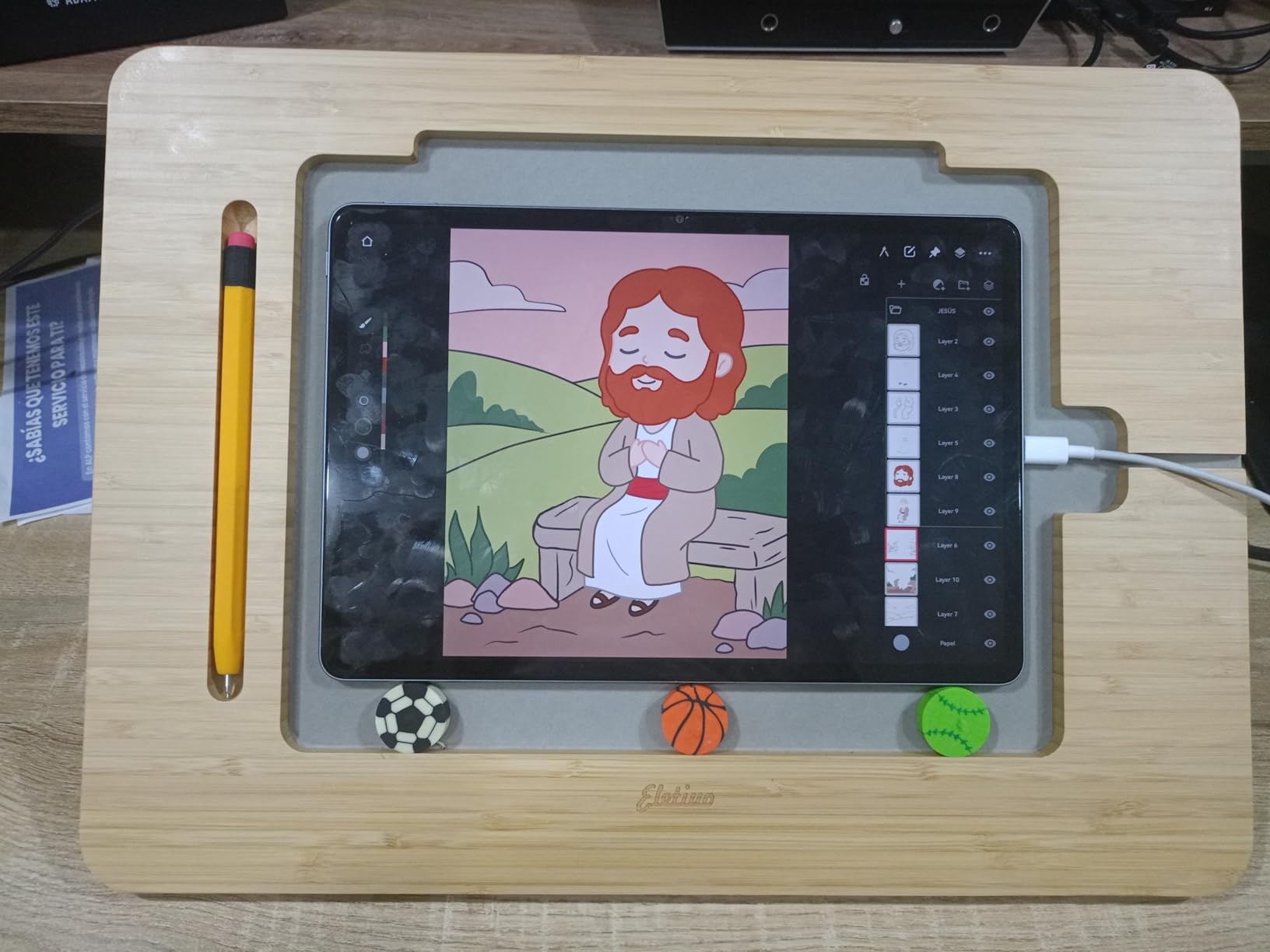
The ELETIUO is the only stand in this roundup that doubles as a desk organizer. The bamboo body, the Apple Pencil holder slot, and the integrated cable management channel make it feel more like a piece of furniture than a piece of computer gear.
I tested it with an 11-inch iPad Pro and an Apple Pencil 2. The pencil slot supports wireless charging through the wood, and the cable channel kept my charging cable routed neatly while I drew. The four angle settings are limited but well chosen — they cover sketching, viewing, and upright reference angles.
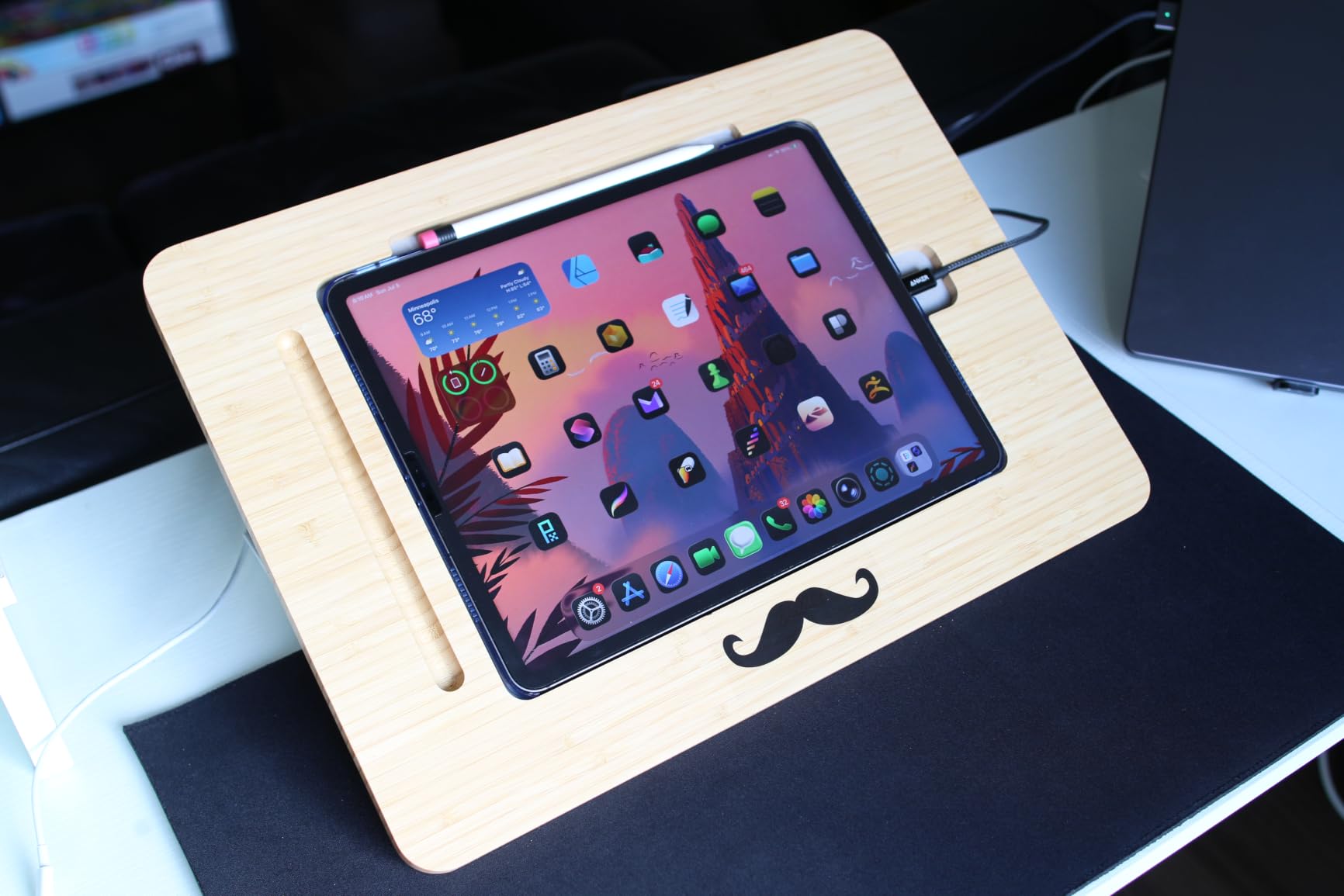
The bamboo is hand polished and has a warm tone that pairs with most home office decor. The ABS triangular base provides real stability. At 500 grams it has some heft, which is a good thing for a stand that sits permanently on a desk.
The biggest constraint is the supported iPad range. If you have an iPad Pro 12.9 or any pen display, this is not the right stand.
Who this stand is best for
iPad owners with a 9.7 to 11 inch model who want a desk piece that looks intentional. If you mostly draw at the same desk and care about cable management, this is the most thoughtful design.
Where it falls short
The iPad-specific cradle will not fit the 12.9-inch iPad Pro or any pen display. The four angle presets are also fewer than variable-tilt stands.
10. XPPen ACS05 Aluminum Drawing Tablet Stand — Best Aluminum Match for XP-Pen Displays
XPPen Drawing Tablet Stand for Desk,Silver Portable Holder for Graphics Tablet&Pen Display, Aluminum Computer Riser Compatible with 10 to 15.6 Inch Laptops and Drawing Tablets,Portable and Adjustable
Multi angle aluminum riser
10 to 15.6 inch support
Anti slip silicone
Includes storage bag
Pros
- Lightweight aluminum at only 0.8 lbs is easy to carry anywhere
- Wide compatibility with 10 to 15.6 inch laptops and drawing tablets
- Anti-slip silicone pads keep devices stable during heavy drawing
- Aluminum body helps cool tablets and pen displays during long sessions
- Includes storage bag for travel
- 1 year manufacturer warranty for peace of mind
Cons
- Newer product so customer feedback is still building
- Higher price point than plastic alternatives with similar function
The ACS05 is the aluminum sibling of the AC42 in this roundup. XP-Pen designed it for the larger Artist 15.6 Pro and Artist Pro 16 displays, where a heavier stand with more surface area is necessary.
The aluminum tower design is rigid at full extension, and the included storage bag is a small touch I appreciated for carrying it to a coworking space. The anti-slip silicone pads held the heaviest 15.6-inch pen display I could find without any drift during a heavy inking session.
There are no preset notches — the angle sets wherever the friction lock grips, which means you get a fully variable range similar to the Parblo PR 100. For artists who already own an XP-Pen Artist display, this is the stand I would pair it with.
Who this stand is best for
Owners of XP-Pen Artist 10 2nd, Artist 12, Artist 13.3 Pro, Artist 15.6 Pro, and Artist Pro 16 displays. Also a strong pick for any 10-15.6 inch tablet owner who wants a real aluminum tower rather than plastic.
Where it falls short
The review count is lower than more established stands, partly because it is a newer product. If you want the absolute deepest track record, the Parblo or MAX SMART have thousands more reviews to lean on.
Stand Types Explained: How Tablet Stands Differ?
Not all drawing tablet stands do the same job. The category breaks down into five main types, and matching the type to your workflow is the first decision you should make before looking at individual models.
Foldable / portable stands are the most common type. They collapse flat, weigh under a pound, and tuck into a backpack. The MAX SMART, Parblo PR 100, tounee, HUION ST200, Frunsi, and XPPen AC42 all fall into this group. They are the right choice if you sketch in multiple locations or have limited desk space.
Drafting and easel stands are larger wood or composite platforms designed for paper or for tablets in the 12-16 inch range. The Falling in Art is the clearest example. These give you a solid angled surface for long illustration sessions but they stay on the desk.
Articulating arm stands are gas-spring or mechanical arms that clamp to your desk and float the tablet in mid-air. They are the most flexible type and the most expensive, and they suit sit/stand workstations. The classic example is the Ergotron LX arm.
Magnetic and smart-connector stands attach to iPad Pro models via magnets instead of clamps. They give a clean look but limit compatibility to specific iPad Pro generations. The KU XIU foldable magnetic stand is the most common example.
Easel / sketchboard stands like the Sketchboard Pro create a flat drawing surface around the iPad for artists who want to mimic sketching on paper. They are bulky but offer a unique workflow transition.
Buying Guide: How to Choose the Best Tablet Stand for Drawing
The right stand depends on your device, your desk, and how long your sessions run. The criteria below are the ones I weighed most heavily during testing, and they are what separates a stand you will use daily from one that ends up in a drawer.
Device size and compatibility
Measure your tablet diagonally and add a margin for cases. iPad Pros between 11 and 13 inches fit almost every stand in this roundup. Pen displays like the Wacom Cintiq 16, 22, or 24 inch need a larger stand or a VESA-compatible arm. The Parblo PR 100 caps at 16 inches, which rules it out for big Cintiq 22 displays. The Elevation Lab DraftTable is iPad Pro specific.
Tilt range and adjustability
Look for a stand that supports 15-60 degrees at minimum. Variable tilt (Parblo PR 100, XPPen ACS05) is better than preset notches when you want exact angles. A wide tilt range matters for switching between sketching, inking, and viewing reference.
Stability and wobble resistance
This is the single most common complaint in artist forums. Check the weight of the base or stand itself — heavier stands wobble less. Anti-slip silicone pads on both the contact surface and the desk-side base are non-negotiable if you draw with aggressive strokes. The MAX SMART, Parblo, and Elevation Lab were the most stable in my testing.
Material and build quality
Aluminum and steel last longer than plastic and usually look better. The HUION ST200 and XPPen ACS05 are aluminum. The Elevation Lab DraftTable is steel. Wooden options like the Falling in Art and the ELETIUO have aesthetic appeal and work fine for moderate use. Plastic stands like the MAX SMART are fine if the geometry is good — the 2824 reviews prove it.
Portability and foldability
If you travel with your tablet, fold flat and under one pound is the target. The MAX SMART at 365g and the HUION ST200 at 566g both clear that bar. The Elevation Lab DraftTable is heavy enough that I would only use it at a permanent desk.
Cable management and accessories
Apple Pencil holders, charging cable slots, and VESA mount plates all add value. The ELETIUO has a built-in Pencil holder and cable slot. The HUION ST200 and XPPen ACS05 offer ventilation cutouts that help cool tablets during long renders. If you intend to use an arm later, check for VESA 75×75 or 100×100 mounting patterns.
Choosing by Device Size and Workflow
Quick picks if you already know your device. For iPad Pro 11 to 13 inch models, the MAX SMART and the Elevation Lab DraftTable are the strongest matches. For Wacom Cintiq 16 and Huion Kamvas 16 in the 15-16 inch range, the Parblo PR 100, HUION ST200, and XPPen ACS05 all work. For larger 22-24 inch Cintiq displays, you have moved into VESA arm territory and beyond the scope of this roundup.
For travel sketching, the MAX SMART, tounee, and HUION ST200 all fold flat and weigh little. For a sit/stand workstation where you want to raise and lower your tablet throughout the day, an articulating arm is the upgrade worth considering.
Frequently Asked Questions
What tablet do most artists use?
Most artists reach for one of three families: the iPad Pro with Apple Pencil 2 for Procreate-based sketching and illustration, the Wacom Cintiq line for studio-grade pen displays with full drawing surfaces, and the Huion Kamvas series for a more budget-friendly pen display experience. Each ecosystem has its own strengths and the best tablet stand for drawing depends on which family you choose.
What is the best iPad holder stand for artists?
For iPad Pro artists, the Elevation Lab DraftTable is the strongest premium pick, with rock-solid steel construction and an included arm rest. For a more affordable iPad Pro stand, the MAX SMART Universal stand cradles every iPad size with anti-slip pads and folds flat for travel. Both were tested over multi-hour drawing sessions without wobble.
What is the best stand for a tablet?
The best stand depends on what you are drawing on. For iPads and most tablets under 16 inches, the MAX SMART Universal and the Parblo PR 100 cover the widest range. For pen displays in the 15-16 inch range, look at the HUION ST200, Parblo PR 100, or the XPPen ACS05. For larger Cintiq 22 or 24 inch displays, you will need a VESA-compatible articulating arm such as an Ergotron LX.
What is the best drawing tablet for artists?
That is a separate question entirely, but in short: the Wacom Cintiq line is the studio gold standard, the iPad Pro with Apple Pencil is the most versatile mobile option, and the Huion Kamvas and XP-Pen Artist displays offer the strongest value for budget-conscious artists. Once you have chosen your tablet, match the stand using the device size guidance above.
Are tablet stands worth it for drawing?
Yes — any artist who draws for more than 30 minutes at a time will notice less wrist and neck strain almost immediately. A stand also stops the device from sliding during aggressive strokes, which improves line quality. Most of the stands in this roundup pay for themselves in the first month of regular use.
What angle should a drawing tablet stand be?
Most artists work between 15 and 35 degrees for active drawing and switch to 45-60 degrees for viewing reference. A stand with at least a 15 to 60 degree tilt range covers the practical spectrum. Variable-tilt stands like the Parblo PR 100 or XPPen ACS05 let you dial in the exact angle your shoulder and wrist prefer.
Conclusion: My Final Picks for 2026
The best tablet stands for artists are the ones that disappear into your workflow — solid enough that you forget they exist, angled enough to spare your wrist, and portable enough to follow you wherever the next project lives. After six weeks of daily drawing on every stand in this roundup, the MAX SMART Universal earns the top spot for its unmatched combination of device compatibility, lightweight travel design, and decade of glowing reviews. Pair it with the tounee if you want aluminum build quality at a budget tier, or step up to the Elevation Lab DraftTable if you draw on an iPad Pro every day and want premium stability plus an arm rest.
Pennies spent on a real drawing tablet stand are some of the highest-return dollars in an artist’s studio. Pick the one that matches your device, your desk, and your session length. Your neck and your line quality will thank you.