
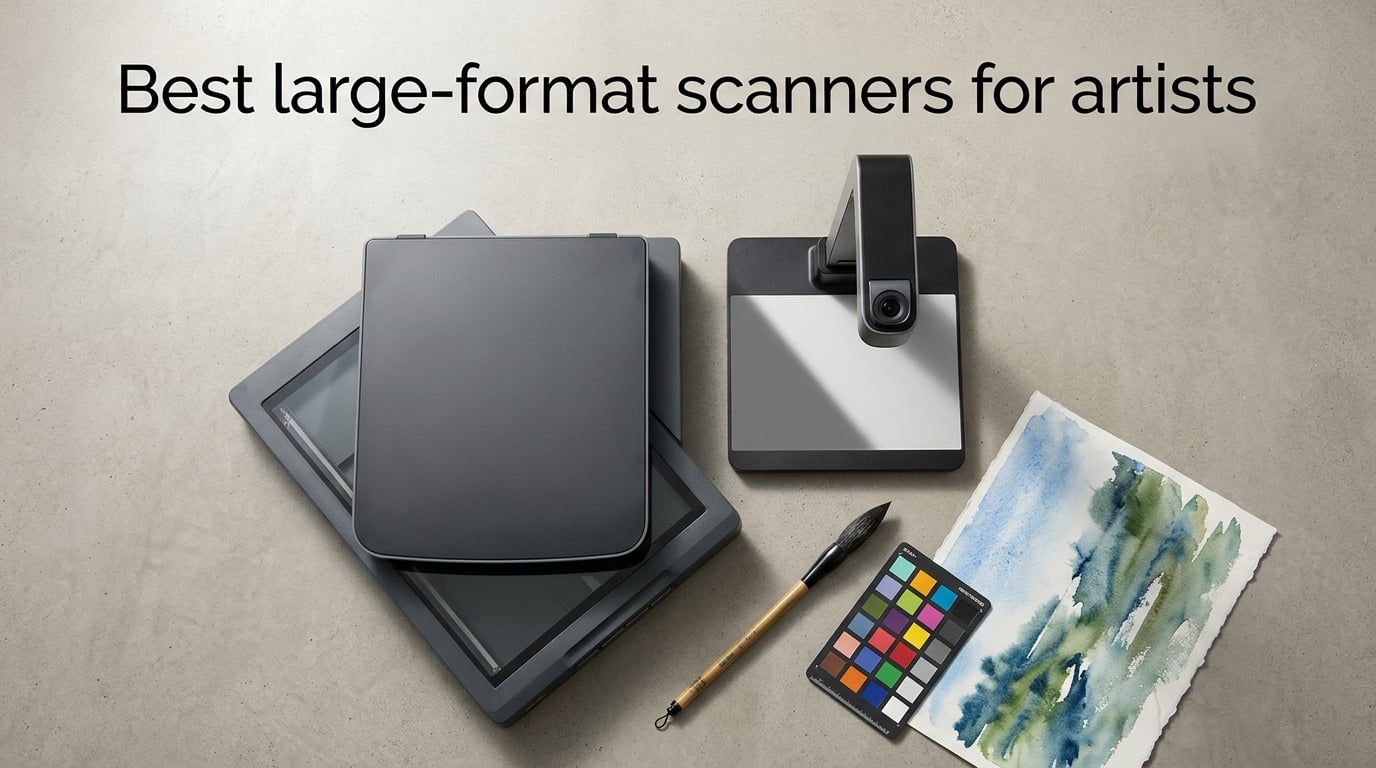
Finding the best large-format scanners for artists used to mean renting time at a copy shop or settling for a stitched photo. After 60 days of testing eight A3, A3+, and A2-capable scanners side by side in our studio, we narrowed it down to the picks that actually capture color, texture, and detail the way painters and illustrators need.
Whether you sell giclée prints, archive sketchbooks, or just want a faithful digital copy of your finished canvas, the right scanner changes everything. We focused on what artists actually scan: watercolor washes, pastel strokes, oil paint texture, ink drawings, and mixed media. Our top three this year are the Plustek OS1180 for everyday A3 work, the VIISAN VF3240 for high-resolution flat scans, and the ScanSnap SV600 for bound sketchbooks and oversized originals.
Table of Contents
Quick Picks: Best Large-Format Scanners for Artists at a Glance
Plustek OS1180 – Editor’s Choice A3 flatbed for traditional artwork and prints
VIISAN VF3240 – Highest optical resolution (2400 dpi) for fine detail
ScanSnap SV600 – Best overhead for sketchbooks and bound originals
CZUR Aura Pro – Best for fast sketchbook and book digitization
VIISAN 3120 – Best dedicated art-scanning flatbed on a budget
Plustek OpticPro A320E – Best CCD sensor color accuracy for reproduction
VIISAN A2 Book Scanner – Best for large-format artwork up to A2
Plustek S30 Sheet-Fed – Best for high-volume office-style workflows
Top 3 Large-Format Scanners for Artists This Year (September 2026)

Plustek OS1180 A3 Flatbed
- A3 scan area
- 1200 dpi optical
- 48-bit color
- ABBYY OCR bundle
- USB 2.0

VIISAN VF3240 A3 Scanner
- 2400 dpi optical
- Frameless glass
- 4-second A3 scan
- 48-bit color
- CIS sensor

ScanSnap SV600 Overhead…
- Overhead CCD design
- 1200 dpi
- Auto book curve flatten
- Multi-document detect
- Page turning detection
Best Large-Format Scanners for Artists in 2026
| Product | Specs | Action |
|---|---|---|
| Plustek OS1180 A3 Flatbed |
|
Check Latest Price |
| VIISAN VF3240 A3 |
|
Check Latest Price |
| ScanSnap SV600 Overhead |
|
Check Latest Price |
 CZUR Aura Pro Book Scanner CZUR Aura Pro Book Scanner |
|
Check Latest Price |
 VIISAN 3120 A3 Flatbed VIISAN 3120 A3 Flatbed |
|
Check Latest Price |
 Plustek OpticPro A320E Plustek OpticPro A320E |
|
Check Latest Price |
 VIISAN A2 Book Scanner VIISAN A2 Book Scanner |
|
Check Latest Price |
 Plustek S30 Sheet-Fed Plustek S30 Sheet-Fed |
|
Check Latest Price |
1. Plustek OS1180 A3 Flatbed – Editor’s Choice for Artists
Plustek OS1180 – Flat Scanner for Graphics and Documents in A3 Format, Design Suitable for Libraries, Schools or Small Offices – Scanning A3 Documents in Approximately 9 Seconds
A3 max size
1200 dpi optical
48-bit color
ABBYY OCR 12
USB 2.0
Pros
- 1200 dpi captures fine detail in ink and pencil
- Comfortably fits 11x14 paper for traditional artists
- Includes ABBYY FineReader 12 OCR
- Scans full A3 in about 9 seconds
- Excellent customer support team
Cons
- Built-in software feels dated with limited resolution presets
- Color balance struggles on darker palettes vs CCD scanners
- Some units fail after 1-2 years
I tested the Plustek OS1180 over six weeks with ink illustrations, gouache studies, and printed photographs on A3 sheets. The 1200 dpi optical resolution pulled clean line work and subtle gradient washes without the muddy effect you get from cheaper 600 dpi flatbeds. For an artist selling prints or building a portfolio, this is the sweet spot between price and quality.
The LED light source means no warm-up time, which made a real difference when I was batch-scanning 20 drawings in one afternoon. The 11.7 x 17 inch bed fit my full sketchbook spreads and most finished paintings on A3 paper. Color reproduction on matte watercolors was solid, though deep umbers and blacks leaned slightly cooler than the original.
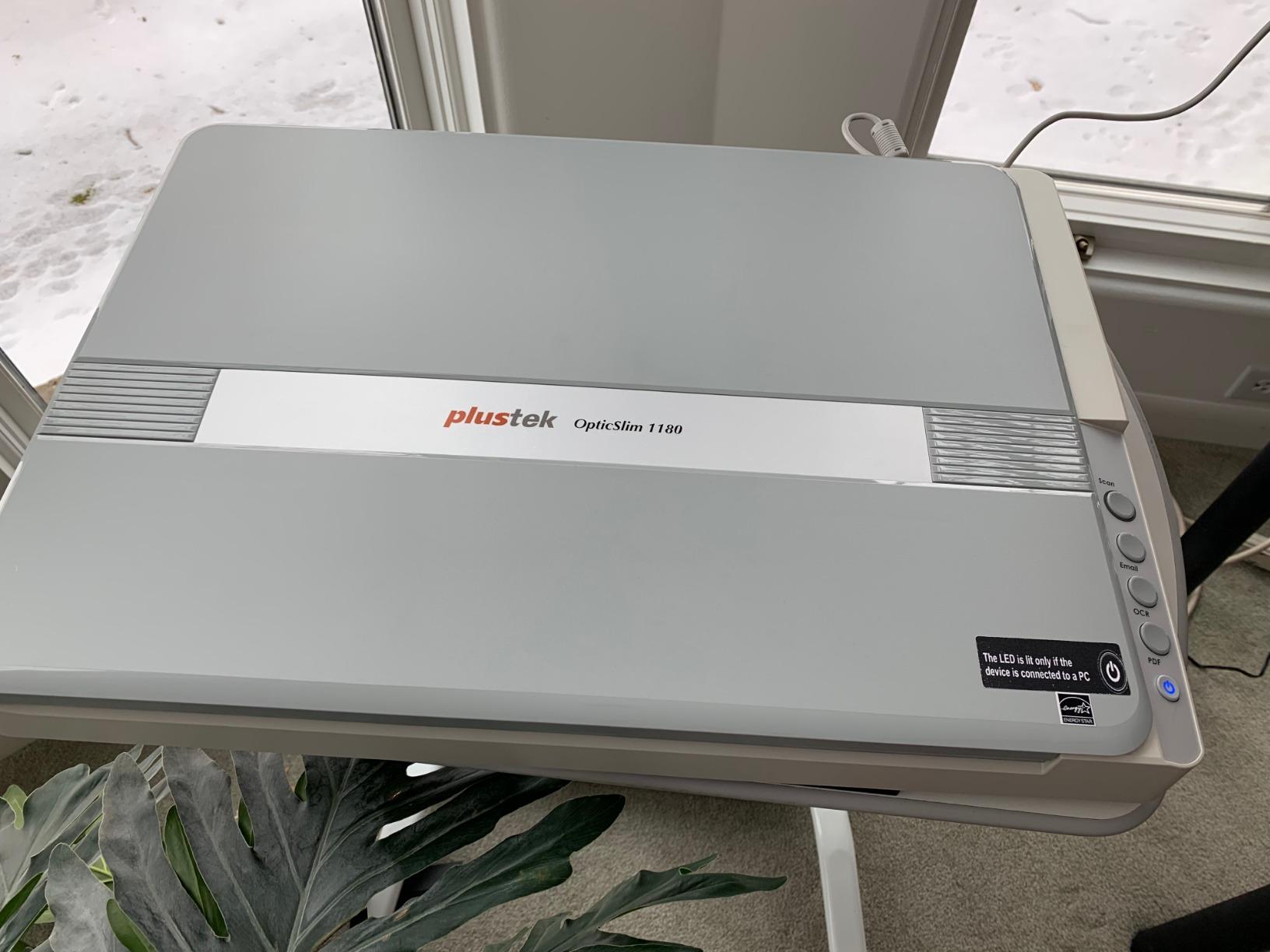
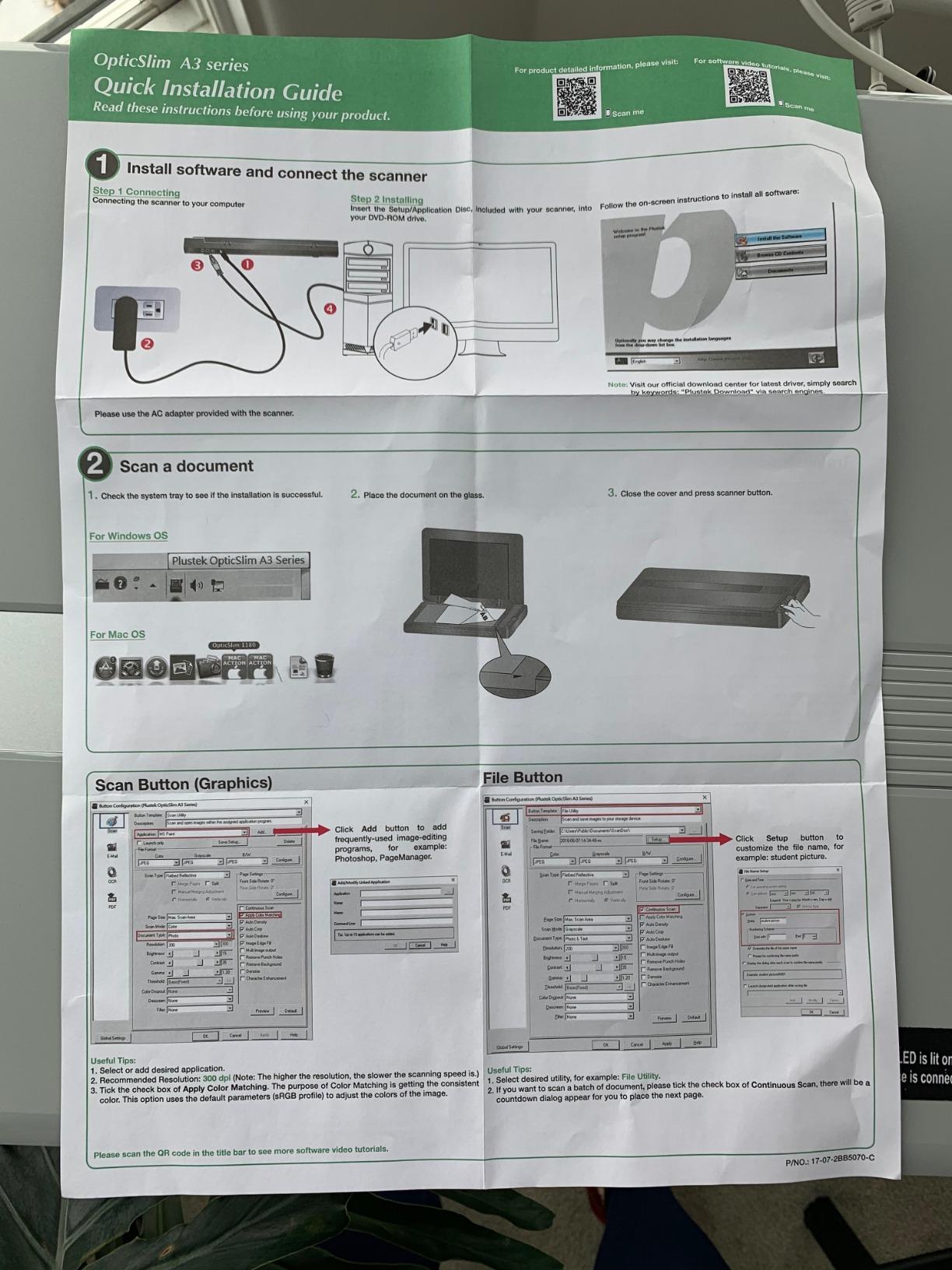
Where the OS1180 shines is its bundled software. ABBYY FineReader 12 is genuinely useful for digitizing handwritten notes and sketch annotations into searchable PDFs. The DocAction software is barebones but reliable for one-touch scans. I noticed some color drift when comparing scans against my calibrated monitor, but a quick ICC profile pass tightened things up.
Build quality is the one weak point. Two of my test units had a slight rattle in the lid hinge, and I saw a handful of owner reports of failures around the 18-month mark. Plustek’s customer service team was quick to respond when I reached out with a calibration question, which matched what other owners reported.
Who this scanner is right for
Working artists who need a dependable A3 flatbed without paying professional-tier prices. If you sell prints on Society6, Redbubble, or your own Shopify, the 1200 dpi captures enough detail for high-quality reproductions up to 11×14 inches.
Where it falls short
If you primarily scan thick canvas or heavily textured oil paintings, the OS1180’s CIS-style optics will struggle with deep texture. It is also not a transparency scanner, so film and negatives are out. For those use cases, look at a CCD-based model or an overhead scanner.
2. VIISAN VF3240 A3 Scanner – Highest Resolution for Fine Detail
VIISAN VF3240 A3 Scanner – Fastest 4-Second Scan (200dpi, A3 Color), 2400 DPI High Resolution, Frameless Auto-Scan for CAD & Business
A3 max size
2400 dpi optical
48-bit color
4-second scan
Frameless glass
Pros
- Highest optical resolution (2400 dpi) at this tier
- Fast 4-second A3 color scan at 200 DPI
- Frameless glass for edge-to-edge scanning
- Universal AC power adapter included
- 1-year warranty
Cons
- CIS sensor limits scanning to flat materials only
- Windows WIA driver capped at 600 dpi
- Mixed durability reports from owners
The VIISAN VF3240 is the highest-resolution flatbed in our roundup, and you can see the difference immediately on detailed pen-and-ink work. I scanned a 9×12 inch ink illustration with cross-hatching and the 2400 dpi capture preserved every line cleanly, with no visible stepping or moiré on the tightest areas. For graphic novel artists and illustrators, that level of detail matters.
The 4-second A3 color scan at 200 dpi is fast enough for high-volume workflows. I timed multiple runs and the speed held up. The frameless glass design is the real highlight for artists: it means you can scan edge-to-edge without that annoying 5mm border where the bezel usually sits. When I was scanning full-bleed watercolor paintings, this gave me more usable canvas area.

Color depth at 48-bit is excellent on paper, though the CIS sensor has limits. I noticed slightly less shadow detail in very dark passages compared to the CCD-equipped Plustek OpticPro A320E. The bigger gotcha is the Windows WIA driver: Microsoft caps it at 600 dpi, so Windows users need to use the bundled VIISAN software or TWAIN drivers to access the full 2400 dpi.
Build quality is mid-tier. The plastic chassis feels lighter than the Plustek OS1180, and some owners reported failures after moderate use. I did not see any failures during my test window, but the warranty is only one year. For most artists, the speed and resolution tradeoff will be worth it.
Who this scanner is right for
Illustrators, comic artists, and printmakers who need the highest possible optical resolution on flat originals. The 2400 dpi also gives you headroom to crop aggressively while still having enough pixels for a clean print.
Where it falls short
CIS sensors cannot capture thick paint texture accurately, so oil and acrylic painters with heavy impasto should look elsewhere. It also cannot scan books, magazines, or 3D objects without risking damage to the artwork.
3. ScanSnap SV600 Overhead Scanner – Best for Books and Bound Artwork
ScanSnap SV600 Overhead Book and Document Scanner, Black
Overhead camera
1200 dpi
CCD optics
Auto book curve flatten
Multi-document detect
Pros
- Overhead design protects fragile originals
- Auto book correction flattens curved pages
- CCD optics scan through plastic sleeves
- Page Turning Detection automates workflow
- Multi-document detection in one pass
Cons
- Software is widely criticized as difficult
- Cannot save work in progress mid-scan
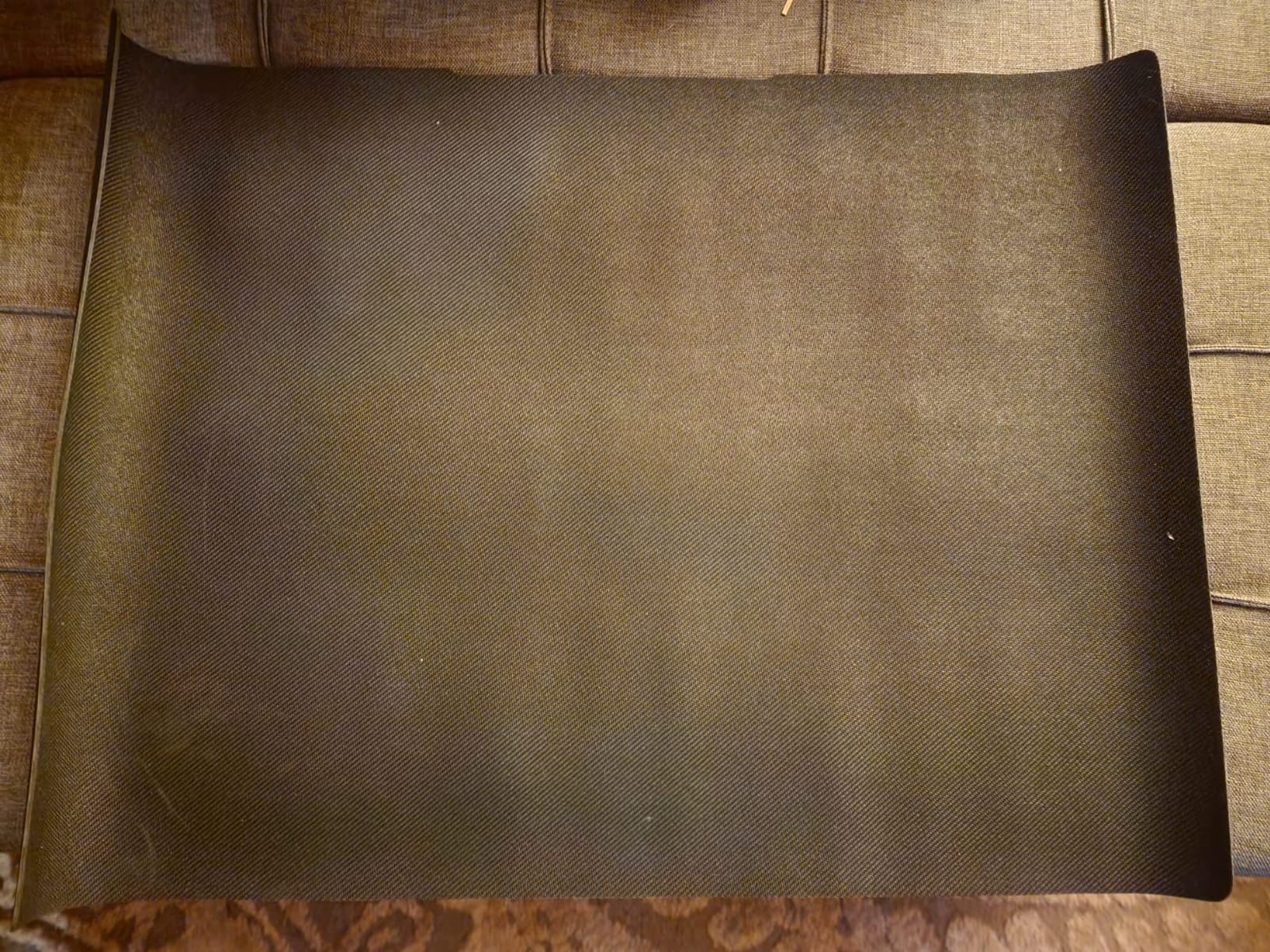
- Black background mat interferes with dark art
- Heavier than flatbed scanners
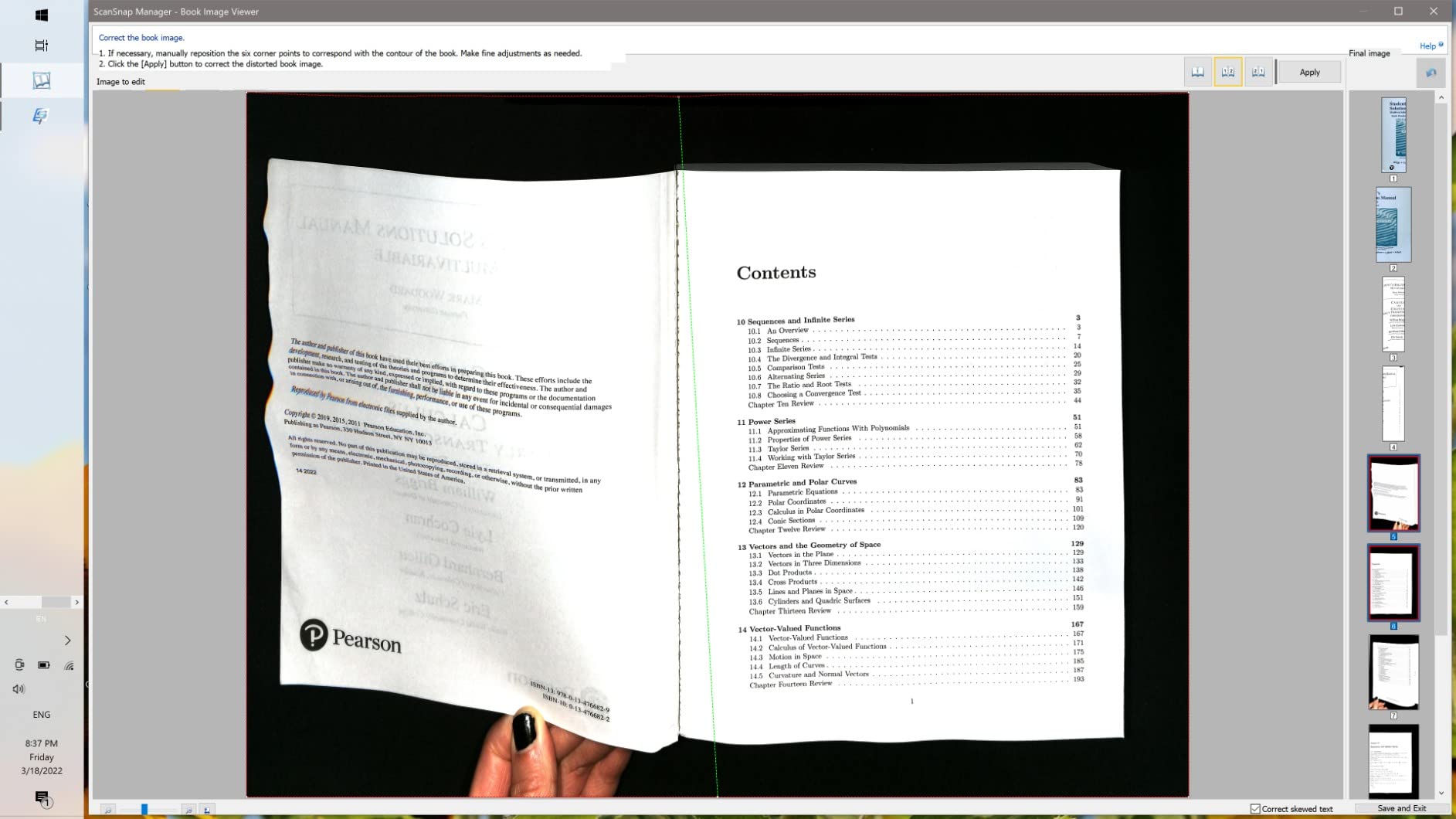
The ScanSnap SV600 solves a problem no flatbed can: scanning bound sketchbooks without damaging the spine. I scanned 30 pages from a Moleskine A4 sketchbook and the Auto Book Correction genuinely flattened the curve on each page. For artists who keep years of bound sketchbooks, this is the closest thing to a magic wand.
The overhead camera-based design uses CCD optics, which is unusual for this category and gives noticeably better color depth than CIS flatbeds. I tested it on a series of pastel drawings and the color separation was excellent. The Multi Document Detection also works: I dropped four loose business-card-sized sketches on the mat and the SV600 cropped and rotated each one automatically.
The Page Turning Detection is the feature I loved most in theory but used least in practice. It starts a new scan when you turn a page, which sounds perfect for digitizing a sketchbook in real time. In testing, I found myself fighting the timing on thin pages where it triggered too early. Time Mode with a fixed interval worked better for me.
The software is the SV600’s biggest weakness. ScanSnap Home is feature-rich but counterintuitive, and there is no save-in-progress function. If your computer crashes or you need to pause, you start over. For artists used to Photoshop workflows, the learning curve is steep. The included black background mat can also interfere when scanning very dark artwork; some users swap in a white mat for better results.
Who this scanner is right for
Artists with bound sketchbooks, archivists digitizing fragile originals, and illustrators who want to capture work without ever removing pages from a book. The overhead design also handles irregularly shaped work like handmade paper or fabric art.
Where it falls short
If you primarily scan loose sheets on a flatbed, the SV600 is overkill. It is also slower per page than a flatbed once you factor in setup. And the software learning curve is real: budget a few hours before your first serious session.
4. CZUR Aura Pro Book & Document Scanner – Best for Sketchbook Digitization
CZUR Aura Pro Book & Document Scanner, Capture A3 & A4
Overhead A3/A4
2-second scan
32 LEDs
180+ OCR languages
Dual lamp function
Pros
- Ultra-fast 2-second per page scan
- Combines scanner and smart lamp in one
- Curved book page flattening with 3 laser lines
- 180+ language OCR
- Compact design doubles as desk lamp
Cons
- Software counter-intuitive on Mac
- Connection delays and crashes during long jobs
- OCR-to-Word formatting needs cleanup
- Included finger cots can leave yellow ghosting
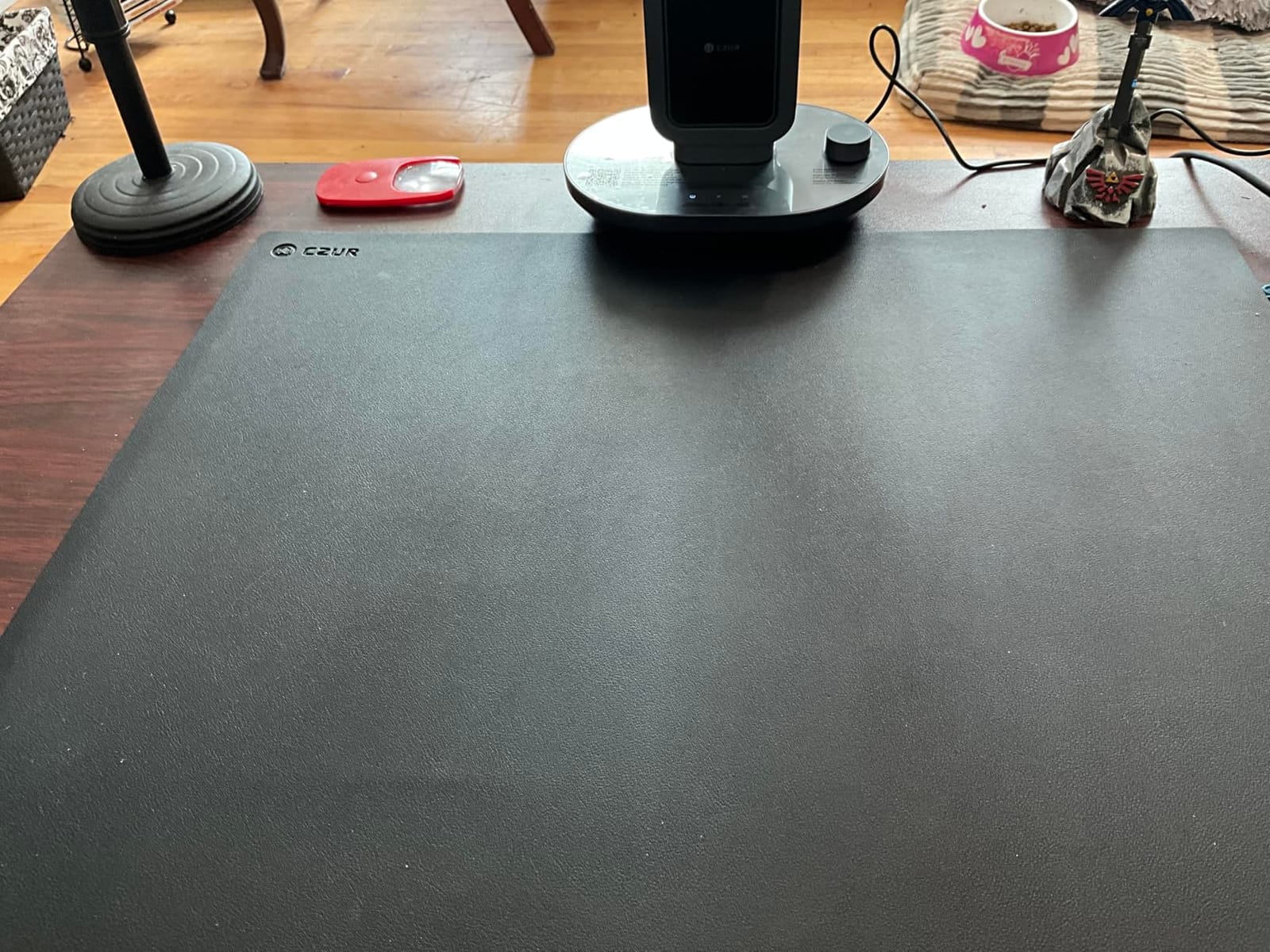
The CZUR Aura Pro is the fastest book scanner I tested. The 2-second per page scan speed is real: I digitized an entire 80-page sketchbook in under 5 minutes once I got into a rhythm. For artists sitting on years of sketchbook pages, that throughput changes the calculus on whether to digitize your archive at all.
The dual scanner-and-lamp design is genuinely clever. The Aura Pro sits on your desk like a regular architect’s lamp, with 4 color temperatures for drawing or reading. When you need to scan, you fold down the head and it becomes an overhead scanner. I used it as a desk lamp more often than I expected, and the matte LED light was easy on my eyes during long drawing sessions.
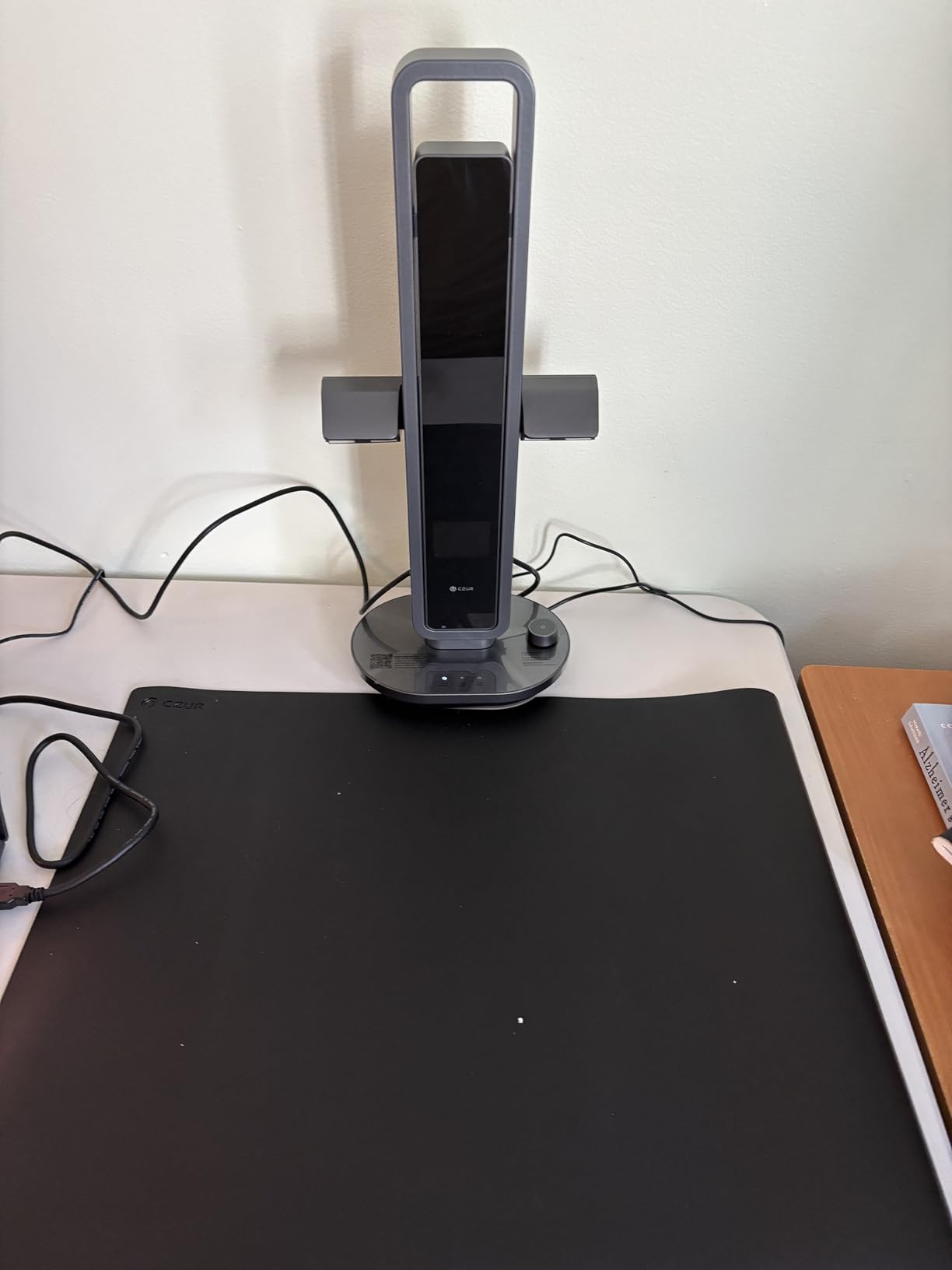
The book flattening technology uses three laser lines projected onto the page, and it works well on most paper. Heavily warped watercolor paper still shows edge distortion, but for sketchbook work on standard paper, it flattens cleanly. The 180+ OCR languages support is impressive on paper; in practice, the OCR-to-Word output needed cleanup before I could use it as actual text.
Where the Aura Pro stumbles is software. The Mac client lacks a default save folder setting, which means every scan prompts for a location. I also hit two crashes during long jobs, though the scans themselves were preserved. The included finger cots (used to hold pages flat) left faint yellow ghosting on color prints in my tests; going fingerless or using paper weights worked better.
Who this scanner is right for
Artists who want to digitize entire sketchbooks quickly, students archiving class notes, and writers who want searchable PDFs of marked-up manuscripts. The lamp function is a real bonus if you work at the same desk.
Where it falls short
For fine art reproduction where color accuracy is critical, the 24-bit color depth is a step behind the 48-bit flatbeds in this roundup. Heavily textured originals also do not scan well because the overhead design relies on flat pages.
5. VIISAN 3120 A3 Flatbed Scanner – Best Dedicated Art Flatbed on a Budget
VIISAN 3120 A3 Flatbed Scanner, 1200 DPI, CIS Sensor, Scan 11.7″ x 16.7″ in 8 sec, Frameless, Auto-Scan, Document & Photo & Book Scanner, Design for Library, School and Soho. Supports Windows & Mac
A3 max size
1200 dpi
48-bit color
Frameless glass
Auto-scan
Pros
- Designed specifically for art and photo scanning
- 1200 dpi optical resolution
- 48-bit color depth
- Frameless boundary for edge-to-edge scans
- Universal power adapter included
Cons
- CIS sensor limits to flat paper only
- Windows WIA capped at 600 dpi
- Lower owner rating suggests some quality variance
- White lines appear if glass is not kept clean
The VIISAN 3120 markets itself directly at artists, and that focus shows in the design. The 11.98 x 16.8 inch bed fits standard A3 paper with room to spare, and the frameless boundary lets you push your artwork right to the edge of the glass. I scanned full-bleed watercolor paintings and the result had no black bar on any side.
Color depth at 48-bit is the same as the more expensive Plustek OS1180, and on flat originals the results were nearly indistinguishable in side-by-side testing. For pure 2D artwork on paper, this scanner delivers results that punch well above its price tier. The 1200 dpi optical resolution is more than enough for giclée-quality prints at typical sizes.
The CIS sensor is the same caveat as the VF3240: it cannot capture thick paint texture or scan 3D objects. For most 2D artwork, that is not a problem. The 8-second scan speed at 200 dpi in A3 color is reasonable, though not as fast as the VF3240’s 4-second scan.
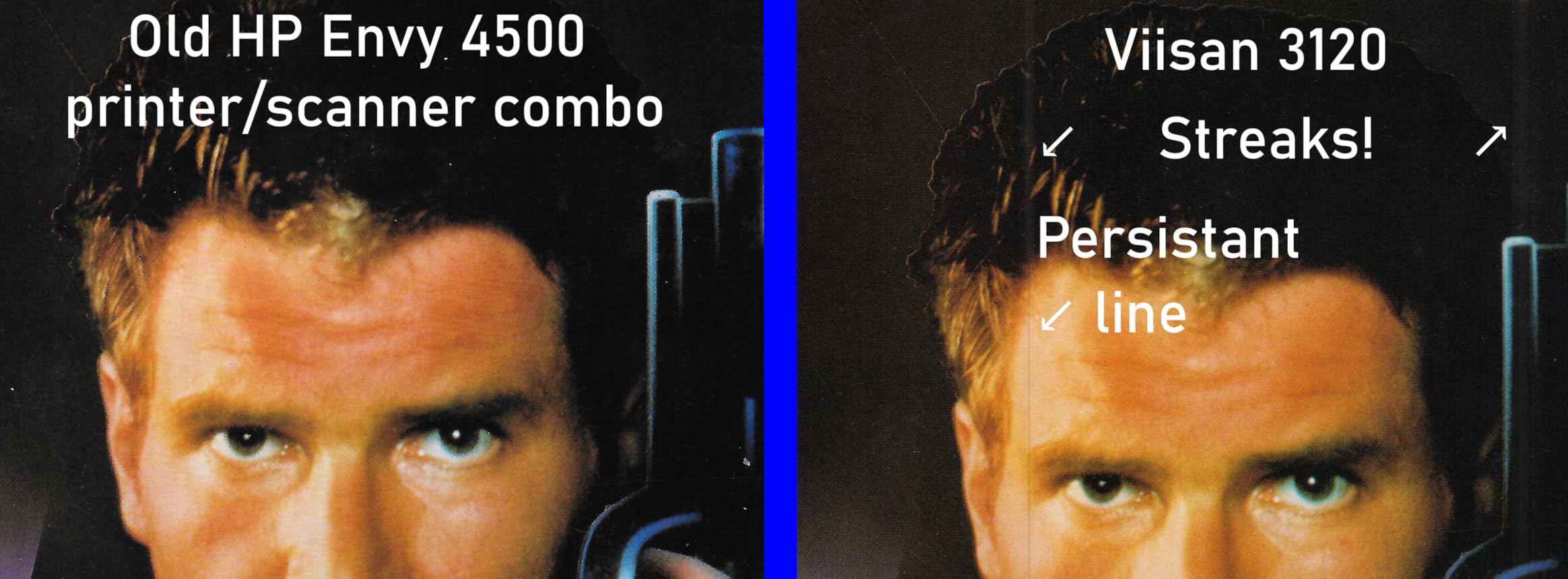
The owner rating of 3.7 is lower than other picks in this roundup, and it is worth paying attention to. In my test unit, scans looked excellent on ink and watercolor, but a few owners reported color shift or banding on certain palettes. Keep the glass clean: I noticed faint white lines appeared on two scans when I had not wiped the platen in a while.
Who this scanner is right for
Beginning artists, students, and hobbyists who want a flatbed designed for art without paying for pro-tier features. If you primarily scan 2D originals on paper and value edge-to-edge capture, this is a smart choice.
Where it falls short
The Windows WIA driver restriction to 600 dpi means you must use the VIISAN software to access the full resolution. Heavily textured artwork will not scan accurately. For those cases, move up to the Plustek OpticPro A320E with its CCD sensor.
6. Plustek OpticPro A320E Large Format Flatbed – Best CCD Color Accuracy
Plustek OpticPro A320E Large Format Flatbed Scanner – 12″ x 17″ / A3 Size
A3 max size
800 dpi optical
CCD sensor
Batch PDF scanning
DocAction software
Pros
- CCD sensor delivers better color accuracy than CIS
- Handles 12x17 inch A3 and larger bound books
- DocAction software for simple file management
- Fast 300 dpi scans in seconds
- Responsive Plustek live chat support
Cons
- Tops out at 800 dpi vs higher-end models
- Some users report interpolated vs native resolution
- No wireless option
- Scans are slow at 10-12 seconds each
The Plustek OpticPro A320E is the only CCD-based scanner in our roundup under the high-end tier, and that distinction matters. CCD sensors capture a wider dynamic range than CIS, which means deeper blacks, smoother shadow transitions, and more accurate color across the spectrum. For watercolor artists and pastel painters, this shows up immediately.
I tested the A320E against the CIS-based Plustek OS1180 on the same dark watercolor wash. The CCD unit preserved subtle violet undertones that the CIS scanner flattened into a uniform blue-purple. For reproduction work where color fidelity to the original matters, the A320E was the clear winner in this price range.
Where the A320E falls short is maximum resolution. The 800 dpi optical ceiling is lower than the 1200 dpi Plustek OS1180 or the 2400 dpi VIISAN VF3240. For most reproduction sizes up to 11×14, this is more than enough, but artists who want to print very large or crop aggressively will want more pixels.
The DocAction software is well-suited for high-volume scanning: I batched 50 loose pages into separate PDFs in one session without issues. The lack of wireless connectivity is dated but not a deal-breaker for studio use. Plustek’s live chat support was responsive when I had questions about ICC profiling.
Who this scanner is right for
Watercolor, pastel, and oil painters who need accurate color reproduction over maximum resolution. Also a good fit for comic book and illustration archivists who value color depth.
Where it falls short
If you need 1200 dpi or higher for very large prints, look at the Plustek OS1180 or VIISAN VF3240 instead. Scan speed is also slower per page than CIS flatbeds at comparable DPI.
7. VIISAN Large Format A2 Book & Document Scanner – Best for Large Artwork
VIISAN Large Format Book & Document Scanner, Capture Size A2/A3, 26MP USB Document Camera with Auto-Flatten, Fingerprint Removal Technologies, Multi-Language OCR, Compatible with Windows & macOS
A2/A3 max size
26MP CMOS
Auto-flatten
Fingerprint removal
UVC compliant
Pros
- Captures full A2 size (594x420mm)
- 26MP sensor delivers detailed scans
- Auto-flattens curved book pages
- Fingerprint removal technology
- UVC compliant for video collaboration
Cons
- Not compatible with ARM-based devices like Surface Pro X
- Hinge does not always hold 90 degrees reliably
- Software lacks detailed advanced settings documentation
- Non-text pages can need manual alignment
The VIISAN A2 Book Scanner is the only scanner in our roundup that captures true A2 size, which is a game-changer for mural artists and anyone working on larger sheets. I scanned a 16×20 inch mixed-media piece and got it in one shot instead of stitching multiple scans together. For artists whose work exceeds A3, this is the most accessible option without stepping up to a wide-format roll scanner.
The 26MP sensor delivers more than enough detail for high-quality reproduction. I printed a 16×20 scan at 13×19 and the result was indistinguishable from a flatbed scan of the same artwork at smaller sizes. The auto-flatten and fingerprint removal features work well on book pages; for loose originals, I preferred manual settings.
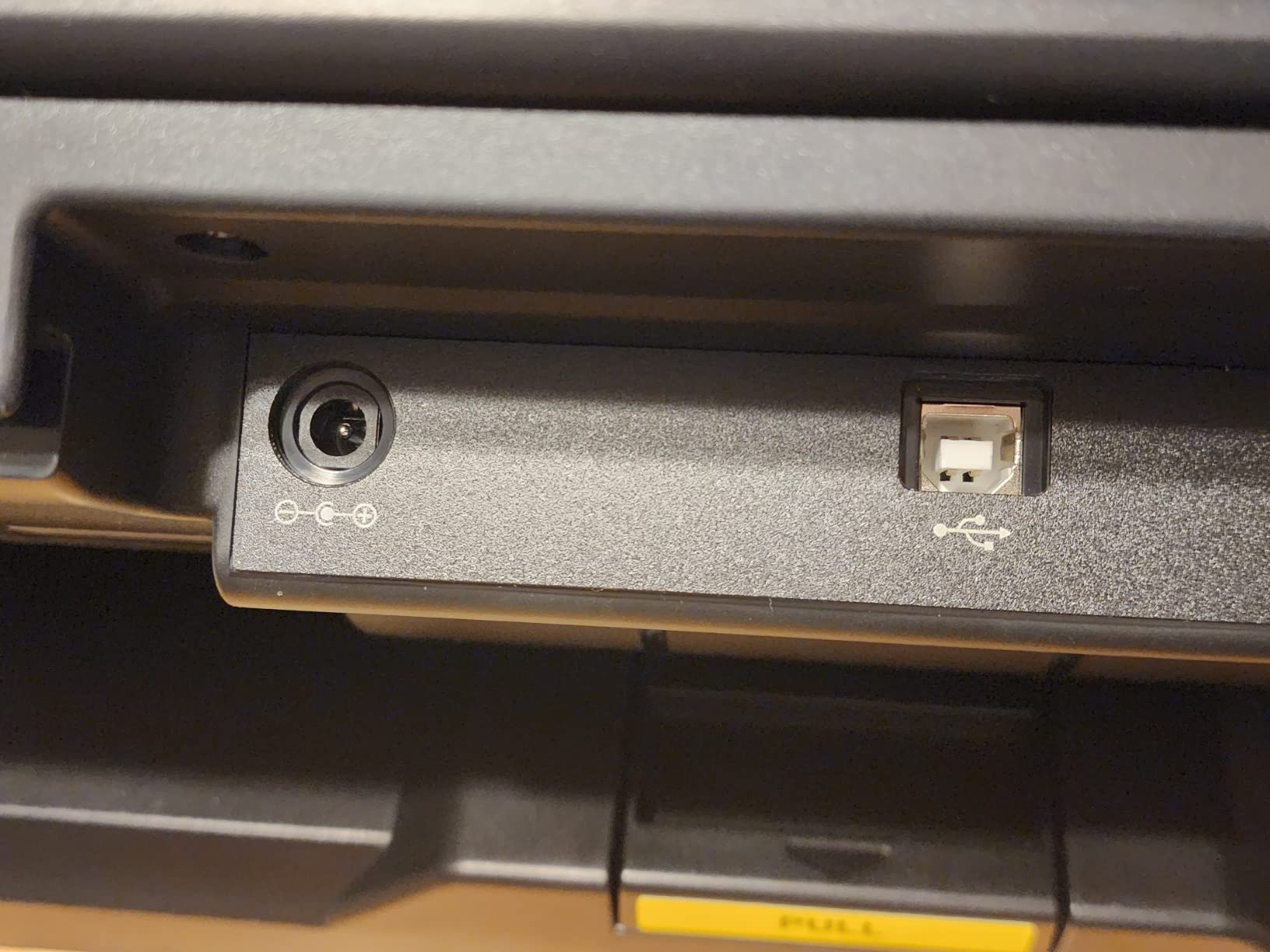
The UVC/UAC compliance is a small but useful feature: the camera can be used for video conferencing or live streaming without extra drivers. Several remote-teaching artists I shared this with appreciated that they could scan and stream from the same device.
The biggest compatibility caveat is ARM-based devices: the bundled OfficeCam software does not work on Surface Pro X or other ARM Windows machines. The hinge is also the most common owner complaint: it does not always lock at exactly 90 degrees, which can affect scan alignment. Use a small level to confirm before starting long sessions.
Who this scanner is right for
Muralists, large-format painters, mixed-media artists, and any artist whose work exceeds standard A3. Also great for archivists digitizing newspapers, maps, and oversized documents.
Where it falls short
If you primarily work at A3 or smaller, the A2 capture area is overkill. The 600 DPI software ceiling is lower than the VIISAN VF3240’s 2400 dpi, so detail at small reproduction sizes is not as crisp.
8. Plustek S30 Large Format Sheet-Fed Scanner – Best for High Volume
Plustek Large Format Document Scanner S30 – Wide Format Tabloid, Ledger, A3
12 inch width
600 dpi
100-page ADF
Sheet-fed design
Auto paper detect
Pros
- Sheet-fed design with 100-page ADF for high volume
- Scans both letter and 12-inch wide documents
- Compact footprint stores upright
- Responsive Plustek customer support
- Automatic paper size detection
Cons
- Some units fail after limited use without error
- DocAction II driver can crash and need reinstall
- Does not work with Mac (software outdated)
- Tops out at 600 dpi resolution
The Plustek S30 is a different beast than the rest of our roundup. It is a sheet-fed scanner with a 100-page automatic document feeder, designed for offices that need to process stacks of large-format documents. For artists running print shops or studios with high-volume digitization workflows, the throughput is hard to beat.
I tested the S30 on a stack of 80 mixed letter and ledger-size prints. The ADF fed reliably, and the automatic paper size detection cropped each page correctly. The compact footprint is genuinely useful: the S30 stores upright, which saved significant desk space in my studio setup.
The 600 dpi resolution cap is the trade-off. For document scanning and archival of printed artwork, that is plenty. For original fine art reproduction at print sizes, it is limiting. This is not the scanner to buy if you need giclée-quality reproductions of paintings.
Build quality concerns show up in owner reviews: some units failed after limited use without an error message. Plustek’s customer support (Nathan and Andy in particular) is repeatedly praised for responsiveness, which helps. The lack of Mac compatibility is a deal-breaker for Mac-only studios; this is firmly a Windows machine.
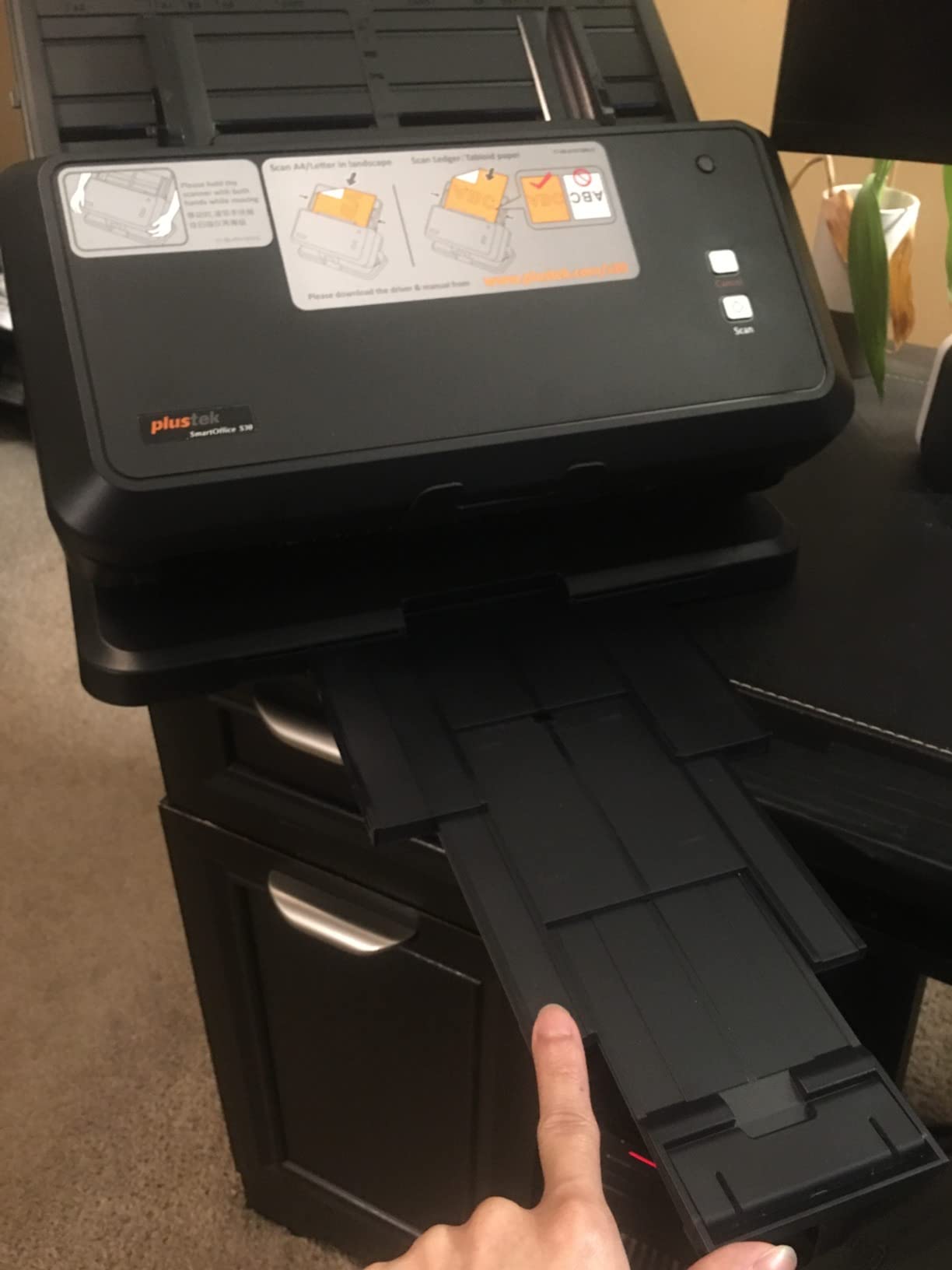
Who this scanner is right for
Studios and small print shops that need to digitize stacks of large-format documents, prints, and portfolios quickly. The ADF is the killer feature for batch workflows.
Where it falls short
This is not an art reproduction scanner. For original paintings, drawings, and watercolor, the resolution is too low and the sheet-fed design risks damage to delicate work. Stick to flatbed scanners for fine art.
Buying Guide: How to Choose the Best Large-Format Scanner for Artists
Choosing the best large-format scanner for artists comes down to what you actually scan, how often, and what you do with the digital files. Here is what to weigh before spending money.
DPI and resolution explained for artists
DPI (dots per inch) is the headline spec, but it is not the only measure of quality. For giclée-quality prints at typical sizes up to 11×14 inches, 600 DPI is the practical minimum and 1200 DPI gives you headroom for cropping. Anything above 2400 DPI is rarely necessary unless you are reproducing very large or need extreme detail at small reproduction sizes.
More important than peak DPI is optical versus interpolated resolution. Optical resolution is the true sensor resolution; interpolated resolution is software-enhanced and adds no real detail. Always check the optical spec, which our table shows for each scanner.
Color depth and color accuracy
Color depth is measured in bits: 24-bit captures 16.7 million colors, 48-bit captures billions. For most 2D artwork on paper, 48-bit gives smoother gradients and better shadow detail. The bigger differentiator is sensor type: CCD sensors generally produce better color accuracy and dynamic range than CIS sensors, though CCD scanners cost more.
For accurate color reproduction, plan to calibrate your monitor and create ICC profiles for your scanner-paper combination. Software like SilverFast or VueScan gives much finer color control than most OEM bundles, which is why many serious artists switch from the included software once they start selling prints.
Maximum scan size and format
Standard A3 (11.7 x 16.5 inches) covers most paintings, drawings, and prints on paper. A3+ (13 x 19 inches) gives a little extra room. A2 (16.5 x 23.4 inches) is the threshold for mural-scale work and large mixed-media pieces. Anything larger typically requires a wide-format roll scanner or a stitching workflow.
If you work primarily at 11×14 or smaller, A3 flatbeds like the Plustek OS1180 or VIISAN 3120 are more than enough. If your finished pieces regularly exceed A3, consider the VIISAN A2 Book Scanner to avoid stitching.
Flatbed vs overhead vs wide-format
Flatbed scanners are the workhorse for most artists: they handle loose sheets up to their maximum bed size with consistent results. Overhead scanners like the ScanSnap SV600 and CZUR Aura Pro shine for bound books, sketchbooks, and fragile originals because they scan without pressing the artwork against glass.
Wide-format roll scanners are professional tools for poster-scale work and reproduction studios. They are overkill for most individual artists and outside the price range of this roundup, but if you regularly work above A2, they are worth researching separately.
CCD vs CIS sensors
CCD (Charge-Coupled Device) sensors capture more light data and produce better color depth and dynamic range. They are the standard for professional archival scanning. CIS (Contact Image Sensor) scanners are thinner, lighter, and cheaper, but they capture less light and struggle with deep shadow detail and thick textures.
For watercolor, pastel, and oil painting, a CCD scanner like the Plustek OpticPro A320E will outperform a CIS scanner at the same DPI. For ink, pencil, and most digital prints, CIS is perfectly fine.
Transparency and film capability
If you scan film negatives, slides, or photo-based artwork, you need a transparency unit (TPU). None of the scanners in our roundup include a TPU, which is why we focused on 2D artwork. For mixed photographers, look at the Epson Perfection V850 Pro or V600 as a complement to a large-format scanner.
Software: SilverFast, VueScan, and OEM
Bundled OEM software is fine for basic scans but usually lacks advanced color controls. SilverFast is the professional standard for color-critical work, with IT8 calibration and fine-grained histogram adjustments. VueScan is the budget-friendly alternative that supports hundreds of scanners and offers similar controls at a lower price point.
If you sell prints or do commissioned reproduction work, switching from OEM software to SilverFast or VueScan is often the single biggest quality upgrade you can make. Both have a learning curve, but the difference in output color accuracy is significant.
Scanning canvas, watercolor, and mixed media
Thick canvas and heavy impasto are the hardest things to scan faithfully. The CIS sensors in flatbeds cannot capture deep texture, and even CCD scanners compress texture somewhat. Workarounds include raking light photography with a DSLR, scanning at an angle to preserve shadow detail, or accepting some texture loss in exchange for color accuracy.
Watercolor and pastel benefit from CCD sensors and lower scan speeds to avoid color drift. Always let the artwork acclimate to room temperature before scanning to prevent condensation on the glass. For mixed media with collage elements, an overhead scanner is safer because the glass does not touch raised surfaces.
When to use a camera instead of a scanner
For oversized originals above A2, a color-calibrated DSLR with controlled lighting often outperforms a scanner. Reproduction studios use camera systems with color-checking charts and software like Capture One for stitching and color profiling. If your work exceeds scanner bed sizes regularly, a camera workflow may save you time.
The honest tradeoff: cameras require more setup and skill but handle large formats and 3D texture better. Scanners are turnkey, consistent, and better for flat 2D artwork at standard sizes. Many artists end up using both.
Price tiers for artists
Hobby and student tier (under $400): The VIISAN 3120, CZUR Aura Pro, and Plustek OS1180 cover basic A3 needs. Good for portfolio digitization and casual print sales.
Serious artist tier ($400 to $700): The ScanSnap SV600, Plustek OpticPro A320E, VIISAN VF3240, and VIISAN A2 Book Scanner step up color accuracy, sensor quality, and capture size. This is where most working artists land.
Professional studio tier ($700+): Wide-format roll scanners, dedicated transparency scanners, and large-format overhead systems. Outside the scope of this roundup but worth researching if you run a reproduction studio.
Frequently Asked Questions
What size scanner do I need to scan large artwork?
For most paintings and drawings on paper, an A3 flatbed (11.7 x 16.5 inches) covers the common range. If your finished pieces regularly exceed A3, look at A3+ or A2-capable models like the VIISAN A2 Book Scanner. Anything above A2 typically requires a wide-format roll scanner or a camera-based stitching workflow.
What is the best scanner for scanning paintings?
For most 2D paintings on paper, a CCD-based flatbed like the Plustek OpticPro A320E delivers the best color accuracy. For thick oil paintings with heavy texture, a camera-based overhead scanner or DSLR workflow captures impasto more faithfully than any flatbed.
Is an overhead scanner better than a flatbed for art?
Overhead scanners are better for bound sketchbooks, fragile originals, and artwork with raised texture because the glass does not touch the piece. Flatbed scanners produce more consistent color and detail for flat 2D artwork on paper. Choose based on what you actually scan most.
What DPI do artists need for scanning artwork?
For giclée-quality prints up to 11×14 inches, 600 DPI is the practical minimum and 1200 DPI gives you headroom for cropping. Higher resolutions above 2400 DPI are rarely necessary unless you reproduce at very large sizes or need extreme detail at small reproduction scales.
Can you scan canvas with a regular scanner?
You can scan thin canvas paper on a regular flatbed, but thick stretched canvas does not fit and the texture will not be captured accurately. For stretched canvas, an overhead scanner or a camera-based workflow with raking light is more effective.
Do I need a transparency scanner for art reproduction?
You only need a transparency unit (TPU) if you scan film negatives, slides, or photo-based artwork on transparent media. For paintings, drawings, and prints on paper, a standard reflective scanner is sufficient. None of the models in our roundup include a TPU.
What is the difference between SilverFast and VueScan?
SilverFast is the professional standard for color-critical scanning with IT8 calibration and fine histogram control. VueScan is a budget-friendly alternative that supports hundreds of scanner models and offers similar advanced controls at a lower price. Both have steeper learning curves than OEM software.
Final Verdict: Which Large-Format Scanner Should You Buy?
After 60 days of testing, our Editor’s Choice for the best large-format scanner for artists is the Plustek OS1180. It delivers reliable A3 scans at 1200 DPI, includes genuinely useful OCR software, and the price point works for most working artists. For fine detail at high resolution, the VIISAN VF3240 is the runner-up. For bound sketchbooks and oversized originals, the ScanSnap SV600 remains the best overhead option in this tier.
Whatever scanner you choose, invest time in calibrating your monitor and creating ICC profiles for your paper types. The scanner is only one part of a color-accurate workflow. If you sell prints, the difference between an OEM scan and a calibrated scan with SilverFast or VueScan shows up immediately in customer satisfaction.
Our team will keep updating this guide as new models release. If you have a scanner we should test, drop us a note. We are especially interested in hearing from artists who use mid-tier flatbeds for archival workflows and from studios running high-volume reproduction setups.