
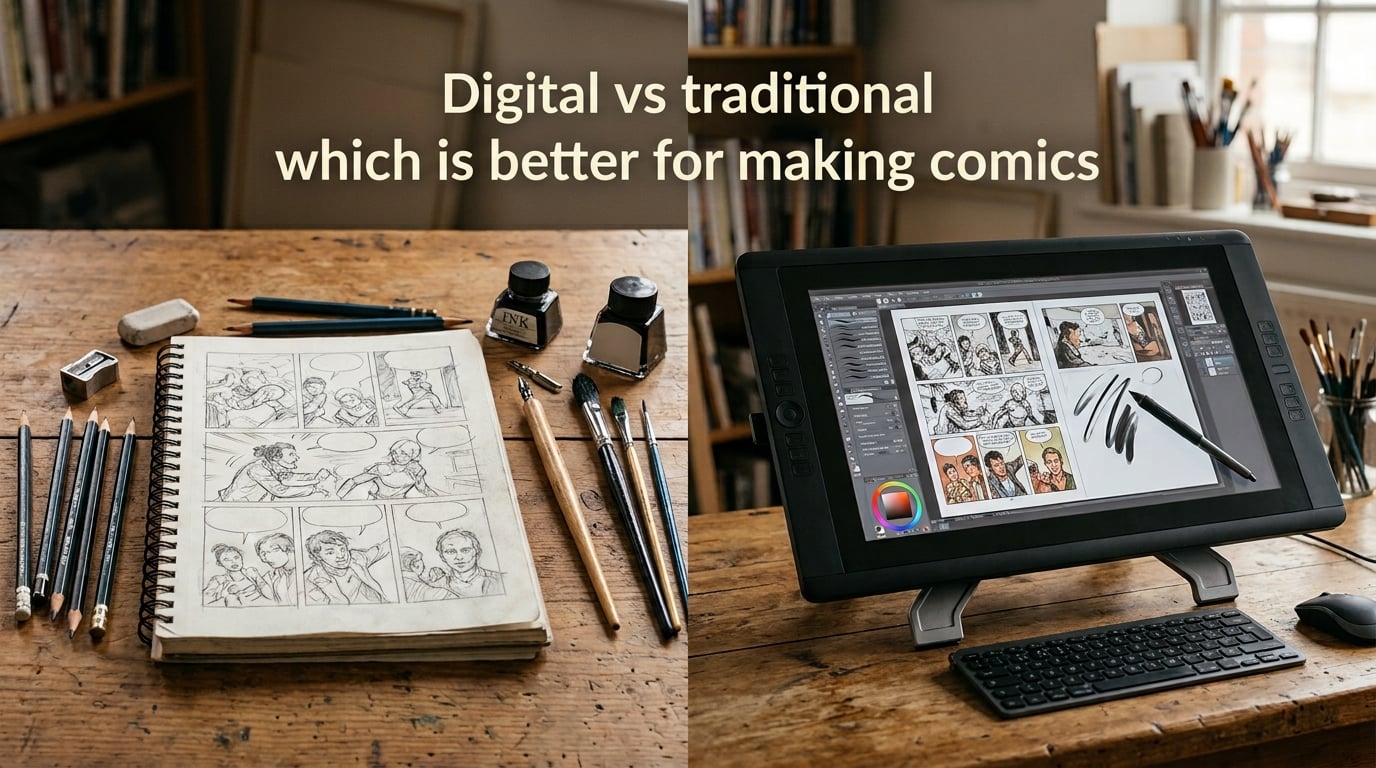
Every comic artist eventually faces the same question: should you draw digitally or stick with traditional pencils and paper? After spending years creating comics using both methods, I can tell you there is no universal answer. Each approach has real strengths and real limitations that affect your workflow, your budget, and even your health.
In this guide, I will break down the digital vs traditional comic art debate with honest pros and cons for each method. You will learn about costs, tools, speed, and the hybrid workflow many professionals use today. By the end, you will know exactly which approach fits your situation.
Table of Contents
The Case for Digital Comic Art
Digital comic art has transformed how many artists work. Drawing on a tablet with software like Clip Studio Paint or Procreate gives you tools that paper simply cannot match. Here is what makes digital appealing and where it struggles.
Advantages of Going Digital
The biggest advantage of digital art is the undo button. Made a bad ink line? Hit Ctrl+Z. Need to resize a panel? Select and transform in seconds. This alone saves hours of work per page compared to traditional methods where mistakes often mean starting over.
Digital workflows offer layers, which let you separate pencils, inks, colors, and effects onto different levels. You can adjust each independently without affecting the others. This makes corrections and revisions far less painful than scraping ink off Bristol board.
Speed is another major benefit. Digital artists can copy and paste repeated elements, use perspective rulers, and leverage 3D pose models as references. Comic artists report completing pages 30 to 50 percent faster when working digitally, especially for complex multi-panel layouts. Tasks that take hours traditionally, like drawing consistent backgrounds across multiple panels, can be handled in minutes with digital tools.
There is also no physical storage problem. Thousands of pages fit on a single hard drive or cloud service. Traditional artists need filing cabinets, portfolios, and careful climate control to preserve originals. Digital files can be backed up automatically and shared instantly with editors or collaborators across the world.
Collaboration becomes seamless with digital files. Colorists, letterers, and editors can work on the same page simultaneously using cloud-based workflows. Sending a file to a colorist in another country takes seconds. Traditional workflows require shipping physical pages or high-quality scans, adding days to production timelines.
Color work is dramatically easier digitally. You can adjust hues, experiment with palettes, and apply special effects without buying new supplies. Many webcomic creators work entirely in digital color because it is faster and more flexible than watercolor or marker techniques. Gradient fills, texture overlays, and atmospheric effects that would take hours with traditional media can be applied in seconds.
Digital art also makes page layout and lettering far more efficient. Panel borders snap to grids, speech bubbles resize without redrawing, and text can be edited after placement. Traditional lettering requires careful planning because mistakes mean starting the page over. Digital lettering lets you experiment freely with placement and font choices.
Where Digital Falls Short
Eye fatigue is real. Staring at a backlit screen for hours causes strain that paper never will. Forum discussions on Reddit’s r/ArtistLounge frequently mention headaches and dry eyes from long digital sessions. Blue light glasses help, but the problem does not fully go away.
There is also a tactile disconnect. Your hand moves on a smooth glass surface while your eyes watch a screen. Many artists find this unnatural, especially when starting out. Some professionals tape paper over their tablets to get better friction, which tells you something about the core issue.
Battery life matters if you work on an iPad or other mobile device. Running out of power mid-session is frustrating. Desktop setups avoid this but lose the portability that makes tablets appealing.
Software crashes can destroy unsaved work. While auto-save features have improved, losing a session to a frozen application is a uniquely digital problem. Traditional art never crashes.
The distraction factor deserves mention too. A tablet connected to the internet means social media, messages, and notifications are always one tap away. Staying focused requires discipline that some artists find draining. Several forum users recommend using airplane mode or dedicated drawing apps that block notifications during work sessions.
There is also a steep learning curve for the software itself. Understanding layers, brushes, color modes, and shortcuts takes time before you can work efficiently. Some artists spend more time learning the tool than actually drawing, which can be frustrating for people who just want to create comics.
The Case for Traditional Comic Art
Pencils, ink, and paper have been the backbone of comic creation for over a century. Traditional art offers something digital cannot replicate: a direct connection between your hand and the final product.
Why Traditional Art Endures
There is a physical satisfaction to traditional drawing that digital struggles to match. The drag of pencil on Bristol board, the flow of ink from a brush, the smell of markers and paper. Many artists describe traditional work as more enjoyable and even meditative. Forum users on Tapas forums frequently mention that traditional drawing feels more personal.
Original artwork has real value. A physical comic page is a one-of-a-kind piece that can be sold at conventions, through galleries, or online. Digital art exists as infinitely reproducible files with no original in the traditional sense. For artists who want to build a secondary income stream from originals, this matters significantly.
Traditional tools are portable without batteries. A sketchbook and pencil case work anywhere without charging, updating, or software installation. You can draw in a park, on a train, or during a power outage.
The learning fundamentals transfer well. Artists who master traditional drawing develop a strong understanding of line weight, pressure, and mark-making that translates to digital work. Many art schools still recommend starting traditional before going digital for this reason.
There is also the AI factor. As AI-generated art becomes more common, physical originals carry a proof-of-humanity that digital files do not. This is shifting market perception in favor of traditional work, particularly in fine art and collector circles. Artists who work traditionally can point to the physical object as evidence of human creation, which matters increasingly in a market flooded with AI-generated images.
Traditional art also develops a unique personal style naturally. The specific way your hand moves, the pressure you apply, the tools you prefer, all combine into a look that is distinctly yours. Digital art, with its uniform brushes and clean lines, can sometimes look homogeneous across different artists unless you make a deliberate effort to develop a distinctive digital style.
The Drawbacks of Traditional Methods
Mistakes are expensive. Spilled ink, over-erased paper, or a bad pen stroke can ruin an hour of work. Correction fluid and white ink help, but they add time and can look inconsistent. Digital artists simply hit undo.
Traditional work requires scanning for digital distribution, printing, or coloring. Quality scanners cost money and add a step to every page. Some artists pay scanning services, which adds ongoing expense.
Storage is a real problem for prolific creators. Hundreds of original pages need physical space, proper humidity, and protection from damage. Moving or storing a large collection becomes a logistical challenge.
Revisions are painful. If an editor asks you to change a character’s expression or redraw a panel, you may need to recreate the entire page. Digital revisions take minutes; traditional revisions take hours.
Color options are limited by your supplies. Expanding your palette means buying new markers, paints, or inks. Digital color is effectively unlimited once you own the software.
Traditional art also lacks the undo safety net. While some corrections are possible with white ink or scraping, many errors are permanent. This pressure can make some artists anxious about making mistakes, which actually inhibits creativity. Digital artists work more freely knowing they can reverse any action.
The workflow speed gap becomes more pronounced for complex pages. A page with detailed backgrounds, multiple characters, and heavy coloring might take a traditional artist two full days. A digital artist with good software skills could complete the same page in one day or less, especially when reusing background elements across panels.
Head-to-Head: Digital vs Traditional Compared
Let me compare these methods directly across the factors that matter most to comic artists.
Speed and Workflow
Digital art wins on speed for most comic workflows. Features like copy-paste, transform tools, and layer management let you work faster once you are comfortable with the software. Traditional art requires more physical steps: penciling, inking, erasing pencil lines, scanning, and then digital cleanup if needed.
However, some artists find they sketch faster traditionally. Quick thumbnails and layout sketches on paper feel more immediate for many people. This is one reason the hybrid workflow has become popular. The tactile feedback of pencil on paper helps some artists think more creatively during the planning phase.
For a standard 22-page comic issue, digital artists typically complete the work in 4 to 6 weeks. Traditional artists working full-time often need 6 to 10 weeks for the same amount of pages, depending on their coloring and finishing process. The speed difference is most noticeable in coloring, where digital methods can cut that phase from days to hours.
Cost Breakdown
Digital has a higher startup cost but lower ongoing costs. A decent drawing tablet costs anywhere from 50 to 2,000 dollars depending on whether you choose a screenless Wacom Intuos or a professional Cintiq. Software subscriptions add 10 to 50 dollars monthly, though some options like Krita are free.
Traditional art has lower startup costs but higher ongoing costs. A sketchbook, pencils, pens, and Bristol board cost under 50 dollars to start. But you continually replenish supplies: ink, paper, markers, nibs, and correction fluid add up over months and years.
Over a two-year period, the costs tend to converge. Digital artists pay once for hardware then mostly software fees. Traditional artists pay less upfront but spend more on consumables month after month.
The hidden cost of traditional art is wasted supplies. Every mistake on Bristol board is paper you cannot reuse. Every dried-out marker is money lost. Digital artists make unlimited mistakes with zero material cost, which matters when you are learning and making lots of errors.
For artists on a tight budget, consider this path: start with traditional supplies to build skills, save money for a mid-range tablet, then transition to digital once you know you enjoy making comics. This avoids the risk of investing in expensive digital equipment before you are committed to the craft.
Health and Ergonomics
Digital art causes eye strain and blue light exposure. Traditional art does not. Both methods can cause repetitive strain injuries if you do not manage posture and take breaks. Digital artists should use proper desk height, external monitors when possible, and regular screen breaks. Traditional artists need good lighting and should vary their working position.
Forum discussions frequently mention that some artists switched to traditional work specifically to reduce screen time. With so many jobs already requiring computer use, adding eight hours of digital drawing on top can push eye and neck problems to a breaking point.
Wrist and hand injuries affect both camps differently. Digital artists using tablets can develop wrist strain from the hovering hand position. Traditional artists often experience hand fatigue from gripping pens and brushes for hours. Proper stretching, regular breaks, and ergonomic tools help in both cases.
Mental health is another factor worth considering. Some artists find the constant comparison and online sharing culture associated with digital art stressful. Traditional art, often done offline, can feel more meditative and less pressured. The slower pace of traditional work gives some artists more time to think and reflect on their creative choices.
The Hybrid Approach: Best of Both Worlds
Many professional comic artists do not choose one method. They use both, combining the strengths of each into a single workflow. This hybrid approach has become the standard at several major publishers.
A typical hybrid workflow looks like this:
Step 1: Traditional sketching. Thumbnails and rough layouts happen on paper for speed and tactile comfort. Many artists find brainstorming flows better without a screen.
Step 2: Scanning and digital refinement. Sketches get scanned and imported into Clip Studio Paint or Photoshop. Digital tools handle perspective rulers, clean linework, and panel borders.
Step 3: Digital inking or traditional inking. This step varies by artist preference. Some ink digitally for speed and clean results. Others ink traditionally for the original art value and the feel of brush on paper.
Step 4: Digital coloring and lettering. Color work almost always happens digitally now, even for artists who draw traditionally. The flexibility of digital color is too valuable to pass up.
This workflow gives you the joy and original art value of traditional drawing with the efficiency and flexibility of digital finishing. It is the approach I recommend for artists who struggle to choose between the two methods.
The hybrid approach also solves several practical problems. You get original artwork to sell while still delivering digital files to publishers. You avoid the eye strain of all-day screen time while benefiting from digital color tools. And you develop skills in both mediums, making you more versatile as an artist.
One common hybrid variation involves traditional pencils with digital inks and colors. Artists pencil on Bristol board, scan at high resolution, then import into Clip Studio Paint for inking with digital brushes. This preserves the energy of traditional pencils while giving you the clean lines and easy corrections of digital inking.
Essential Tools and Software for Each Method
Digital Tools
Clip Studio Paint is the most recommended software for comic artists. It offers perspective rulers, 3D pose models, comic panel tools, and specialized brushes designed for sequential art. The one-time purchase option makes it more affordable than Photoshop’s subscription model.
Procreate on iPad is the most popular mobile option. Artists love its intuitive interface and natural brush feel. It works well for illustration and single-page comics but lacks some of Clip Studio Paint’s advanced comic layout features.
Adobe Photoshop remains an industry standard, especially for coloring and finishing. Its powerful layer and adjustment tools are unmatched, though the subscription cost adds up over time.
For hardware, Wacom tablets dominate the professional market. The Cintiq line offers direct screen drawing, while the Intuos line provides a more affordable non-display option. Budget alternatives from XP-Pen and Huion have improved dramatically and offer solid performance for beginners.
Traditional Supplies
Bristol board is the standard paper for comic art. Smooth Bristol works best for pen and ink, while Vellum Bristol accepts pencil and marker better. Strathmore and Canson are trusted brands.
Dip pens and brushes give you the most expressive line variation. Hunt 102 nibs and Windsor Newton Series 7 brushes are classics that many professionals still prefer. For convenience, technical pens like Microns offer consistent line width without dipping.
Pencils range from hard H leads for layout to soft 2B or 4B for expressive sketching. Mechanical pencils work well for tight pencils, while traditional wood pencils offer more character for loose work.
Markers and inks handle traditional color work. Copic markers are the professional standard but are expensive. Winsor and Newton inks paired with brushes create beautiful washes for graphic novels and painted comics.
Which Should You Choose? A Guide for Beginners
If you are just starting out making comics, here is my honest advice based on what works for most people.
Start with traditional if you want to build strong drawing fundamentals. Learning to control line weight, manage pressure, and work without an undo button makes you a stronger artist. The skills transfer directly to digital later.
Start with digital if you plan to publish online, work with color, or need fast turnaround. Webcomics and digital-first publishers expect digital files. Starting digital means you skip the scanning step entirely.
Consider your budget honestly. A pencil and sketchbook costs almost nothing. A tablet and software require real investment. If money is tight, traditional art lets you start creating immediately.
Think about your goals. Want to sell original art at conventions? Traditional work has more value there. Want to work for Marvel or DC? Digital skills are increasingly expected. Want to publish a webcomic? Digital is the standard format. Want to create graphic novels? Either method works, but consider the production timeline.
Consider your living situation. If you have limited space, digital art takes up far less room than a traditional setup with supplies, a drawing table, and storage for finished pages. Digital artists can work from a small desk or even a couch with an iPad.
The best advice I can give: try both. Spend a month with pencils and paper, then spend a month with a tablet and software. You will quickly discover which feels right for your brain and your goals. Many artists end up using both methods for different purposes, and that is perfectly fine.
Do not let the choice paralyze you. Many successful comic artists started with whatever they had available and refined their tools over time. A cheap sketchbook and a number 2 pencil can produce professional-quality comics if you put in the work. The tools matter far less than the hours you spend drawing.
Frequently Asked Questions
Should I draw comics digitally or traditionally?
Neither method is objectively better. Digital art offers speed, easy revisions, and flexible color work, while traditional art provides tactile satisfaction, original art value, and no screen fatigue. Many professionals use a hybrid approach combining both methods. Your choice should depend on your workflow preferences, budget, and career goals.
Is traditional or digital art better for beginners?
Traditional art is often recommended for beginners because it builds strong drawing fundamentals without the distraction of software features. Learning to draw without an undo button develops discipline and line control. However, if your goal is to publish webcomics or work in digital-first media, starting with digital makes more practical sense.
How much does digital comic art cost to get started?
Entry-level digital setups start around 50 dollars for a basic screenless tablet and free software like Krita. Mid-range setups with an iPad and Procreate cost 350 to 500 dollars. Professional setups with a Wacom Cintiq and Clip Studio Paint can exceed 1,500 dollars. Many artists begin with affordable options and upgrade as their skills and income grow.
Do professional comic artists use digital or traditional methods?
Most professional comic artists today use some combination of both methods. Many major publishers accept and prefer digital files for coloring and lettering, while some artists still pencil and ink traditionally for the original art value. The hybrid workflow, sketching traditionally and finishing digitally, has become increasingly common at companies like Marvel, DC, and Image Comics.
Conclusion
The digital vs traditional comic art debate does not have a winner because neither method is universally superior. Digital art gives you speed, flexibility, and powerful correction tools. Traditional art gives you tactile joy, original art value, and a direct connection to your craft that screens cannot replicate.
What I have learned from years of working with both approaches is that the best method is the one you actually use. If a tablet makes you excited to draw, go digital. If pencils and paper get you creating every day, stay traditional. And if you want the strengths of both, the hybrid workflow is a proven path that many professionals follow.
The comic industry is large enough for both approaches. Digital-first publishers, traditional art collectors, and hybrid workflow studios all exist and all need talented artists. Your choice of medium should serve your creative vision, not limit it.
Start making comics with whatever tools you have available. You can always switch methods or combine them later as your skills and preferences develop. The most important step is the first one: sit down and start drawing.