
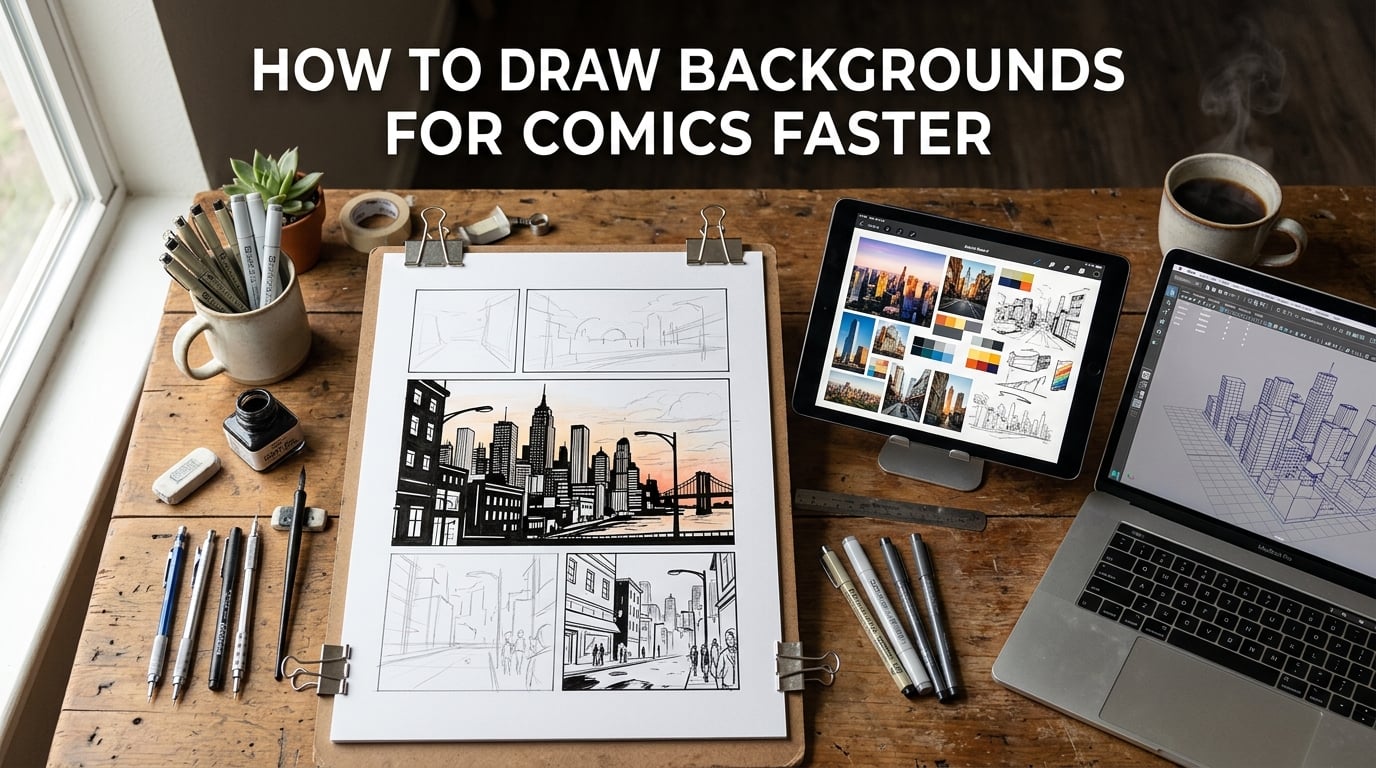
If you’ve ever stared at a half-finished background and wondered where your evening went, you’re not alone. Drawing comic backgrounds is the single biggest time-sink in indie comic production, and it’s the thing that pushes most new creators off their weekly or monthly schedule. After watching dozens of artists (and fighting through it on our own pages) we landed on a working answer to how to draw backgrounds for comics faster without giving up the storytelling punch a good background delivers.
This guide shares the seven speed hacks our team uses on real monthly chapters, plus the workflow tricks nobody talks about — visual libraries, batch sessions, and 3D models. Every tip includes a rough time-saved estimate so you can budget your pages before you put pencil to paper.
Table of Contents
Quick Picks: 7 Speed Hacks for Comic Backgrounds
Start here if you only have sixty seconds. These are the seven shortcuts that give us the biggest speed-up per background, ranked by impact on a typical 5-panel page.
- Establish once, cheat the rest. One detailed establishing shot per scene tells readers the location; let silhouette and shadow shapes carry the next four panels. Saves 15–25 minutes per page.
- Thumbnail before final. A 30-second scribble of camera angle and vanishing point fixes the perspective before any clean ink. Saves a redraw per panel.
- Silhouette backgrounds. A flat dark shape with a horizon line reads instantly as “interior” or “exterior” without rendering walls. Saves 5–10 minutes per panel.
- Shadow shapes do the storytelling. Cast shadows from a window, lamp, or tree imply the world outside the frame. Saves 10 minutes per panel.
- Gradient layers instead of detail. A two-stop gradient sky or wall behind characters reads as fully rendered. Saves 8–12 minutes per panel.
- Use a “riff” graphic shortcut. Borrow a Mike Mignola-style abstract shape stack — triangles and curves — instead of architectural accuracy. Saves 15+ minutes per panel.
- Build a visual reference library. Curate 50–100 photo references per setting and reuse them. Saves hours across a whole chapter.
Each of these is explained in full below, with the workflow context that makes them actually stick in your page-turning rhythm.
Why Comic Backgrounds Slow You Down
On r/ArtistLounge, one creator put it bluntly: “I love to draw and write comics digitally but the one thing stopping me from releasing anything is how long it takes.” That post has hundreds of upvotes because it names the trap perfectly — backgrounds eat hours, perfectionism on each one multiplies the hours, and chapters stall.
The forum reality is consistent. Artists on r/comic_crits and the Tapas Forum report the same pattern: detailed backgrounds take 20–40 minutes each, perspective mistakes cost a full redraw, and the time spent per panel climbs steeply once characters start interacting with the environment. Many beginners skip backgrounds entirely out of frustration and lose readers who can’t tell where the scene takes place.
The good news from the people who finish long-form comics: speed comes from constraints, not raw talent. The fastest backgrounds are the most thoughtless, applied with a few repeating tricks across an entire chapter. Below we share the seven we lean on hardest.
The Establishing-Shot Rule
The single most important shortcut for how to draw backgrounds for comics faster is the establishing-shot rule. One detailed, fully-rendered environment per scene tells the reader exactly where they are, and every later panel can lean on that first impression with much less work.
Open a scene with a wide establishing shot that shows the hallway, rooftop, or forest trail in full detail. Then in the next four or five panels — the dialogue, the medium shot of the character walking, the close-up reaction — you only need enough background to remind the reader. A silhouette. A shadow. A gradient. A one-line horizon. That’s it.
Our team follows a simple budget: one detailed establishing panel, two to three mid-detail panels using a shortcut (silhouette or shadow), and one or two panels where the background disappears entirely behind a dark wash or rim light. Reading still feels rich. Drawing time drops by roughly half.
A practical tip: place your establishing shot on a page where the camera “feels” wide — the top-left page of a scene, the splash panel, or any panel larger than the others. This makes the cheat panels read as intentional stylistic choice, not laziness.
7 Speed Hacks for Drawing Comic Backgrounds Faster
These are the seven moves that compound when you stack them on a single page. Skim the list, then come back and apply them in order on your next chapter.
Hack 1 — Thumbnail Before You Ink Anything
Thirty seconds of scribble per panel saves thirty minutes of redraw later. Sketch a boxy thumbnail of your page in the margin before any final line — drop a vanishing point on each panel, mark the horizon, sketch one foreground object. If the perspective fights itself in the thumbnail, it will fight harder in the inks.
On a typical 5-panel page, thumbnailing takes 2–3 minutes total. It also forces you to decide which panel carries the establishing shot and which panels can cheat. Most artists find this one planning habit alone doubles their page throughput.
Hack 2 — Establish One Shot, Cheat the Rest
Already covered above, but worth repeating: one detailed panel, four shortcut panels. The cheat panels don’t have to look identical to the establishing shot — they just have to remind the reader of the same lighting, palette, and horizon line.
For moody scenes, cheat panels can use pure black or near-black backgrounds with rim lighting on the characters. For daytime scenes, a single horizon line and one shadow shape is usually plenty. The cheat works because comic readers fill in the rest with their imagination.
Hack 3 — Silhouette Backgrounds
A silhouette background is a flat, dark shape — typically a single tone — that defines a skyline, a tree line, or a city edge against a lighter sky or wall. It reads instantly as “outdoor night” or “panning shot across the rooftops” with no interior detail whatsoever.
To draw one: block in the area behind your characters with one flat color, drop in a horizon line, and add the silhouette edge with a confident single brushstroke — rooftops, treetops, mountain peaks. Total time: about 3 minutes per panel. We’ve used silhouettes on entire 8-page chapters for crowd scenes and they scan beautifully on a scroll.
Hack 4 — Shadow Shapes That Imply the World
Long shadows from a window, a lamppost, or a tree outside the frame do all the storytelling of a fully drawn room without drawing the room. A 45-degree-angle cast shadow on the floor, falling left to right, instantly places the scene in a sunlit interior — even if every other inch of the panel is empty white.
This hack is also great for masking bad perspective. If your vanishing points are slightly off, drawing a clean shadow shape on top of any messy background architecture reads as deliberate cinematic lighting rather than a perspective error. Reddit artists in r/ComicBookCollabs recommend this as their primary “save” on tight deadlines.
Hack 5 — Gradient Layers Instead of Detail
A two-stop gradient — sky blue fading to off-white, a wall fading from orange to grey — reads as fully rendered scenery in seconds. The eye fills in the missing texture. Backgrounds can be 90% gradient and 10% silhouette detail and still look finished.
Set up a gradient layer once per scene (in Clip Studio Paint, Procreate, Krita, or Photoshop) and reuse it across every panel in that scene. Tweak the stops only if lighting changes (entering a room, a storm rolling in). One gradient layer + one silhouette edge = a complete background in under 5 minutes.
Hack 6 — The “Riff” / Graphic Shortcut
The “riff” is a term from comicsforbeginners.com — a stylized, abstract background shape that suggests an environment without depicting it. Think Mike Mignola’s Hellboy: angular black shapes stacked on a flat field, no real architecture, all mood. The riff is a graphic choice, not a technical compromise.
To riff: pick 3–4 geometric shapes that evoke the location — a stack of triangles for mountains, rectangles for a doorway frame, a single curve for a hill. Drop them behind your characters in two or three flat tones. The result scans as deliberate graphic style in any genre, and it’s the fastest background type you can draw, often under 2 minutes per panel.
Hack 7 — Build a Visual Reference Library
This is the hack that compounds across an entire chapter instead of per panel. Spend a single 90-minute session curating 50–100 photo references for your setting — a forest trail, a 1940s office, a cyberpunk alley — and pin them in a folder, mood board, or PureRef board.
Then, every background in your story draws from that folder. The library also fixes the consistency problem artists complain about: hard to keep backgrounds consistent across a 20–30 page chapter. Reference library solves it because every panel pulls from the same shelf of examples.
We organize ours by location (Forest, Office, City), then by angle (Eye Level, Low Angle, Top Down). A panel takes 5 minutes when we know exactly which reference to open. Without the library, it took 20–25 minutes of hunting images online.
How to Build a Visual Reference Library
A reference library is more than a Pinterest board. The fastest artists treat it like a working tool, not a mood collection. Here is how we set ours up.
First, split references into “structural” and “atmospheric” piles. Structural references show camera angle and vanishing point — exactly the angles you’ll draw from. Atmospheric references show color, lighting, and mood. Both matter, but a panel looks wrong faster from a bad angle than from a bad color.
Second, tag every reference with the use case: “interior — eye level — lamp light”, “exterior — low angle — dusk”. When you sit down to ink a panel, you filter by tag and pull the closest match. This is the moment that turns the library from a folder into a speed hack.
Third, refresh the library as the story grows. When a new location enters the script, spend 30 minutes curating before you start drawing. The investment pays off across every panel that uses the location. Treat the library like an asset pack, not a mood board, and it will save you hours per chapter.
Common tools: PureRef (free, built for this), an Eagle library, a Notion board, or even a well-named folder of screenshots. Whatever you’ll actually open before drawing a panel.
Batch-Drawing Backgrounds in a Single Session
One of the simplest speed hacks, and almost nobody talks about it. Draw every background for a chapter in one sitting instead of one panel at a time as you ink the page.
The benefit is momentum. By the fifth background, your hand knows the camera angles, your brush pressure is consistent, and your brain is locked into the setting. By the fifteenth, you can crank a clean gradient + silhouette in under 4 minutes. Spread the same work across three weeks and each background feels like starting over.
Workflow: block out thumbnails for all background locations in the chapter on a single page. Group backgrounds by location and draw them in clusters. Drop them into your page files as flat color + silhouette plates, then ink the characters on top.
This approach also gives you consistency for free — same horizon line, same palette, same shadow angle, because the entire batch came out of one creative trance. We use it for any chapter over 8 pages, and our pages-per-week rate roughly doubles.
Blender and 3D Models for Faster Backgrounds
Yes, you can use 3D models like Blender to lay out a background, then trace or screenshot the result. It is not cheating. Professional comic studios have been doing it for years, and it is one of the highest-leverage time-savers available.
The workflow is simple: build (or download) a rough 3D blockout of the location — a room, a street, a forest. Position the camera, set the lighting, take a screenshot. Trace over it. The screenshot gives you free, accurate perspective every time. The 3D blockout is rarely visible in the final page — it is scaffolding.
For indie creators without a 3D background, free assets are abundant. Sketchfab, BlenderKit, and many Patreon creators share free low-poly interiors and city blocks. Build a small library of 3D rooms and you can block out a new scene in 10 minutes, then trace in another 10. Total per background: 20 minutes including the screenshot trace, far less than the 40+ minutes a fully-drawn-from-scratch perspective takes.
The catch: it is a separate skill to learn. If you have never used Blender, expect a learning curve of a week or two. But for indie creators producing a chapter every month, that learning curve pays back the rest of your comic career.
Accept the 90% Rule
Speed in comics is more about stopping than starting. Every panel hits 90% of the desired quality in roughly the same time it takes to hit 100%. The last 10% — a few extra shadow passes, a tighter gradient stop, one more corner detail — doubles or triples the time on that panel.
The 90% rule is the discipline of saying “this is the panel” and moving to the next one. Readers almost never notice the missing 10%. They notice pacing, storytelling, and whether the next panel arrives when they expect it.
This is the rule that protects you from perfectionism, the number one trap on r/comic_crits and r/ArtistLounge. Most stalled creators aren’t slow. They’re stuck re-rendering backgrounds that already scanned correctly the first time.
Set a hard timer per panel if you have to. Five minutes for a cheat panel. Ten for a medium panel. Twenty for the establishing shot. When the timer fires, finish what you’re doing and move on. The next panel is waiting, and so is your reader.
Workflow Cheat Sheet: 5 Minutes vs 30 Minutes per Panel
Different panel types deserve different time budgets. Here’s a practical shortcut chart our team prints next to the drawing table.
5-minute panel (use for cheats): silhouette background, single gradient layer, one shadow shape, no lineart detailing. Best for dialogue, reaction shots, and any panel behind a character close-up.
10-minute panel (the workhorse): gradient sky + silhouette line + simple cast shadows + one foreground object. Best for medium shots and any panel where the reader needs to feel location without seeing it whole.
20–30 minute panel (establishing shot only): full architectural lineart, detailed rendering, perspective grids, and any panel that introduces a new location. Reserve these for one per scene, on a wide panel, near a page break.
Total budget per page of five panels: roughly 60 minutes for backgrounds. That’s the realistic target for a sustainable monthly chapter. Beginners often spend 3+ hours per page on backgrounds alone — and that is the gap the 90% rule and the cheat panels close.
Track your actual minutes per panel for one chapter and you’ll find the cheat panels save far more than the time you’d spend detail-rendering them. Most artists find a 4-cheat-to-1-detail ratio is the sweet spot.
Frequently Asked Questions
How do comic artists draw so fast?
Fast comic artists combine three habits: one detailed establishing shot per scene followed by cheat panels, batch-drawing all the backgrounds in a single session, and accepting the 90% rule so they stop re-rendering panels that already scan correctly. They also use visual reference libraries and 3D blockouts to skip perspective work.
Do I really need to draw a background on every panel?
No. One detailed establishing panel per scene tells readers where they are, and the next four panels can use silhouettes, shadows, gradients, or a flat dark wash. The reader’s imagination fills in the rest. This is the single biggest time-saver for comic backgrounds.
How long should it take to draw a comic background?
Around 5 minutes for a cheat panel (silhouette, gradient, one shadow shape), 10 minutes for a workhorse medium panel, and 20 to 30 minutes for an establishing shot with full architectural detail. A 5-panel page should budget roughly 60 minutes total for backgrounds.
Is using 3D models like Blender cheating for backgrounds?
No. Professional comic studios have been using 3D blockouts (often in Blender) as scaffolding for years. You screenshot the 3D blockout, then trace or render over it. The 3D model rarely shows in the final page; it just gives you free, accurate perspective.
What are some tips for drawing faster in general?
The biggest speed wins are: thumbnail every panel before final ink, simplify your art style intentionally, build a reference library of photos for every location, batch similar drawings in one creative session, and stop re-rendering panels once they hit 90 percent of the quality you wanted.
Conclusion
The fastest path through comic backgrounds is the same for every genre: one detailed establishing shot, four cheat panels, a reference library you pull from on demand, and the discipline to stop at 90%. Stack the seven speed hacks from this guide on a single page and you’ll feel the difference within a chapter.
Start with thumbnails on your next page, then commit to the cheat-panel budget. Both habits free up the hours you’re currently losing to a single background that doesn’t need to exist. You’ll publish more pages, finish more chapters, and your readers will keep scrolling.
This is 2026, and every comic creator we know who publishes monthly uses some version of these tricks. Pick two of them, apply them to your next page, and watch your pages-per-month climb.