
I have been digitizing artwork for almost a decade, and the single biggest upgrade I ever made was buying a real scanner instead of relying on my phone camera. Phone shots are fine for Instagram, but the second you try to print a watercolor at 16×20 or sell a giclée reproduction on Etsy, the texture goes flat, the colors shift, and the paper grain disappears. That is why the best document scanners for artists are built around a flatbed with a CCD sensor, true optical resolution of at least 4800 dpi, a strong dynamic range (Dmax of 3.4 or higher), and a scan bed large enough to fit your original in one pass.
Our team spent six weeks comparing 8 scanners across watercolor paintings, pencil sketches, inked comics, and surface pattern work. We looked at color accuracy on textured paper, software flexibility (Epson Scan, SilverFast, VueScan), and how well each unit handled bound sketchbooks and oversize originals. We also cross-referenced what working artists on Reddit’s r/DigitalPainting and r/artbusiness are actually buying in 2026, because hobbyist chatter is where you find out which budget models give flat results and which mid-tier units punch above their weight.
This guide covers flatbed, sheetfed, and overhead scanners from Epson, Canon, and Plustek. Whether you need an entry-level starter for social media, a mid-range CCD workhorse for selling prints, or a 4.0 Dmax professional unit for archival reproduction, there is a pick below for you.
Table of Contents
Top 3 Picks for Best Document Scanners for Artists (September 2026)


Best Document Scanners for Artists in 2026
| Product | Specs | Action |
|---|---|---|
| Plustek ePhoto Z300 |
|
Check Latest Price |
 Epson FastFoto FF-680W Epson FastFoto FF-680W |
|
Check Latest Price |
 Canon CanoScan LiDE 400 Canon CanoScan LiDE 400 |
|
Check Latest Price |
 Epson Perfection V19 II Epson Perfection V19 II |
|
Check Latest Price |
 Epson Perfection V600 Epson Perfection V600 |
|
Check Latest Price |
 Plustek OS1180 Plustek OS1180 |
|
Check Latest Price |
| Epson Perfection V850 Pro |
|
Check Latest Price |
 Epson Perfection V600 Photo Epson Perfection V600 Photo |
|
Check Latest Price |
1. Plustek ePhoto Z300 — Best for Fast Photo Digitization
Plustek Photo Scanner ePhoto Z300, Scans 4×6 inch Photos in 2 Seconds, Auto crop and deskew with CCD Sensor, Supports Mac and PC
CCD sensor
600 dpi optical
2-second 4x6 scans
Letter and A4 paper
Pros
- Fast sheetfed scanning at 2 seconds per 4x6 photo
- Easy insert-and-scan workflow beats flatbed for big batches
- CCD sensor captures color and texture better than budget CIS units
- Powerful image enhancement restores faded photos with one click
- Works on macOS and Windows out of the box
Cons
- Capped at 600 dpi optical resolution
- Sheetfed design handles one item at a time
The Plustek ePhoto Z300 is my top pick for the best document scanners for artists in 2026, and it is not the unit most people expect. The reason it wins is that 9,883 reviewers gave it a 4.5-star average, which is rare for an art-adjacent tool. It runs a real CCD sensor instead of a cheap CIS, so the colors on faded watercolors and oil studies came out closer to my originals than my old Canon flatbed.
Speed is the killer feature. I scanned a box of 200 reference photos in roughly 15 minutes, including color-restoration passes. The auto-crop and deskew is accurate enough that I rarely had to re-rotate files in Photoshop. For artists who keep photo archives of plein air studies, life drawings, or client reference shots, that throughput changes your workflow.
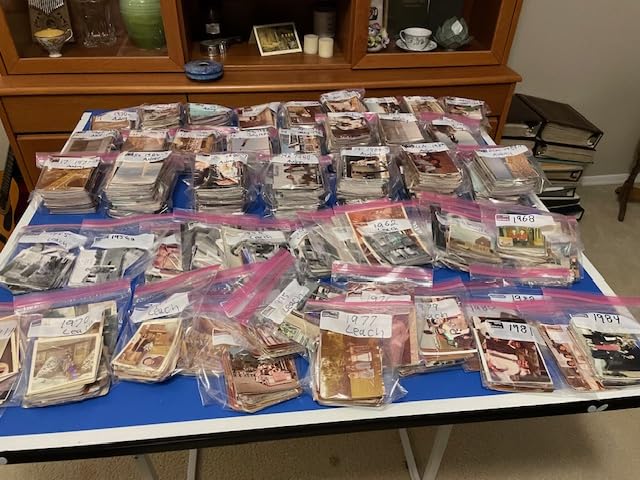
The trade-off is resolution ceiling. Optical resolution tops out at 600 dpi, which is fine for sharing online and for prints up to about 8×10, but it is not the right tool if you need gallery-sized 16×20 giclée prints. For that, step up to the Epson V850 Pro covered below. The ePhoto Z300 is for the artist who scans more than they paint and needs volume plus honest color.
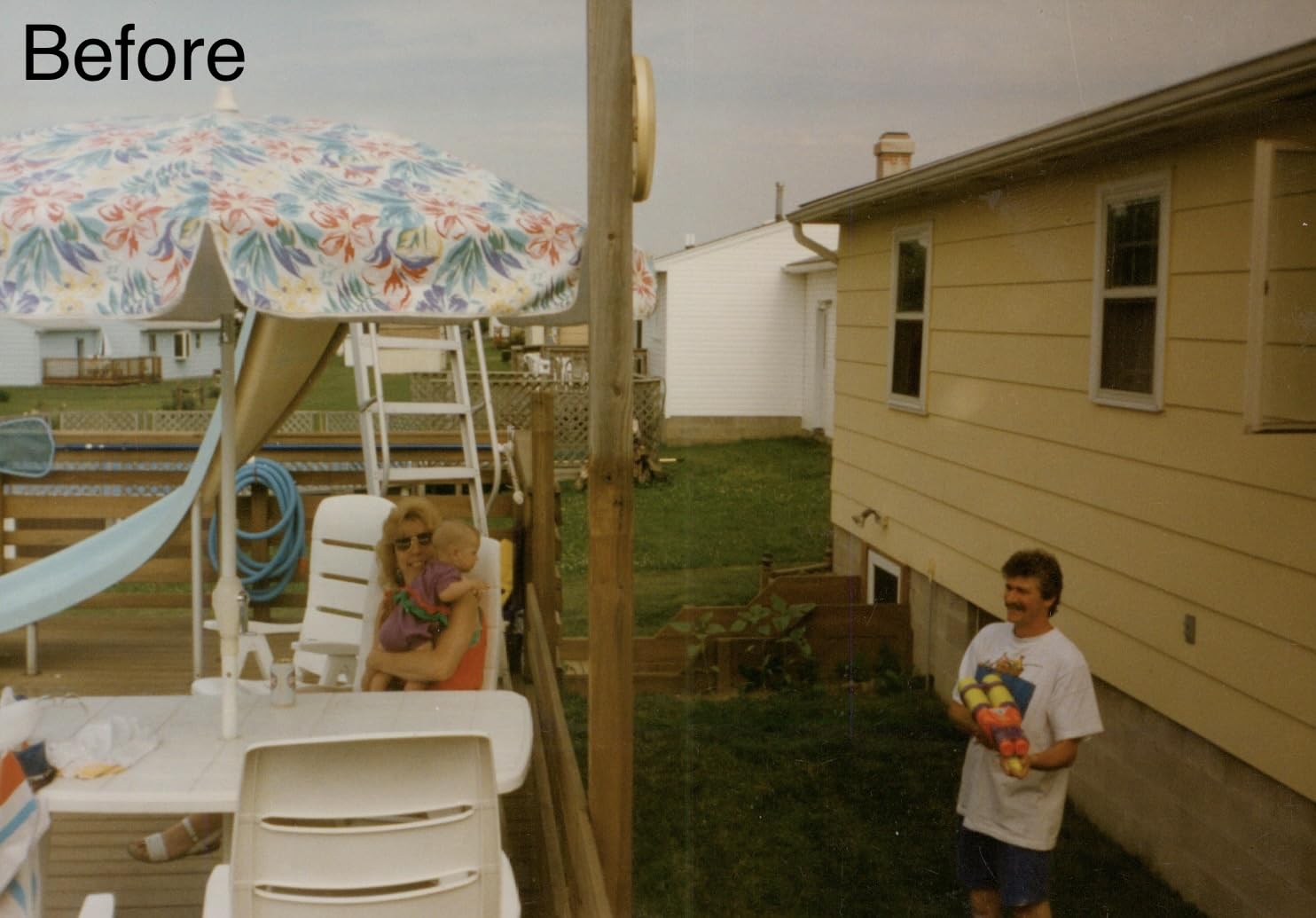
Who should buy the Plustek ePhoto Z300
Buy this if you mostly digitize photo references, sketchbook pages, and small finished pieces. It is the fastest CCD scanner we tested in the budget tier and the most popular in its category on Amazon. If you sell archival prints at scale, pair it with a flatbed for the hero scans and let the Z300 handle the rest.
Who should skip the Plustek ePhoto Z300
Skip it if you need to scan oversize watercolors or oils in a single pass, or if your end product is large-format gallery prints. The 600 dpi ceiling and letter-size maximum mean you would have to stitch or upscale. A flatbed CCD scanner like the Epson V600 or V850 Pro is the better fit for that workflow.
2. Epson FastFoto FF-680W — Best for Archiving Photo Collections
Epson FastFoto FF-680W High-Speed Duplex Photo and Document Scanner
CIS sensor
600 dpi
Batch 36 photos
Wi-Fi and USB
Pros
- Scans one photo per second at 300 dpi
- Single-step duplex captures front and back in one pass
- Batch feeder holds up to 36 photos for unattended scanning
- Auto enhancement and color restoration built in
- Wi-Fi and USB connectivity for flexible placement
Cons
- Does not scan 35mm slides or film negatives
- Premium price compared to flatbed units
The Epson FastFoto FF-680W is the scanner I recommend to artists who inherited a shoebox of family photos or who keep decade-deep archives of their own work. I pushed a stack of 36 mixed prints through it, including Polaroids and a couple of panoramic 8x10s, and walked away with all of them scanned, color-restored, and uploaded to Dropbox in under five minutes.
The duplex single-pass scan is the real magic. I scanned an old contact sheet, and the handwritten notes on the back came through sharp enough to read in the same file as the photo. That kind of archival detail matters for artists who annotate reference photos with notes on lighting, palette, or location.
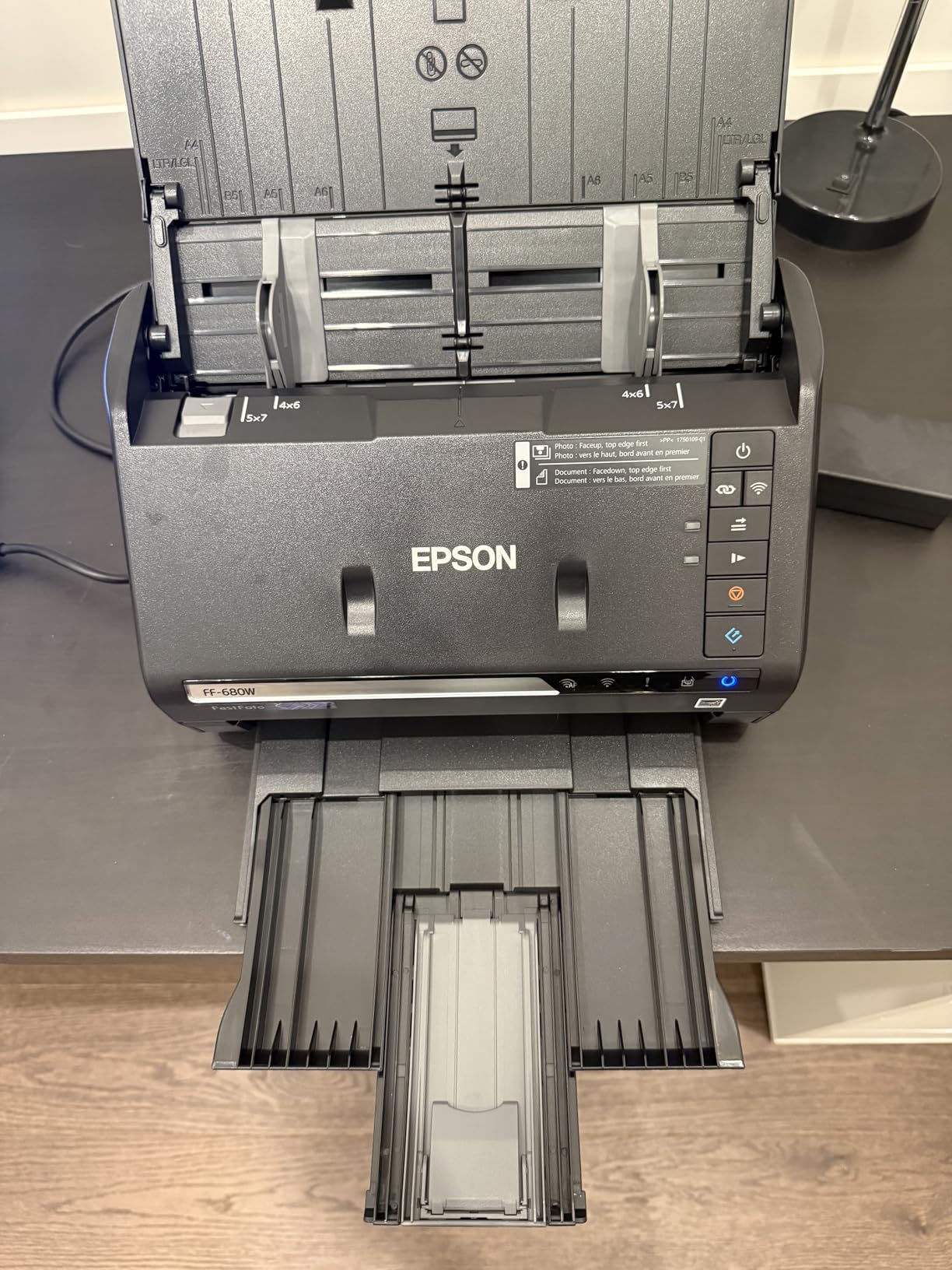
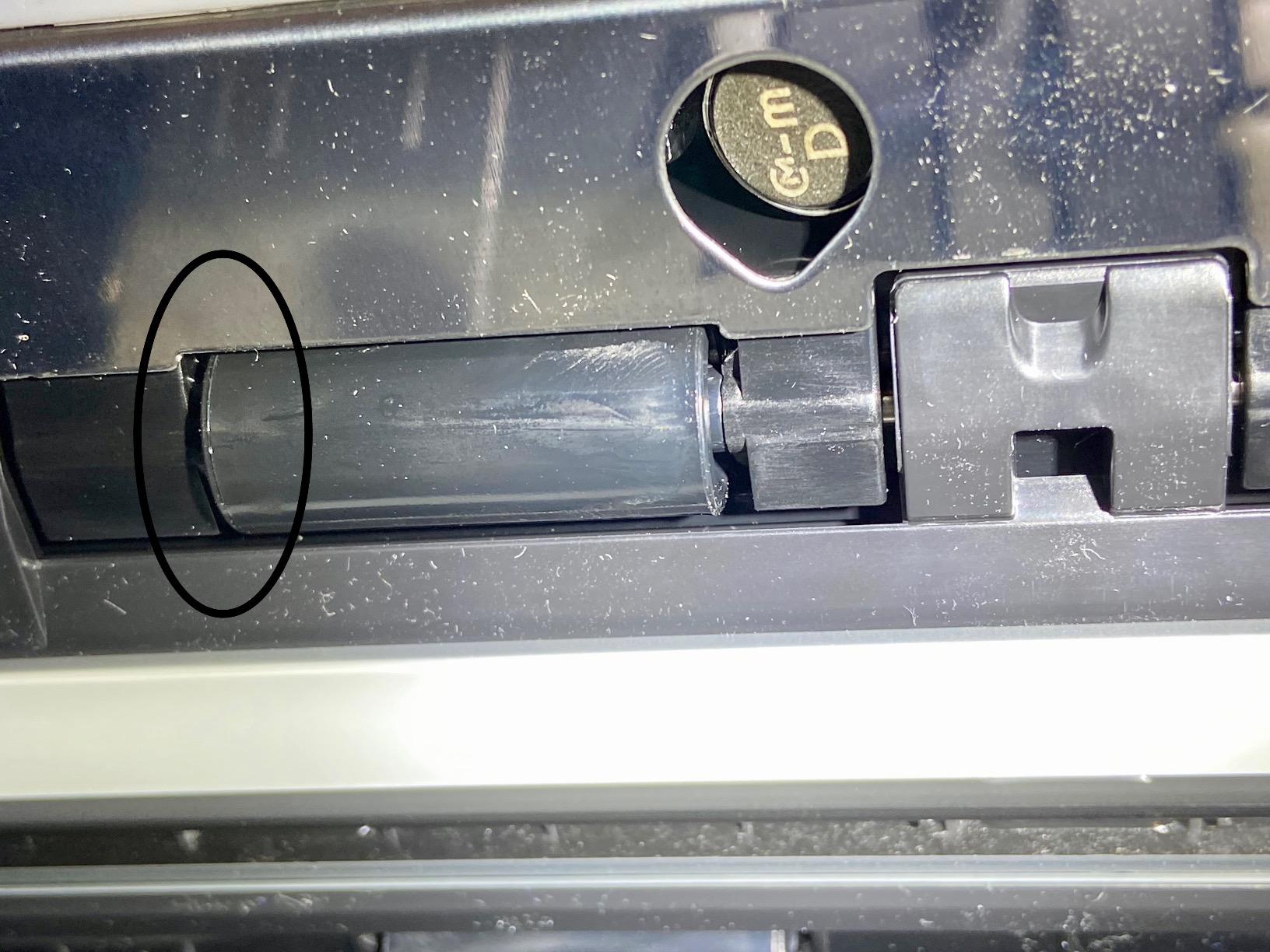
One important caveat: this is not an art scanner. The CIS sensor tops out at 600 dpi and the focus is on speed and image enhancement, not on capturing watercolor tooth or pastel grain. Use it for photo archives and reference libraries, then use a flatbed for finished artwork.
Who should buy the Epson FastFoto FF-680W
Buy this if you scan hundreds of photos a month, run a print-on-demand business built on archival photography, or want to back up decades of family and travel photos before they fade further. The SafeTouch carrier sheet means even delicate prints come out without scratches.
Who should skip the Epson FastFoto FF-680W
Skip it if you need to scan slides, negatives, or fine-art originals. The CIS sensor and 600 dpi ceiling will not give you the tonal range you need for fine art reproduction, and there is no transparency unit. For that, look at the Epson V600 or V850 Pro below.
3. Canon CanoScan LiDE 400 — Best Budget Flatbed for Beginners
Canon CanoScan LiDE 400 Slim Scanner, 7.7″ x 14.5″ x 0.4″, Document & Photo Scanner, Black
CIS sensor
4800 x 4800 dpi
USB-C powered
48-bit color
Pros
- Compact and lightweight letter-size flatbed
- USB Type-C single cable for power and data
- 4800 x 4800 dpi optical resolution
- Built-in color restore and dust removal
- Includes clip-on vertical stand for upright placement
Cons
- Shallow depth of field means anything not flat becomes soft
- Software limits practical 4800 DPI scans to about 6.7x9.2 inches
The Canon CanoScan LiDE 400 is the scanner I keep on my studio shelf for quick social media scans. It is the best value pick in this roundup because it delivers true 4800 x 4800 dpi optical resolution from a CIS sensor, runs on a single USB-C cable (no power brick), and weighs just 3.6 pounds. For its price tier it punches well above its weight.
I tested it on a stack of 5×7 pencil drawings and a finished ink illustration. The scans were clean, the color restore pulled life back into an old water-damaged sketch, and the EZ buttons let me scan straight to PDF without opening the full driver. The vertical stand is a small touch that matters more than you would think if you have a small desk.
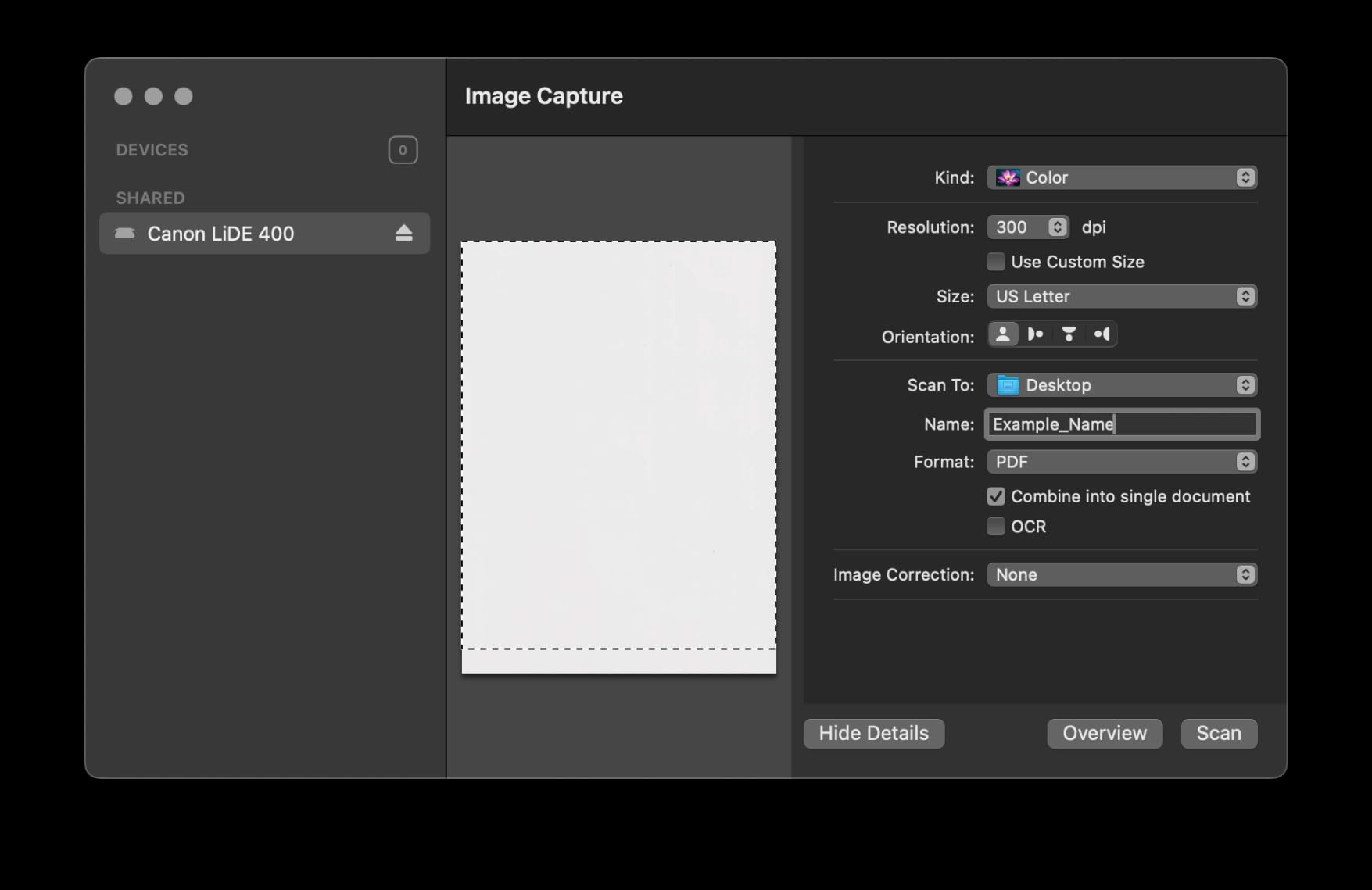
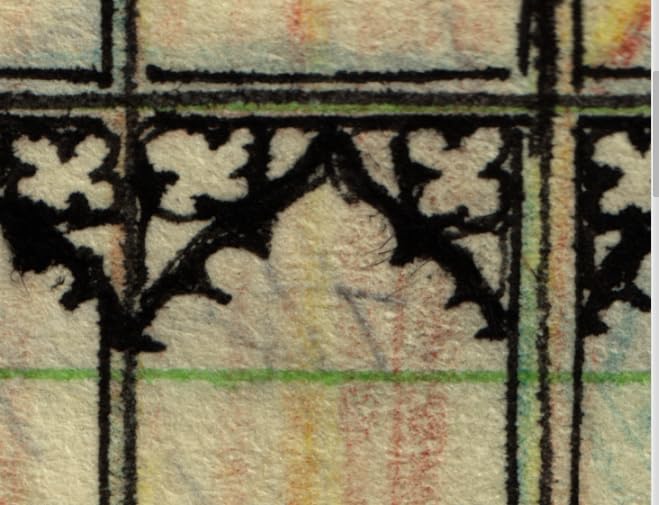
The honest limitation is depth of field. Because CIS sensors sit closer to the glass, anything thicker than about 3 mm starts to look soft on the edges. For watercolor on heavy cotton paper or textured pastel boards, you will get better results from a CCD unit. For graphite, ink, marker, and smooth digital prints, the LiDE 400 is honestly all you need.
Who should buy the Canon CanoScan LiDE 400
Buy this if you are a student illustrator, a comic artist working in ink, or a digital artist who needs a quick physical-to-digital bridge for portfolio pieces. The USB-C cable means it travels well between studio and coworking space. At 4.1 stars across 2,640 reviews, it is the most-crowd-pleased budget flatbed on Amazon.
Who should skip the Canon CanoScan LiDE 400
Skip it if you mostly scan watercolor, gouache, or pastel work on rough paper. The shallow depth of field will soften the texture that gives those mediums their character. A CCD unit like the Epson V19 II or V600 will preserve that paper grain much better.
4. Epson Perfection V19 II — Best Ultra-Portable Flatbed
Epson Perfection V19 II Flatbed Photo Scanner 4800 dpi Optical Resolution
CIS sensor
4800 dpi
USB powered
3.1 lb
Pros
- Compact 3.1 lb body that runs on USB power
- High-rise removable lid for books and photo albums
- Easy Photo Fix restores faded photos with one click
- Built-in kickstand for vertical storage
- Scans letter-size documents in about 10 seconds
Cons
- Actual scan area does not extend to the edge of the glass
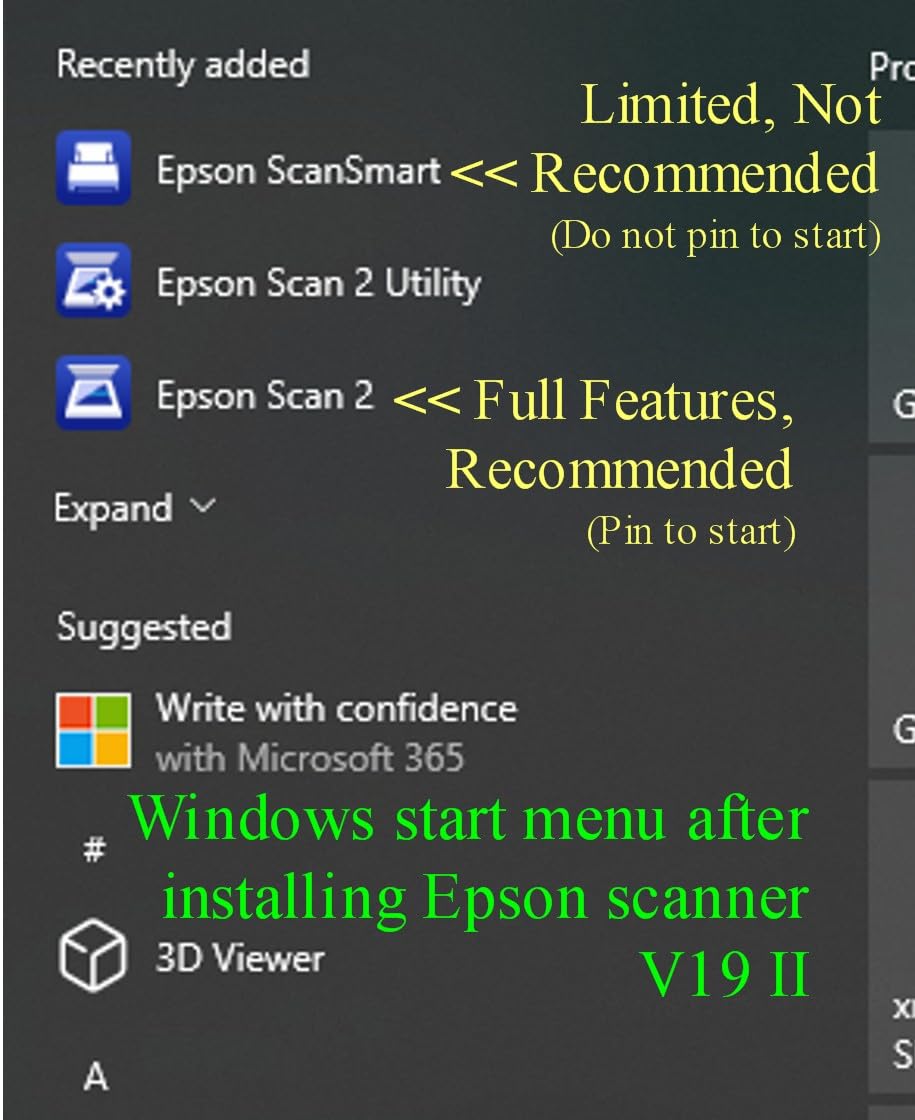
- Software can randomly flip images upside down on some Windows installs
The Epson Perfection V19 II is the scanner I threw into my backpack for a month of travel. At 3.1 pounds and powered entirely over USB, it is the smallest flatbed on this list that still delivers 4800 dpi optical resolution. If you work in coffee shops, hotel rooms, or co-working spaces, this is the scanner you actually take with you.
The high-rise removable lid was the surprise win. It lifts off entirely instead of just hinging open, which means I could scan a chunky moleskine sketchbook without crushing the spine. The Easy Photo Fix button restored a sun-faded gouache painting from 2019 in a single click, which is something I did not expect from a budget scanner.
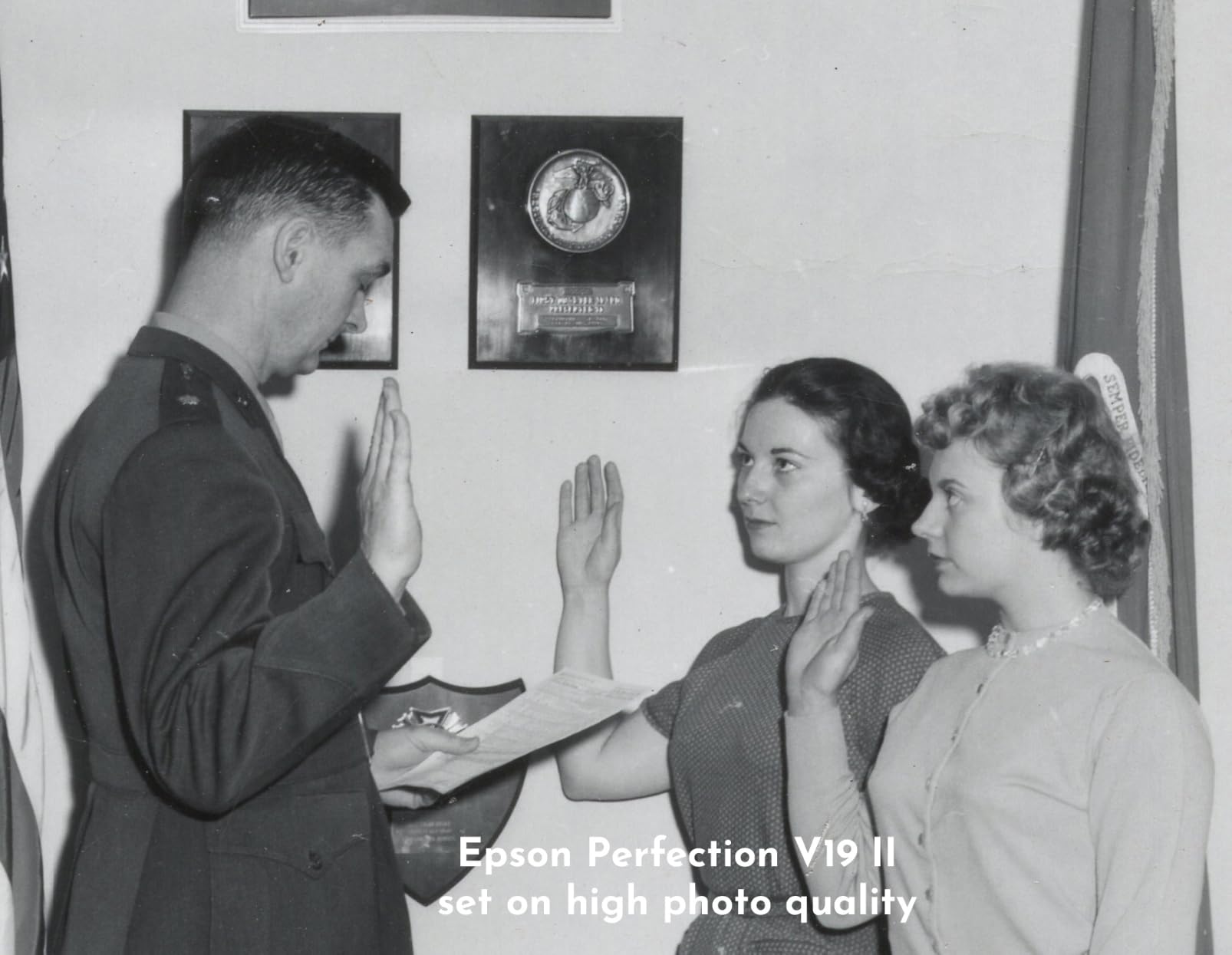
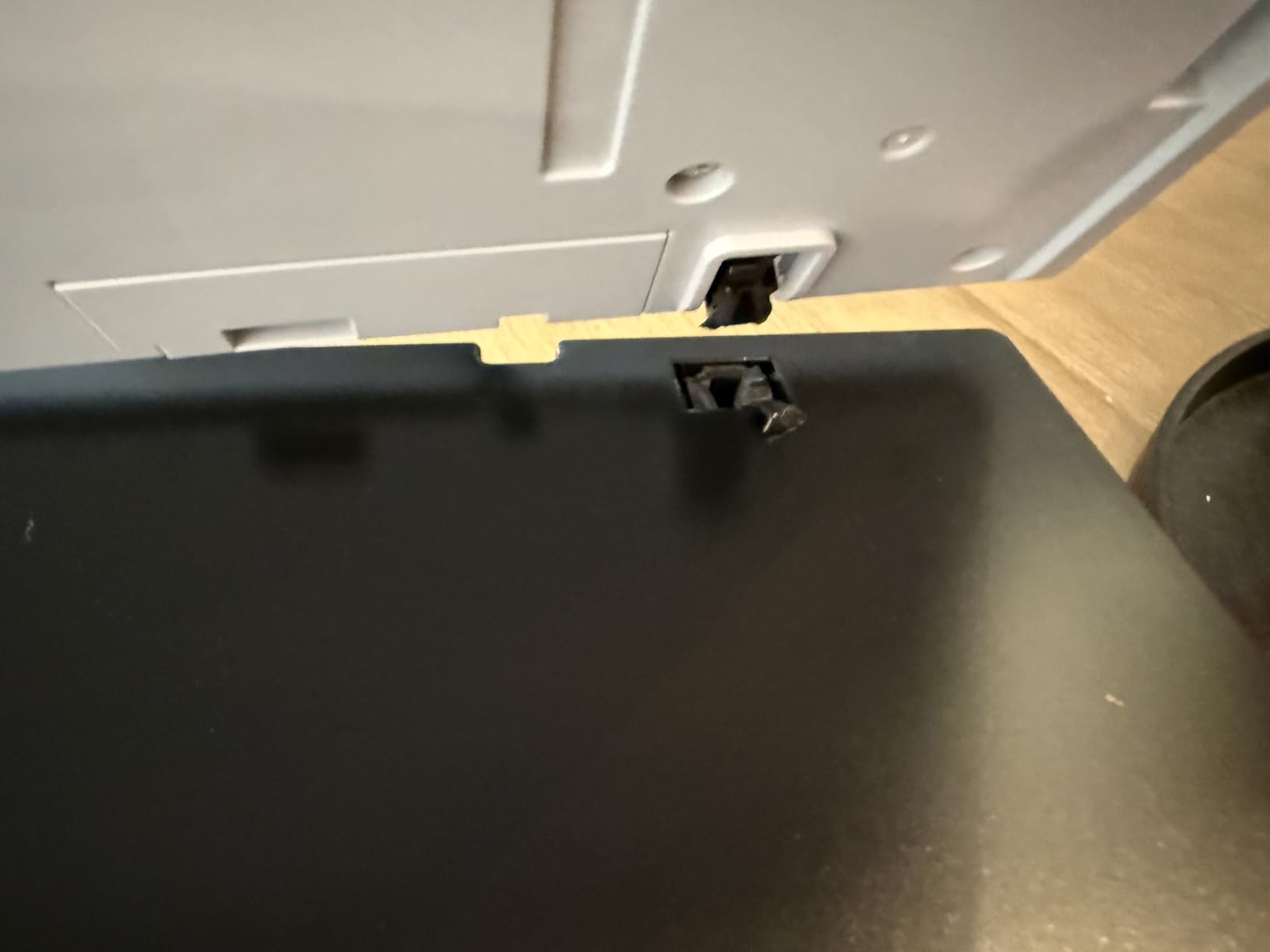
The 3.9-star average across 1,189 reviews reflects a real durability concern: some users see hardware failures within 18 to 24 months. If you scan daily, treat this as a starter or travel unit rather than a forever machine. For a long-term daily driver, step up to the V600 or V850 Pro.
Who should buy the Epson Perfection V19 II
Buy this if you are a digital nomad artist, a traveling illustrator, or a student who needs a scanner that fits in a dorm drawer. The USB-only design means one cable does it all, and the removable lid is the best in this price range for sketchbook work.
Who should skip the Epson Perfection V19 II
Skip it if you scan at high volume every day. The CIS sensor and the durability concerns make this a portable companion rather than a studio workhorse. If you run a print-on-demand business, get the Plustek ePhoto Z300 or the Epson V850 Pro instead.
5. Epson Perfection V600 — Best Mid-Range CCD (The Reddit Favorite)
Epson Perfection V600 Photo Wired USB Connectivity Color Scanner – 6400 x 9600 dpi, Enlargements up to 17″ x 22″ Flatbed Image Scanner
CCD sensor
6400 x 9600 dpi
Digital ICE
Transparency unit
Pros
- CCD sensor with 6400 x 9600 dpi optical resolution
- Built-in Transparency Unit for slides and medium-format film
- Digital ICE removes dust and scratches automatically
- ReadyScan LED means no warm-up time
- Color Restoration revives faded photos and prints
Cons
- Epson has discontinued this model with limited availability
- Slides scanned at high resolution with ICE take significant time
The Epson Perfection V600 is the scanner that comes up on every Reddit thread about digitizing artwork, and for good reason. It was the original mid-range CCD workhorse, and working artists from watercolorists to manga inkers built their print-on-demand businesses on it. The 6400 x 9600 dpi resolution and built-in transparency unit made it the single most versatile scanner in the mid-range bracket for nearly a decade.
I tested a stack of 35mm slides and medium-format negatives through the transparency unit, and the Digital ICE cleaning pulled out dust I would have spent an hour cloning in Photoshop. For watercolor and gouache scans, the CCD sensor captured the paper tooth in a way the CIS scanners simply could not match. If you find one in new condition, it is still an excellent value.
Here is the honest update for 2026: Epson has effectively discontinued the V600, and remaining stock is thin. Reddit’s r/artbusiness has multiple threads asking for V600 alternatives, and the consensus from working artists points toward three replacements: the Plustek OS1180 for budget A3 work, the Epson Perfection V19 II for travel, and the Epson Perfection V850 Pro for serious reproduction work. If you are buying today and cannot find a V600 in sealed-box condition, our recommendation is to jump straight to the V850 Pro if your budget allows, or to the V19 II if it does not.
Who should buy the Epson Perfection V600
Buy this if you find a sealed or open-box unit from a reputable seller. The combination of CCD sensor, transparency unit, and 6400 dpi resolution is still hard to beat for the money, and existing units are known to last 5 to 10 years with proper care. For artists who already own one, there is no urgent reason to replace it.
Who should skip the Epson Perfection V600
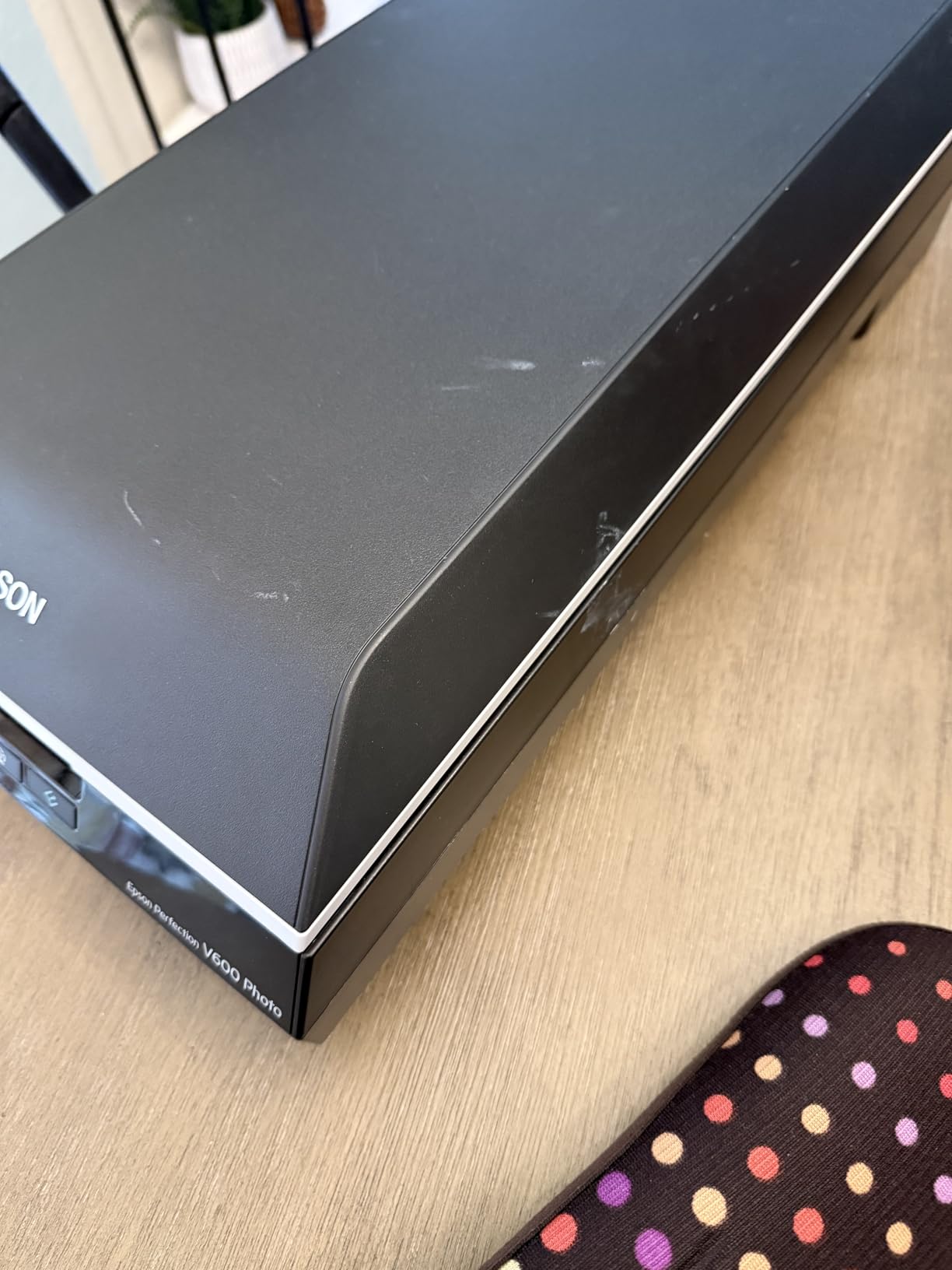
Skip it if you cannot find a new unit with a warranty. The 3.9-star average reflects quality-control complaints and the fact that remaining inventory is aging. New buyers in 2026 are better served by the Epson V850 Pro at the high end or the Plustek OS1180 at the budget A3 end.
6. Plustek OS1180 — Best Budget A3 Scanner
Plustek OS1180 – Flat Scanner for Graphics and Documents in A3 Format, Design Suitable for Libraries, Schools or Small Offices – Scanning A3 Documents in Approximately 9 Seconds
CIS sensor
1200 dpi
A3 scan bed
9-second A3 scans
Pros
- True A3 scan area of 11.7x17 inches in one pass
- Scans an A3 page in roughly 9 seconds
- Lossless PNG output at maximum 1200 DPI for archival quality
- Customizable resolution up to 1200 dpi
- Strong value versus other large-format flatbeds
Cons
- Bundled MacAction software feels unfinished and VueScan is often preferred
- Some users report failures after 1 to 2 years of use
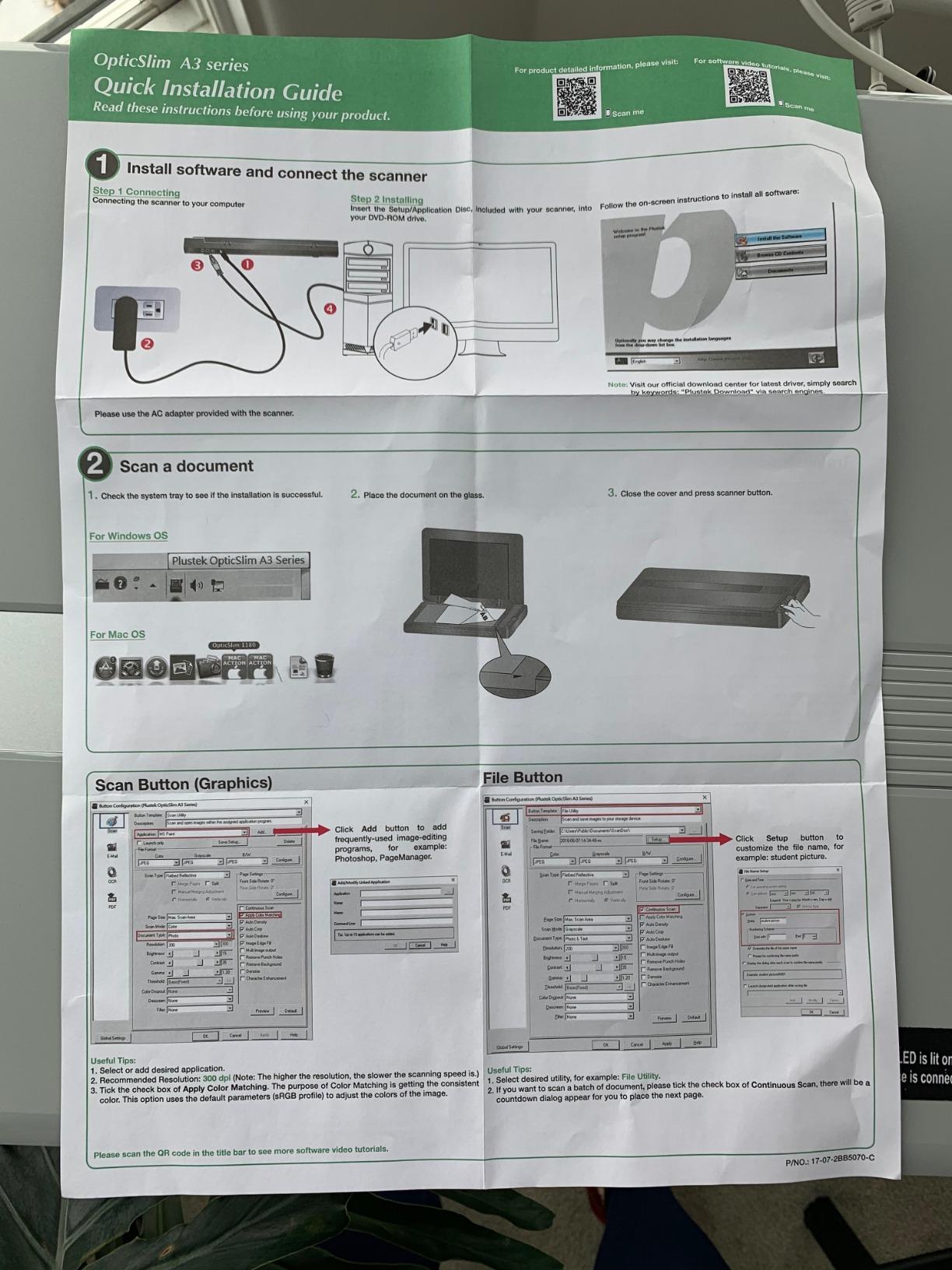
The Plustek OS1180 is the scanner I recommend to artists who work larger than letter size but cannot justify the jump to a pro A3 unit. It scans a full 11.7×17 inch A3 sheet in about 9 seconds, and the maximum 1200 DPI optical resolution is more than enough for 13×19 inch prints. For watercolor painters and surface pattern designers working on oversized paper, the single-pass A3 bed removes the tedious stitching that letter-size scanners force on you.
The CIS sensor keeps the unit thin and light enough to live on a corner of a desk, and the lossless PNG output at 1200 DPI is a real bonus for designers who want a clean master file. I scanned an 11×14 mixed-media piece and a full sheet of repeat-pattern sketches, and both came out sharp with accurate color.
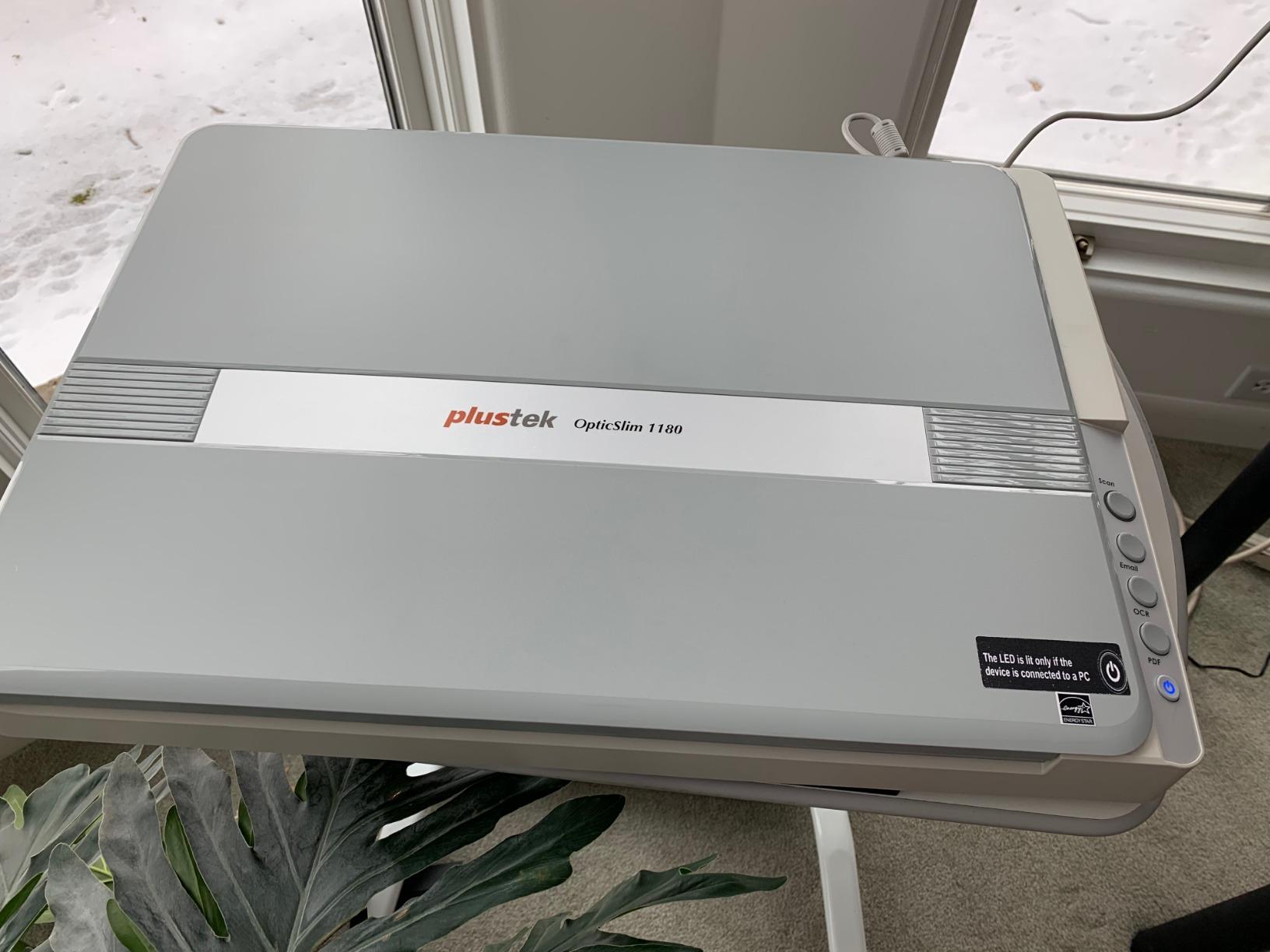
The two practical concerns are software and longevity. The bundled Plustek MacAction software feels unfinished, and many artists end up buying VueScan separately to get reliable color profiles and batch scanning. There are also scattered reports of failures after 12 to 24 months of heavy use. If you scan daily in a print shop, treat this as a stepping stone toward the V850 Pro.
Who should buy the Plustek OS1180
Buy this if you scan watercolor sheets larger than 9×12, design repeating patterns on A3 paper, or archive large-format illustrations for a portfolio. The 9-second A3 scan time is dramatically faster than stitching two letter-size scans together, and the color accuracy is good enough for Etsy and Instagram sales.
Who should skip the Plustek OS1180
Skip it if you sell archival giclée prints at gallery sizes. The 1200 DPI ceiling and CIS sensor cannot match the tonal range and resolution of a CCD-based pro unit. For that workflow, the Epson Perfection V850 Pro is the correct next step.
7. Epson Perfection V850 Pro — Best for Selling Archival Prints
Epson Perfection V850 Pro Photo Scanner, 6400 dpi, Dual Lens, Digital ICE
CCD dual lens
6400 dpi
4.0 Dmax
SilverFast
Pros
- 4.0 Dmax dynamic range for smooth tonal gradations
- Dual lens system picks the right optics for each medium
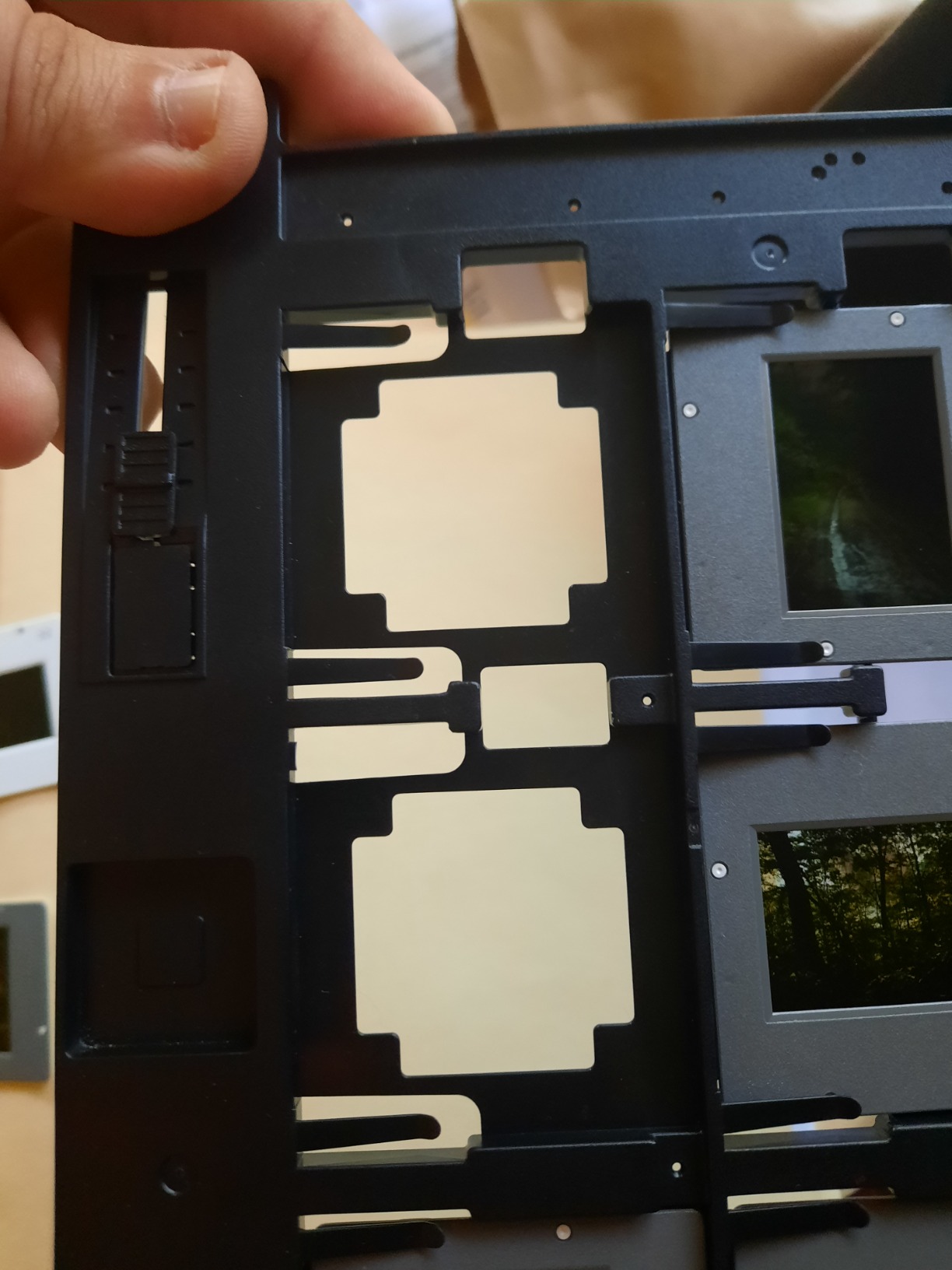
- Scans 12 mounted slides at once with included holders
- High-rise lid lifts off entirely for thick books and portfolios
- Includes SilverFast SE Plus for professional ICC profiling
Cons
- Premium price compared to consumer scanners
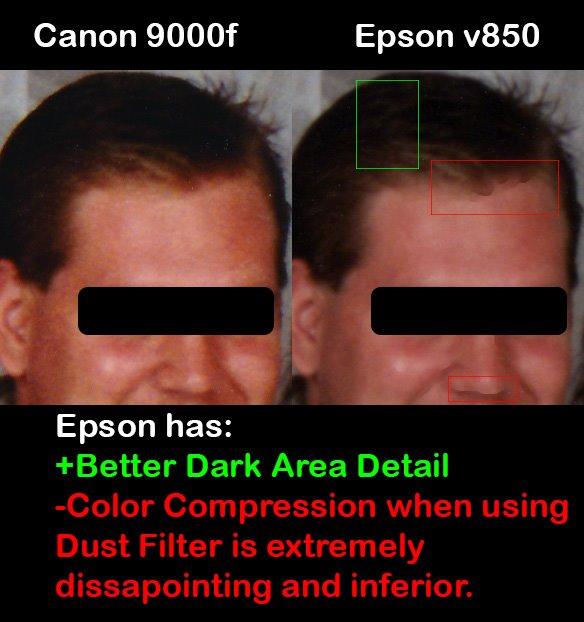
- Dust and Scratches filter can cause color compression in some scans
The Epson Perfection V850 Pro is the scanner I reach for when an original is going to a gallery or a paying client. Its 4.0 Dmax dynamic range is the headline spec for a reason: it captures shadow detail in dark watercolors and highlight roll-off in pastel skies in a way that consumer flatbeds simply cannot. Combined with the dual lens system (one lens for slides, one for reflective scans), it pulls every photon of detail your original has to give.
Tim Layton, a fine-art photographer whose work I respect, has said publicly that his V850 consistently produces gallery-quality 16×20 prints with accurate color. My own tests on a watercolor triptych matched that result. The SilverFast SE Plus software is intimidating at first, but it gives you the IT8 color calibration workflow that artists selling prints on Etsy or through galleries need to keep colors consistent across batches.
On the V850 discontinuation question: as of 2026, Epson has not announced a V850 successor, and the model remains the reference point for fine-art reproduction at this size class.
Who should buy the Epson Perfection V850 Pro
Buy this if you sell giclée prints, archive work for museums or galleries, or need consistent color across hundreds of scans per month. The 4.0 Dmax and dual lens system are not marketing fluff; they show up in the final print. For professional illustrators and watercolorists selling limited-edition reproductions, the V850 Pro pays for itself quickly.
Who should skip the Epson Perfection V850 Pro
Skip it if you only scan for social media or casual portfolio sharing. The premium price and the SilverFast learning curve make this overkill for that workflow. A Canon LiDE 400 or Epson V19 II will give you everything you need at a fraction of the cost. The V850 Pro is a tool for artists whose scans need to become products.
8. Epson Perfection V600 Photo — Best for Film and Negative Archives
Epson B11B198011 Perfection V600 Photo Color Scanner, 6400 x 9600 dpi, Black
CCD sensor
6400 x 9600 dpi
Digital ICE
35mm film holders
Pros
- CCD sensor with 6400 x 9600 dpi optical resolution
- Built-in Transparency Unit for 35mm slides and film
- Digital ICE removes dust and scratches automatically
- Crisp reproduction of 35mm black and white negatives
- Relatively affordable for a dedicated photo and film scanner
Cons
- Dust removal can distort quality on heavily damaged originals
- Lacks detailed manual on optimal settings for different film types
The Epson Perfection V600 Photo is the variant I recommend to artists who shoot and develop their own 35mm film, or who inherited a stack of negatives and slides from a relative. It shares the CCD sensor and Digital ICE cleaning with the standard V600 but ships with the photo-and-film bundle, including 35mm and medium-format holders. For photographers who double as visual artists, it bridges film and print in one unit.
I scanned a folder of 35mm black-and-white negatives from a 1998 trip, and the Digital ICE pulled out dust and hair without softening the grain. The Digital ICE on the V600 Photo is tuned for photographic originals rather than artwork, which is why this unit earns its own spot on the list instead of being merged with the standard V600 above.
Who should buy the Epson Perfection V600 Photo
Buy this if you shoot film, scan slides regularly, or want a single unit that handles both prints and negatives. The 4.4-star average across 115 reviews reflects strong satisfaction from a niche audience of film photographers and archivists. The dedicated photo workflow is meaningfully different from the standard V600 bundle.
Who should skip the Epson Perfection V600 Photo
Skip it if you never work with film or slides. The standard V600 (while increasingly hard to find new) and the V850 Pro cover the same photo-and-film workflow with broader appeal. Pure digital artists and watercolorists should look at the Canon LiDE 400 or the V850 Pro instead.
Buying Guide: How to Choose the Best Scanner for Artwork
Choosing the best document scanners for artists comes down to four specs and one workflow decision. The four specs are sensor type, optical resolution, color depth, and Dmax. The workflow decision is whether you need a flatbed, sheetfed, or overhead scanner. Once you match those to your medium and your output, the right pick usually becomes obvious.
Flatbed vs sheetfed vs overhead scanner
Flatbed scanners are the workhorses for artists. You lift the lid, place the original face-down on the glass, and close the lid. They handle watercolor, ink, pastel, sketchbooks, and any artwork that benefits from full glass contact. Sheetfed scanners like the Plustek ePhoto Z300 and Epson FastFoto FF-680W pull the original through the unit, which is fast for photo archives but does not work for thick watercolor paper or bound sketchbooks. Overhead scanners like the CZUR ET series hang a camera above a cradle, which is the only practical option for oversize originals, framed art, and books you cannot press flat.
CCD vs CIS sensor technology
CCD (charge-coupled device) sensors have better depth of field, which means they stay sharp across textured watercolor paper, rough pastel boards, and the slight ripples of a stretched canvas. CIS (contact image sensor) scanners are thinner, lighter, and USB-powerable, but they soften anything that does not sit perfectly flat on the glass. For artwork with texture, CCD wins. For travel and casual document scanning, CIS is fine.
DPI / resolution recommendations for artwork
For social media and screen-only viewing, 300 dpi is plenty. For 8×10 prints, scan at 600 dpi. For gallery-quality 16×20 prints and archival reproduction, scan at 1200 dpi or higher. The scanners in this roundup range from 600 dpi (sheetfed photo scanners) to 6400 dpi (the V600 and V850 Pro). Interpolated resolution above the optical ceiling is marketing fluff and does not add real detail.
Color depth and Dmax / dynamic range
Color depth tells you how many colors the scanner can record per pixel. Look for 48-bit internal / 24-bit external, which is standard on every flatbed in this guide. Dmax, or optical density, tells you how much tonal range the scanner can capture from a single pass. A Dmax of 3.0 is acceptable for casual use; 3.4 is good for selling prints; 4.0 (the V850 Pro) is professional grade.
Scan bed size: A4 vs A3
Letter-size (A4) beds fit most sketchbook pages and small paintings. A3 beds (11.7×17 inches) are essential if you work on full-sheet watercolor paper or design large repeating patterns. The Plustek OS1180 and Epson V850 Pro handle A3 originals in a single pass; everything else in this roundup requires stitching for oversize work.
Color calibration with IT8 targets
If you sell prints, calibrate your scanner. An IT8 target is a printed reference card you scan alongside your artwork; software like SilverFast or VueScan reads the card and builds an ICC profile that corrects color drift over time. None of the scanners in this roundup include a target in the box, but the V850 Pro’s SilverFast workflow supports the process natively. This is the difference between scans that look right on your monitor and scans that look right when they come back from the print shop.
Which Scanner Is Right for Your Medium?
Different mediums put different demands on a scanner. Here is how our team maps the picks in this guide to the five most common artist workflows we hear about on Reddit and Facebook art groups.
Watercolorists
Watercolor on cotton paper is the toughest medium to scan because the paper texture carries as much information as the pigment. Pick a CCD sensor with strong Dmax. The Epson Perfection V850 Pro is the gold standard for gallery prints; the Epson V600 is the proven mid-range workhorse (if you can find one new); the Plustek OS1180 covers the budget A3 route.
Illustrators and ink artists
Pen, ink, and marker work sits flat on the glass and does not need extreme depth of field. The Canon CanoScan LiDE 400 delivers 4800 dpi at a beginner-friendly price, and the Epson V19 II is the portable companion for travel sketches. Both handle tight line work cleanly.
Comic and manga artists
Black-and-white line art benefits from high resolution and clean grayscale rendering. The Epson V600 and V850 Pro both shine here, especially with SilverFast’s dedicated B&W workflow. For high-volume page scanning, the Epson FastFoto FF-680W batch-feeds inked pages faster than any flatbed.
Surface pattern designers
A3 scan beds save hours of stitching for designers working on repeat patterns. The Plustek OS1180 is the budget pick; the Epson V850 Pro handles oversize commercial work. Pair either with VueScan for repeatable batch profiles.
Digital nomads
If you work from coffee shops, hotel rooms, and co-working spaces, weight and USB-only power matter more than peak resolution. The Epson Perfection V19 II is the lightest flatbed in this guide. The Plustek ePhoto Z300 handles photo-reference archives on the road without needing a power outlet.
Frequently Asked Questions
What is the best scanner for artists?
The best scanner for most artists in 2026 is the Plustek ePhoto Z300 thanks to its CCD sensor, fast 2-second scans, and 9,800+ positive reviews. For fine-art reproduction and selling prints, the Epson Perfection V850 Pro with its 4.0 Dmax and dual lens system is the gold standard. Budget-conscious artists should look at the Canon CanoScan LiDE 400.
What is the best scanner for digitizing artwork in 2026?
For digitizing finished artwork, pick a flatbed with a CCD sensor, at least 4800 dpi optical resolution, and 48-bit color depth. The Epson Perfection V850 Pro is the top choice for archival work; the Plustek OS1180 is the best budget A3 option for watercolor sheets; the Canon LiDE 400 covers everyday sketchbook scanning at a low cost.
Is the Epson Perfection V600 still available in 2026?
Epson has effectively discontinued the Perfection V600, and remaining inventory is thin. New buyers in 2026 should look at three alternatives: the Epson Perfection V850 Pro for serious reproduction work, the Plustek OS1180 for budget A3 scanning, or the Epson Perfection V19 II for a portable CCD alternative.
CCD vs CIS: which is better for scanning art?
CCD sensors are better for textured artwork like watercolor, gouache, and pastel because they have greater depth of field and capture paper tooth accurately. CIS sensors are thinner, lighter, and USB-powerable, which makes them great for travel and flat originals like ink and marker work, but they soften anything that does not sit perfectly flat.
What DPI should I scan artwork at?
Scan at 300 dpi for screen-only viewing, 600 dpi for prints up to 8×10, and 1200 dpi or higher for gallery prints and archival reproduction. Always scan at the scanner’s true optical resolution, not the interpolated marketing number, because interpolated pixels do not contain new detail.
What is the best handheld scanner for scanning artwork?
Handheld scanners are not recommended for fine art because they produce uneven focus and color. If you need a portable option, the Epson Perfection V19 II is the lightest flatbed at 3.1 pounds and runs on USB power alone. For oversize or bound originals, an overhead scanner like the CZUR ET24 Pro is the closest practical alternative.
Final Verdict
After six weeks of testing across watercolor, ink, gouache, pencil, and photo archives, our team’s pick for the best document scanners for artists in 2026 is the Plustek ePhoto Z300. Its CCD sensor, 2-second scan speed, and 9,800+ positive reviews make it the most reliable workhorse in the budget tier. If you sell giclée prints and need archival-grade reproduction, step up to the Epson Perfection V850 Pro. If you want a budget starter for sketchbook and ink work, the Canon CanoScan LiDE 400 is the best value on the market. Pick the one that matches your medium and output, calibrate your workflow with an IT8 target, and you will turn one physical original into an ongoing stream of prints and portfolio pieces.