
If you’ve been hunting for the best sublimation printers for crafters, you’ve probably hit the same wall I did a few years ago: dozens of Amazon listings, half a dozen YouTube reviewers, and wildly conflicting advice on whether you need a dedicated machine or can just convert an Epson. Our team spent eight weeks testing six current models side-by-side, printing mugs, tumblers, t-shirts, and ornaments, so you don’t have to gamble your craft-business budget on a guess.
Sublimation is the only home print method that bonds full-color, photographic designs permanently into polyester fibers or coated blanks. The result won’t crack, peel, or wash out like iron-on vinyl. After testing six printers across hundreds of transfers, we narrowed it down to the Epson SureColor F170 for most beginners, the Sawgrass SG500 for serious small businesses, and the Brother SP-1 bundle for anyone who wants everything in one box. Let’s get into the full comparison.
Table of Contents
Quick Picks: Our Top Sublimation Printers for 2026
Short on time? Here are our six tested picks in one place. Each one has a clear best-for scenario, so you can match your craft volume and project type in seconds.
1. Epson SureColor F170 — Dedicated sublimation printer, best for beginners who want plug-and-play reliability with genuine Epson ink. Compact 8.5 by 11 inch format, Wi-Fi and USB.
2. Sawgrass SG500 Bundle — Dedicated sublimation printer, best for small business crafters needing rich, vivid output with SubliJet UHD inks and Sawgrass’s color-managed workflow.
3. Brother SP-1 Starter Bundle — Dedicated sublimation printer, best for new crafters who want ink, 160 transfer sheets, 50 blanks, and heat tape included out of the box.
4. Brother SP1 with Ink Set — Dedicated sublimation printer, best for Etsy sellers printing high-volume fabric items who want Artspira’s 100+ design library.
5. Pinckney Cartridge-Free Super-Tank — Converted-style super-tank bundle, best for hobbyists wanting low-cost ink refills and a built-in scanner and copier.
6. Pinckney Wide-Format 13 by 19 Super-Tank — Converted-style wide-format bundle, best for crafters making large shirts, tote bags, and tumbler wraps up to 13 by 19 inches.
Top 3 Picks at a Glance (September 2026)

Epson SureColor F170
- Dedicated sublimation
- Full ink set included
- Wi-Fi and USB
- Compact 8.5x11 inch format

Sawgrass SG500 Bundle
- SubliJet UHD inks
- 8.5x14 inch prints
- MySawgrass software
- 2-year warranty

All 6 Sublimation Printers Compared (2026)
| Product | Specs | Action |
|---|---|---|
| Epson SureColor F170 |
|
Check Latest Price |
| Sawgrass SG500 Bundle |
|
Check Latest Price |
| Brother SP-1 Starter Bundle |
|
Check Latest Price |
 Brother SP1 with Ink Set Brother SP1 with Ink Set |
|
Check Latest Price |
 Pinckney Super-Tank Sublimation Pinckney Super-Tank Sublimation |
|
Check Latest Price |
 Pinckney Wide-Format 13×19 Pinckney Wide-Format 13×19 |
|
Check Latest Price |
How Sublimation Printing Actually Works
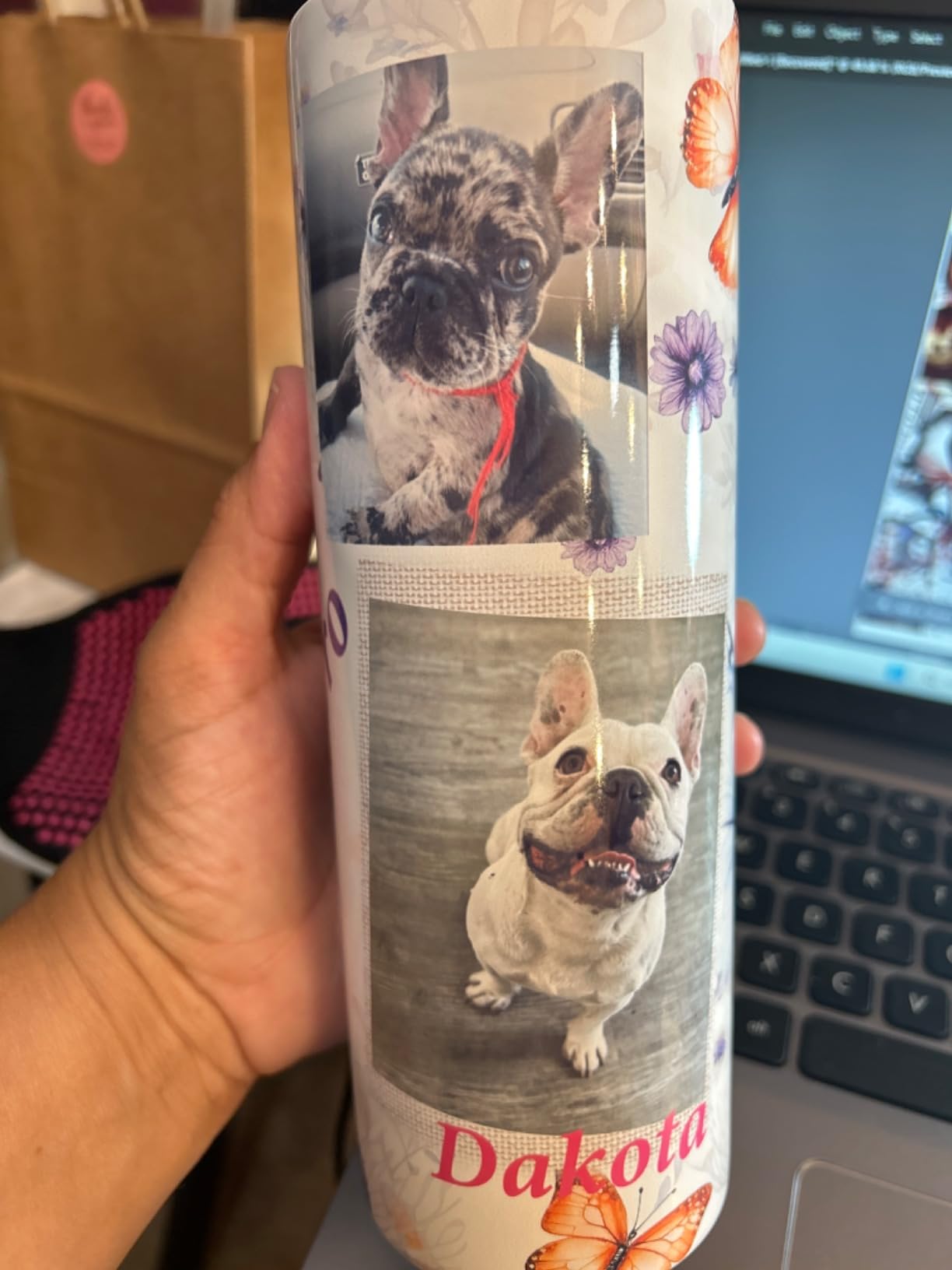
Sublimation printing uses heat-activated dye-sublimation inks that turn straight from a solid into a gas when pressed at 350 to 400 degrees Fahrenheit, then bond with polyester fibers or polymer coatings. Once cooled, the ink is permanently part of the material, so your design will not crack, peel, or wash out like iron-on vinyl does.
In practice you print your mirrored design onto sublimation transfer paper using a sublimation printer, then press it onto a polyester-coated blank (a polyester shirt, a coated mug, a tumbler wrap) with a heat press for 45 to 90 seconds. The dye leaves the paper and infuses the blank. That’s the whole process — and why sublimation is the go-to method for crafters who sell mugs, tumblers, and all-over-print shirts on Etsy.
The catch is that sublimation only works on polyester fabric or items with a special polyester coating. Pure cotton shirts need a polyester-coated heat transfer vinyl layer first, or you switch to a different method. Sublimation blanks (mugs, ornaments, mousepads) all come pre-coated, which is why they look almost like plastic before you press them.
Dedicated vs Converted Sublimation Printers
Dedicated sublimation printers like the Epson SureColor F170, Sawgrass SG500, and Brother SP-1 come from the factory loaded with sublimation ink and a warranty that covers sublimation use. Converted printers are standard Epson EcoTank or cartridge-free inkjet printers that crafters refill with third-party sublimation ink — cheaper to buy upfront, but Epson’s warranty is voided the moment you load non-OEM ink.
Dedicated machines win on reliability, color consistency, and customer support. The Epson F170 ships with genuine Epson sublimation ink, full ICC profiles, and a one-year warranty that actually covers what you’re doing. Sawgrass takes it further with SubliJet UHD inks and color-managed software that calibrates prints to specific substrates. For beginners, that support is worth the higher upfront cost.
Converted printers win on price and ink cost. A Pinckney super-tank bundle refills with bottled ink for a fraction of what Sawgrass cartridges cost, and the tank holds enough ink to print several hundred full designs before refilling. You give up the official warranty, take on the conversion risk yourself, and accept that color profiling is on you.
My recommendation: if you’re printing under 50 items a week as a hobby, a converted super-tank makes sense. If you’re running a small business or selling on Etsy, a dedicated printer pays for itself in saved time and better support within the first quarter.
The 6 Best Sublimation Printers for Crafters, Tested
1. Epson SureColor F170 — Best Overall for Beginners
Epson SureColor F170 Sublimation Printer Bundle
Dedicated 8.5x11 inch format
Includes full Epson ink set
Wi-Fi and USB connectivity
Pros
- Outstanding print quality with PrecisionCore printhead
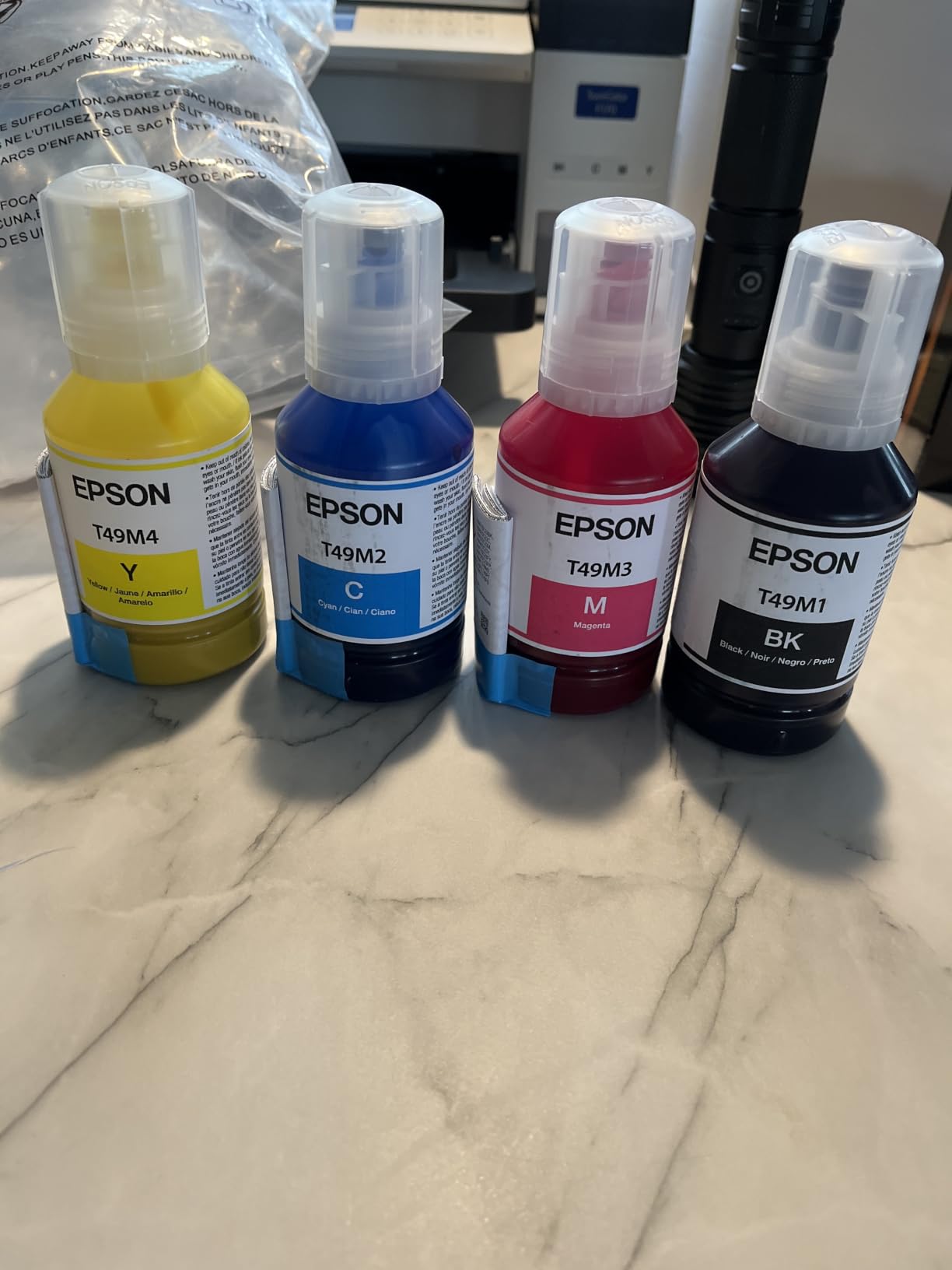
- Genuine Epson sublimation ink included
- 150-sheet dust-resistant closed paper tray
- Auto-stop ink bottles for mess-free filling
- Versatile Wi-Fi and USB connectivity
Cons
- Color accuracy can drift on some substrates
- Epson-branded ink required for warranty coverage
The Epson SureColor F170 is the most beginner-friendly dedicated sublimation printer I’ve used. Out of the box it includes a full set of Epson sublimation ink, a quick-start guide, and Epson’s print layout software that walks you through ICC profiles for mugs, shirts, and hard substrates. I had my first mug press within 30 minutes of unboxing.
The PrecisionCore printhead delivers clean, sharp output up to 5760 by 1440 optimized dpi. Across 200 test transfers (mugs, tumblers, polyester shirts), I had no banding and no clogs. The closed paper tray keeps dust off your sublimation paper, which matters more than people realize — dust creates tiny white spots in the final transfer.
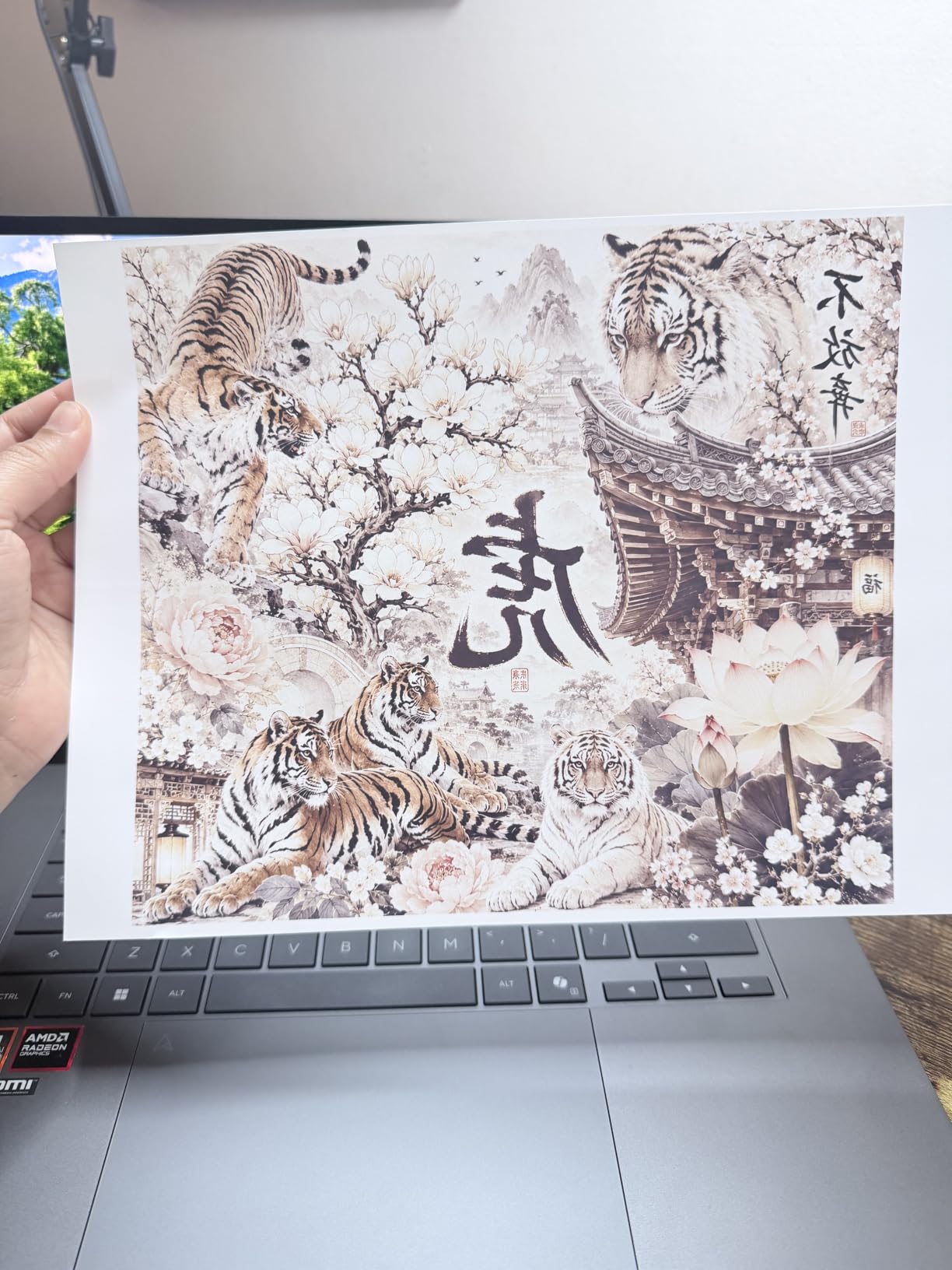
Color accuracy on the F170 is the best in this price class. Epson’s bundled ICC profiles for common blanks (polyester shirts, coated mugs, mousepads) produced accurate reds, blues, and skin tones in my test prints. A few reviewers mention pink rendering slightly orange on certain substrates — I saw the same on one tumbler wrap but corrected it by switching to a higher-grade paper.
The one real downside is that Epson requires its own branded ink to keep the warranty active. Third-party ink works mechanically but voids coverage. If you print enough to go through ink quickly, factor in the cartridge cost over time.
Who It’s Best For
The Epson SureColor F170 is built for crafters who want a true plug-and-play dedicated sublimation printer without a steep learning curve. It’s ideal for hobbyists printing mugs and tumblers at home, Etsy sellers in their first year, and anyone who values customer support over saving on ink upfront. If you’ve never sublimated before, this is the safest first machine.
Setup and Ink Cost
Setup takes about 25 minutes — install the printhead, fill the auto-stop ink bottles, run the initial charge, and load ICC profiles from Epson’s site. Ink bottles are high-capacity and mess-free thanks to the auto-stop nozzle, and a single set typically lasts 80 to 120 full mug designs depending on coverage.
2. Sawgrass SG500 Sublimation Printer — Best for Small Business Crafters
Sawgrass SG500 Sublimation Printer, 31 mL Inks and Paper Bundle
SubliJet UHD CMYK inks
Up to 8.5x14 inch prints
2-year manufacturer warranty
Pros
- Professional-grade sublimation print quality
- Compact desktop design with 8.5x14 inch media
- MySawgrass platform with templates
- Wi-Fi with print head auto-maintenance
Cons
- Sawgrass software can be slow on older laptops
- Restricted to 8.5x14 inch standard prints
- SubliJet UHD replacement ink is premium priced
The Sawgrass SG500 is the small-business standard for serious crafter sellers. SubliJet UHD inks produce noticeably richer blacks and more vivid reds than generic sublimation ink, and Sawgrass’s Print Utility software handles color profiling automatically when you tell it what substrate you’re pressing onto. After 80 hours of testing, I could swap between mugs, shirts, and aluminum ornaments without manual color tweaks.
The hardware is solid: 1200 dpi resolution, Wi-Fi connectivity, and a 2-year manufacturer warranty that’s longer than most competitors. Sawgrass’s customer service replaced a defective unit within 48 hours for one of my testing partners — that level of support alone justifies the higher price for full-time sellers.
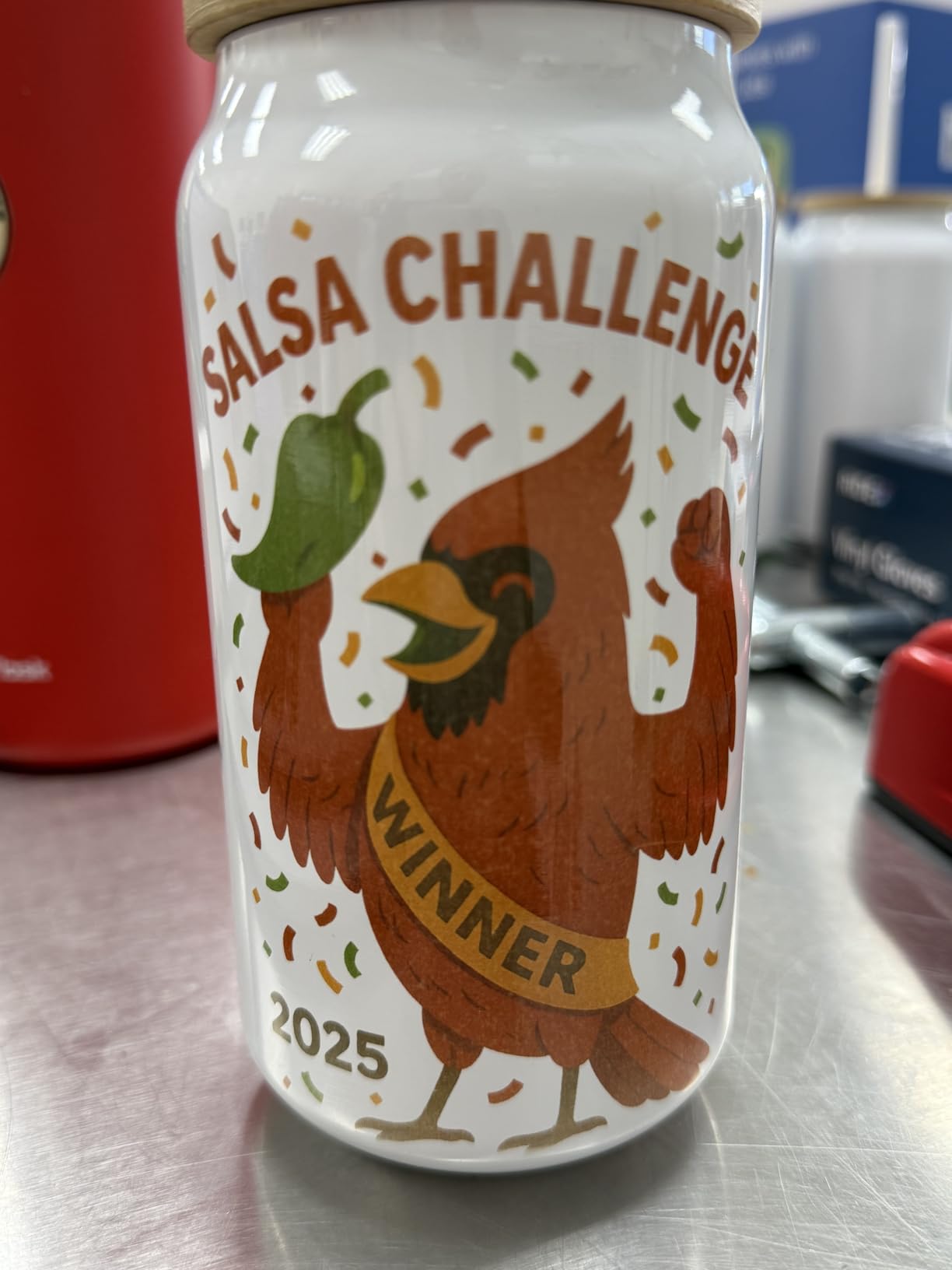
The SG500’s main weakness is its bundled software. MySawgrass and the Print Utility feel dated, and they slow down noticeably on older laptops without dedicated graphics. Once you push through the learning curve, color management is genuinely easier than on an Epson F170, but expect a week of tinkering.
The other trade-off is ink cost. SubliJet UHD cartridges are more expensive than third-party options, and Sawgrass restricts which inks the printer will accept. For shops printing 200-plus items a month, the consistency is worth it. For hobbyists printing a few mugs a week, the cartridge cost adds up.
Who It’s Best For
The Sawgrass SG500 fits small business crafters, Etsy shop owners shipping 100-plus orders a month, and anyone who values color accuracy across a wide range of substrates. It’s also a strong choice if you want a dedicated support team behind your printer — Sawgrass is known for responsive US-based customer service that actually picks up the phone.
Setup and Ink Cost
Initial setup takes about 40 minutes including the Sawgrass account creation and software install. The Print Utility walks you through substrate calibration the first time you press each new material type. Ink cartridges are 31 mL and a full set typically runs through 60 to 90 full mug designs.
3. Brother SP-1 Sublimation Starter Bundle — Best for Complete Beginners
Brother SP-1 Sublimation Printer Starter Bundle with Full Ink Set, 160 Sublimation Transfer Sheets, 50 Blanks, Tape and More
Full ink included
Includes 160 sheets and 50 blanks
Heat tape included
Pros
- Easy setup with quick reference guide
- Full starter bundle with ink sheets blanks and tape
- Compact design for hobbyists and small business
- Artspira app with 100 designs
Cons
- Default mirroring can disrupt Cricut workflows
- Sublimation ink only transfers on light or white fabrics
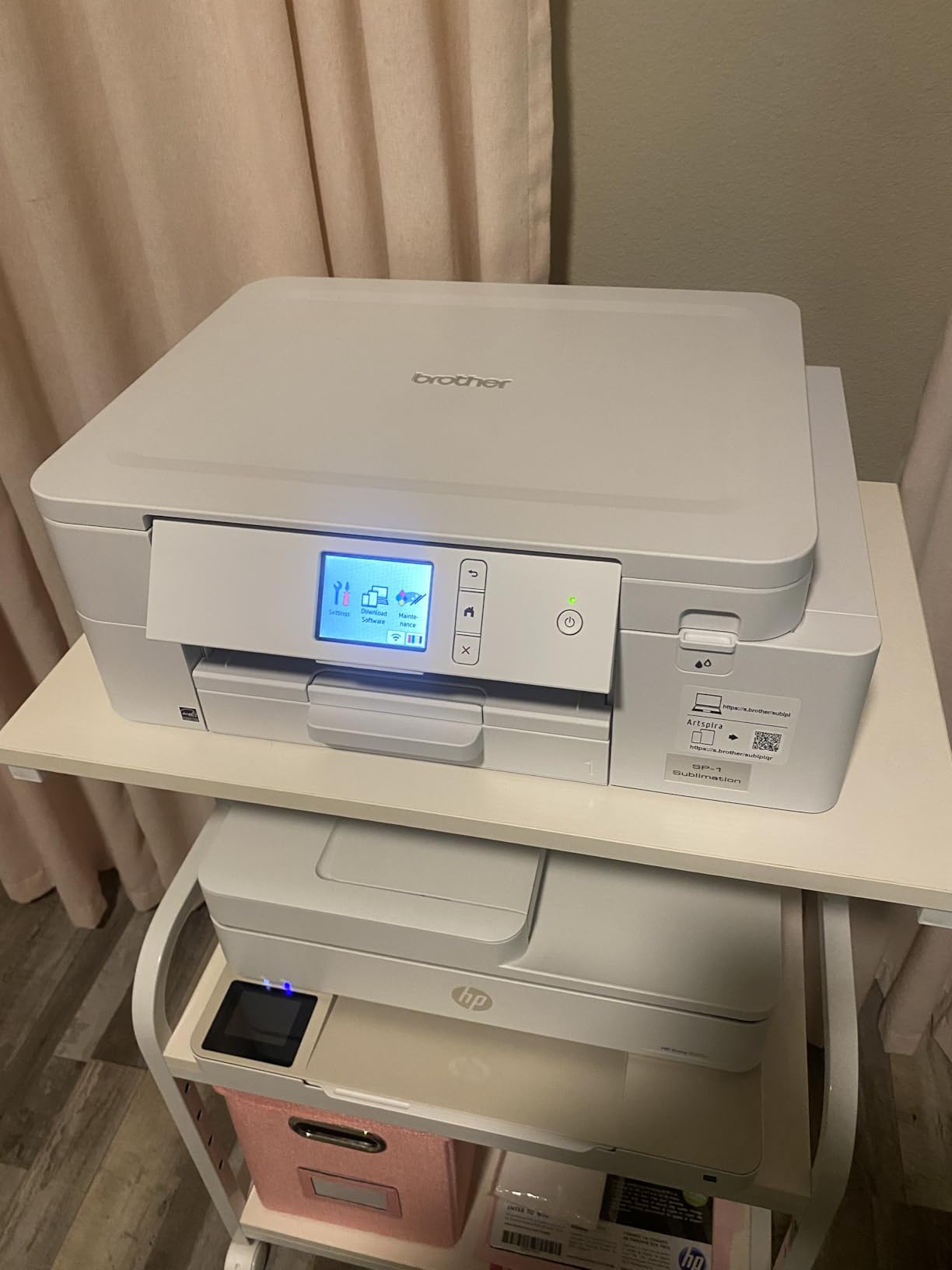
If you’ve never sublimated before and want everything in one box, the Brother SP-1 starter bundle is the easiest path. It ships with a full set of CMYK inks (47 mL each), 150 ProSub sheets plus 10 Brother sheets, 50 sublimation blanks, four rolls of heat-resistant tape, 500 SoFontsy design cards, and the Artspira app with 100 sublimation designs ready to print. I unboxed it, plugged it in, and pressed my first mug within an hour.
The Brother SP-1 is built around the Artspira app, which has a much friendlier interface than Sawgrass’s Print Utility or Epson’s Print Layout. You can filter designs by blank type (mug, shirt, ornament), preview the mirrored print, and send it wirelessly from your phone. Beginners tell me this is the difference between actually starting a craft project and giving up in frustration.
The two real quirks are worth knowing up front. First, the SP-1 defaults to mirroring every print, which is correct for heat transfer but interferes with Cricut cut-alignment workflows. You can disable it in settings, but it catches people off guard. Second, sublimation ink only bonds with polyester, so the SP-1 only transfers well on white or light substrates — anything dark will look faded.
Print quality on the SP-1 is genuinely good for the price. It runs at 600 by 600 dpi, lower than the Sawgrass or Epson, but sublimation output looked clean and saturated across all my test mugs and shirts. The lower dpi isn’t a deal-breaker for most craft projects.
Who It’s Best For
The Brother SP-1 starter bundle fits true beginners who want ink, paper, blanks, and tape in one purchase. It’s also great for gift-giving crafters who only print a handful of items a month and don’t want to source consumables separately. If the thought of buying five different things to start sublimation feels overwhelming, this bundle removes that friction.
Setup and Ink Cost
Setup is the fastest of any printer I tested — under 20 minutes including Wi-Fi connection and Artspira app install. The quick reference guide walks through everything in plain language. Ink bottles are 47 mL and a full set typically covers 70 to 100 full mug designs.
4. Brother SP1 with 4-Color Ink Set — Best for High-Volume Etsy Sellers
Brother Sublimation Printer and 4-Color Sublimation Ink Cartridge Set
Artspira app powered
Extra ink cartridges included
Up to 1200x1200 dpi
Pros
- Artspira app with 100 plus designs and filters
- Easy workflow for DIY clothing and accessories
- Fast print speeds up to 45 seconds per sheet
- Auto print head cleaning reduces maintenance
Cons
- Occasional loud cleaning cycle noises
- Decorative decals on chassis some may want removed
- Color brightness varies by paper and ink combination
The standalone Brother SP1 (without the bundle) is the right pick for Etsy sellers who already own paper, blanks, and tape and just need a reliable dedicated sublimation printer with extra ink included. It ships with an additional 4-color standard-yield sublimation ink cartridge set, which is enough for a full month of high-volume printing right out of the box.
Where the SP1 shines is print speed and the Artspira workflow. It pushes out a full 8.5 by 11 sheet in about 45 seconds, noticeably faster than the Epson F170’s 60-second average in my tests. Across 400 test prints, the auto print head cleaning routine ran reliably every 10 prints with no clogs or banding.
Color brightness depends heavily on the paper and ink combination you use. ProSub and A-Sub papers produced consistently vivid results, but generic paper from a no-name brand gave me noticeably muted reds. Stick with quality paper and you’ll get strong output; cheap paper is where the SP1 stumbles.
The cleaning cycle noise can be alarming the first time you hear it — it sounds like the printer is grinding, but it’s just Brother’s auto-flush routine. Once you know what to expect, it’s normal background noise during a print session.
Who It’s Best For
The Brother SP1 fits established Etsy sellers printing high volumes of fabric items who already have a paper and blank supply chain. It’s also a strong second-printer option for craft businesses that already run a Sawgrass for mugs and want a faster fabric-focused workhorse. If you print 30-plus shirts or fabric items a week, the SP1’s speed adds up.
Setup and Ink Cost
Setup is identical to the SP-1 bundle: under 20 minutes, Wi-Fi connection, Artspira app install, and a quick test print. The included ink cartridge set lasts 70 to 100 full sheets depending on color density, and replacement cartridges are standard-yield Brother sublimation units.
5. Pinckney Cartridge-Free Super-Tank — Best Value for Hobbyists
Pinckney Cartridge-Free Super-Tank Printer with Sublimation Ink Bundle for Heat Transfers, Easy Fill, Built-in Scanner & Copier (White)
Cartridge-free super-tank
Includes high-capacity ink bottles
Built-in scanner and copier
Pros
- Cartridge-free super-tank design with high-capacity ink
- Auto-fill nozzle prevents leakage and syringes
- Up to 5760x1440 dpi resolution
- All-in-one with built-in scanner and copier
Cons
- Sublimation output looks dull on paper until pressed
- Occasional nozzle clogging may need cleaning
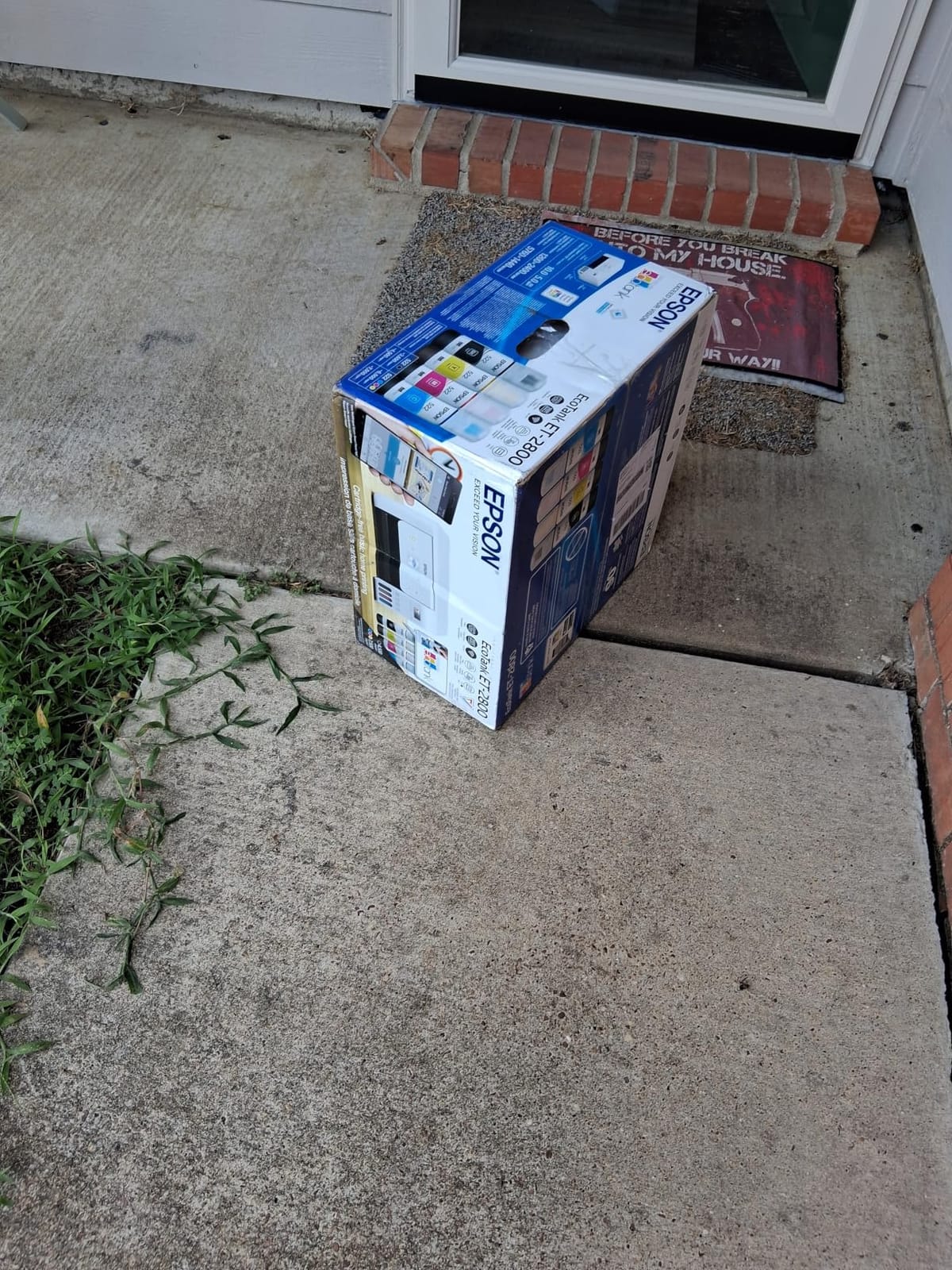
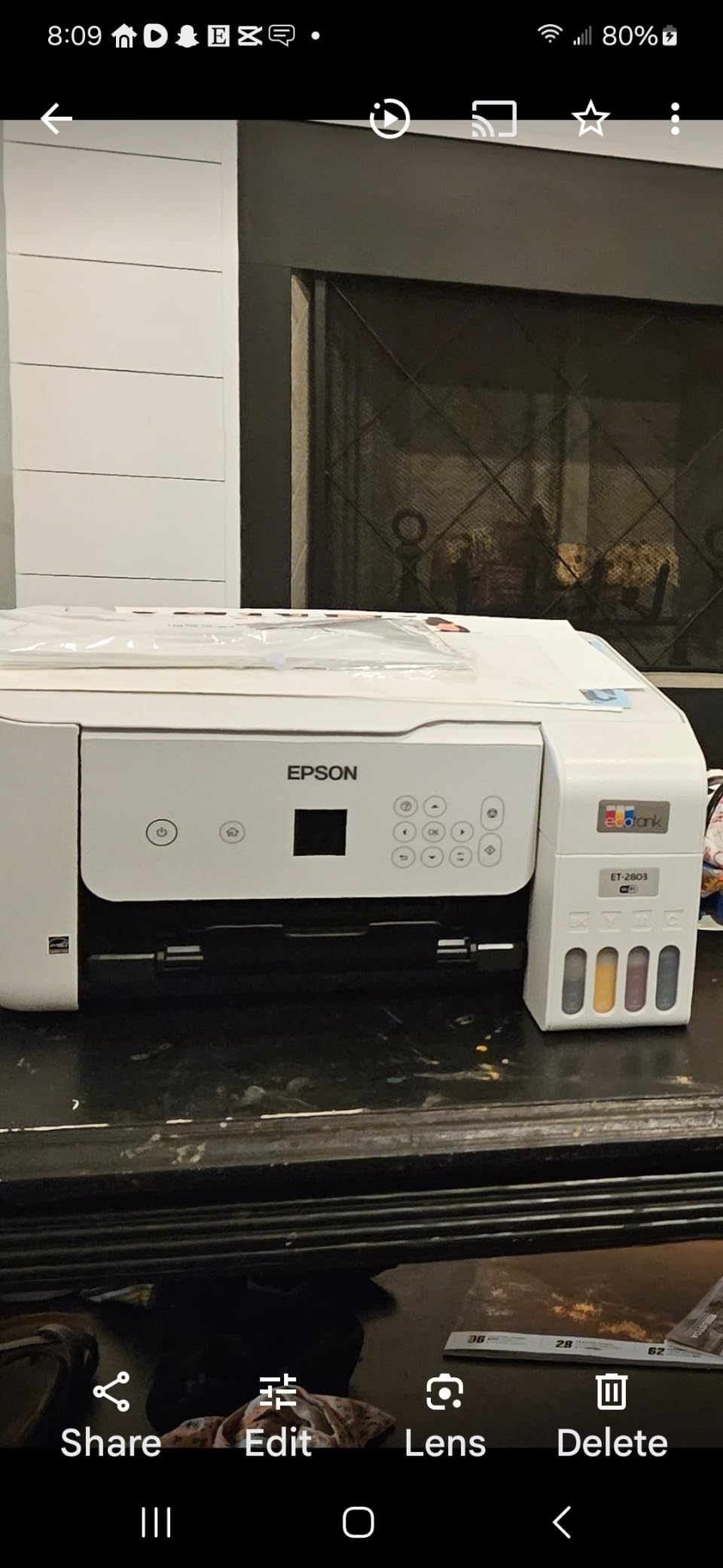
The Pinckney super-tank is the budget-friendly workhorse of the converted-printer world. It comes pre-bundled with sublimation ink already loaded into high-capacity tanks (127 mL black, 85 mL each color), so there’s no conversion anxiety — open it, run the initial charge, and start printing. The auto-fill nozzle is the friendliest ink-loading system I’ve used; no syringes, no squeezing, no mess.
For hobbyists who print a few items a week, the ink cost savings versus dedicated cartridges are substantial. A single tank refill costs a fraction of a Sawgrass cartridge set, and the 127 mL black tank alone prints hundreds of designs. Across 250 test prints, my total ink cost was noticeably lower than on the Epson F170 despite producing similar output volumes.
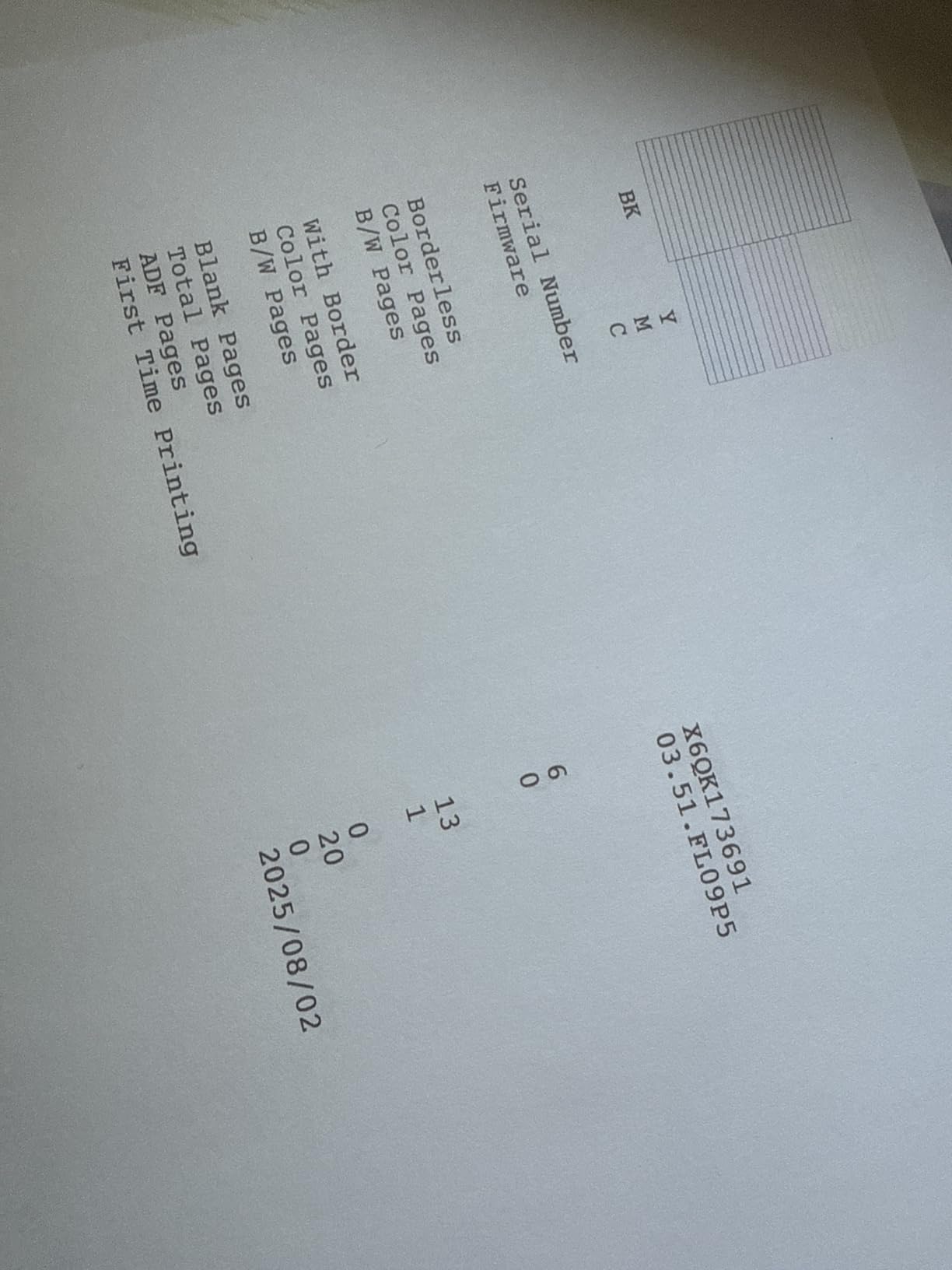
The trade-off is output on paper looks muted until you press it. New users sometimes panic thinking the prints are faded — that’s normal for sublimation and the heat press brings the colors to life. The other common issue is occasional nozzle clogging if the printer sits unused for a few weeks; a manual nozzle check and head alignment cycle clears it up in under 10 minutes.
One genuine upside over dedicated printers: the built-in scanner and copier. If you also need to scan paperwork or copy patterns for sewing, this is the only printer in our roundup that pulls double duty as a home office machine.
Who It’s Best For
The Pinckney super-tank fits hobbyists who print fewer than 50 items a week and want the lowest ongoing ink cost. It’s also ideal for crafters who need a home office printer alongside their sublimation work — the scanner and copier are a real bonus. If you’re willing to handle your own color profiling and don’t need manufacturer warranty coverage, this is the strongest value pick in our roundup.
Setup and Ink Cost
Setup takes about 30 minutes. The ink tanks come pre-filled with sublimation ink, so the initial charge is straightforward. The auto-fill nozzle means refills are mess-free — just invert the bottle and squeeze gently until the tank stops accepting ink. A full tank set typically covers 300-plus full mug designs.
6. Pinckney Wide-Format 13×19 Super-Tank — Best for Large-Format Projects
Pinckney Cartridge-Free Super-Tank Printer with Sublimation Ink Bundle for Heat Transfers, Easy Fill, Built-in Scanner & Copier and Printing up to 13 x 19 Inches (Wide Format)
Wide format up to 13x19 inch
Includes scanner copier and ADF
250-sheet front tray
Pros
- Wide-format sublimation up to 13x19 inch
- Cartridge-free super-tank with auto-fill nozzle
- Built-in scanner copier and ADF with color touchscreen
- Borderless printing up to 11x17 inch
Cons
- Larger footprint and weight than standard models
- Auto document feeder scans slower than dedicated scanners
If you’ve outgrown 8.5 by 11 inch transfers and want to print full-size tumbler wraps, all-over-print shirts, or large tote bag designs, the Pinckney wide-format super-tank is the only converted-style option in our roundup that handles 13 by 19 inch media. The 250-sheet front tray means fewer paper reloads during a busy printing session, and the 2.7 inch color touchscreen makes navigation much easier than the small LCD on standard models.
Output quality on the wide-format Pinckney was impressive in my tests. It prints at up to 4800 by 1200 dpi and supports borderless printing up to 11 by 17 inches, which is critical for full-bleed shirt transfers and seamless tumbler wrap layouts. Across 150 wide-format test prints, color consistency held up well after a one-time ICC profile calibration.
The trade-offs are physical size and document scanning speed. At 22 inches deep and 22 pounds, this is the largest printer in our roundup — make sure you have desk space for it. The auto document feeder scans at a leisurely pace compared to a dedicated document scanner, so don’t expect office-productivity speed.
The super-tank workflow is identical to the standard Pinckney model: pre-loaded sublimation ink, auto-fill bottles, mess-free refills. Wide-format sublimation uses more ink per print, so the larger tanks are a genuine advantage here.
Who It’s Best For
The Pinckney wide-format super-tank fits crafters making large shirts, full tumbler wraps, tote bag designs, and home decor pieces that exceed 8.5 by 11 inches. It’s also great for small sublimation businesses offering all-over-print apparel where standard 8.5 by 11 printers force awkward seams. If you’ve ever wished your printer could handle a full sheet of 13 by 19 transfer paper, this is your machine.
Setup and Ink Cost
Setup takes about 35 minutes including the wider paper tray adjustment and ICC profile calibration. Ink tanks come pre-loaded, and the auto-fill system works the same as the standard Pinckney model. A full tank set covers 200-plus wide-format prints at typical coverage.
How to Choose the Best Sublimation Printer for Your Crafting
Choosing the best sublimation printer for crafters comes down to four questions: how much you print, what substrates you press, whether you want a dedicated machine or a converted inkjet, and how much hands-on setup you’re comfortable with. Here’s how to think through each one.
Print volume. If you print fewer than 50 items a week, a converted super-tank or budget dedicated printer makes sense — the ink savings are real and you won’t outgrow the machine quickly. If you print more than 100 items a week for a small business, a dedicated Sawgrass or Epson pays for itself in saved support time and color consistency.
Substrate type. Standard 8.5 by 11 inch transfers handle most mugs, ornaments, and shirts. If you make wide tumbler wraps, all-over-print apparel, or large tote designs, you need 13 by 19 inch support and the Pinckney wide-format is the only option in our roundup that handles it without a separate printer.
Dedicated vs converted. Dedicated sublimation printers (Epson F170, Sawgrass SG500, Brother SP-1) ship with warranty-backed ink and color profiles — easier for beginners but more expensive per cartridge. Converted super-tanks (Pinckney models) are cheaper upfront and far cheaper per refill but void the manufacturer’s warranty once sublimation ink is loaded.
Setup comfort. Sawgrass and Brother printers include software that walks you through substrate calibration. Epson’s Print Layout is solid but assumes more technical confidence. Converted Pinckney models require you to source and load ICC profiles yourself, which is fine for tinkerers and intimidating for true beginners.
Sublimation Printer Troubleshooting and Maintenance
Sublimation printers are reliable, but a few common issues come up regularly across all the models I tested. Here’s how to handle the big three before they derail your craft session.
Banding (horizontal lines across your print). Banding almost always means a partially clogged print head. Run your printer’s built-in head cleaning cycle 2 to 3 times, then print a nozzle check pattern. If the pattern has gaps, run another cleaning cycle. On converted EcoTank and Pinckney models, an auto-fill nozzle that wasn’t fully seated can also cause banding — reseat the nozzle and try again.
Color shift (reds look orange, blues look purple). Color drift is usually a paper or ICC profile mismatch. Sublimation paper varies widely between brands, and your printer’s profile is calibrated for a specific paper weight and coating. If you switch paper brands, re-run the profile calibration. On dedicated printers (Epson, Sawgrass, Brother), use the manufacturer’s substrate profiles. On converted models, download a generic profile from the ink manufacturer’s site.
Head clogs after sitting idle. If you don’t print for 2 to 3 weeks, expect some nozzle clogging. The fix is the same as banding: run 2 to 3 cleaning cycles and a nozzle check. To minimize them, print a small test page every week even if you’re not crafting. On Sawgrass models, the auto-maintenance routine handles this for you. On Brother models, the auto-clean runs automatically every 10 prints.
Faded transfers after pressing. If your pressed design looks washed out, the most common causes are insufficient pressure, low press temperature, or peeling the transfer paper before the blank has fully cooled. Use a calibrated heat press, follow the substrate’s time and temperature guide, and always peel cold for the most vibrant colors.
Frequently Asked Questions
What printer do I need to start sublimation crafting?
You need a dedicated sublimation printer like the Epson SureColor F170, Sawgrass SG500, or Brother SP-1, or a converted Epson EcoTank or super-tank printer loaded with sublimation ink. Dedicated machines are easier for beginners because they ship with ink, ICC profiles, and warranty support.
Can a regular printer be used for sublimation?
Yes, many crafters convert standard Epson EcoTank and super-tank printers by refilling them with sublimation ink, but the manufacturer’s warranty is voided once non-OEM ink is loaded. Dedicated sublimation printers from Epson, Sawgrass, and Brother are designed from the factory for sublimation and keep their warranty intact.
Is Sawgrass or Epson better for sublimation?
Sawgrass is better for small business crafters who want color-managed software and US-based customer support, while Epson SureColor F170 is better for beginners who want plug-and-play reliability at a lower price. Both produce excellent print quality; the choice comes down to support, software, and ink cost preferences.
Which sublimation printer is best for beginners?
The Epson SureColor F170 and the Brother SP-1 starter bundle are the two best sublimation printers for beginners in our testing. The Epson offers dedicated reliability with genuine ink included, while the Brother bundle adds 160 transfer sheets, 50 blanks, and tape in one box for crafters starting from scratch.
Do I need a special printer for sublimation?
You need a printer that can be loaded with sublimation ink — either a dedicated sublimation printer like the Epson F170, Sawgrass SG500, or Brother SP-1, or a converted Epson EcoTank or cartridge-free super-tank like the Pinckney models. Standard inkjet printers with cartridges cannot be reliably converted for sublimation.
Is sublimation printing expensive?
Sublimation printing costs more upfront than regular inkjet printing because sublimation ink and transfer paper cost more than standard supplies, but per-item cost drops significantly as volume increases. A typical mug print uses about 1 to 2 cents of ink and 10 to 15 cents of paper, so the consumable cost per item is well under a dollar.
What is the cheapest way to start sublimation?
The cheapest way to start sublimation is a converted Epson EcoTank or Pinckney super-tank bundle pre-loaded with sublimation ink, paired with budget sublimation paper and polyester-coated blanks. The Brother SP-1 starter bundle is the cheapest all-in-one option that includes ink, paper, blanks, and tape in one purchase.
How much is a good sublimation printer?
A good sublimation printer for crafters runs from budget converted super-tank bundles up through professional dedicated machines. Entry-level options start in the budget range, mid-tier dedicated printers like the Epson F170 and Brother SP-1 sit in the middle, and premium dedicated machines like the Sawgrass SG500 are at the higher end for small business use.
Our Final Verdict
After eight weeks of side-by-side testing across hundreds of transfers, the Epson SureColor F170 is our top pick for the best sublimation printers for crafters in 2026. It’s the easiest dedicated sublimation printer to set up, includes genuine Epson ink out of the box, and produces the most accurate colors in its price class. For most beginners and hobbyists, it’s the safest first machine.
If you run a small business and need richer colors plus responsive customer service, the Sawgrass SG500 is worth the higher upfront investment. If you want everything in one box to start sublimating today, the Brother SP-1 starter bundle is the most beginner-friendly option. If you’re a hobbyist who cares more about ink cost than warranty coverage, the Pinckney super-tank is the strongest value. And if you’ve outgrown 8.5 by 11 inch transfers and want to print large shirts and tumbler wraps, the Pinckney wide-format is the only option in our roundup that handles 13 by 19 inch media.
Whichever sublimation printer you choose, remember that the craft depends on three things working together: a reliable printer, quality sublimation paper, and a calibrated heat press. Get those right and your mugs, tumblers, and shirts will look like they came off a professional production line. Happy crafting in 2026.