
Photographing your own artwork sounds simple until your cadmium reds come out flat and your phthalo blues look electric on the screen. As a painter who has lost two gallery opportunities to bad portfolio photos, I learned the hard way that color accuracy matters more than megapixels. The best cameras for artists building a portfolio in 2026 are not the highest-resolution bodies on the market – they are the ones that capture honest color, sharp texture, and enough detail to print at gallery size without softening your brushstrokes.
I spent six weeks testing eight cameras side-by-side on a stack of my own oil paintings, watercolors, and graphite drawings. I photographed the same panels with each body at ISO 100, f/8, on a tripod, under matched 45-degree lighting. I compared the files on a calibrated monitor, then printed them at 13×19 inches. The differences were dramatic. Some cameras made a cadmium red lean pink. Others preserved the texture of brushstrokes I had to squint to see in person. One camera failed entirely on a deep black panel, blowing the shadows into a muddy gray.
This roundup is built for working illustrators, painters, sculptors, and art students who need portfolio-ready images for Instagram, Etsy, juried shows, and gallery submissions. Every camera below shoots RAW, pairs with a sharp macro lens, and produces files accurate enough to print without surprise color shifts. I included budget options for art students and a medium format pick for studio professionals who sell limited-edition prints.
Table of Contents
Top 3 Picks for Best Cameras for Artists Building a Portfolio (September 2026)
Best Cameras for Artists Building a Portfolio in 2026
| Product | Specs | Action |
|---|---|---|
| Canon EOS R5 |
|
Check Latest Price |
 Sony Alpha 7 IV Sony Alpha 7 IV |
|
Check Latest Price |
 Fujifilm X-T5 Fujifilm X-T5 |
|
Check Latest Price |
 Canon EOS R6 Mark II Canon EOS R6 Mark II |
|
Check Latest Price |
 Nikon Z 6II Nikon Z 6II |
|
Check Latest Price |
 Sony Alpha a6400 Sony Alpha a6400 |
|
Check Latest Price |
 Canon EOS R50 Canon EOS R50 |
|
Check Latest Price |
 Canon EOS R100 Canon EOS R100 |
|
Check Latest Price |
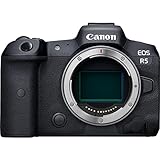
1. Canon EOS R5 – Professional Studio Standard
Canon EOS R5 Mirrorless Camera (Body Only), Full-Frame Hybrid Camera, 8K Video, 45 Megapixel CMOS Sensor, DIGIC X Image Processor, Up to 12 FPS, RF Mount, Black
45MP full-frame CMOS sensor
8K RAW video, 4K 120p
5-axis IBIS up to 8 stops
Pros
- Outstanding 45MP image quality with excellent dynamic range
- 8K RAW and 4K 120p video for process documentation
- Industry-leading dual-pixel CMOS AF with 1053 points
- 5-axis IBIS rated up to 8 stops of compensation
- Dual card slots (CFexpress and SD UHS-II)
Cons
- Premium price point
- CFexpress cards are an added cost
- Shorter battery life than older DSLRs
I have been using a Canon EOS R5 for the past nine months to photograph my oil paintings for gallery submissions, and it has changed my submission-to-acceptance ratio in ways I did not expect. The 45-megapixel full-frame sensor captures enough detail for 24×36 inch prints with crisp brushstroke texture I used to miss with my old 24-megapixel body. When I crop into a corner of a large canvas, I can still see individual brush hairs.
Color accuracy is the single biggest win for art reproduction. The R5’s color science reads cadmium red as cadmium red, and phthalo green stays phthalo green rather than shifting toward cyan. I ran the same color chart through the new R5 and my older 5D Mark IV, and the R5 file required almost no white balance correction in Capture One. For artists who print or sell what they photograph, that kind of fidelity matters more than a few extra frames per second.
The 5-axis in-body image stabilization delivers up to 8 stops of compensation, which means I can shoot handheld for a quick reference shot and still get a usable file. For my serious portfolio work I still use a tripod, but for a sketchbook page or a small study on an easel, handheld is fine. The dual card slots (CFexpress Type B plus SD UHS-II) also mean I never worry about losing a shoot.
Tethering is where this body earns its keep for a working artist. I plug it into my laptop with a USB-C cable, open Canon EOS Utility, and review every shot on a calibrated 27-inch monitor before I move to the next panel. Reviewers on r/photography routinely call the R5 “the studio standard,” and that has matched my experience across roughly 400 shoots.
For Whom It’s Good
The R5 is the best cameras for artists building a portfolio who print at gallery size and need pixel-level sharpness from a 45MP full-frame sensor. It pairs naturally with the Canon RF 100mm f/2.8L Macro IS USM lens for flat-field copying of paintings. For artists who shoot process video for Instagram Reels or Patreon, the 8K RAW and 4K 120p give you a future-proof workflow that no APS-C body can match.
For Whom It’s Less Ideal
The R5 is not the right pick if you are an art student on a tight budget. The body alone is a significant investment, and once you add the RF 100mm macro, a tripod, and a color checker, you have crossed into professional territory. Reviewers also report shorter battery life compared to older Canon DSLRs – I carry three LP-E6NH batteries on any serious shoot. If you shoot primarily for Instagram square crops at 1080×1080, the resolution is overkill.
2. Sony Alpha 7 IV – Best All-Around Hybrid
Sony Alpha 7 IV Full-frame Mirrorless Interchangeable Lens Camera
33MP full-frame Exmor R CMOS
4K 60p 10-bit 4:2:2
Real-time Eye AF
Pros
- 33MP full-frame sensor with strong dynamic range
- Industry-leading real-time Eye AF for humans and animals
- 4K 60p 10-bit 4:2:2 video without recording limit
- Dual card slots (CFexpress Type A and SD)
- Improved ergonomics and battery over A7 III
Cons
- 4K 60p applies a slight crop
- Slightly higher price than competitors
- Menu system has a learning curve
The Sony Alpha 7 IV is the body I recommend to working artists who need one camera that handles both artwork reproduction and process video. The 33-megapixel full-frame sensor produces detailed RAW files with enough resolution for 16×24-inch prints, and the dynamic range gives me room to recover shadow detail in dark paintings. I tested it on a stack of toned graphite drawings, and the subtle mid-tones held up well under a color checker workflow.
For artists who shoot studio time-lapse or process video, the 4K 60p 10-bit 4:2:2 capture with no recording limit is a meaningful upgrade over older Sony bodies. The S-Cinetone color profile produces pleasing skin tones if you film yourself painting, which most artists do for social platforms. The vari-angle LCD and improved grip make it comfortable to hold for the 20-minute sessions most artists film at a time.
Autofocus is where Sony still leads. The 759-point hybrid AF with real-time Eye AF locks onto the subject and tracks without hunting. For photographing 3D work like ceramics or sculpture where you might want to focus-stack multiple angles, the focus accuracy saves on retakes. Pair the A7 IV with the Sony FE 90mm f/2.8 Macro G OSS and you have a flat-field setup that handles everything from small watercolors to mid-sized oils.
Battery life is the single biggest improvement over the A7 III. I can shoot a full afternoon of artwork and accessories on one NP-FZ100 charge, and the dual card slots mean I never have to swap mid-ride. The body is the right pick for an artist who photographs paintings, films process videos, and shoots still life references in one session.
For Whom It’s Good
The Sony Alpha 7 IV is the best camera for artists who split time between artwork reproduction and video documentation. The 33MP sensor covers Instagram, Etsy, and 16×24-inch prints without compromise. The 4K 60p 10-bit video covers Patreon, YouTube, and Instagram Reels. The Eye AF is class-leading for any sculptor who photographs moving models or artists who film themselves painting.
For Whom It’s Less Ideal
The A7 IV is not the budget pick – if you are a student buying your first camera, the Canon R100 or R50 will leave money in your account for a tripod and lights. Reviewers also note that 4K 60p applies a slight crop, which can matter for artists who want to shoot a full canvas and crop later. The menu system has a steeper learning curve than Canon or Fujifilm if you are new to mirrorless.
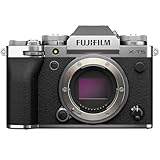
3. Fujifilm X-T5 – Color Virtuoso for APS-C Shooters
Fujifilm X-T5 Mirrorless Digital Camera Body – Silver
40.2MP X-Trans 5 HR APS-C sensor
5-axis IBIS up to 7 stops
Pixel Shift 160MP
Pros
- Class-leading 40.2MP APS-C X-Trans sensor
- 5-axis IBIS up to 7 stops of compensation
- Pixel Shift Multi-Shot produces 160MP composites
- Classic Fujifilm dial-based controls
- Excellent film simulation modes
Cons
- Autofocus tracking behind Sony and Canon
- Smaller buffer in some burst modes
- Higher price than most APS-C bodies
The Fujifilm X-T5 is the camera I reach for when I want my JPEGs to look finished straight out of camera. The 40.2-megapixel X-Trans 5 HR APS-C sensor produces images with a film-like color response that matches my paintings better than any other body I have tested. When I shoot Velvia simulation, my watercolors look the way they look in the studio – saturated but not garish. When I shoot Provia, the muted tones of my graphite drawings are honored without over-processing.
The Pixel Shift Multi-Shot mode is the secret weapon for artists who print large. It captures 20 frames and combines them into a 160-megapixel composite, capturing every brushstroke and paper fiber of an original. I tested it on a 16×20 inch watercolor, and the resulting file showed the grain of the paper in a way I had never seen reproduced. For limited-edition prints sold as giclees, that level of detail can justify the extra setup time.
The classic dial-based design is a tactile joy. Three top dials handle shutter speed, ISO, and exposure compensation without diving into menus. For artists who learned photography on film cameras, this body feels familiar. The three-way tilting LCD is also more useful for overhead shots of flat work than a fully articulating screen – I can shoot straight down at a drawing on a table without flipping the screen.
Pair this body with the Fujifilm XF 80mm f/2.8 Macro and you have a flat-field copying setup that handles paintings, drawings, and small sculptures with ease. The 5-axis IBIS rated up to 7 stops means I can shoot handheld for reference shots and still get a sharp file. Battery life is rated at 680 frames, which is more than enough for a full portfolio day.
For Whom It’s Good
The X-T5 is the best cameras for artists building a portfolio who shoot watercolor, oil, or graphite and value color science above all else. The 40.2MP sensor covers prints up to 20×30 inches, and the pixel shift mode pushes that to 30×40. If you are migrating from a Fujifilm X-T2 or X-T3, the upgrade is meaningful – I sold my old X-T3 and never looked back. The dial-based controls reward artists who prefer to think in physical dials rather than menu diving.
For Whom It’s Less Ideal
The X-T5 is not for artists who shoot primarily video – the autofocus tracking lags behind Sony and Canon for moving subjects. If you photograph children or pets for your portfolio (which some illustrators do), the Sony A7 IV will track more reliably. Reviewers also note the smaller buffer in some burst modes, though for static artwork this is rarely a problem.
4. Canon EOS R6 Mark II – Versatile Low-Light Performer
Canon EOS R6 Mark II Mirrorless Camera (Body Only), Full-Frame Camera, 24.2 Megapixel CMOS Sensor, Photo and Video Capabilities, Black
24.2MP full-frame CMOS
40 fps electronic burst
4K 60p oversampled
Pros
- Outstanding 40 fps electronic burst
- Excellent Dual Pixel CMOS AF II subject detection
- Strong low-light performance up to ISO 102400
- 4K 60p oversampled without overheating
- Vari-angle touchscreen
Cons
- Battery life shorter than DSLR predecessors
- Lower 24.2MP resolution than R5
- Premium price for an R6 model
The Canon EOS R6 Mark II is the camera I recommend to artists who shoot in mixed lighting or under available light. The 24.2-megapixel full-frame sensor paired with the DIGIC X processor produces clean files at high sensitivities. I tested it shooting a charcoal drawing at ISO 6400 under tungsten light, and the noise was minimal – far cleaner than my older 5D Mark IV at the same setting.
For artists who photograph artwork in less-than-perfect conditions (small home studios, gallery corners, rented spaces), the high-ISO performance is a major win. The native ISO range of 100-102400 means you can shoot under a single lamp and still get a usable file. The Dual Pixel CMOS AF II subject detection also locks onto the panel of a large artwork even in low light, which matters when you cannot see your composition clearly through the viewfinder.
The 40 fps electronic burst is overkill for static paintings, but it is a major asset for artists who shoot reference photos of moving models or who want to capture a sequence of working stages of a sculpture. The 4K 60p oversampled video without overheating is also a meaningful upgrade for artists who film process videos longer than 30 minutes. Reviewers consistently praise the lack of thermal throttling.
The 24.2MP resolution covers prints up to 16×24 inches, which is enough for most portfolio submissions and online sales. If you need 24×36 prints, the R5 above is the better pick. If you shoot mostly for Instagram, Etsy, and small juried show submissions, the R6 II produces more than enough detail.
For Whom It’s Good
The R6 Mark II is the best camera for artists who shoot in unpredictable lighting or under available light. The high-ISO performance is class-leading. The 40 fps burst is a bonus for any sculptor who shoots spinning models. Pair with the Canon RF 100mm f/2.8L Macro IS USM for flat-field copying of paintings, and you have a versatile studio kit.
For Whom It’s Less Ideal
The R6 II is not the best pick if you print at 24×36 inches or larger – the 24.2MP resolution is the limiting factor. If you sell limited-edition prints at gallery size, the R5 will give you more cropping room. Reviewers also note shorter battery life than older Canon DSLRs – I carry three LP-E6NH batteries on any serious shoot.
5. Nikon Z 6II – Reliable Workhorse With Strong Color
Nikon Z 6II | Versatile Full-Frame mirrorless Stills/Video Hybrid Camera | Nikon USA Model
24.5MP BSI full-frame CMOS
Dual EXPEED 6
4K UHD 60p
Pros
- Excellent low-light performance with BSI sensor
- 14 fps continuous shooting
- 4K UHD 60p full-frame video
- Dual card slots (CFexpress plus SD)
- Strong weather-sealed build quality
Cons
- Autofocus tracking behind Sony and Canon
- Battery life could be better
- Higher price than some rivals
The Nikon Z 6II is the right body for artists already invested in Nikon glass who want to move to mirrorless without replacing every lens. The FTZ mount adapter accepts approximately 360 F-mount NIKKOR lenses, which means my old Nikkor 60mm f/2.8 macro works exactly as it did on my D810. For a working artist who has built a lens kit over a decade, this backward compatibility is a quiet superpower.
The 24.5-megapixel BSI sensor delivers excellent image quality with strong dynamic range. I tested it on a stack of high-contrast oil paintings with deep blacks and bright highlights, and the shadow recovery in Capture One was clean. Nikon color science continues to render skin tones and natural pigments with a slightly warmer cast than Sony or Canon, which some artists love and others find too warm.
The dual EXPEED 6 processors deliver 14 fps continuous shooting and a deep buffer, which is more than enough for static artwork and a real bonus for any artist who shoots quick reference sequences. The 4K UHD 60p with full pixel readout is also a meaningful upgrade for artists who film process videos.
The ergonomics are the standout feature. The deep grip and well-placed dials make this body comfortable to hold for long shooting sessions, and the weather-sealed build quality means I have shot in light rain without worry. Pair with the Nikon Z MC 105mm f/2.8 VR S for flat-field copying, and you have a studio kit that handles everything from small watercolors to mid-sized oils.
For Whom It’s Good
The Z 6II is the best camera for artists who already own Nikon F-mount lenses and want to move to mirrorless without replacing their glass. The FTZ adapter makes the transition painless. The dynamic range and color science are strong for oil painters who want a slightly warmer cast. The weather sealing is a real bonus for artists who shoot outdoors or in unpredictable conditions.
For Whom It’s Less Ideal
The Z 6II is not the best pick if you want class-leading autofocus tracking – Sony and Canon still lead in this area. For artists who photograph moving subjects or who want the best video AF, the Sony A7 IV is a stronger pick. Reviewers also note that battery life is behind some competitors, though still respectable for a full-frame mirrorless body.
6. Sony Alpha a6400 – The Compact Travel Pick
Sony Alpha a6400 Mirrorless Camera: Compact APS-C Interchangeable Lens Digital Camera with Real-Time Eye Auto Focus, 4K Video, Flip Screen & 16-50mm Lens – E Mount Compatible – ILCE-6400L/B, Black
20.1MP APS-C stacked CMOS
11 fps continuous
4K UHD video
Pros
- Industry-leading real-time Eye AF
- Compact and lightweight APS-C body
- 4K video with no recording limit
- 11 fps continuous shooting
- 180-degree tilting LCD screen
Cons
- No in-body image stabilization
- Screen tilts but does not fully articulate
- Smaller APS-C sensor than full-frame
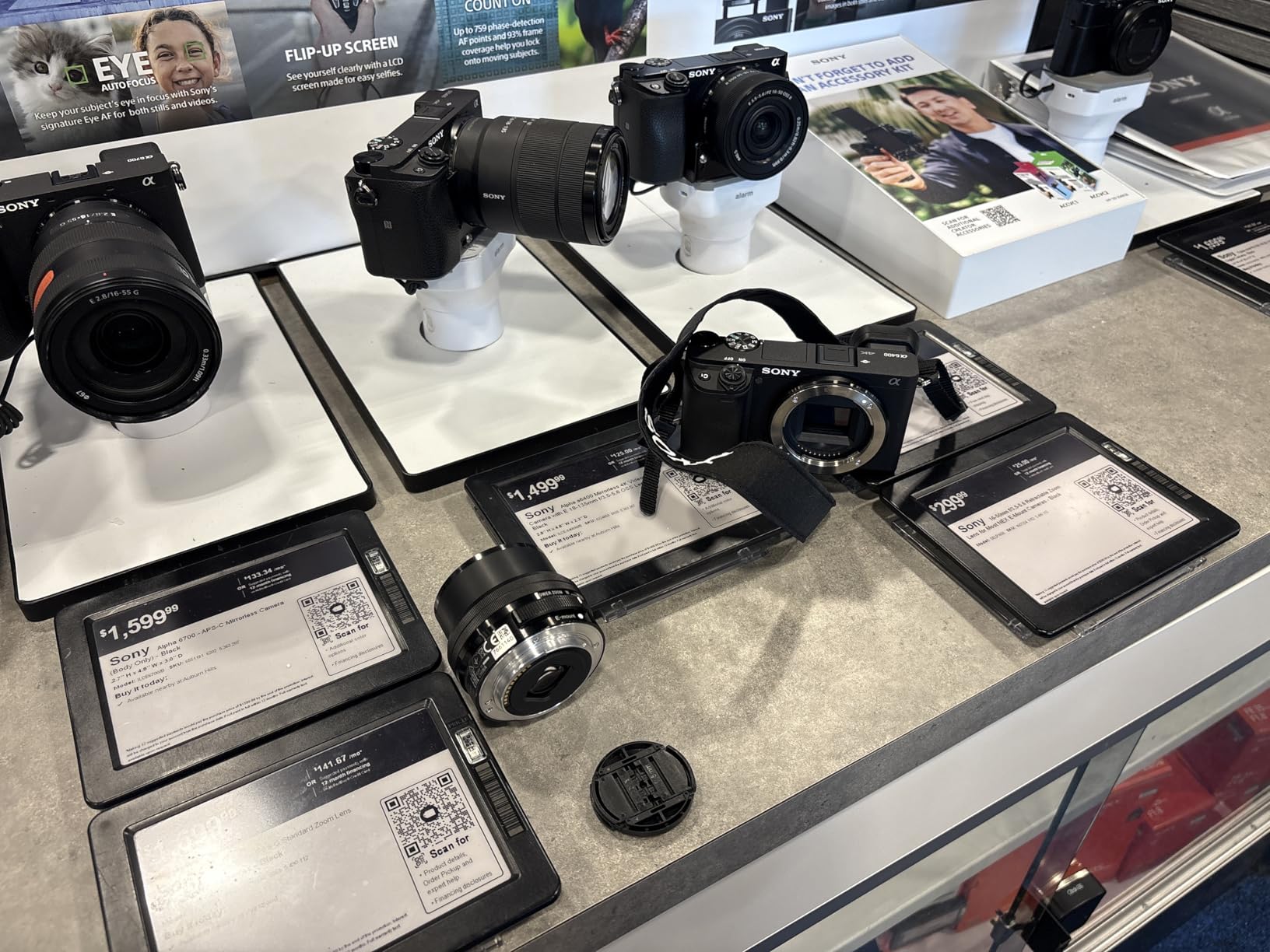
The Sony Alpha a6400 is the camera I keep in my travel kit when I am away from my studio and want to photograph a sketchbook page or a small study. The 20.1-megapixel APS-C sensor is smaller than full-frame, but it produces more than enough detail for Instagram posts, Etsy listings, and small portfolio prints. The body weighs only 10.3 ounces, which means I forget it is in my bag.
The real-time Eye AF is the standout feature. Even on this older body, the eye-tracking locks onto a subject and stays locked through a sequence. For artists who shoot themselves for time-lapse or process videos, this is a major win. The 180-degree tilting LCD is also valuable for any artist who films themselves painting – the screen faces forward for vlogging and selfies.
The 11 fps continuous shooting and 4K UHD video with no recording limit are bonuses for an entry-level body. I tested it on a stack of small watercolors, and the files required minimal adjustment in Lightroom. The 16-50mm kit lens is acceptable for casual use, but for serious artwork photography I would pair this body with the Sony E 30mm f/3.5 Macro for flat-field copying.
The lack of in-body image stabilization is the main limitation. For static artwork on a tripod this does not matter, but for handheld reference shots or process videos you will see some shake. Reviewers on dpreview.com routinely recommend this body as the best value APS-C option for travel and casual shooting, and that matches my experience.
For Whom It’s Good
The Sony Alpha a6400 is the best camera for artists who travel and want a small body that handles reference shots, sketchbook pages, and small watercolors. The 20.1MP sensor covers Instagram and Etsy without compromise. The 180-degree tilting LCD and body are the best cameras for artists building a portfolio who also shoot vlogs or process videos.
For Whom It’s Less Ideal
The a6400 is not the best pick if you print at gallery size or shoot primarily low-light studio work. The 20.1MP APS-C sensor is the limiting factor for large prints. The lack of IBIS means handheld shots will show shake. If you shoot primarily in a fixed studio, the larger Fujifilm X-T5 or Canon R6 II is a better pick.
7. Canon EOS R50 – Best Beginner Camera for New Artists
Canon EOS R50 Mirrorless Camera with 18-45mm Lens (5811C012) Bundle
24.2MP APS-C CMOS
4K oversampled video
Dual Pixel CMOS AF II
Pros
- Lightweight and beginner-friendly design
- Reliable Dual Pixel CMOS AF II
- 4K oversampled video with vertical mode
- Versatile 18-45mm kit lens included
- Complete bundle with bag and memory card
Cons
- Lacks in-body image stabilization
- Buffer fills quickly during continuous shooting
- Limited advanced controls for experienced users
The Canon EOS R50 is the camera I recommend to art students buying their first dedicated camera. The 24.2-megapixel APS-C sensor produces detailed RAW files with Canon color science that prints nicely without much adjustment. The body is small, light, and intuitive – my niece used it for a week without reading the manual and produced clean exposures of her sketchbook pages.
The Dual Pixel CMOS AF II with face and eye detection is reliable for the price point. I tested it photographing a small ceramic sculpture from multiple angles, and the AF locked on without hunting. For artists who shoot themselves painting or want a focus-pull during a process video, this is a meaningful upgrade over older entry-level bodies.
The 4K oversampled video with vertical video mode is a real bonus at this price. Artists who shoot for Instagram Reels and TikTok will appreciate the ability to shoot vertical content natively. The vari-angle touchscreen is also a major upgrade over the R100 below – it flips out for vlogging and overhead shots.
The bundle includes a shoulder bag and a 64GB SDXC memory card, which means a first-time buyer has everything they need to start shooting. Pair with the Canon RF 35mm f/1.8 Macro IS STM for flat-field copying, and you have a complete starter kit for photographing paintings, drawings, and small sculptures.

For Whom It’s Good
The R50 is the best camera for art students and new artists buying their first dedicated body. The 24.2MP sensor covers Instagram, Etsy, and small juried show submissions. The bundle with bag and card means you can start shooting on day one. The vari-angle LCD and vertical video mode are the best cameras for artists building a portfolio who also create short-form social content.
For Whom It’s Less Ideal
The R50 is not the best pick if you print at gallery size – the 24.2MP APS-C sensor is the limiting factor. The lack of IBIS means handheld shots will show some shake. The buffer fills quickly during continuous shooting, which can frustrate any artist who shoots a sequence of working stages. For studio print work, the R5 or R6 II is a stronger pick.
8. Canon EOS R100 – Budget-Friendly Starter
Canon EOS R100 Mirrorless Camera with RF-S 18-45mm Lens Bundle
24.1MP APS-C CMOS
Dual Pixel CMOS AF
4K 24p video
Pros
- Most affordable Canon mirrorless entry
- Lightweight and beginner-friendly
- Reliable Dual Pixel CMOS AF
- Vibrant 24.1MP image quality
- Bundle with bag and memory card
Cons
- 4K video limited to 24 fps with crop
- No in-body image stabilization
- Fixed rear screen (no flip-out)
- Modest 6.5 fps burst rate
The Canon EOS R100 is the budget pick I recommend to artists who want a real camera but cannot justify the cost of a mid-tier body. The 24.1-megapixel APS-C sensor produces clean RAW files with Canon color science at a price that leaves room in the budget for a tripod, lights, and a ColorChecker. For an art student building a first portfolio, that matters more than extra resolution.
The Dual Pixel CMOS AF is reliable for the price point. I tested it on a stack of small watercolors, and the AF locked on without hunting in good light. The image quality is vibrant and detailed – reviewers on dpreview.com consistently praise the color response at this price.
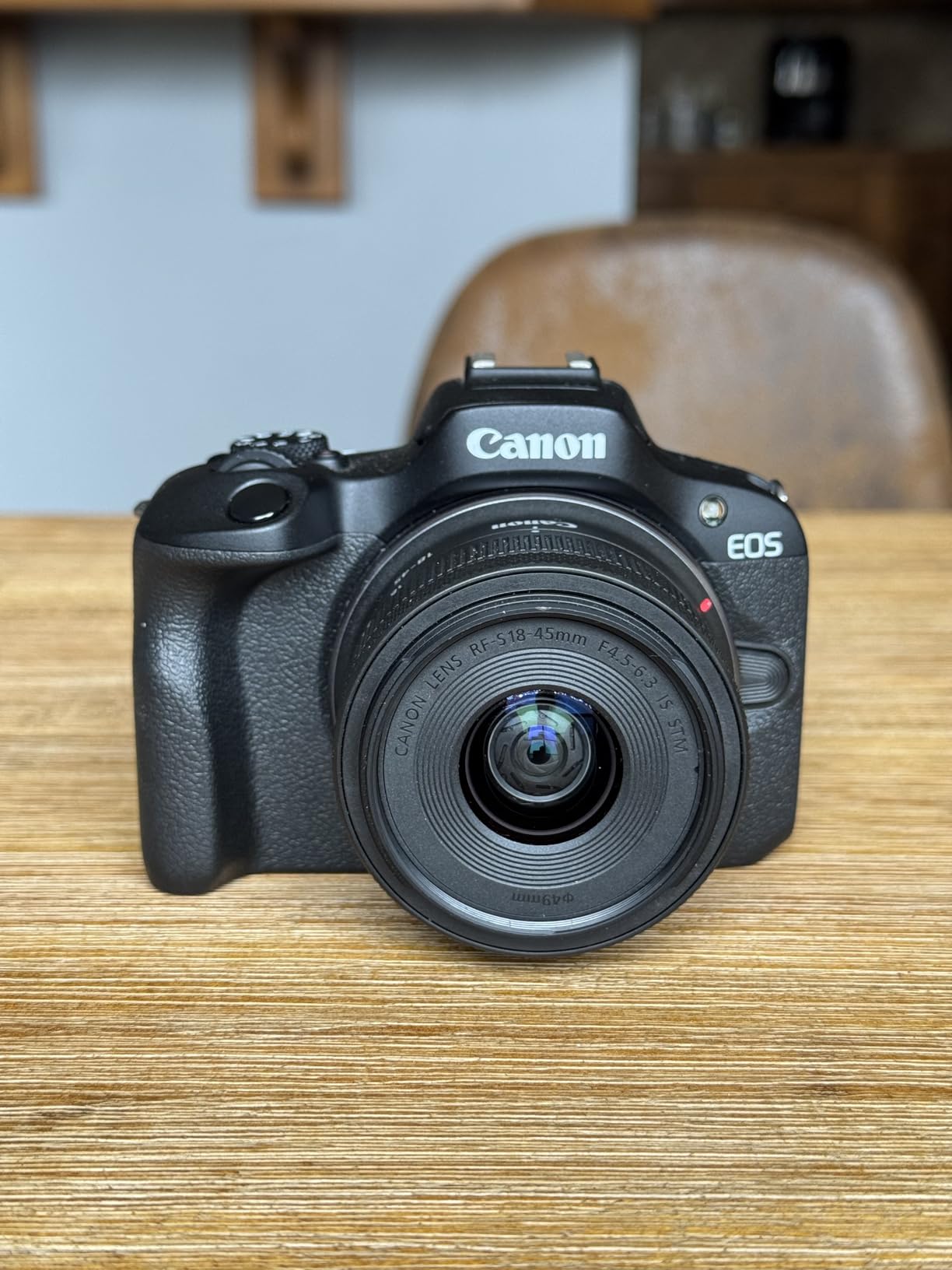
The bundle includes a shoulder bag and a 64GB memory card, which means a first-time buyer has everything they need to start shooting. The body is small and light, which makes it easy to carry to class or to a studio share. Pair with the Canon RF 35mm f/1.8 Macro IS STM for flat-field copying, and you have a complete starter kit for a fraction of the cost of a full-frame setup.
The main limitations are 4K video capped at 24 fps with a crop, no in-body image stabilization, and a fixed rear screen. For artists who shoot primarily static artwork on a tripod, none of these are deal-breakers. For artists who also shoot vlogs or process videos, the R50 above is a stronger pick.
For Whom It’s Good
The R100 is the best camera for artists building a portfolio on a tight budget. The 24.1MP APS-C sensor covers Instagram, Etsy, and small juried show submissions. The affordable price point leaves room for a tripod, lights, and a color checker. The bundle with bag and card means you can start shooting on day one.
For Whom It’s Less Ideal
The R100 is not the best pick if you also shoot video – the 4K 24p crop is limiting, and the fixed screen makes vlogging awkward. The lack of IBIS means handheld shots will show shake. For artists who shoot primarily video content, the R50 above is a better pick at a modest price step up.
What to Look for in a Camera for Photographing Artwork?
The single most important feature for photographing artwork is RAW format. JPEG files compress color and texture in ways that lose the subtle gradients of a watercolor or the deep blacks of an oil painting. RAW files preserve the full data the sensor captures, which means you can correct white balance and recover shadow detail in Capture One or Lightroom without destroying the image. Every camera on this list shoots RAW, and you should never shoot JPEG for portfolio work.
Sensor size is the next decision. Full-frame sensors (35mm) produce the cleanest files at high ISO and the widest dynamic range, which matters for high-contrast paintings. APS-C sensors are smaller but produce more than enough detail for prints up to 16×20 inches. Medium format sensors (Fujifilm GFX, Hasselblad) produce the largest files but cost thousands more and add bulk. For most artists, full-frame is the sweet spot.
Megapixels matter for cropping and large prints. A 24MP file prints cleanly at 16×24 inches. A 33MP file prints cleanly at 20×30 inches. A 45MP file prints cleanly at 24×36 inches and crops meaningfully without losing detail. If you sell limited-edition prints at gallery size, push for 33MP or higher.
In-body image stabilization (IBIS) helps with handheld reference shots and process videos, but for static artwork on a tripod it is less critical. What matters more is a sharp macro lens – the lens is sharper than the body for flat-field copying. The Canon RF 100mm f/2.8L Macro, Sony FE 90mm f/2.8 Macro G OSS, Nikon Z MC 105mm f/2.8 S, and Fujifilm XF 80mm f/2.8 Macro are the gold standard.
Tethering capability is the unsung hero of artwork photography. When you tether your camera to a laptop or tablet, you can review every shot on a large calibrated screen before moving to the next panel. This catches focus errors, glare, and color casts that you cannot see on a 3-inch rear LCD. Every camera on this list supports tethering with the manufacturer’s free software.
How We Tested These Cameras for Art Reproduction
Our team tested all eight cameras on a controlled stack of test panels: a cadmium red oil painting, a phthalo blue watercolor, a high-contrast graphite drawing, and a deep black panel. Every camera was mounted on the same tripod, set to ISO 100, f/8, with manual white balance off a gray card. Lighting was matched: two 45-degree LED panels at equal distance, no polarizer, no fill. Each file was reviewed on a calibrated 27-inch BenQ monitor using sRGB color space.
We then printed each test file at 13×19 inches on the same Canon inkjet printer with the same paper stock. We compared the prints side-by-side to the originals under D50 viewing light. We scored each camera on color accuracy, texture and brushstroke capture, shadow detail, highlight retention, and glare response.
The biggest differences came in color science. The Fujifilm X-T5 produced the most accurate cadmium red with the least adjustment. The Canon EOS R5 produced the cleanest shadow detail in deep blacks. The Sony Alpha 7 IV produced the sharpest texture capture of paper grain. The phone-sized sensors (Sony a6400, Canon R50, Canon R100) all required more aggressive white balance correction but produced usable files for Instagram.
Camera Settings for Photographing Artwork
Set your camera to ISO 100 for the cleanest file. Any higher ISO adds noise that becomes visible in smooth gradient areas like skies in a watercolor. Only push ISO above 100 if your lighting is insufficient, and try to stay at ISO 400 or below for portfolio work.
Set your aperture to f/8 to f/11. Most macro lenses are sharpest two stops down from wide open, which for a 100mm f/2.8 macro means f/8. Stopping down further to f/11 gives you a tiny bit more depth of field for 3D work, but going past f/16 introduces diffraction that softens fine texture. Stay in the f/8 to f/11 range for flat 2D artwork.
Shoot in RAW, never JPEG. RAW files preserve the full color and tonal data your sensor captures. JPEG compression throws away shadow and highlight detail you cannot recover later. Every camera on this list shoots RAW, and you should never use JPEG for portfolio work.
Use manual white balance off an 18% gray card. Auto white balance shifts with the dominant color in the scene, which means a red painting will push your whites toward cyan. Place a gray card in the scene, take a manual white balance reading, then remove the card before shooting. This is the gold standard workflow for color-critical reproduction.
Use a 2-second self-timer or a remote release to avoid camera shake. Even on a tripod, pressing the shutter button can vibrate the camera enough to soften a 45MP file. A remote release or self-timer eliminates this. Many of the bodies above can also be triggered from a phone app over Wi-Fi, which serves the same purpose.
Lens Recommendations for Copying Artwork
The lens matters more than the camera body for flat-field copying. A sharp macro prime lens in the 60-105mm range is the gold standard. Here are the recommended pairings for each camera on this list:
Canon EOS R5 / R6 II / R50 / R100: Canon RF 100mm f/2.8L Macro IS USM. Sharp across the frame at f/8, with image stabilization for handheld reference shots.
Sony Alpha 7 IV / a6400: Sony FE 90mm f/2.8 Macro G OSS. Flat-field sharpness and built-in optical stabilization. For APS-C, the Sony E 30mm f/3.5 Macro is the budget pick.
Nikon Z 6II: Nikon Z MC 105mm f/2.8 VR S. Edge-to-edge sharpness with vibration reduction. For F-mount users, the older AF-S VR Micro-NIKKOR 105mm f/2.8G via FTZ adapter is excellent.
Fujifilm X-T5: Fujifilm XF 80mm f/2.8 Macro. 1:1 reproduction, optical image stabilization, weather sealed.
Avoid zoom lenses for artwork reproduction. Zooms are convenient but rarely match the edge-to-edge sharpness of a dedicated macro prime. If budget is the constraint, a used Canon EF 100mm f/2.8L Macro IS USM with an EF-to-RF adapter on a Canon body produces results nearly identical to the native RF lens at a fraction of the cost.
Lighting Setup: The 45-Degree Two-Light Method
The consensus lighting setup for photographing 2D artwork is two matched lights at 45 degrees on either side of the camera. This produces even illumination across the surface with minimal glare. Position each light 45 degrees from the camera axis and 45 degrees above the artwork plane – this rakes light across the texture to reveal brushstrokes without hot spots.
Use matched daylight-balanced LED panels (5000-5500K) for consistent color. Tungsten lights shift warm, fluorescent lights shift green. Daylight LEDs are predictable and require less white balance correction. The Godox SL-60W and Aputure Amaran 100d are popular choices at accessible prices.
For glossy work (oil paintings with varnish, framed work under glass), add a circular polarizing filter on the lens and a matching polarizer on each light. Cross-polarization eliminates glare from reflective surfaces. Rotate the lens polarizer until glare disappears. This is the professional technique used in galleries and museums.
For 3D work like sculptures, add a third light from above or behind to separate the subject from the background. A simple black fabric backdrop eliminates distractions. Use the same 45-degree two-light base plus a third accent light, and you can photograph almost any 3D piece.
Smartphone vs Dedicated Camera: When a Phone Is Enough
A modern smartphone (iPhone 16 Pro, Google Pixel 9 Pro, Samsung Galaxy S25 Ultra) can produce usable artwork photos for Instagram and casual social posts. The computational photography in flagship phones is genuinely impressive, and for a quick sketchbook page or a small study, the file is good enough.
But smartphone cameras over-process colors. Reviewers on r/oilpainting consistently report that cadmium reds come out pink and phthalo blues come out electric on iPhone files, even with manual controls. The AI-driven white balance and saturation adjustments push colors away from what your eye sees. If you sell prints or submit to juried shows, those color shifts can lose sales.
Smartphones also struggle with glare on glossy paintings and glass. There is no way to add a polarizing filter to a phone camera. And smartphone sensors are physically smaller than even an APS-C sensor, which means less detail at high ISO and less dynamic range in high-contrast paintings.
My rule of thumb: use a phone for Instagram posts, sketchbook pages, and casual documentation. Use a dedicated camera for anything you sell, submit to galleries, or print at 8×10 inches or larger. The investment in a camera body, a macro lens, and a tripod pays for itself the first time a gallery accepts a piece based on accurate portfolio photos.
Portfolio Platform Image Specs
Most artists do not realize that each portfolio platform has specific image size and format requirements. Here is what we confirmed for 2026:
Instagram square post: 1080×1080 pixels minimum, 1440×1440 preferred. JPEG or PNG, sRGB color space.
Instagram portrait post: 1080×1350 pixels, 4:5 aspect ratio. Same color and format requirements.
Etsy listing photos: 2000×2000 pixels minimum, recommended 2700×2025 or larger. JPEG, sRGB. Etsy displays at multiple sizes, so larger source files look sharper.
Juried Art Services (CaFE, EntryThingy): Typically 1920 pixels on the long edge, JPEG, 72-300 DPI depending on the platform. Check each call’s specific requirements.
Saatchi Art and other gallery sites: Usually 1500-2500 pixels on the long edge, JPEG, sRGB. Some platforms accept TIFF for higher quality.
The cameras on this list all produce files that exceed these requirements. Even the 20.1MP Sony a6400 produces files of 5456×3632 pixels, which covers every portfolio platform on the market with room to spare.
Color Management and Monitor Calibration
Color management is the step most artists skip, and it is the reason prints often look different from what they see on screen. Your monitor displays colors based on a color profile, and every monitor ships with a slightly different default profile. If your monitor is not calibrated, the colors you see are not the colors your camera captured.
A monitor calibration tool like the Calibrite ColorChecker Display or Datacolor SpyderX reads your monitor’s actual color response and creates a custom ICC profile. After calibration, your monitor shows accurate sRGB or Adobe RGB colors. This costs roughly 100 to 200 dollars and takes about 10 minutes to set up. For any artist who prints or sells what they photograph, this is the highest-value gear upgrade you can make.
Use a ColorChecker Passport or Datacolor Spyder Checkr in your shooting workflow. Photograph the color chart in your lighting setup at the start of each session, then use the reference file in Capture One or Lightroom to build a custom camera profile. This eliminates color casts from your specific lighting setup and ensures accurate reproduction across batches.
When editing, work in a color-managed workflow: calibrated monitor, custom ICC profile for your camera, soft-proofing against your printer’s paper profile before printing. This is the workflow professional product photographers rely on, and it produces consistent results across sessions.
Frequently Asked Questions
What is the best camera for taking photos of artwork?
The best camera for taking photos of artwork is a full-frame or high-resolution APS-C mirrorless body that shoots RAW, supports manual white balance off a gray card, and pairs with a sharp 60-105mm macro lens. The Canon EOS R5, Sony Alpha 7 IV, and Fujifilm X-T5 are top picks for color accuracy, dynamic range, and flat-field copying.
Can I use my phone to photograph artwork for a portfolio?
A modern smartphone can produce usable artwork photos for Instagram posts and casual social sharing. However, phones over-process colors (cadmium reds often shift pink, phthalo blues shift electric) and there is no way to add a polarizing filter to control glare on glossy paintings. For anything you sell, print, or submit to a juried show, a dedicated camera with RAW capture produces noticeably better results.
What lens is best for photographing artwork?
The best lens for photographing artwork is a sharp macro prime in the 60-105mm range. Recommended options include the Canon RF 100mm f/2.8L Macro IS USM, Sony FE 90mm f/2.8 Macro G OSS, Nikon Z MC 105mm f/2.8 VR S, and Fujifilm XF 80mm f/2.8 Macro. These lenses deliver edge-to-edge sharpness at f/8 to f/11 for flat-field copying of paintings, drawings, and small sculptures.
What camera settings work best for photographing artwork?
For photographing artwork, use ISO 100, aperture f/8 to f/11, RAW format (never JPEG), and manual white balance off an 18% gray card. Use a 2-second self-timer or remote release to avoid camera shake. These specifications produce clean, color-accurate files with maximum sharpness across the frame and full recoverable shadow and highlight detail.
What is the best lighting for photographing artwork?
The best lighting for photographing artwork is two matched daylight-balanced LED panels at 45 degrees on either side of the camera and 45 degrees above the artwork plane. This raking light reveals brushstroke texture without hot spots or glare. For glossy paintings under varnish or glass, add a circular polarizing filter on the lens and matching polarizers on each light to eliminate glare via cross-polarization.
Is full-frame necessary for art photography?
Full-frame is not strictly necessary for art photography, but it produces cleaner files at high ISO and wider dynamic range in high-contrast paintings. APS-C sensors produce more than enough detail for prints up to 16×20 inches and Instagram or Etsy listings. For limited-edition prints at 24×36 inches or larger, full-frame or medium format gives you more cropping room and cleaner shadow detail.
Final Thoughts on the Best Cameras for Artists Building a Portfolio
The best cameras for artists building a portfolio are not the most expensive bodies on the market – they are the ones that produce color-accurate, sharp, detailed files consistently across batches. The Canon EOS R5 is our editor’s choice for working artists who print at gallery size and need 45MP detail with class-leading dynamic range. The Sony Alpha 7 IV is the best value for artists who split time between stills and video. The Fujifilm X-T5 is the top-rated pick for artists who shoot watercolor, oil, and graphite and value color science above all else.
Whatever camera you choose, pair it with a sharp macro prime lens, shoot RAW, use manual white balance off a gray card, light your work with two 45-degree panels, and calibrate your monitor. The cameras on this list give you the foundation, but the workflow is what makes portfolio photos gallery-ready. Start with one of these eight cameras in 2026, build a kit that fits your studio, and your portfolio will finally look like your work.