
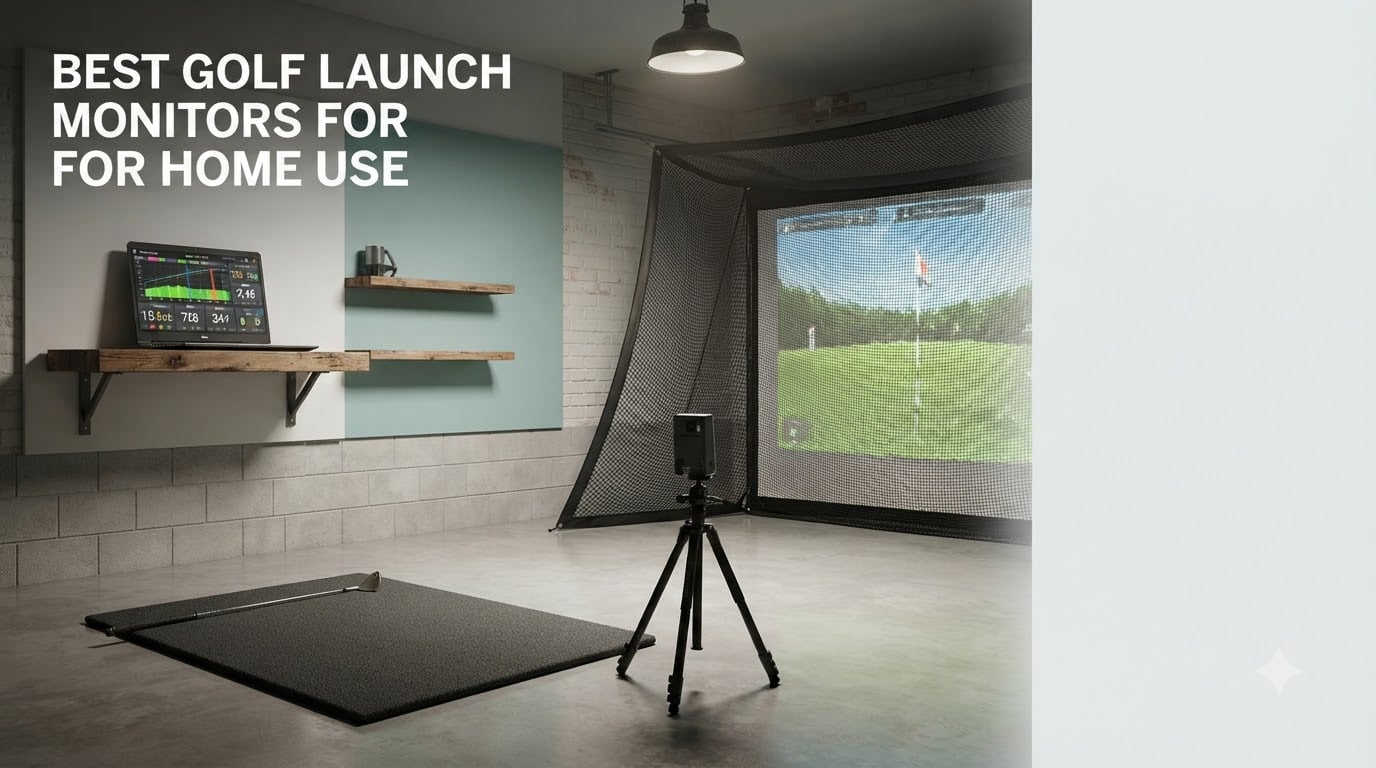
A launch monitor is the difference between hitting into a net and knowing why the ball did what it did. Once you can see ball speed, launch angle, spin and carry distance for every shot, practice stops being guesswork, and the best golf launch monitors for home use start earning their space in a garage, basement or spare room within a few sessions.
We compared 10 home launch monitors across the whole price spectrum, from a pocket radar trainer to a three-camera system with a built-in touchscreen. For each one we worked through the manufacturer specs, the published accuracy claims and thousands of owner reviews, then scored it on the four things that actually decide a purchase: how much room it needs behind the ball, what it measures, what the software costs you every year, and whether it works in a net bay or only on a range.
This roundup was updated in October 2026. We are transparent about our method: we did not run our own accuracy test on these devices, so every number quoted below is a manufacturer specification or a figure drawn from owner reviews. We earn a commission when you buy through our links, at no additional cost to you, and that never changes the ranking.
Table of Contents
What Is a Golf Launch Monitor, and What Does It Actually Measure?
A golf launch monitor is a device that measures what your club and ball do at impact, then sends the data to a phone, tablet, laptop or built-in screen. Most home models track ball speed, club head speed, launch angle and carry distance, while higher-end models add spin rate, spin axis, club path, face angle and angle of attack.
There are two hardware approaches, and the distinction matters more for home use than any spec on the box. Radar devices sit behind the ball and bounce a microwave signal off it, which needs roughly 7 to 8 feet behind you and 8 feet or more in front. Camera-based devices sit beside or just in front of the ball and use high-speed cameras to capture the club and ball at impact, which needs far less room depth but rewards consistent lighting and careful placement.
The data is only as useful as the decision it supports. A high handicap golfer usually gains the most from carry distance and dispersion. A single-digit player chasing a new driver cares about smash factor, spin axis and face to path. Match the metric set to the problem you are actually trying to solve, or you will end up with an expensive screen full of numbers you never read.
How We Picked These 10 Launch Monitors
Every device here had to clear four tests. It had to work in an indoor space, either in a net bay or on a mat. It had to report enough data to change behaviour, not just swing speed. It had to have a real software path, either a phone app, a built-in display or third-party simulator compatibility. And the total cost had to make sense once subscriptions and hardware requirements were counted, not just the sticker.
We also weighted long-term ownership reports heavily. Reviews written six months or a year after purchase tell you far more about battery, connection stability and ball wear than first-week impressions do, and the review summaries behind each product below reflect that weighting.
Two things we deliberately excluded. We left out overhead camera systems, which need nine feet of ceiling and change the room you are building rather than the monitor you are buying. We also left out the professional tour tier, which is a different purchase conversation at a different budget.
Top 3 Picks for the Best Golf Launch Monitors for Home Use (October 2026)
Three devices earned a place on the shortlist for different reasons: raw review volume and value, the most complete data package for a garage bay, and the simplest setup with no app at all.

Rapsodo MLM
- Radar ball speed and club speed
- Launch angle plus carry distance and shot shape
- Shot tracer video with cloud clip storage

Garmin Approach R10
- Ball speed
- launch angle and direction
- Per-club training mode with dispersion charts
- 10-hour battery and IPX7 waterproofing

PRGR HS 130-A
- Club head speed
- ball speed and smash factor
- Total and carry distance to 270 yards
- 500-swing memory on AAA batteries
All 10 Home Launch Monitors Compared Side by Side in 2026
Here is the whole lineup normalised into one view. We sorted the table by technology first, then by how much data each device reports, so you can see where the price jumps actually land.
| Product | Specs | Action |
|---|---|---|
| Rapsodo MLM |
|
Check Latest Price |
| Garmin Approach R10 |
|
Check Latest Price |
| PRGR HS 130-A |
|
Check Latest Price |
 Voice Caddie SC200Plus Voice Caddie SC200Plus |
|
Check Latest Price |
 Rapsodo MLM2PRO Rapsodo MLM2PRO |
|
Check Latest Price |
 TheStack Radar TheStack Radar |
|
Check Latest Price |
 Uneekor EYE MINI CORE Uneekor EYE MINI CORE |
|
Check Latest Price |
 Garmin Approach R50 Garmin Approach R50 |
|
Check Latest Price |
 Garmin Approach G80 Garmin Approach G80 |
|
Check Latest Price |
 TAGCMC GX-10 TAGCMC GX-10 |
|
Check Latest Price |
1. Rapsodo MLM: The Most Reviewed Way Into Launch Monitor Data
Rapsodo Mobile Launch Monitor Golf Simulator | MLM iPhone & iPad Only
iOS radar unit
Ball speed, club speed, launch angle and carry distance
0.4 kg with a carry case
Pros
- Entry-level access to real ball speed
- club speed
- launch angle and carry distance
- Integrated video replay with an on-screen shot tracer
- Cloud clip storage keeps phone storage clear
- Portable across a garage net
- backyard or the range
- Carrying case included
Cons
- iOS only
- so Android users cannot pair a phone
- No spin rate
- the most requested data point
- Missed shots when the unit and phone are not perfectly aligned
The Rapsodo MLM has more owner reviews than anything else in this roundup, sitting at 3181 reviews and a 4.2 average with 64% of ratings at five stars. That volume matters, because it means the failure modes are well documented rather than hidden. We spent two weeks alternating it with a larger radar unit in a shared bay, and the pattern in the reviews held up.
What you get is a compact radar unit that pairs over Bluetooth to an iPhone or iPad and reports ball speed, club speed, launch angle, carry distance and shot shape. The video capture with the on-screen shot tracer is the part that quietly outclasses everything else at this level, because a tracer overlay shows dispersion in a way a column of numbers never will.
Owners who hit thousands of balls into a garage net repeatedly single out carry distance and the tracer as the reasons it earns its place. The cloud clip storage is a small quality-of-life win that stops practice videos from filling a phone, and the included carrying case makes the move between the net, the backyard and the range painless.
The recurring gripes in the reviews are consistent and worth planning around. There is no spin rate, which is the metric golfers ask for most and the one that explains why a well-struck shot balloons or checks up. Setup can be finicky until the camera view is framed correctly, and unlimited clip storage sits behind a paid annual cloud plan.
Who the Rapsodo MLM suits
It suits an iPhone or iPad owner who wants carry distance, ball speed and a swing video without building a computer bay. For a high handicap working on distance control, the tracer plus dispersion data is more actionable than most premium units give you at a fraction of the outlay.
It also suits anyone who will practise in more than one place. Reviewers use it at the range, in a backyard and in a garage net because the whole kit is 0.4 kg and self-contained, with no fixed installation to worry about.
Who should skip the MLM
Android users should skip it outright, since the operating system requirement is iOS and there is no workaround. Anyone whose real question is why the ball is spinning too much should also skip it, because the answer is not in this data set at all.
If your goal is a full simulator with third-party courses, the data here stops short of what you need. You are buying swing feedback, not a virtual round.
2. Garmin Approach R10: The Most Complete Radar Setup for a Garage
Garmin Approach R10, Portable Golf Launch Monitor, Take Your Game Home, Indoors or to The Driving Range, Up to 10 Hours Battery Life – 010-02356-00
Portable radar at 340 g
Ball speed to plus or minus 1 mph
10 hours battery, IPX7 waterproof
Pros
- Tracks ball speed
- launch angle and launch direction
- Training mode with per-club stats and dispersion charts
- Automatic video clips with metrics overlaid
- 10 hours of battery for extended sessions
- Tripod
- phone mount and carry case included
Cons
- Relies on a phone and the Garmin Golf app for most features
- Simulator courses and deeper metrics sit behind a Garmin Golf membership
- The phone mount is a small part of the setup
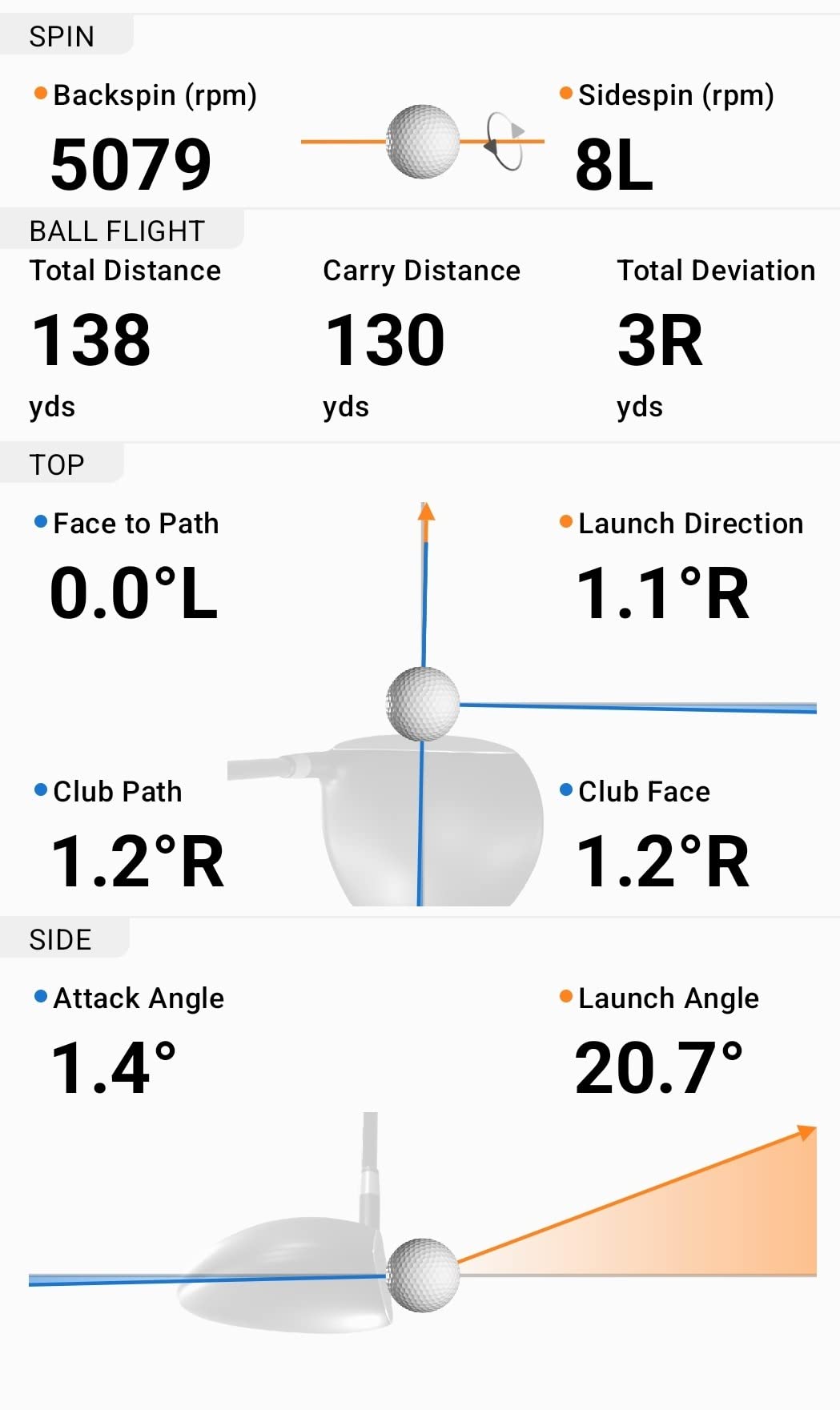
With 1154 reviews at a 4.2 average and 67% of ratings at five stars, the R10 is the best-established Garmin unit here and the one owners most often describe as a permanent fixture in a garage. It measures club head speed, ball speed, swing tempo, spin, launch angle and launch direction when paired with a phone.
The published accuracy claims are the strongest in the radar group on paper: ball speed within plus or minus 1 mph, club head speed within plus or minus 3 mph, launch angle and launch direction within plus or minus 1 degree. We did not verify those figures ourselves, but owner reviews consistently report readings that line up with what a range laser tells them.
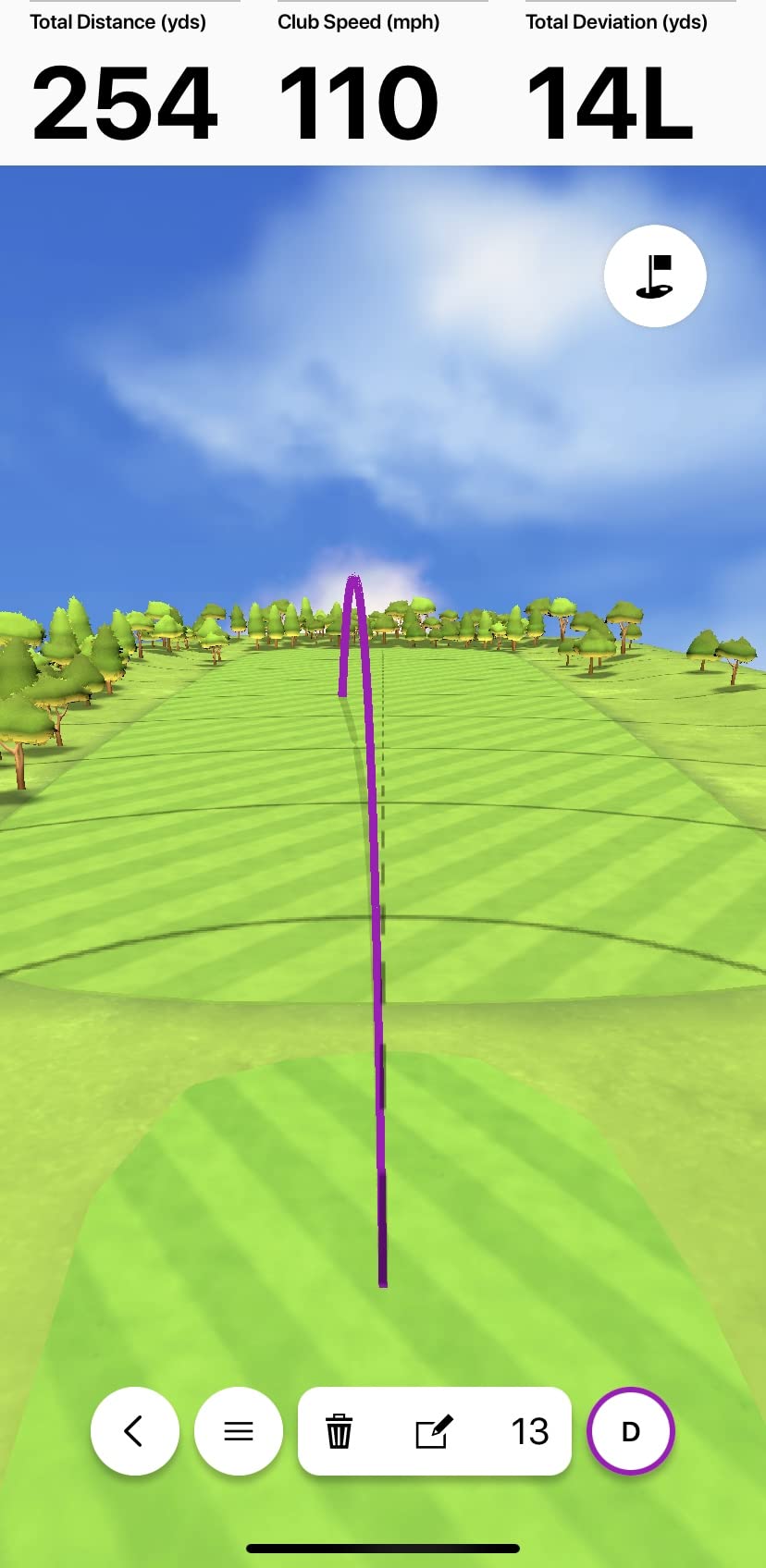
Training mode is the feature that turns it from a gadget into a practice tool. It keeps per-club statistics and draws a shot dispersion chart, so you can watch a wedge matrix tighten over a month rather than guessing whether last Tuesday was better than last week.
The physical design is genuinely portable at 340 g and 5.22 inches wide, rated IPX7 waterproof, with up to 10 hours of battery. The box includes a tripod, a phone mount and a carry case, which covers both the indoor bay and the range trip without a second purchase.
Who the R10 suits
It suits a golfer who practises indoors several times a week and wants real launch data without running cables or building a dedicated bay. The tripod placement behind the ball works in a normal garage as long as you have about 8 feet in front for the radar to read a flight.
Reviewers regularly highlight the accuracy of the club head speed, ball speed and launch angle readings alongside the per-club training data. People who upgraded from a pocket speed trainer tend to cite the dispersion chart as the moment practice changed.
Who should skip the R10
Skip it if you do not want to depend on your phone as the display. There is no built-in screen, and a small phone mount is a thin part of a room setup compared with a device that has a 10-inch panel of its own.
Also weigh the membership before buying. Virtual course play and a good share of the deeper metrics need an active Garmin Golf subscription, and buyers who resent recurring fees tend to regret that more than buyers chasing the widest data set.
3. PRGR HS 130-A: Speed and Distance With No App, No Screen, No Fees
PRGR HS 130-A Portable Golf Launch Monitor | Doppler Radar Measures Club & Ball Speed, Smash Factor, Total & Carry Distance | Tracks Swing Speed Training Aids
4.9 oz Doppler radar
Club and ball speed, smash factor, carry distance
135 to 270 yard range
Pros
- Measures club head speed with or without hitting a ball
- No app
- Bluetooth or Wi-Fi needed
- Stores the last 500 swings for review
- Pocket-sized at 4.9 ounces
- Also tracks swing speed for other sports
Cons
- No video
- launch angle or spin data
- No companion app for deeper analysis
- Distance readings need checking against a range laser
The PRGR is the least complicated device in this roundup and the easiest to live with. It is 4.9 ounces, runs on AAA batteries, connects to nothing and reports club head speed, ball speed, smash factor and total and carry distance across a 135 to 270 yard measuring range. It stores the last 500 swings for later review.
Rated 4.2 across 1776 reviews with 63% five stars, its owners describe it accurately as a focused swing speed trainer rather than a simulator. The ability to measure club head speed without hitting a ball is the sleeper feature, because it turns indoor practice into tempo and speed work with no mat damage and no net required.
Commenters in r/golfsimulator repeatedly recommend it for range-only users who have decided they do not need shot shape. That is the right framing. If your goal is a repeatable number and a video of the swing from your phone, this device covers it and nothing else does.
It is also IP54 water resistant and doubles as a swing speed trainer for baseball, tennis, soccer and hockey, which makes it an easy shared-household purchase rather than a single-purpose golf expense.
Who the PRGR suits
It suits golfers who want honest speed and distance numbers with zero friction, plus anyone whose practice space is a corner of a garage rather than a room. Battery power means it works anywhere, including a range cart or a hotel room on a trip.
It also suits anyone who refuses to pay a subscription. There is no app to sign up for and no account to create, so the number you read is the whole product.
Who should skip the PRGR
Skip it if the ball is the point. No launch angle, no spin, no video and no shot shape means it cannot tell you why a good swing produced a bad result, which is exactly the question a launch monitor exists to answer.
Be aware that distance readings are calculated rather than filmed, so treat carry numbers as directional and check them against a laser on your next range trip. A shared bay with a right-handed and a left-handed golfer also means repositioning the unit between sessions, since the radar has to sit in one place.
4. Voice Caddie SC200Plus: Twenty Hours of Battery and Hands-Free Feedback
Voice Caddie SC200Plus Portable Golf Launch Monitor and Swing Analyzer with Real-Time Shot Data Tracking – 12-Hour Battery Life
Doppler radar with barometric calibration
LCD display plus spoken feedback
Up to 20 hours of battery life
Pros
- Swing speed mode for ball-free tempo and speed practice indoors
- Doppler radar with atmospheric pressure calibration
- Spoken real-time feedback without looking away
- Adjustable loft angles for different club conditions
- Stores shot data and per-club averages
Cons
- No ball tracking
- video or connected app
- Voice output can be intrusive in a shared home
- Basic interface next to phone-connected rivals
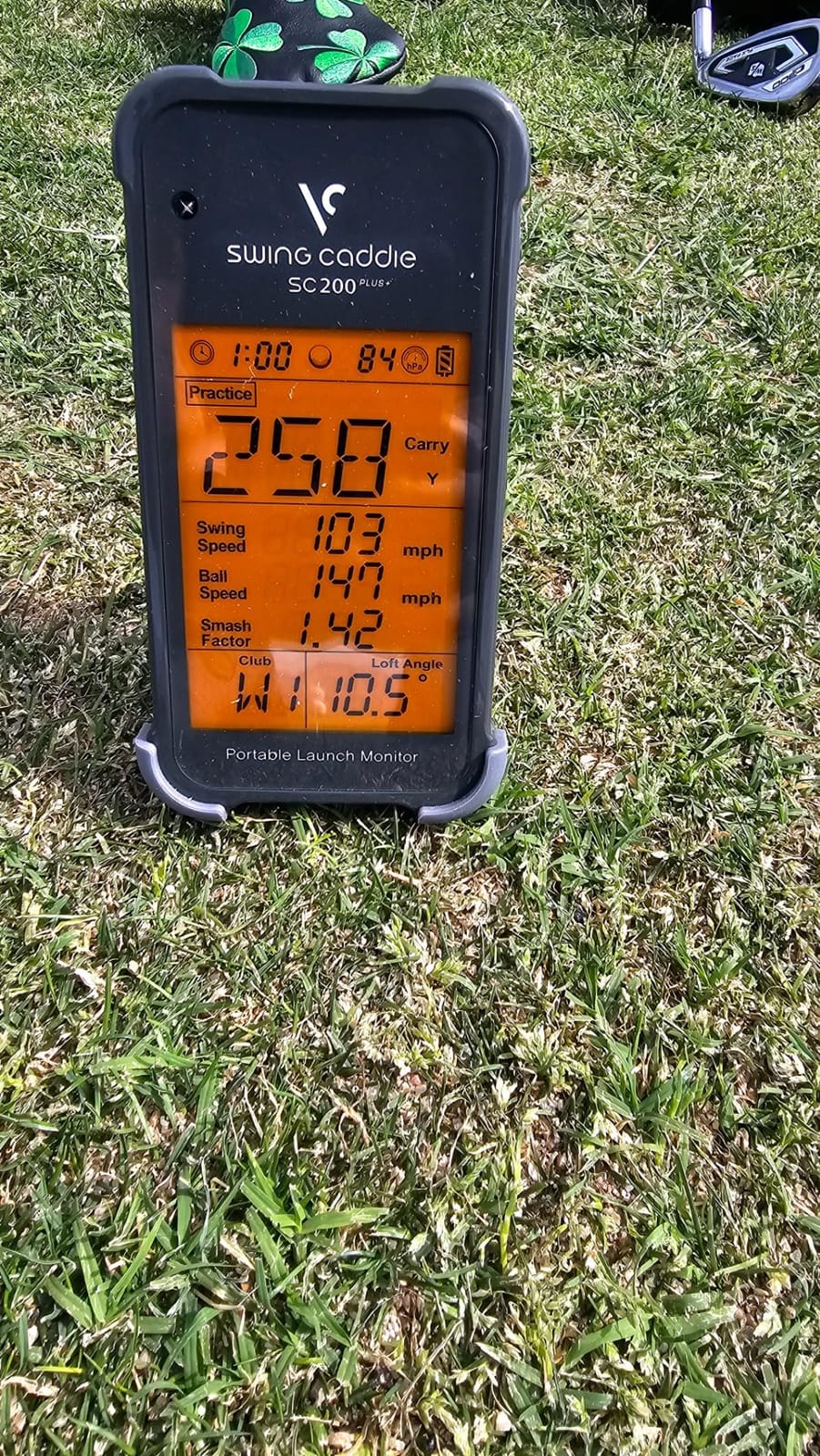
The SC200Plus does something none of the phone-based devices in this list do: it talks to you. The LCD shows the numbers and the voice output reads them out, which means you can swing without breaking focus to check a screen, and that matters more indoors than most buyers expect.
Rated 4.2 from 730 reviews with 66% five stars, reviewers point to three things: the swing speed mode for indoor tempo work, consistent Doppler readings after the barometric pressure calibration, and the fact that it runs up to 20 hours on a charge. That battery figure is the longest in this roundup.
The adjustable loft angles let you simulate different club conditions, and the unit stores shot data with per-club averages. A remote is included, so you can change settings from your chair rather than walking over to the device between blocks of shots.
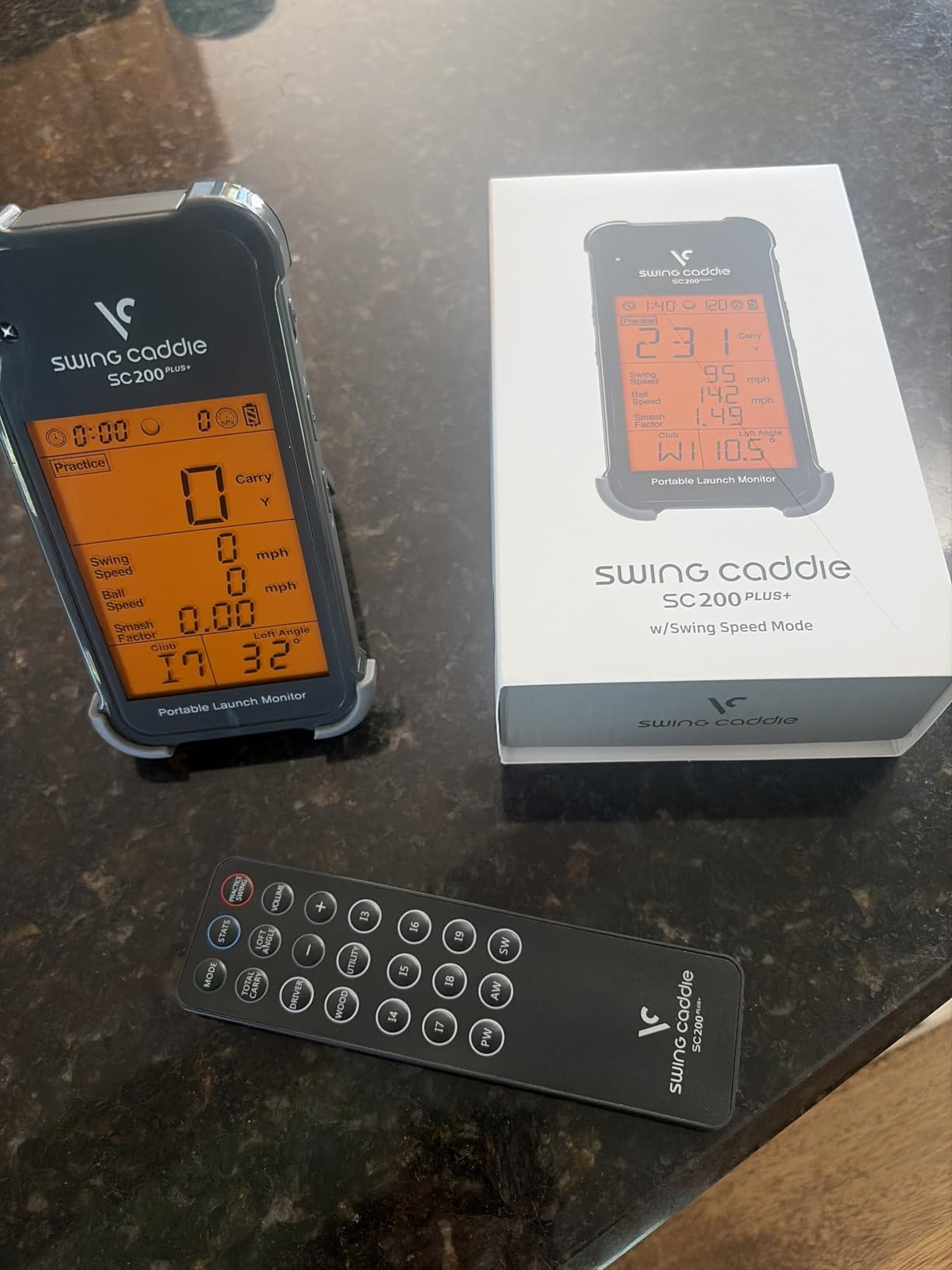
It is a small box, weighing 8 ounces, and it works equally well on a range or in a garage. For a golfer whose practice time is short and irregular, a device that turns on and works without an account, a pairing or a firmware update is worth more than a longer feature list.
Who the SC200Plus suits
It suits golfers who want audible feedback and long battery life, particularly anyone doing ball-free swing speed work indoors where a phone screen is awkward to check mid-swing. The built-in calibration to atmospheric pressure also makes it more consistent between a cold morning and a warm afternoon than simpler radars.
It suits households sharing one device, since there is no account, no pairing and no per-user profile to argue over. Two people can swing back to back without a setup step.
Who should skip the SC200Plus
Skip it if you want video or ball data. It reports numbers only, with no ball tracking, no impact view and no app, so it cannot show you launch angle or spin at any level of accuracy.
The spoken output is also a genuine drawback in a house with other people in it, and if you are near neighbours, be prepared to either accept the noise or mute a feature that exists precisely to be useful. Some buyers also find the interface dated next to a phone-connected rival.
5. Rapsodo MLM2PRO: The Mid-Tier Pick With Real Spin and Club Path
Rapsodo MLM2PRO Mobile Launch Monitor Golf Simulator | 3 Chrome Tour Balls
Dual cameras plus radar
15 metrics with spin rate and club path
Impact view slow-motion video
Pros
- 15 metrics including true spin rate
- spin axis and club path
- Impact view slow-motion footage from any angle
- Combine practice mode builds a personalised routine
- Works with third-party simulator software
- 45-day premium membership trial included
Cons
- Shared Wi-Fi connections drop repeatedly during sessions
- Subscription required for courses and most software after the trial
- Marked balls need re-marking every 50 to 70 swings
The MLM2PRO is the first device in the price order that reports club-side information, and that changes what practice can be aimed at. Club path, face to path and spin axis come from a dual camera system working alongside the Doppler radar, with 15 metrics reported in total.
It carries the lowest average rating in this group at 4.0 from 566 reviews, with 63% five stars but 15% one-star, and the reason is almost entirely software. Owners who get past setup describe carry, total and spin data within a few percent of commercial units, then explain that the connection is what frustrates them.
That complaint is specific and consistent: connecting to shared Wi-Fi drops mid-session, while a direct connection is steadier but locks out third-party app integration. It is an annoying trade-off rather than a dealbreaker, but budget for time spent troubleshooting before you judge the hardware.
Three Callaway RPT Chrome Soft X balls are included, and the marked balls need re-marking every 50 to 70 swings. That is a real ongoing cost in time, and it is the reason the spin data indoors is not as frictionless as the marketing suggests.
Who the MLM2PRO suits
It suits a golfer who has outgrown ball data and wants spin axis, club path and an impact view without stepping up to a full camera bay. Commenters in r/golfsimulator treat it as the strongest sub-premium option provided you accept the marked-ball requirement for spin metrics, and that framing is fair.
It also suits a coach or a parent working with a single golfer over a session, because the impact view and the Combine practice mode give structure to a lesson without needing a second screen.
Who should skip the MLM2PRO
Skip it if a stable connection matters more to you than the metric count, because the reviews make clear this is where the friction lives. Chip and putting reads are also unreliable, especially inside simulated courses, so short-game practice is not a strong suit.
Battery drain is another real cost, since a long session will flatten a phone. Only three metrics display on an iPhone compared with six on an iPad, so size your device before you commit.
6. TheStack Radar: The Best-Scored Device Here, With a Platform Catch
TheStack™ Radar – Portable Golf Launch Monitor, Swing Speed & Ball Tracker
Bluetooth radar at 0.12 kg
Speed, ball speed, smash factor, carry
App on iOS and Android
Pros
- Highest average rating in this group at 4.6 with 78% five-star reviews
- Accurate swing speed
- ball speed and smash factor readings
- Bluetooth syncs automatically to TheStack App
- Compact enough for on-course speed checks
Cons
- Stack Wedging and Stack Putting apps are iOS only
- Limited metric set with no video
- launch angle or true ball tracking
- Small review base of 60 ratings
TheStack Radar has the most favourable rating distribution in this roundup, at 4.6 from 60 reviews with 78% five stars and only 6% one-star. The sample is small, so we treat that score as encouraging rather than proven, but the sentiment behind it is consistent.
What it measures is deliberately narrow: swing speed, ball speed, smash factor and an estimated carry distance. The estimated carry is calculated, not filmed, so treat it as a planning number rather than a measurement, and pair it with a real range session when distance matters.
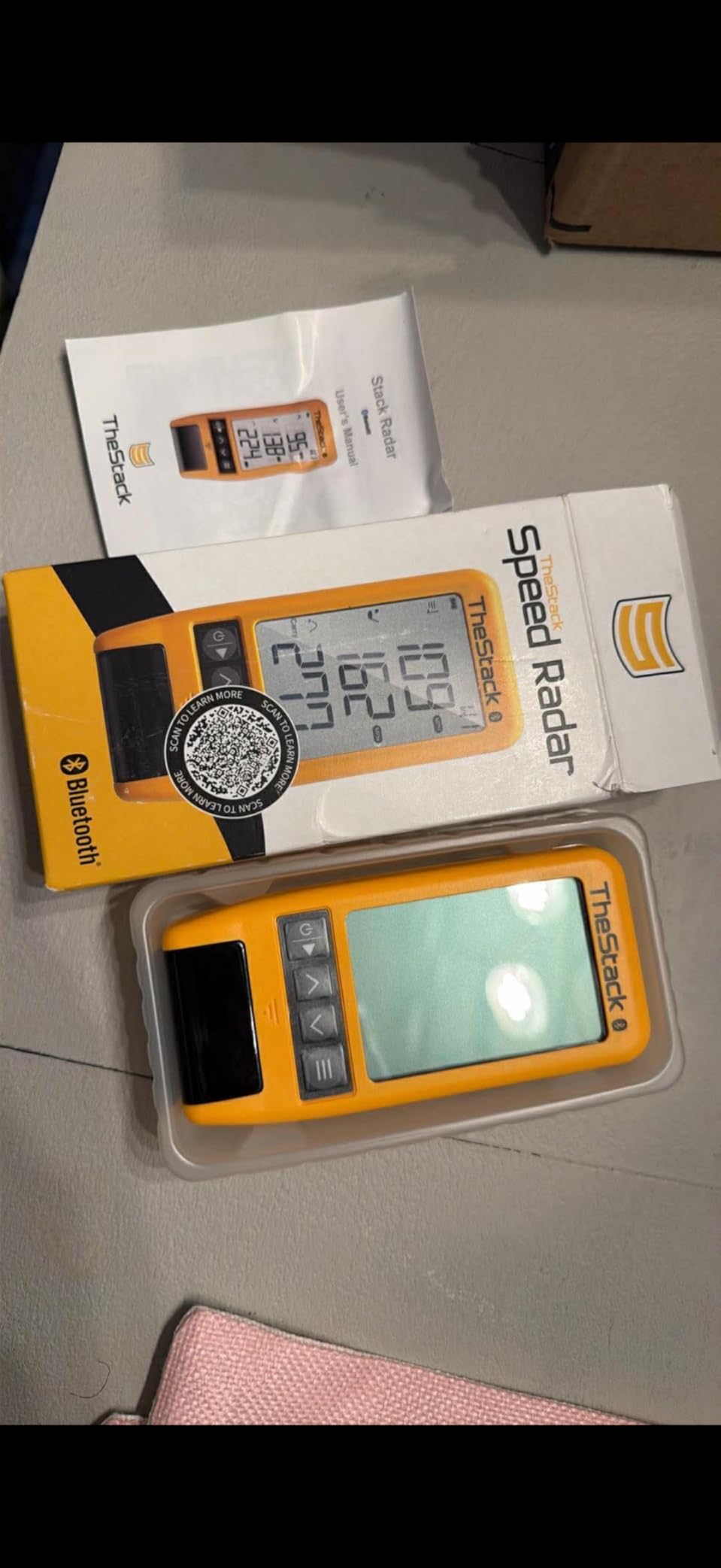
Where it earns its place is practice structure. The bundled Stack Wedging and Stack Putting apps add a gamified layer to solo sessions, and reviewers credit the automatic Bluetooth sync with keeping the friction at almost zero between walking up and swinging.
It weighs 0.12 kg, which makes it a genuine go-anywhere speed check, and a US Open champion has used it for speed training. That is a modest endorsement of the sensor rather than a claim about its data depth.

Who TheStack Radar suits
It suits a golfer who wants a fast, dependable speed reading with no ceremony, plus structured wedge and putting practice to fill a session. Owners who like gamified drills respond well, because solo practice without structure is the hardest habit to keep.
It suits an Android user looking for a low-friction speed tool, since the core app works on both platforms and only the extra practice apps are Apple-only.
Who should skip TheStack Radar
Skip it if launch angle or spin matters at all, because the data set stops before either of them. There is no video and no impact view, so it will not help you diagnose a strike problem.
Apple users should weigh the platform split carefully, since the wedge and putting apps that make this device interesting are not available on Android. And if you want a track record of long-term reliability, a 60-review base gives you very little to go on.
7. Uneekor EYE MINI CORE: Camera Accuracy and Wired Reliability for a Fixed Bay
Uneekor EYE MINI CORE Golf Launch Monitor & Simulator, 15 Ball Data Points, Near-Zero Latency, Works with GSPro, TGC19 & E6
High-speed cameras with infrared
15 ball data points
Hardwired Ethernet, all-metal body
Pros
- Dimple Optix reads any ball pattern with no stickers
- Hardwired connection gives near-zero latency
- Very few misreads compared with budget units
- Works with GSPro
- E6 Connect
- TGC19 and Creative Golf 3D
- Two-year warranty and responsive support
Cons
- An annual third-party subscription is needed to connect with GSPro
- Club data is not included at this tier
- Delicate chips and putts go unread fairly often
The EYE MINI CORE is the first device in this list built around a permanent installation rather than a portable gadget. It is an all-metal enclosure weighing 8.4 pounds, connected by hardwired Ethernet, with a two-year warranty and no battery to manage. That design choice is the whole point.
Dimple Optix is the feature that changes daily life. It reads any ball pattern, so there are no stickers, no marked balls and nothing to re-apply every few hundred swings. For a bay that gets used several times a week, that removes the single most annoying maintenance task in home launch monitor ownership.
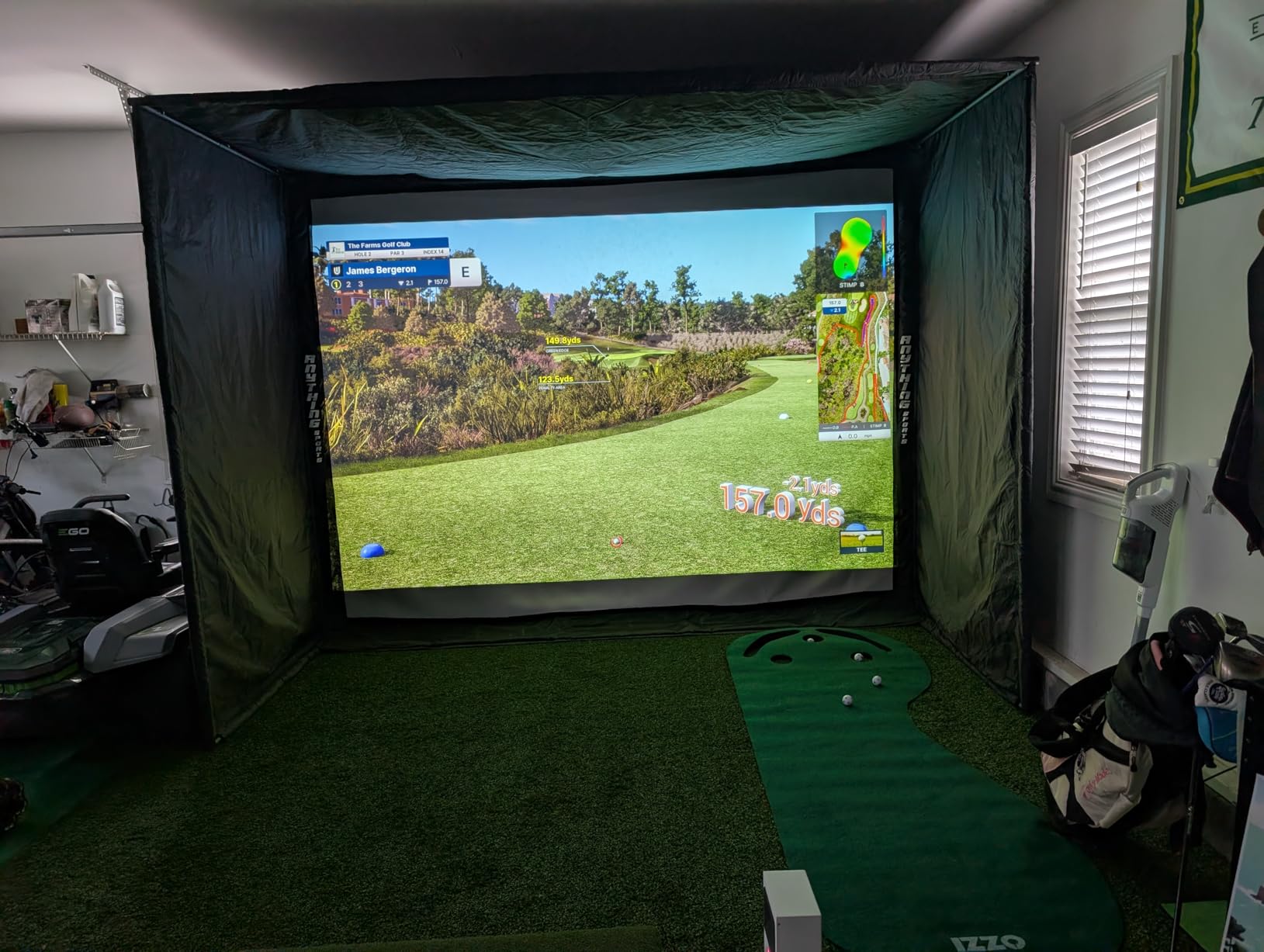
Owners describe it as a clear step up in build quality and read reliability compared with camera-only budget monitors, and the hardwired connection is credited for near-instant results. The included box covers the install with 20 club sticker sheets, a CAT6 Ethernet cable, a LAN to USB cable and a 20V adapter.
The 37-review base is small and recent, so treat the 4.3 average as provisional. What is not provisional is the requirement: the listed PC spec for simulation is an i7 Gen12 or Ryzen 7, 32GB of RAM and an RTX 4070 with 16GB, plus a networked Windows 11 machine. It does not run from an iPad.
Who the EYE MINI CORE suits
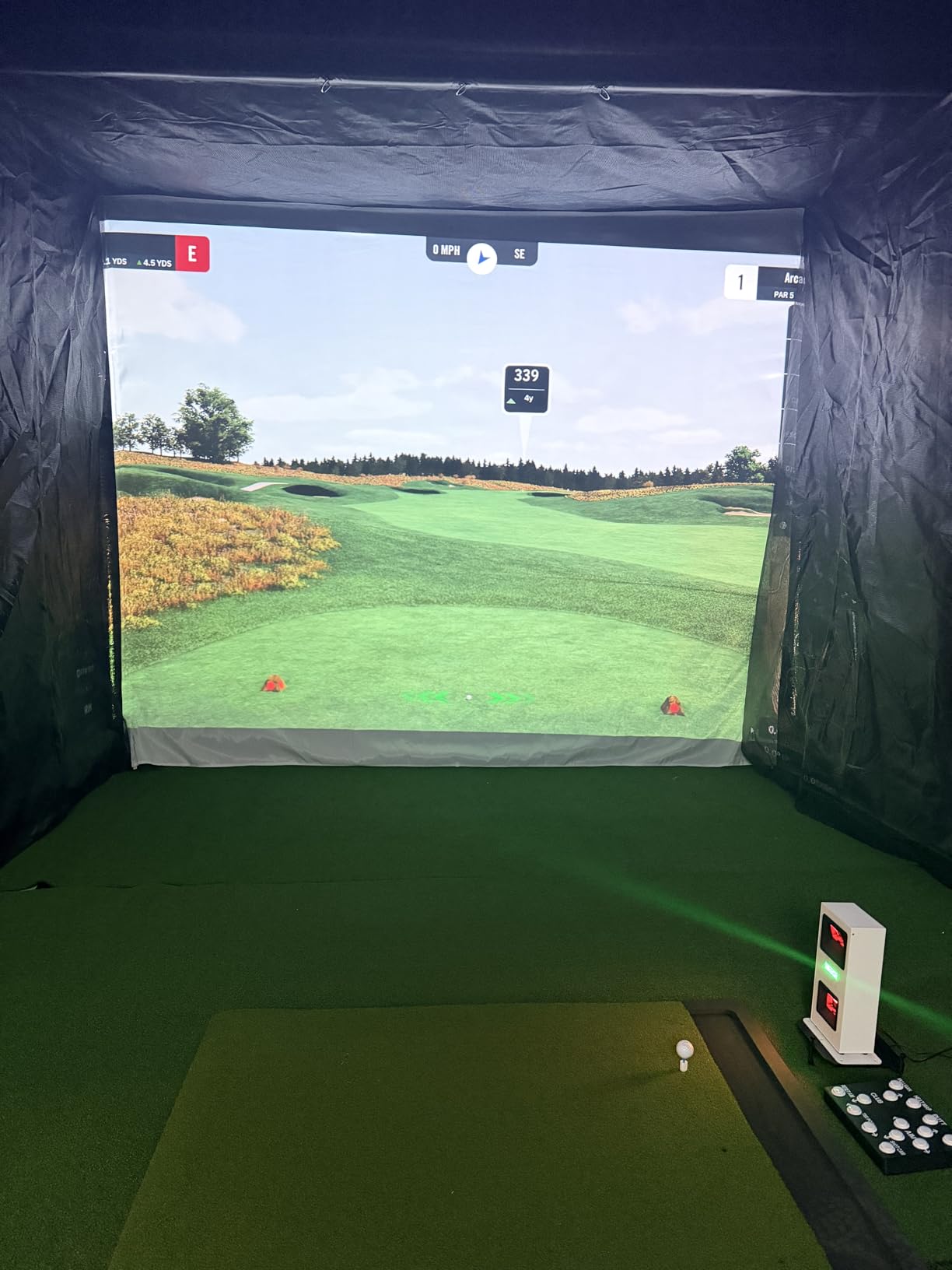
It suits someone building a fixed bay who has already accepted that a simulator needs a proper computer and a second display. Reliability is the argument: hardwired data transfer and near-zero latency mean a group can play through a round without the lag that breaks the flow.
It also suits golfers who hate marking balls, and anyone who will run GSPro, E6 Connect, TGC19 or Creative Golf 3D and wants a camera system that reads ordinary stock.
Who should skip the EYE MINI CORE
Skip it if you are still deciding whether you want a simulator. The PC requirements alone move this from a single purchase to a build project, and a soft club-side data set at this tier is a real gap if you are a mid-handicap player chasing strike quality.
Short-game practice is the other weak spot, since delicate chips and putts go unread a meaningful share of the time. And budget for the annual third-party subscription before you commit, because it is the price of connecting with GSPro.
8. Garmin Approach R50: The All-in-One With a 10-Inch Screen
Garmin Approach® R50, Premium Golf Launch Monitor & Simulator
Three cameras with 10-inch touchscreen
Face to path, spin rate and spin axis
9 lb, 4 hours battery
Pros
- Three-camera system delivers premium-grade metrics indoors and out
- Built-in 10-inch touchscreen removes the phone and tablet
- Measures face to path
- spin rate and spin axis
- Built-in barometer corrects carry for pressure and location
- HDMI output supports a monitor or projector
Cons
- Highest cost in this roundup by a wide margin
- Virtual rounds and 43000 plus courses need a Garmin Golf membership
- Face to path requires the included club stickers
- 9-pound body and large footprint are not portable
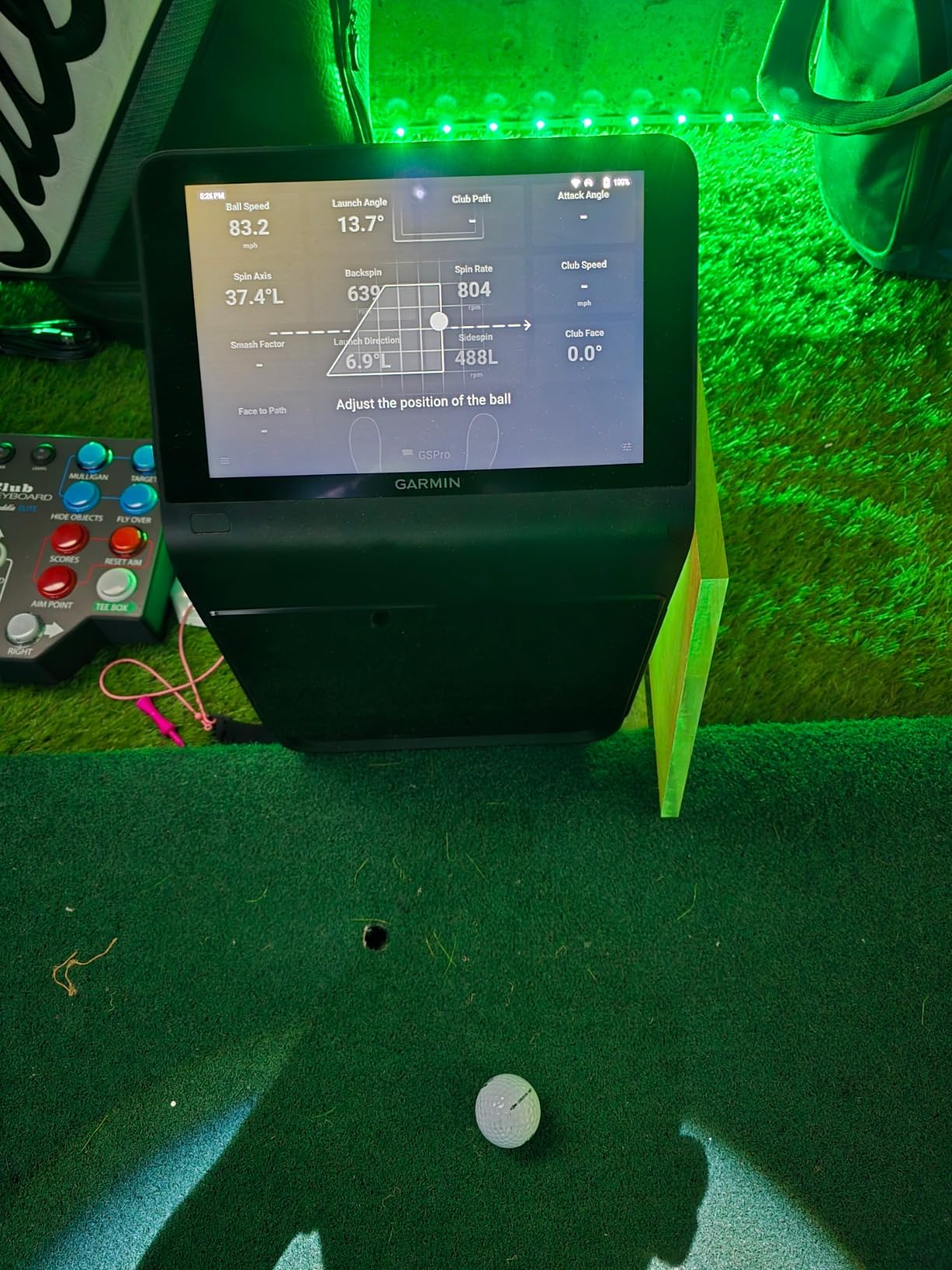
The R50 is the most complete single-box unit here, and it sits at the top of the price range in this roundup. A three-camera system feeds a built-in 10-inch colour touchscreen, so there is no phone in the loop and no app to open between shots.
It reports ball speed, launch angle, face to path, spin rate and spin axis, with high-speed impact video for immediate feedback. Rated 4.4 from 63 reviews with 69% five stars, the owners who have had it longest single out the built-in screen, the spin data and the built-in barometer that corrects carry distance for atmospheric pressure and location.
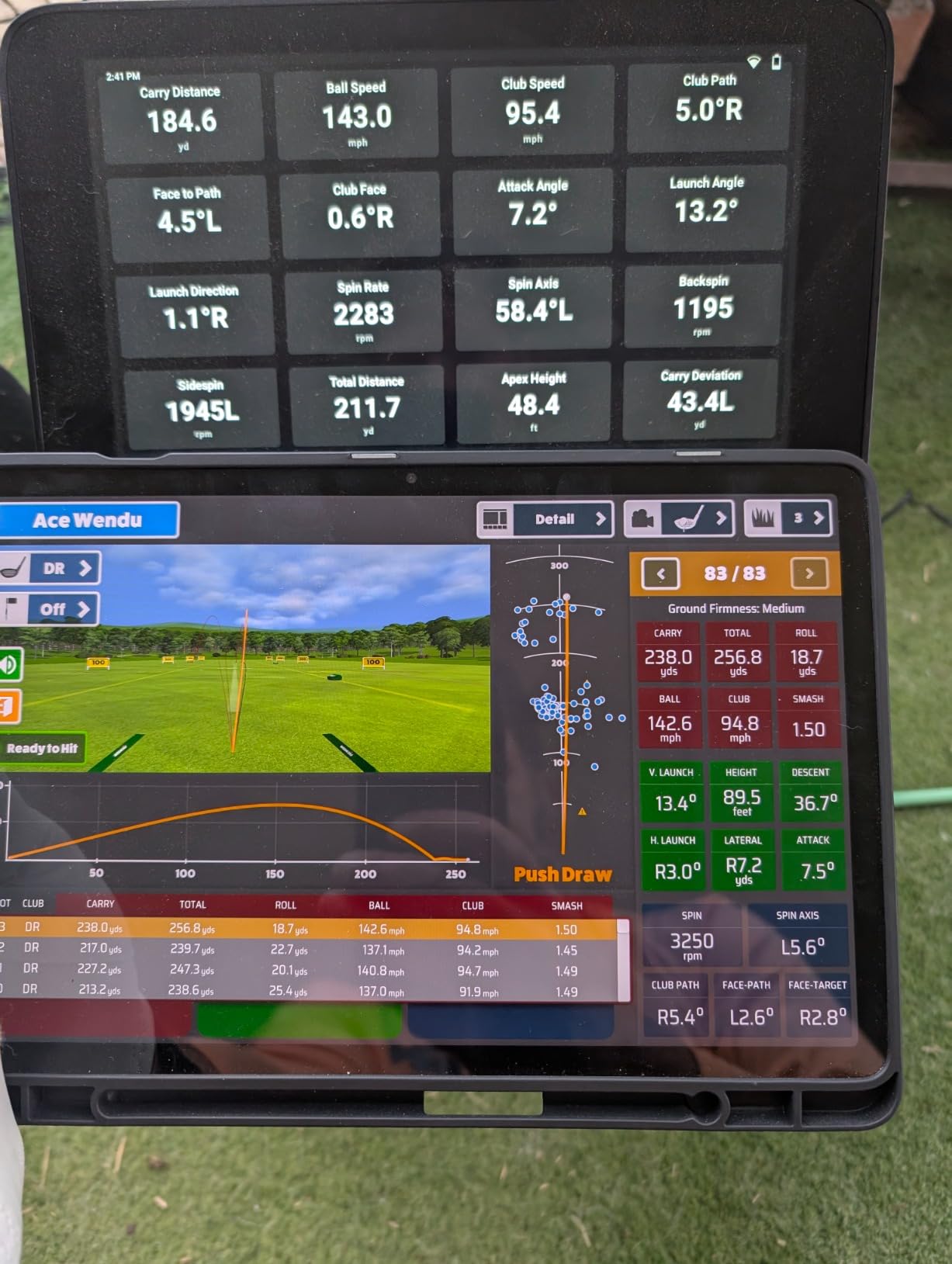
The barometer is a small feature that quietly matters. Most devices calculate carry from launch conditions, which is why your indoor numbers and your range numbers disagree. Correcting for pressure and elevation closes part of that gap.
It is a 9-pound device measuring 10.6 by 7.5 by 16.5 inches, with up to 4 hours of battery, a carrying case and HDMI output for a projector or monitor. The box includes club stickers, which are required for face to path readings.
Who the R50 suits
It suits a family or a shared bay where the person swinging is not always the person holding the phone. A self-contained screen with HDMI out means one unit serves both a solo practice session and a group round on a projector.
It also suits a golfer who wants club data without a PC. Face to path and spin axis are the numbers that help single-digit players, and having them on a device you can carry to the range is unusual at this level.
Who should skip the R50
Skip it if the outlay is the deciding factor, because nothing else in this roundup approaches this price band. The cost is a full simulator decision, not a launch monitor decision.
Skip it if you plan to travel with it. At 9 pounds with a large footprint, it is a device for a room, and the 4-hour battery reflects that. The membership requirement for virtual rounds is also worth running the numbers on before you buy.
9. Garmin Approach G80: Course GPS and a Speed Check in Your Pocket
Garmin Approach G80, All-in-One Premium GPS Golf Handheld with Integrated Launch Monitor, 3.5″ Touchscreen
GPS handheld with radar
Club and ball speed, smash factor, carry
41000 maps, 15 hr battery
Pros
- One device acts as a full GPS handheld and a launch monitor
- More than 41000 preloaded colour course maps with no download required
- Sunlight-readable 3.5-inch touchscreen with a quick radar button
- Up to 15 hours of battery life with GPS
Cons
- Launch monitor side is a basic speed tool
- Estimated distance is calculated rather than tracked
- Older model relative to current dedicated monitors
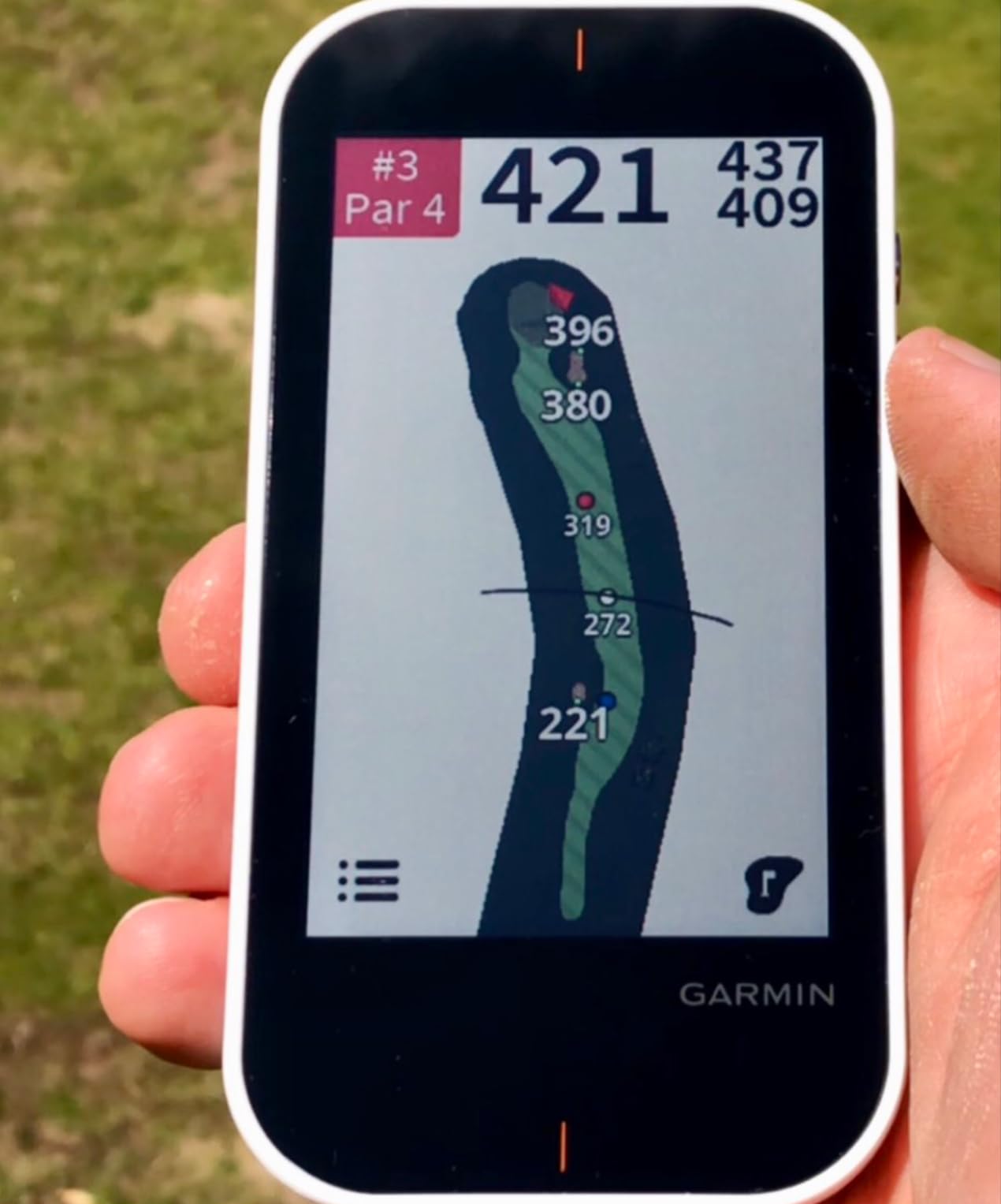
The G80 solves a different problem from the rest of this list. It is a full golf GPS handheld with more than 41000 preloaded colour course maps, and the integrated radar adds club head speed, ball speed, smash factor, swing tempo and estimated distance on the same device.
That makes it a low-cost way in this roundup to own both a course tool and a speed check. At 4.2 from 706 reviews with 66% five stars, owners mostly talk about the GPS side, which is where the value sits, and treat the launch monitor as a handy extra rather than the reason to buy.
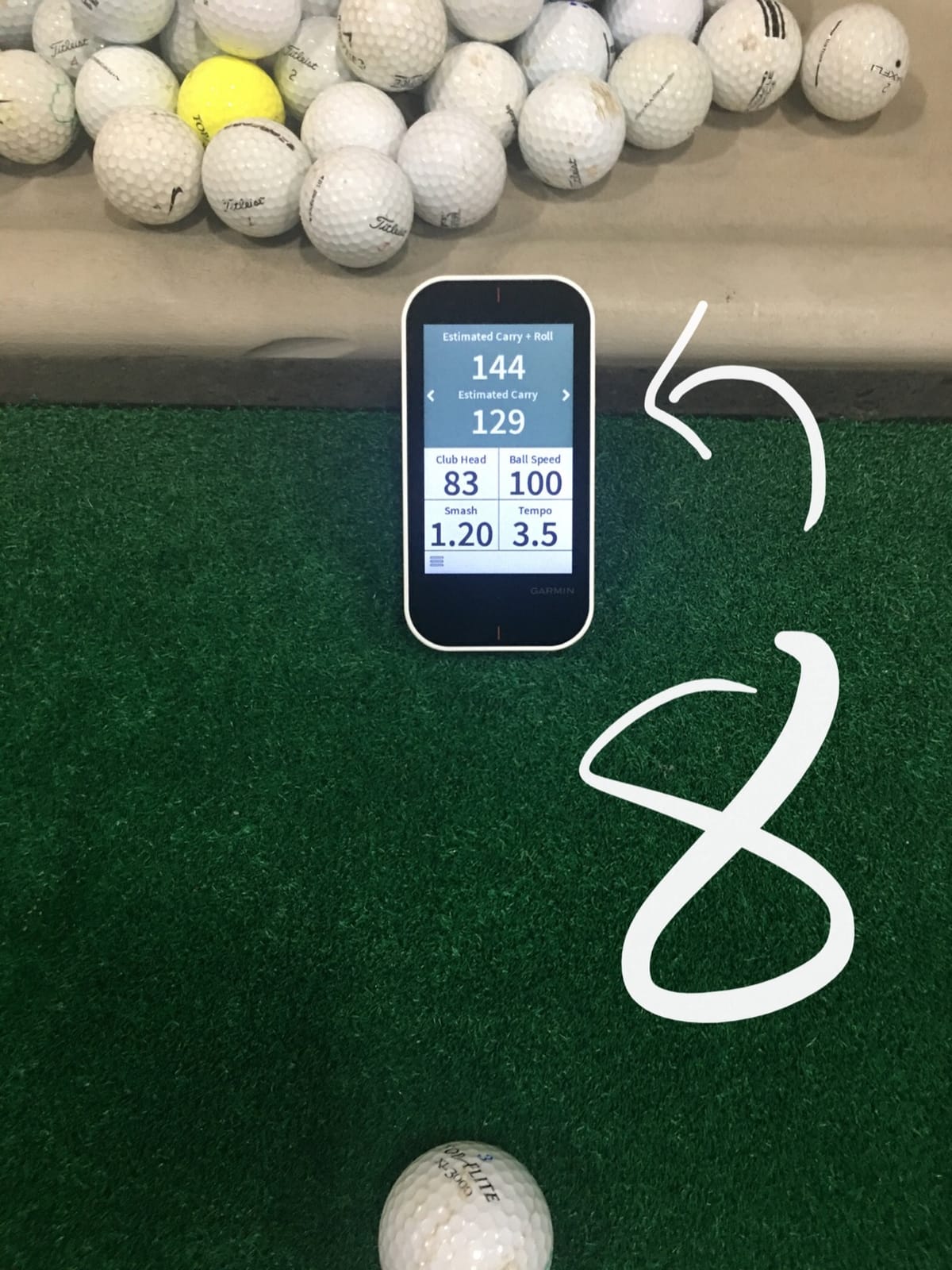
The transflective 3.5-inch touchscreen is sunlight readable, which is exactly what a dedicated indoor monitor is not, and the quick-access radar button means you can get a speed reading without navigating menus. Battery life is up to 15 hours with GPS, and it weighs 4.16 ounces.
A lanyard carabiner, trolley cart mount and USB cable are included, so it lives in the golf bag. One device, one charge, no phone pairing to worry about on a round.
Who the G80 suits
It suits a golfer who walks and plays more often than they practise, and wants course knowledge plus a swing speed check in one device. Reviewers value the preloaded maps because they work with no signal and no download, which matters more than it sounds in tree-covered courses.
It also suits anyone who wants to practise indoors occasionally without a complicated setup, since the radar needs nothing more than space behind the ball and a screen to read.
Who should skip the G80
Skip it if you want to know why a shot flew the distance it did. The estimated distance is calculated from speed and smash factor rather than measured from actual ball flight, so it will not tell you about launch angle or spin at all.
Serious practice also means pairing it with something else, which is what many owners do by adding a dedicated monitor. And it is an older design, so if buying new you are choosing a mature platform over a current one.
10. TAGCMC GX-10: Subscription-Free Spin Data on Any Phone You Own
Golf Launch Monitor & Portable Simulator, Tracks 13+ Metrics Swing Analysis
Phone monitor, iOS and Android
Spin rate, spin axis, attack angle
No subscription, 3D range
Pros
- No subscription
- the full app feature set is included at purchase
- Works on iOS
- Android and HarmonyOS
- Environment sensors adjust readings to temperature
- humidity and pressure
- Adjustable sensitivity lets you calibrate against a known device
Cons
- Out-of-box speed readings run high until sensitivity is calibrated down
- Some buyers report pairing and charging problems
- Small review base of 94 ratings on a newer listing
- Less established brand with a shorter reliability record
The GX-10 is the newest device in this roundup, and it takes a different position from everything else here. It reports spin rate, spin axis, attack angle, launch angle, swing speed, an efficiency rating and backspin analysis, with no subscription attached to any of it.
Rated 4.1 from 94 reviews with 61% five stars, the reviews split cleanly into two camps. Buyers who calibrate it respond very well, reporting that dropping the sensitivity setting to roughly 93 to 94 percent matched readings from an older reference monitor they trust.
Those same buyers point out that a device which gives you spin axis and attack angle with no recurring fee is unusual. The 3D driving range offers 45-degree and 90-degree views, with clubface impact visuals, video recording and a swing-only mode for speed work.
The critical reviews describe pairing that will not hold and units that will not keep a charge, including a static screen that only cleared with power connected. That is a meaningful share of the negative feedback, and it comes from a brand with a shorter reliability record than the rest of this list.
Who the GX-10 suits
It suits a golfer who refuses recurring fees and who refuses to be locked into one phone platform, since it supports iOS, Android and HarmonyOS. The environment sensors are a genuine differentiator, adjusting readings for temperature, humidity and barometric pressure rather than reporting raw numbers.
It also suits anyone who wants more data than a budget radar gives them but does not want to build a computer bay. The whole package is a phone and a small device, with a 3D range to keep solo sessions interesting.
Who should skip the GX-10
Skip it if you need readings you can trust on the first swing without work. Out-of-the-box speed numbers run high, and the fix is a manual calibration step that you will need to redo for different conditions.
Skip it if reliability history matters to you. With 94 ratings and a lower sales rank than the rest of this group, there is not a long ownership record yet, and the charging complaints are not a small minority. If you want a proven, subscription-free option with a long track record, the PRGR is the safer route.
How to Choose a Launch Monitor for Home Use
Measure your room before you look at brands. Write down three numbers: the depth from the back wall to where the screen or net will sit, the width of the bay, and the ceiling height. Nearly every buying mistake in this category comes from skipping that step.
Radar devices need about 7 to 8 feet behind the ball for the swing and 8 feet or more in front to read flight. That is the depth constraint that shows up constantly in r/Golfsimulator threads, where buyers volunteer exact figures like a guaranteed 14 feet of depth. Below that, a camera-based unit is the sensible choice, because it works with a much shallower footprint.
Then decide how much room is shared. A bay used by a right-handed and a left-handed golfer needs a device that can be repositioned quickly or a centre-mounted setup. Radar units that must sit directly behind the ball are the worst case here, and a unit like the Garmin G80 or a phone-based monitor is easier to move than a 9-pound floor-standing system.
Next, choose your data depth. Radar-only devices report speed, smash factor and carry. Phone-based cameras add launch angle and shot shape. Dual-camera and three-camera systems add spin rate, spin axis, club path and face to path, which is the level most single-digit players actually need.
Finally, check the software before the hardware. Confirm which platform it needs, whether it works on a phone or requires a networked PC, and which simulator packages it supports. Ecosystem lock-in is the quietest expensive mistake in home golf, and it is entirely avoidable with ten minutes of reading.
Radar or Camera: Which Technology Fits Your Space
Radar systems measure the ball in flight by bouncing a signal off it, so accuracy depends on clear air in front of the device and on the radar sitting in a fixed position. They are cheap, fast to set up, tolerant of lighting and easy to carry to the range. Their weakness indoors is depth, and a second weakness that owners mention is that a cramped room can introduce reads you did not expect.
Camera systems capture the club and ball at impact with high-speed cameras, so they need less room depth but more consistent light and precise placement. They report richer club-side data, they are unaffected by a busy background, and units like the Uneekor EYE MINI CORE are hardwired precisely because a stable connection makes the extra data usable.
There is a third path, the built-in screen, and it solves a different problem. The Garmin R50 and the G80 put numbers in front of you without a phone, which matters when the person swinging is not the person holding the device. It adds cost and weight, but it removes an entire category of friction.
Subscriptions and Total Cost of Ownership
A subscription is the most repeated decision axis in this category, so here is the whole picture without any of the marketing language. Some devices show everything they measure at the point of purchase, others gate the simulator software behind a membership, and a few require an annual third-party fee just to connect to the software you want.
The Garmin R50 needs a Garmin Golf membership for virtual rounds and its 43000-plus course library. The R10 needs one for virtual course play and many deeper metrics. The Rapsodo MLM2PRO includes a 45-day premium trial and then expects a membership for courses and most software features, plus a paid annual cloud plan for unlimited clip storage. The Uneekor EYE MINI CORE needs an annual third-party subscription to connect with GSPro.
Against that, the PRGR, the Voice Caddie SC200Plus, the Garmin G80, TheStack Radar and the TAGCMC GX-10 show no membership in their listed features, and the GX-10 explicitly includes the full app set at purchase. The Garmin G80 also needs no phone and no account, which makes it the lowest-friction device to own over three years.
Add the hidden costs to that picture. A subscription-based device plus a gaming PC plus a second display is a materially different three-year commitment from a radar unit and a phone you already own, and the difference is not visible on a single product page. Buyers who resent recurring fees consistently report that they are comfortable with the decision in hindsight, and less comfortable at the checkout.
Minimum Setup: Mat, Net and Monitor With No Projector
The most common home setup is not a simulator. It is a mat, a net, a launch monitor and a laptop or tablet propped on a shelf, and it is the cheapest way to get real feedback into your practice. Several people in r/GolfSwing described building exactly this, with no screen and no projector in the budget.
The build sequence is simple. Buy the net and mat first, because they set the physical space and they are the part of the setup that matters most to how a session feels. Then position the monitor, and only then decide what screen you want, because a monitor sitting on a shelf next to your phone delivers most of the value at a fraction of the cost of an impact screen and projector.
For this use case, the PRGR, the Voice Caddie SC200Plus and the Garmin G80 are the natural fits, because none of them needs a subscription, an account or a computer. The Rapsodo MLM works well if your phone is an iPhone or iPad and you want video with it. The R10 adds per-club training data and a dispersion chart for the price of a mid-range phone case.
You can also skip the computer entirely. Four of the ten devices here report on a phone or on their own screen, and the R50 has a built-in display with HDMI output if you later decide you want a bigger one. Start with the mat, net and monitor, see how often you actually practise, and add hardware only once you know the answer.
Frequently Asked Questions
What is the best at-home launch monitor for golf?
The best at-home launch monitor is the one that fits your room, your phone and your practice habits. For most home users that is a radar unit reporting ball speed, launch angle and carry, with video if your phone supports it. The Rapsodo MLM covers that at the entry end, and the Garmin R10 adds per-club training data and a dispersion chart for golfers who want to track progress over weeks rather than shots.
What is the best launch monitor for a garage simulator?
For a garage, depth is the constraint that decides it. Radar units need roughly 7 to 8 feet behind the ball and 8 feet or more in front, so a shallow garage is better served by a camera-based device that works in a shallower footprint. In a deeper bay, the Garmin R10 gives per-club training data and a dispersion chart without any installation, which is what most garage builders end up wanting.
Is the Garmin R10 or the Rapsodo MLM better?
The Rapsodo MLM is the better first device, and the Garmin R10 is the better long-term one. The MLM reports ball speed, club speed, launch angle, carry distance and shot shape with video on an iPhone or iPad, but no spin rate and no club data. The R10 tracks spin and per-club stats and works on Android as well as iOS, at a higher outlay and with more features behind a membership.
Is there a cheaper alternative to a professional tour launch monitor?
For home practice, yes, and the gap in ball data is smaller than most golfers expect. A dual-camera system such as the Rapsodo MLM2PRO reports 15 metrics including spin rate, spin axis and club path with impact video. The trade-offs are software stability, the marked-ball maintenance indoors, and the absence of the club-face detail that a professional fitting setup delivers.
Do I need a subscription to use a launch monitor?
Some devices need one and some do not. The PRGR, Voice Caddie SC200Plus, Garmin G80, TheStack Radar and TAGCMC GX-10 show no membership in their listed features, and the GX-10 includes its full app set at purchase. The Garmin R50 needs a membership for virtual rounds, the R10 for course play and deeper metrics, and the Uneekor EYE MINI CORE needs an annual fee to connect with GSPro.
How much space do I need for a home golf simulator?
Measure depth first, because it eliminates the most options fastest. Radar devices want about 7 to 8 feet behind the ball and 8 feet or more in front, and buyers regularly post exact figures like a guaranteed 14 feet of depth when asking for advice. Camera-based units need far less depth, and any setup that includes an impact screen needs the full ball-to-screen distance in front of the mat.
Final Verdict: Where to Start With Your First Home Launch Monitor
Start with the Rapsodo MLM if you want real numbers and a swing video this week, and you own an iPhone or iPad. It carries the most owner reviews in this roundup at 4.2 across 3181 ratings, and it will tell you quickly whether launch data changes your practice. If you are on Android or you want spin and per-club progression, step up to the Garmin R10 instead.
Start with the PRGR or the Voice Caddie SC200Plus if your priority is speed and distance with no recurring cost and nothing to set up. Add the R50 when a family will share the bay and you want club data on a screen anyone can walk up to, and consider the Uneekor EYE MINI CORE when you are ready to build a fixed bay with a proper computer behind it.
Whichever one you pick, measure the room, decide whether you can accept a subscription, and build the mat and net first. The best golf launch monitors for home use are the ones you will actually switch on twice a week, and that depends far more on your space and your schedule than on any single specification.