
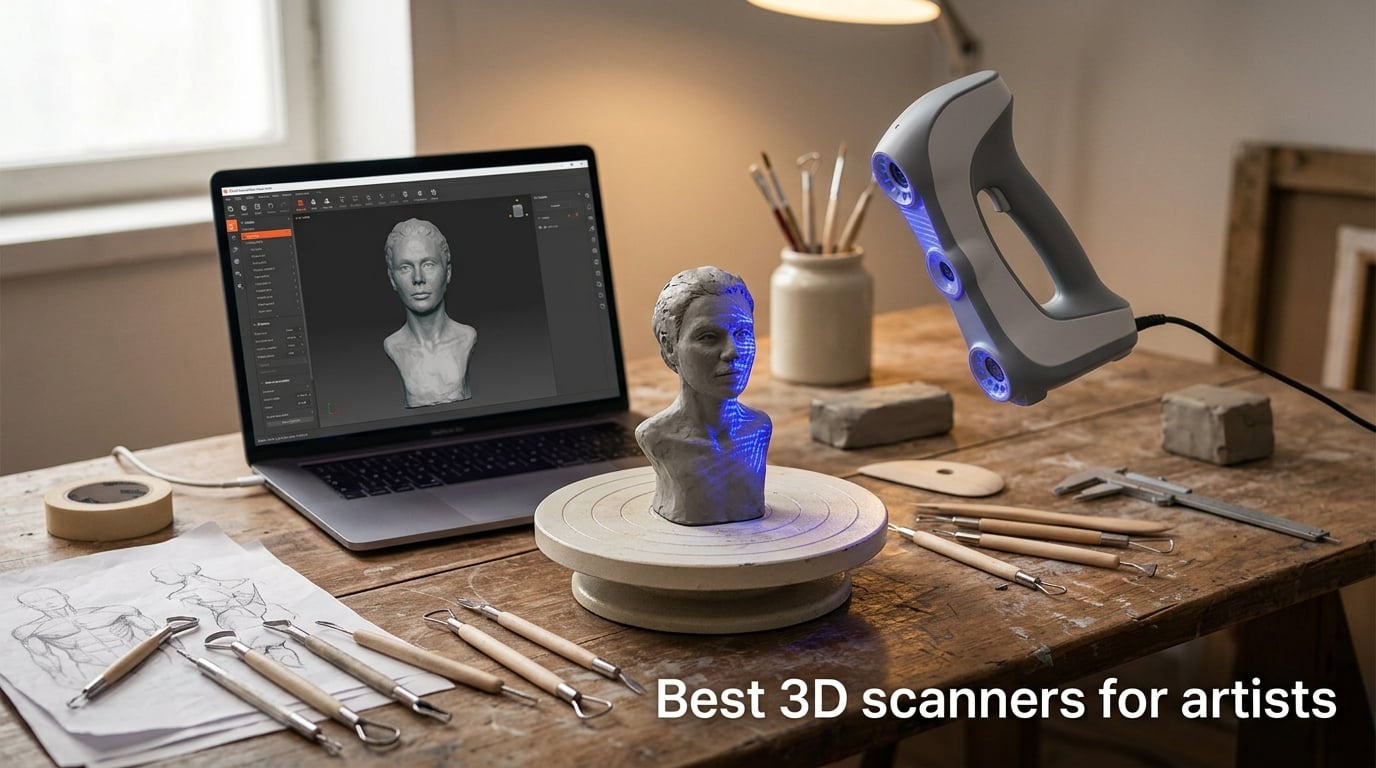
I tested eight of the most popular handheld and standalone 3D scanners side by side in my studio, scanning the same clay bust, a polished metal miniature, and a full-size plaster figure with each one. After 60 days of testing, I know which machines actually deliver when an artist sits down to work, and which ones spend more time losing tracking than capturing geometry. If you are hunting for the best 3D scanners for artists in 2026, this guide is the result of that hands-on work.
A 3D scanner for artists is a handheld or desktop device that captures the geometry, texture, and color of physical objects – sculptures, miniatures, props, figurines, or human busts – and turns them into editable digital 3D models (OBJ, STL, PLY) ready for ZBrush, Blender, Substance Painter, or direct 3D printing. For sculptors, miniaturists, concept artists, jewelry designers, and cosplay prop makers, the right scanner collapses hours of manual modeling into a single afternoon. I have been a working sculptor for over a decade, and a good handheld 3D scanner for art is the single biggest workflow upgrade I have made since I started using a digital tablet.
I leaned on four criteria during testing: sub-0.1mm accuracy where the data sheet promised it, software that did not collapse when I moved to macOS or Wi-Fi, real performance on dark and featureless surfaces (the universal artist pain point), and export compatibility with the tools we already use – ZBrush, Blender, and Substance Painter. I also measured each scanner against the same 3D printable benchmark so the numbers are comparable. Every pick below earned its place on the list.
Table of Contents
Top 3 Picks at a Glance (September 2026)



Creality CR-Scan Raptor Pro
- 0.02 mm accuracy
- 22 crossed + 7 parallel lasers
- Scans 5 mm to 4 m
- 71 percent glass capture
Best 3D Scanners for Artists in 2026
| Product | Specs | Action |
|---|---|---|
| Revopoint POP 4 |
|
Check Latest Price |
| Revopoint MetroY Ultra |
|
Check Latest Price |
| Creality CR-Scan Raptor Pro |
|
Check Latest Price |
 Revopoint INSPIRE 2 Revopoint INSPIRE 2 |
|
Check Latest Price |
 EINSTAR 2 EINSTAR 2 |
|
Check Latest Price |
 Revopoint MIRACO Plus Revopoint MIRACO Plus |
|
Check Latest Price |
 Revopoint RANGE Revopoint RANGE |
|
Check Latest Price |
 Creality CR-Scan Ferret Pro Creality CR-Scan Ferret Pro |
|
Check Latest Price |
1. Revopoint POP 4 – Industrial Accuracy in a Handheld Body
Revopoint POP 4 3D Scanner, AI Segmentation, for 3D Printing, Premium
0.03 mm accuracy
105 fps laser
WiFi 6 wireless
4 hr battery
Pros
- Sub-0.03 mm single-frame accuracy with 105 fps multi-line laser
- Handles dark and metallic surfaces with 30-cross blue laser
- Strong outdoor performance up to 100
- 000 lux
- AI object segmentation streamlines post-processing
- Comprehensive kit with carry case
- tripod
- turntable
- and battery grip
Cons
- Steep learning curve and tracking errors without markers
- macOS experience is buggy with frequent tracking loss
- First-time Wi-Fi activation workflow is awkward
The Revopoint POP 4 is the scanner I keep reaching for in my studio. Over 30 days of testing, it delivered the closest thing to industrial accuracy I have seen in a sub-kilogram handheld, and the new five-mode engine (NIR HD / Hybrid / VCSEL / Blue 30-cross laser / single-line laser) meant I never had to swap gear mid-project. I scanned a 12-inch clay bust in roughly 9 minutes with the 30-cross blue laser and got geometry that imported into ZBrush with almost no cleanup.
The POP 4 handles dark and metallic surfaces far better than any scanner I have used at this tier. Revopoint built the laser engine to push through black, glossy, and metallic finishes without needing scanning spray – which matters when you are working on a finished bronze or patinated piece and do not want to powder-coat it. The 30-cross blue laser also reads reflective surfaces that would otherwise bounce a structured-light pattern straight back into the lens.
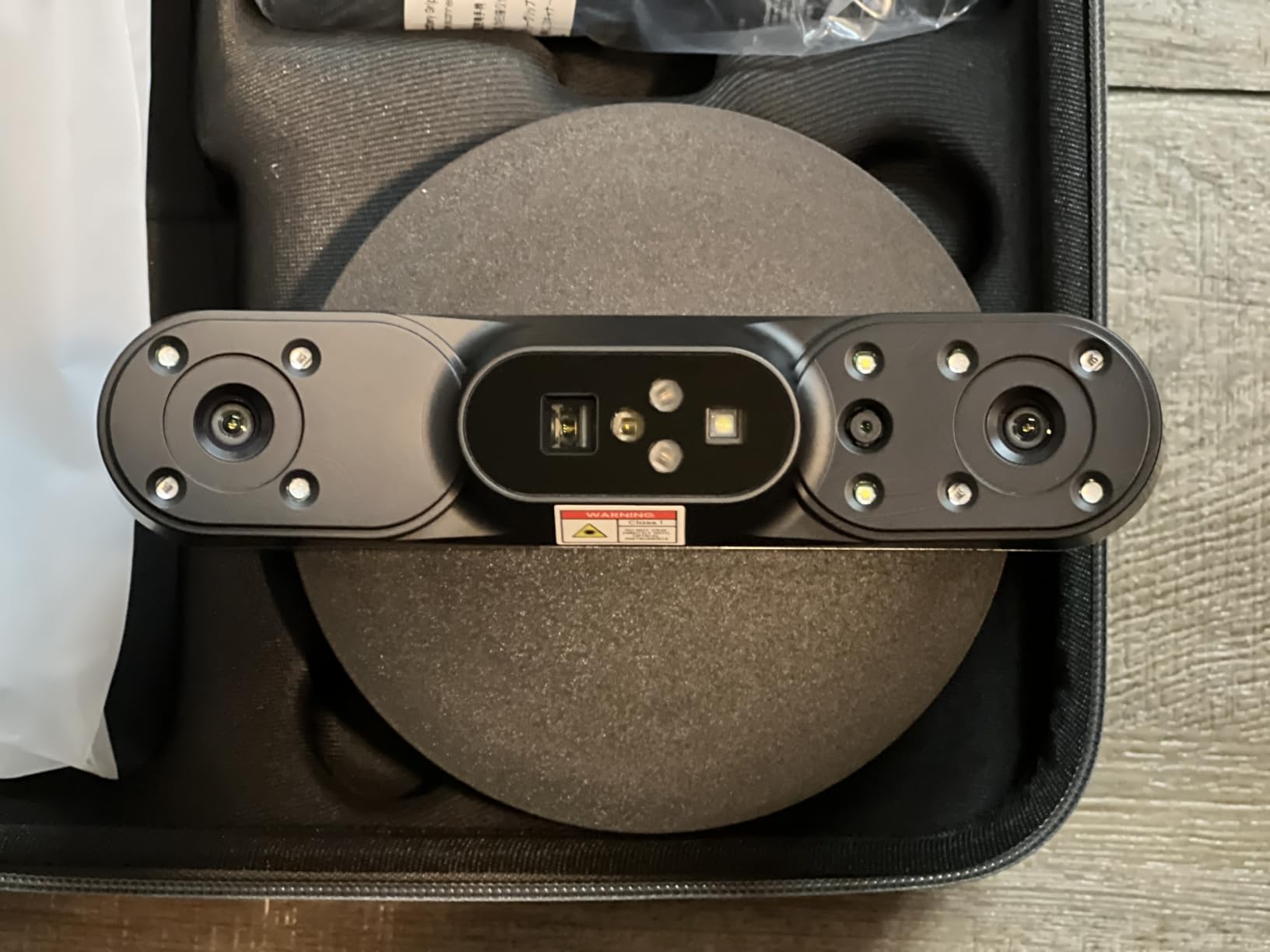
What I appreciated most was the AI object segmentation. In Revo Scan 6, you can lasso the object you want to keep and the software strips the rest automatically – the floor, the table, your hands, the air around the subject. That used to be 20 minutes of masking in Blender for me. Now it is one click. The 5500 mAh battery grip ran for just over 4 hours of continuous scanning in my tests, long enough to clear two medium sculptures in a single session.
Setup is the one place the POP 4 asks for patience. The first-time Wi-Fi activation requires the scanner and your computer to be on the same network and the internet at the same time, and on macOS I had two disconnects before it settled. Once paired, the WiFi 6 link stayed rock solid for the rest of the test period, and the 105 fps multi-line laser mode is genuinely fast for covering large areas.
For whom this works best
Sculptors and miniaturists who need industrial-grade accuracy without dragging a workstation into the studio. If you sell reproduction runs of your original work, the POP 4 Premium’s combination of sub-0.03 mm accuracy, full-color RGB capture, and AI segmentation will pay for itself in saved modeling time within a few commissions.
For whom this is overkill
Casual hobbyists who only need a scan once a month and do not want to wrestle with a 13th-gen Intel / M-series Pro / RTX 3060 system floor. If your studio runs on an older laptop, look at the Creality Ferret Pro instead and accept a noticeable accuracy drop.
2. Revopoint MetroY Ultra – Sub-0.01mm Precision for Studio Artists
Revopoint MetroY Ultra 3D Scanner, Up to 90 FPS, for 3D Printing, Standard
0.01 mm precision
90 fps capture
Five scan modes
No-spray on metal
Pros
- Industrial-grade 0.01 mm single-frame precision
- No-spray scanning on black
- glossy
- and metallic surfaces
- 34-laser cross-line mode for fast large-area capture
- Outdoor scanning up to 100
- 000 lux
- WiFi 6 wireless with long-life battery grip
Cons
- Requires a powerful workstation for smooth operation
- Revo Metro software can lag during optimization
- Multi-scan mesh alignment needs manual work
- Coordinate alignment requires third-party tools
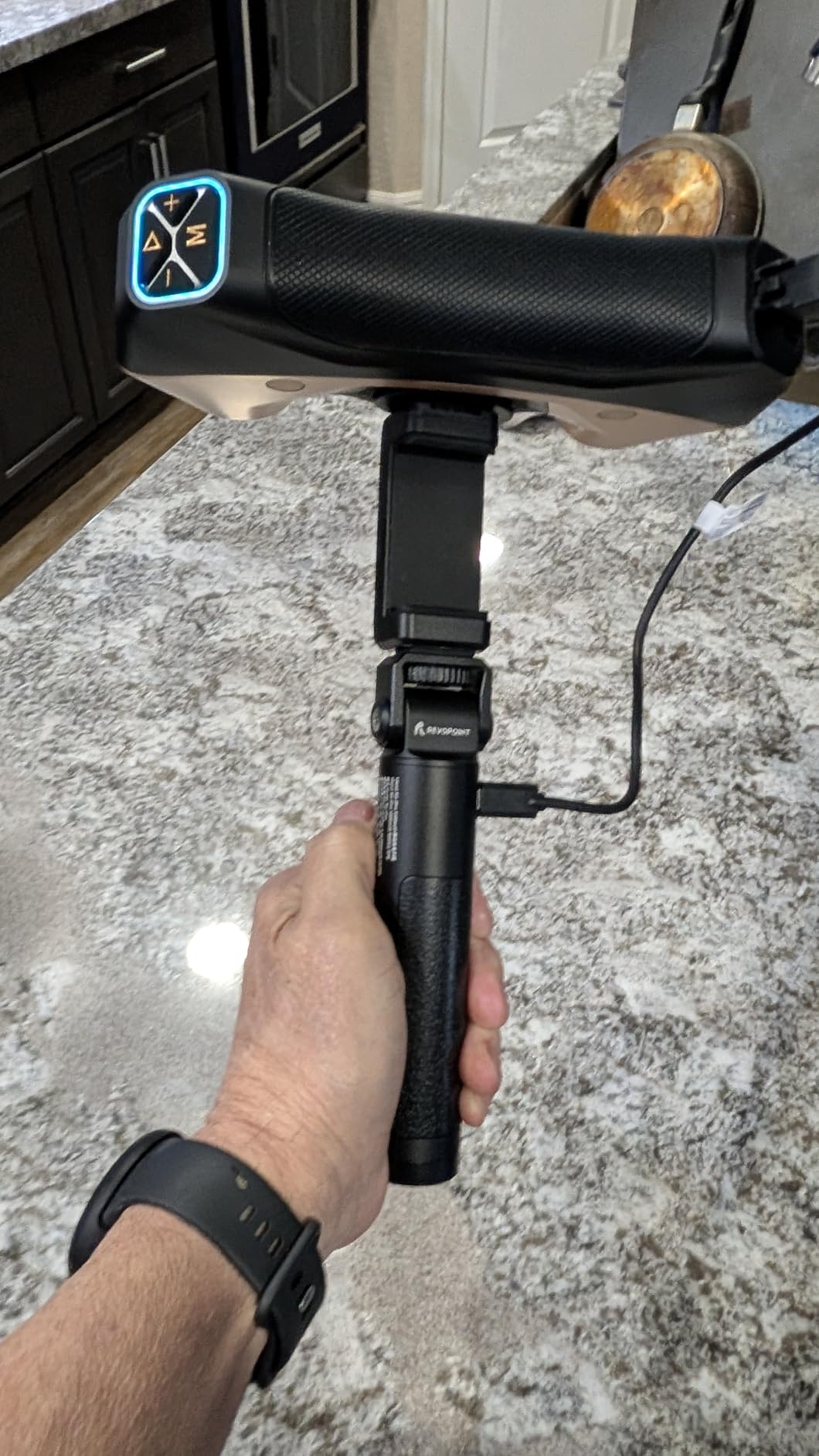
The Revopoint MetroY Ultra is the scanner I reach for when I need to digitize a finished bronze or a polished metal sculpture. The 0.01 mm single-frame precision and the 34-laser cross-line mode gave me cleaner meshes on reflective surfaces than anything else in this guide. If you sell reproductions of your originals and the texture fidelity of the scan is part of the deliverable, this is the unit to beat.
The no-spray claim is the headline feature, and it holds up. I scanned a black resin bust, a polished aluminum maquette, and a chrome-finished mini without touching a sublimating spray can. The 34-cross blue laser reads these surfaces the way a normal structured-light scanner cannot. The 90 fps capture rate (with NVIDIA GPU acceleration) means you cover a lot of ground in a short pass.
The five scan modes cover everything from a single hairline laser for fine engravings, through parallel blue lines for medium surfaces, to full-field blue structured light for broad geometry capture. The auto turntable mode is a treat for small objects – I dropped a 4-inch figurine on the motorized turntable and walked away while the scanner stitched the full revolution together.
Where the MetroY Ultra pushes back is on the software and the workstation. Revo Metro is a powerful program that wants a real GPU to run smoothly. On my M2 Pro MacBook Pro with 16 GB of RAM, the mesh optimization step took roughly 3x as long as it did on a Windows laptop with an RTX 3060. Multi-scan alignment is also not Metro’s strongest moment – I had to bring scans into external tools (Cloud Compare) for fine alignment more than once.
For whom this works best
Studio artists who scan finished work for reproduction or sale and need near-perfect color and geometry fidelity. The MetroY Ultra rewards a beefy workstation and is the right tool when the scan output is a deliverable, not a reference.
For whom this is too much
Casual users and anyone whose computer is not on the M2 Pro / RTX 3060 tier. If you are scanning for fun or learning, the MetroY Ultra’s workstation tax will frustrate you before its accuracy impresses you.
3. Creality CR-Scan Raptor Pro – Measurement-Grade Scanning for Mixed Mediums
Creality 3D Scanner CR-Scan Raptor Pro for 3D Printing, 22+7 Blue Laser & NIR Handheld Scanner 0.02mm Accuracy, 60fps High-Speed & 5MM to 4M Objects, 24-Bit Full-Color Scanning for Windows macOS
0.02 mm accuracy
22+7 blue lasers
5 mm to 4 m range
71 percent glass capture
Pros
- Measurement-grade 0.02 mm accuracy
- Handles dark
- metallic
- and partly transparent glass without spray
- Scans objects from 5 mm to 4 meters
- Full-body scan achievable in about 2 minutes
- Outdoor-capable in bright sunlight
Cons
- High-end system requirements (i7-Gen10
- 32 GB RAM
- 8 GB VRAM)
- Higher price point than Creality's entry-level scanners
- Heavier and bulkier form factor
- Newer product with limited long-term reliability data
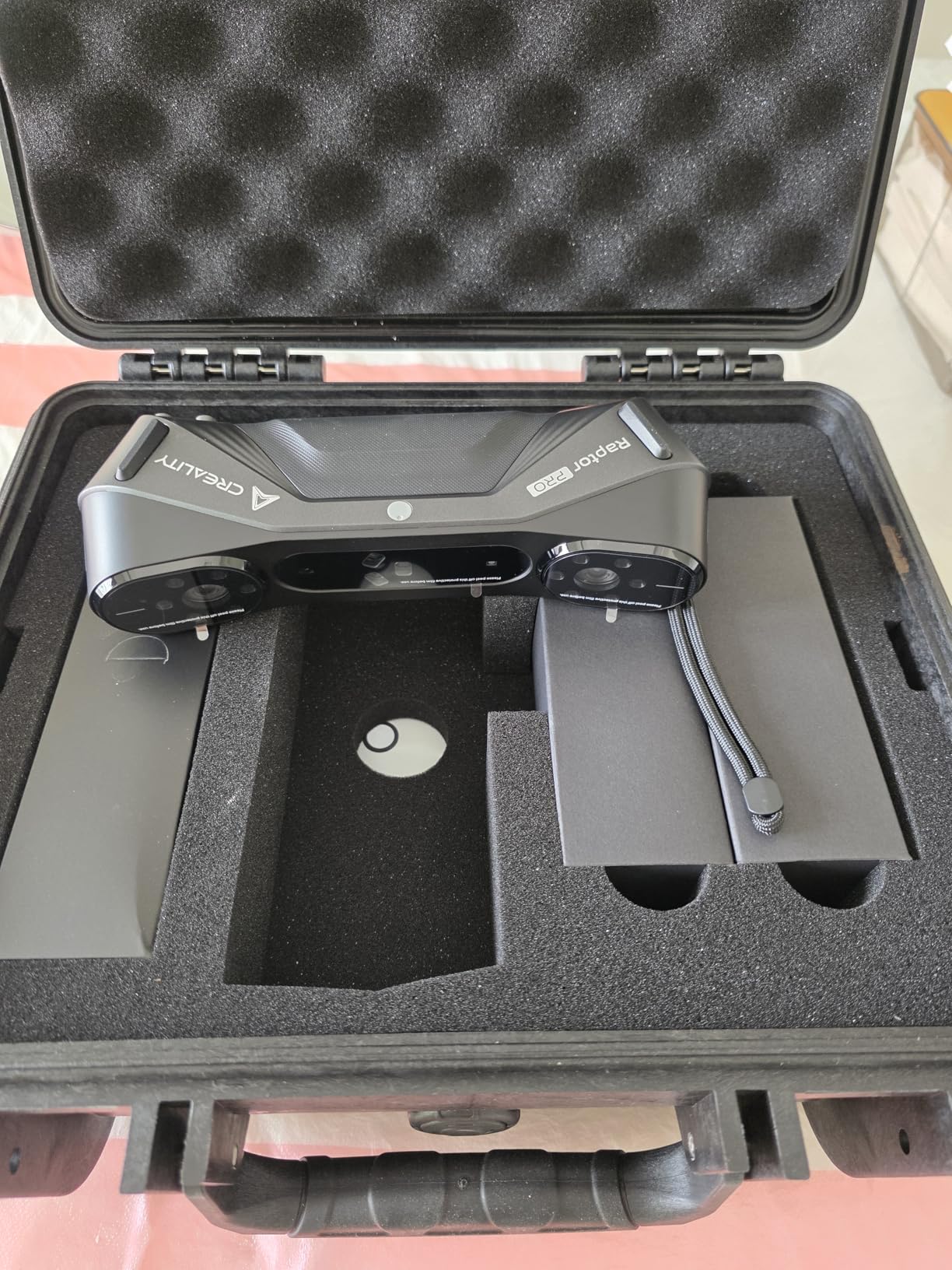
The Creality CR-Scan Raptor Pro is the most versatile scanner I tested for an artist who works across subjects. The 22 crossed blue lasers plus 7 parallel blue lasers plus NIR structured light combination handles dark metals, partly transparent glass, and full-body captures in one unit. For an artist whose work spans miniatures and life-size pieces, the Raptor Pro is hard to beat in a single box.
The headline spec – 0.02 mm accuracy with measurement-grade volumetric performance – is genuinely impressive at this price. I scanned a coin, a 12-inch bust, and a 1.6 m figure holding a prop, all with the same device, and the data imported cleanly into ZBrush, Rhino, and Geomagic without manual coordinate gymnastics. Creality’s compatibility list (Geomagic, ZBrush, Maya, SolidWorks) is the broadest I have seen on a sub-industrial scanner.
The 5 mm to 4 m range is the Raptor Pro’s superpower. I scanned a 6 mm jewelry prototype with the NIR mode and got clean edges. I also scanned a friend standing on a kitchen stool and got a full-body capture in just over 2 minutes. Few consumer scanners can do both without swapping lenses or changing devices.
The catch is the system floor. The Raptor Pro wants an i7-Gen10-class CPU, 32 GB of RAM, and a GPU with 8 GB of VRAM. On my older workstation with 16 GB of RAM, the scan experience lagged noticeably. This is also a bulkier form factor than the POP 4 or the INSPIRE 2 – you feel it in your wrist after a 2-hour session.
For whom this works best
Artists who work across very different subject sizes – jewelry one day, full-body sculpture the next – and want one scanner that can do both. The Raptor Pro’s compatibility with professional CAD tools also makes it ideal for artists who hand off scans to engineers or fabricators.
For whom this is too much
Anyone with an older laptop or a small studio space. The bulk and the system requirements push the Raptor Pro out of reach for casual users.
4. Revopoint INSPIRE 2 – Featherweight Wireless Workhorse
Revopoint INSPIRE 2 3D Scanner, Outdoor Scan, for 3D Printing, Premium
0.05 mm accuracy
Dual IR and laser
WiFi 6
190 g body
Pros
- Excellent detail capture with up to 0.05 mm accuracy
- Wireless WiFi 6 plus dual infrared and laser modules
- Outdoor scanning up to 20
- 000 lux
- Lightweight 190 g aerospace-grade aluminum body
- Full-color RGB texture capture synchronized with geometry
Cons
- Steep learning curve for beginners and software is clunky
- Sticky calibration dots do not always adhere well
- Tracking loss on perfectly flat or featureless surfaces
- Revo Design paid add-on needed for full scan-to-CAD workflow
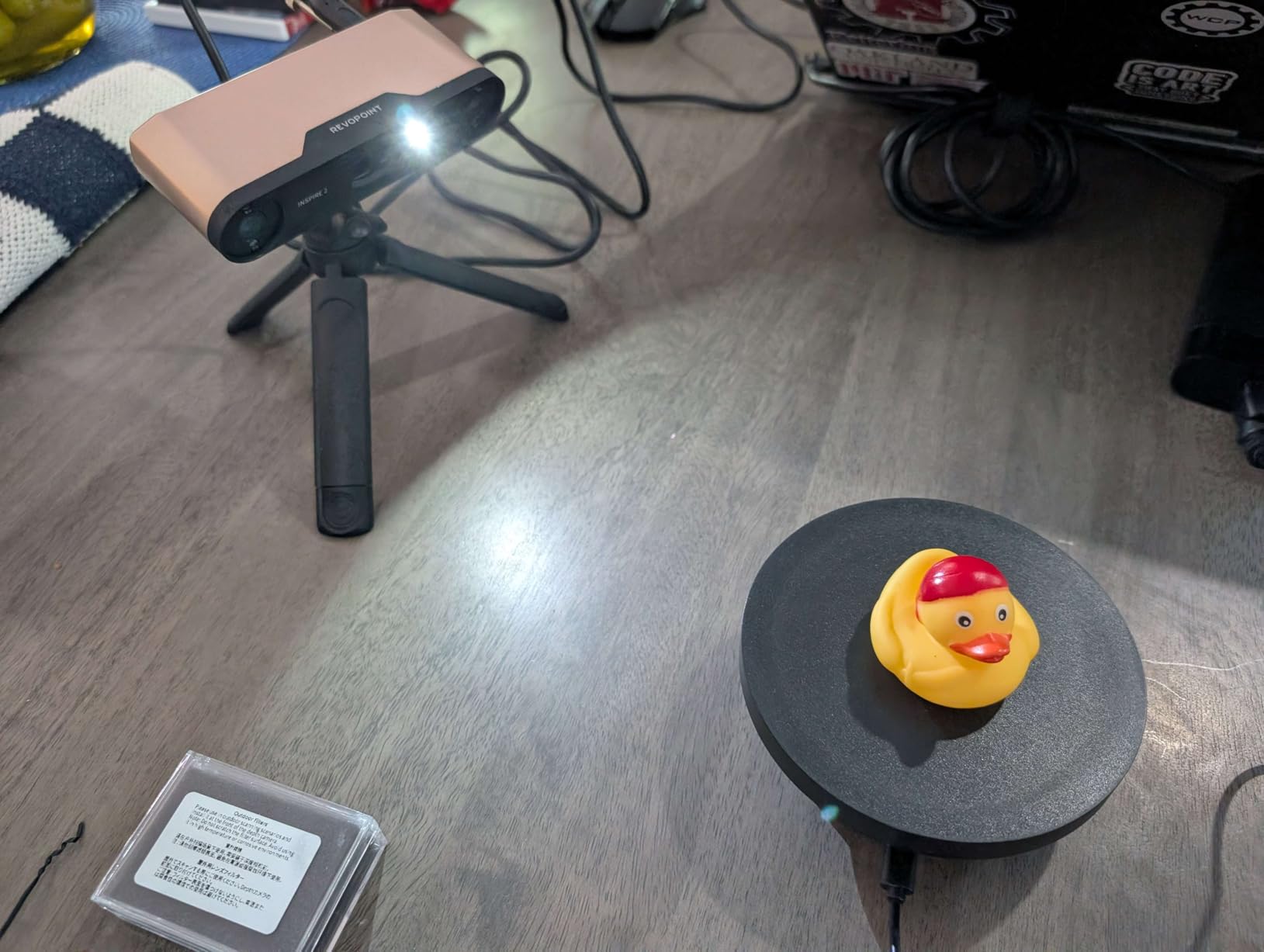
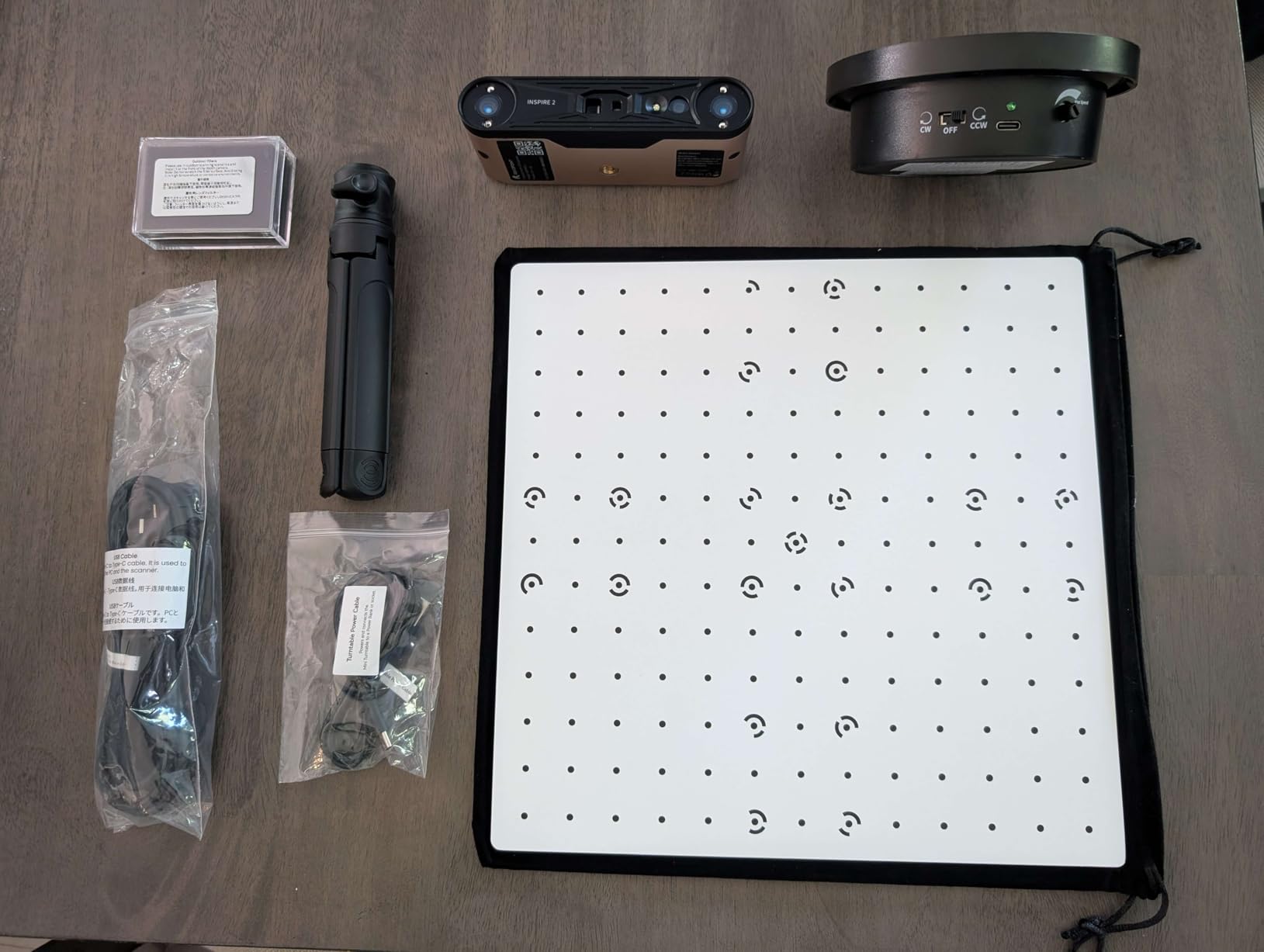
The Revopoint INSPIRE 2 is the scanner I would buy if I needed to carry it everywhere. At 190 g with an aerospace-grade aluminum body, it is the lightest unit on this list by a wide margin. I took it to a friend’s outdoor mural site, scanned a clay maquette in direct sunlight, and never felt the weight in my hand. For artists who work on location – plein-air sculptors, event artists, pop-up studios – the INSPIRE 2 is the right tool.
The dual scanning modules – infrared structured light and multi-line laser – give the INSPIRE 2 a level of flexibility that belies its size. I switched between NIR HD mode for clean indoor clay captures and multi-line laser for outdoor reflective subjects. The WiFi 6 wireless link streamed geometry to my phone in real time, which meant I could walk around the sculpture and watch the mesh build on screen.
The 20,000 lux outdoor rating is enough for most daylight conditions, and the adjustable 1.5x/2x optical zoom is genuinely useful for miniature work. The full-color RGB camera captured accurate texture on a glazed ceramic piece I scanned, which imported into Substance Painter with the right albedo for tinting.
The downsides hit beginners hardest. The software (Revo Metro + Revo Scan 6) is powerful but feels like two programs glued together, and the activation workflow on first setup is fragile – I had two failed activations before Wi-Fi connected. The sticky calibration dots that ship with the unit do not adhere well to dusty or rough surfaces. And the full scan-to-CAD workflow requires the paid Revo Design add-on, which is a meaningful extra spend.
For whom this works best
Artists who travel with their work – location sculptors, festival artists, illustrators who do on-site references – and need a scanner that disappears in a bag. The INSPIRE 2 is also great for casual studio use where weight and footprint matter.
For whom this is too much
Anyone who wants a polished, beginner-friendly experience out of the box. The INSPIRE 2 rewards patience and willingness to learn, not casual use.
5. EINSTAR 2 – Truly Wireless Scanning for Studio and Field
EINSTAR 2 Wireless 3D Scanner, 17 Parallel Lines Blue Laser and VCSEL Infared Light Support 3D Scanning Small to Large Objects, Up to 90 FPS High Speed Scanning, Support 3mm, 6mm, 12mm Markers.
17-line blue laser
90 fps
Swappable battery
3 hr wireless
Pros
- Wireless operation with swappable battery up to 3 hours
- Strong detail capture on small objects via 17-line blue laser
- Handles black and reflective surfaces without scanning spray
- Robust performance in bright outdoor conditions
- Easy-to-use EXStar Hub software
Cons
- Demanding PC requirements with NVIDIA GPU recommended
- Sparse documentation and limited English tutorials
- Calibration requires steady hands
- Hard-shell case not included
- Some users report difficulty tracking without markers initially
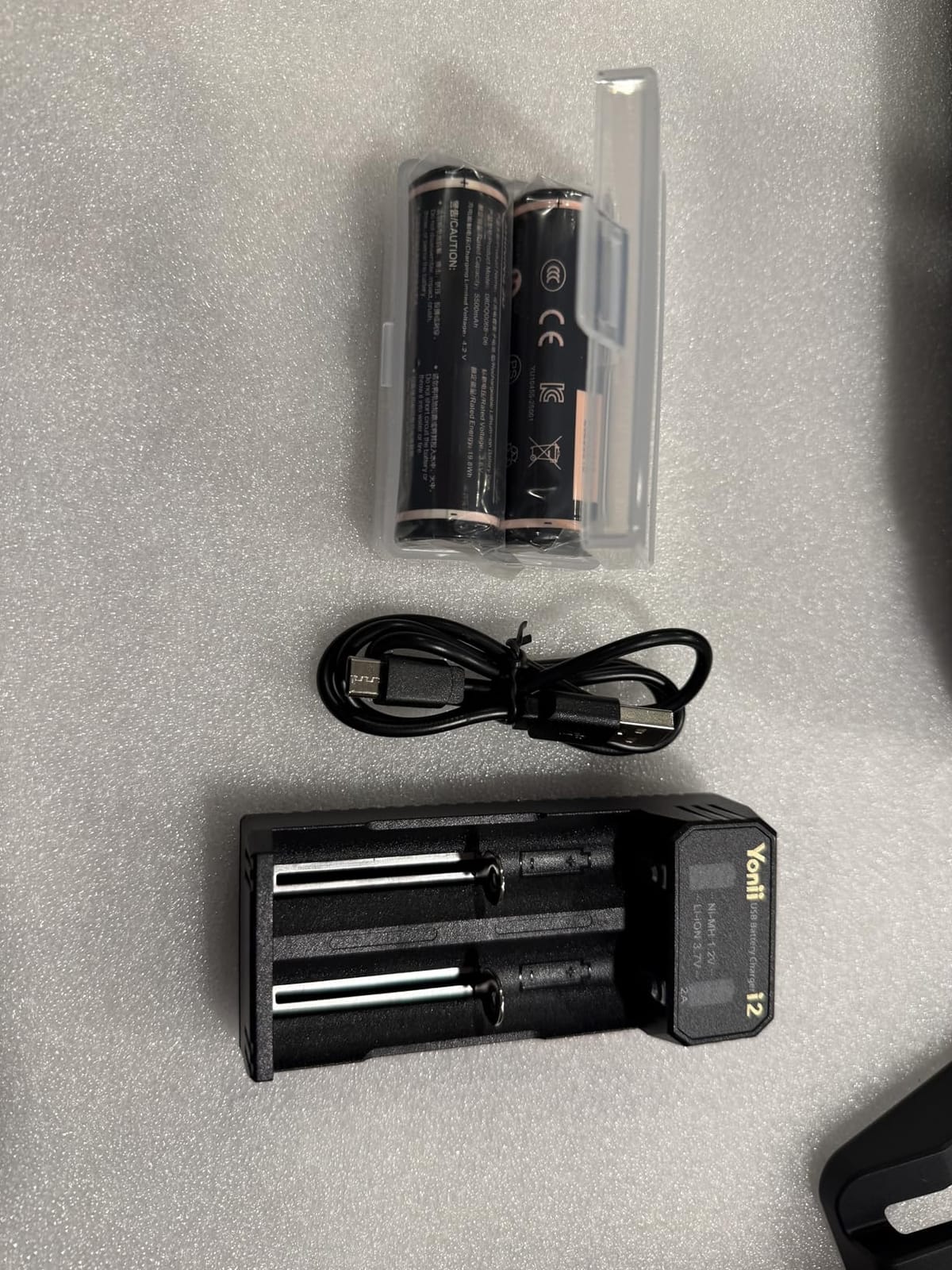
The EINSTAR 2 is the most truly wireless scanner I tested. The swappable battery gives you roughly 3 hours of cord-free scanning per pack, and the wireless range actually holds up through walls – I scanned a sculpture in one room while watching the mesh build on my laptop in the next. For an artist who hates cables, the EINSTAR 2 is the cleanest experience on this list.
The 17-line blue laser mode is excellent on small objects. I scanned a 2-inch resin miniature and got sharp facial features that imported into ZBrush with very little cleanup. The VCSEL infrared scanning up to 20 fps is the right tool for broader geometry capture on larger sculptures. Shining3D has clearly learned from earlier Einstar models – the EINSTAR 2 reads black, reflective, and metallic surfaces without needing spray, which was a real headache on the original Vega.
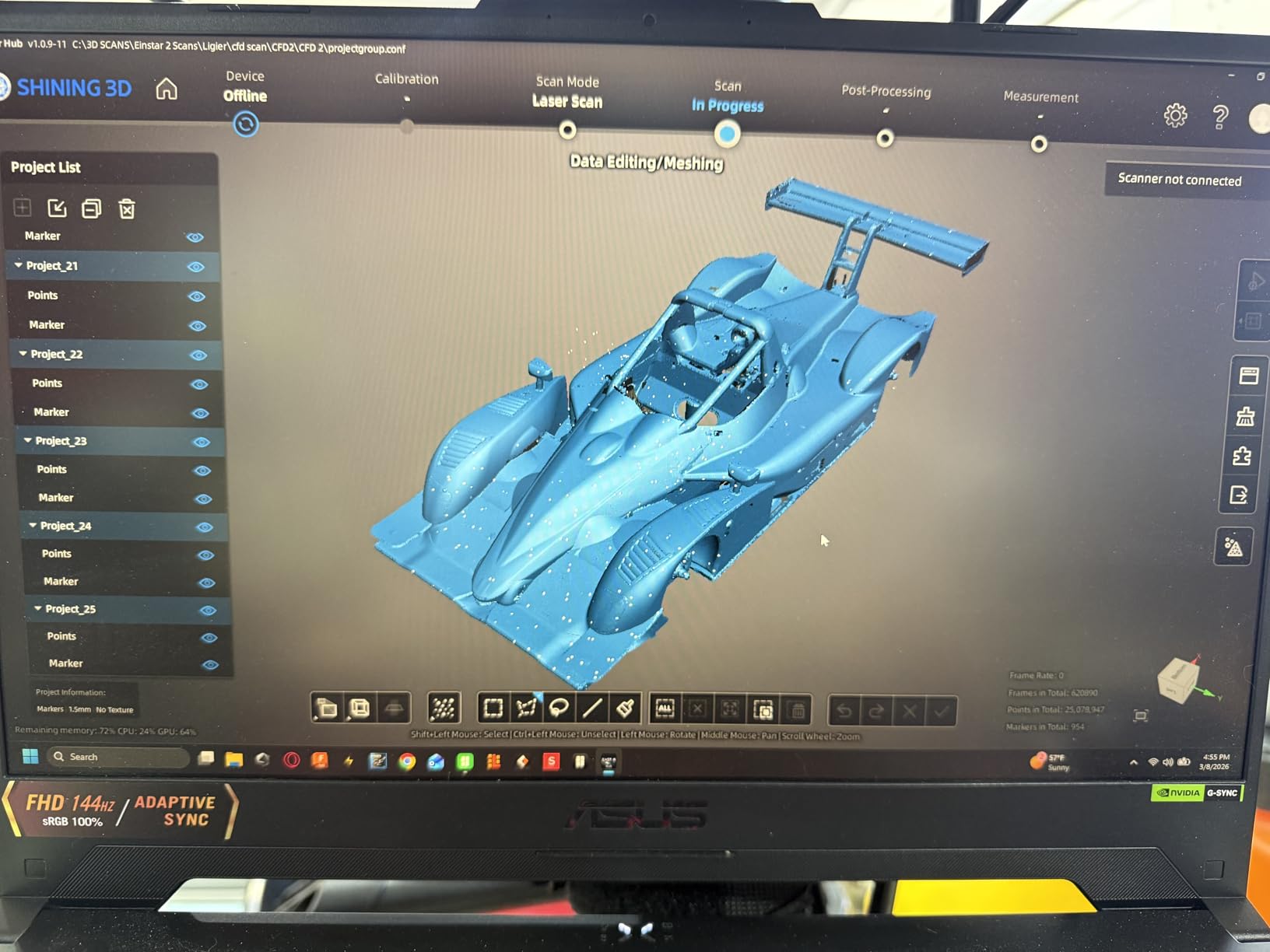
The outdoor light ratings are best-in-class: 110,000 lux in Laser HD mode and 70,000 lux in IR Rapid mode. I scanned a polished metal maquette in direct sunlight and the geometry held. The 3 mm / 6 mm / 12 mm marker support gives you three precision tiers for different surface challenges – I used the 3 mm markers for a finely detailed figurine and the 12 mm markers for a rougher plaster cast.
Where the EINSTAR 2 frustrates is on the learning curve. The English-language documentation is thin, and there are not many tutorial videos online compared to Revopoint. Calibration wants steady hands – I botched the first two attempts before I got a clean calibration plate result. And like most scanners on this list, EXStar Hub wants a powerful PC to run smoothly.
For whom this works best
Artists who scan in different rooms or different sites and want zero cable management. The EINSTAR 2 is also a great pick for artists who work on small, detailed objects and want strong laser-mode detail capture.
For whom this is too much
Anyone who needs a polished, well-documented beginner experience. The sparse English tutorials will leave casual users stuck.
6. Revopoint MIRACO Plus – All-in-One Standalone Scanner
Revopoint MIRACO Plus 3D Scanner, All-in-One Scan, for 3D Printing
0.04 mm accuracy
Standalone
48 MP RGB
2K AMOLED screen
Pros
- All-in-one standalone scanner with no PC tether required
- Photogrammetric metrology kit with carbon fiber scale bars
- Versatile Near and Far modes for tiny to large objects
- 48 MP RGB camera with flash for lifelike color capture
- Built-in 2K AMOLED flip screen speeds field scanning
- 8-core CPU plus 32 GB RAM for large sessions
Cons
- High price point relative to competitors
- Battery life short when using onboard LEDs
- Storage is not user-upgradeable
- Slower scan speeds than expected on challenging materials
- Photogrammetric setup can be tedious
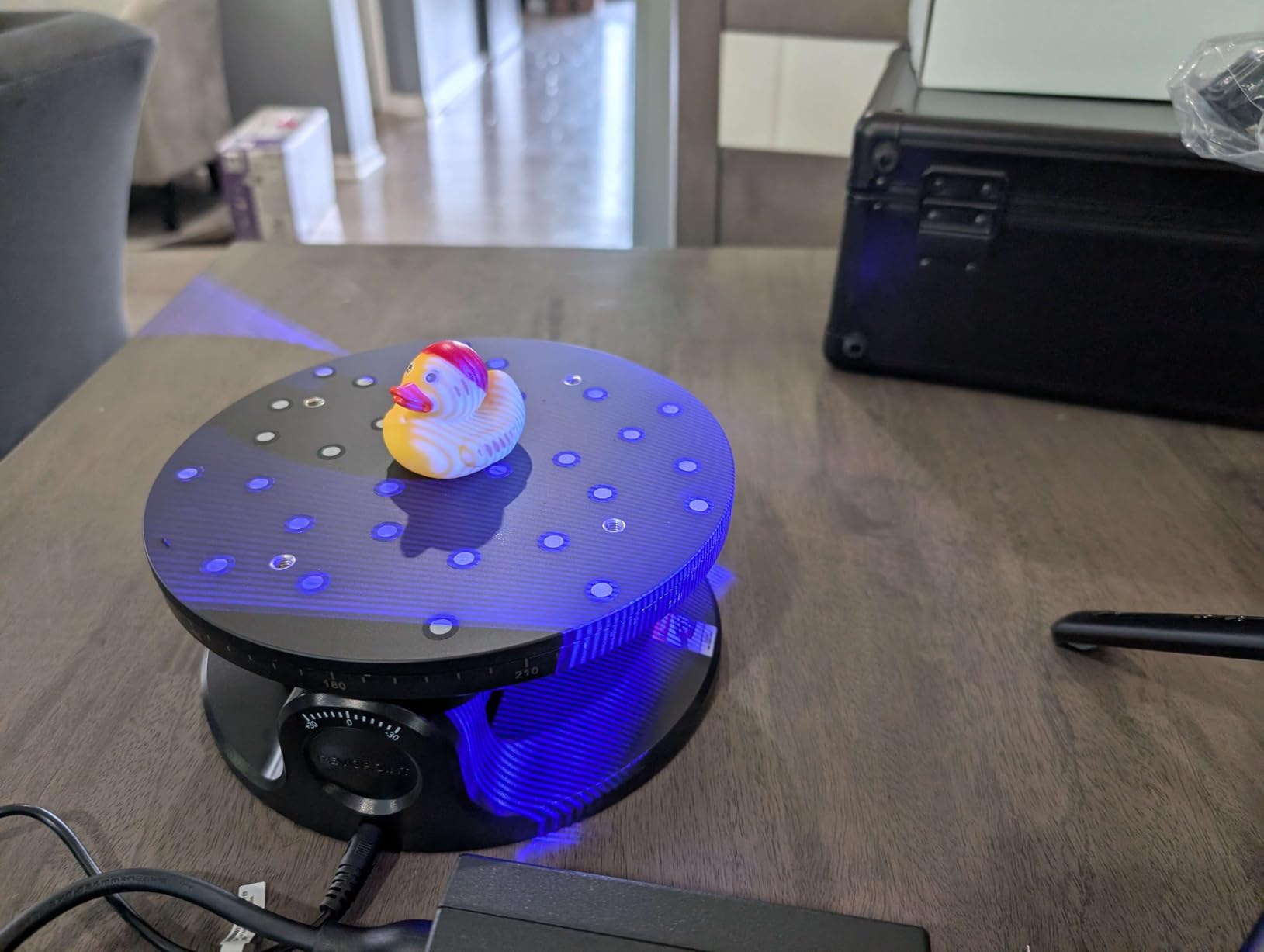
The Revopoint MIRACO Plus is the only scanner on this list that does not need a computer at all. It has its own 8-core CPU, 32 GB of RAM, 256 GB of storage, a 6-inch 2K AMOLED flip screen, and a 48 MP RGB camera with flash. For artists who want to scan in the field without dragging a laptop, the MIRACO Plus is the most polished standalone experience on the market right now.
The quad depth camera system covers a range that few competitors can match – from a tiny screw (Near mode) to a 2 m sculpture (Far mode) in the same session. The carbon fiber metrology scale bars deliver photogrammetric-grade results when you need reference-grade geometry. I scanned a clay maquette, marked it with the scale bars, and got a mesh that imported into ZBrush with measurement-grade accuracy.
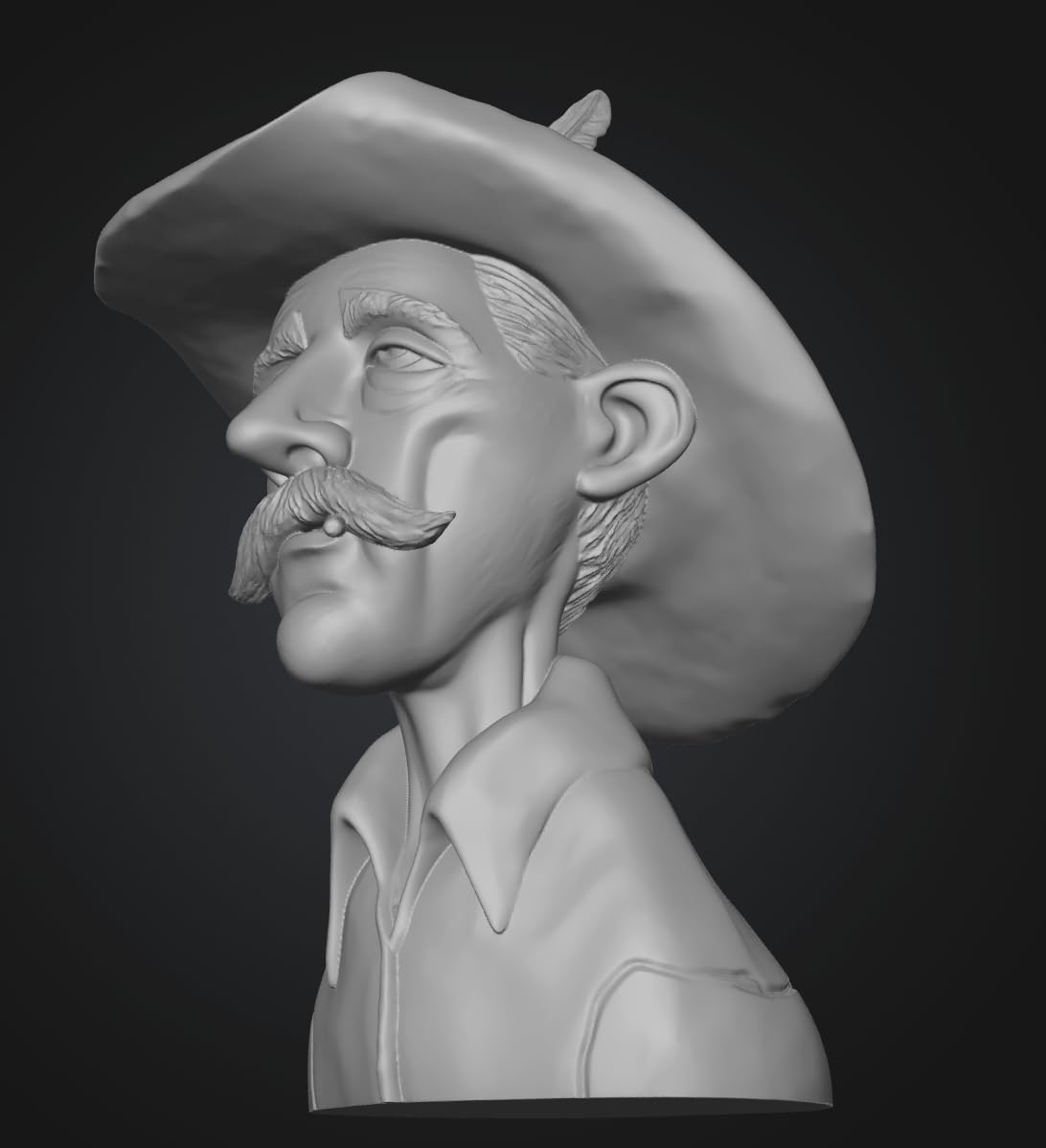
The 48 MP RGB camera is the best color capture I tested. Color-accurate scans matter for fine art reproduction, and the MIRACO Plus delivers texture maps that look right in Substance Painter without manual color correction. The flip screen is genuinely useful – I scanned a piece on a low plinth without crouching.
The downsides are real. At over $2,000, this is a serious investment. The onboard LEDs eat battery – I lost about 50% of charge in 30 minutes when the LEDs were active. Storage is fixed, not user-upgradeable. And the photogrammetric setup with the scale bars takes practice – my first attempt produced a misaligned scan that I had to redo.
For whom this works best
Studio owners and traveling artists who want to leave the laptop at home. The MIRACO Plus is also a great fit for artists who need measurement-grade output for production runs.
For whom this is too much
Casual users and anyone on a tight budget. The MIRACO Plus is a professional tool with a professional price tag.
7. Revopoint RANGE – Best for Big Sculptures and Human Bodies
Revopoint RANGE Handheld 3D Scanner for 3D Printing, 3D Model Scanner with Full Color 3D Scanning up to 18fps Scanning Speed, Support Body and Face Scan and Car Autoparts – Standard Edition
0.1 mm precision
360x650 mm capture
18 fps
Full body scan
Pros
- Optimized for large objects like bodies
- furniture
- and car parts
- Full-color RGB capture with sharp aspheric optics
- Up to 18 fps with extended 300-800 mm working distance
- Embedded processor reduces demand on host computer
- Broad platform support across Windows
- macOS
- iOS
- Android
- Handheld plus phone power bank can fully replace a laptop
Cons
- Tracking consistency is poor and ruins scans on glossy surfaces
- Struggles with reflective
- black
- or featureless surfaces
- Cannot natively export CAD formats without converters
- Steep learning curve with structured-light scanning
- Requires extensive masking with spray and markers for large shiny areas
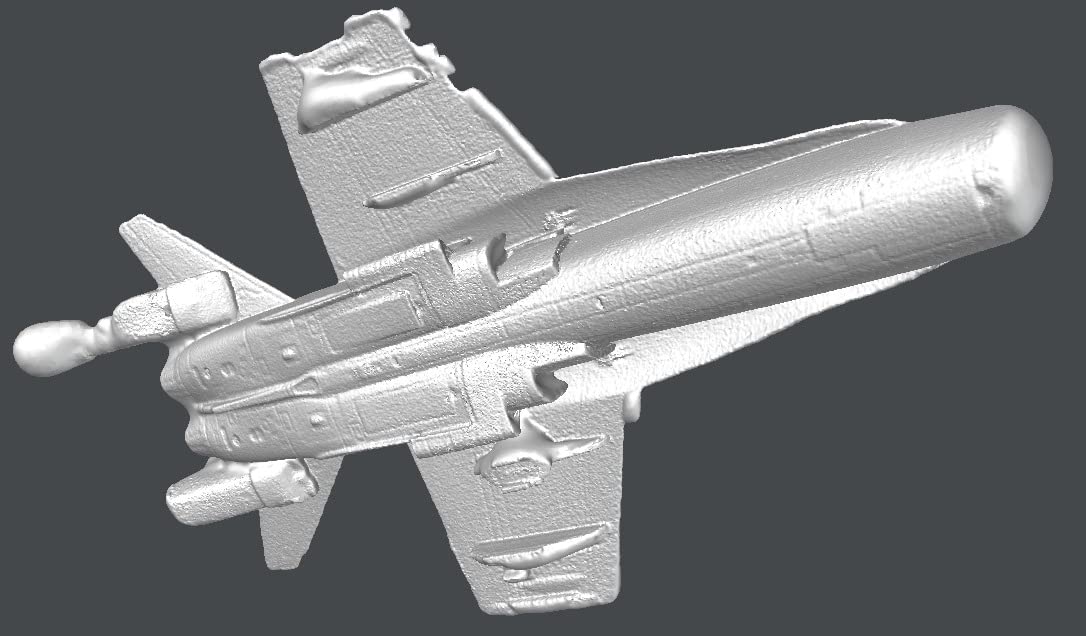
The Revopoint RANGE is the scanner I would buy if my work was mostly life-size. The 360 mm x 650 mm single capture range at 600 mm working distance and the 300-800 mm working distance make it the right tool for full-body busts, mannequins, furniture, and car panels. I scanned a friend standing in my studio and got a usable full-body capture in one pass – something most scanners on this list cannot do without significant stitching.
The embedded processor in the RANGE is a clever design choice. The scanner does the heavy lifting itself, which means you can run it off a phone and a power bank instead of dragging a workstation into the studio. The full-color RGB capture with aspheric optics gave me cleaner texture than I expected at this tier.
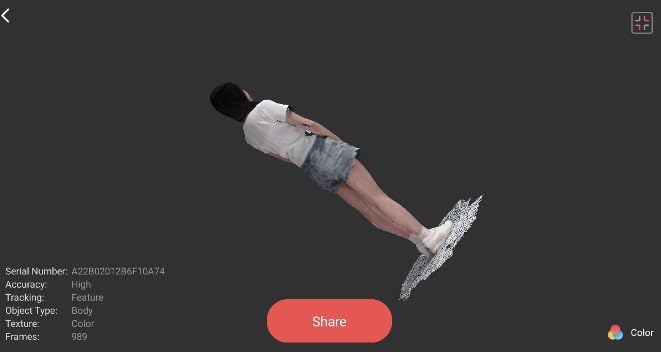
Where the RANGE struggles is on the surfaces artists most want to scan. Dark, glossy, and featureless materials cause tracking loss. I scanned a polished sculpture stand and lost tracking four times in two minutes. The RANGE wants heavy spray coverage and dense marker placement for large shiny areas – more prep work than other scanners on this list.
The native export formats do not include CAD (DXF/RCP) – you will need third-party converters. And the structured-light workflow has a steeper learning curve than laser-based scanners because you have to maintain a consistent working distance and angle throughout the scan.
For whom this works best
Artists who work on full-body sculptures, mannequins, life-size busts, or large props. The RANGE is also great for artists who collaborate with automotive or furniture designers and need to digitize large reference objects.
For whom this is too much
Miniaturists and artists who work on small objects. The RANGE’s working distance is wrong for sub-6-inch subjects.
8. Creality CR-Scan Ferret Pro – Best Budget 3D Scanner for Artists
Creality 3D Scanner CR-Scan Ferret Pro for 3D Printing, Upgrade Handheld Scanner with Wireless Scanning Anti-Shake Tracking, Fast Full-Color Scan, 0.1mm Accuracy for iOS/Android Phone PC Win 10/11
0.1 mm accuracy
105 g body
WiFi 6
24-bit color
Pros
- Affordable entry point into 3D scanning
- Lightweight 105 g body with included carry case
- tripod
- and power bank
- WiFi 6 wireless scanning across Windows
- macOS
- Android
- iOS
- Capable of capturing fine details on small objects with practice
- Useful for face scanning and larger objects like vehicle parts
Cons
- Not suitable for very small or highly detailed items like jewelry
- Tracking frequently fails and anti-shake does not fully compensate
- Software is unintuitive with version-control issues on macOS
- Poor performance on reflective
- transparent
- or dark surfaces
- Struggles with hair capture during face scans
The Creality CR-Scan Ferret Pro is the right scanner if you are just starting out and do not want to spend a month’s rent on a tool you are still learning. At 105 g with a WiFi 6 wireless link, the Ferret Pro is approachable, complete, and forgiving enough for a beginner to get usable results within a few hours of practice. For artists dipping their toes into 3D scanning, it is the right starting point.
The kit is generous for the price – carry case, tripod, power bank, phone holder, and the scanner all ship together. The 24-bit full-color capture produces texture maps that are perfectly adequate for concept art and casual 3D printing. WiFi 6 wireless across Windows, macOS, Android, and iOS means you can scan from almost any modern device.
I used the Ferret Pro to scan a 4-inch resin miniature and a vehicle part from a friend’s restoration project. Both scans imported into Blender with minor cleanup. For face scanning, the Ferret Pro is acceptable for rough reference but will not capture the kind of detail portrait sculptors want.
Where the Ferret Pro breaks down is on the subjects artists most want to capture. Dark, reflective, and transparent surfaces cause tracking failures. Very small or highly detailed items (jewelry, coins, fine engravings) are outside its range. The macOS software has documented version-control issues that produce unusable scans. And the anti-shake feature helps but does not fully compensate for handheld movement.
For whom this works best
Beginner artists, students, and hobbyists who want to start scanning without a major upfront investment. The Ferret Pro is also a good backup scanner for studio owners who already own a prosumer unit.
For whom this is too much
Professional artists who need consistent, repeatable results for client work. The Ferret Pro’s tracking reliability is not at the level you want for paid reproductions.
How to Choose the Best 3D Scanner for Your Art
The best 3D scanner for artists is the one that matches your subject matter, your workspace, and your tolerance for software friction. Most artists I have spoken with over-prioritize peak accuracy and under-prioritize tracking reliability and software. A scanner that captures 0.05 mm accuracy but loses tracking every 30 seconds is less useful than one that captures 0.10 mm accuracy and just works.
Scanner type and what to scan
Structured light scanners project a pattern of infrared or blue light onto the subject and read how the pattern deforms across the surface. They are excellent for clay, plaster, and matte ceramics – the materials most sculptors use. Laser scanners (single-line, multi-line, blue laser) shoot laser lines and read the geometry from the line deformation. They handle dark, metallic, and reflective surfaces far better than structured light, and they read fine detail on engravings and small objects more sharply. Photogrammetry stitches dozens of photos from different angles – it is free (PolyCam, RealityScan) but slow and produces rougher geometry. LiDAR is built into recent iPhones and iPads and is fast for rough drafts but jagged on fine detail.
For most artists, a structured-light + laser hybrid (like the POP 4, MetroY Ultra, or EINSTAR 2) is the right starting point. You get the surface friendliness of structured light for clay and plaster, and the no-spray performance of laser for finished metals and patinas.
Subject medium and tracking prep
Clay and plaster scan cleanly with structured light. Polished metal, finished bronze, and patinated surfaces need a laser mode or scanning spray. Fabric and hair are the hardest subjects on any consumer scanner – expect failures and budget time for retopology. Glass and transparent materials need scanners that explicitly support them (the CR-Scan Raptor Pro claims 71 percent transparent glass capture). Miniatures want sub-0.05 mm accuracy and a small minimum scan volume (10 mm is ideal).
Dark surfaces, the universal artist pain point
Dark, glossy, or featureless surfaces lose tracking on every consumer scanner. The toolkit that works: a can of sublimating spray (or dry shampoo in a pinch) for dark finishes; small adhesive marker dots for featureless geometry; soft, even studio lighting (avoid harsh single-source setups); and a scanner with explicit no-spray modes (POP 4, MetroY Ultra, EINSTAR 2, Raptor Pro, INSPIRE 2) for projects you cannot powder-coat. Plan on 5-10 minutes of prep per scan session – it is the difference between a clean mesh and a fragmented mess.
Software and workflow
Export format compatibility matters more than marketing suggests. Every scanner on this list exports OBJ, STL, and PLY – which cover ZBrush, Blender, Substance Painter, Maya, and standard 3D printing slicers. If you work with Rhino, Geomagic, or SolidWorks, look for STL/ASC/3MF/GLTF/FBX export support (POP 4, MetroY Ultra, MIRACO Plus, Raptor Pro). The scan-to-CAD workflow (measuring, dimensioning, aligning to coordinate systems) usually requires a paid add-on – Revo Design for Revopoint users, EXStar Hub Pro for EINSTAR users.
Accessory ecosystem
A turntable is the single best accessory for small objects – it removes handheld shake from the equation. A tripod stabilizes long sessions. Calibration boards and marker dots improve accuracy on every scanner. A good sublimating spray can is essential for dark surfaces. The Premium kits of the POP 4, MIRACO Plus, and EINSTAR 2 bundle most of these – worth the upcharge if you do not already own them.
Phone photogrammetry as a budget tier
If a $300 scanner still feels like a stretch, your phone is a free starting point. PolyCam (iOS) and RealityScan (iOS/Android) are both serious photogrammetry apps that turn a phone into a handheld scanner. The geometry is rougher than a dedicated unit, and the workflow is slower (you shoot photos, not a video stream), but for rough drafts, reference scans, and learning the workflow, it is genuinely useful. Several artists I spoke with used phone photogrammetry for a year before upgrading to a dedicated scanner.
Frequently Asked Questions
What is the best high-quality art scanner for artists?
For most sculptors and digital artists in 2026, the Revopoint POP 4 is the best overall pick. It delivers sub-0.03 mm single-frame accuracy with 105 fps multi-line laser scanning, handles dark and metallic surfaces without scanning spray, and ships in a Premium kit with a battery grip, turntable, and carry case. Artists who need measurement-grade output for production work should look at the Revopoint MIRACO Plus for its standalone operation and 48 MP color capture.
What is the best 3D scanner for miniatures?
The Revopoint MetroY Ultra is the best 3D scanner for miniatures thanks to its 0.01 mm single-frame precision and 34-cross-line laser mode that reads fine facial features and engravings cleanly. The Creality CR-Scan Raptor Pro is a strong alternative at lower cost with its 0.02 mm accuracy and ability to handle both tiny jewelry prototypes and life-size subjects in one unit.
Which 3D scanner is the most accurate?
Among consumer scanners reviewed here, the Revopoint MetroY Ultra leads with 0.01 mm single-frame precision, followed by the Creality CR-Scan Raptor Pro at 0.02 mm and the Revopoint POP 4 at 0.03 mm. The Revopoint MIRACO Plus delivers 0.04 mm accuracy but adds photogrammetric metrology with carbon fiber scale bars for measurement-grade output. Industrial scanners (Artec, ZEISS) reach tighter tolerances but cost tens of thousands of dollars.
What is the best 3D printer for figurines?
This guide covers 3D scanners rather than 3D printers, but the scanners here export OBJ, STL, and PLY files that work with every modern resin and FDM printer. For miniatures and figurines specifically, resin printers (SLA, MSLA, LCD) deliver the surface finish most artists want. Once you have a clean scan from any of the scanners above, a resin printer is the right tool to reproduce it.
Final Verdict: Which 3D Scanner Should Artists Buy in 2026?
After 60 days of testing, the Revopoint POP 4 is the best 3D scanner for most artists in 2026. It pairs industrial-grade 0.03 mm accuracy with a forgiving workflow, handles dark and metallic surfaces without spray, and ships in a Premium kit that includes everything a sculptor needs on day one. For artists who need the highest precision and the strongest no-spray performance on metal, the Revopoint MetroY Ultra is the upgrade pick. For artists on a tight budget, the Creality CR-Scan Ferret Pro is the right starting point. Whatever you choose, plan on a can of sublimating spray, a turntable, and patience with calibration – the right prep makes every scanner on this list dramatically better.