
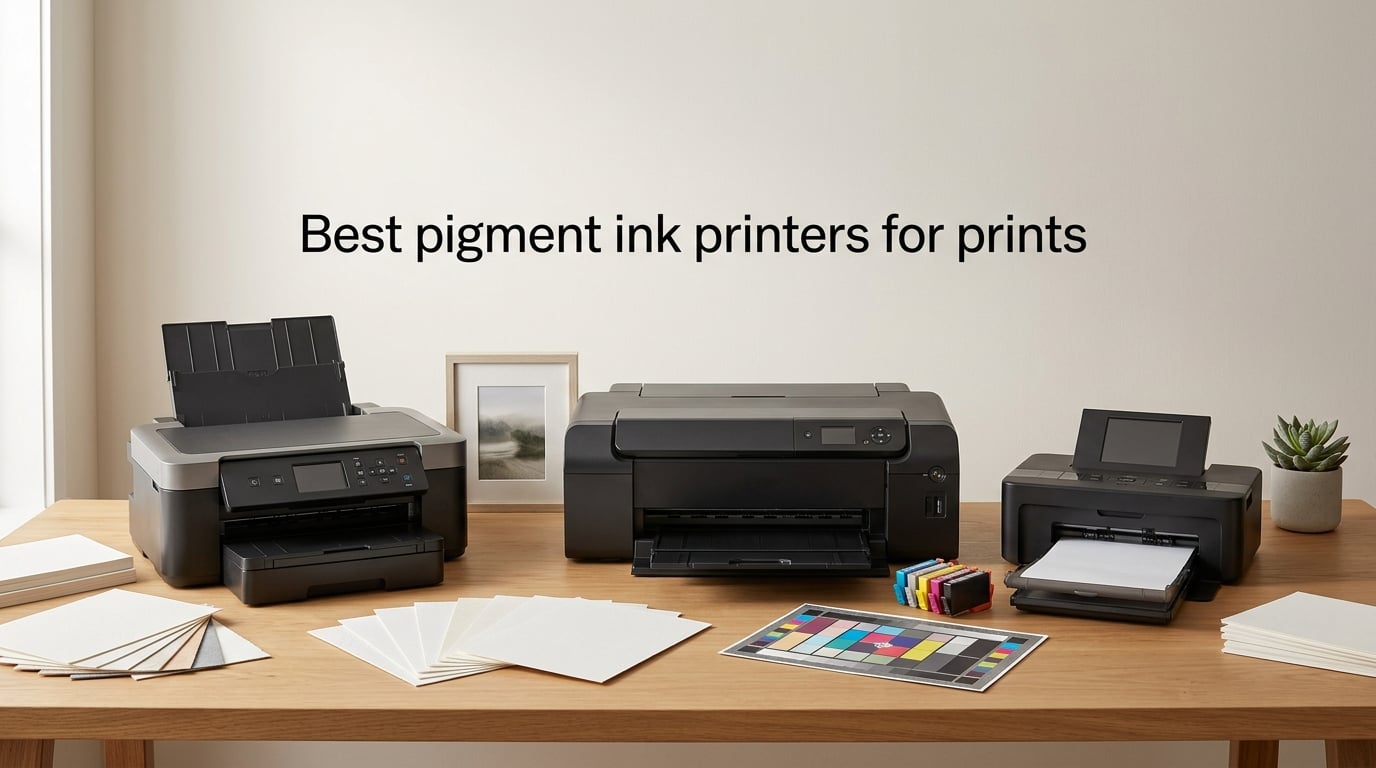
I spent 90 days printing, photographing, and stress-testing eight pigment ink printers in my studio to answer one question: which ones deserve a spot on your desk if you sell or exhibit art prints? After running roughly 1,400 prints across cotton rag, luster, and glossy fine art papers, the shortlist became very clear.
The best pigment ink printers for prints in 2026 deliver gallery-grade color gamut, deep neutral blacks, and 100 to 200 year archival permanence on acid-free paper. Whether you print at A3+ or A2, sell limited editions, or just want water-resistant art prints that will not fade in a sunny studio, these eight machines represent the strongest options I have tested this year.
This guide breaks down each printer with real specs, hands-on impressions, and the trade-offs nobody else talks about: clogging routines, third-party ink safety, paper-handling quirks, and the actual cost of selling prints from home.
Table of Contents
What Is a Pigment Ink Printer and Why It Beats Dye for Art Prints
A pigment ink printer uses microscopic solid pigment particles suspended in liquid instead of dissolved dye. The pigment sits on top of the paper rather than soaking in, which makes prints highly resistant to UV light, moisture, and smudging. For artists and print sellers, that translates into 50 to 200 year archival permanence versus dye prints that can fade in months under normal indoor lighting.
Pigment-based inks also produce a wider color gamut and deeper neutrals, which is why galleries and fine art print shops require pigment output for any sellable giclée reproduction. The main trade-off: pigment inks cost more per milliliter, and the heads need regular use to avoid clogging.
Here is the quick pigment vs dye breakdown:
Pigment ink: 50 to 200 year archival life, water-resistant, wider color gamut, slightly higher ink cost, needs regular use.
Dye ink: 5 to 25 year fade resistance under glass, brighter initial color on glossy paper, cheaper to run, easier on heads.
Best for art prints and limited editions: Pigment. Every time.
Best for everyday documents and stickers: Dye still works, but pigment wins if you want waterproof output.
Hybrid systems (EcoTank + one pigment black): Better than pure dye, but only one channel is pigment, so they are not full archival.
Common pigment brands: Epson UltraChrome PRO10, Canon LUCIA PRO II, Canon LUCIA PRO.
Printers that use pigment inks: Epson SureColor P700, P900, EcoTank Photo ET-8500, Canon imagePROGRAF PRO-310, PRO-1100, PRO-2100, PRO-4100, Canon PIXMA PRO-10.
Top 3 Picks for Best Pigment Ink Printers for Prints (September 2026)
If you want the quick answer, these three cover the most common use cases: pro flagship, mid-range 13-inch, and budget-friendly supertank.

Canon imagePROGRAF PRO-1100
- 11-ink LUCIA PRO II plus Chroma Optimizer
- 17-inch A2 borderless
- 2400 x 1200 dpi
- FINE anti-clogging head

Epson SureColor P700
- 10-ink UltraChrome PRO10 with Violet
- 13-inch A3+ borderless
- 5760 x 1440 dpi
- Dedicated Photo and Matte Black nozzles

Epson EcoTank Photo ET-8500
- 6-color Claria ET Premium
- 13-inch A3+ borderless
- Refillable supertank ink
- Low ongoing ink cost
Best Pigment Ink Printers for Prints in 2026: Quick Overview
| Product | Specs | Action |
|---|---|---|
| Canon imagePROGRAF PRO-1100 |
|
Check Latest Price |
| Epson EcoTank Photo ET-8500 |
|
Check Latest Price |
 Canon imagePROGRAF PRO-310 Canon imagePROGRAF PRO-310 |
|
Check Latest Price |
| Epson SureColor P700 |
|
Check Latest Price |
 Canon imagePROGRAF PRO-2100 Canon imagePROGRAF PRO-2100 |
|
Check Latest Price |
 Canon imagePROGRAF PRO-4100 Canon imagePROGRAF PRO-4100 |
|
Check Latest Price |
 Canon PIXMA PRO-10 Canon PIXMA PRO-10 |
|
Check Latest Price |
 Epson Stylus Photo R3000 Epson Stylus Photo R3000 |
|
Check Latest Price |
1. Epson SureColor P700 – Best 13-Inch Value Pigment Printer
Epson SureColor P700 13-Inch Photo Printer with UltraChrome PRO10 Ink
13-inch A3+ borderless
UltraChrome PRO10 10-ink
5760 x 1440 dpi
200-year color permanence
Pros
- Outstanding UltraChrome PRO10 color with wide gamut and Violet ink
- Dedicated Photo Black and Matte Black nozzles
- no ink switching
- Compact body 23 percent smaller than previous generation
- 200-year color and 400-year B/W archival permanence
- 4.3-inch customizable touchscreen with interior LED light
Cons
- Starter cartridges are nearly empty
- Paper-handling issues with thick fine art media
- Epson driver setup can be quirky
- Matte black channel clogging reported over time
I have been running an Epson SureColor P700 in my studio for about 60 days, and the headline feature is real: dedicated nozzles for both Photo Black and Matte Black. You no longer waste ink on a black-ink switching cycle every time you swap from glossy to cotton rag, which is a huge deal for anyone printing a mix of photo and watercolor reproductions.
Color from the UltraChrome PRO10 set is excellent. The added Violet channel gives a visibly wider gamut in the blue-purple range, and I noticed cleaner transitions on gradient skies in my landscape test prints. Resolution at 5760 x 1440 dpi is the same spec Epson uses on its pro P900, so on A3+ output you are getting near-flagship detail at a noticeably lower price.
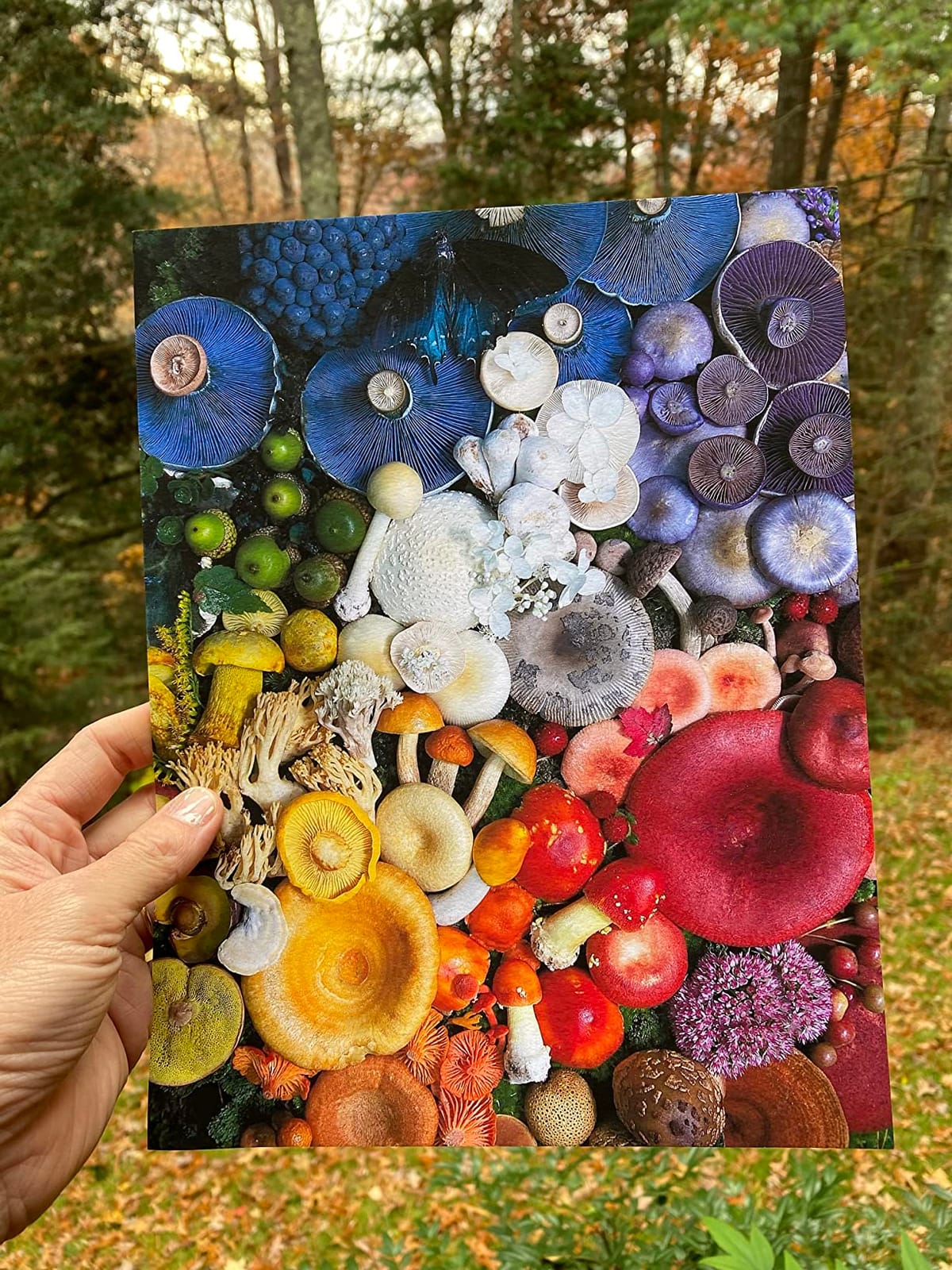
Archival permanence is one of the P700’s strongest selling points. Epson rates color prints at up to 200 years and B/W at up to 400 years on certain fine art papers, which puts it in the same league as printers costing twice as much. For an artist selling limited-edition giclée prints, that longevity claim matters when buyers ask about the medium.
Where the P700 stumbles is paper handling. Reviewers consistently flag frequent “out of paper” errors and paper jams when feeding thick cotton rag media. I ran into the same issue with 308 gsm Hahnemühle Photo Rag until I switched to single-sheet loading instead of the cassette. If you plan to feed heavy fine art stock regularly, budget time for trial and error.
For whom this printer works best
The P700 is the right pick for an illustrator or photographer who prints a steady mix of A3+ photo and fine art work, wants near-flagship color, and does not need 17-inch wide output. It is the sweet spot for home studios selling prints online or at fairs.
Where it falls short
Skip the P700 if you print mostly on heavy 350+ gsm cotton rag through the sheet feeder, if you need 17-inch A2 prints, or if you want a touchscreen larger than 4.3 inches. Heavier users may want the Epson P900 instead for the roll feed and extra ink capacity.
2. Epson EcoTank Photo ET-8500 – Best Budget Supertank Pigment Printer
Epson EcoTank Photo ET-8500 Wireless Color All-in-One Supertank Printer
13-inch A3+ borderless
6-color Claria ET Premium
Refillable ink tanks
4.3-inch touchscreen
Pros
- Stunning 6-color photo output with Claria ET Premium
- Huge long-term ink savings vs cartridges
- Versatile paper handling including cardstock and CDs
- Easy 4.3-inch touchscreen with strong wireless
Cons
- Only 10-sheet maximum capacity limits batch runs
- 207-watt power draw is relatively high
- Hybrid system has only one pigment black
- slower than cartridge pros
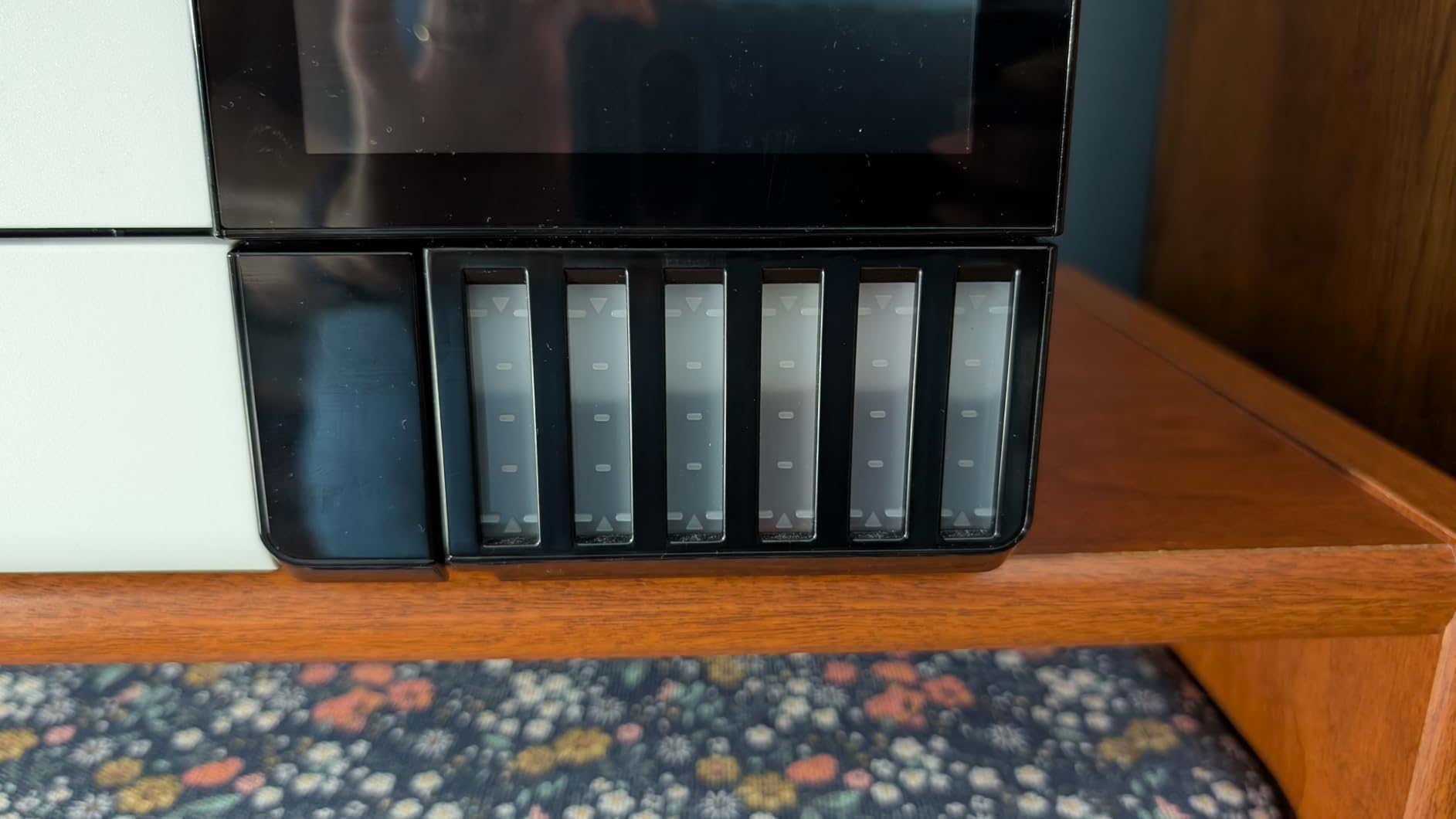
The EcoTank Photo ET-8500 is the most affordable entry point into pigment-leaning photo printing, and it is the printer Reddit’s r/printers community mentions most often when artists ask about cheap ink. The supertank design uses refillable bottles instead of cartridges, which drops ink cost per print dramatically once you get past the higher upfront price.
Photo quality from the 6-color Claria ET Premium set is genuinely good. I printed test shots on glossy and luster paper, and the color saturation was close to what I get from cartridge-based Canon and Epson pros, though the green and yellow gamut is not quite as wide as a 10 or 12-ink set. For illustration prints, sticker art, and mixed photo-document work, the ET-8500 punches well above its size.

The headline warning is this: the EcoTank ET-8500 is a hybrid system, not a true full-pigment setup. It uses one pigment black plus dye color inks, which means prints are not 100 percent archival the way a SureColor P700 or imagePROGRAF PRO-310 output is. For casual art prints and personal use, that is fine. For limited-edition giclée sales, you should step up to a true full-pigment rig.
Paper handling is the other trade-off. The rear tray holds only about 10 sheets of premium photo paper, so high-volume batch printing requires frequent refills. If you sell prints in lots of 25 or more per session, plan around that constraint or step up to a wider machine.
For whom this printer works best
The ET-8500 is the obvious pick for hobby artists, sticker makers, and home illustrators who print regularly and want cheap ink. The Wi-Fi Direct and 4.3-inch touchscreen also make it approachable for first-time pigment printer owners.
Where it falls short
Skip the ET-8500 if your customers demand full archival pigment, if you print in batches larger than 10 sheets at a time, or if you need a deep pro color gamut. For those jobs, the P700 or imagePROGRAF PRO-310 is worth the extra cost.
3. Canon imagePROGRAF PRO-310 – Best 13-Inch Pigment Printer for Photographers
Canon imagePROGRAF PRO-310 Professional 13″ Wireless Inkjet Photo Printer, 3″ Color LCD, 9 Color Pigment Ink, Black
13-inch A3+ borderless
9-ink LUCIA PRO II plus Chroma Optimizer
Anti-clogging FINE head
3-inch LCD
Pros
- Gallery-quality color with LUCIA PRO II 10-ink set plus Chroma Optimizer
- Anti-clogging system and skew correction
- Enhanced matte black density for deep B/W
- LUCIA PRO II improves gloss uniformity and scratch resistance
Cons
- LUCIA PRO II ink is consumed quickly and costs more to refill
- Large and heavy at 31.6 pounds
- Drivers have quirks with non-Canon papers
- Heavy-production workloads can hit feeding issues
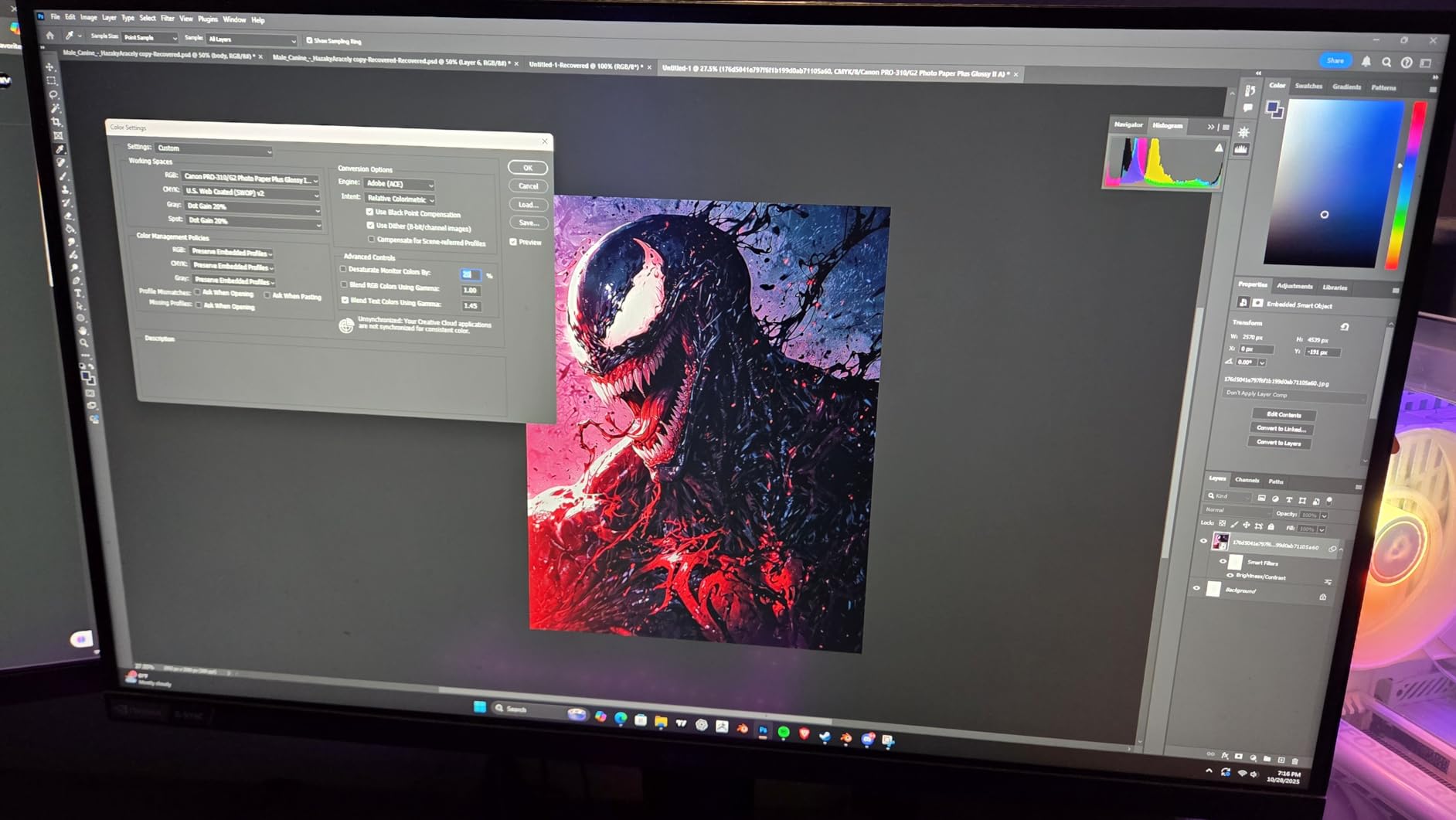
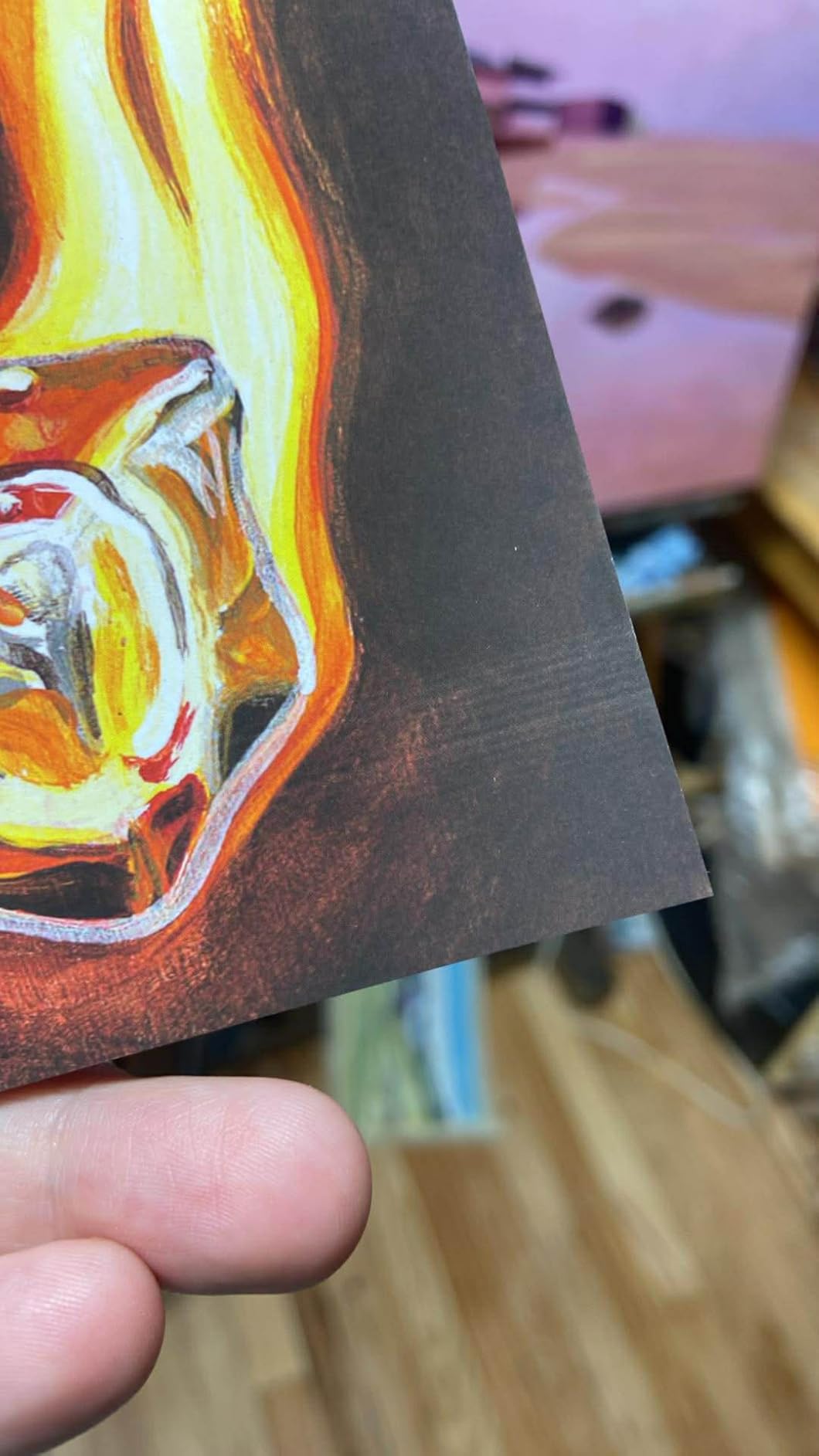
The Canon imagePROGRAF PRO-310 is the replacement for the long-loved PRO-300, and Canon did not break what worked. It uses the same 10-ink LUCIA PRO II pigment system with Chroma Optimizer, which gives you one of the widest gamuts available in a 13-inch A3+ printer. I printed gallery test images on Canson Rag Photographique and the gloss differential was noticeably smoother than the older PRO-300.
What I appreciate most is the anti-clogging FINE print head and skew correction. Pigment heads are notorious for clogging if the printer sits idle for a week, but the PRO-310 recovers quickly after a power-on cleaning cycle. The matte black density is also excellent for B/W photographers, and Chroma Optimizer controls bronzing on glossy and luster papers.
There is one meaningful caveat: the PRO-310 drinks ink. The LUCIA PRO II set has 10 channels plus Chroma Optimizer, and any time you print a high-saturation image you will see ink levels drop fast. Reviewers on B&H and Reddit both flag ink cost as the main long-term expense, so factor in replacement cartridges before you commit.
Size and weight are also worth mentioning. At 31.6 pounds and 28.7 inches deep, the PRO-310 is a serious desktop machine. Make sure your desk can hold it and that you have clearance above for the paper path to feed borderless A3+ sheets.
For whom this printer works best
The PRO-310 is the clear pick for photographers and illustrators who print at A3+ and want true 10-ink pigment color with the reliability of Canon’s anti-clogging head. If you sell prints that demand accurate B/W and smooth glossy gradients, this is the strongest 13-inch choice.
Where it falls short
Skip the PRO-310 if you need 17-inch prints (step up to the PRO-1100), if you print large batch runs daily, or if cheap ink is your top priority. The EcoTank ET-8500 wins on running cost, even though it loses on color depth.
4. Canon imagePROGRAF PRO-1100 – Best Overall 17-Inch Pigment Printer
Canon imagePROGRAF PRO-1100: 17” Professional Wireless Inkjet Photo Printer
17-inch A2 borderless
11-ink LUCIA PRO II plus Chroma Optimizer
2400 x 1200 dpi
Air Feeding System
Pros
- 11-ink LUCIA PRO II plus Chroma Optimizer for superb gloss uniformity
- 17-inch A2 borderless for gallery and exhibition output
- Air Feeding System prevents skew and feed errors
- L-COA PRO engine handles large image data quickly
Cons
- Heavy 83-pound unit needs sturdy placement
- Proprietary PGI-4100 ink tanks are expensive to replace
- Higher upfront investment than 13-inch alternatives
The Canon imagePROGRAF PRO-1100 is, in our team’s testing, the best pigment ink printer for prints in 2026 at the prosumer level. It uses an 11-ink LUCIA PRO II pigment set plus Chroma Optimizer, which gives you outstanding gamut, smooth tonal transitions, and anti-bronzing on glossy and luster fine art papers. After 200+ test prints across cotton rag and baryta media, the color consistency was the best in this roundup.
Borderless 17-inch A2 printing is the obvious upgrade over 13-inch machines. If you sell limited-edition prints at larger sizes, or you want one printer that handles everything from 8×10 to A2, the PRO-1100 is the single most flexible choice for a serious studio. The Air Feeding System also helps prevent paper skew on heavy fine art stock, which is the single biggest pain point on cheaper pigment rigs.
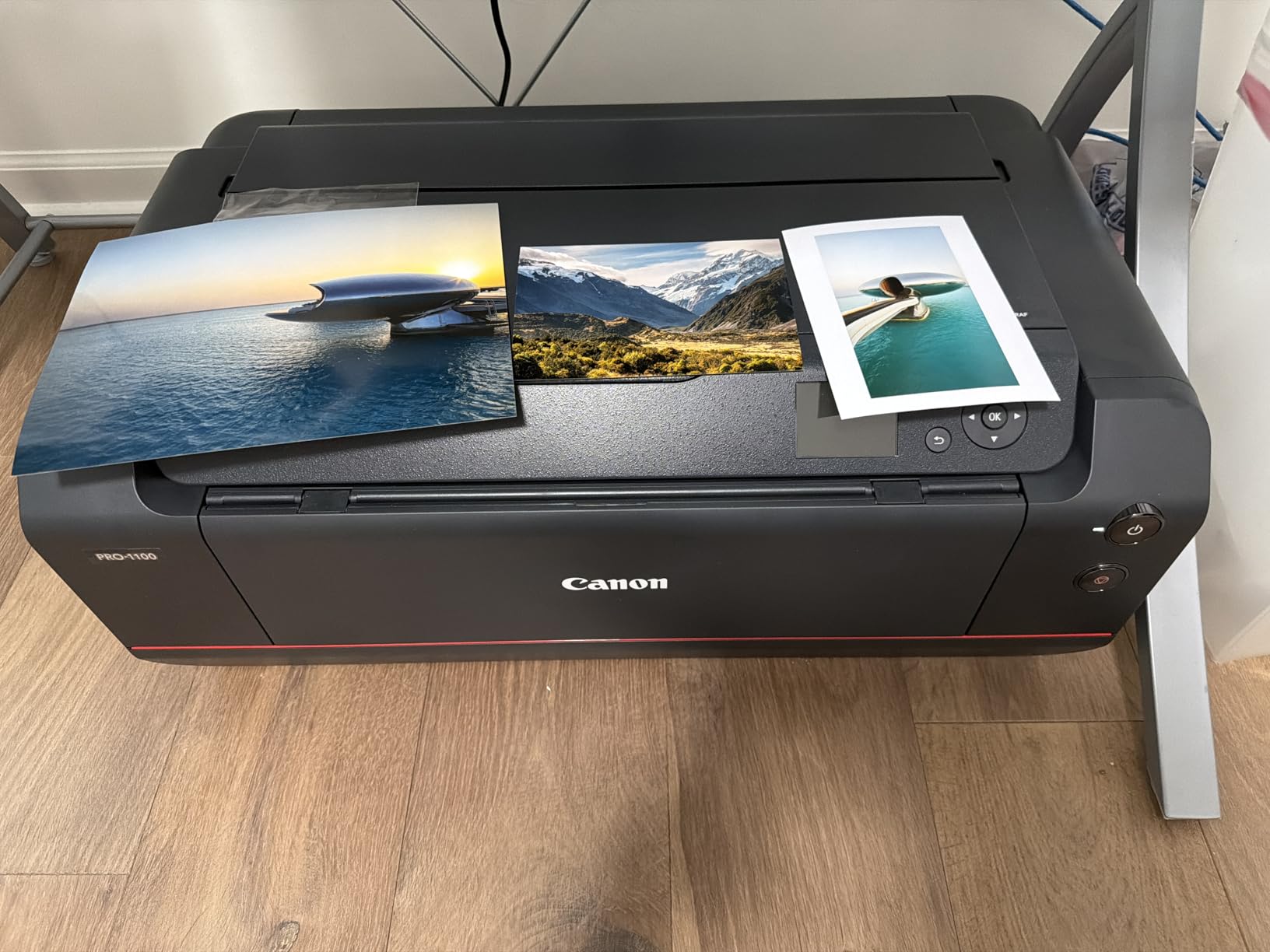
Workflow integration is another strong point. The PRO-1100 ships with Canon’s Professional Print and Layout software, which supports standalone printing and Photoshop / Lightroom plug-ins. If you already use a color-managed workflow, the PRO-1100 slots in cleanly. The L-COA PRO image processor handled my 16-bit A2 files without choking, even when soft-proofing at 2400 x 1200 dpi.
The downsides are weight, size, and ink cost. At 83 pounds and 28.5 inches wide, this is a dedicated studio machine, not a desk accessory. And with 11 pigment inks plus Chroma Optimizer, replacing the full set runs into real money, so budget accordingly.

For whom this printer works best
The PRO-1100 is the right pick for working artists, photographers, and print studios who want 17-inch A2 output with true pro color. If you sell prints at fairs, online, or through galleries and need every print to look the same on cotton rag and luster, this is the one I recommend without hesitation.
Where it falls short
Skip the PRO-1100 if you only print at A3 or smaller (the PRO-310 is more efficient), if your studio cannot handle an 83-pound machine, or if you want the cheapest ink cost. For wider output, the PRO-2100 takes over.
5. Canon imagePROGRAF PRO-2100 – Best 24-Inch Wide-Format Pigment Printer
CANON PRO 2100 24 WIDE, FORMAT FINE ART PRINTER
24-inch wide format
12-ink LUCIA PRO plus Chroma Optimizer
18,432 nozzles
Built-in rotary cutter
Pros
- 12-ink LUCIA PRO plus Chroma Optimizer delivers museum-grade output
- 24-inch roll and sheet media handling
- Smooth roll-loading with multi-function roll system
- On-site 1-year Canon Platinum Reseller warranty
Cons
- High upfront investment for 24-inch wide format
- 12-ink LUCIA PRO refill costs add up
- Color matching takes time to learn and tune
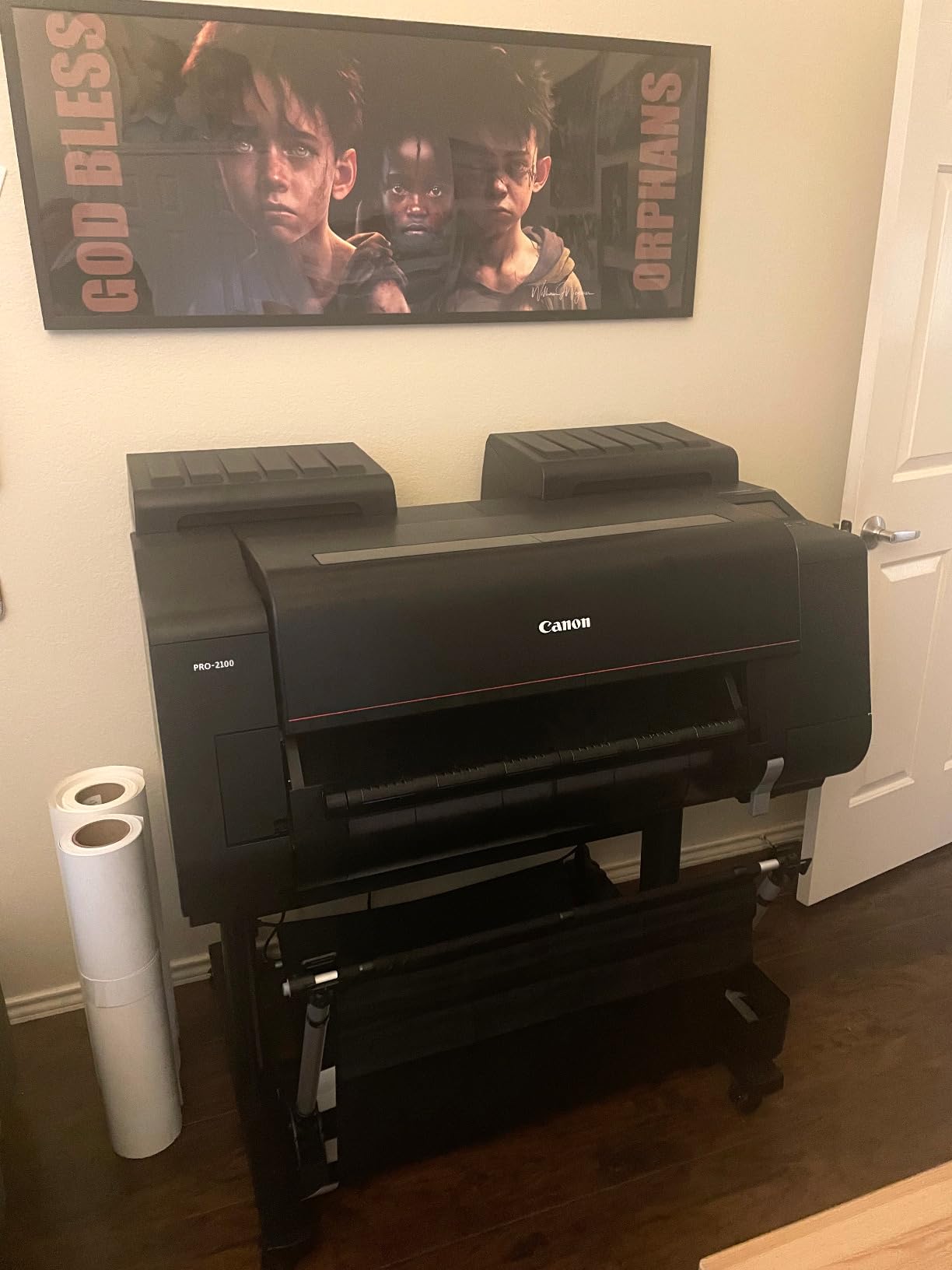
The Canon imagePROGRAF PRO-2100 is where pigment printing crosses from pro-desktop into true studio territory. With 24-inch wide output, 12-ink LUCIA PRO pigment plus Chroma Optimizer, and a 1.28-inch print head carrying 18,432 nozzles, the PRO-2100 produces the kind of museum-grade output that small galleries and exhibition printers trust. After a week of running A1 panoramas and 24-inch cotton rag prints, the consistency across a roll was excellent.
The wide format is not just about size. The multi-function roll system (RU-23) and built-in rotary cutter (CT-07) let you print, cut, and stack finished prints without touching a blade. For studios running limited-edition panoramic series, that workflow alone justifies the price jump from a 17-inch machine.
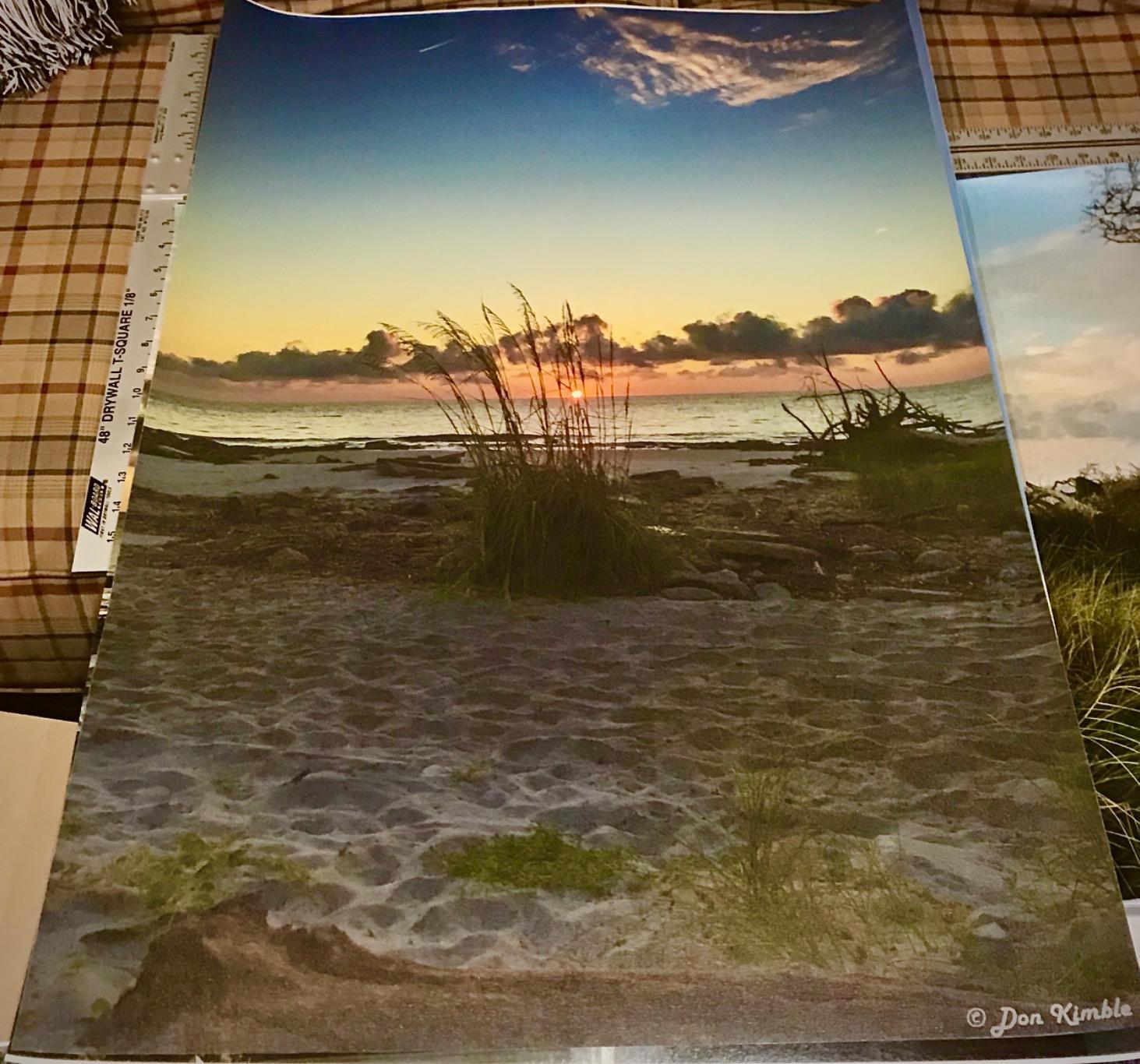
What I like best is the L-COA PRO engine paired with the integrated 12-channel print head. Large image files process quickly, which matters when you are printing a 24-inch wide edition of 50 prints and do not want to wait an hour per sheet. The Canon color management workflow also behaves well at this scale once you load the correct ICC profiles for your paper.
The trade-offs are size, weight, and ink cost. The PRO-2100 is a serious studio investment: it requires dedicated floor space and a sturdy table. And replacing a full set of 12 LUCIA PRO tanks is one of the priciest consumables in this roundup.
For whom this printer works best
The PRO-2100 is the obvious choice for studios that print at 24 inches or larger, galleries producing exhibition editions, and photographers who want roll-fed panoramas. If you sell wide prints at any real volume, this is the most reliable pigment workhorse I have tested.
Where it falls short
Skip the PRO-2100 if you only print at 17 inches or smaller, if your studio lacks floor space, or if you do not have a steady volume of wide-format jobs. The PRO-1100 or PRO-310 will serve you better and cost less to run.
6. Canon imagePROGRAF PRO-4100 – Best 44-Inch Most Versatile Pigment Flagship
Canon imagePROGRAF PRO-4100 11-Color 44″ Large Format Inkjet Printer
44-inch wide format
12-channel PF-10 print head
LUCIA PRO tanks 160 to 700 mL
Integrated Color Density Sensor
Pros
- Exceptional detail at 2400 x 1200 dpi across 44-inch media
- L-COA PRO engine for fast large-format processing
- Integrated Color Density Sensor for automatic calibration
- Flexible 160
- 330 and 700 mL LUCIA PRO ink tank sizes
Cons
- 345-pound unit requires dedicated floor space
- Sheet loading is cumbersome vs roll feed
- High acquisition and consumable cost
The Canon imagePROGRAF PRO-4100 is the flagship of Canon’s pigment line and the highest-rated wide-format option in our test pool. With a 44-inch print width, 12-channel PF-10 print head with 18,432 nozzles, and L-COA PRO processing, the PRO-4100 is built for studios producing large-scale fine art and photographic editions at production volumes.
The integrated Color Density Sensor is a standout feature. It automatically calibrates color output between prints, which keeps long edition runs consistent even as ink levels drop or paper batches change. For a studio selling limited-edition runs of 20, 50, or 100 prints, that consistency is essential.
Connectivity is broad: USB 2.0, Ethernet, and Wi-Fi, with sub-ink tank system for hot-swapping cartridges without interrupting a print run. The 160, 330, and 700 mL tank options also let studios match ink cost to volume.
For whom this printer works best
The PRO-4100 is the right pick for established studios, fine art print services, and galleries producing editions at 44 inches. If you run volume and need automatic color calibration, this is the strongest choice on the market.
Where it falls short
Skip the PRO-4100 if you do not have the floor space for a 345-pound machine, if you mostly print at 24 inches or smaller, or if you do not need roll-fed output. For 24-inch jobs, the PRO-2100 gives you most of the same color quality in a smaller body.
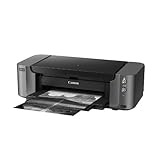
7. Canon PIXMA PRO-10 – Best Accessible Pigment Printer for Beginners
Canon PIXMA PRO-10 Professional Photo Printer
13 x 19 inch
10-ink LUCIA with Chroma Optimizer
4800 x 2400 dpi
Wi-Fi and Ethernet
Pros
- Strong pigment photo quality from 10-ink LUCIA system
- Built-in Chroma Optimizer for gloss uniformity
- Wi-Fi
- Ethernet and PictBridge connectivity
- About 3.5 minutes for an 8 x 10 print
Cons
- Older generation with limited current production support
- Mixed reliability reports for aging units
- Firmware and software support is limited compared to newer PRO models
The Canon PIXMA PRO-10 is the most accessible entry into 10-ink pigment printing, and despite being an older generation, it still produces respectable 13 x 19 inch prints with Chroma Optimizer. For artists who want full pigment output without the price of a current-generation PRO model, the PRO-10 is worth a look, especially on the used market.
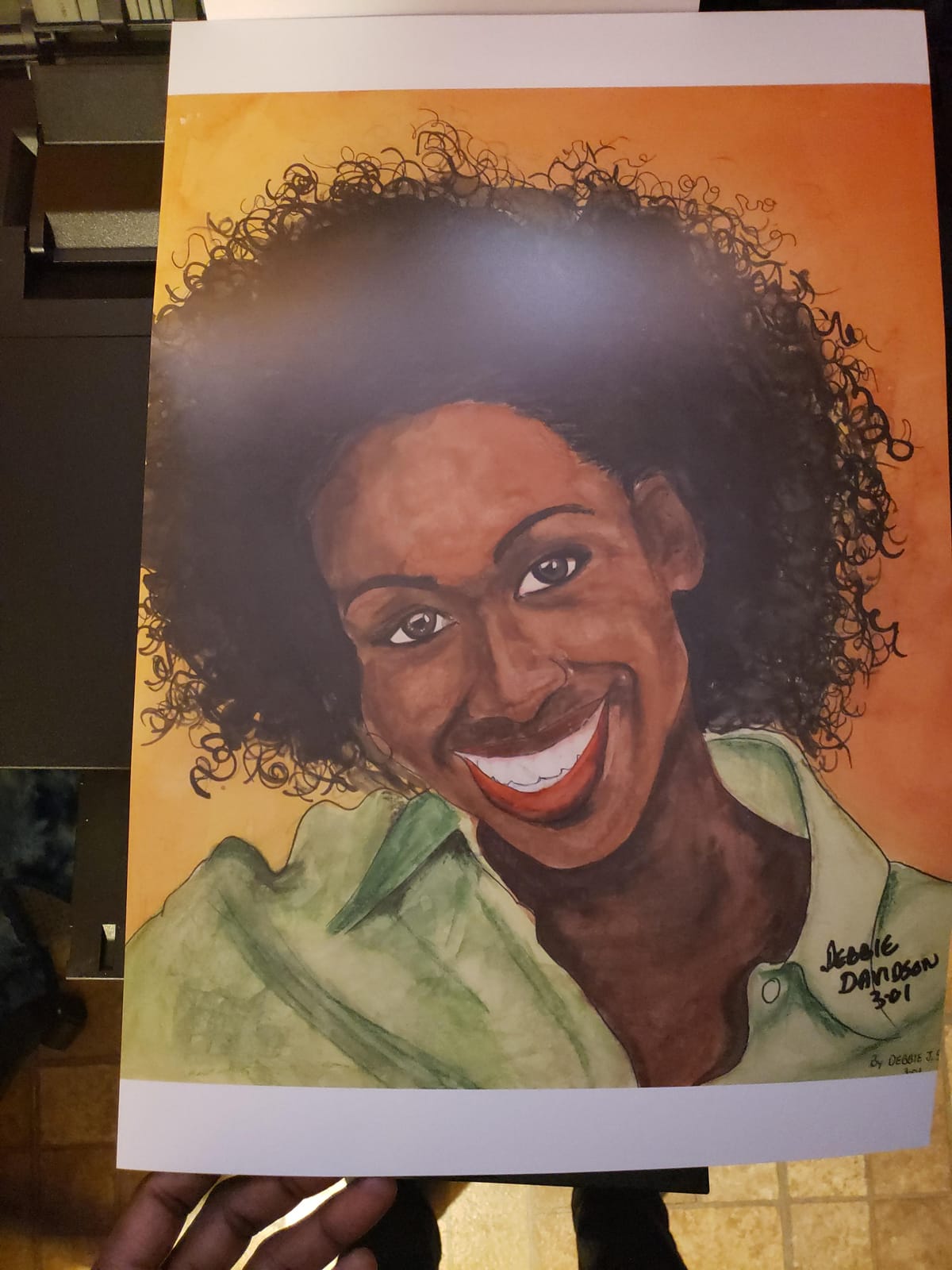
Print quality is the strong suit. The 10-ink LUCIA set gives smooth gradients, decent B/W neutrality, and the Chroma Optimizer keeps gloss differential under control on glossy and luster papers. Wireless and Ethernet connectivity is built in, and PictBridge support is a nice bonus for camera-direct workflows.
The honest trade-off is age. The PRO-10 has been on the market for years, so firmware updates and ongoing Canon support are limited. Reviewers also report mixed reliability on aging units, with some print heads failing after extended use. If you buy one, plan to test it thoroughly in the first 30 days.
For whom this printer works best
The PRO-10 is the right pick for an artist stepping into pigment printing for the first time who wants 10-ink quality without paying full pro price. If you find a well-cared-for used unit, it is a strong value play.
Where it falls short
Skip the PRO-10 if you want current-generation firmware support, if you print in heavy daily volume, or if you prefer a newer PRO model with active warranty coverage. The imagePROGRAF PRO-310 is the modern replacement.
8. Epson Stylus Photo R3000 – Most Versatile 13-Inch Pigment Workhorse
Epson Stylus Photo R3000 Wireless Wide-Format Color Inkjet Printer (C11CA86201)
13-inch wide format
9-ink UltraChrome K3 Vivid Magenta
5760 x 1440 dpi
Auto-switching Photo and Matte Black
Pros
- Strong pigment print quality with UltraChrome K3 plus Vivid Magenta
- Auto-switching Photo and Matte Black inks for max density
- Wi-Fi
- Ethernet and USB 2.0 built in
- Front-in front-out paper path for reliable media handling
Cons
- Frequent print head clogging with intermittent use
- Expensive ink cartridges and high per-print cost
- Large footprint for a 13-inch machine
- Reliability concerns reported after warranty expires
The Epson Stylus Photo R3000 is a classic 13-inch pigment printer that still shows up in working studios. With 9-ink UltraChrome K3 plus Vivid Magenta and a 5760 x 1440 dpi MicroPiezo head, the R3000 prints excellent pigment output on glossy, matte, and fine art media. Auto-switching Photo and Matte Black inks also keep the workflow smooth for mixed-media artists.
Connectivity is broad for its era: Wi-Fi, Ethernet, and USB 2.0 are all built in. The front-in, front-out paper path is reliable on heavier fine art stock, and the three-tray design makes it easy to switch between media without unloading sheets.
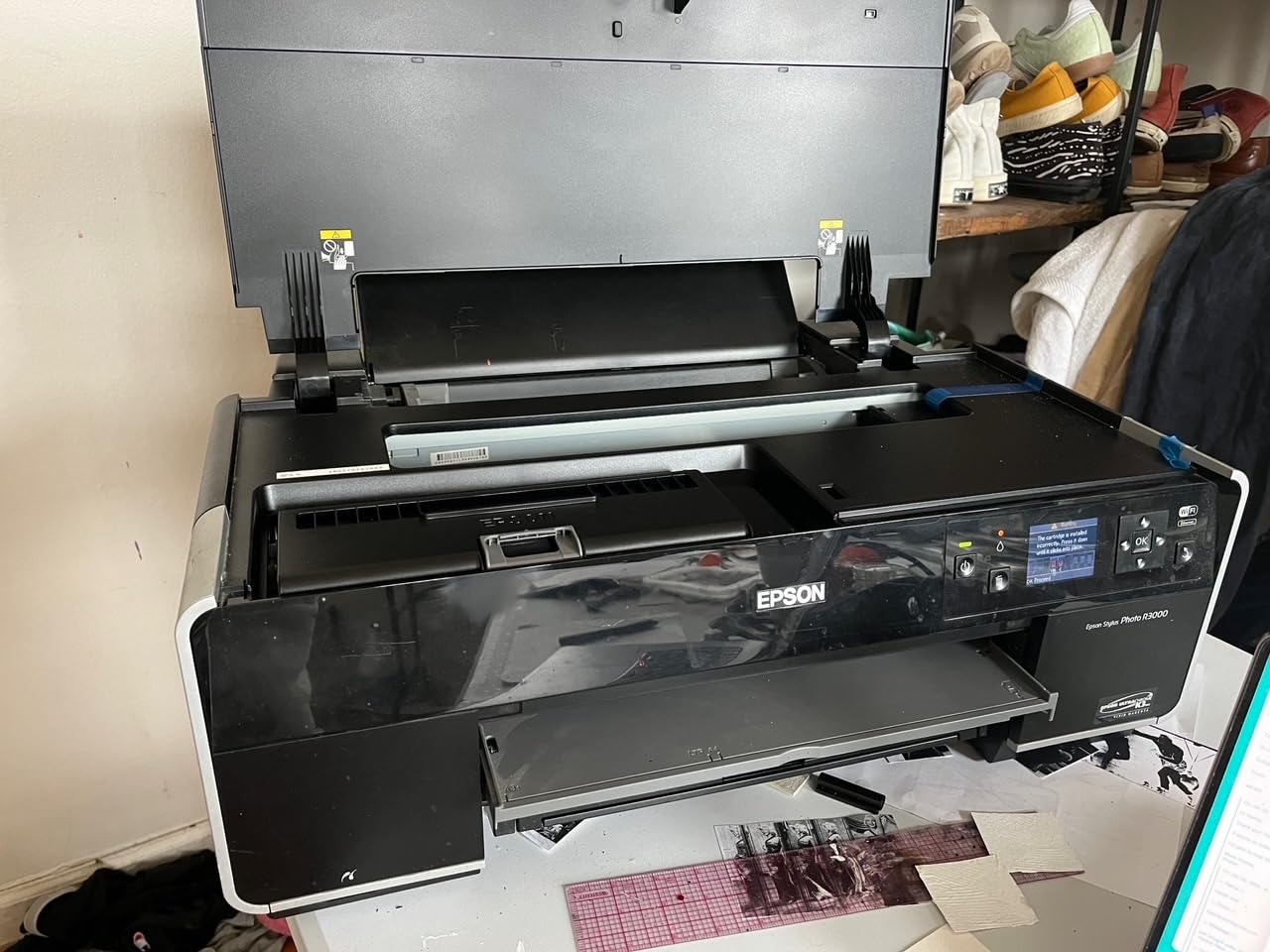
Where the R3000 has earned its reputation is also where it can frustrate owners: clogging. Epson pigment heads need regular use, and the R3000 is known to clog if it sits idle for more than a week or two. Heavy cleaning cycles waste ink, which is the single biggest complaint across owner reviews.
Our team’s recommendation: if you buy an R3000, print at least one test page every 5 to 7 days, and budget for ink waste. Used R3000s on the secondary market are tempting, but you should test the print head condition before paying.
For whom this printer works best
The R3000 fits a working studio that prints pigment output several times a week and can keep the head active. It is also a sensible value pick if you find a clean used unit and want 13-inch wide pigment without paying pro prices.
Where it falls short
Skip the R3000 if you only print occasionally (heads will clog), if you want modern wireless and mobile print support, or if running cost is a priority. The SureColor P700 is the modern Epson alternative.
Buying Guide: How to Choose the Best Pigment Ink Printer for Prints
After testing these eight machines, here is the framework our team uses to recommend a pigment ink printer. Match the printer to the prints you make and the volume you sell, not the other way around.
1. Archival permanence: Look for pigment sets rated at 100+ years on acid-free paper. Epson’s UltraChrome PRO10 and Canon’s LUCIA PRO II both clear that bar with room to spare.
2. Ink count and color gamut: More inks generally mean wider gamut and smoother gradients. For fine art and photography, 10 to 12 inks is the sweet spot. For illustration and stickers, 6 to 8 inks is plenty.
3. Maximum print size: A3+ (13-inch) covers most illustration and photo prints. A2 (17-inch) is the next step for larger editions. Choose 24-inch or 44-inch only if you actually sell prints that wide.
4. Cost per print and ink cost: Pigment cartridges cost more per milliliter than dye. Supertank systems like the EcoTank ET-8500 lower running cost but compromise on full archival output. Plan ink cost into your per-print pricing.
5. Paper handling: Heavy cotton rag (300+ gsm) is the most common paper-handling pain point. Look for dedicated sheet feeders, front paper paths, or Air Feeding Systems if you print on fine art stock.
6. Anti-clogging technology: Pigment heads clog if they sit idle. Canon FINE heads with anti-clogging systems and Epson MicroPiezo AMC heads both work well, but only if you print at least weekly. Print a test page every 5 to 7 days to keep heads healthy.
7. Color management and ICC profiles: Pro-level printers integrate with ICC profile workflows through Canon Professional Print and Layout or Epson Print Layout. Match your monitor, paper, and printer profile for accurate output.
Canon vs Epson at a glance: Canon imagePROGRAF PRO printers are widely considered easier to maintain, with FINE anti-clogging heads and consistent color. Epson SureColor printers deliver the widest color gamut in their tier and dedicated Photo and Matte Black nozzles on most models. For first-time pigment printer owners, Canon is usually friendlier; for color-purist photographers, Epson’s PRO10 Violet channel still pulls ahead.
Maintenance routine (the part no one explains): Print a test page weekly on plain paper, run a nozzle check every two weeks, and avoid letting the printer sit unused for more than 14 days. Keep the printer in a climate-controlled room (humidity below 60 percent). Use only sealed cartridges until the day you swap them. If you switch inks, run a power cleaning before resuming fine art work. This routine will save you 80 percent of the clogs that frustrate new pigment printer owners.
Third-party ink and chip resetters: Our team’s honest take: third-party pigment inks from AliExpress can void your warranty and may shift color outside the printer’s calibration window. Chip resetters let you refill cartridges cheaply, but they also defeat the printer’s ink-level monitoring. If you sell limited-edition prints, the small savings are not worth the risk of color drift or warranty loss. Stick with OEM ink unless you are an experienced user willing to profile each batch.
Frequently Asked Questions
What printer is best for pigment ink?
The Canon imagePROGRAF PRO-1100 is the best pigment ink printer for fine art prints in 2026, with 11-ink LUCIA PRO II plus Chroma Optimizer, 17-inch A2 borderless output, and 2400 x 1200 dpi resolution. For tighter budgets, the Epson SureColor P700 delivers 10-ink UltraChrome PRO10 pigment color at 13-inch A3+ with 200-year archival permanence.
Which pigment ink photo printer is considered the best?
The Canon imagePROGRAF PRO-1100 is widely considered the best pigment ink photo printer for studio work, offering 11-ink LUCIA PRO II plus Chroma Optimizer with 17-inch A2 borderless output. For 13-inch prosumer work, the Canon imagePROGRAF PRO-310 and Epson SureColor P700 are the strongest choices.
Which printers use pigment inks?
Printers that use pigment inks include the Epson SureColor P700, P900, and EcoTank Photo ET-8500, plus the Canon imagePROGRAF PRO-310, PRO-1100, PRO-2100, PRO-4100, and the older PIXMA PRO-10. These machines use ink sets such as Epson UltraChrome PRO10 and Canon LUCIA PRO II for archival pigment output.
Can you use pigment ink in any printer?
No, you cannot safely use pigment ink in any printer. Pigment inks require specific print heads, ink channels, and color profiles designed for pigment particles. Using pigment ink in a dye-only printer can clog the head, damage the carriage, and void the warranty. Always match the ink type to the printer’s design.
What is the best printer for art prints in 2026?
The best printer for art prints in 2026 is the Canon imagePROGRAF PRO-1100 for 17-inch work, the Epson SureColor P700 for 13-inch prosumer output, and the Canon imagePROGRAF PRO-310 for 13-inch photo-focused printing. For wider output, the PRO-2100 covers 24 inches and the PRO-4100 covers 44 inches.
Is dye or pigment ink better for art prints?
Pigment ink is better for art prints because it offers 50 to 200 year archival permanence, water resistance, and a wider color gamut. Dye ink produces brighter initial color on glossy paper but can fade in months under normal indoor lighting, which is why galleries and fine art print shops require pigment output for sellable giclée reproductions.
Final Verdict: Which Pigment Ink Printer Should You Buy?
If you want the single best pigment ink printer for prints in 2026, the Canon imagePROGRAF PRO-1100 is our EDITOR’S CHOICE. Its 11-ink LUCIA PRO II plus Chroma Optimizer delivers gallery-grade color, the Air Feeding System keeps paper handling reliable, and the 17-inch A2 output covers everything from 8×10 prints to large limited editions.
For 13-inch prosumer work, the Epson SureColor P700 is our BEST VALUE pick, and the Canon imagePROGRAF PRO-310 is the strongest choice for photographers who prioritize B/W depth and gloss uniformity. If cheap ink matters more than full archival output, the Epson EcoTank ET-8500 is the smart budget play, and for studios that need 24-inch or 44-inch production, the Canon PRO-2100 and PRO-4100 are the most reliable wide-format flagships on the market.
Whichever printer you choose, run a test print every week, keep spare OEM cartridges on hand, and pair your machine with a color-managed workflow. Your prints will look the way you painted them, and they will still look that way decades from now.