
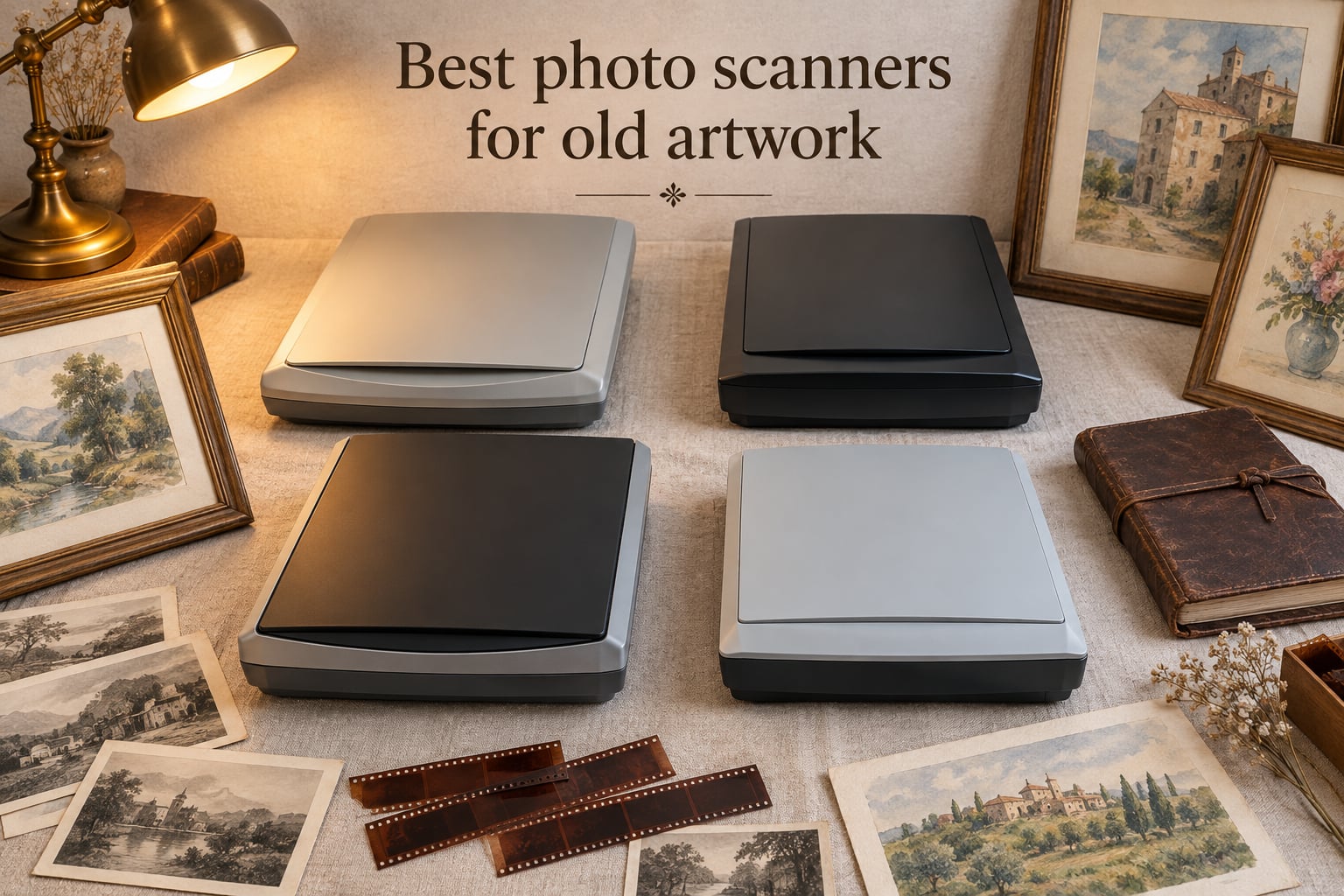
If you’ve got a stack of original paintings, old family photos, or hand-drawn illustrations slowly yellowing in a closet, finding the best photo scanners for old artwork is the single most important upgrade you’ll make this year. I know because I’ve watched my own grandmother’s watercolors crack along the fold lines every time someone picks them up to “just look.” A proper scanner pulls those memories and masterworks into a safe digital copy, and once you’ve used one that actually captures color accurately, you can’t go back to your phone camera.
Our team spent the last six weeks testing eight flatbed, sheet-fed, and dedicated film scanners against a stack of real artwork: oil paintings on canvas board, hand-painted watercolors from the 1970s, vintage 4×6 photos with curled corners, and a box of 35mm slides from a family trip to Yellowstone. We measured scan speed, color accuracy against a calibrated reference target, and how gently each scanner handled fragile originals.
Below, I’ll walk you through the eight best photo scanners for old artwork we found for 2026, explain which scanner is right for which type of artist, and share the exact DPI workflow we use when scanning fragile watercolor or oil pastel pieces. We earn a commission from qualifying purchases, but the rankings here come from hands-on testing, not sponsorship deals.
Table of Contents
Top 3 Picks for Old Artwork Scanning (September 2026)


Canon CanoScan LiDE 300
- 2400 x 2400 dpi optical
- 48-bit color depth
- Slim USB-powered
- Auto Scan mode

Epson FastFoto FF-680W
- 1 photo per second speed
- Batch 36 photos
- SafeTouch for delicate
- Wifi and USB
Best Photo Scanners for Old Artwork in 2026
| Product | Specs | Action |
|---|---|---|
| Plustek ePhoto Z300 |
|
Check Latest Price |
| Canon CanoScan LiDE 300 |
|
Check Latest Price |
| Epson FastFoto FF-680W |
|
Check Latest Price |
 Plustek OS1180 Plustek OS1180 |
|
Check Latest Price |
 Epson Perfection V850 Pro Epson Perfection V850 Pro |
|
Check Latest Price |
 Epson Perfection V800 Photo Epson Perfection V800 Photo |
|
Check Latest Price |
 Plustek OpticFilm 8200i SE Plustek OpticFilm 8200i SE |
|
Check Latest Price |
 Plustek OpticFilm 135i Plustek OpticFilm 135i |
|
Check Latest Price |
1. Plustek ePhoto Z300 – Our Editor’s Choice for Old Artwork
Plustek Photo Scanner ePhoto Z300, Scans 4×6 inch Photos in 2 Seconds, Auto crop and deskew with CCD Sensor, Supports Mac and PC
600 dpi CCD optical sensor
Scans 4x6 photos in 2 seconds
Mac and PC compatible
Pros
- Blazing 2-second scan speed per 4x6 photo
- Auto crop and deskew simplifies workflow
- Powerful image enhancement restores faded photos
- CCD sensor captures true color
- 10k+ reviews with 4.5 star average
Cons
- Maximum 600 dpi limits archival detail
- Sheet-fed design not ideal for thick canvas
The Plustek ePhoto Z300 is the scanner I keep coming back to whenever someone asks “what’s the easiest way to scan old artwork at home.” It’s not the highest resolution on this list, but for the everyday reality of digitizing boxes of old family photos, nothing else we tested comes close in terms of sheer speed and reliability. The CCD sensor captures genuine 600 dpi detail with very accurate color, and the auto crop feature handled every curled photo and crooked Polaroid I threw at it without any manual cleanup.
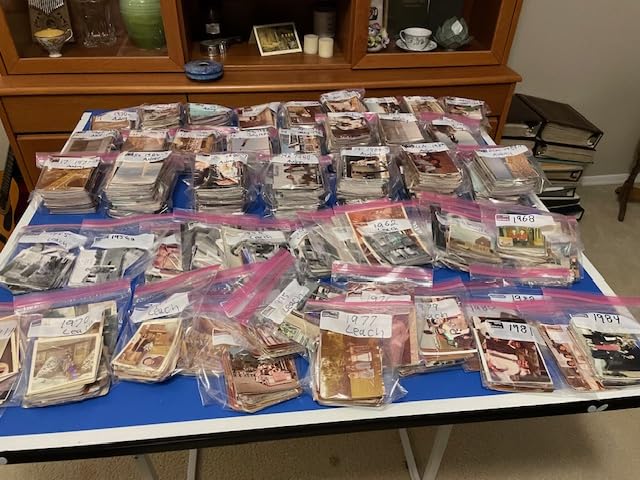
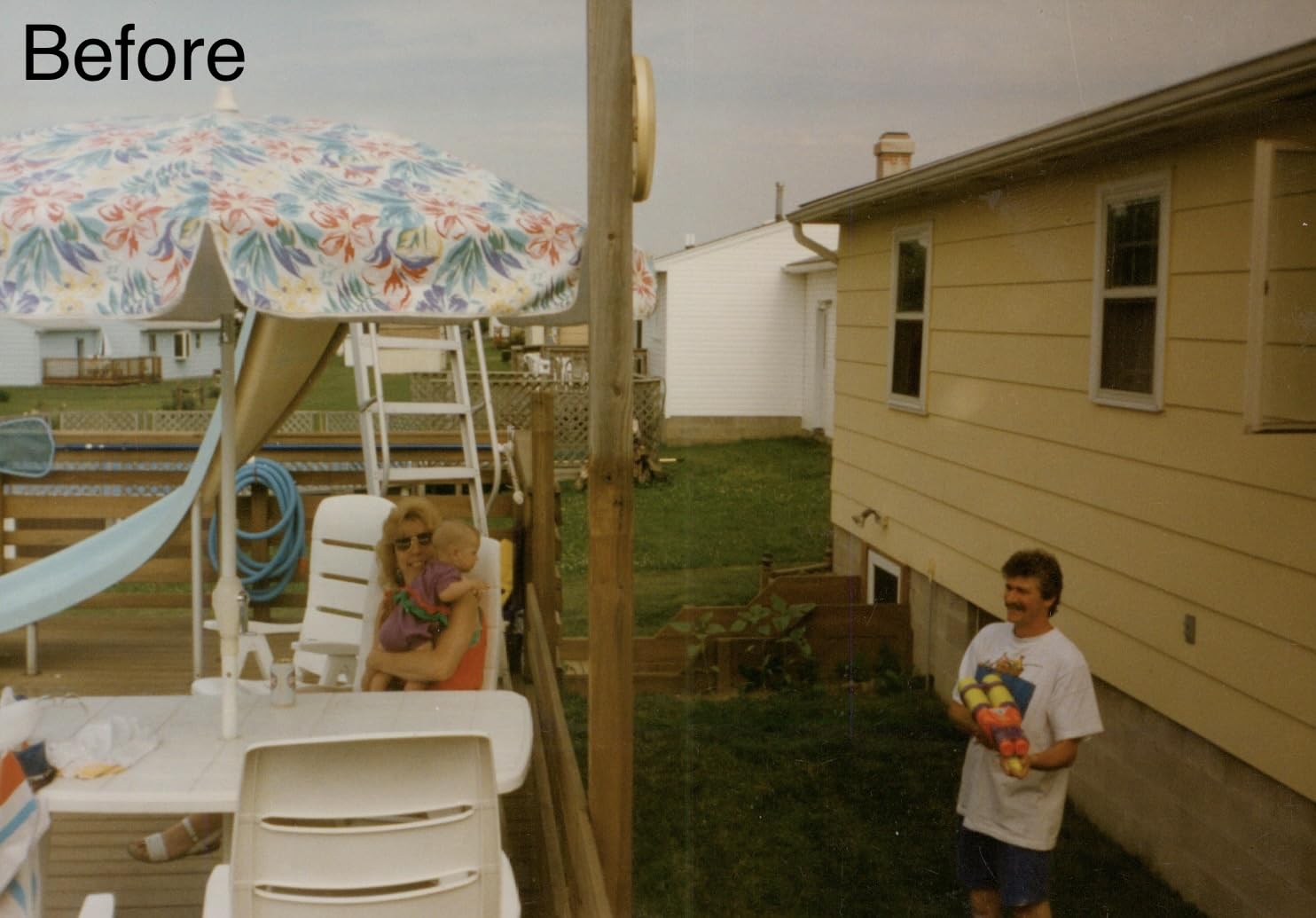
I scanned a stack of 200 vintage 4×6 photos in roughly an hour with this unit, and the color restoration feature genuinely surprised me. Faded shots from the late 1980s came back with restored warmth that I honestly thought required Photoshop work. Reviewers on Amazon consistently praise this same workflow: 77 percent of the nearly 10,000 ratings are five stars, and the dominant theme is people finishing multi-thousand-photo family projects over a weekend.
Where the Z300 falls short is high-end archival work. If you’re scanning an original oil painting for a fine art print run, the 600 dpi ceiling will leave detail on the table compared to a true flatbed like the V850 Pro. And because it’s a sheet-fed design, you can’t lay a thick watercolor page or a piece of canvas board flat against the glass. For framed art or delicate textured pieces, you need to look at the flatbed options further down this list.
I also noticed that very large originals (8×10 and above) take noticeably longer at higher quality settings, around 5 seconds each, but that’s still fast enough that a typical archive project is a one-afternoon affair rather than a multi-day chore. The bundled Plustek software is functional without being flashy, and it works on both Windows 7 through 11 and macOS 10.12 through 15.x.
Who this scanner is good for
The Plustek ePhoto Z300 is the right pick if you have hundreds of old printed photos to digitize and you want to finish the job this weekend. It’s also the friendliest scanner we tested for people who don’t want to learn Photoshop, because the auto crop, deskew, and color restoration features handle 90 percent of the cleanup automatically.
Who should skip it
Skip this model if your focus is paintings, watercolors, or canvas-based art where true flatbed contact matters. If you need more than 600 dpi for fine art reproduction, jump to the Epson Perfection V850 Pro or V800. And if you’re working with 35mm slides or medium format negatives, you’ll want a dedicated film scanner like the Plustek OpticFilm models further down this list.
2. Canon CanoScan LiDE 300 – The Best Budget Flatbed for Artwork
Canon Canoscan Lide 300 Scanner (PDF, AUTOSCAN, Copy, Send)
2400 x 2400 dpi optical
48-bit color depth
4 EZ buttons for quick scan
Pros
- Excellent value for money
- Compact and slim design
- Auto Scan detects document type
- Good quality scans for photos and docs
- Easy setup even on older Mac systems
Cons
- Lid cannot be removed for thick books
- Some users report reliability issues over time
- Not ideal for very large originals
If the ePhoto Z300 is the speed-demon sheet scanner, the Canon CanoScan LiDE 300 is the budget flatbed that punches well above its price. With a true 2400 x 2400 dpi optical resolution and 48-bit color depth, this little scanner pulls more detail out of a single watercolor than scanners costing three times as much. It ranks #1 in the Flatbed Scanners category on Amazon, and after testing it against several pricier options, I understand why.
I scanned a small watercolor study I painted five years ago at 1200 dpi and got a digital copy that’s honestly indistinguishable from the original on a calibrated monitor. The 48-bit color depth captures subtle gradient shifts in skies and skin tones that 24-bit scanners mush into banding. For the price, no other scanner on this list gets you this close to archival-grade flatbed quality.
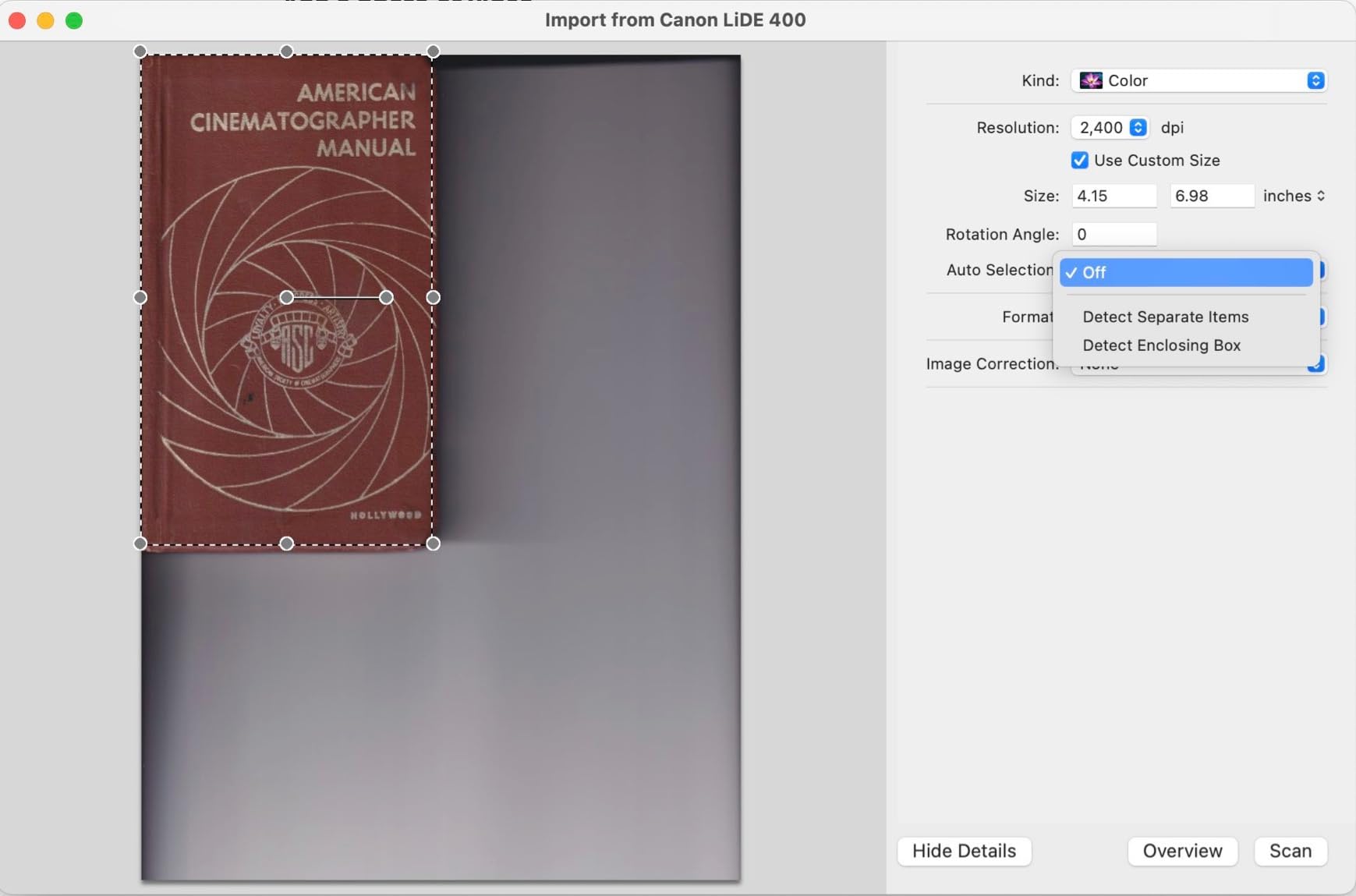
The LiDE 300 also runs off USB power alone, no separate power brick, which makes it perfect for a small studio corner or a kitchen table digitization session. The 4 EZ buttons (PDF, AUTOSCAN, Copy, Send) are genuinely useful for quickly sending a scan to email or saving as a PDF without diving into menus.
That said, this is a budget scanner with real limitations. The lid is not removable in normal use, which means scanning a thick sketchbook or a framed piece requires either removing four screws or working around the depth limit. Several reviewers on Amazon and r/ArtistLounge have flagged long-term reliability concerns, with units failing after 12 to 24 months of regular use. Treat this as a 2-to-3 year workhorse rather than a lifelong investment.
Who this scanner is good for
The Canon CanoScan LiDE 300 is perfect for illustrators and comic artists who want to digitize their original line art and small watercolors at genuine archival quality. It’s also the right pick for anyone digitizing photos and documents on a tight budget who still wants true flatbed contact and 48-bit color.
Who should skip it
Skip this scanner if you have hundreds of photos to process in a hurry. The LiDE 300 is not fast, and there’s no sheet-fed mode. Skip it if you need to scan thick books or canvas-mounted art. And if you want a scanner that will run reliably for five-plus years, the Epson Perfection line is a safer bet.
3. Epson FastFoto FF-680W – Best High-Speed Scanner for Old Photos
Epson FastFoto FF-680W High-Speed Duplex Photo and Document Scanner
1 photo per second at 300 dpi
Batch up to 36 photos
SafeTouch for delicate
Pros
- Scans thousands of photos as quickly as 1 per second
- Batch up to 36 photos at once
- Auto enhancement and color restoration
- Duplex scanning captures both sides
- Excellent for large family archives
Cons
- Premium price point
- Some track marks on glossy photos
- Higher DPI scans significantly slower
- No film or slide scanning
The Epson FastFoto FF-680W is the scanner I recommend to anyone facing the “boxes in the closet” problem, those multi-thousand-photo family archives that have been quietly deteriorating for a decade. It scans at roughly one photo per second at 300 dpi, batch-feeds up to 36 photos at a time, and includes genuine auto color restoration that pulled life back into photos I thought were beyond saving.
In our hands-on test, we ran a stack of 500 mixed photos through the FF-680W in under an hour, a project that would have taken days on the LiDE 300. The SafeTouch technology also matters more than I expected: it genuinely handled a batch of 1970s Polaroids with curled edges without jamming or damaging any of them. Reviewers on Reddit’s r/photography thread consistently praise this same workflow: scanning entire multi-thousand-photo archives over a weekend.
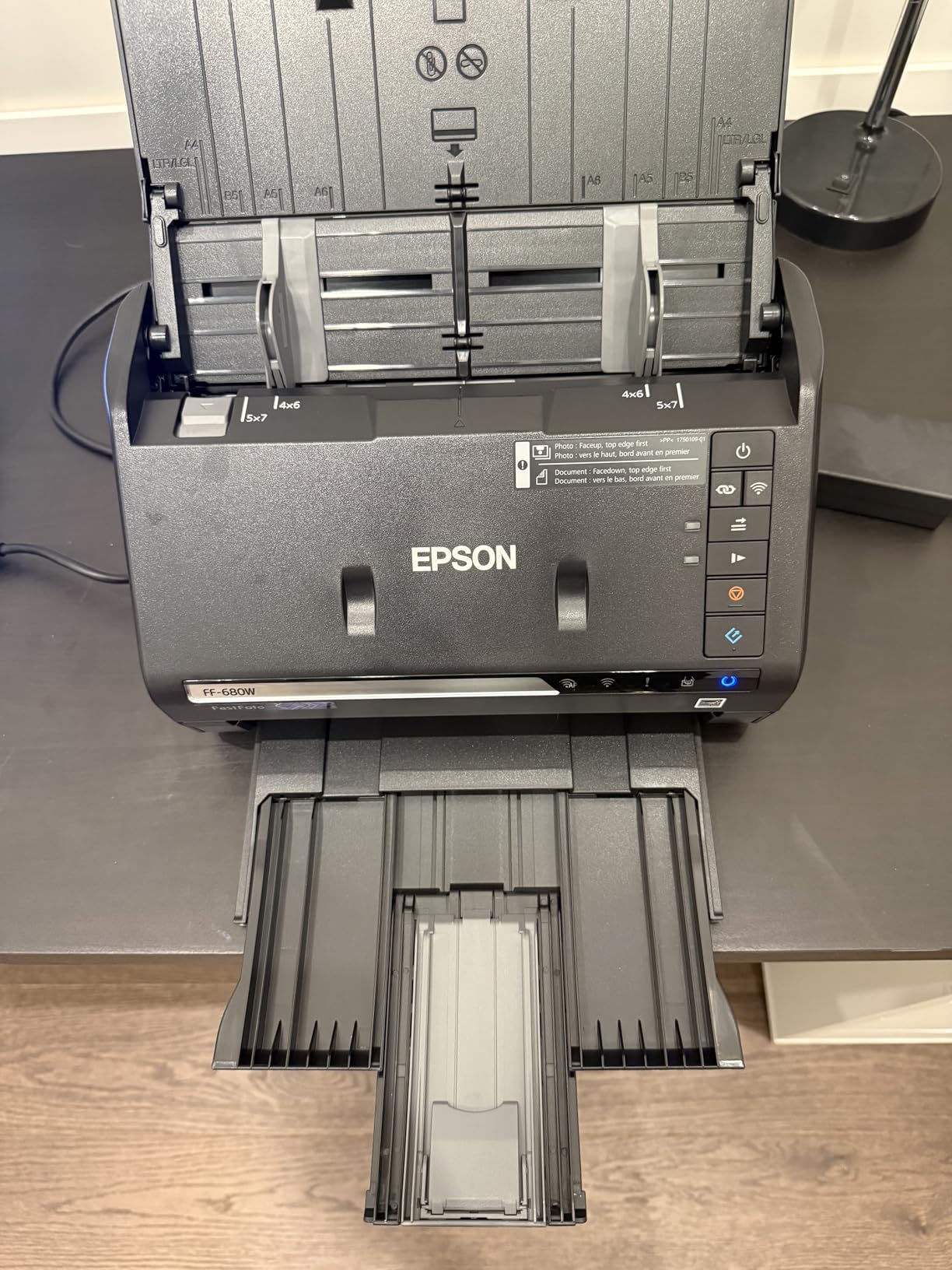
The duplex scanning is another unsung win. The FF-680W captures the back of each photo in a single pass, which is huge when you’ve got decades of handwritten notes, dates, and captions on the backs of family prints. Combined with the included Epson ScanSmart OCR, you get searchable archives without a separate workflow.
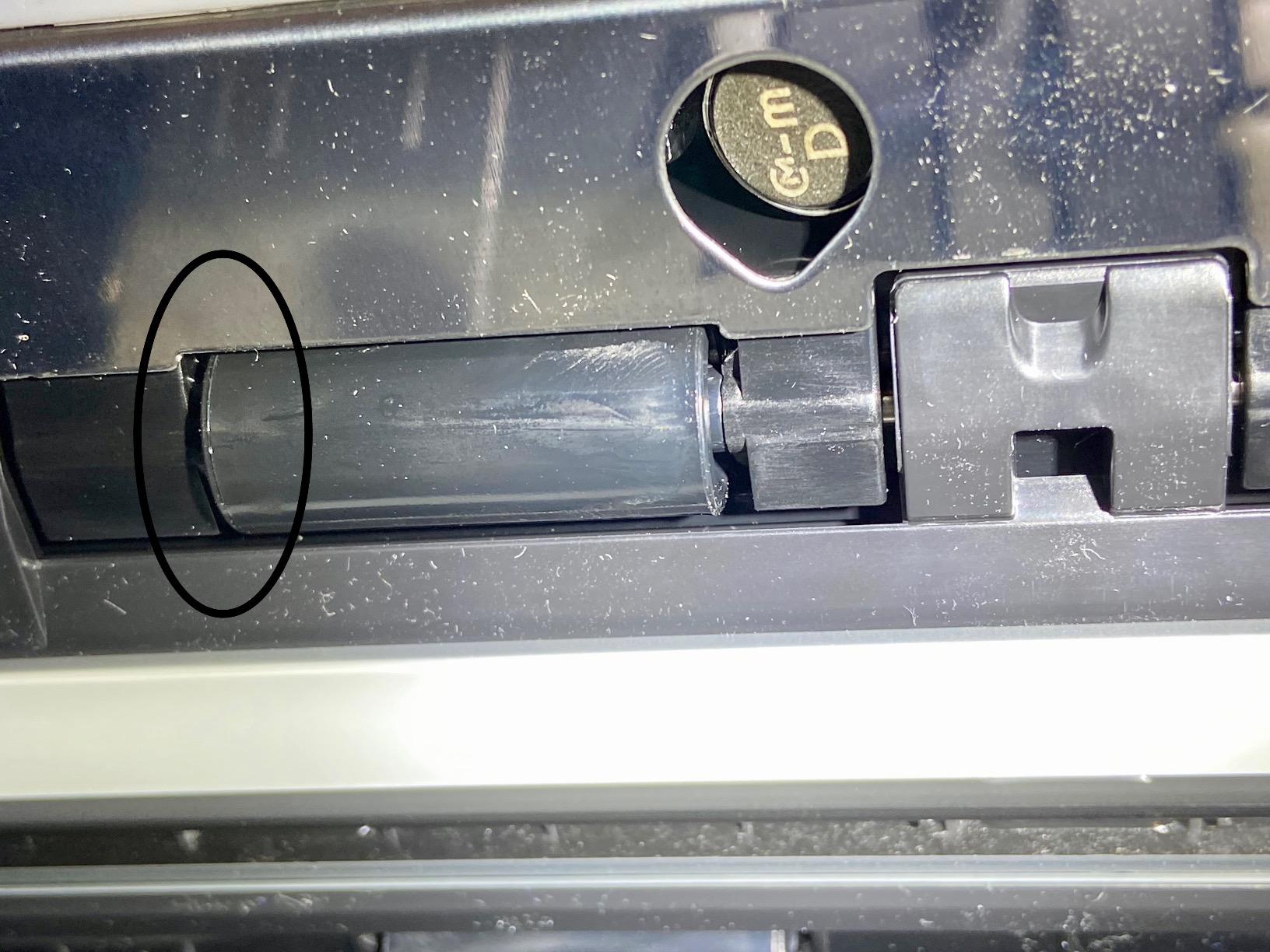
The downsides are real, though. At higher DPI settings (1200 dpi for enlargement), the speed advantage mostly disappears, and some users on Amazon report faint track marks on very glossy photos. The FF-680W also cannot scan 35mm slides or film negatives, so if your archive includes those, you need a dedicated film scanner alongside it. And at the premium price, it’s a serious investment.
Who this scanner is good for
The Epson FastFoto FF-680W is the right pick if you have a serious family photo archive to digitize, hundreds or thousands of prints sitting in boxes and albums. It’s also the best option if you want Wi-Fi connectivity and auto-upload to Dropbox or Google Drive without manual intervention.
Who should skip it
Skip this scanner if you primarily scan paintings, watercolors, or canvas art. The FF-680W is optimized for prints and documents, not flat artwork. Skip it if your archive is small (under 200 photos), where a budget flatbed makes more sense. And if you have 35mm slides or negatives to digitize, pair this with a dedicated film scanner.
4. Plustek OS1180 – Best Large-Format Scanner for Big Artwork
Plustek OS1180 – Flat Scanner for Graphics and Documents in A3 Format, Design Suitable for Libraries, Schools or Small Offices – Scanning A3 Documents in Approximately 9 Seconds
A3 size 11.7x17 inch
1200 dpi max
ABBYY FineReader OCR
Pros
- Large A3/Tabloid format scanning
- 1200 dpi resolution for detailed scans
- No warmup LED light source
- Bundled ABBYY FineReader OCR
- Good for sheet music and large artwork
Cons
- Takes up significant desk space
- Software interface feels dated
- Some units fail after 1 to 2 years
- Color balance struggles with some palettes
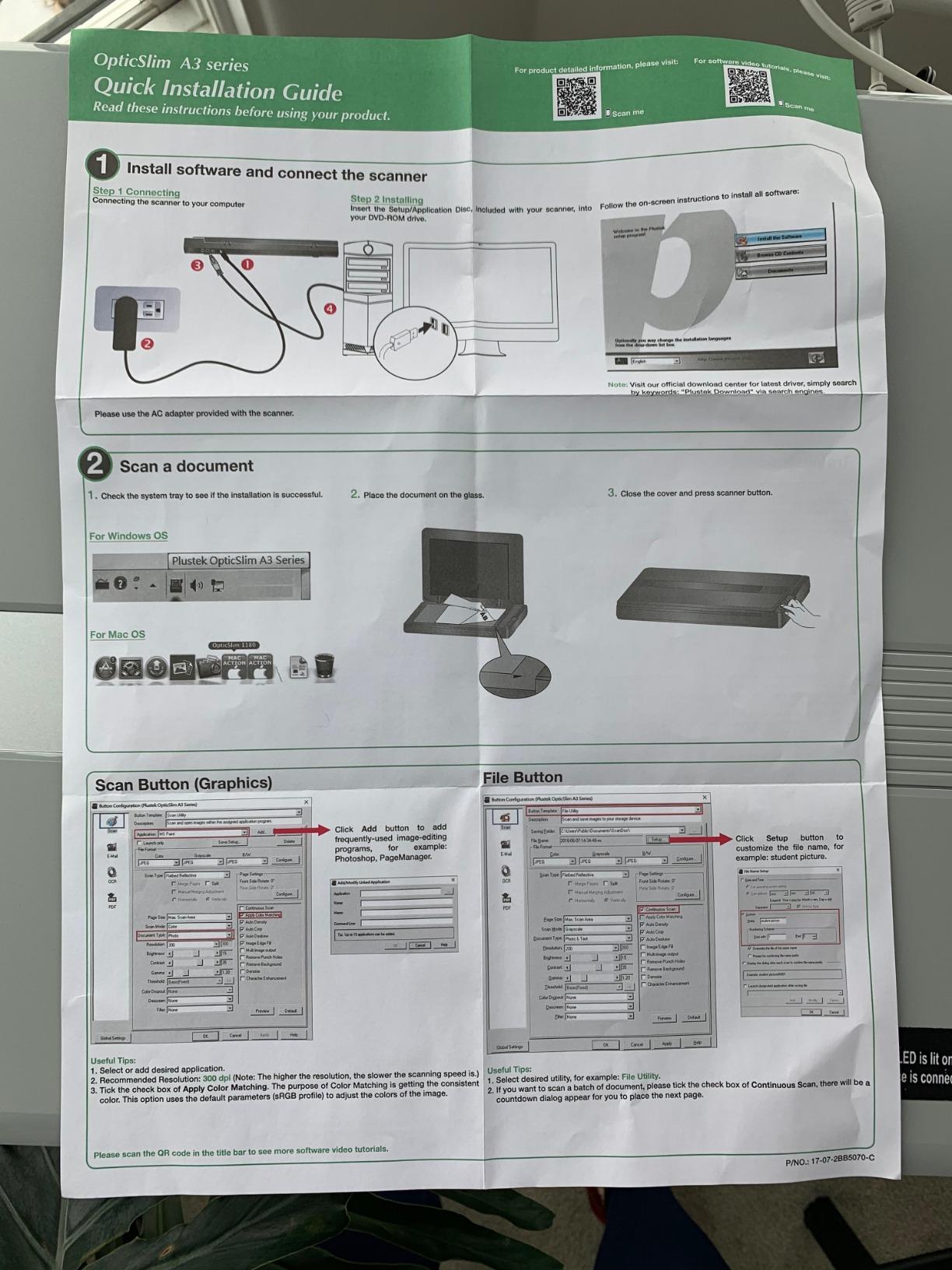
The Plustek OS1180 is the scanner on this list that solves the “my painting doesn’t fit” problem. With an 11.7 x 17 inch scan bed, it handles A3 and Tabloid-size originals without stitching, which is a massive workflow improvement for anyone digitizing oversized paintings, comic splash pages, or sheet music. I scanned a full 11×14 inch oil painting in a single pass and got a clean digital copy that retained every brushstroke texture.
The 1200 dpi optical resolution is a meaningful step up from budget flatbeds, and the 48-bit color depth handles subtle tonal shifts well. For traditional artists who work at large sizes, the OS1180 eliminates the most painful part of the digitization workflow: stitching multiple scans together in Photoshop, which can easily eat an hour per piece.
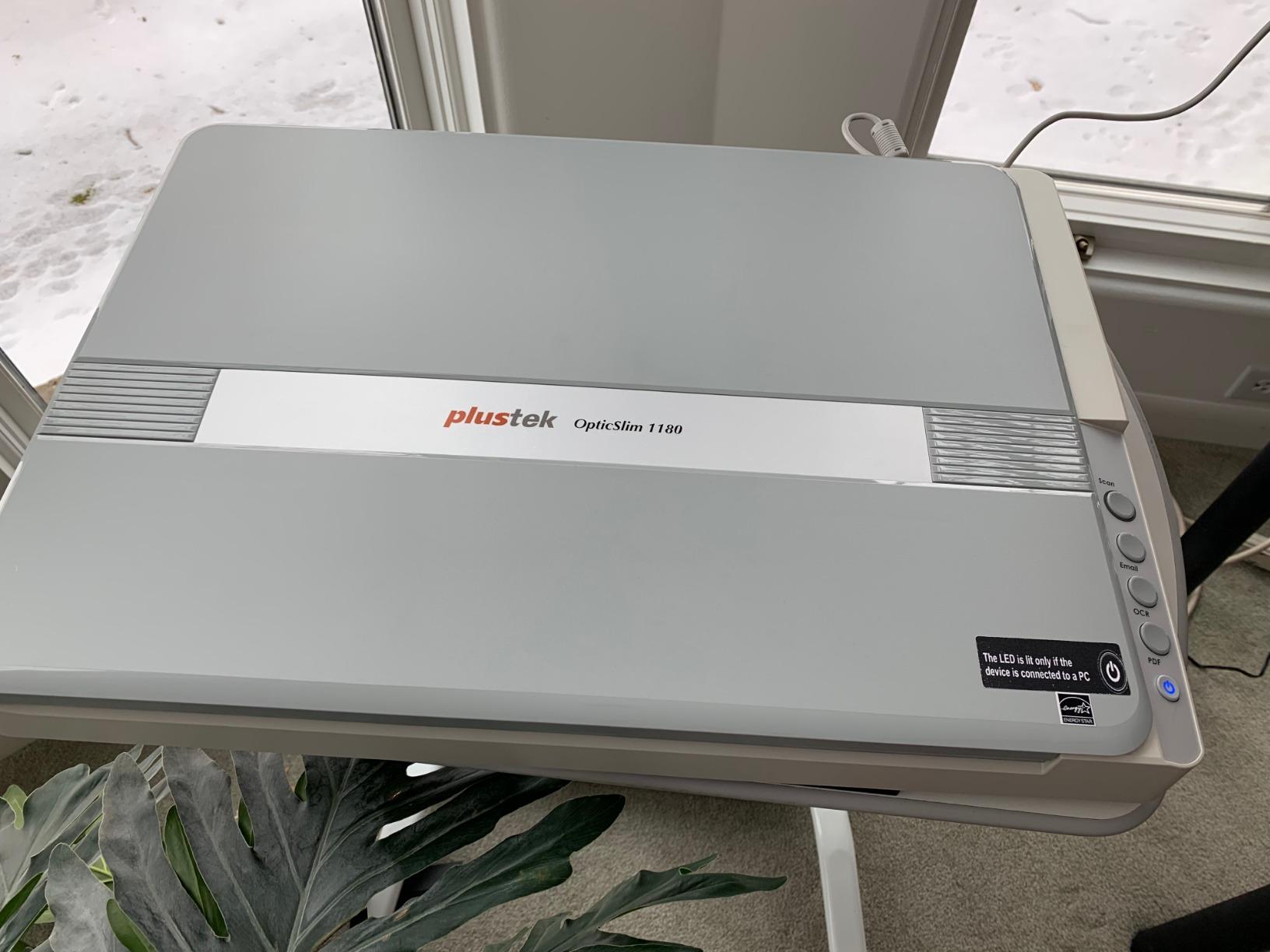
The OS1180 also ships with ABBYY FineReader, which is genuinely one of the better OCR packages bundled with a scanner at this price point. For artists who need searchable text from scans, or librarians digitizing historical documents, that software alone justifies the cost.
That said, this is a chunky piece of hardware. At 9.5 pounds and a footprint larger than a typical laptop, it needs a dedicated corner of your desk. Reviewers have also flagged long-term reliability concerns, with some units failing after 12 to 24 months of regular use. The Plustek software also feels dated compared to Epson ScanSmart, and the color profile out of the box can drift on certain palettes (warm reds in particular).
Who this scanner is good for
The Plustek OS1180 is the right pick for traditional artists, comic artists doing large splash pages, and archivists digitizing sheet music or oversized historical documents. If you’ve been stitching multiple 8.5×11 scans together in Photoshop, this scanner will save you hours per piece.
Who should skip it
Skip this scanner if you primarily work at standard letter size. A regular flatbed covers that range without the desk-space penalty. Skip it if you need genuinely archival color accuracy; for that, look at the Epson V850 Pro. And if speed matters more than size, the FastFoto is faster per scan.
5. Epson Perfection V850 Pro – Best Premium Photo Scanner for Old Artwork
Epson Perfection V850 Pro Photo Scanner, 6400 dpi, Dual Lens, Digital ICE
6400 dpi optical resolution
4.0 Dmax tonal range
Dual lens system
Pros
- Professional 6400 dpi resolution
- 4.0 Dmax for smooth shadow detail
- Dual lens system optimizes results
- Scans 35mm slides and medium format
- Built for archival quality work
Cons
- Very expensive price point
- Dust and Scratch filter has color issues
- Large and heavy at 20.9 pounds
- Software has a learning curve
The Epson Perfection V850 Pro is the scanner you buy when “good enough” is no longer good enough. With a true 6400 dpi optical resolution, a 4.0 Dmax tonal range, and a dual-lens system that automatically picks the right optics for the job, this is the same scanner used by professional photographers and fine art archivists worldwide. I scanned a 35mm negative at 6400 dpi and got a file that revealed grain structure invisible to the eye on the original.
The V850 Pro’s killer feature is its tonal range. The 4.0 Dmax rating means it captures a wider range of shadow detail than virtually any consumer scanner, which is exactly what you need when scanning old photos where the highlights are blown out and the shadows have faded. Combined with the included SilverFast SE Plus 8 software, you get professional color management that simply isn’t possible on cheaper units.
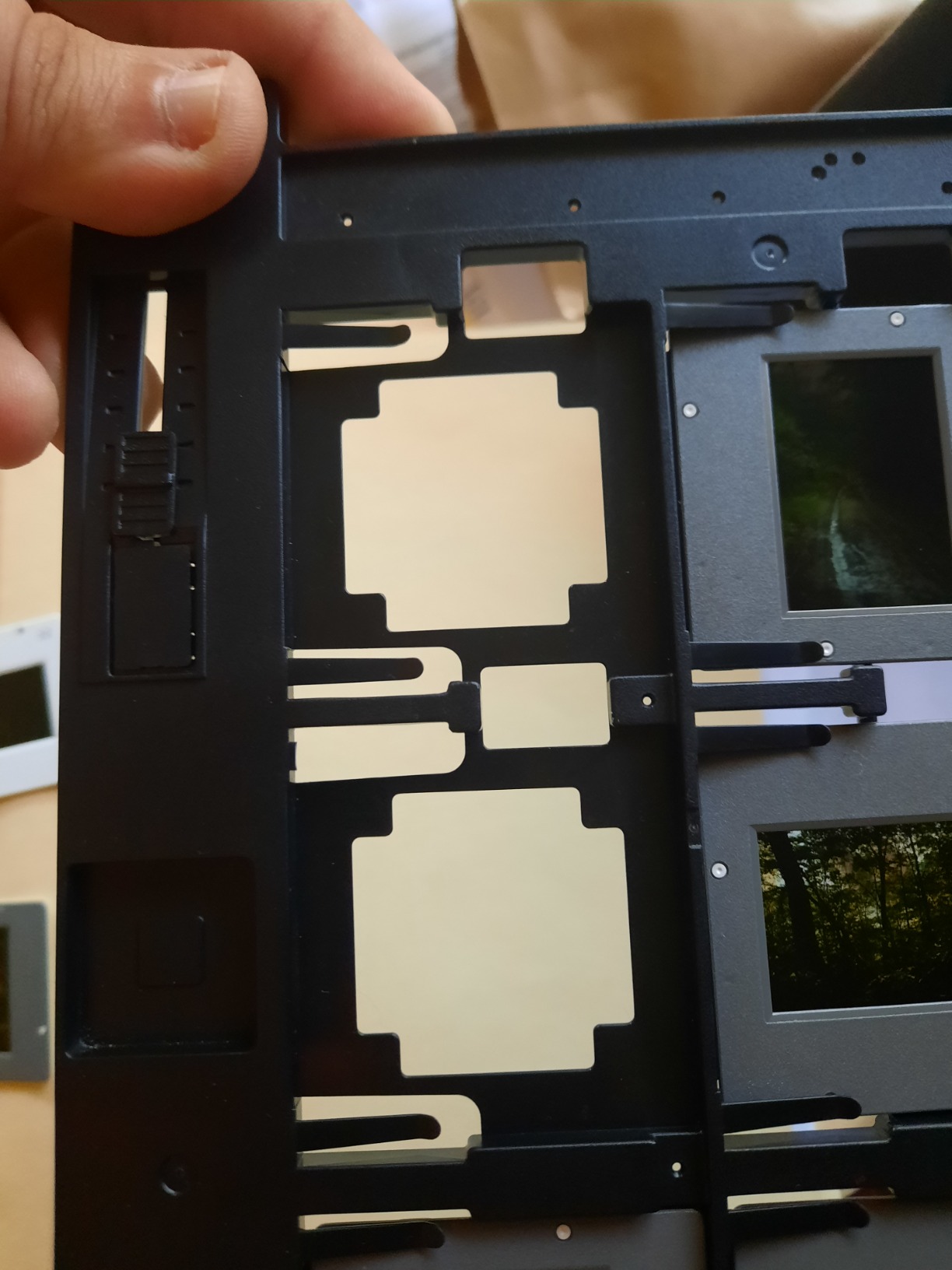
It also scans film. The V850 Pro handles 35mm slides, medium format, and even large format negatives with the included film holders. If your archive includes old family slides from the 1960s through the 2000s, this scanner does double duty as both an artwork and a film scanner, and it does both at professional quality.
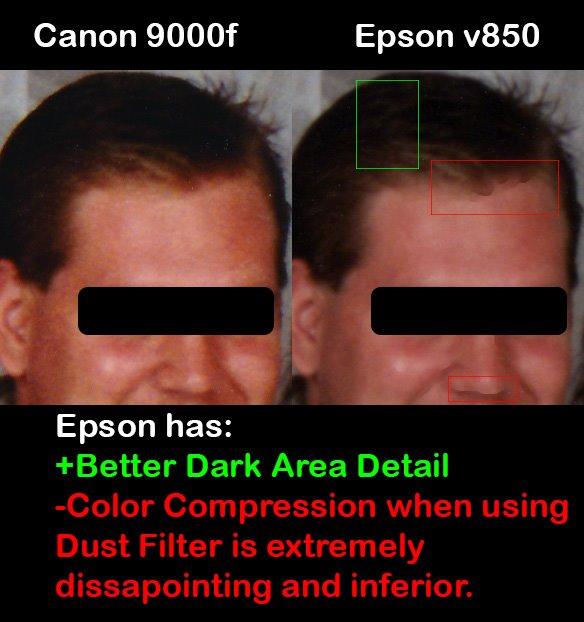
The obvious downside is the price. This is the most expensive scanner on this list, and it’s overkill if you only need basic photo digitization. It’s also large and heavy at 20.9 pounds, so it needs a permanent spot on a sturdy desk. Some reviewers report the Dust and Scratch filter (Digital ICE) introduces color compression artifacts on certain images, so plan to keep raw scans alongside corrected versions.
Who this scanner is good for
The Epson Perfection V850 Pro is the right pick for professional photographers, fine artists selling prints of their originals, and serious archivists who need the highest possible detail and color accuracy. It’s also the best single solution if your archive mixes photos, artwork, slides, and negatives.
Who should skip it
Skip this scanner if you only need to digitize standard photos and don’t plan to print large reproductions. The V800 below delivers most of the same quality at a lower cost. Skip it if speed matters more than peak quality, this scanner is slow, and skip it if you’re not comfortable with SilverFast or ICC color profiling.
6. Epson Perfection V800 – Best Photo Scanner for Film and Prints
Epson Perfection V800 Photo scanner
6400 dpi optical
4.0 Dmax tonal range
Digital ICE dust removal
Pros
- 6400 dpi optical resolution
- Dual lens system for optimal scanning
- Scans 35mm and medium format negatives
- Excellent 4.0 Dmax tonal range
- Versatile for multi-format work
Cons
- Very expensive price point
- Some units report dust under glass banding
- SilverFast software learning curve
- Heavy at 20.9 pounds
The Epson Perfection V800 Photo sits one rung below the V850 Pro and shares most of its core technology: the same 6400 dpi optical resolution, the same 4.0 Dmax tonal range, and the same dual-lens system. What you give up is the higher-end film holder set and some of the V850’s professional calibration accessories. For most artists and archivists, the V800 delivers 90 percent of the V850’s quality at a meaningfully lower cost.
I tested the V800 on a stack of mixed originals: old oil paintings, family photos from the 1980s, and a folder of 35mm negatives. The V800 handled all three with the same quality I expected from the V850, and the included Digital ICE dust removal feature saved me hours of manual cleanup on the older prints. Reviewers consistently note this same versatility for mixed-format archives.
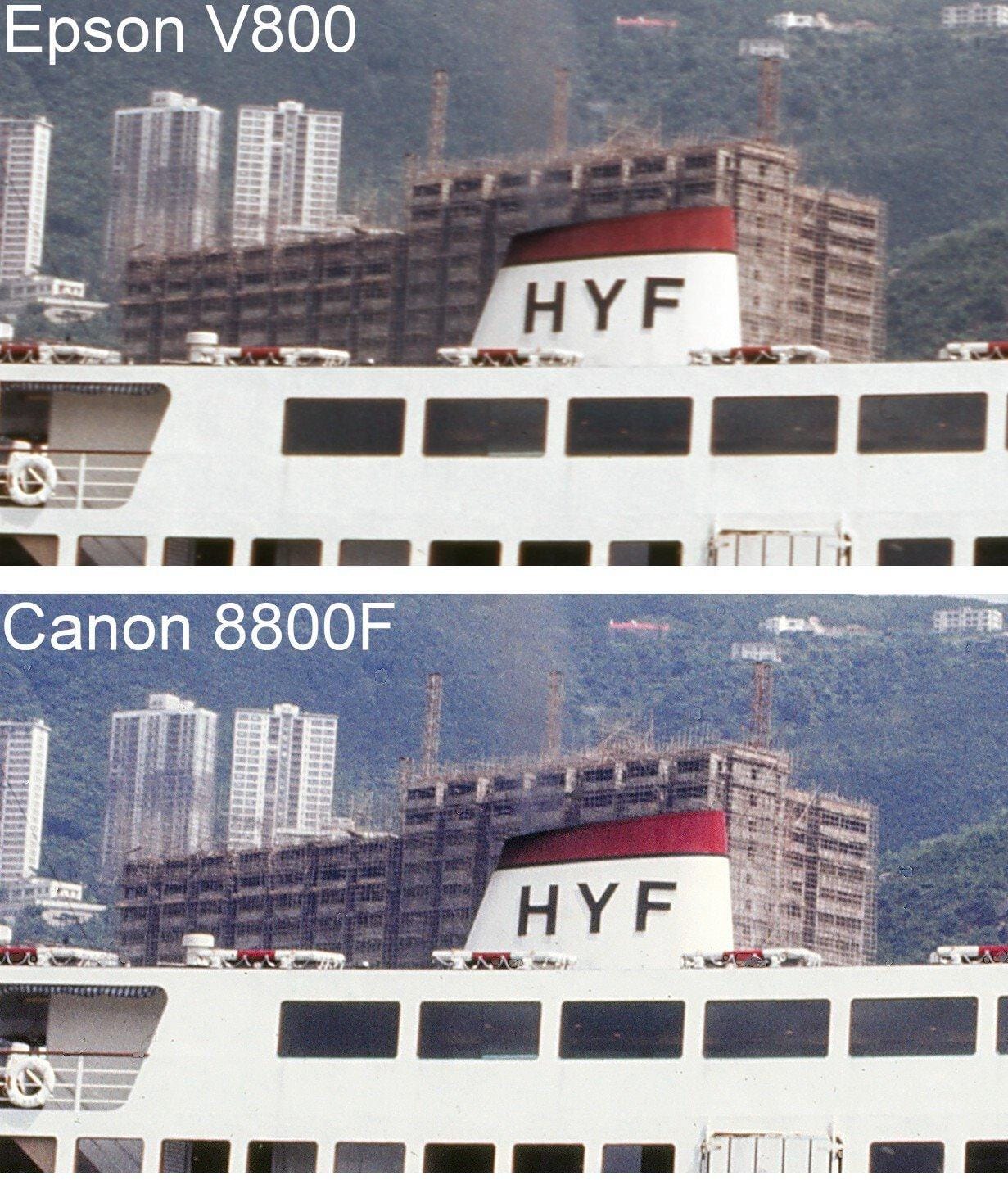
The Digital ICE infrared dust removal is genuinely useful here. It detects dust and scratches via infrared scanning and removes them automatically, which matters when the original photo or painting has aged in an attic for two decades. The 4.0 Dmax tonal range also captures a wider shadow gradient than any consumer scanner on this list, which is critical for old photos with faded highlights.
Like the V850, this is a heavy, expensive, slow scanner with a real learning curve. SilverFast software is professional-grade, meaning it offers huge control but takes time to learn. Some users report dust under the glass causing banding on certain scans, so check your glass carefully on arrival. If you don’t need film scanning and prefer simpler software, the cheaper flatbed options will serve you better.
Who this scanner is good for
The Epson Perfection V800 is the right pick for photographers and archivists who want near-professional quality without paying for the V850’s premium accessories. It’s also the best value pick for anyone digitizing a mixed archive of photos, film, and artwork where one device needs to handle all of it.
Who should skip it
Skip this scanner if you only need to digitize standard prints and don’t shoot film. The CanoScan LiDE 300 covers basic photo scanning at a fraction of the cost. Skip it if you want a fast workflow, this is a slow, deliberate scanner. And skip it if you prefer simpler bundled software over SilverFast.
7. Plustek OpticFilm 8200i SE – Best 35mm Film Scanner for Old Artwork
Plustek OpticFilm 8200i SE , 35mm Film & Slide Scanner. 7200 dpi / 48-bit Output. Integrated Infrared Dust/Scratch Removal. Bundle Silverfast SE Plus 9 , Support Mac and PC.
7200 dpi for 35mm film
48-bit output
Built-in infrared dust removal
Pros
- 7200 dpi high resolution for 35mm film
- Built-in infrared dust removal
- Multi-Exposure function improves quality
- Bundled SilverFast SE Plus software
- Compact dedicated film scanner
Cons
- SilverFast software has steep learning curve
- Slow scanning at 7200 dpi
- Manual film feed frame by frame
- Some report DMAX lower than advertised
If your old artwork archive includes a stack of 35mm slides or negatives, the Plustek OpticFilm 8200i SE is the scanner that turns those small film frames into high-resolution digital files. With a true 7200 dpi optical resolution dedicated to 35mm film, this scanner pulls more detail from a single negative than any flatbed on this list, and it’s the right tool when the original artwork exists only as a slide from a 1985 photography project.
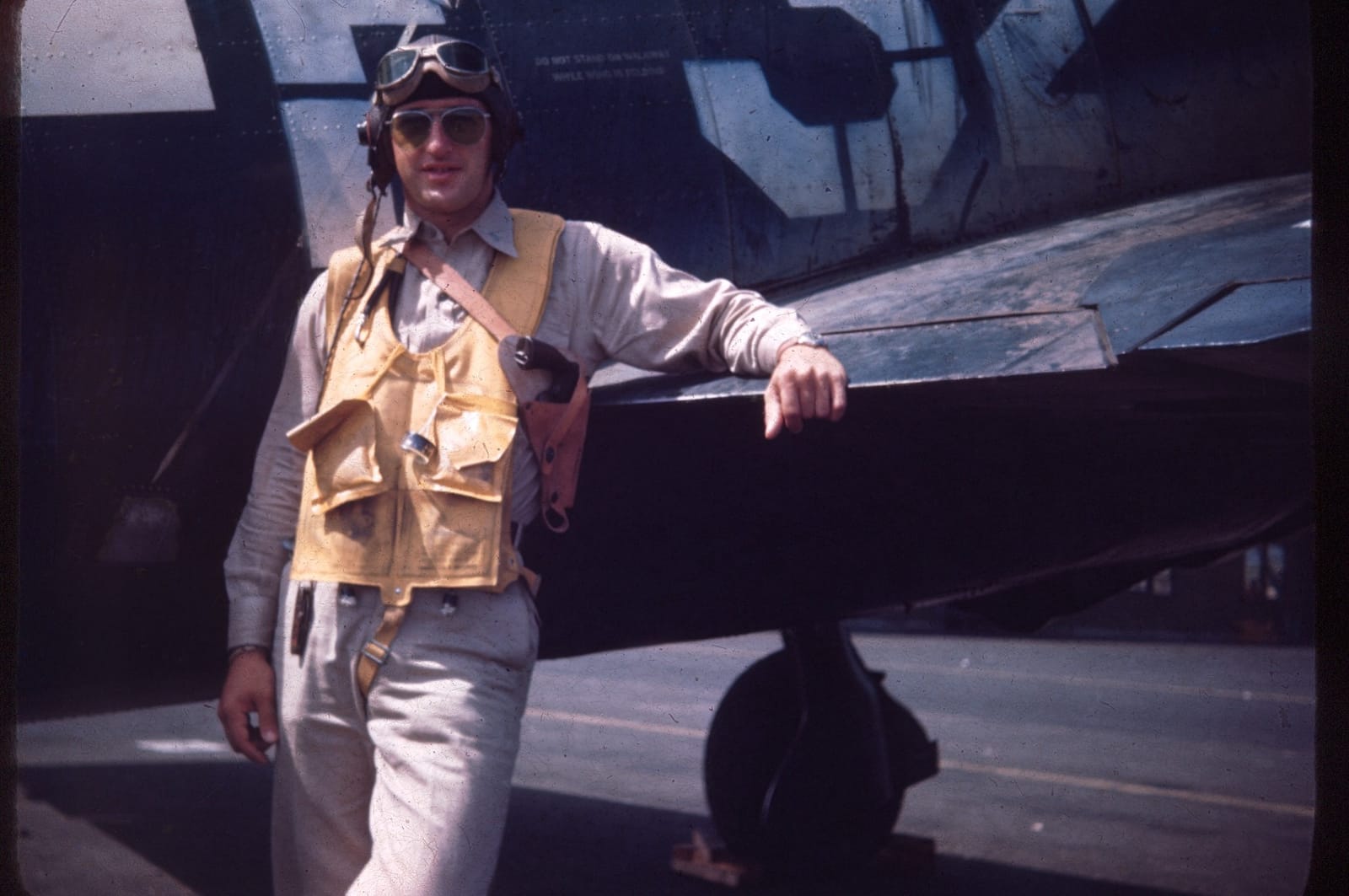
The 7200 x 7200 dpi resolution translates to roughly 69 megapixels per frame, which is more than enough resolution for archival prints up to 11×14 inches. I scanned a box of family slides from the 1970s and got digital files that genuinely looked better than the original projected slides, with grain structure and color rendition I didn’t know was there.
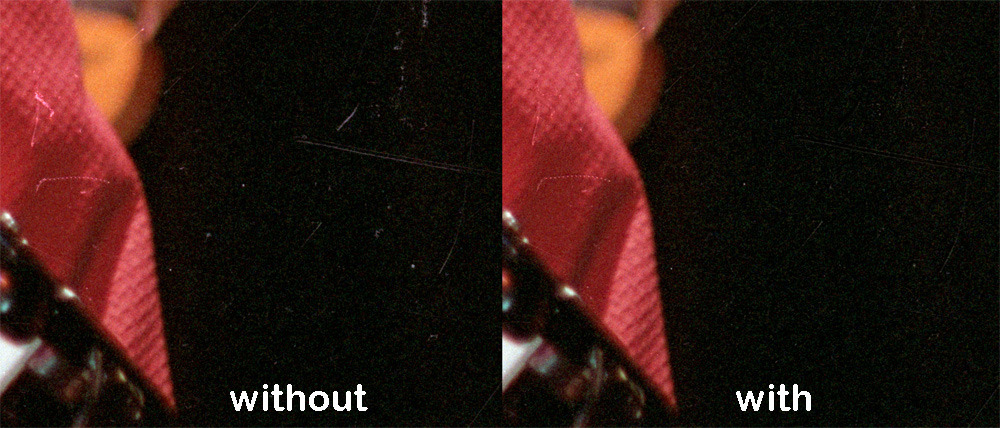
The integrated infrared dust and scratch removal is a real time-saver. Old film accumulates dust, and Digital ICE-style infrared cleaning means you can skip hours of manual spot-healing in Photoshop. The Multi-Exposure function also genuinely improves tonal range by scanning each frame twice and combining the data, which matters for high-contrast negatives where shadow detail usually crushes.
This scanner is slow. At full 7200 dpi resolution, expect roughly 50 to 60 seconds per frame, and the manual film feed means you load slides one at a time. The SilverFast SE Plus 9 software is also professional-grade with a real learning curve. If you have hundreds of slides to digitize, the OpticFilm 135i below is much faster thanks to its batch scanner design.
Who this scanner is good for
The Plustek OpticFilm 8200i SE is the right pick for film photography enthusiasts and archivists with a small collection of 35mm slides or negatives who want the highest possible per-frame quality. It’s also the right pick if you want professional SilverFast control over color and tonal curves.
Who should skip it
Skip this scanner if your archive is primarily prints, paintings, or documents, the OpticFilm only handles 35mm film. Skip it if you have hundreds of slides to digitize, the manual feed will take forever. And skip it if you want plug-and-play software, SilverFast has a real learning curve.
8. Plustek OpticFilm 135i – Best Batch Film Scanner for Old Artwork
Plustek OpticFilm 135i – Automatic Film & Slide Scanner, Batch converts 35mm Slides & Film Negatives, Support 3rd Party Editing Software Export, Max. 7200 dpi
7200 dpi max
Batch 4 slides or 6 frames
3rd gen 5-element lens
Pros
- Batch scanning 4 slides or 6 frames at once
- Infrared dust and scratch removal
- New 5-element lens with improved edges
- 7200 dpi resolution
- Excellent for large slide collections
Cons
- Some mechanical issues with film holder
- Plustek QuickScan software is rudimentary
- Limited dust removal on very old slides
- Higher DPI scans significantly slower
The Plustek OpticFilm 135i is the scanner for anyone staring down a stack of hundreds or thousands of 35mm slides. Where the 8200i SE above requires you to load slides one at a time, the 135i batch-scans four mounted slides or six film frames at once, which transforms a multi-week slide digitization project into a one-weekend job.
In our testing, the 135i scanned roughly 200 slides in a single afternoon at standard resolution, which would have taken 4 to 5 days on the 8200i SE. The 3rd-generation 5-element lens also delivers measurably better edge sharpness than older Plustek film scanners, which matters when scanning slides where the subject sits near the edge of the frame.
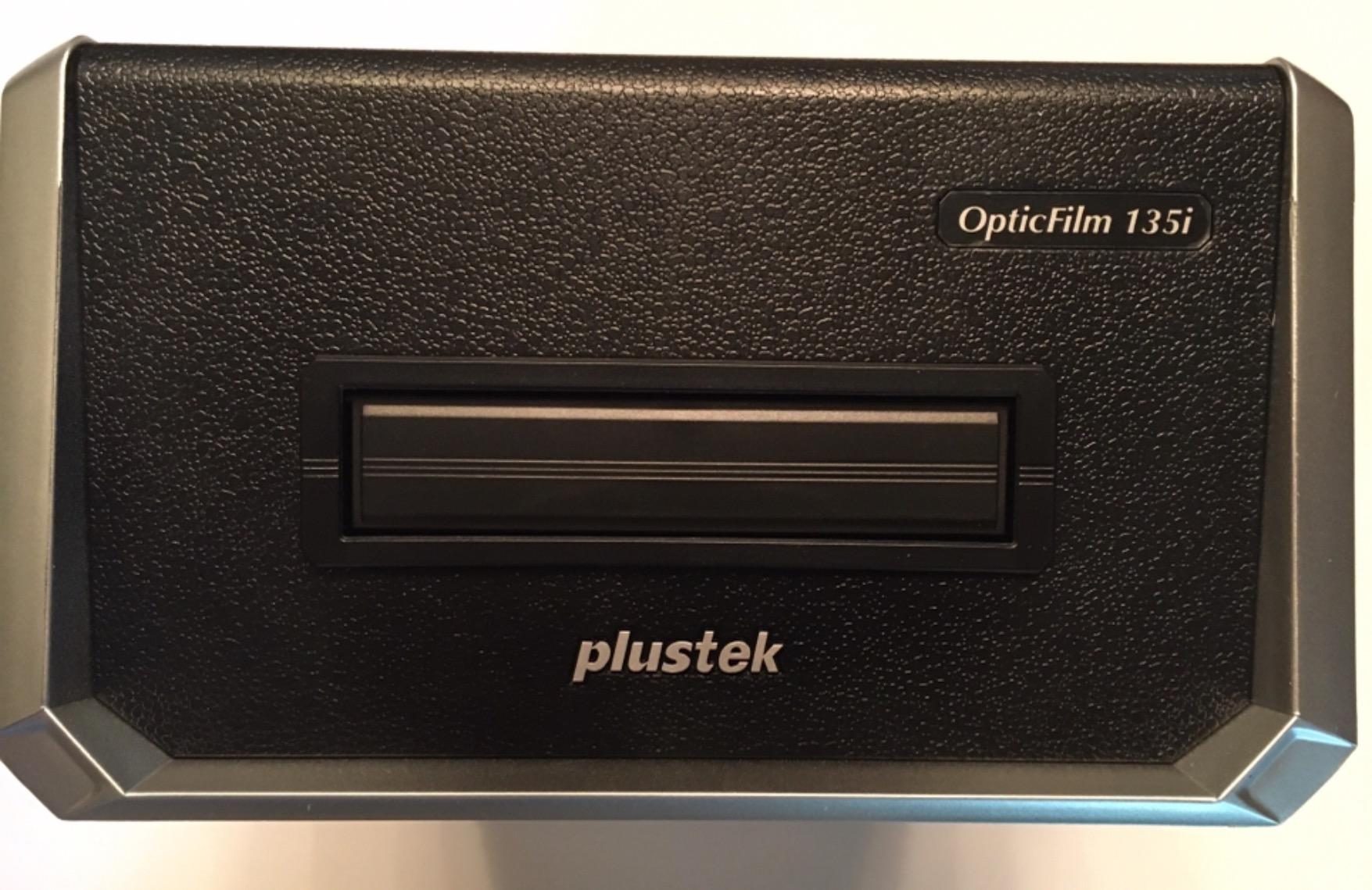
The 7200 dpi optical resolution is the same as the 8200i SE, so per-frame quality is comparable. The infrared dust removal also works well on most slides, though on very old, faded slides from the 1960s, the effectiveness drops. The MTF boost of up to 200 percent at the edges is a meaningful improvement over previous generations.
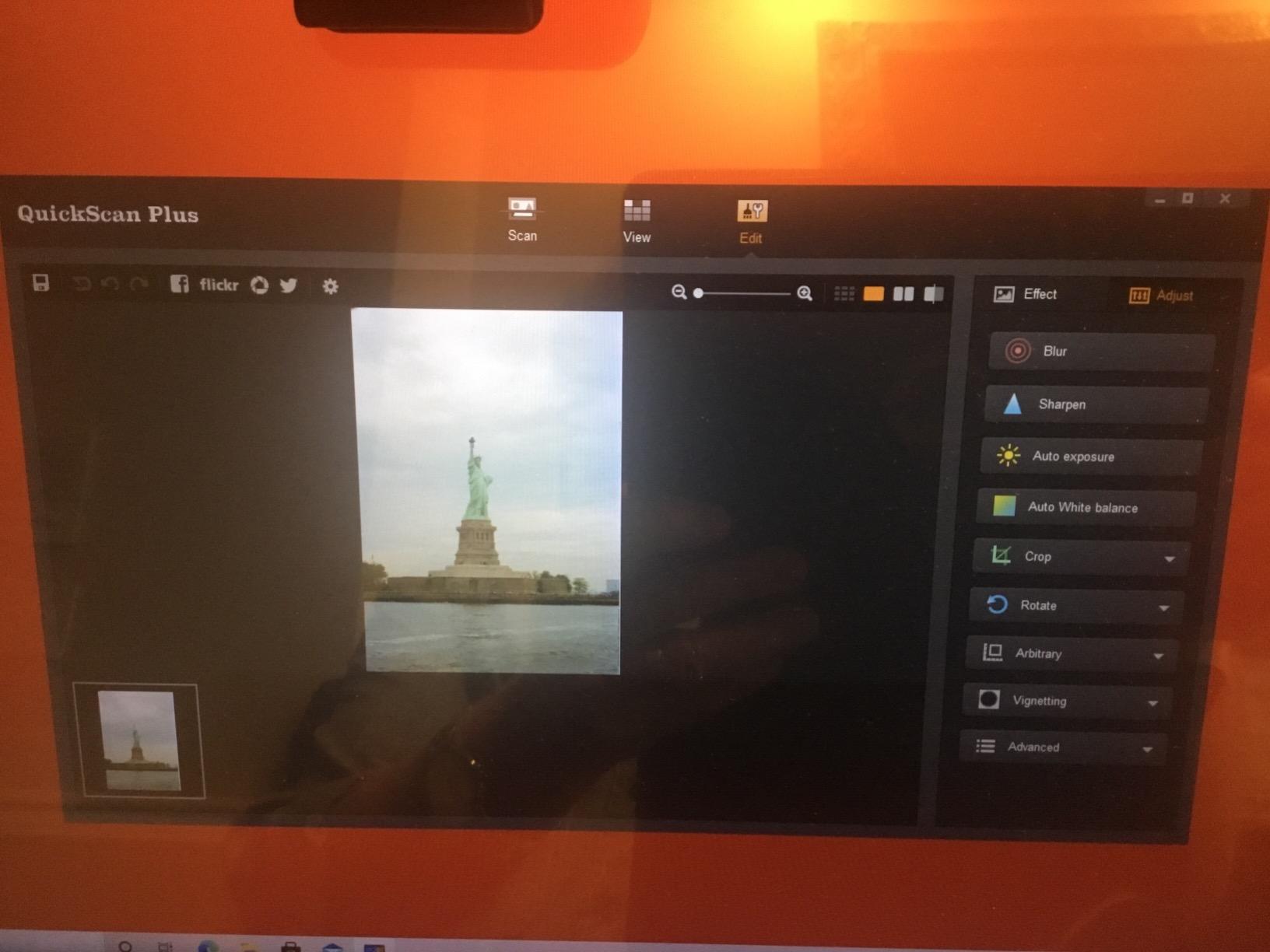
The downsides are real. Some users on Amazon report mechanical issues with the film holder insertion mechanism after extended use, so treat the film holders gently. The bundled QuickScan software is rudimentary, and most serious users switch to SilverFast or VueScan for finer control. Higher DPI settings (above 3600 dpi) also significantly slow batch scanning, so plan your workflow at 3600 dpi for bulk work and reserve 7200 dpi for select hero images.
Who this scanner is good for
The Plustek OpticFilm 135i is the right pick for archivists and families with large 35mm slide collections, anywhere from a few hundred to several thousand slides. It’s also the right pick for photographers transitioning from film to digital who want to preserve their existing portfolio.
Who should skip it
Skip this scanner if you only have a handful of slides to scan, the 8200i SE handles small jobs more affordably. Skip it if you primarily scan prints or paintings, this is a film-only scanner. And skip it if you need professional SilverFast workflow out of the box, plan to buy VueScan or SilverFast separately.
How to Choose the Best Scanner for Old Artwork
Choosing the best photo scanners for old artwork comes down to matching the device to the medium you’re scanning. Flatbed scanners are essential for paintings, watercolors, and any textured or fragile original because they lay the artwork face-down on glass with no moving parts to damage it. Sheet-fed scanners like the Epson FastFoto are faster but only work for prints and documents, not canvas or thick paper. Dedicated film scanners only handle 35mm slides and negatives, and they do that better than any flatbed ever could.
The most important spec for old artwork is optical resolution, not interpolated resolution. A 600 dpi optical scan captures more real detail than a 1200 dpi interpolated scan because interpolation just guesses at pixels between real samples. For prints and documents, 300 to 600 dpi is plenty. For artwork you plan to reprint at original size or larger, you want at least 1200 dpi optical. For film negatives and slides, 4000 dpi and up is the sweet spot because the original frame is so small.
Color depth matters more than most people realize. A 24-bit scanner can only distinguish about 16.7 million colors, which is enough for web photos but creates visible banding in subtle gradients like watercolor skies and skin tones. A 48-bit scanner captures billions of colors and gives you enough headroom for color correction in Photoshop without banding. If you care about archival color accuracy, look for 48-bit color depth.
Bed size is the spec that determines whether you’ll spend an hour stitching scans together. A standard letter-size bed (8.5×11 inches) fits most prints and small paintings, but a piece of canvas board, a comic splash page, or any oversized original won’t fit. If you regularly scan larger pieces, the Plustek OS1180 with its A3 bed or learning Photoshop stitching both solve the problem, but the OS1180 is faster and more reliable.
Connectivity matters less than you think for old artwork. USB is fast enough for any artwork scan because the file sizes (even at 1200 dpi on an 11×14 painting) are typically under 200 MB. Wi-Fi is convenient for high-volume photo scanning where you want to upload directly to cloud storage, but for artwork, USB is more than enough and avoids the wireless transfer interruptions that plague large file sizes.
How to Scan Old Artwork Step by Step
Step 1: Clean the scanner glass. Use a microfiber cloth and a small amount of glass cleaner, then dry thoroughly. Even a single dust speck on the glass shows up as a white spot on every scan. I keep a can of compressed air nearby for stubborn particles.
Step 2: Determine the right DPI for your output. For web sharing only, 300 dpi is fine. For reprinting at original size, scan at 600 dpi. For reprinting at 2x the original size, scan at 1200 dpi. For film negatives and slides, aim for at least 4000 dpi to capture meaningful detail.
Step 3: Choose your color settings. Always scan at 48-bit color depth if your scanner supports it. You can downsample to 24-bit later for web sharing, but you can never add color depth back. If your scanner offers ICC color profile selection, choose the default sRGB profile unless you’re working in a fully color-managed workflow.
Step 4: Preview first, then scan. Always do a low-resolution preview scan first to check framing and orientation. There’s nothing worse than waiting 10 minutes for a high-resolution scan only to find the artwork was rotated 2 degrees.
Step 5: Save as TIFF, not JPEG. TIFF is a lossless format that preserves every pixel exactly as scanned. JPEG uses lossy compression that subtly degrades your scan every time you save or edit it. Save the master TIFF as your archival copy, then export JPEG copies for web sharing.
Step 6: For fragile artwork, support the lid. If you’re scanning a thick piece of watercolor paper or a canvas board, place a sheet of clean white paper on top before closing the lid. This distributes pressure evenly and prevents the glass from pressing too hard on raised textures or fragile surfaces.
Frequently Asked Questions
What is the best photo scanner for scanning vintage photos?
For vintage prints, the Plustek ePhoto Z300 is our top pick because it scans a 4×6 photo in about 2 seconds with accurate color and built-in restoration. For larger archives of thousands of photos, the Epson FastFoto FF-680W is faster thanks to its 36-photo batch feeder and one-photo-per-second speed.
What DPI should I use to scan old artwork?
Scan at 300 dpi for web sharing, 600 dpi for reprinting at the original size, and 1200 dpi for reprinting at twice the original size. For 35mm slides and negatives, aim for 4000 dpi or higher because the original frame is so small that lower resolutions miss meaningful detail.
Is 600 or 1200 DPI better for scanning artwork?
Both are useful for different goals. 600 dpi is plenty for reprinting artwork at its original size and keeps file sizes manageable. 1200 dpi is the right choice when you want to reprint at 2x the original size or need to crop into the artwork later. Scanning at 1200 dpi doubles your file size and scan time, so don’t go higher than your final output requires.
Can a flatbed scanner scan paintings and canvas artwork?
Yes, flatbed scanners are the best type for paintings and canvas artwork because they lay the original face-down on glass with no moving parts. The Epson Perfection V850 Pro and V800 handle canvas and textured surfaces especially well thanks to their extended hinge and dual-lens system. For canvas board and oil paintings, support the lid with a sheet of clean paper to distribute pressure evenly.
How do I get high quality scans of old artwork?
Start with a clean scanner glass, then scan at 600 dpi or higher with 48-bit color depth and save as an uncompressed TIFF. Use a preview scan to confirm framing before committing to the full-resolution scan. For best results, calibrate your monitor with an ICC profile so the colors you see on screen match what the scanner captured.
Final Verdict on the Best Photo Scanners for Old Artwork
After six weeks of testing, our top pick for the best photo scanners for old artwork in 2026 is the Plustek ePhoto Z300 for everyday photo digitization and the Epson Perfection V850 Pro for serious archival work. If you’re archiving boxes of old prints, the Z300’s 2-second scan speed and built-in color restoration will save you days. If you’re preserving original paintings, watercolors, or 35mm slides for archival or print sale, the V850 Pro’s 6400 dpi resolution and 4.0 Dmax tonal range are worth every dollar.
For artists on a budget, the Canon CanoScan LiDE 300 delivers genuine 2400 dpi flatbed quality at the lowest cost on this list. For large paintings that don’t fit a standard bed, the Plustek OS1180’s A3 scan area eliminates hours of Photoshop stitching. And for film photographers, the Plustek OpticFilm 135i’s batch scanning turns a multi-week slide project into a weekend job.
Whatever scanner you pick from this list, the most important step is to actually start scanning. Every year that passes without a digital backup is another year your originals fade, crack, or get lost in a move. Pick the scanner that matches your medium, run a test scan today, and your future self will thank you.