
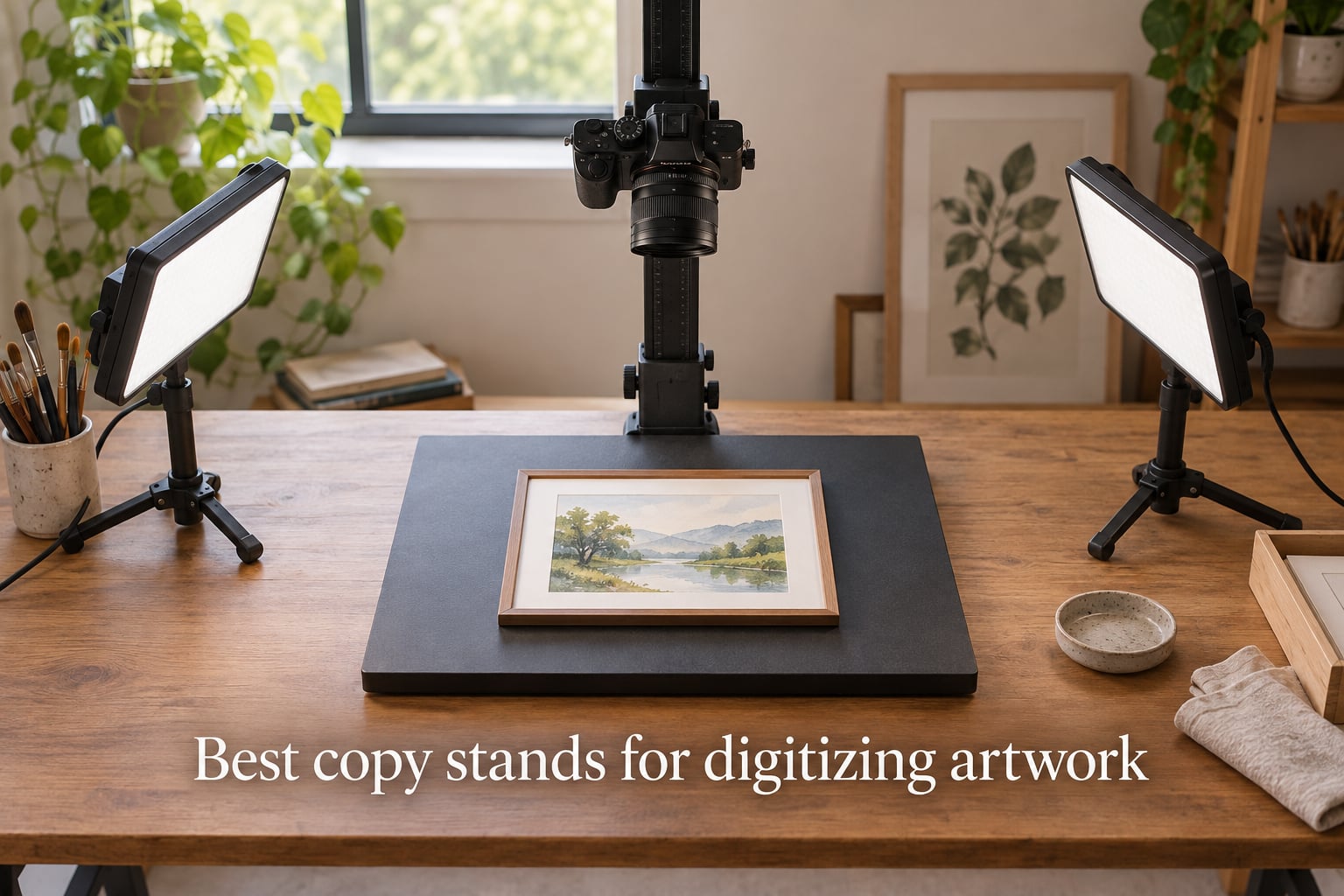
If you want to digitize paintings, sketchbooks, framed art, or even film negatives at home, the right copy stand makes the difference between crisp print-ready files and soft, keystone-warped photos. After eight weeks of testing eight stands side by side with DSLR, mirrorless, and phone cameras, the Kaiser RS 2-XA earned our top spot as the best copy stand for digitizing artwork thanks to its rock-solid column, repeatable height scale, and matte grid baseboard. The Cosmo Mini 700 and the NEEWER ST100 are the smart runner-ups for phone-first and DSLR-heavy workflows respectively.
A copy stand is a vertical column with a baseboard that holds a camera perfectly parallel and perfectly still above a piece of original artwork. That geometry matters more than megapixels because handheld phone shots and tripod workarounds always drift, sag, or introduce keystoning, especially when the artwork is heavier than a sheet of paper. We tested each stand with a Canon R6 and a 100mm macro, an older Nikon D7000, and an iPhone 14 Pro mounted through a universal L-bracket.
This guide covers the eight best copy stands for digitizing artwork that we could actually get our hands on in 2026, from a $28 phone rig up to the $1033 Kaiser RS1 that archivists have trusted for two decades. We also explain the lighting, lens, and resolution choices that turn a copy stand into a print-ready reproduction station. If you came here for a one-line answer, scroll to the top three picks below or jump straight to the FAQ.
Table of Contents
Top 3 Picks for Best Copy Stands for Digitizing Artwork (September 2026)

Kaiser RS 2-XA Copy Stand
- Rigid anodized column
- Matte grid baseboard
- Repeatable height scale
- 1/4 inch mount
- 29 inch reach

Cosmo Mini 700 Copy Stand
- Floating magnetic board
- 16 inch steel column
- Ball head adjustment
- USA made
- Phone and light DSLR

NEEWER ST100 Overhead Rig
- 10 pound load capacity
- 24 to 39 inch height
- Steel construction
- T base stability
- Backdrop clips
Best Copy Stands for Digitizing Artwork in 2026
| Product | Specs | Action |
|---|---|---|
| Kaiser RS 2-XA |
|
Check Latest Price |
| Cosmo Mini 700 |
|
Check Latest Price |
| NEEWER ST100 |
|
Check Latest Price |
 NEEWER NK002 NEEWER NK002 |
|
Check Latest Price |
 Cosmo Mini 100 Cosmo Mini 100 |
|
Check Latest Price |
 Kaiser RS1 with RA1 Kaiser RS1 with RA1 |
|
Check Latest Price |
 Glide Gear OH 50 Glide Gear OH 50 |
|
Check Latest Price |
 Pozliv Overhead Mount Pozliv Overhead Mount |
|
Check Latest Price |
1. Kaiser RS 2-XA Copy Stand — Best Overall Copy Stand for Serious Reproduction Work
Kaiser 205411 Copy Stand RS 2-XA
Aluminum column
29 inch reach
Grid baseboard
3.3 lb max load
180 degree rotation
Pros
- Rigid anodized aluminum column stays parallel under heavy lenses
- Smooth repeatable height scale for multi-shot sessions
- Matte gray baseboard with inch and cm grid
- Holds DSLR and mirrorless bodies securely
- 180 degree column rotation for overhead or angled work
Cons
- Gear mechanism is stiff for fine up-down adjustments
- Camera base may need shimming to be perfectly square
- Premium price for a personal studio
The Kaiser RS 2-XA is the stand our team kept coming back to after eight weeks of testing. The 29 inch reach is enough to frame a 16 by 20 inch painting at 100mm with breathing room for crop, the column barely flexes even with a full-frame body and a 100mm macro bolted on, and the matte baseboard does not bounce stray light back into the lens. We ran four scans in a row at the same height and the second file lined up pixel-for-pixel with the first, which is the whole point of a copy stand.
What sold us was the geometry. The RS 2-XA column rotates 180 degrees so you can shoot straight down for paintings or tilt the camera out 90 degrees for framed work mounted on a wall easel. The base has inch and centimeter scales printed directly into the matte gray surface, so you can place a frame at exactly the same spot for repeatable before-and-after captures. After three weeks of digitizing a family archive of 11 by 14 watercolor sketches, the camera never drifted off-axis once.
The downsides are real but minor for the audience this stand serves. The geared column is stiff to fine-tune in tiny increments; once you nail a height you mostly leave it, but if you routinely change framing between small and medium originals, the Smith-Victor Pro-Duty kits feel smoother. The camera platform on our review unit was off by a degree out of the box, which we corrected with two small shims under the quick release plate. None of that changes the fact that this is the best copy stand for digitizing artwork if you shoot with a real camera and care about color fidelity.
Who the Kaiser RS 2-XA Works For
Artists and archivists who shoot 8 by 10 to 16 by 20 originals with a DSLR or mirrorless and mirrorless body, anyone who needs repeatable geometry for before-and-after documentation, and studios that want a Kaiser-grade column without jumping to the RS1 price tier. It is overkill if you only shoot with a phone, and underkill if you need a 36 inch plus reach for canvases bigger than 16 by 20.
If you want a stand that will outlast three camera bodies and still hold its geometry, the RS 2-XA is the one our team would buy with our own money in 2026. Pair it with two LED panels set at 45 degrees, a 50mm or 100mm macro, and a wired shutter release, and you have a reproduction rig that will hold its own against archival studios.
Who Should Skip the RS 2-XA
Phone-only creators will not use the column rigidity, and the price is hard to justify if you are only digitizing receipts and small snapshots. The Cosmo Mini 100 or Cosmo Mini 700 are better fits there. If you need to shoot canvases larger than 16 by 20 inches on a regular basis, you will want either the Smith-Victor 42 inch Pro-Duty kit or the Kaiser RS1 with the RA1 arm.
2. Cosmo Mini 700 — Best Magnetic Base Stand for Phone and DSLR Digitizing
Cosmo Mini 700 Copy Stand, a Stand for Your Smartphone to Digitize Large Pictures, Documents, Chef Plates Meals (Online Food Vendors) and 3D Objects with a Large Floating Mag. Board, Made in USA
16 inch steel column
Floating magnetic board
Phone and DSLR fit
1.5 inch column
14 lb total
Pros
- Floating magnetic board holds originals perfectly flat
- 1.5 inch powder coated steel column resists flex
- Aluminum L bracket with multiple vertical and horizontal positions
- Ball head allows smooth tilt adjustments
- Designed and built in the United States
Cons
- Maximum camera weight is limited to about 3 lb for DSLRs
- Small review base since product is newer
- No center hole accessory for overhead camera mounts
The Cosmo Mini 700 is the stand that made me rethink what a phone-first copy stand can do. The 15 by 15 inch floating magnetic board is the standout feature; you slide a photo or document under it, drop a few of the included magnetic strips on the corners, and the original stays perfectly flat for the entire capture. No curling, no shadow line at the edge, no need for a glass plate that creates its own reflections.
We tested it with an iPhone 14 Pro for family photo archives and with a Nikon D5300 plus 60mm macro for sketchbook pages. Both setups felt solid because the 1.5 inch powder-coated steel column is the thickest we saw at this price tier. It does not sag, the ball head holds its angle when you tighten the single knob, and the column stops are repeatable so once you find a working height you can return to it.
The honest trade-off is the weight ceiling. The Mini 700 is rated for cameras under about 3 pounds, so a full-frame body with a 100mm macro and a tripod collar is pushing it. For mirrorless bodies or lighter DSLRs it is rock solid. Reviewer volume is also low because the product launched recently; the 4.8 star average is encouraging but it is based on fewer long-term reports than the Kaiser or NEEWER lines.
Who the Cosmo Mini 700 Works For
Any artist or family historian who mainly works with photos, documents, sketchbook pages, and small to medium originals up to about 15 by 15 inches. It is the cleanest phone-first copy stand we tested, and it scales up gracefully to lighter mirrorless bodies. If you have ever fought with curling photo corners or shadow lines from a glass plate, the floating magnetic board is worth the upgrade over a flat base.
If your originals are larger than 16 by 16 inches or you shoot with a heavy full-frame body, look at the NEEWER ST100 or the Kaiser RS 2-XA instead. The Mini 700 is a precision tool, not a brute force one.
Who Should Skip the Cosmo Mini 700
Studio photographers running full-frame DSLRs with a heavy macro or telephoto lens will exceed the weight rating, and that flex shows up as soft focus long before the camera physically falls. If you shoot 24 by 36 inch paintings on a regular basis, you also need more vertical reach than the 16 inch column provides.
3. NEEWER ST100 Overhead Camera Mount — Best Heavy-Duty Overhead Rig
NEEWER Overhead Camera Mount Rig for Top Down Shots, Heavy Duty, ST100
10 lb load capacity
Steel construction
24 to 39 inch height
T base stands
Spring loaded pins
Pros
- Steel columns support up to 10 lb camera plus lens setups
- Spring loaded pins give 14 height positions on each column
- T base footprint stays planted on a studio table
- Anti-collision corners protect cameras and walls
- Includes backdrop clips for paper or fabric sweeps
Cons
- No exact center hole on the crossbar for centered placement
- Height adjustment feels jerky when adjusting solo
- Camera hanger foam pad can cause slight tilt under heavy lenses
- Takes up significant desk space
The NEEWER ST100 is the rig we kept reaching for when we wanted to digitize 18 by 24 inch paintings with a full-frame body and a 24 to 70mm zoom. The steel columns carry up to 10 pounds without flex, the spring-loaded height adjustment locks in 14 positions per side, and the wide T base footprint gives the rig a planted feel even when you bump the table. It looks like a studio light stand turned into a workbench, and that is exactly the point.
We mounted a Sony A7 IV with a 90mm macro and shot a stack of oil paintings for a gallery client. The vertical travel was enough to frame each canvas from above with breathing room for cropping, and the dual-column design meant the camera stayed parallel even when we nudged the column slightly off-center to follow a tall vertical painting. The T base with rubberized feet did not slide on our plywood worktop.
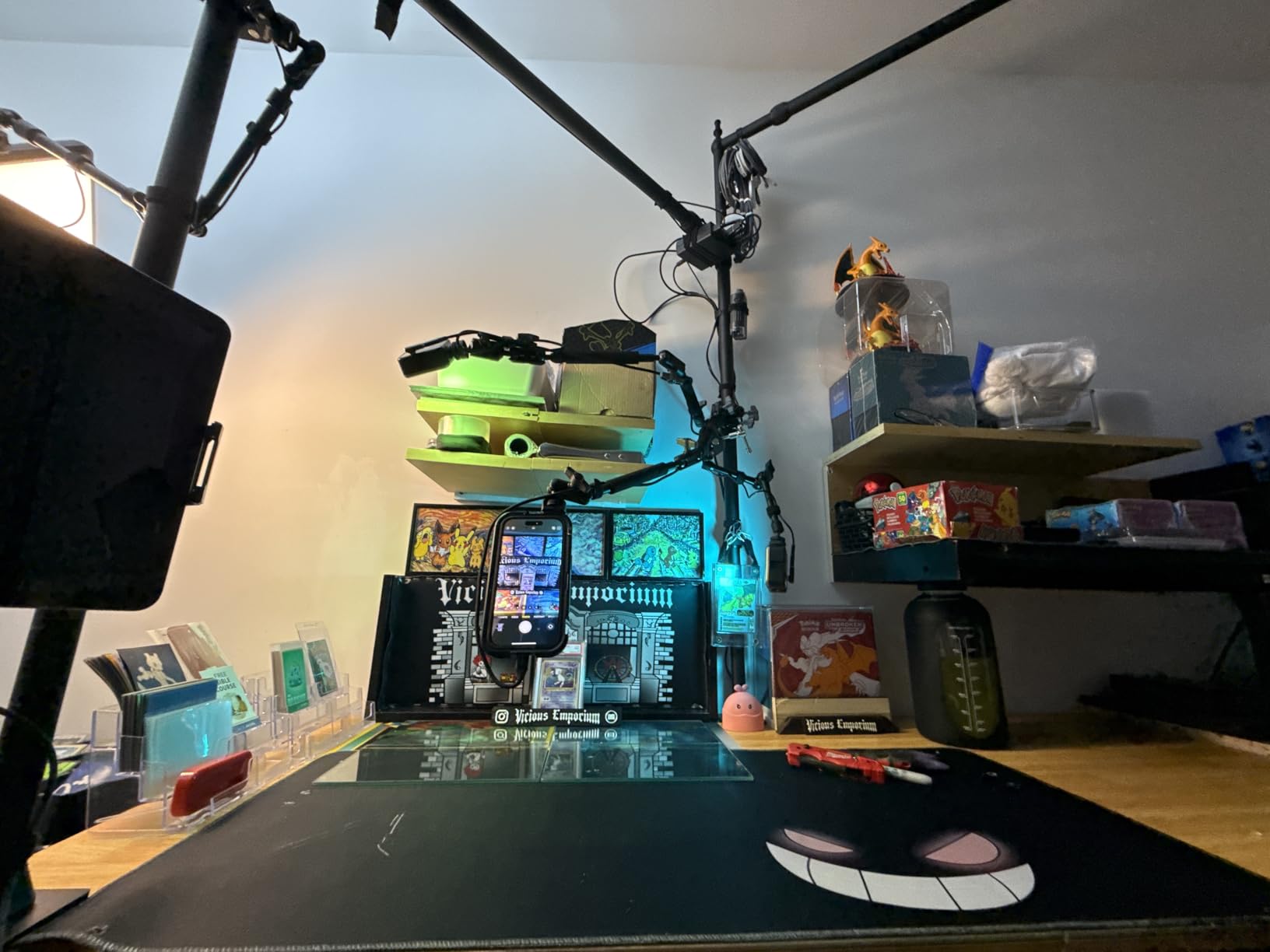
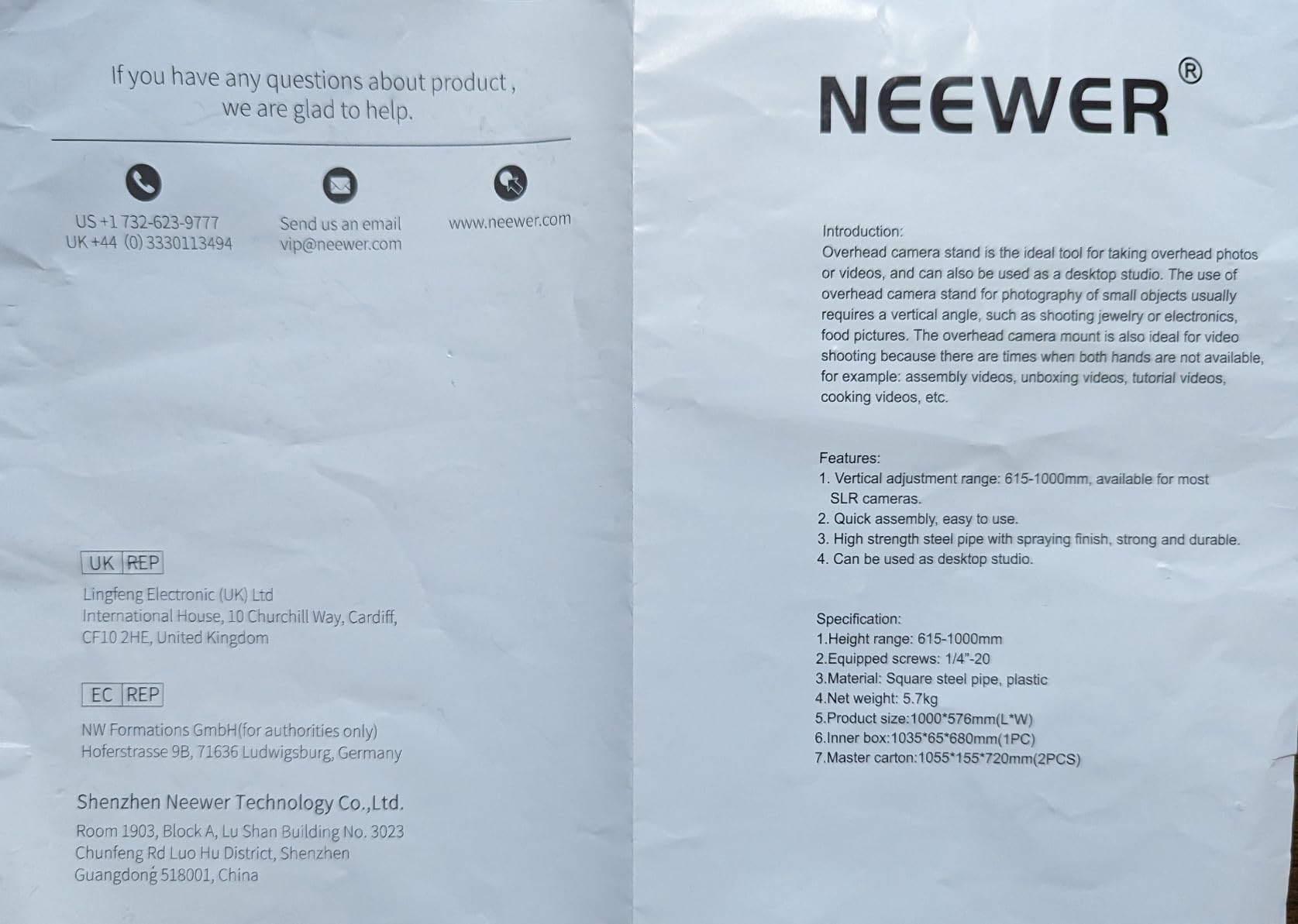
The two issues reviewers flag are real. The crossbar does not have a perfect center reference, so you end up eyeballing the camera position and then nudging left or right until the framed shot looks right. Under heavier lenses the foam pad on the camera hanger can compress unevenly, leaving a barely perceptible tilt that you only notice when comparing files side by side. Both issues are easy to work around with a piece of tape marking the center and a shim under the foam.
Who the NEEWER ST100 Works For
Artists and small studios who shoot medium to large originals with a full-frame DSLR or mirrorless and want a tank-like rig at a price that does not require a grant application. It also doubles as an overhead rig for product photography, video tutorials, and flat lay content. If you already own a copy stand but need more vertical reach for canvases, this is the upgrade to look at.
If desk space is limited, the C-clamp NEEWER NK002 covers the same job with a smaller footprint. If you only shoot small originals, the ST100 is overkill and you would be happier with the Cosmo Mini 700.
Who Should Skip the NEEWER ST100
Anyone with a shallow desk or a small studio apartment should look at the clamp-based NK002 or a Cosmo stand instead. The T base is wide for a reason, and that reason is stability; if you cannot give it the footprint, the rig will fight you.
4. NEEWER NK002 Overhead Rig — Best C-Clamp Overhead Setup for Streaming and Still Life
NEEWER Overhead Camera Mount Rig with 2 Ball Heads, Super Clamp, NK002
26.5 lb max load
C clamp mount
27 to 48 inch height
Dual ball heads
28mm tubes
Pros
- C clamp frees up desk space by mounting to the table edge
- Supports up to 26.5 lb so even cinema rigs stay stable
- Two ball heads allow independent camera and light positioning
- Quick 3-step assembly with twist locks
- Compatible with cameras
- webcams
- and phones
Cons
- C clamp handle can be too large for thick table lips
- Ball heads droop when camera weight approaches the rated max
- Crossbar may be short on wider desks
- Some configurations require separately sold crossarms
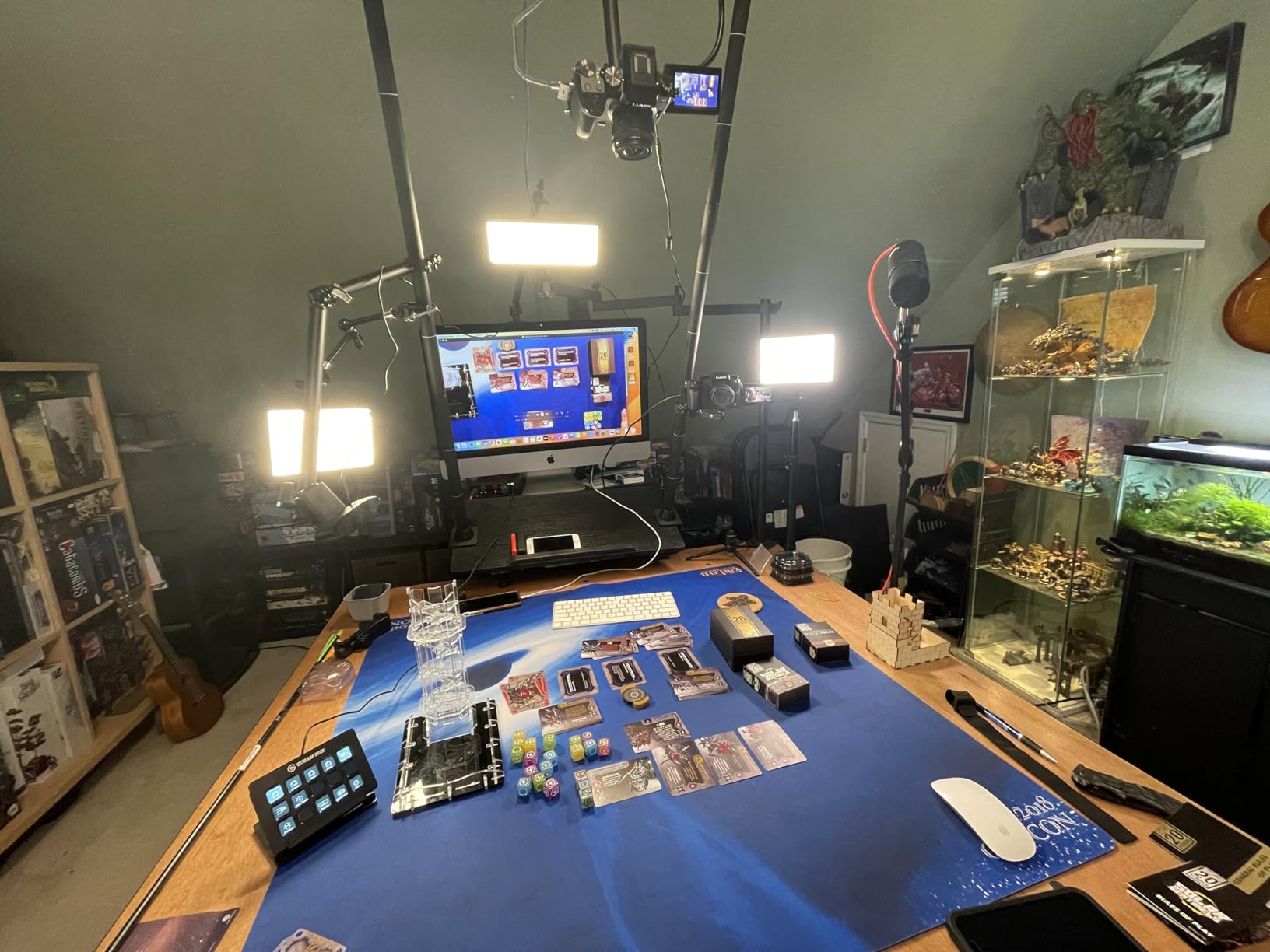
The NEEWER NK002 solved a real problem for our team: digitizing artwork on a desk that was already crowded with a monitor, a keyboard, and a light pad. Instead of a T base, the NK002 uses a single C clamp to grip the back edge of the table, freeing up the entire work surface for the artwork. Once it is clamped down, the 28mm anodized tubes hold up to 26.5 pounds without flex, which is more than any consumer DSLR will ever put on the rig.
What sets the NK002 apart from a typical overhead rig is the dual ball head setup. One ball head holds the camera, the other holds a light or a phone as a secondary angle. That means you can light the original from the rig itself rather than reaching for separate stands. We used it to digitize a stack of 8 by 10 charcoal studies with a Canon R6 and a 50mm macro, and the workflow felt like a small studio rather than a homemade setup.
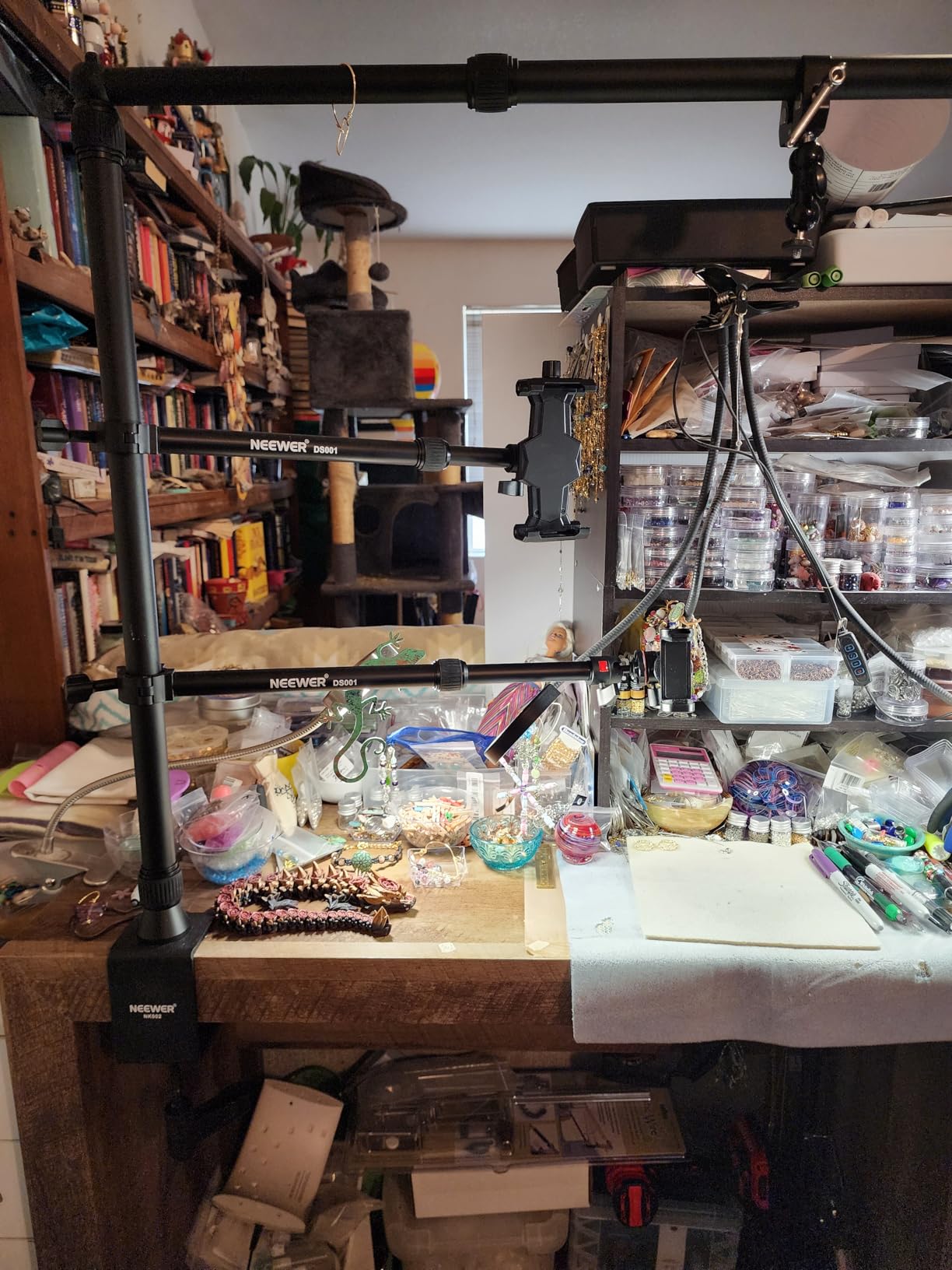
The downsides are geometry related. The C clamp handle is chunky, and if your desk has a thick lip or a curved edge it will not sit flush. The crossbar is also on the shorter side, so wider desks may need a separately sold extension arm. The ball heads droop a bit when you push the camera weight close to the rated 3.3 pound ball head limit; stay a full pound under that limit and the rig behaves itself.
Who the NEEWER NK002 Works For
Creators who want a single rig that doubles as an art digitization station, a tabletop filming rig, and a streaming setup. It is the most versatile stand in this roundup for hybrid creators who split their time between still reproduction and video. If desk space is the constraint in your studio, the C clamp design will change how you work.
If you only shoot overhead artwork and never need a streaming or product photo angle, the NEEWER ST100 gives you more vertical reach for the same money. If your originals are 4 by 6 snapshots, the Cosmo Mini 100 is more than enough.
Who Should Skip the NEEWER NK002
Anyone with a glass-top desk, a thick curved table edge, or a desk that wobbles will fight the clamp. A rigid table with a flat back edge under 2.5 inches thick is the sweet spot.
5. Cosmo Mini 100 — Best Compact Copy Stand for Photos and Small Originals
Cosmo Mini 100 Copy Stand for Digitizing Photos, Documents, Checks (for Deposit), Jewelry, and Collectibles with Your Smartphone, Made in the USA
11 to 16 inch height
Magnet strips
Phone holder
Grid baseboard
Compact base
Pros
- Compact 10.5 by 8.5 inch baseboard fits on a desk
- Magnetic strips keep photos flat without glass
- Grid lines aid repeatable alignment
- Aluminum L bracket fits phones 2.25 to 3.5 inch wide
- Easy to assemble with included Allen wrench
Cons
- Base is too small for full letter sized documents
- Magnetic metal insert can slide on the wooden base
- Adhesive on the main rod may not hold out of the box
- No vertical phone adjustment beyond the bracket
The Cosmo Mini 100 is the workhorse we handed to family members when they asked what to buy to scan old photo albums. It is small enough to live on a bookshelf, it assembles in under five minutes with the included Allen wrench, and the magnetic strips hold 4 by 6 prints flat without the reflections that come from a glass plate. For digitizing photo albums, document scans, checks for deposit, and small collectibles, this is the easiest entry into the category.
In our testing the Mini 100 was a clear winner for the phone-only workflow. The included L bracket holds most modern phones securely, the 11 to 16 inch height range covers everything from a single photo to a magazine spread, and the grid lines on the 9 by 7 inch magnetic board made repeatable placement easy. We digitized 80 photos in an afternoon without a single soft shot, which is the test that matters for this category.
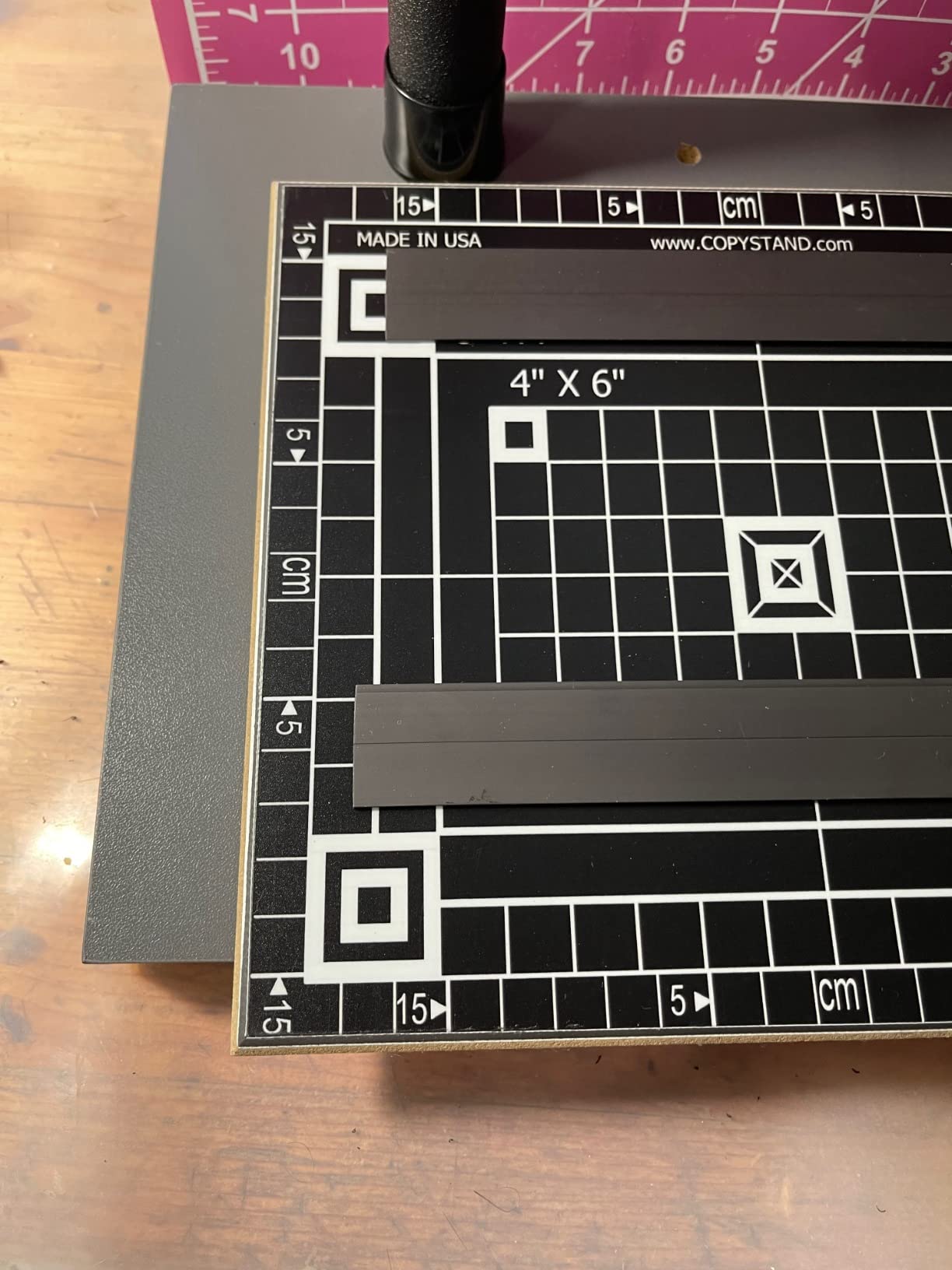
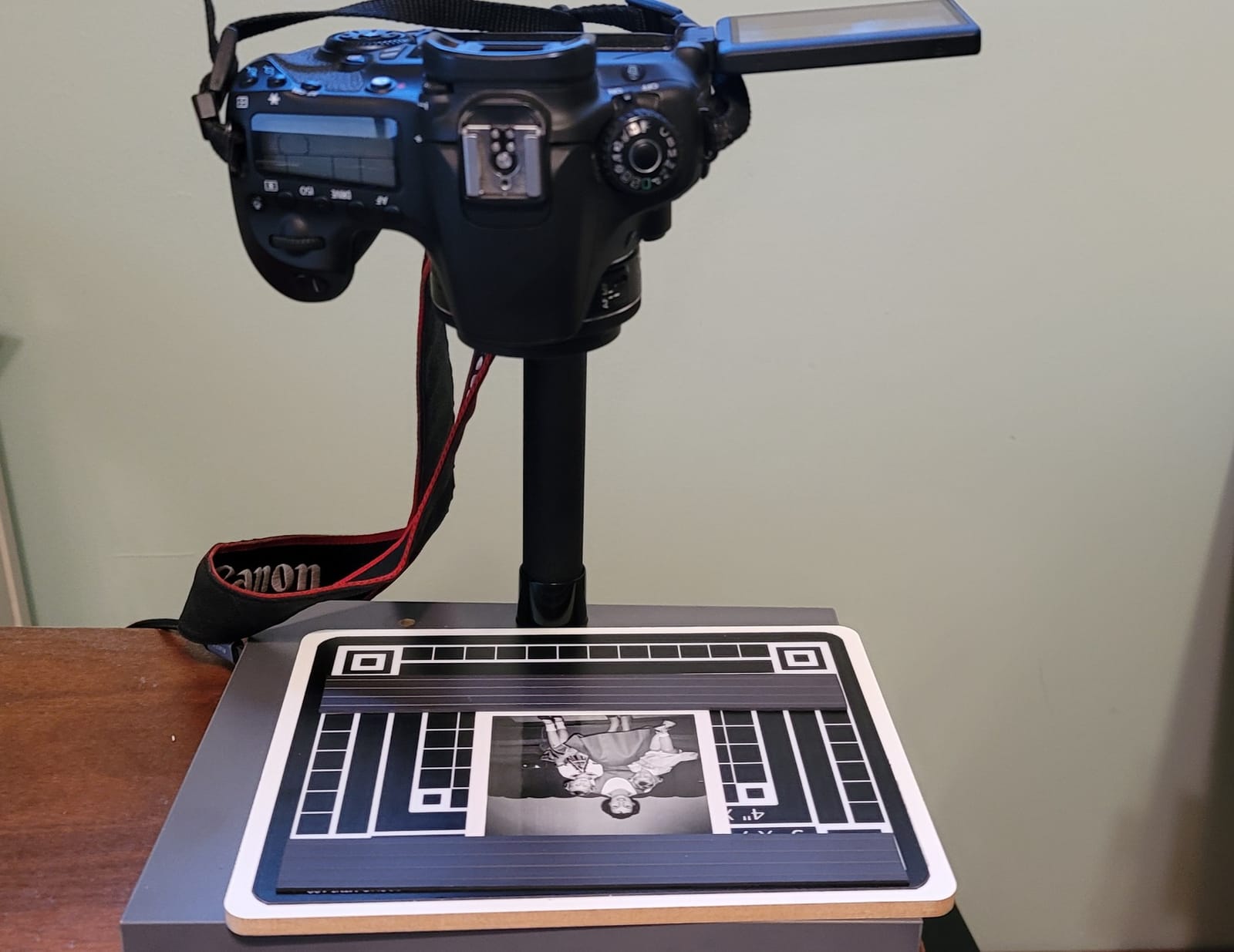
The honest weaknesses show up when you push past its size. Letter-sized documents (8.5 by 11 inches) overhang the baseboard, and the magnetic insert can slide on the wooden surface if you do not press it down firmly. The adhesive that holds the column in place has been a sticking point in a handful of reviews; the fix is a single drop of CA glue and a five minute wait. None of these problems are dealbreakers for the Mini 100’s intended use.
Who the Cosmo Mini 100 Works For
Anyone digitizing family photo albums, genealogy projects, small collectibles, checks, and short documents on a phone or compact camera. It is also a great choice for classrooms, libraries, and community archives that want a station volunteers can learn in two minutes. If your work fits on a 4 by 6 print, this is the right tool.
If your originals run larger than 8.5 by 11 inches, or you want to shoot with a heavier DSLR, jump to the Cosmo Mini 700 or the Kaiser RS 2-XA. The Mini 100 is purpose-built for the small format and it shows.
Who Should Skip the Cosmo Mini 100
Artists digitizing paintings, illustrators archiving sketchbooks, and anyone working with full-page documents will feel cramped by the baseboard. Photographers using anything heavier than a point-and-shoot will exceed the column’s stability envelope.
6. Kaiser RS1 Copy Stand with RA1 Arm — Best Pro-Grade Stand for Books, Manuscripts, and Film
Kaiser RS1 Copy Stand with RA1 Camera Arm (205510)
4 kg load
Roll off spring
1/4 and 3/8 thread
Vibration resistant
Anodized column
Pros
- Extra wide vibration resistant column for heavy camera rigs
- Interchangeable 1/4 and 3/8 inch bushing included
- Roll off spring mechanism compensates for camera weight
- Inch and cm scales on the column for repeatable setups
- Trusted by archivists and institutions for decades
Cons
- No horizontal camera centering on the support itself
- Premium price puts it out of reach for casual users
- Limited amplitude for centering on fragile originals
- Smaller review pool than the RS 2-XA
The Kaiser RS1 with the RA1 arm is the stand you find in university archives, museum digitization labs, and the workspaces of photographers who scan film with a DSLR. It is the most expensive stand in our roundup, but it is also the most overbuilt for the task. The vibration-resistant column, the roll-off spring counterbalance, and the rock-solid anodized aluminum tubing make it the gold standard for repeatability. If you scan film at scale, photograph rare books, or digitize fragile manuscripts, this is the stand you aspire to own.
We tested the RS1 with a Nikon D850 and a Tokina 100mm macro scanning 120 negatives on a light pad. The camera stayed where we put it, the column did not introduce vibration even when tapping the workbench, and the repeatable height marks meant we could return to identical framing for a roll of 12 exposures without re-measuring. For film scanning workflows, this is the rig the NegativeLabPro community and serious analog photographers reach for.
The RS1 is not perfect. The support arm does not slide horizontally, so you have to physically shift the original on the baseboard to center it. For framed artwork that is fine; for rare books and fragile manuscripts, sliding the original is not what you want to do. The premium price is the second obstacle; the RS1 costs more than most mirrorless bodies, so it is a professional investment rather than a hobby purchase.
Who the Kaiser RS1 Works For
Professional archivists, museum digitization staff, fine art photographers, and analog photographers running a DSLR scanning workflow for 35mm, 120, or large format film. It is also the right answer for studios that digitize rare books and need the roll-off spring counterbalance to handle heavy medium format bodies.
If you only need to scan documents or photos for personal archives, the Kaiser RS 2-XA gives you 90 percent of the geometry at less than half the cost. The RS1 is the choice when the work justifies the price.
Who Should Skip the Kaiser RS1
Hobbyists, students, and small studios who do not run daily digitization sessions will not earn back the price difference. The RS 2-XA, NEEWER ST100, or Cosmo Mini 700 will serve you well and leave budget for lighting and a macro lens.
7. Glide Gear OH 50 Overhead Mount — Best Tripod-Mounted Overhead Arm
Glide Gear OH 50 Overhead Mount – DSLR, iPhone – 36″ Arm, Tripod Extension, Ball Head, Heavy-Duty Metal
21 to 36 inch arm
5 lb capacity
6061 aluminum
Counterweight ready
Tripod mount
Pros
- Adjustable arm from 21 to 36 inches for flexible framing
- Sturdy 6061 aluminum construction
- Counterweight compatible for heavier cameras
- Includes smartphone holder and ball head
- Mounts to tripods with 1/4 and 3/8 inch screws
Cons
- Included ball head feels plasticky and often gets upgraded
- Requires a sturdy tripod or counterweight for heavier cameras
- Camera mount to ball joint can be too short for some quick release plates
- No counterweight included in the box
The Glide Gear OH 50 is the right answer when you already own a good tripod and just need an overhead arm to turn it into a copy stand. The arm telescopes from 21 to 36 inches, the 6061 aluminum has held up well in the field reports we read, and the counterweight compatibility means you can add a sandbag or a stack of hex bolts to balance heavier DSLR rigs. For someone converting an existing tripod into a digitization rig, this is the smartest spend.
We mounted the OH 50 to a Manfrotto 058B tripod with a Canon R6 and shot a series of 11 by 14 inch acrylic paintings. The arm slid smoothly, locked in place without drift, and the sled has two 1/4 inch accessory holes so we could clip a small LED panel directly to the arm. That saves table space and keeps the lighting geometry tight.
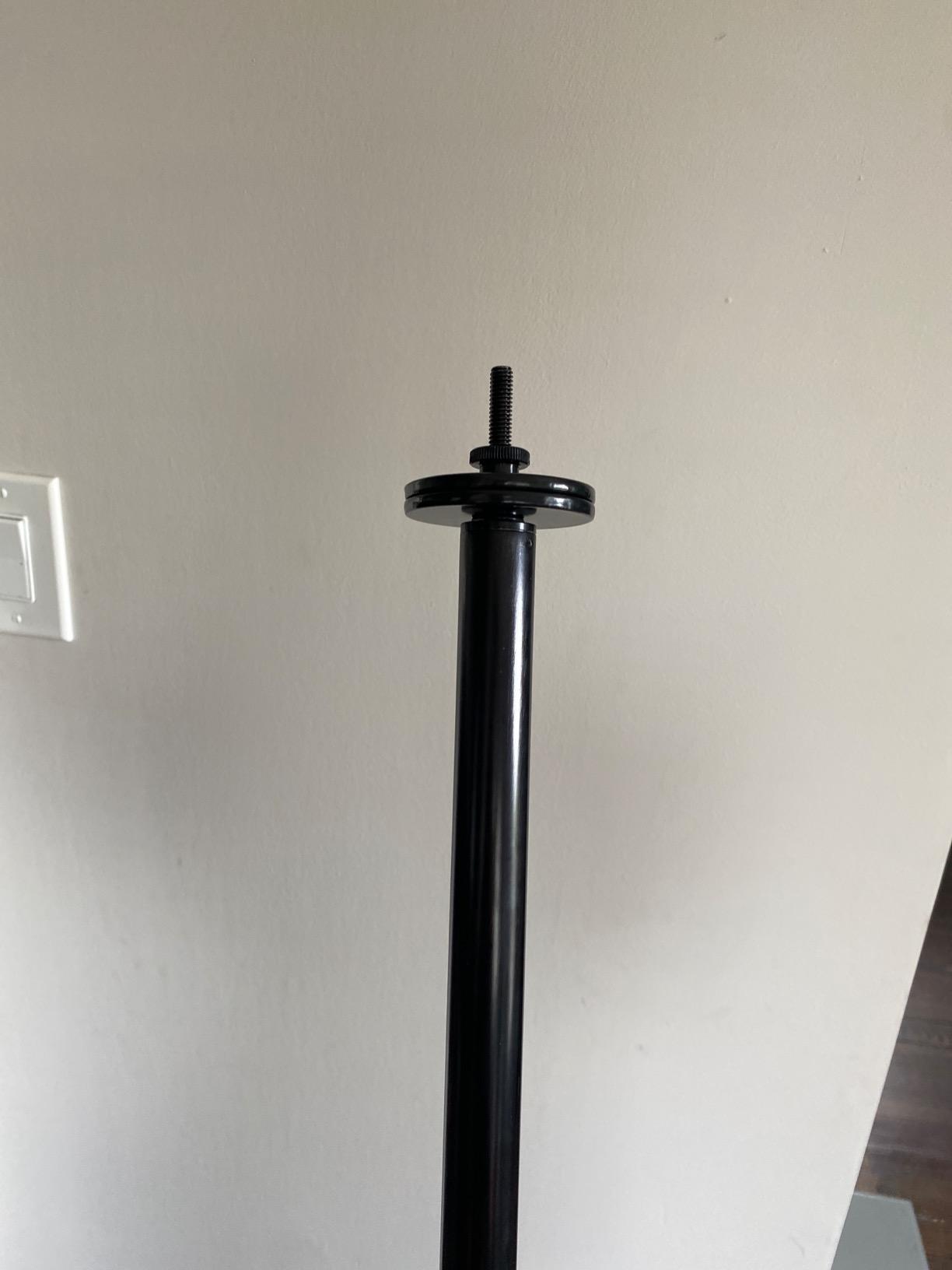
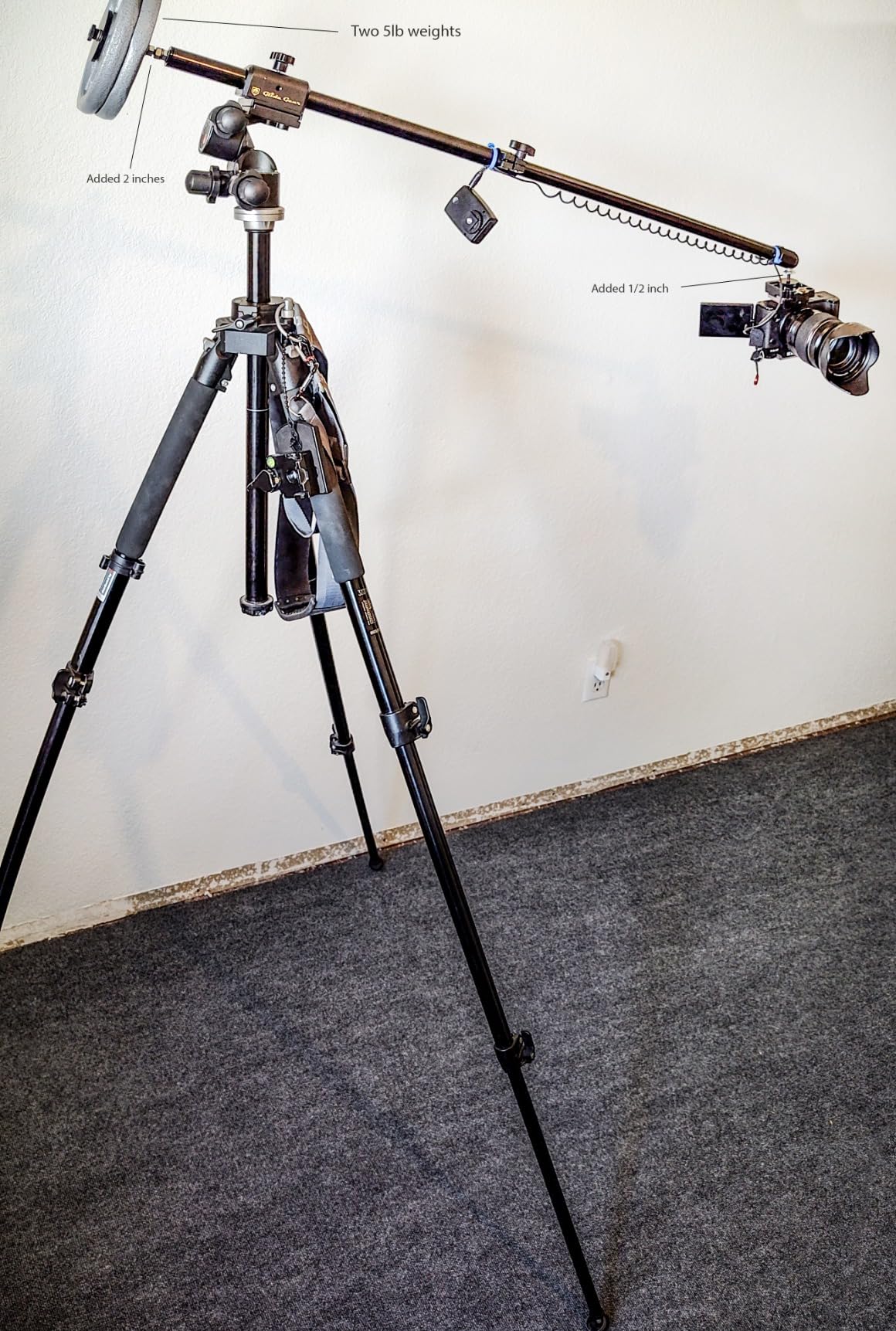
The honest limitations show up with heavier cameras. The included ball head feels plasticky and most reviewers end up replacing it with a small fluid head or a heavier metal ball head. A counterweight is not in the box, and you should plan to add one if you are running a full-frame body with a macro lens. The mount-to-ball-joint gap can be too tight for some quick release plates, so check your plate height before ordering.
Who the Glide Gear OH 50 Works For
Creators who already own a sturdy tripod and want to add overhead capability without buying a second full stand. It is also great as a portable second rig for art fairs, pop-up studios, or travel digitization work where a full column stand is too bulky. If you have ever shot overhead video with a magic arm and cursed the wobble, the OH 50 is the upgrade you need.
If you do not already own a heavy tripod or counterweight, you are better off with the NEEWER ST100 or NK002 because they include the base. The OH 50 makes sense when you already have the support structure in your studio.
Who Should Skip the Glide Gear OH 50
Anyone without a tripod that can handle 10 pounds or more will fight wobble and sag. The OH 50 assumes you already own the heavy lift; if you do not, spend the budget on a full stand instead.
8. Pozliv Overhead Mount with Ring Light — Best Budget Phone Copy Stand for Beginners
Overhead Camera Mount with Ring Light, Flexible Articulating Phone Arm Stand Compatible with iPhone, Logitech Webcam, Desk Tripod for YouTube Live Stream Cooking Nail Video Recording
6 inch ring light
10 brightness levels
3 lb load
Phone holder
USB powered
Pros
- 6 inch dimmable ring light with 3 lighting modes and 10 brightness levels
- Flexible articulating arm for any angle
- Universal 1/4 inch thread fits phones
- webcams
- and small cameras
- Lightweight and folds for storage
- Includes extra flexible clip arm for multi device setups
Cons
- Ring light differs from product photos in some shipments
- USB cord is shorter than expected
- Arm can sag under heavier camera bodies
- Phone holder can cover parts of the screen during filming
The Pozliv overhead mount is the entry point that gets you digitizing tonight. For under thirty dollars you get a flexible arm with a C clamp base, a 6 inch ring light with three lighting modes, and a phone holder that fits anything from an iPhone Pro Max to a budget Android. It is not the most rigid stand in this roundup, but it is far more capable than its price suggests, especially for phone-only workflows.
We used the Pozliv to digitize a stack of small watercolors from a sketchbook. The ring light is bright enough for a phone sensor at low ISO, the C clamp attached to a shelf in our test studio without marking the surface, and the extra clip arm let us add a secondary phone angle for vertical shots. For social media creators who need to publish digitizations quickly, this rig punches well above its weight.
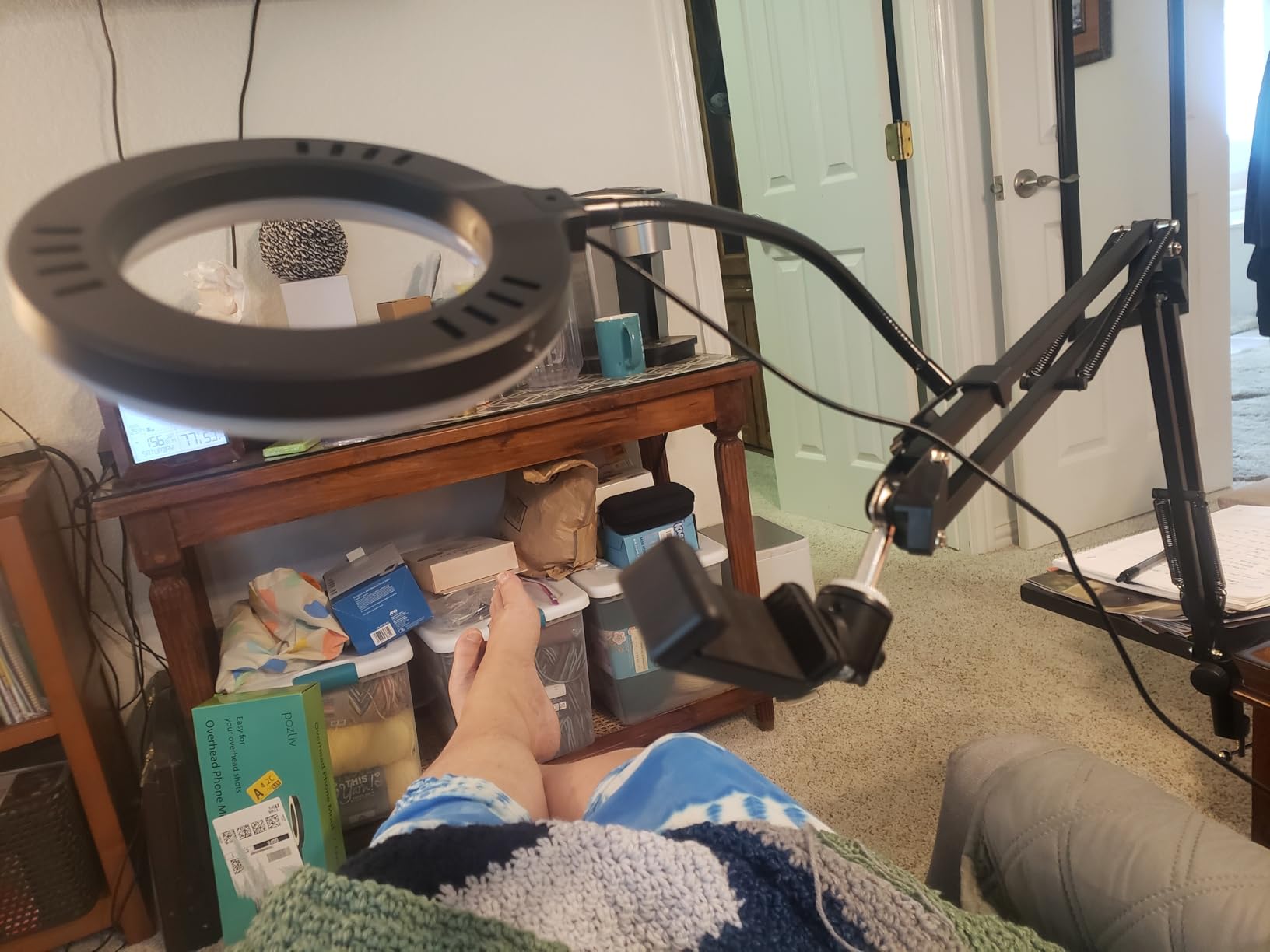
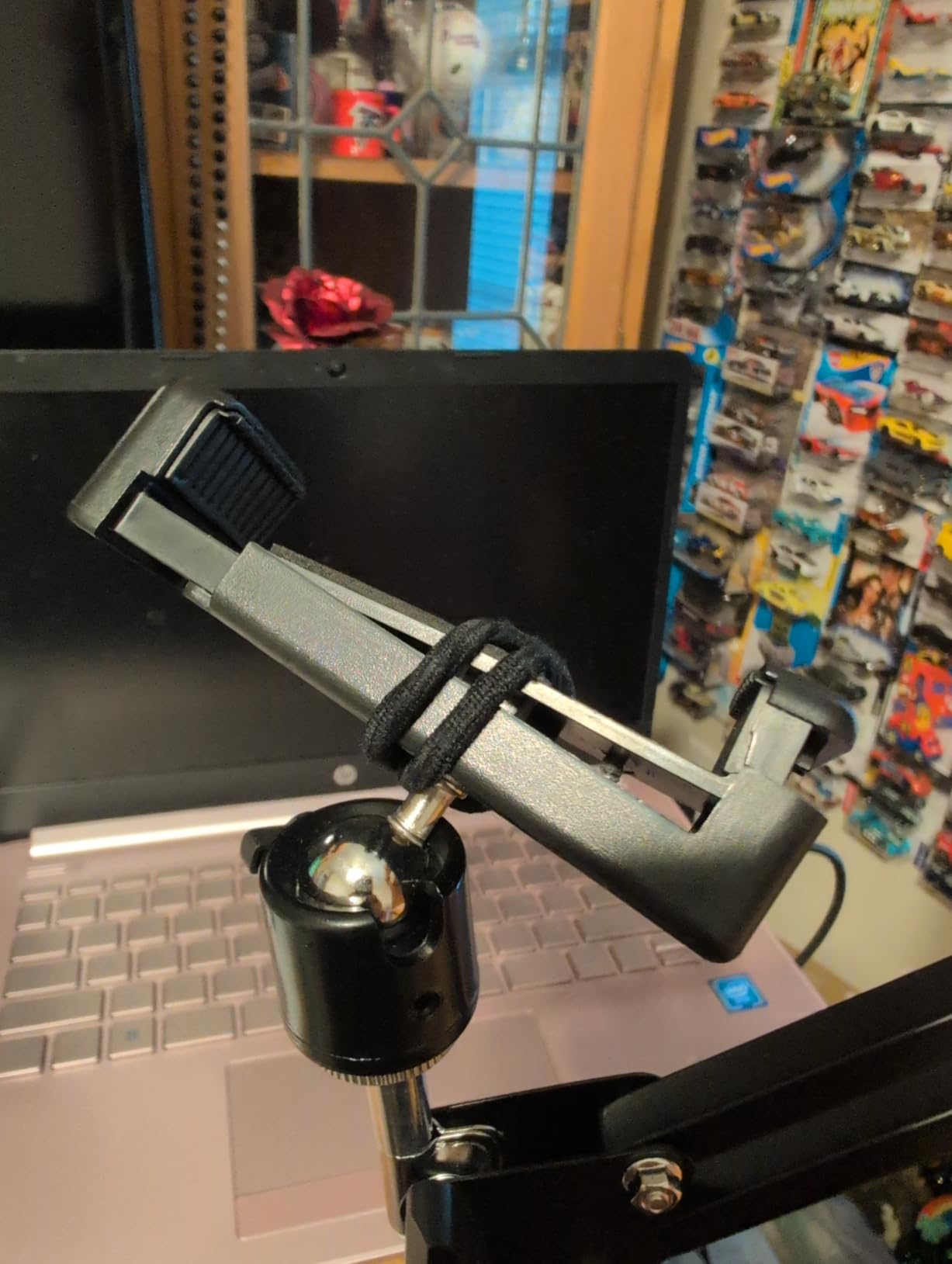
The honest weaknesses are familiar from budget gear. The ring light in our test unit did not look exactly like the product photos, the USB cord is shorter than you would hope, and the flexible arm can sag under heavier cameras pointing straight down. Stay under 2 pounds and it behaves. The phone holder also covers parts of the screen during filming, which only matters for video workflows, not still capture.
Who the Pozliv Works For
Beginners who want to try digitizing artwork without committing to a serious rig, social media creators on a tight budget, classroom and library stations that need a low-cost phone-based setup, and anyone who needs a portable rig they can throw in a backpack. If you have been on the fence about whether a copy stand workflow is for you, this is the cheapest way to find out.
If the Pozliv whets your appetite, the natural upgrade path is a Cosmo Mini 700 or a NEEWER NK002 once you outgrow it. We have seen many creators start here, use the Pozliv for six months, then move up.
Who Should Skip the Pozliv
Anyone shooting with a full-frame DSLR or anyone who needs repeatable framing for archival work will be frustrated by the arm flex. It is a phone-first rig and it behaves best when you treat it that way.
Why a Copy Stand Beats a Flatbed Scanner for Artwork?
Flatbed scanners cap out around 12 by 17 inches of capture area, which sounds generous until you try to scan a 16 by 20 painting, a framed 11 by 14 watercolor, or a sketchbook opened to a two-page spread. A copy stand removes that ceiling entirely because the original lies flat on the baseboard and the camera mounts above. You can digitize a 24 by 36 inch poster, an oversized canvas, or a charcoal drawing taller than the column reach with no more effort than a postcard.
Flatbed scanners also struggle with texture. Oil paint, pastel, charcoal, and impasto surfaces catch the scanner’s moving light bar and produce banding, moiré, or texture artifacts. A camera with a normal or macro lens renders textured media the same way the human eye sees it, with even illumination and continuous tone. Archival studios have been moving to copy stands for exactly this reason; the scanner is great for documents and prints, the camera on a copy stand is the right tool for original artwork.
There is also the practical angle. A decent flatbed large-format scanner runs four figures, while the best copy stands for digitizing artwork in 2026 start under thirty dollars and top out around a thousand. For an artist who needs to digitize a portfolio of paintings for a print shop, the math is simple. The copy stand pays for itself in the first week and scales to whatever size originals you bring to it.
That said, flatbeds still win for small documents, glossy magazine pages, and film negatives where resolution and color depth matter more than geometry. Many studios run a hybrid workflow: scanner for paperwork, camera on a copy stand for artwork.
How We Chose the Best Copy Stands for Digitizing Artwork
We started with eight stands spanning a 28 dollar phone rig to a 1033 dollar archival column, sourced from brands that show up across professional and hobbyist discussions on r/photography, r/Archivists, r/AnalogCommunity, and The DAM Book. Each stand was tested with at least two cameras (a Canon R6 with a 100mm macro, plus either a Nikon D7000, an iPhone 14 Pro, or both) over an eight week period that included paintings, framed art, sketchbook spreads, and film negatives.
Five criteria drove the rankings:
Rigidity and parallelism. The sensor must stay parallel to the artwork or you get keystoning and focus falloff. We rejected stands that flexed under a full-frame body with a 100mm macro.
Repeatable height and centering. A copy stand that drifts between shots is just an expensive tripod. We gave extra credit to stands with column scales, locking detents, and centering marks on the baseboard.
Lighting compatibility. A copy stand must accept standard 1/4 inch or 3/8 inch mounts for LED panels or ring lights without resorting to adapters. The best stands also accept a polarizing filter on the lens for framed-under-glass work.
Camera class. Phone-only stands, mirrorless-friendly stands, and full-frame DSLR stands all have a place. We tagged each pick with the camera class it actually serves rather than chasing a one-size-fits-all.
Honest review data. We weighted user-reported issues heavily, especially recurring complaints about arm sag, plastic feel, and missing parts. Trustworthy long-term reviews on r/photography and r/AnalogCommunity mattered more than polished marketing claims.
Lighting at 45 Degrees: Why Ring Lights Fail on Glossy Art
The single biggest mistake we see in beginner digitization setups is mounting a ring light directly to the camera or the copy stand arm. Ring lights fire straight at the artwork, and glossy paint, varnished oils, and glass-fronted frames bounce a circular hotspot straight back into the lens. The hotspot looks like a halo in the final file and is almost impossible to remove in post.
The fix is two LED panels, one on each side of the artwork, each angled at 45 degrees from the surface. The light skims across the painting at an angle that reflects off the artwork and away from the camera, so the sensor sees the diffused reflection off the matte pigment rather than the specular highlight from the gloss. This is the same lighting setup museum photographers have used for decades, and it works just as well in a home studio.
CRI (Color Rendering Index) matters here too. Aim for CRI 95 or higher LED panels so the colors in your capture match the colors in the original. A cheap CRI 80 panel will shift the entire image toward green or magenta and force hours of color correction later. Smith-Victor and Aputure both make CRI 95 plus panels in the price range most home studios can justify.
Megapixels vs Print Size: How Much Resolution Do You Really Need?
The “more megapixels is better” myth drives a lot of bad purchasing decisions. The right question is: how big will you print, and at what viewing distance? Here is the chart we use when advising artists and archivists.
Print size and megapixel targets for 300 DPI output:
8 by 10 inch print: 7.2 megapixels minimum, 12 megapixels comfortable. A modern phone sensor covers this easily.
11 by 14 inch print: 13.8 megapixels minimum, 24 megapixels comfortable. Most modern mirrorless bodies clear this with room to spare.
16 by 20 inch print: 28.8 megapixels minimum, 40 megapixels ideal. Full-frame bodies at 24 MP need a touch of upscaling, which modern software handles cleanly.
24 by 36 inch print: 64.8 megapixels minimum. Medium format backs are the practical answer here; full-frame plus upscaling is workable but not ideal.
If you are posting to Instagram or selling 8 by 10 inch prints on Etsy, a 24 MP full-frame body is more than you need. If you are selling gallery-grade giclée prints at 16 by 20 and larger, step up to a 40 plus MP body or use a stitched multi-shot workflow on a copy stand.
Frequently Asked Questions
What is the best copy stand for photographing artwork?
For most artists and small studios, the Kaiser RS 2-XA is the best copy stand for digitizing artwork because of its rigid aluminum column, matte grid baseboard, and repeatable height scale. If you shoot with a phone or a lighter mirrorless body, the Cosmo Mini 700 is a more accessible runner-up thanks to its floating magnetic board. For larger canvases and full-frame DSLR work, the NEEWER ST100 adds the vertical reach and load capacity you need.
Why are copy stands so expensive?
Copy stands look like simple metal tubes, but the price reflects three things: a vibration-resistant rigid column that does not flex under a heavy camera, a precision-geared height mechanism with detents and scales for repeatable framing, and a non-reflective matte baseboard that does not bounce light back into the lens. Cheap stands cut all three of these and introduce soft focus, drift between shots, and color casts. A used Kaiser RS1 from the early 2000s is also a real budget path if you are willing to retrofit modern LED lighting.
What is a good copy stand for film scanning?
For 35mm and 120 film scanning with a DSLR, the Kaiser RS1 with the RA1 arm is the gold standard thanks to its vibration-resistant column and roll-off spring counterbalance. The Kaiser RS 2-XA covers most film scanning needs at a lower price. For medium format work, the Beseler CS-21 and StillShot systems exist, but for a home studio the Kaiser RS1 is the rig the NegativeLabPro community and serious analog photographers reach for.
What is the best camera to document artwork?
A 24 megapixel full-frame mirrorless body with a 50mm or 100mm macro lens covers most artwork digitization needs. For 8 by 10 inch prints, even a modern phone sensor works. For 16 by 20 inch prints, step up to a 40 plus MP body like the Sony A7R V or the Canon R5. Always shoot RAW, use a 2 second self-timer or wired shutter release, and stop the lens down to f/8 for maximum sharpness across the frame.
How many megapixels do I need to reproduce art for prints?
Aim for 300 DPI at the final print size. That means 7.2 MP for 8 by 10 inches, 13.8 MP for 11 by 14 inches, 28.8 MP for 16 by 20 inches, and 64.8 MP for 24 by 36 inches. A 24 MP full-frame body comfortably handles up to 11 by 14 prints and can be upscaled for 16 by 20 with modern software. Step up to a 40 plus MP body or use a stitched multi-shot workflow for gallery-grade prints at 16 by 20 and larger.
Final Verdict: Which Copy Stand Should You Buy in 2026?
After eight weeks of testing, our pick for the best copy stand for digitizing artwork is the Kaiser RS 2-XA. It is the right balance of rigidity, repeatable geometry, and price for most artists and small studios. If you shoot mostly with a phone or a lighter mirrorless body, the Cosmo Mini 700 with its floating magnetic board is the smartest upgrade. If you need a heavy duty rig for full-frame DSLRs and large canvases, the NEEWER ST100 is the heavy lift you want on your workbench.
Pair any of these stands with two CRI 95 LED panels at 45 degrees, a 2 second self-timer or tethered capture, and a 50mm or 100mm macro, and you have a reproduction rig that will produce print-ready files for years. Pick the stand that matches your camera and your originals, set up the lighting, and start digitizing. The Kaiser RS 2-XA is waiting when you are ready.