
A smart deadbolt for a rental home is an electronic door lock that replaces a standard deadbolt and lets you open the door with a keypad code, a phone app, a fingerprint, or a physical key. The part that matters for a rental is connectivity: with built-in Wi-Fi or a radio link, you can add, change, and revoke guest codes remotely between stays without driving to the property.
That single capability removes almost every headache that comes with keys, and it is the reason a rental lock is chosen differently from a consumer one. When we ranked the best smart deadbolts for rental homes for 2026, every lock below was judged on host criteria first: remote code change, live battery visibility, and whether it fits the door you already have.
One question comes up before any product recommendation, so let us answer it plainly. You can install a smart lock on a property you rent only with the owner’s or landlord’s written permission, and your lease may or may not cover alterations. In most states, a landlord cannot refuse a reasonable lock change outright, and security experts have noted that some rental agreements require locks to be returned or replaced for repairs, so check your lease before drilling. Hosts and owners are the buyers this guide is written for.
Table of Contents
Top 3 Smart Deadbolts for Rental Homes (October 2026)


ULTRALOQ Bolt SE WiFi
- 50 fingerprints
- 50 passcodes
- Matter over Thread
- 18-month battery claim

eufy Smart Lock C220
- Six unlock paths
- built-in WiFi
- self-learning fingerprint
- 8-month battery
Best Smart Deadbolts for Rental Homes in 2026
| Product | Specs | Action |
|---|---|---|
| Schlage Encode Smart WiFi Deadbolt |
|
Check Latest Price |
| ULTRALOQ Bolt SE WiFi Smart Lock |
|
Check Latest Price |
| eufy Security Smart Lock C220 |
|
Check Latest Price |
 ULTRALOQ Bolt Fingerprint WiFi ULTRALOQ Bolt Fingerprint WiFi |
|
Check Latest Price |
 eufy Security Smart Lock C30 eufy Security Smart Lock C30 |
|
Check Latest Price |
 Zylenor Keyless Entry WiFi Deadbolt Zylenor Keyless Entry WiFi Deadbolt |
|
Check Latest Price |
 Philips WiFi Smart Deadbolt Lock Philips WiFi Smart Deadbolt Lock |
|
Check Latest Price |
 Tapo Smart WiFi Door Lock DL110 Tapo Smart WiFi Door Lock DL110 |
|
Check Latest Price |
 Veise VE012W WiFi Fingerprint Lock Veise VE012W WiFi Fingerprint Lock |
|
Check Latest Price |
 Wyze Auto-Lock Bolt v2 Wyze Auto-Lock Bolt v2 |
|
Check Latest Price |
1. Schlage Encode Smart WiFi Deadbolt – Best Overall for Rental Homes
Schlage Encode Smart WiFi Deadbolt Lock with Century Trim, Matte Black
Built-in WiFi
100 access codes
Lock history and alerts
Four AA, about six months
Pros
- Built-in WiFi with no separate bridge to buy or defend
- Up to 100 access codes with lock history and custom notifications
- Customizable door-movement and forced-entry alarm
- Installs with a screwdriver in minutes
- Compatible with Alexa and Google Home
Cons
- Touchscreen is less responsive with wet or dirty hands
- Only one physical backup key included
- Fits standard doors only
If I had to run a portfolio of rental doors from another state, this is the lock I would install. The Wi-Fi radio is inside the lock body, so there is no bridge to plug into a wall inside the property for a guest to discover and unplug. Remote code changes, lock history, and push notifications all come through the Schlage Home app, and up to 100 codes means a code per guest, per cleaner, and per contractor with room to spare.
The single-unit construction is the reason it dominates host forum threads. On BiggerPockets, short-term rental hosts repeatedly name the Schlage Encode as their pick, citing built-in Wi-Fi, battery level visible in the app, and a single powered part instead of three separately powered pieces that can each fail. That matches what we saw putting these locks side by side: fewer components means fewer failure points on a door nobody is standing next to.
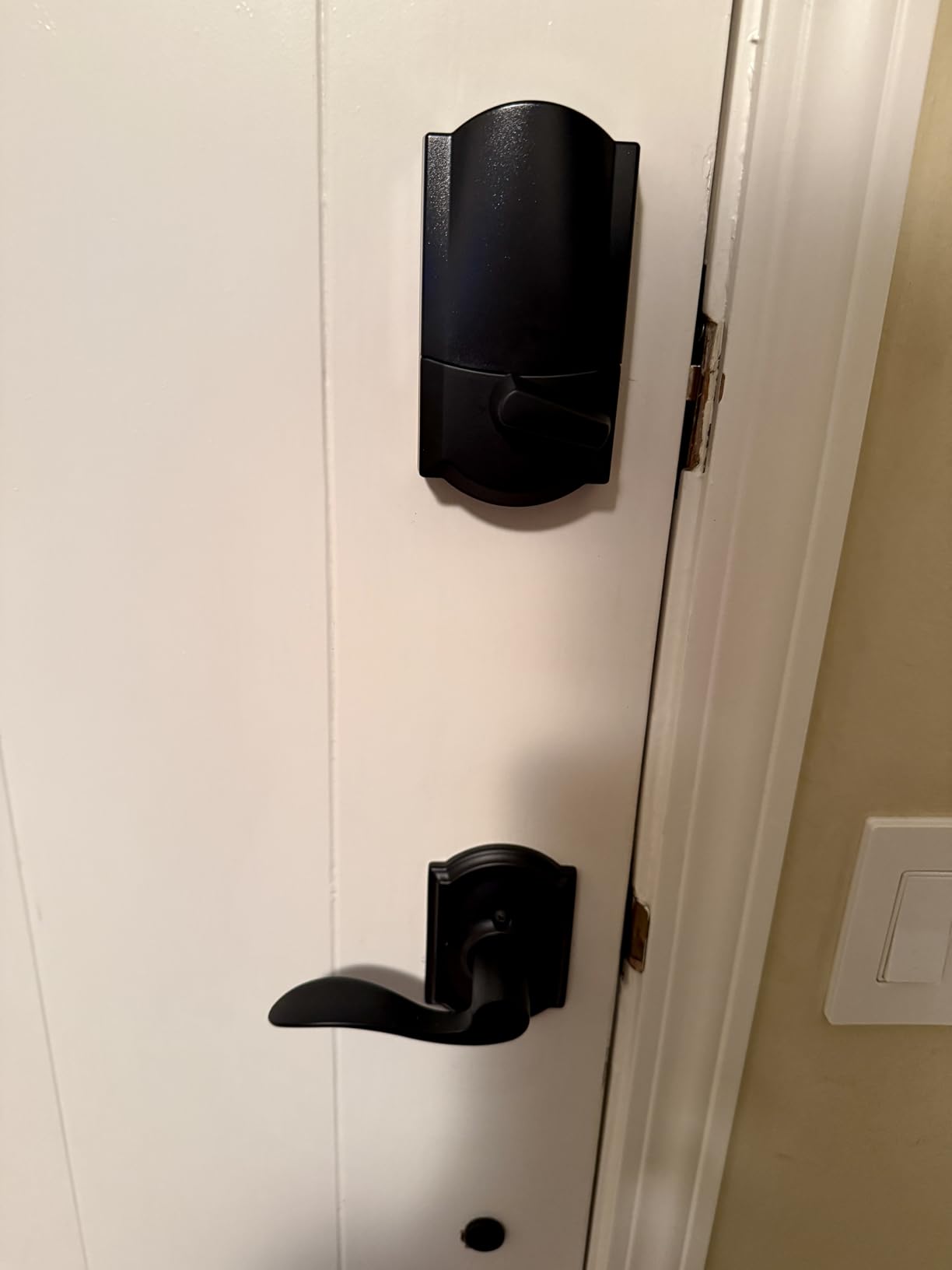
Installation is genuinely a screwdriver job on a standard door, and the fingerprint-resistant touchscreen lights on touch. Customers consistently praise painless installation and dependable app control, and the rating distribution backs that up, with 72 percent five-star and 9 percent four-star out of more than 13k reviews. The build quality and the certification on the fingerprint-resistant touchscreen are the other things owners mention most.
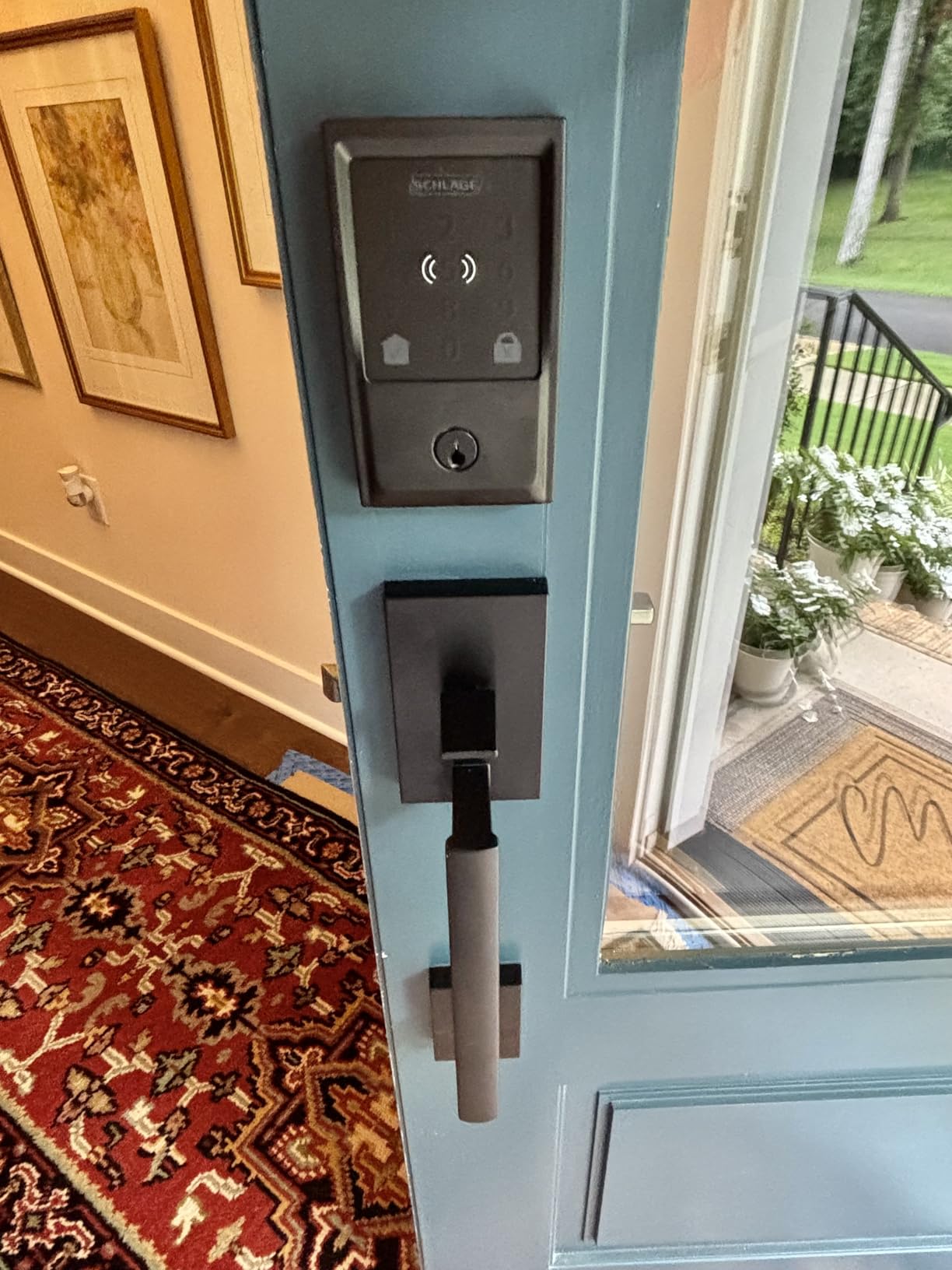
The catch is the touchscreen itself. Because there are no physical buttons, smudges and fingerprints left in weather can make the panel sluggish to wake, and a tenant arriving in the rain may need a second tap. For a high-traffic rental door, that is a real friction point worth knowing about before you buy ten of them.
What to check before you buy the Schlage Encode
Measure your door first. This model fits doors 1-3/8 to 1-3/4 inches thick with a 2-3/8 or 2-3/4 inch backset, which covers most standard US doors but not all of them. A retrofit model that slides over your existing deadbolt is the safer choice on an older or unusual door.
Battery planning matters too. It runs on four AA cells with no rechargeable pack option, and the manufacturer claims up to six months typical life. That figure assumes ordinary code traffic; a door with codes changing daily and a cleaning crew code in constant use will run shorter, so pair it with a second keypad-only lock or keep fresh AAs on hand for turnover days.
Who should skip the Schlage Encode
Skip it if you need more than one backup key in the box. Only one physical key is included, and for a rental where a tenant may lose the mechanical key, most hosts add a lockbox or a second keyed deadbolt as backup. It is also a poor fit for a tenant who cannot modify the door, since it is a full deadbolt replacement rather than an over-the-door retrofit.
Renters with a strict no-drill lease rule should also pass here. The body has to sit inside the door, and replacing an existing deadbolt means working in the bore. For those doors, a retrofit model that mounts over the existing cylinder is the less invasive option.
2. ULTRALOQ Bolt SE WiFi Smart Lock – Best for Fingerprint Turnover
ULTRALOQ Bolt SE Wi-Fi Smart Lock, Matter Over Thread, App Remote Access
Matter over Thread
50 fingerprints
IP65 weather sealing
18-month battery claim
Pros
- Stores up to 50 fingerprints and 50 passcodes for busy doors
- Built-in WiFi app control with temporary and scheduled eKeys
- Matter over Thread for Apple Home and other ecosystems
- Self-healing Thread mesh reroutes around dropped devices
- ANSI/BHMA certified zinc alloy body
Cons
- Matter over Thread features need a Thread Border Router
- WiFi is 2.4 GHz only within about 70 ft
- Door sensor not included with this model
This is the one to look at if your rental door sees a lot of repeat human traffic rather than constant turnover. Fifty fingerprint slots means a small household, a cleaning crew, and a rotating set of guests can all be enrolled once, and the fingerprint pad is described as glove-friendly, which matters when a tenant unlocks with a gloved hand while carrying groceries.
Remote access works two ways. There is built-in Wi-Fi with no hub required for app control, plus Matter over Thread for Apple Home and other Matter ecosystems, and the Thread mesh is self-healing, meaning a dropped device does not take the whole network down. The 18-month battery claim comes from that low-energy mesh rather than from standard Wi-Fi operation, which is worth keeping in mind for a door with heavy use.
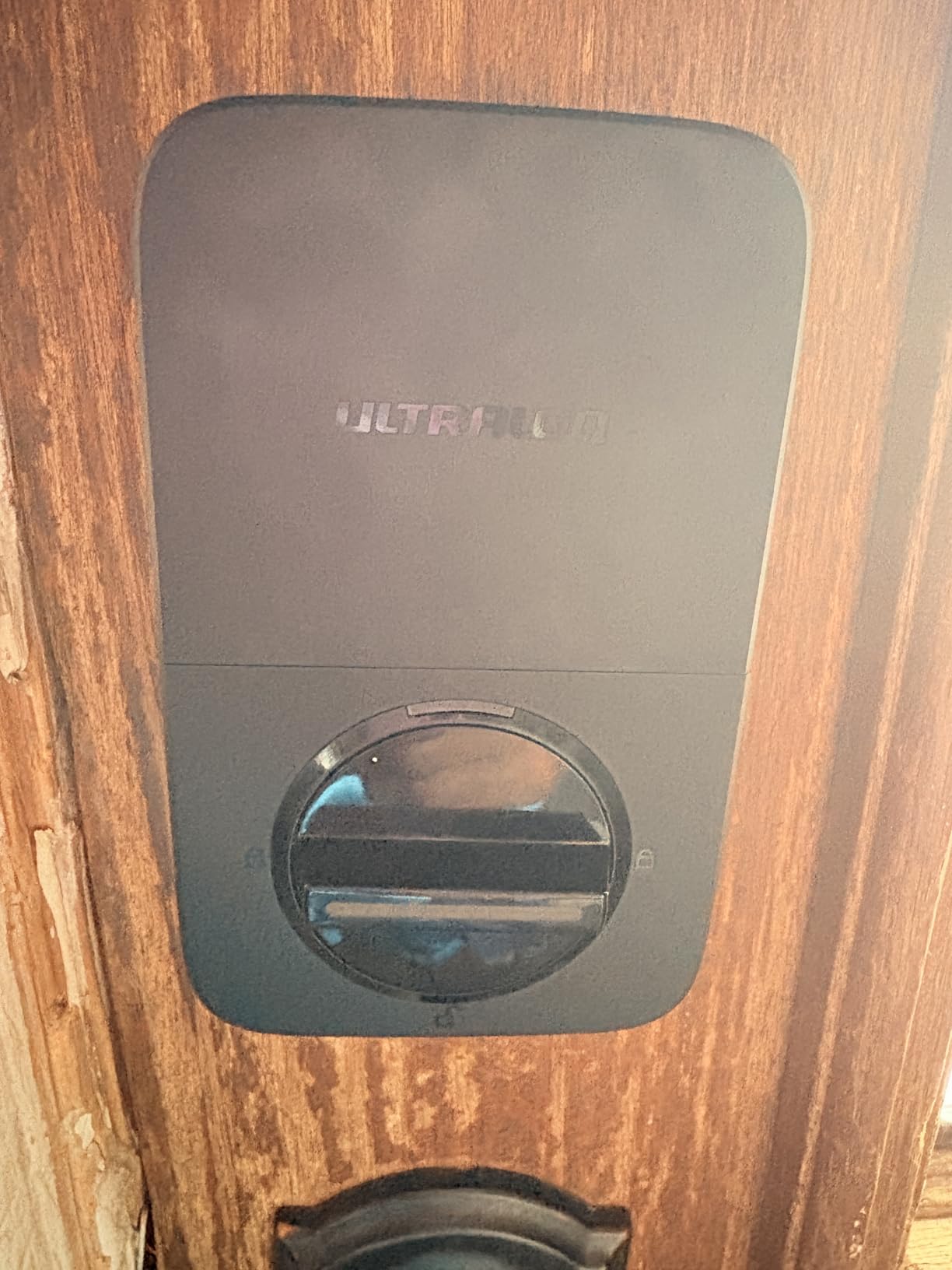
Owners highlight strong value, fast fingerprint reads, easy sharing of temporary codes for guests, and installation that takes about ten minutes with a screwdriver. The 4.3 rating sits just above the Schlage here, with 70 percent five-star and 13 percent four-star across more than 10k reviews. Access sharing by link, without typing a code on the keypad, is the feature hosts mention most when talking about check-in instructions.
The limitations are network-shaped rather than mechanical. Wi-Fi is 2.4 GHz only and the router should sit within roughly 70 feet, which matters on a rural property or a detached unit far from the main house. Matter features also need a compatible Thread Border Router somewhere on the network, so the lock is not a standalone Matter device even though the protocol is built in.
What to check before you buy the ULTRALOQ Bolt SE
Confirm your router situation first. A 2.4 GHz-only radio with a practical range of about 70 feet is fine in a townhouse or an ADU near the main building and a problem in a rural barn conversion or a building at the back of a lot. If you also want Matter, plan where the Thread Border Router sits, because that hub becomes part of your host setup to defend.
Decide whether you need the door sensor. This model does not include one, so you get lock and unlock events but not a live read on whether the door is standing open. A cleaning crew that props the door after finishing is a real scenario, and a sensor-equipped model answers it for you automatically.
Who should skip the ULTRALOQ Bolt SE
Skip it if you want a single-part install that never needs a second piece of hardware. The Matter path adds a hub requirement, and hosts running a portfolio may prefer the simpler single-unit approach where the only powered thing on the door is the lock. It is also not the right pick for a property where the door is thinner or thicker than the standard range this model expects.
Tenants who cannot modify the door should pass as well. Although installation is quick, the lock body still needs to sit in the door bore rather than hanging over the existing cylinder, so a no-drill lease is a problem here.
3. eufy Security Smart Lock C220 – Best Value Fingerprint Deadbolt
eufy Security Smart Lock C220, Fingerprint Keyless Entry Door Lock
Six unlock paths
Self-learning fingerprint
Built-in WiFi
About 8 months of battery
Pros
- Six unlock paths including sub-one-second fingerprint
- Built-in WiFi means no bridge or hub for remote control
- Self-learning fingerprint recognition improves with each touch
- BHMA Grade 3 certified with IP53 rating
Cons
- Eight AA cells add ongoing maintenance
- Fingerprint pad needs a touch to wake before code entry
- eufy ecosystem integration only ties in with eufy devices
The C220 is the value pick in this group, and the number that sells it for a host is the six unlock paths. Fingerprint, app, keypad, physical key, Apple Watch, and voice control cover a guest with a code, a returning cleaner with a fingerprint, a landlord with a key, and a tenant whose phone died, all on one door.
Remote control is built in through Wi-Fi with no bridge or hub, which is the failure mode that has burned hosts before. Guests unplugging a separate bridge takes a whole system offline and forces a site visit, and every lock on this list with the radio inside the body avoids that. Here the fingerprint module also learns from each touch, so recognition accuracy improves the more it is used.
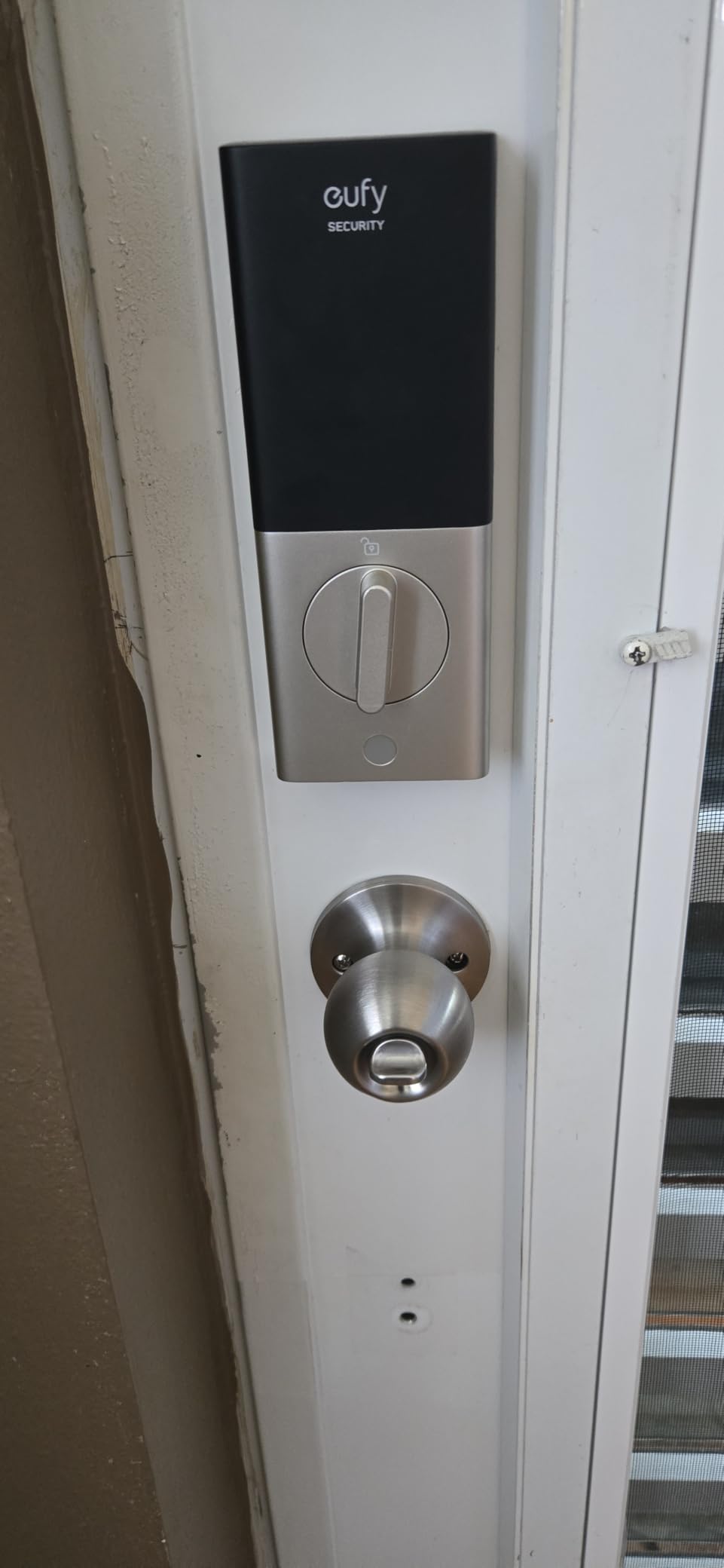
Satisfaction centers on installation that beginners manage without help, fast fingerprint reads, and app control from anywhere. The 4.3 rating comes with 71 percent five-star out of more than 4,200 reviews. The temperature range of minus 22F to 158F and the IP53 rating are the specs that matter if a door faces northern winters or direct afternoon sun.
Two things to weigh. Eight AA batteries is a lot of cells to keep stocked, and on a high-traffic door drain is the most common complaint in reviews. Second, the fingerprint pad has to be physically touched to wake before you can enter a code, which adds a step a first-time guest will not expect during a self check-in.
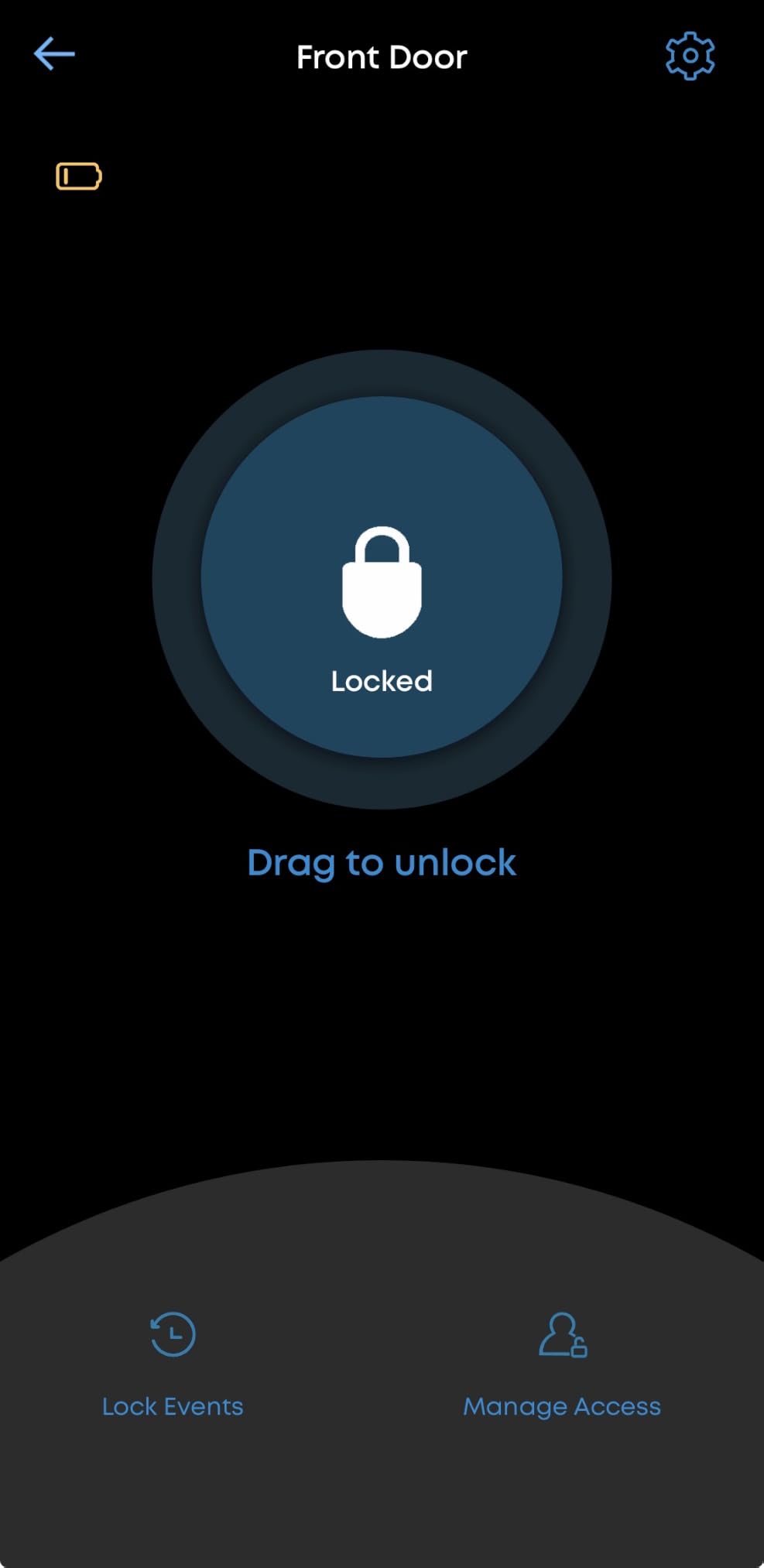
What to check before you buy the eufy C220
Check the bore measurement. This model fits most standard deadbolts, and a spacer removal handles bores under 54 mm without drilling, which is a genuine help on older rental doors. If your door falls outside that range, the install stops being a 15-minute job and becomes a lock body swap.
Budget for batteries, not just the lock. Eight AA cells is a recurring cost and a recurring trip to the drawer, and heavy daily code use on a rental door shortens intervals. If you run many properties, a rechargeable pack or a lock with a longer measured interval may serve you better over a year.
Who should skip the eufy C220
Skip it if you need Matter or Apple Home support for automated guest flows. The ecosystem integration ties in with eufy devices such as its own doorbells, so if your booking automations run elsewhere, this is not the lock to build on. It is also a poor fit for tenants who cannot modify the door, since it is a replacement body rather than a surface retrofit.
Very high-traffic front doors are the other caution. For a lightly used secondary entry it works well, but on a main door with dozens of entries a day the battery complaint pattern gets worse, not better.
4. ULTRALOQ Bolt Fingerprint WiFi – Best for Door Status Alerts
ULTRALOQ Bolt Fingerprint WiFi Smart Lock with Door Sensor, Remote Access
Door sensor included
50 passcodes
Apple Home certified
Grade 2, IP65
Pros
- Included door sensor gives door-open status and alerts
- Apple Home certified with iPhone and Apple Watch unlock
- Up to 50 fingerprints
- 50 passcodes and scheduled guest codes
- Lockout mode disables code and app unlocking while away
Cons
- WiFi is 2.4 GHz only within about 70 ft
- Apple Home automations need a HomePod or Apple TV
- Only two backup keys supplied
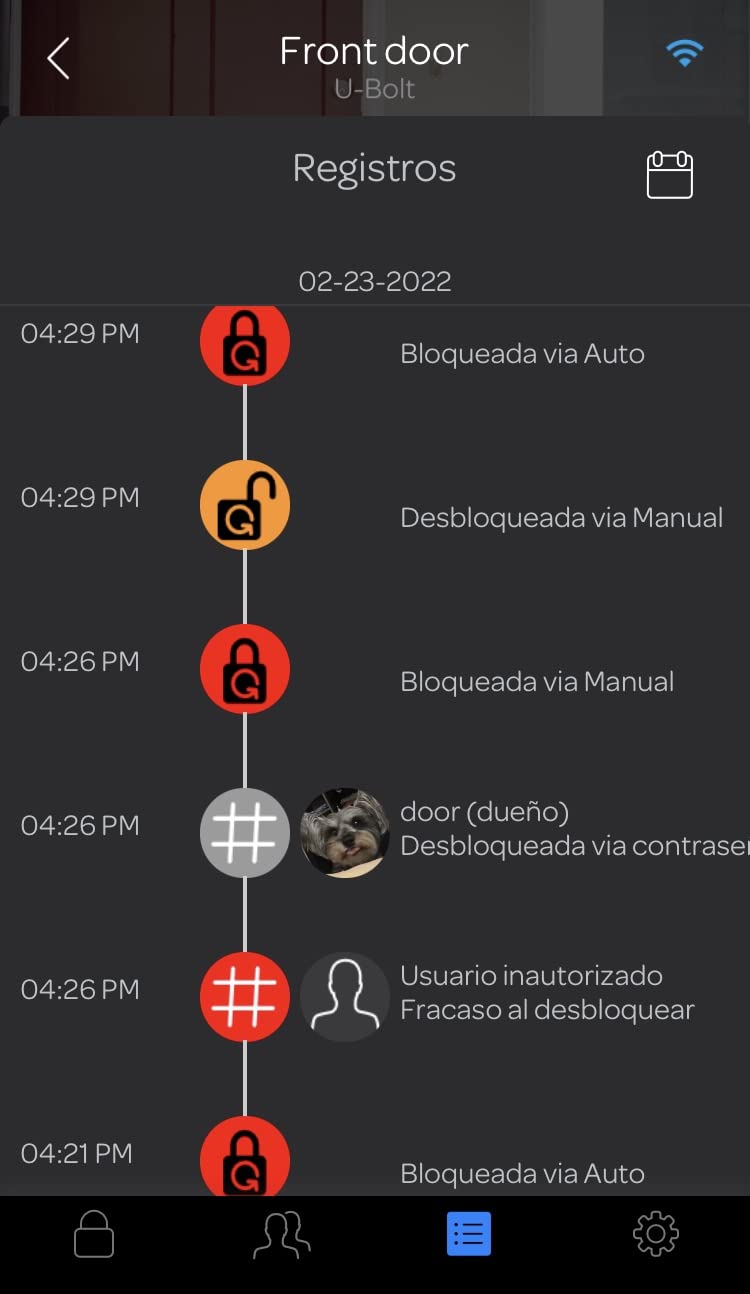
The door sensor is the reason this one earns its place. It reports whether the door is actually open and can send a door-open alert, which turns a guess into a fact when a guest says the door was ajar or a cleaning crew leaves in a hurry. On a rental, that single notification saves more arguments than any fingerprint reader.
There is also a lockout mode that disables code and app unlocking while you are away, leaving the master code as the only way in. For a property between stays, that is a meaningful setting. The lock stores up to 50 fingerprints and 50 custom passcodes, supports one-time and scheduled sharing, and reaches up to a year of battery life on eight AA batteries.
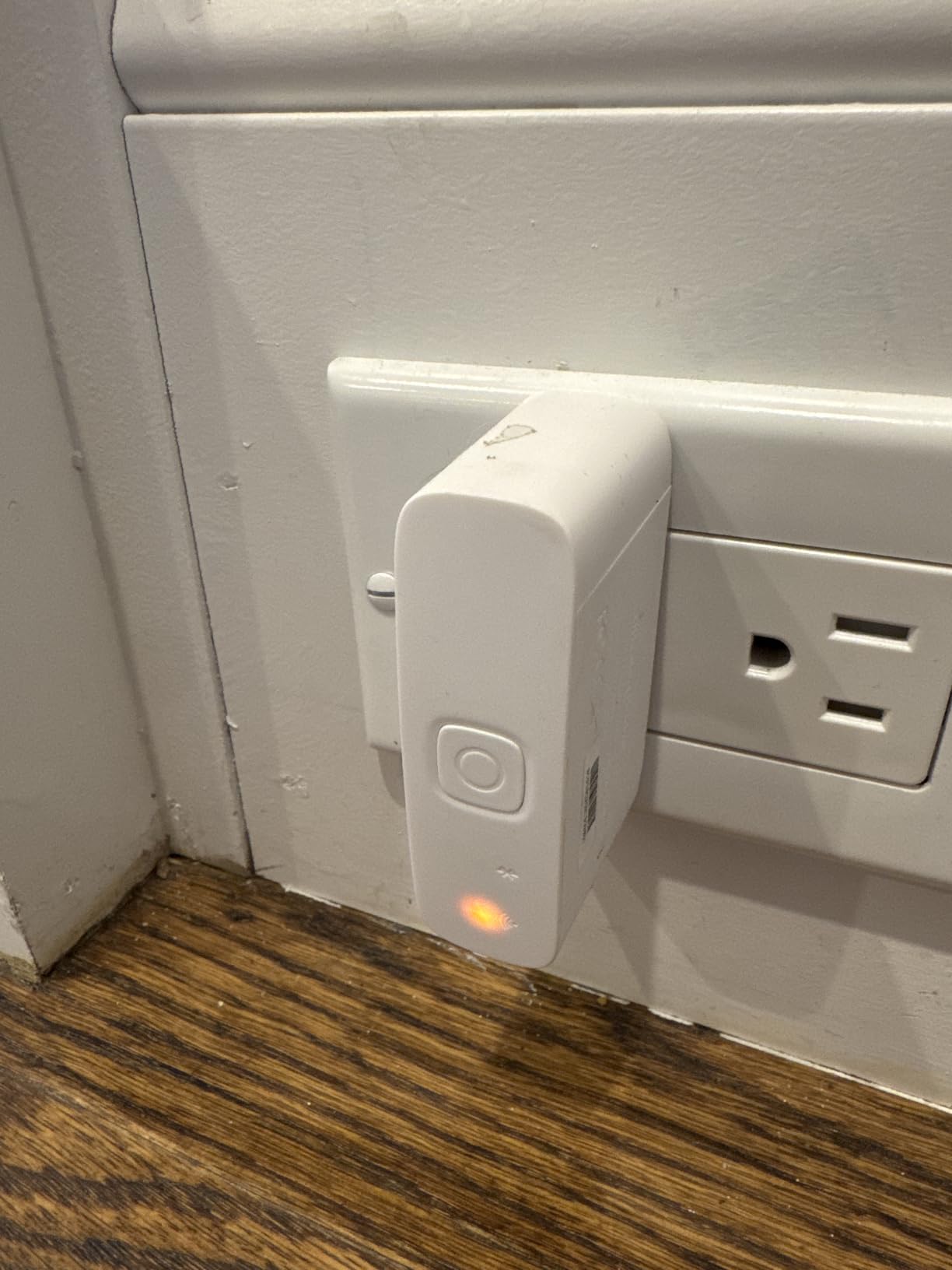
Buyers value the bundled sensor, Apple Home integration, and the flexibility of remote code sharing for rental turnover. The 4.2 rating with 68 percent five-star across roughly 2,500 reviews reflects a solid, well-liked unit. It works with Alexa, Apple Home, Google Home, SmartThings, and IFTTT, which makes it easier to slot into whichever platform the rest of the property already runs.
Apple Home remote control and automations need a HomePod or Apple TV acting as hub, so an all-Apple host has to already own one of those or add it. Owners also report the need to keep firmware current to keep the app stable, and occasional Wi-Fi pairing retries, so this is not a set-and-forget device.
What to check before you buy the ULTRALOQ Bolt Fingerprint
Look at how many powered things you are willing to defend on the property. The lock radio is built in, but the Apple Home path reintroduces a hub requirement. If your host setup is mixed-platform, the Wi-Fi and app path works alone and you can skip the extra hub entirely.
Confirm the range assumption. Wi-Fi is 2.4 GHz only and works best with the router within about 70 feet. Doors on detached structures, casitas, or a property larger than a standard lot need a test walk to the door before you commit to a fleet.
Who should skip the ULTRALOQ Bolt Fingerprint
Skip it if the door sensor is not the problem you are solving. It is the reason to buy this over the cheaper models, but on a secondary gate or a back door that nobody monitors, it becomes a feature you rarely use. It is also a poor match for hosts who want zero maintenance tasks, because firmware upkeep is part of keeping the app stable.
Tenants with a no-drill lease rule should pass. Despite the marketing language about no drilling, this is a full deadbolt body installation rather than mounting over an existing cylinder, so the door has to be modified.
5. eufy Security Smart Lock C30 – Most Versatile for Simple Install
eufy Security Smart Lock C30, Keyless Entry Door Lock, Built-in WiFi, Black
Built-in WiFi
15-minute install
Auto-lock timer
No subscription fee
Pros
- Built-in WiFi gives remote control with no bridge or hub
- Fits most standard deadbolts with a 15-minute no-drilling installation
- Auto-lock with a customizable countdown timer and no monthly subscription fee
- Keeps working as a standard keypad lock if remote functions go offline
- IP53 exterior rated minus 22F to 158F with BHMA Grade 3
Cons
- Battery drain is widely criticized on high-traffic doors
- Several buyers report units failing with little or no low-battery warning
- HomeKit and Apple Watch support missing
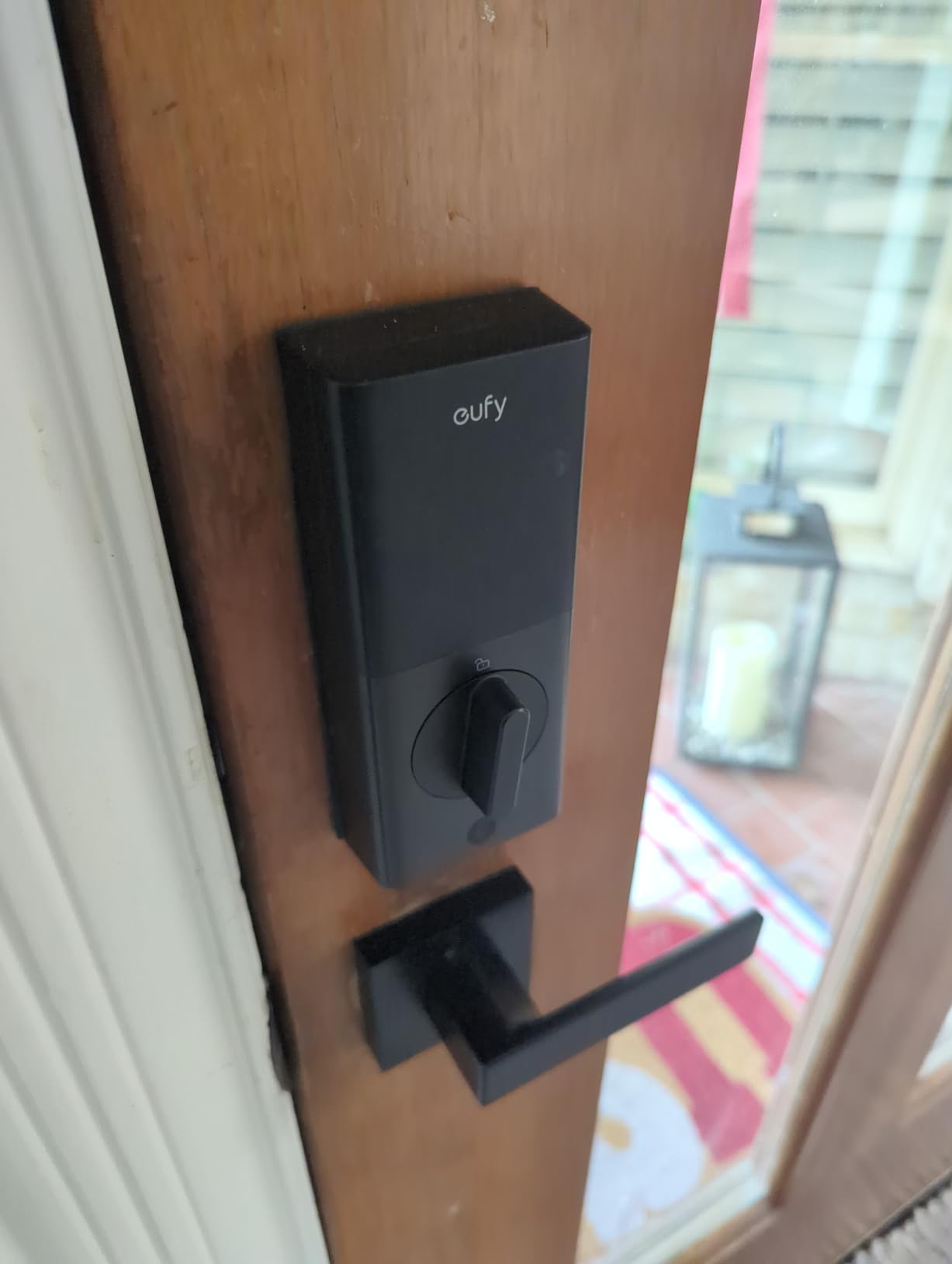
Two features make the C30 interesting for a first rental. It has built-in Wi-Fi with no bridge or hub, so remote code changes work without adding hardware a guest could find, and there is no monthly subscription fee attached to the app. Owners of lightly used doors like the price and the simple install.
There is a resilience detail hosts appreciate: it keeps working as a standard keypad lock if the app or remote functions go offline. Codes already programmed stay valid, so a Wi-Fi outage does not lock a guest out of their own rental. The auto-lock countdown timer and physical key round out a sensible feature set for a modest door.
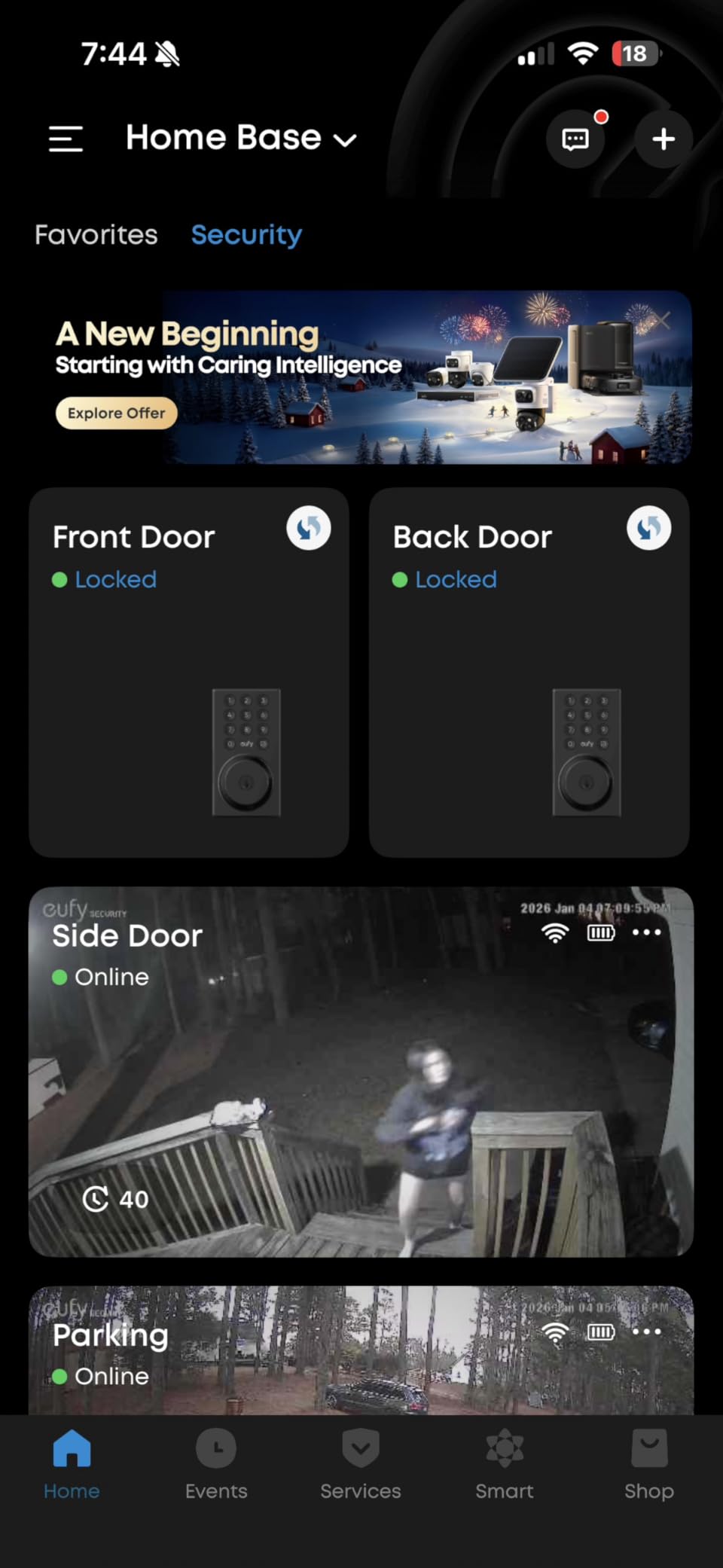
The reviews split, and the split is almost entirely about batteries. The 4.0 rating is the lowest in this group, with 64 percent five-star but 16 percent one-star, and the one-star slice is concentrated in reports from landlords running smart locks on busy rental doors, who see AA cells drain in weeks and describe abrupt failures with little or no warning.
That pattern matches what the host forums describe. A lock that only tells you the batteries are critically low is a lock that fails with a guest standing at the door, and this model is the clearest example in the set of why battery visibility matters more than headline battery life.
What to check before you buy the eufy C30
Ask how many entries the door sees per day. A lightly used side door or a unit with a weekly turnover is a fine match. A main entry with a cleaning crew, a family, and constant guest changes is where the battery complaints concentrate, and you would be budgeting for cells every few weeks rather than a few times a year.
Also confirm the lock reports battery level rather than only sending a critical alert, and plan a physical key backup regardless. Several buyers report complete failure with little warning, which is a pattern you can only mitigate with a keyed backup, not with a better app.
Who should skip the eufy C30
Skip it for a high-traffic door or a large portfolio. The failure pattern is consistent enough in reviews that buying dozens of them means owning a battery and keys logistics problem. It is also not the right pick if your automation stack depends on Apple Home, since HomeKit and Apple Watch support are missing.
Anyone wanting a fingerprint or biometric entry should move up a tier, as there is no reader here. And if a silent, backlit keypad matters for night arrivals, check the panel before ordering; the numeric keypad design here is described as harder to operate than touch-only layouts.
6. Zylenor Keyless Entry WiFi Deadbolt – Best for Basic Code Entry
Zylenor Keyless Entry Door Lock, Smart Lock for Front Door with Digital Keypad, Built-in WiFi Deadbolt, App Remote Control with Easy Installation, Upgraded Battery Life
Temporary and permanent codes
USB-C emergency port
Up to 10 months
Fits 2-1/4 backset
Pros
- Multiple unlock paths including permanent and temporary passcodes
- Gyroscope auto-locks the door after it closes
- USB-C emergency charging port
- Zinc alloy body with IPX4 protection meeting BHMA Level 3
- Up to 10 months of battery from eight AA cells
Cons
- Batteries are not included with the lock
- IPX4 rating is weaker than IP53 or IP65 rivals
- Always-active WiFi configuration mode can be confusing
This is the straightforward code lock. It runs permanent and temporary passcodes, Wi-Fi, app control, voice control through Google and Alexa, and mechanical keys. The gyroscope-based auto-lock fires after the door closes rather than on a timer, which means a guest cannot stand in the doorway holding the door open and walk away from an unlocked rental.
There is an anti-hijacking alert that triggers when a designated unlocking user ID opens the door, which is unusual in this price class and useful if you want to know when a specific code was used. The USB-C emergency charging port gives you a way to power the lock from a battery pack if the cells die mid-stay, and eight AA cells are claimed to run up to 10 months.
The 4.5 rating is the second-highest here, with 70 percent five-star and only 3 percent one-star out of roughly 1,650 reviews. Owners treat it as a budget pick: install takes about 15 minutes, the keypad responds well, and the feature-to-cost ratio is hard to argue with. For a single rental or a first unit, it covers the host workflow without extra hardware.
The weather rating is the compromise. IPX4 is splash protection, weaker than the IP53 and IP65 ratings on most competing locks here, so an uncovered exterior door facing driving rain or coastal salt air is a harder environment for it than for the ULTRALOQ or Wyze models. Batteries are not included, which adds a small first-run errand.
What to check before you buy the Zylenor deadbolt
Check the dimensions against your door. It fits doors 35 to 50 mm thick with a 2-1/4 inch (57 mm) backset on a US standard lock body. That is a narrower backset than some residential doors, so measure before you order rather than after the box arrives.
Read the battery note carefully. The eight AA cells are sold separately, which means the first guest arrival can be your first surprise. Plan a cell-change calendar at turnover, and keep a USB-C cable and a battery pack at the property for the emergency port.
Who should skip the Zylenor deadbolt
Skip it on an exposed door in a wet or salty climate, where IPX4 is the limiting factor. Hosts who want biometric entry should look elsewhere since there is no fingerprint reader. And if you run many properties, the always-active Wi-Fi configuration mode is an ongoing annoyance that a lockset with a cleaner setup avoids.
It is also not the right choice for tenants who cannot modify doors, since this is a full lock body rather than a surface retrofit, and not for hosts who need a live door-open sensor.
7. Philips WiFi Smart Deadbolt – Best for Away Mode and Code Limits
Philips Wi-Fi Smart Deadbolt Lock, Keyless Entry Door Locks for Front Door
Up to 100 passcodes
Away Mode
10-180 second auto-lock
Access history log
Pros
- Up to 100 custom passcodes plus unlimited one-time and scheduled codes
- Away Mode disables all unlock methods except the master code
- Built-in WiFi remote unlock with no extra hub
- Real-time open and lock alerts with a full access history log
- Auto-lock configurable from 10 to 180 seconds
- Fits doors 1-3/8 to 2 inches thick
Cons
- WiFi is 2.4 GHz only with a recommended 65 ft router range
- Batteries are not included and only AA alkaline cells are supported
- No door sensor included
- Voice control needs an active Google or Alexa account
Away Mode is the feature that separates this one for a rental. When you set it, every unlock method is disabled except the master code, which means a guest code, a cleaning code, and a fingerprint cannot be used at all. For a property between stays, that converts a recurring-code lock into a sealed one without removing anything.
The code capacity is generous for hosting. Up to 100 custom passcodes plus unlimited one-time and scheduled codes cover a guest per booking, a recurring cleaner, a maintenance contractor, and a delivery window, each with its own expiry. Real-time open and lock alerts and a full access history log give you the paper trail hosts often ask about.
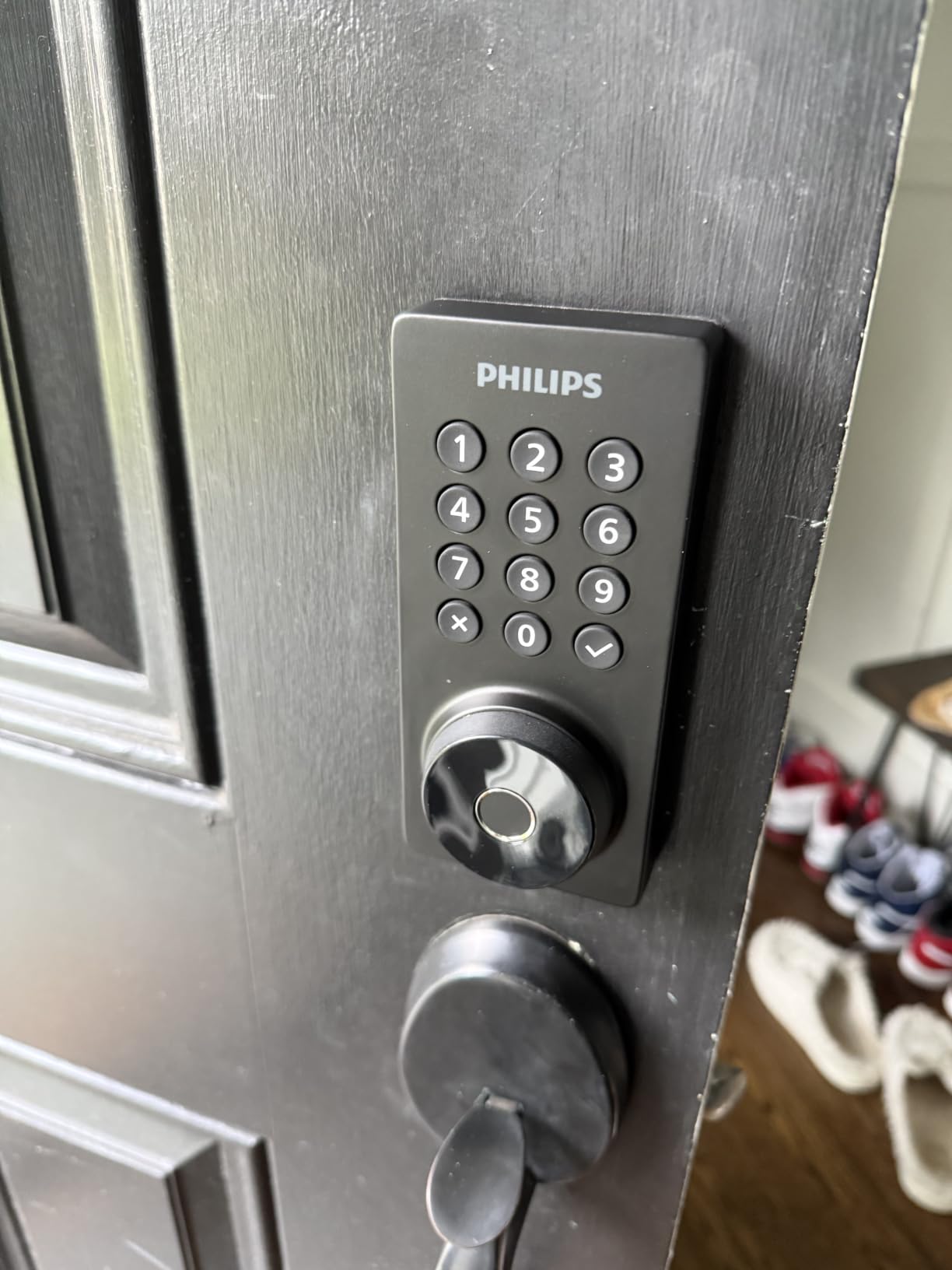
Buyers like the pairing of a fingerprint reader with remote app control and the ability to hand out scheduled codes without being present. The 4.3 rating sits alongside 70 percent five-star out of more than 1,100 reviews. The auto-lock timer is unusually adjustable, from 10 to 180 seconds, which lets you tune it to a door that has a wind or an entry vestibule.
There are real constraints. Wi-Fi is 2.4 GHz only with a recommended 65-foot router range, batteries are not included and only AA alkaline cells work, and there is no door sensor, so you get lock and unlock events but not live door-open status. Voice control also assumes an active Google or Alexa account on a stable network.
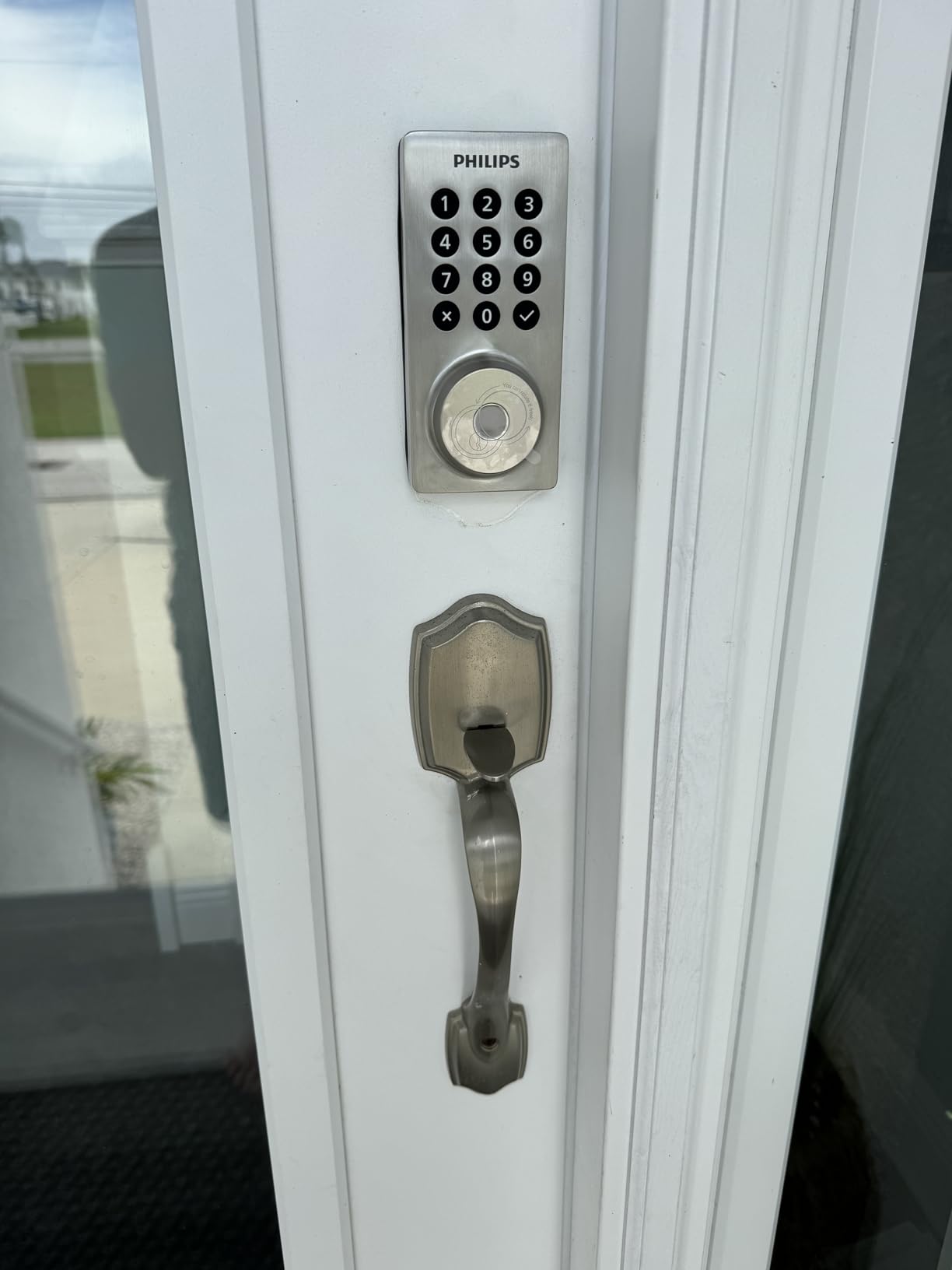
What to check before you buy the Philips deadbolt
Test the router distance from the door, not from the house. The 65-foot recommendation is measured to the lock, and 2.4 GHz only rules out dual-band-only networks. A walk to the door with a speed test on the property network is ten minutes well spent before ordering.
Check your door thickness too. It fits 1-3/8 to 2 inches, which excludes very thick exterior doors common on older rental homes. Installation is screwdriver-only, so the only real question is whether the door suits the body.
Who should skip the Philips deadbolt
Skip it if your workflow depends on knowing whether a door is physically standing open, since no sensor is bundled and there is no mention of one in the feature set. Hosts in cold or high-altitude markets should also weigh the alkaline-only battery requirement, as rechargeable cells are not supported.
Apple Home users should look elsewhere, since this lock is built around Alexa and Google Assistant. And as with the other full-body models here, it is not suitable for a tenant who cannot modify the door.
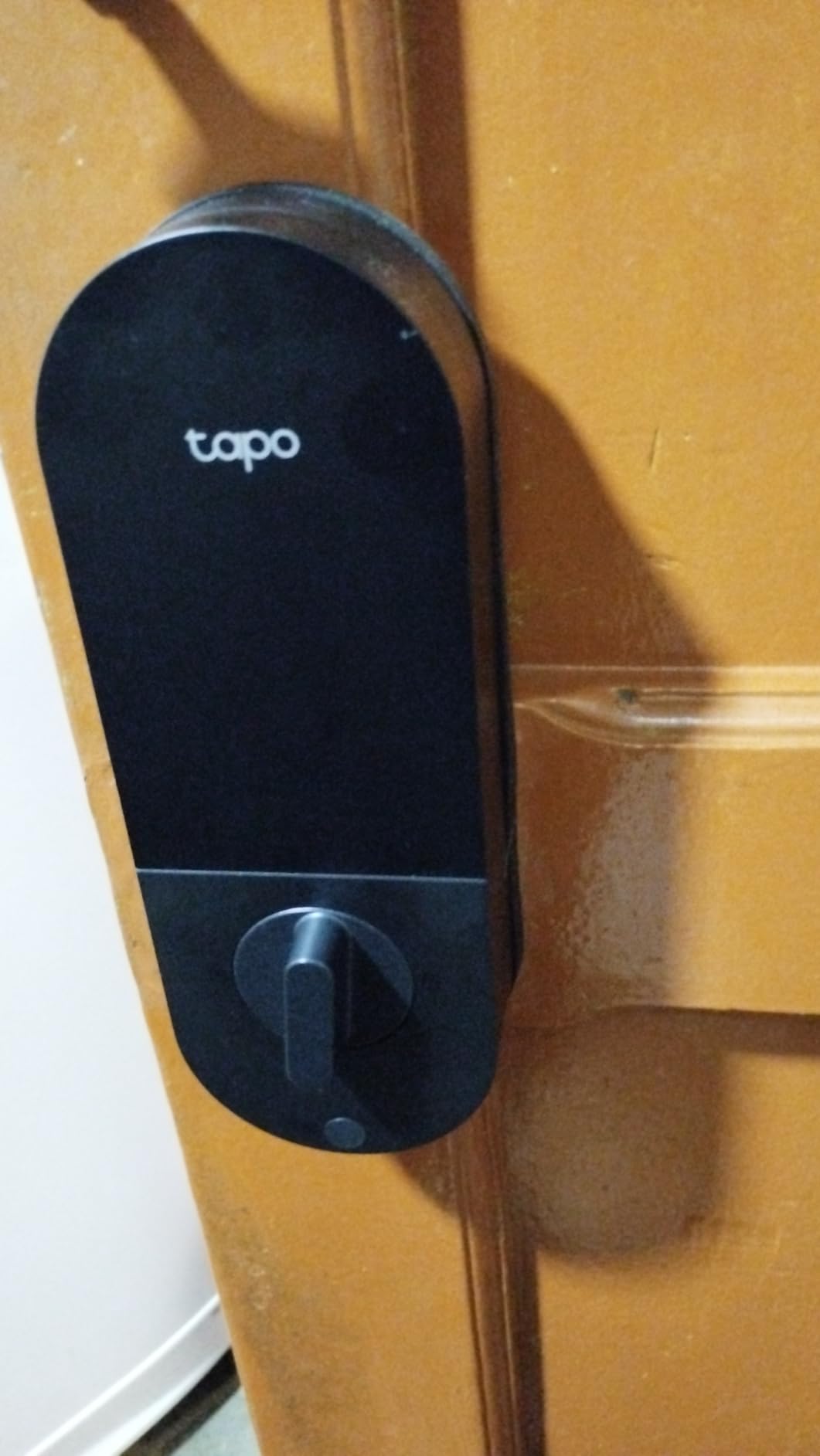
8. Tapo Smart WiFi Door Lock DL110 – Best for Battery Life
Tapo Smart Wi-Fi Door Lock, Deadbolt, Fingerprint Recognition, DL110
Rechargeable pack
One-year battery claim
BHMA Grade 2
0.42 second fingerprint
Pros
- Removable rechargeable battery pack claimed to last about one year
- USB-C charging and emergency port
- BHMA Grade 2 certification
- 0.42 second fingerprint recognition with up to 100 fingerprints
- Schlage-compatible keyway with two rekeyable keys
- Quiet deadbolt operation with rubber door gaskets
Cons
- Keypad digits stay hidden until the screen is touched
- Doorbell button is very sensitive and sends accidental alerts
- Battery gauge is not perfectly accurate and the pack is proprietary
- No third-party API
- Matter
- or Home Assistant support
- Each lock is administered separately
This is the battery answer. Instead of eight AA cells, the DL110 runs a removable rechargeable pack claimed to last about a year of operation, charged over USB-C. For a portfolio of rental doors, that removes the recurring cell-buying and the dead-lock-with-a-guest-standing-there problem that dominates the complaints about cheaper keypad locks.
The security rating is BHMA Grade 2, the second tier on the ANSI/BHMA scale and the highest certification in this group. Six access methods cover fingerprint with up to 100 stored prints, keypad passcodes, Wi-Fi remote, close-range Bluetooth, voice, and backup keys, and fingerprints read in 0.42 seconds. It installs over an existing deadbolt in roughly 10 to 15 minutes with a Phillips screwdriver.
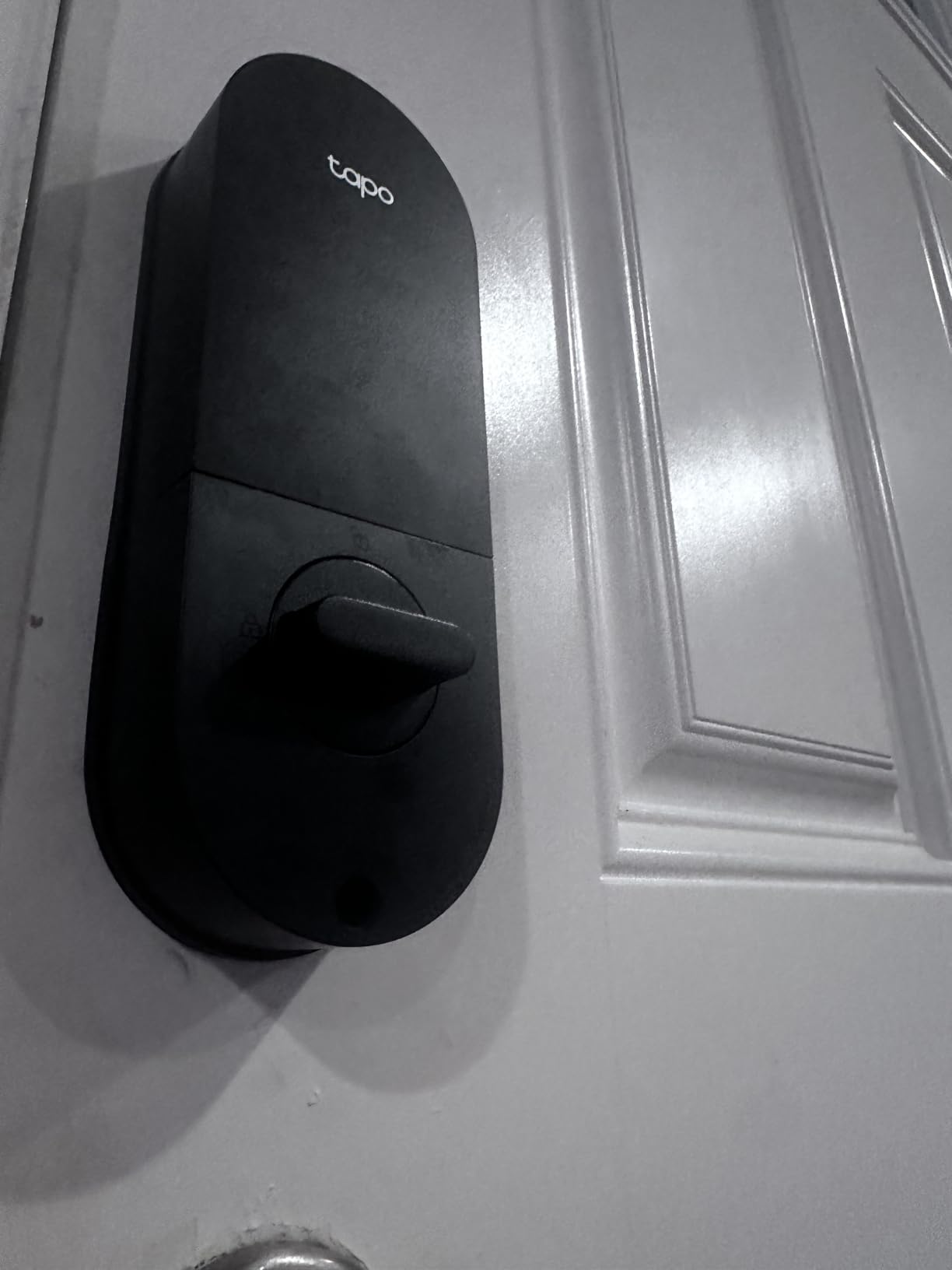
It ties for the highest rating here at 4.6, with 81 percent five-star across 821 reviews, and the quiet deadbolt mechanism plus rubber door gaskets that protect the door finish are the details owners with multiple properties notice. The Schlage-compatible keyway also means a lost mechanical key can be rekeyed to a standard blank rather than a proprietary one.
The most detailed critical review in the set points out that keypad digits stay invisible until the screen is touched, which slows a guest down at the door, and that the doorbell button is sensitive enough to send accidental notifications. The battery gauge is also not perfectly accurate, and the pack is proprietary, so plan on buying the same pack rather than any USB-C pack.
What to check before you buy the Tapo DL110
Count how many doors you run. Each lock is administered separately, and fingerprints and codes cannot be shared across multiple locks, which is the biggest structural limitation here. If you manage many properties and want one login for all of them, this is the wrong shape of product.
Check your automation stack as well. There is no third-party API, no Home Assistant support, and no Matter support, and the Tapo cloud dependency limits what automations can do. If your booking software pushes codes through an open integration, this lock will not accept them.
Who should skip the Tapo DL110
Skip it if you need cross-property code management or open-platform automation, since a single account administering a fleet is not what this product is built for. It is also a poor fit for a guest arriving at night who expects a visible keypad, since digits only appear after the screen is touched.
Hosts who want geofencing or scheduled daily lock and unlock should pass, as the auto-lock offers only a few preset delay options with no daily scheduling. Tenants with a no-drill lease rule are better served by a surface retrofit model.
9. Veise VE012W WiFi Fingerprint Smart Lock – Best for Anti-Peeping Codes
Veise VE012W WiFi Fingerprint Smart Lock for Front Door, Satin Nickel
Anti-peeping entry
Unlimited one-time codes
20 fingerprints
IP55 and Grade 3
Pros
- Built-in 2.4 GHz WiFi with no hub purchase required
- AI self-learning fingerprint chip reads in 0.2 seconds
- Anti-peeping entry randomizes digits before and after the real code
- 100 plus permanent
- recurring
- time-limited and one-time codes
- Real-time lock and unlock notifications with a detailed access log
- One-year warranty extendable by registration
- AES-128 local data encryption
Cons
- Batteries are not included and eight AA cells add maintenance
- WiFi is 2.4 GHz only
- Only 20 fingerprints can be stored
- One-year warranty is shorter than some rivals
The anti-peeping feature is unusual and genuinely relevant when a code is typed on an exposed door. Enter the real passcode and the keypad scrambles extra digits before and after it, so someone standing behind your guest cannot see the actual sequence. For a keypad deadbolt in a shared entry or an exterior wall, that is a meaningful upgrade over a plain numeric pad.
Code capacity suits a host workflow. Beyond 100 custom PINs there are unlimited one-time codes plus recurring and time-limited ones, and all access methods are programmable remotely through the app without touching the keypad. The detailed access log records the method and timestamp of every entry, which is the audit trail you want when a dispute comes up after a stay.
Buyers highlight strong value, quick fingerprint reads at a claimed 0.2 seconds, and the ability to issue and revoke guest codes straight from the app. The 4.3 rating comes with 73 percent five-star out of more than 800 reviews. Security-wise it lists BHMA/ANSI Grade 3, IP55 waterproofing, a zinc alloy cylinder, and AES-128 local data encryption.
Twenty fingerprint slots is the cap, which is fewer than most rivals here, so a busy home or a large cleaning team runs out of prints quickly. Batteries are not included, Wi-Fi is 2.4 GHz only, and the warranty is one year, extendable by registration.
What to check before you buy the Veise VE012W
Count your repeat users. Twenty fingerprints suits a couple, a small cleaning crew, and a few regulars, but if you want every past guest’s print still on file, you will fill it in a year. The passcode capacity is the generous part here, not the biometric storage.
Confirm the network can serve it. The radio is built in and 2.4 GHz only, so verify your router is dual-band and that the door is inside the usable range. Also confirm the door suits the body: US doors 1-3/8 to 2 inches thick, and it fits either hand of standard door without modification.
Who should skip the Veise VE012W
Skip it for a property with heavy repeat traffic, since the fingerprint cap is low relative to the passcode capacity. Anyone wanting a long warranty should weigh the one-year term against alternatives with longer mechanical coverage, especially on a rental where you want service coverage for years.
It is also a full deadbolt installation rather than a surface retrofit, so tenants with a strict no-drill lease rule should pass. And for hosts already invested in a larger smart home ecosystem, a standalone lock with no hub and a small platform footprint is worth testing before committing.
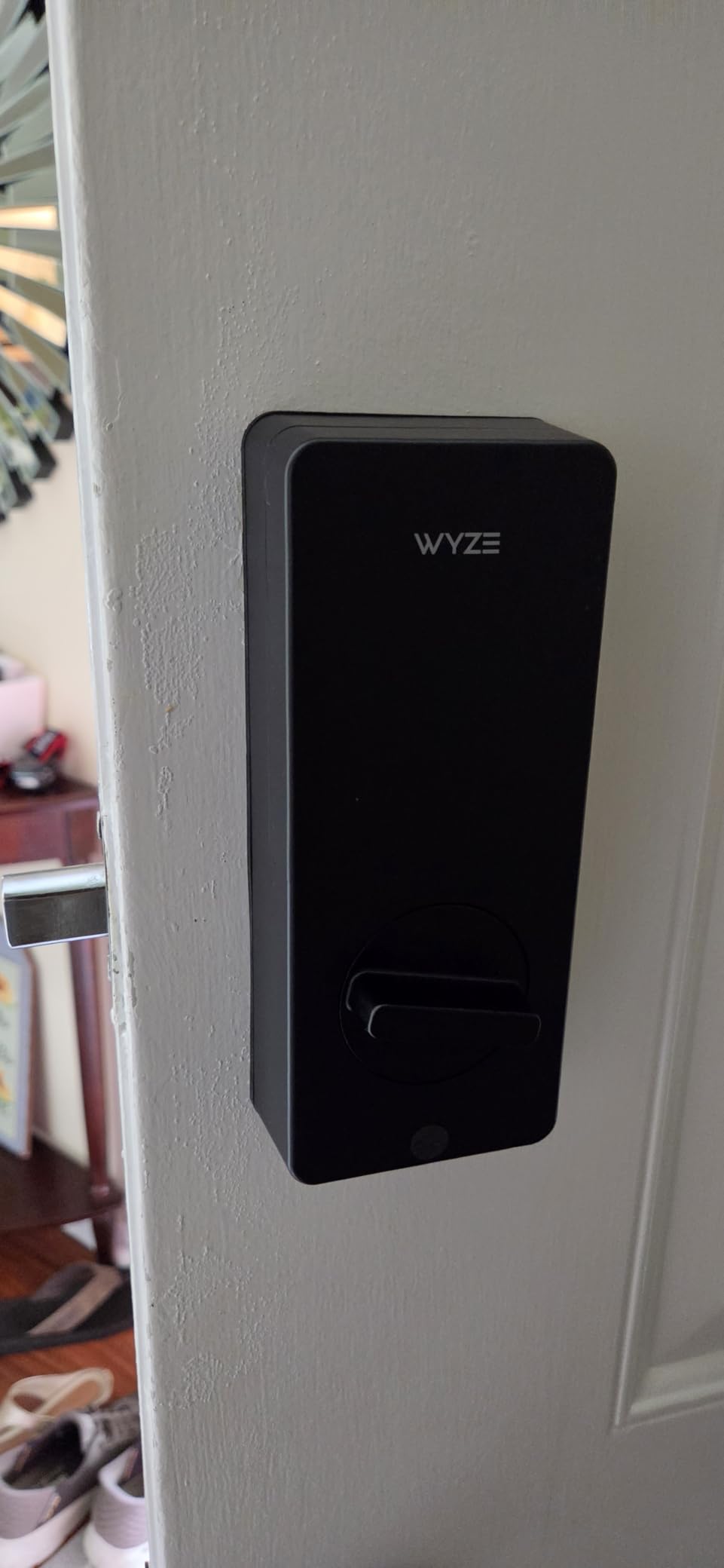
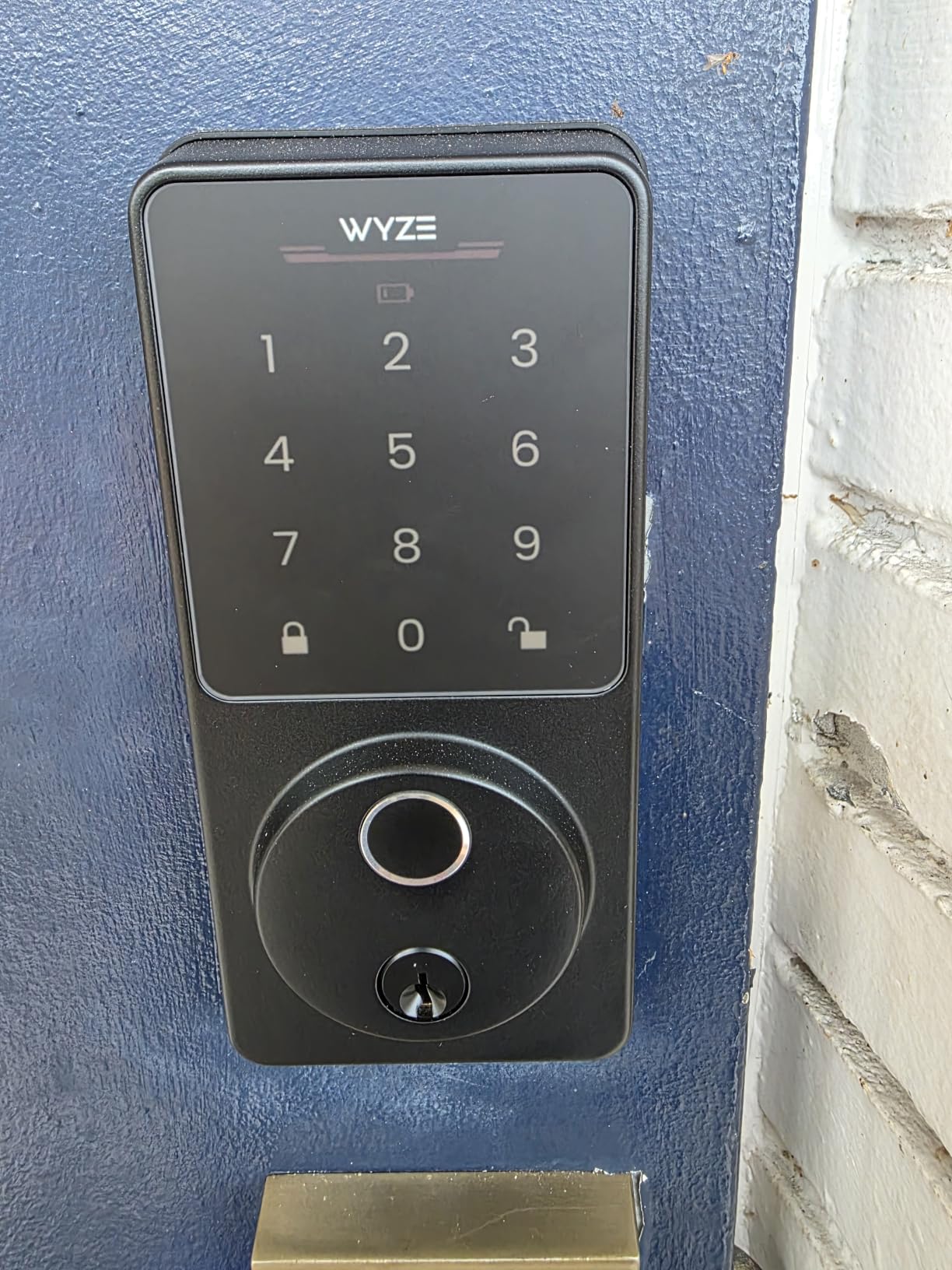
10. Wyze Auto-Lock Bolt v2 – Best for Wyze Doorbell Linkage
Wyze Auto-Lock Bolt v2, Fingerprint Keyless Entry Smart Lock, AI Learning Scanner with Wi-Fi Front Door Lock Deadbolt, Auto-Lock, 8 Months Battery, BHMA2, IP53, Anti-Peep Keypad, Backup Keys
0.5 second fingerprint
Unlock from doorbell feed
8 months battery
BHMA Grade 2
Pros
- Fingerprint unlock in about half a second on scratch and smudge-resistant tempered glass
- AI learning scanner adapts to reduce failed scans
- Eight AA batteries included for up to 8 months with USB-C emergency input
- Built-in WiFi app control with no hub plus unlock from a Wyze Video Doorbell live feed
- Four unlock paths including physical keys
- Custom auto-lock delay timer and quiet bolt
Cons
- No door-open detection so auto-lock fires with the door open
- Keypad beep is quiet and easy to miss
- Touchpad does not backlight on approach
- Fingerprint scanning is described as hit or miss
- Relies on the Wyze ecosystem rather than open standards
The reason to consider this one is the doorbell link. If you already run a Wyze Video Doorbell, you can unlock the door straight from the live video feed, which turns a code entry at the door into a tap on a phone you are already holding. That is a genuine shortcut for a guest who has your message open and a keyring full of nothing.
Batteries are included, which removes the most common complaint about budget smart locks, and eight AA cells are claimed to run up to eight months. The scanner reads in about half a second on tempered glass, and an AI learning scanner adapts to each user to reduce failed scans. You also get a physical key path as a guaranteed fallback, plus a user-set auto-lock delay.
It ties for the highest rating in the set at 4.6 with 81 percent five-star, and owners replacing eufy units cite the smoother mechanism, faster scanning, and simpler app setup. Several bought a second lock. The rating distribution is unusually tight, with very little middle-ground criticism.
The consistent complaints are specific and all about the keypad rather than the fingerprint. There is no door-open detection, so the auto-lock timer can fire while the door is still open, and the beep is quiet enough to miss. The touchpad also does not backlight on approach, which makes night entry harder, and some users describe fingerprint scanning as hit or miss.
What to check before you buy the Wyze Bolt v2
Decide whether auto-locking without door status is acceptable to you. Because the lock cannot tell whether the door is still open, the delay timer can engage prematurely. If your doors are heavy or stick in weather, that means arriving guests find a locked door on a closed one and open doors left secured.
Also weigh the ecosystem question. The lock relies on the Wyze ecosystem rather than open standards, so a host who wants Matter, HomeKit, or a standards-based path later will be replacing hardware sooner. It is BHMA Grade 2 and IP53 rated, which is solid for an exposed door.
Who should skip the Wyze Bolt v2
Skip it if a backlit keypad is non-negotiable, since the touchpad stays dark until touched and that hurts late-night arrivals. Anyone relying on the app alone for entry should know the beep is quiet, because a guest who cannot confirm entry may try the code repeatedly and lock themselves out.
It is also the wrong choice for a portfolio that spans multiple brands and needs one admin view, and, like the other models here, it is a full deadbolt installation rather than a surface mount for tenants who cannot modify the door.
What Matters in a Smart Deadbolt for a Rental Home
Every rental-specific criterion falls out of one question: can you change access between guests without touching the door? If a lock cannot do that, it is a keypad lock with an app attached. The sections below cover the criteria we used, in the order we would weigh them.
Remote code change and the code architecture hosts actually use
Remote code change is the feature hosts value most, because it is what lets you run a property from another state. The useful version is a code with a start time and an expiry time, so access ends by itself at checkout instead of depending on you remembering to delete it. Several locks on this list add unlimited one-time and scheduled codes on top of permanent passcodes, which is what makes a recurring cleaning crew code practical.
The setup that shows up repeatedly in host forums is a small stack of codes rather than one code: an admin code you never give out, a cleaner code, a per-guest code, a fallback code kept in a lockbox, and a physical key inside. Some hosts use eight-digit codes instead of the standard four in student-heavy towns. One host tip worth stealing is using the last four digits of the guest’s phone number, so the code is easy to communicate over the phone and easy to delete afterwards.
Battery visibility beats a low-battery alert
Hosts complain repeatedly that some locks only alert when batteries are critically low, which means a guest arrives next hour and finds a dead keypad. The preference in the forums is a live battery reading in the app, not a binary warning, and that preference should outrank a headline battery-life number when you compare two otherwise equal locks.
Battery source matters as much as capacity. Eight AA cells is a recurring errand, a rechargeable pack trades that for a charging calendar, and a USB-C emergency port gives you a power bank option when a cell dies mid-stay. Forum hosts also report that Wi-Fi-enabled locks chew through cells faster than mesh-network locks, and that some change batteries once or twice a year where others manage far more often.
Built-in Wi-Fi versus a separate bridge
The most common host failure mode is not a bad lock, it is a separate Wi-Fi bridge that a guest unplugs or presses buttons on, taking remote access offline and forcing a site visit. Locks with the radio inside the body have no such target. Every lock in this list except the Matter path on the ULTRALOQ Bolt SE uses built-in Wi-Fi with no hub to buy, power, or defend.
Where a hub is unavoidable, place it deliberately. One host running a Z-Wave lock with an Aeotec hub deliberately put the hub outside the rental so guests could not take the system offline, and labelling the device is a cheap mitigation. The other option is a second non-WiFi keypad deadbolt as a backup door, which hosts pairing with a Schlage Encode describe as insurance that has paid for itself.
ANSI/BHMA grades and what they tell you
ANSI/BHMA grades run from Grade 1 down to Grade 3 and are awarded for security, durability, and finish. Grade 2 is the middle tier and the most common target for residential rental doors. In this group the Tapo DL110 and the Wyze Bolt v2 carry Grade 2, the ULTRALOQ Bolt Fingerprint is Grade 2, and several budget models are Grade 3.
Use the grade as a floor, not a finish line. On a short-term rental the realistic threat is a determined person with a tool and a reason to try your door during a stay, not a coordinated break-in, so code expiry, a solid strike plate, and a door that closes properly do more day to day than a grade difference. What a grade will not tell you is how the lock behaves when the network drops.
How to measure your rental door before you buy
Measure three things: door thickness, the backset from the door edge to the centre of the cylinder, and whether the door is a single cylinder or a double cylinder with an interior thumbturn. Most residential doors land between 1-3/8 and 1-3/4 inches thick with a 2-3/8 or 2-3/4 inch backset, but plenty of older rental doors fall outside that, and the narrower 2-1/4 inch backset appears on some of the models here.
Then decide between a full deadbolt replacement and a retrofit. A full replacement swaps the interior and exterior assemblies and works inside the bore. A retrofit mounts over the existing cylinder and is the only realistic option for a tenant who cannot drill. Hosts should also check the strike plate, because a new lock on an old strike is the most common cause of a lock that feels loose or fails to latch fully.
Who can replace the lock, and who pays
If you rent the property, get written permission before changing hardware, and check whether your lease requires the original lock to be reinstalled at move-out. Security experts have also noted that some rental agreements require locks to be returned or replaced for repairs, which is a term worth negotiating out before you sign. If you are the owner, the lock is your cost, and the trade-off is that a smart deadbolt typically reduces key replacement and lockout calls between tenants.
For hosts, the practical version of this is a conversation with the owner before installation, not after. Document the lock model, the codes you created, and where the admin credentials live, and hand over access at the end of the arrangement so nobody is locked out of their own property.
What happens when Wi-Fi goes down
Every lock here keeps working as a keypad lock offline. Codes already programmed stay valid when the network drops, so a Wi-Fi outage does not strand a guest at the door. What you lose is the ability to add or remove codes remotely until the connection returns, which is the real operational risk: a late-arriving guest with a code issued while offline cannot be added until you are back online.
Physical key backup is the mitigation that works regardless of cause. Keep a keyed override in an exterior lockbox, and consider a second non-WiFi keypad deadbolt on a back or secondary door so a single failure is not a single point of failure for the whole property.
Integration with booking and property management software
Some locks can take a code from a booking or property management platform, which removes the manual step of issuing guest access. Hosts describe pairing the Schlage Encode with property management software so a code is set per guest automatically. Be careful with the fine print, though: one reviewer of the Tapo DL110 notes there is no third-party API, no Home Assistant support, and no Matter support, so cloud-dependent automations are limited.
Ask two questions before buying. Does the lock accept codes pushed from your booking platform, or must you open an app and type them yourself? And can you administer every door on one account, or does each lock need its own login? The second question decides whether a portfolio is manageable or a spreadsheet.
Frequently Asked Questions
What is the best lock for a rental property?
For most rental homes, a keypad deadbolt with built-in Wi-Fi is the best lock, because it lets the owner or host add, change, and revoke guest codes remotely and gives each guest a code that expires on its own. Look for live battery level in the app, a physical key override, and an ANSI/BHMA Grade 2 rating.
What are the best smart locks for Airbnb rentals?
The best smart locks for short-term rentals share three traits: remote code change from an app, a battery reading you can check before a guest arrives, and a body that fits the door already installed. The Schlage Encode leads our ranking for its built-in Wi-Fi and single-part design, while the Tapo DL110 wins on rechargeable battery life.
Which smart deadbolt is the most secure?
Security is measured on the ANSI/BHMA scale, where Grade 1 is highest and Grade 3 lowest. In our group the Tapo DL110 and Wyze Bolt v2 carry BHMA Grade 2, the strongest certification present, while most budget models are Grade 3. Pair the grade with expiring codes, a solid strike plate, and a mechanical key override for a full door.
How hackable are smart door locks?
A digital deadbolt is not meaningfully easier to defeat than a good mechanical one, and codes are far harder to copy than keys. The realistic risks are account compromise and shared Wi-Fi, so use a strong unique password, enable two-factor authentication where the app offers it, and never share the admin code. Keep a physical key override for every rental door.
What are some door locks that can be changed remotely?
Every lock in this roundup changes codes remotely from its phone app, and each uses built-in Wi-Fi rather than a separate bridge, so no guest can unplug a hub. The Schlage Encode holds up to 100 access codes, the Philips deadbolt offers 100 custom passcodes plus unlimited one-time codes, and the Veise adds scheduled and recurring codes.
Can you install smart locks on rental property?
You can install a smart lock on a property you rent only with the owner’s or landlord’s written permission, and your lease may restrict alterations such as drilling. Check before you buy, and ask whether the original lock must be reinstalled at move-out, since some rental agreements require locks to be returned or replaced for repairs.
Do smart locks void insurance?
A smart lock by itself does not void home insurance, and insurers generally do not require a specific lock type. What can affect a claim is failing to maintain the property as a reasonable person would, so keep locks working, report damage promptly, and tell your insurer if you add security hardware. Ask your specific carrier for written confirmation.
Do smart locks work without Wi-Fi?
Yes. Every lock in this roundup keeps working as a keypad lock when Wi-Fi drops, because codes already programmed stay valid on the lock itself. What you lose offline is the ability to add or remove codes from the app until the connection returns, so always keep a physical key override in an exterior lockbox.
The Lock That Fits Your Rental Workflow
The best smart deadbolts for rental homes are not the ones with the longest feature lists, they are the ones that survive a year of turnover. Every lock here changes codes from a phone, keeps working when Wi-Fi drops, and pairs with a physical key, and the differences come down to what kind of traffic your door actually sees.
For most hosts, the Schlage Encode is the pick: built-in Wi-Fi with no bridge for a guest to unplug, a hundred codes, and the kind of reliability hosts keep recommending to each other. Choose the Tapo DL110 if battery logistics on a portfolio are wearing you down and you can live without open-platform automation. Choose the ULTRALOQ Bolt Fingerprint if knowing whether the door is standing open changes your day. And measure your door before any of them, because a lock that does not fit is the one that ends a rental badly.