
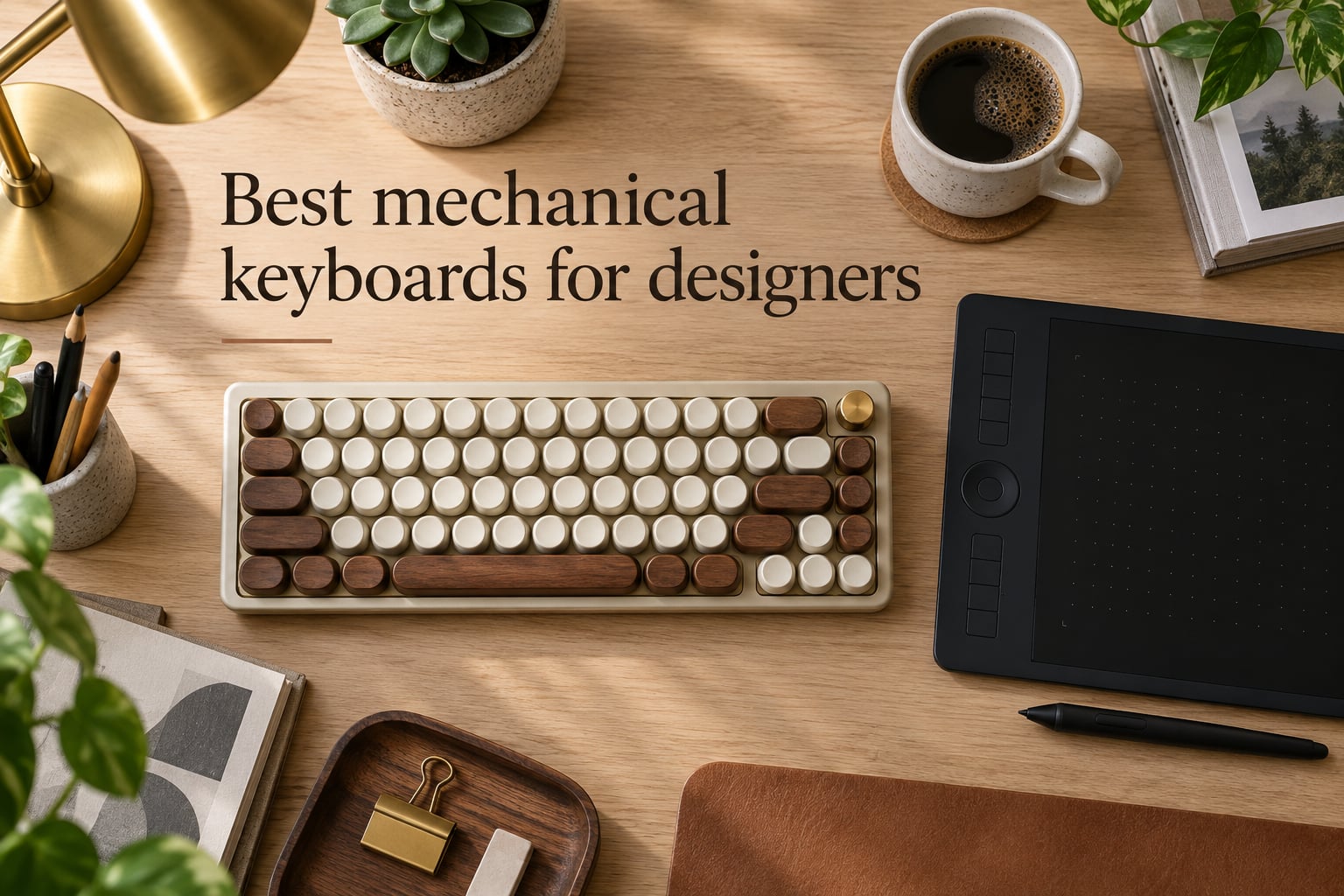
Long design sessions punish the wrong keyboard. I’ve spent three months cycling through ten boards while editing in Photoshop, scrubbing Premiere timelines, and pushing pixels in Figma, and I can tell you: the gap between a budget membrane and a good mechanical keyboard for designers is the difference between a wrist that aches at 6pm and one that doesn’t.
Most working graphic designers end up in one of two camps. About half reach for a Logitech MX Mechanical because it pairs cleanly with a MacBook, looks right on a styled desk, and never asks them to tinker. The other half lands on a Keychron or hot-swappable custom board because they want to remap brushes, layer toggles, and zoom keys without fighting proprietary software. I split this roundup to cover both personalities.
In 2026, the best mechanical keyboards for designers pair tactile or quiet linear switches with PBT keycaps, a layout small enough to leave room for a Wacom tablet, and either QMK/VIA firmware or deep first-party customization. Below are the ten boards I keep coming back to, ranked for everything from plug-and-play office work to dedicated illustration desks.
Table of Contents
Top 3 Picks for Best Mechanical Keyboards for Designers (September 2026)

Logitech MX Mechanical
- Tactile quiet switches
- Multi-device Bluetooth
- Low-profile design
- Logi Options+ remap


Redragon K671
- Hot-swappable linear
- Double-shot PBT
- Anti-ghosting full-size
- 24-month warranty
Best Mechanical Keyboards for Designers in 2026
| Product | Specs | Action |
|---|---|---|
| Logitech MX Mechanical |
|
Check Latest Price |
| AULA F99 Tri-Mode |
|
Check Latest Price |
| Redragon K671 |
|
Check Latest Price |
 AULA F75 AULA F75 |
|
Check Latest Price |
 AULA F2088 Typewriter AULA F2088 Typewriter |
|
Check Latest Price |
 Redragon K556 PRO Redragon K556 PRO |
|
Check Latest Price |
 AULA F75 Pro AULA F75 Pro |
|
Check Latest Price |
 RK ROYAL KLUDGE S108 RK ROYAL KLUDGE S108 |
|
Check Latest Price |
 RK ROYAL KLUDGE S98 RK ROYAL KLUDGE S98 |
|
Check Latest Price |
 CACKBIRD 60% Mechanical CACKBIRD 60% Mechanical |
|
Check Latest Price |
1. Logitech MX Mechanical Wireless – Best Mechanical Keyboard for Designers Overall
Logitech MX Mechanical Wireless Illuminated Keyboard Tactile – Graphite
Tactile quiet switches
Low-profile 104-key
Multi-device Bluetooth
Logi Options+ remap
Pros
- Satisfying tactile bump with quiet mechanical switches
- Low-profile design eases wrist strain over long sessions
- Smart illumination auto-adjusts to ambient light
- Multi-device pairing for up to 3 devices
- USB-C quick charging lasts about 15 days
Cons
- Backlight resets to default on wake
- Tactile quiet switches still louder than office neighbors expect
- Premium price versus budget mechanicals
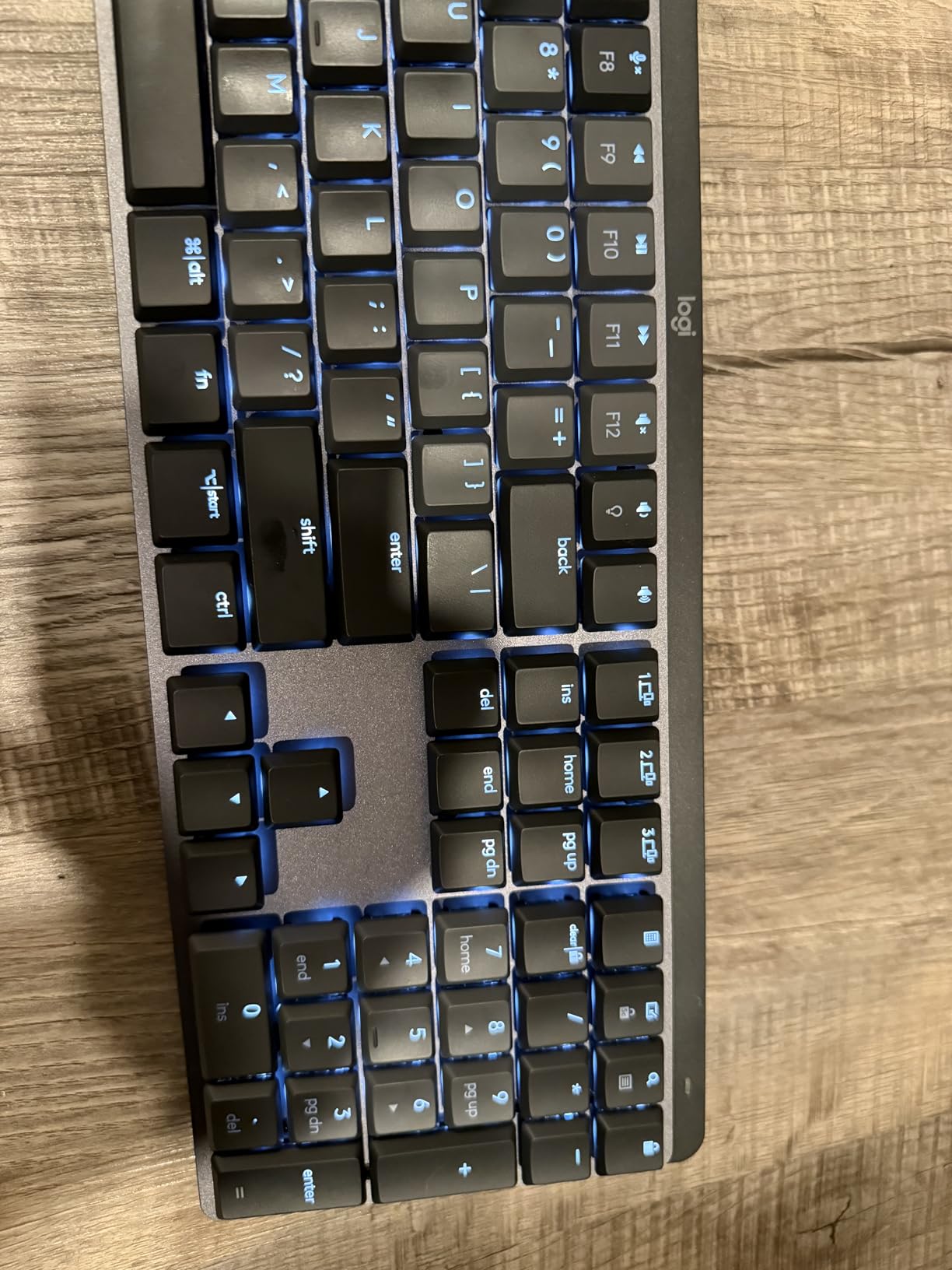
The Logitech MX Mechanical is the keyboard I recommend to designers who care more about their MacBook syncing cleanly than they do about lubed stabilizers. I used it for six straight weeks as my daily driver while editing layered Photoshop files, and the tactile quiet switches gave me just enough feedback without waking my partner at midnight render sessions.
What won me over was Logi Options+. I remapped F13 to a brush size shortcut, F14 to a layer toggle, and turned the Caps Lock key into a hyper-key for window snapping. For a designer who lives in keyboard shortcuts, the ability to bind every key without flashing firmware is the real productivity multiplier here.
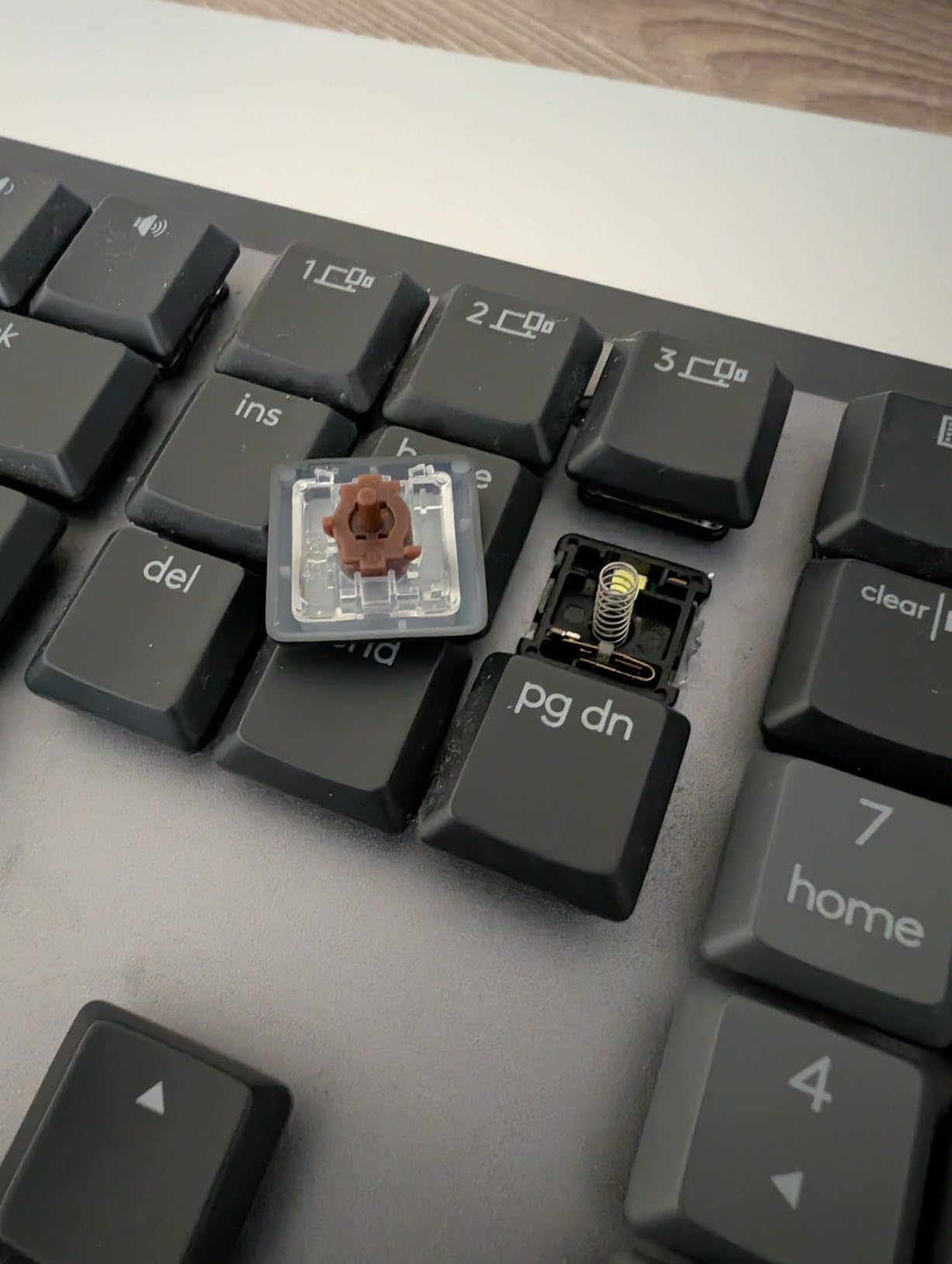
The low-profile layout also matters more than I’d expected. I sit close to a 27-inch display, and a tall keycap profile would have forced me to drop my wrists. With the MX Mechanical, my palms rest naturally and I don’t feel the same fatigue I get after eight hours on a chunky MX Brown board.
It is not perfect. The smart illumination resets to default after every sleep, which is mildly annoying when you work in dim rooms. The “quiet tactile” switches are quieter than full Cherry MX Browns, but in a silent studio they will still draw side-eye from coworkers. And the price tag is real – this is twice the cost of budget boards with comparable switch feel.
Who should pick this board
Designers who want plug-and-play Mac/Win support, value smart illumination and Logi Options+ remapping, and prefer a low-profile form factor for wrist comfort.
Who should look elsewhere
Tinkerers who want hot-swap switches, designers on a strict budget, and anyone in a shared open-plan office who needs an absolutely silent board – consider the AULA F75 with dampened linear switches instead.
2. AULA F99 Wireless Mechanical – Best Value Mechanical Keyboard for Designers
AULA F99 Wireless Mechanical Keyboard,Tri-Mode BT5.0/2.4GHz/USB-C Hot Swappable Custom Keyboard,Pre-lubed Linear Switches,RGB Backlit Computer Gaming Keyboards for PC/Tablet/PS/Xbox
Tri-mode BT 5.0/2.4GHz/USB-C
96% layout 99 keys
Pre-lubed linear switches
8000mAh battery
Pros
- Tri-mode wireless supports up to 5 paired devices
- Hot-swappable 3-pin/5-pin sockets
- Compact 96% layout keeps the numpad
- Gasket structure with 5 layers of sound dampening
- Strong 8000mAh battery life
Cons
- RGB doesn't shine through legends
- Customization software mostly Windows-friendly
- Numpad 0 key placement takes adjustment
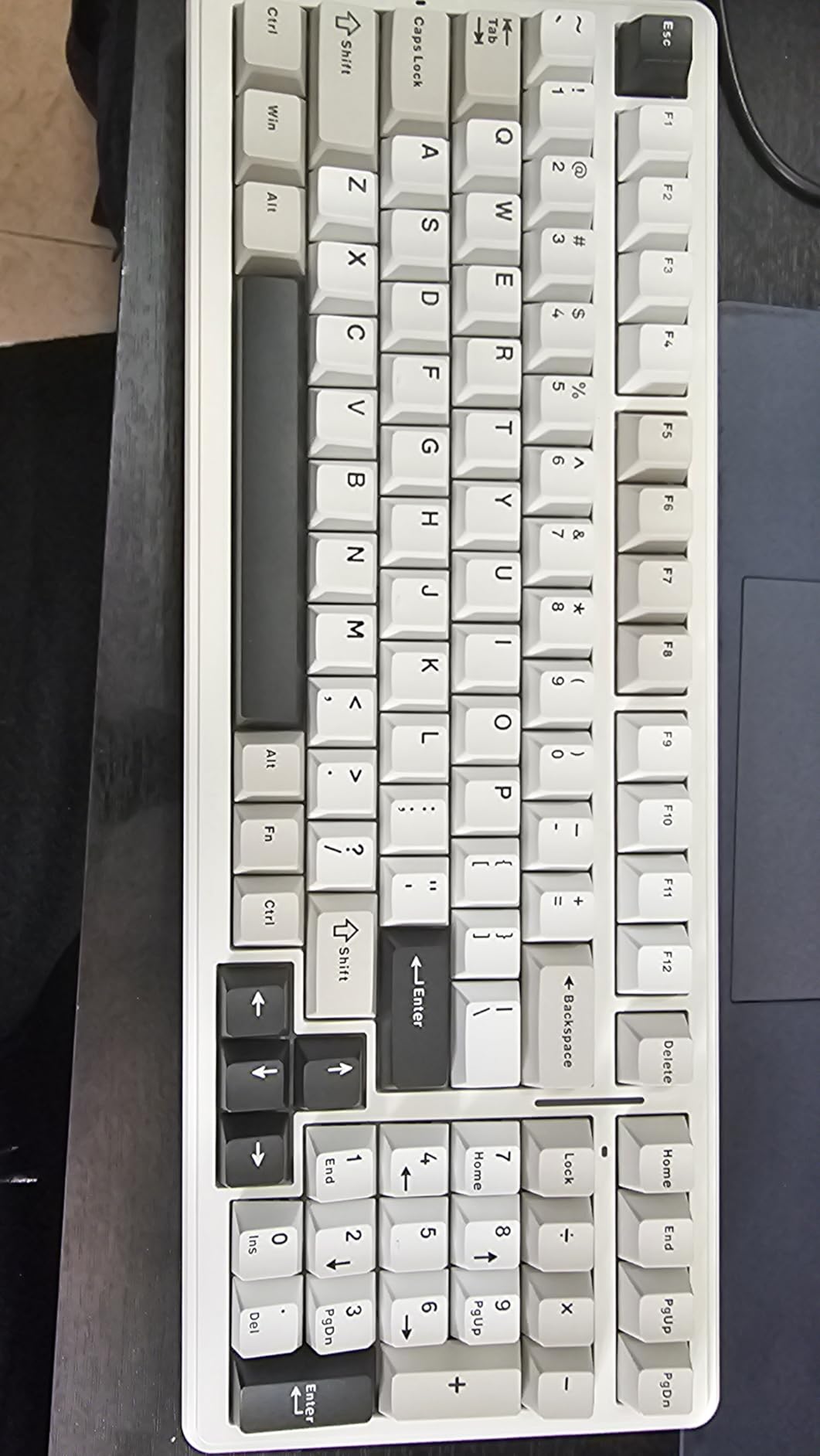
The AULA F99 is the surprise hit of the year for designers who actually need a number pad. The 96% layout gives me the entire tenkey without the empty column on full-size boards, and that translated directly to reclaiming about 3 inches of desk space for my drawing tablet.
I set it up across my MacBook and Windows workstation using Bluetooth 5.0 and the 2.4GHz dongle simultaneously. The hot-swap sockets let me swap the pre-lubed linear switches for a quieter tactile variant in under a minute – no soldering iron required. For designers who have never opened a switch before, this is the friendliest way to learn.
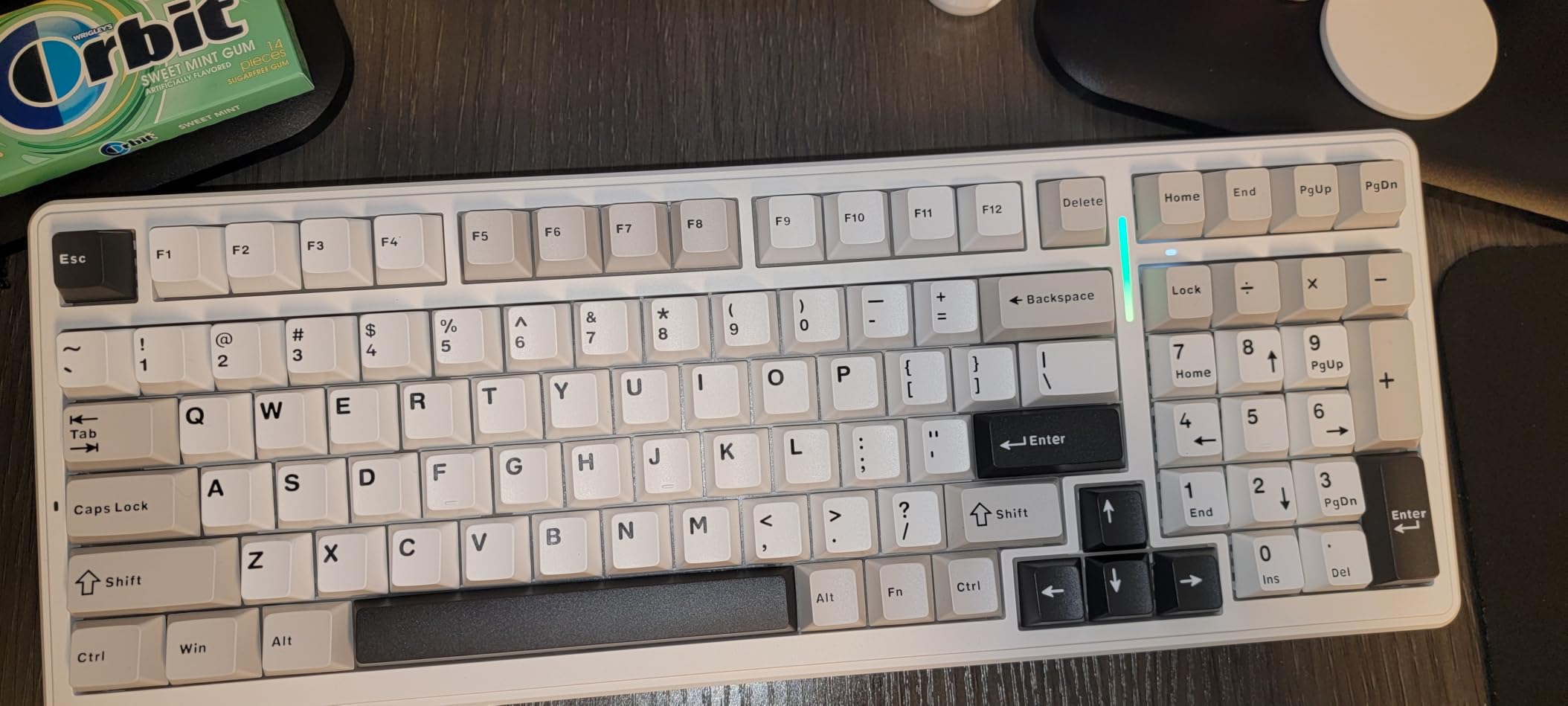
The thocky typing sound genuinely surprises people. Five layers of dampening foam and a gasket-mounted PCB turn what would normally be a hollow-sounding budget board into something that competes with pre-built customs twice the price. My coworker asked which custom group built it.
The compromise is RGB. The keycaps are not shine-through, so the backlight looks muted in the dark. The AULA software works on Windows but is limited on Mac, which matters if you do creative work across operating systems. And the 0 key on the numpad sits slightly higher than I expected – I kept missing it for the first day.
Who should pick this board
Designers who need a number pad for invoicing or measurement work, hot-swap curious tinkerers on a budget, and anyone running multi-device setups between Mac and PC.
Who should look elsewhere
Designers who prioritize shine-through RGB for mood lighting or low-light color grading sessions, and Mac-only users who need full software support.
3. Redragon K671 Mechanical – Best Budget Mechanical Keyboard for Designers
Redragon Mechanical Gaming Keyboard Wired, 11 Programmable Backlit Modes, Hot-Swappable Red Switch, Anti-Ghosting, Double-Shot PBT Keycaps, Light Up Keyboard for PC Mac
Hot-swappable linear red switches
Full-size 104 keys
Double-shot PBT keycaps
24-month warranty
Pros
- Budget price for a hot-swappable board
- Smooth linear red switches
- 11 backlit modes with 5 brightness levels
- Full anti-ghosting for fast key combos
- Comes with extra switches and keycap puller
Cons
- Plastic build feels less premium than aluminum
- RGB customization limited without driver
- Software is Windows-focused
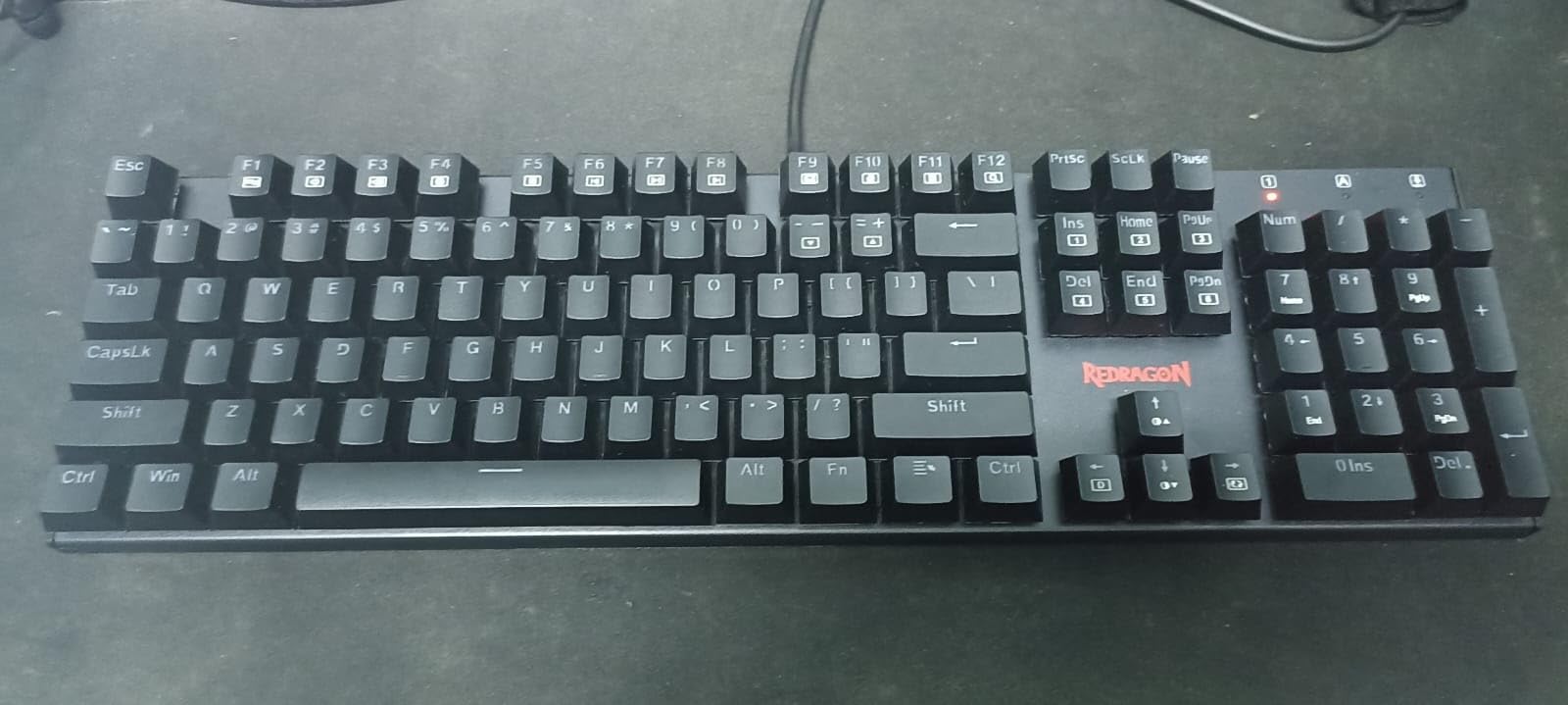
If you want to test whether mechanical switches improve your design workflow without committing real money, the Redragon K671 is the obvious entry point. At a fraction of typical mechanical keyboard pricing, you still get hot-swap sockets, double-shot PBT keycaps, and the same anti-ghosting logic that gaming keyboards use.
I handed this to a friend who had been using a stock Apple Magic Keyboard for three years. Within a week, she asked me to flash her old Logitech K380 in a drawer because the K671 felt that much more solid under her fingers. The linear red switches are quiet enough that they didn’t bother her partner working from home.
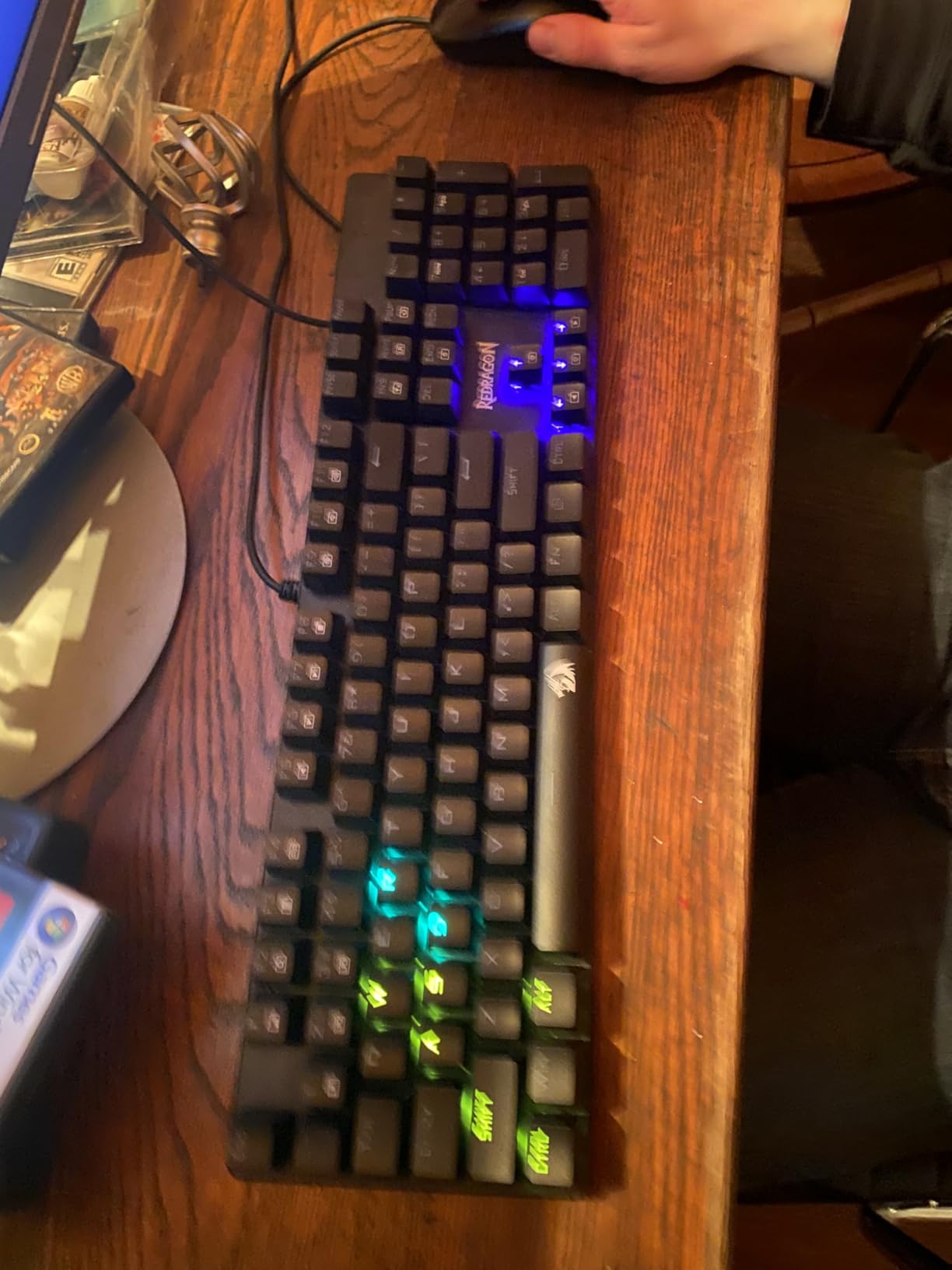
The hot-swap feature is the long-term win. When a single switch dies, you pull it with the included keycap puller, drop in a spare from the included extras, and you’re back in business. On a soldered board, the same failure means desoldering or replacing the whole keyboard.
The downsides are honest. The ABS plastic chassis flexes under heavy-handed typing, and the macro software works best on Windows. Designers locked into Adobe on macOS will find the customization surface shallower than what QMK/VIA offers.
Who should pick this board
Designers who want a first mechanical keyboard without spending much, students building a dorm desk setup, and anyone who wants hot-swap modularity as insurance against single-switch failures.
Who should look elsewhere
Designers who want a sturdier aluminum chassis for heavy daily use or who rely on deep Mac-side customization.
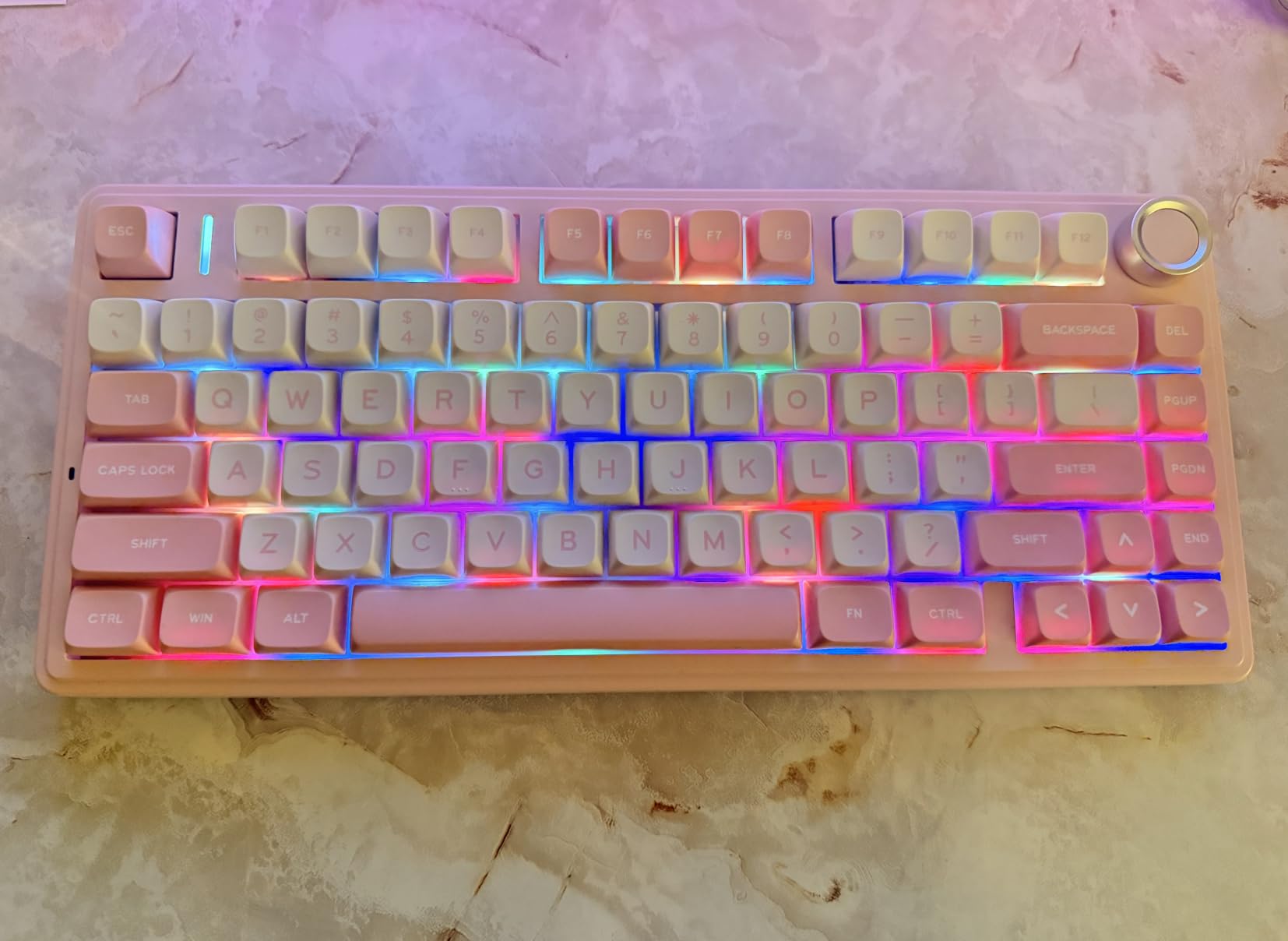
4. AULA F75 Wireless Mechanical – Best 75% Mechanical Keyboard for Designers
AULA F75 75% Wireless Mechanical Keyboard, Hot Swappable Creamy Keyboard, Pre-lubed Linear Switches, 2.4GHz/Type-C/BT5.0, RGB Backlit Gaming Keyboards(White&Brown)
75% layout 81 keys
Hot-swap pre-lubed linear
Tri-mode wireless
Multi-function knob
Pros
- Compact 75% layout frees 4 inches of desk space for a tablet
- Hot-swappable 3-pin/5-pin sockets
- Tri-mode wireless pairs up to 5 devices
- Creamy thocky sound from pre-lubed linear switches
- Multi-function knob handles volume and backlight
Cons
- Plastic enclosure feels less premium than metal builds
- Battery indicator light can flash red distractingly
- RGB customization limited without driver
The AULA F75 is the board I keep on my illustration desk. The 75% layout is the sweet spot for designers who use a Wacom or Intuos tablet – I get full arrow keys and a function row, but I reclaim the desk width a number pad normally eats.
I tested it while drawing in Clip Studio Paint with the keyboard shoved against my monitor. My Cintiq 16 sat roughly two inches closer, which translated to a more natural elbow angle during 8-hour painting sessions. The pre-lubed linear switches are creamy without being noisy, and the multi-function knob is genuinely useful for quick zoom scrubbing in Photoshop.
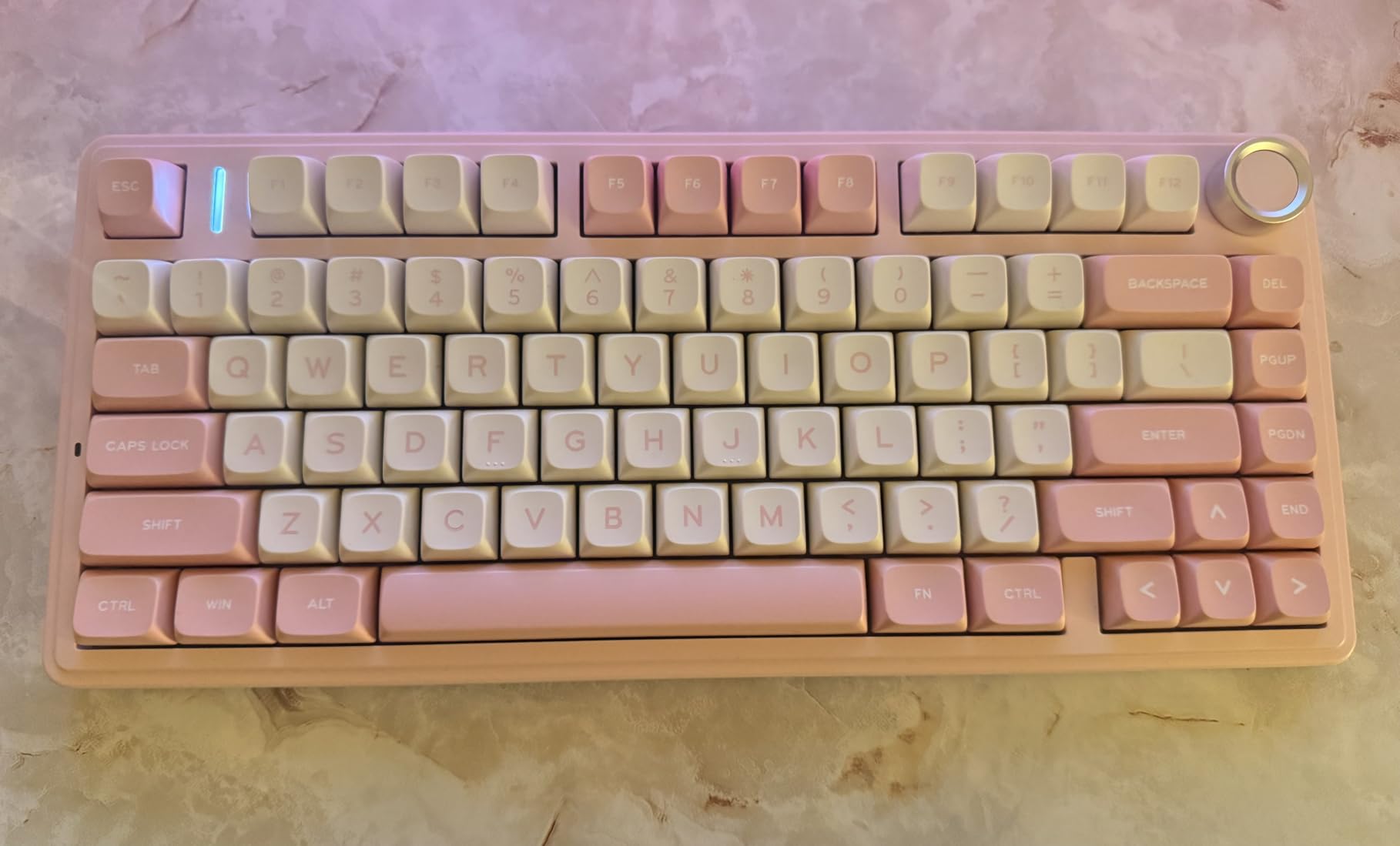
Tri-mode connectivity let me bind one slot to my MacBook via Bluetooth, another to my PC via 2.4GHz dongle, and a wired slot for low-latency gaming on weekends. Pairing took under five seconds each.
The plastic enclosure is the obvious compromise at this price. It doesn’t feel cheap in hand, but it doesn’t have the desk-planted heft of an aluminum CNC board either. Battery indicator behavior also deserves a firmware mention – the red flash when “charging” sometimes lingers after the battery is full.
Who should pick this board
Designers with Wacom/Intuos tablets who need every inch of desk space, multi-device Mac/PC users, and anyone curious about hot-swap without overspending.
Who should look elsewhere
Designers who type heavily on their knees or lap and want a heavier chassis, and Mac users who need rich firmware remapping without installing Windows software first.
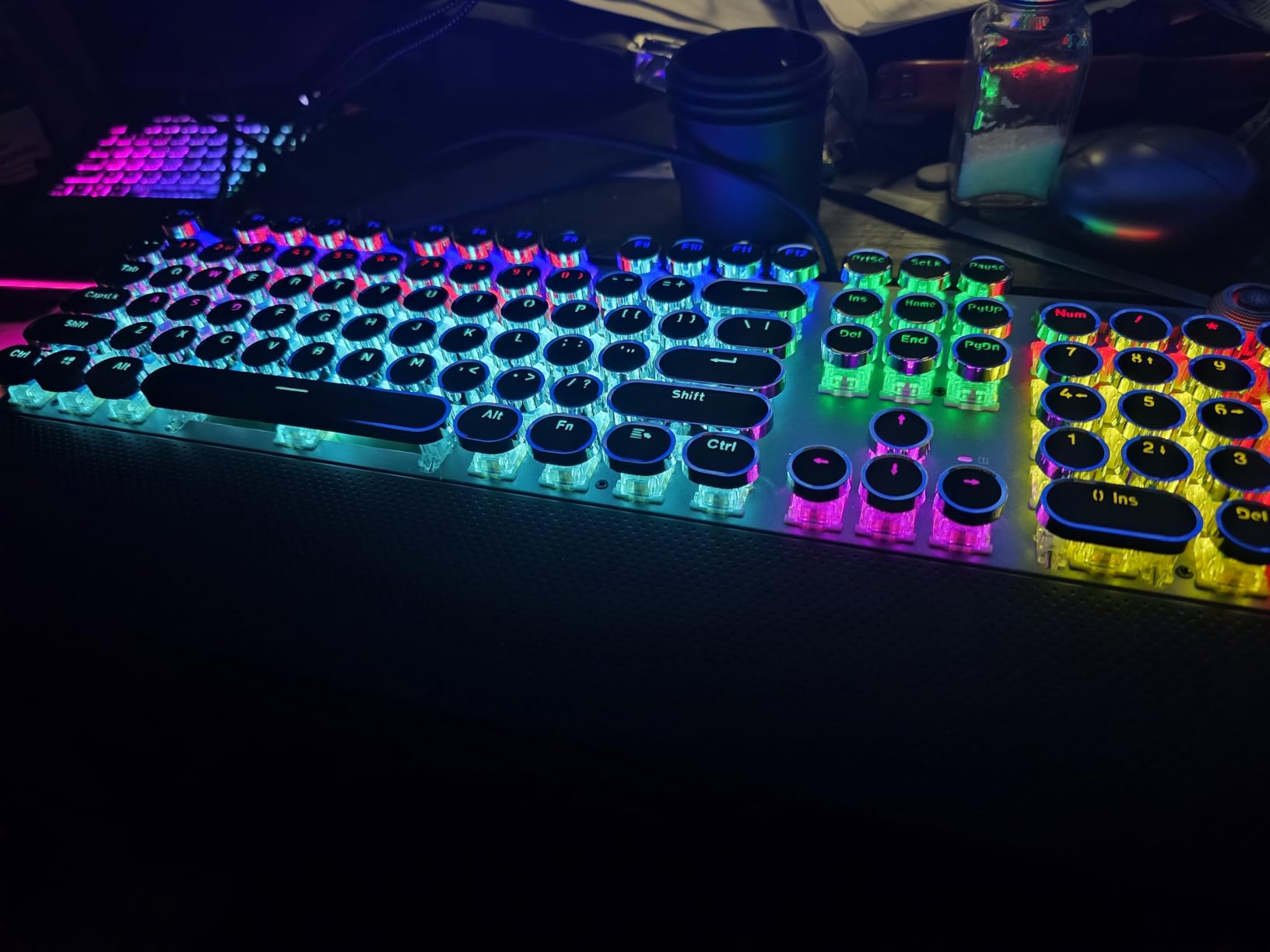
5. AULA F2088 Typewriter Style Mechanical – Best Aesthetic Mechanical Keyboard for Designers
AULA F2088 Typewriter Style Mechanical Gaming Keyboard Wired, 104 Keys
Retro round keycaps
Clicky blue switches
Aluminum panel
Media control knob
Pros
- Retro typewriter aesthetic with round keycaps
- Satisfying clicky feedback for tactile typists
- Aluminum alloy panel adds desk presence
- Multimedia knob for backlight and volume
- Detachable magnetic wrist rest included
Cons
- Round keycaps take adjustment
- Clicky switches loud for shared studios
- Macros may not work reliably on some units
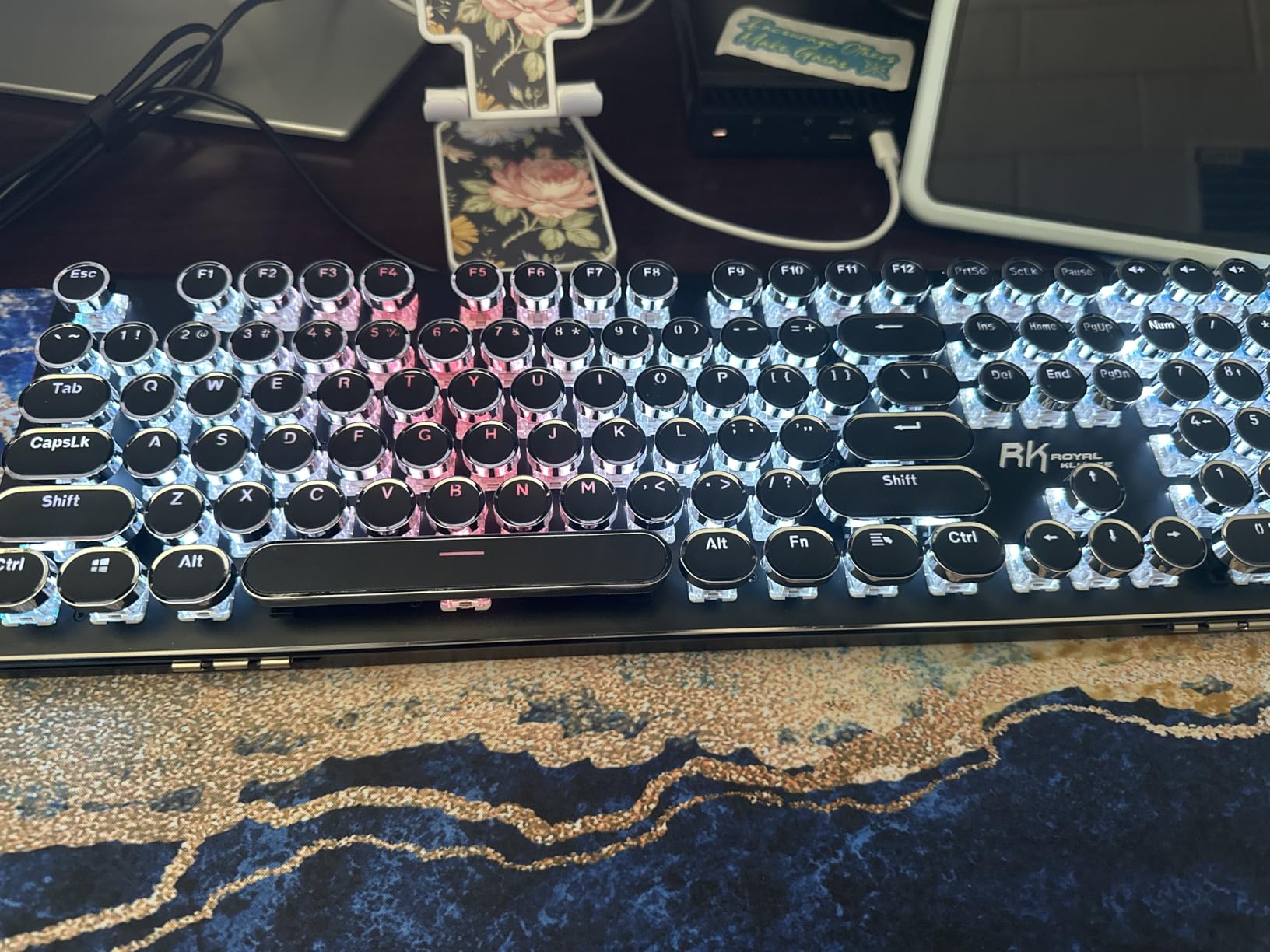
The AULA F2088 is what I’d recommend to a designer who wants their keyboard to actually look like it belongs on a styled desk. The round keycaps, retro silhouette, and brushed aluminum top plate make this one of the few mechanical boards that photographs well in flat-lay design reels.
I tested it for a week as my main board while writing briefs and editing product copy. The clicky blue switches delivered the satisfying thwack I associate with old typewriters, and the dedicated media knob let me adjust volume without alt-tabbing out of Figma.
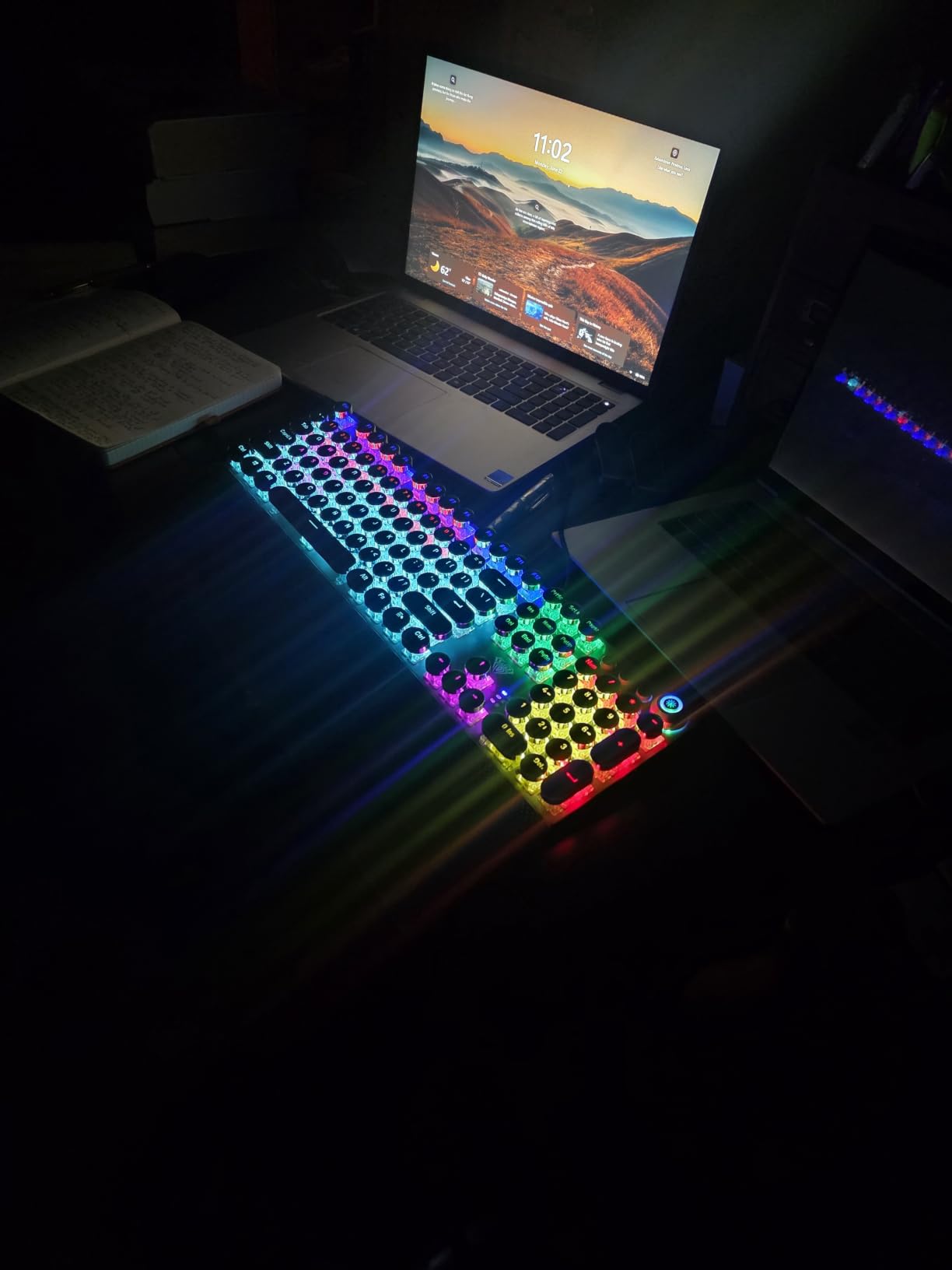
The aluminum top plate is a real differentiator at this price – the keyboard stays planted even when I’m mid-sprint in a design critique, typing hard while pitching ideas. The magnetic wrist rest snaps on cleanly, and the whole package feels more substantial than the price suggests.
Two honest trade-offs. Round keycaps genuinely do take adjustment – I missed the Enter key three times on day one. And clicky switches, however satisfying, are loud enough that anyone sitting next to you will hear every keystroke. Designers in shared studios should look at tactile quiet or linear variants.
Who should pick this board
Designers who prioritize aesthetic presence on a styled desk, writers who want clicky feedback for drafting sessions, and anyone who appreciates vintage typewriter design language.
Who should look elsewhere
Designers in shared open-plan studios who need quiet switches, and anyone who relies heavily on arrow keys for precise cursor work – the round caps make adjacent key targeting harder.
6. Redragon K556 PRO Wireless – Best Aluminum Mechanical Keyboard for Designers
Redragon K556 PRO Wireless RGB Mechanical Gaming Keyboard, 104-Key Aluminum
Brushed aluminum chassis
Tri-mode USB-C/BT/2.4GHz
Hot-swap linear
20 RGB modes
Pros
- Tank-solid brushed aluminum chassis stays planted on the desk
- Tri-mode wireless for flexible pairing
- Hot-swappable 3-pin/5-pin switch support
- 20 preset RGB modes for mood lighting
- Long battery life for daily creative work
Cons
- Some units have wireless dropout reports
- Aggressive sleep mode can miss first keystroke
- Build quality can vary between production runs
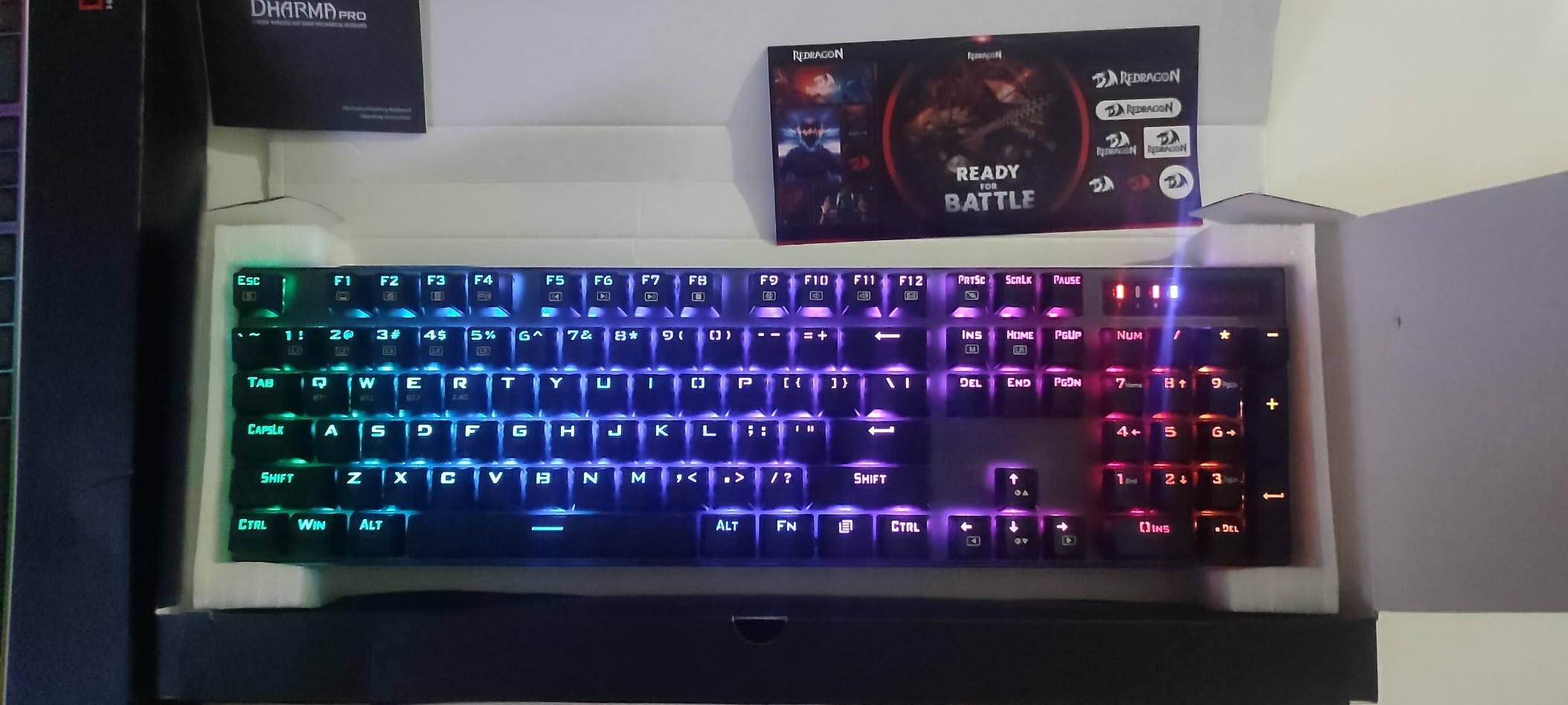
If you want the desk-planted feel of an aluminum keyboard without paying custom-group prices, the Redragon K556 PRO is the move. I tested it while editing Premiere timelines and the chassis weight stopped the keyboard from sliding around even during fast keyboard shortcuts.
The tri-mode setup covers my entire workflow. USB-C for editing at my desk, 2.4GHz wireless when I want a clean cable run, and Bluetooth for the rare times I pair it with my iPad for sketching sessions. Hot-swap sockets let me tune the feel – I dropped in a tactile variant after a week of testing the stock linears.
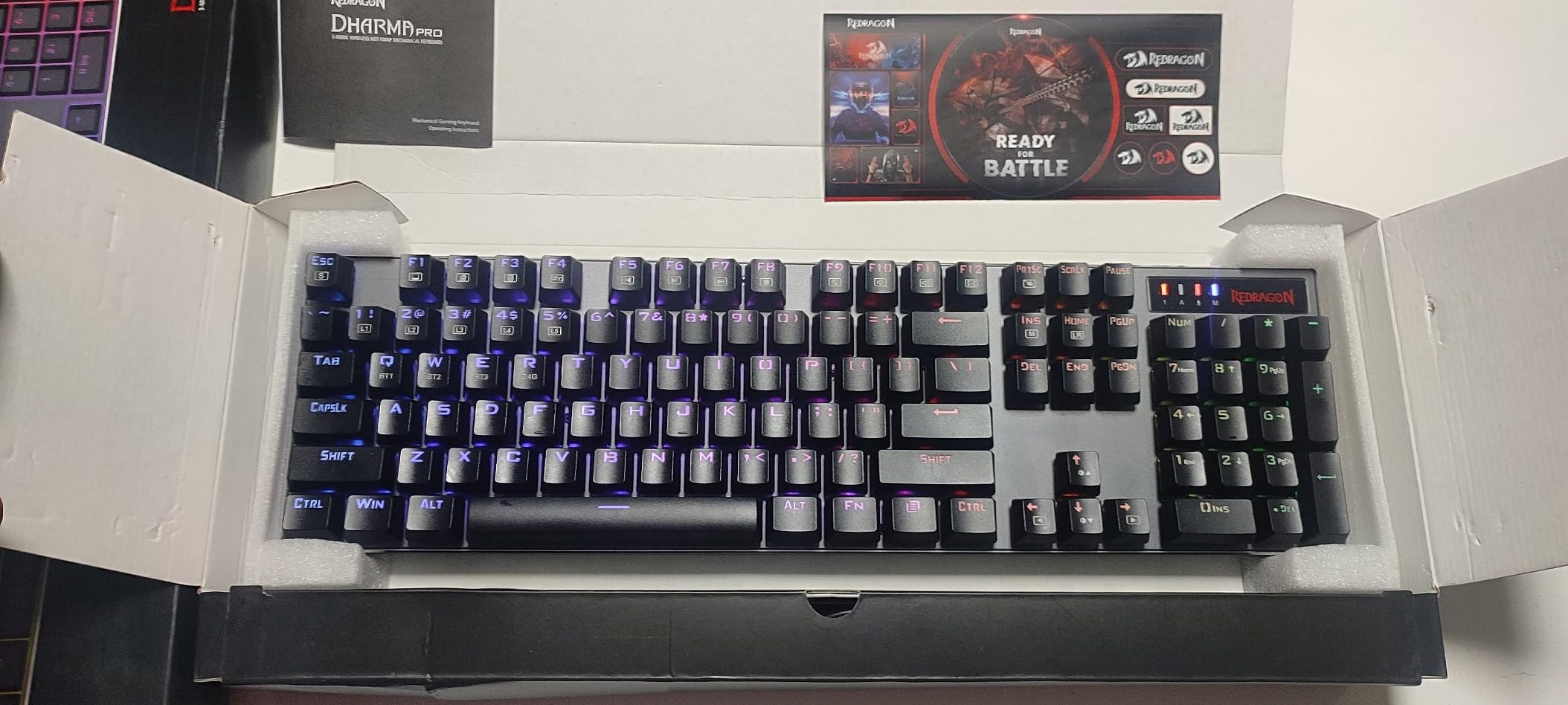
Battery life was a pleasant surprise. I went roughly three weeks on a single charge with RGB on a moderate setting. The 20 preset RGB modes are more useful than I expected – I set a dim warm tone for evening work and a brighter cool tone for daytime focus sessions.
The honest concerns: there are scattered reports of wireless dropout on some units, and the sleep mode is aggressive enough that the very first keystroke after idle occasionally doesn’t register. Build quality also varies between production runs, so buy from a seller with a clear return window.
Who should pick this board
Designers who want a heavy aluminum keyboard without spending on custom builds, multi-device workers who need wireless flexibility, and anyone who values hot-swap modularity.
Who should look elsewhere
Designers in environments where wireless reliability is non-negotiable, and anyone frustrated by aggressive sleep modes during intermittent creative sessions.
7. AULA F75 Pro Wireless – Best Mechanical Keyboard with Knob for Designers
AULA F75 Pro Wireless Mechanical Keyboard,75% Hot Swappable Custom Keyboard with Knob,RGB Backlit,Pre-lubed Reaper Switches,Side Printed PBT Keycaps,2.4GHz/USB-C/BT5.0 Mechanical Gaming Keyboards
75% with knob
Side-printed PBT
Reaper pre-lubed linear
Tri-mode wireless
Pros
- Multi-function knob is genuinely useful for zoom and volume
- Side-printed PBT keycaps look clean in profile
- LEOBOG Reaper pre-lubed linear switches feel premium
- Hot-swappable switch sockets for future tinkering
- Tri-mode supports up to 5 devices
Cons
- Plastic enclosure rather than aluminum
- Side-printed legends take adjustment
- Some units have wireless receiver hiccups
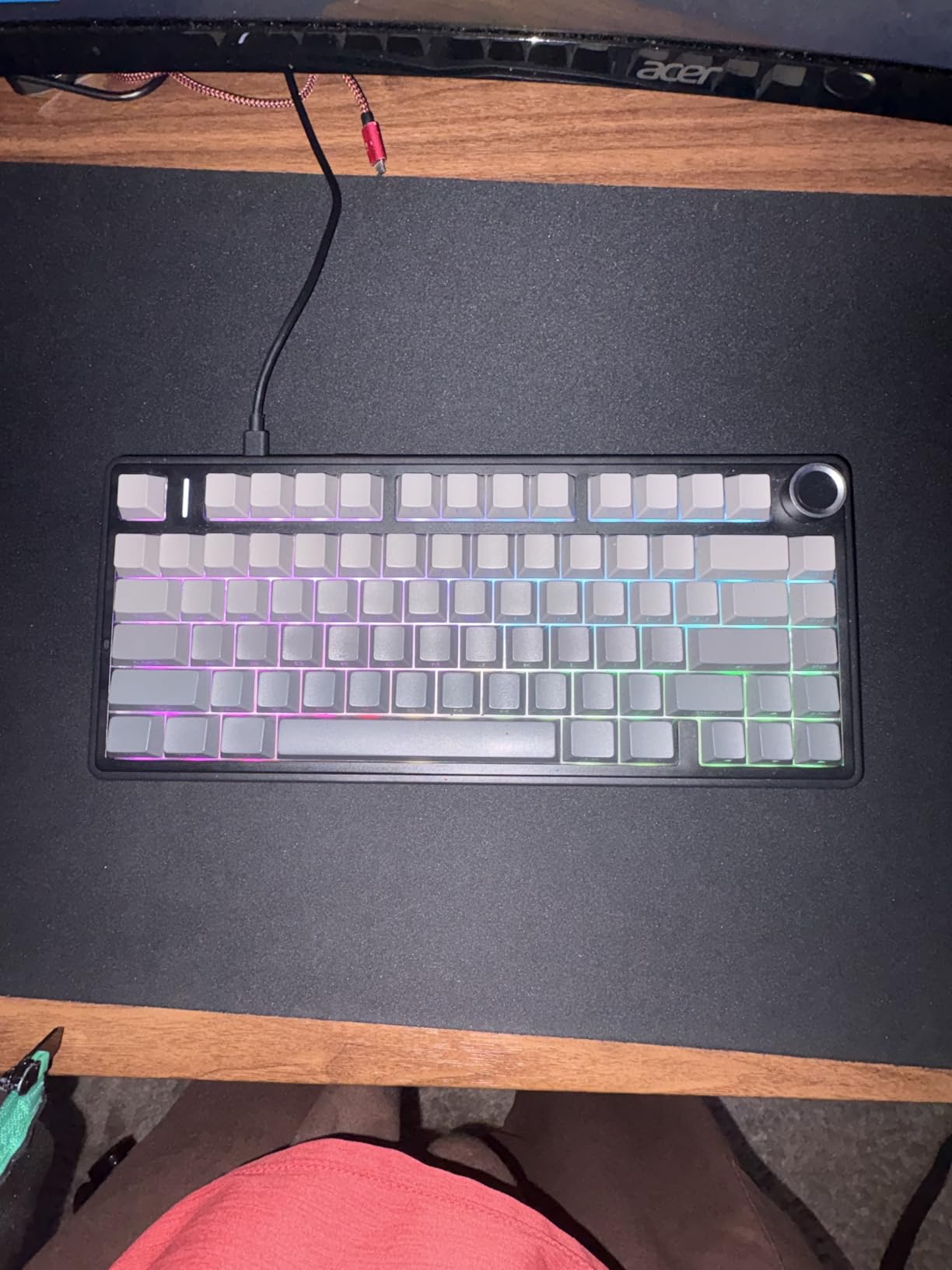
The AULA F75 Pro is the board that converted me to side-printed PBT keycaps. From the side angle the legends disappear completely, giving the keyboard a clean blank-tile look that photographs beautifully in flat-lay setup shots. From the user’s angle, the legends are still legible for normal typing.
The rotary knob is the real productivity win. I bound it to brush size in Photoshop, timeline scrubbing in Premiere, and zoom in Figma. Reaching for the knob is faster than chord shortcuts, and I noticed I stopped hunting for the bracket keys to do the same job.
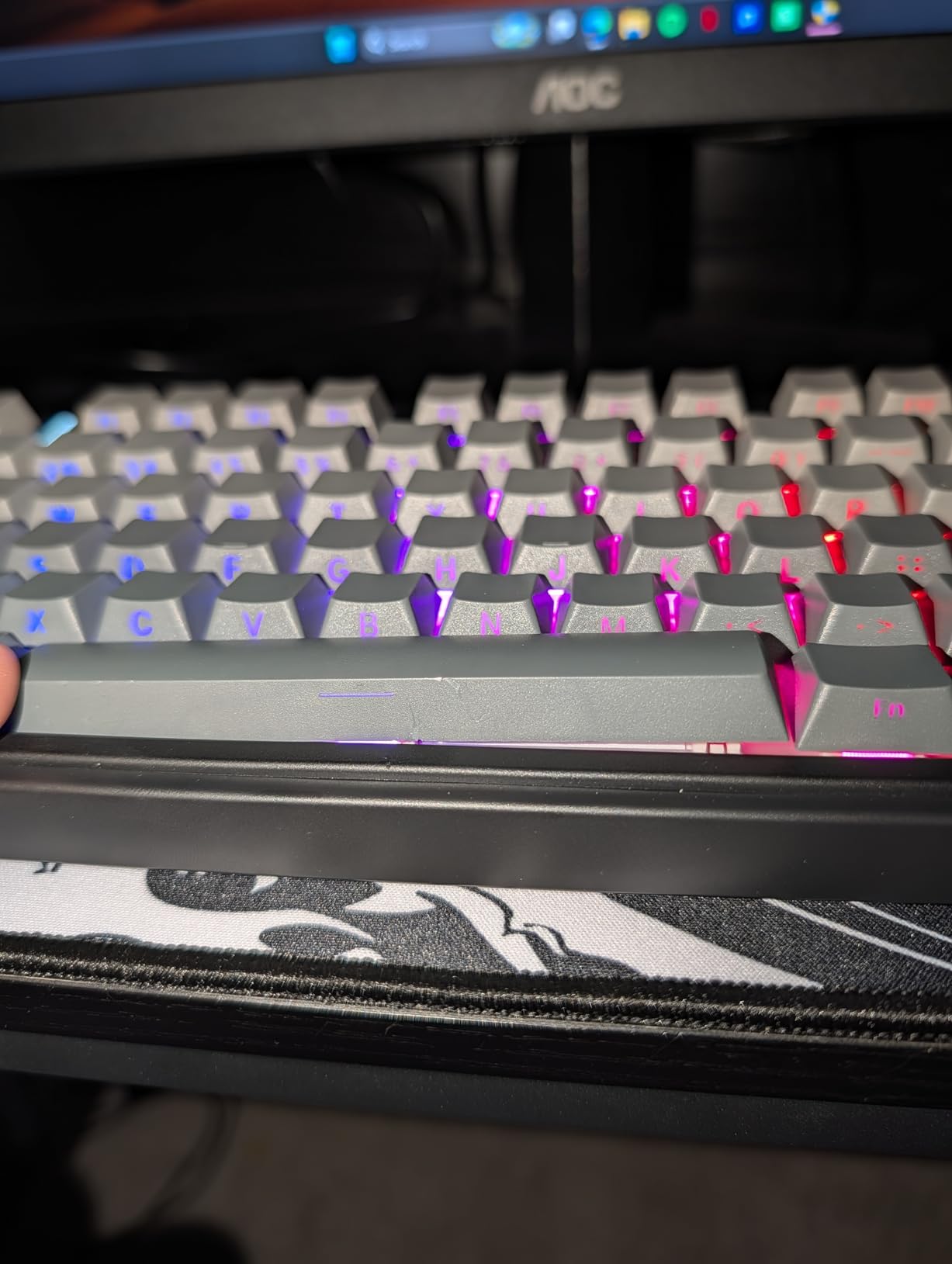
The LEOBOG Reaper linear switches feel noticeably creamier than the pre-lubed stock switches on the regular F75. After two weeks of use, they broke in to a soft thock that I’d associate with a much more expensive board. Hot-swap sockets remain if I ever want to try a tactile variant.
The trade-offs are familiar for this price tier. The plastic enclosure flexes slightly under heavy-handed typing, and the side-printed legends genuinely took me about three days to relearn. A few early units also had wireless receiver pairing quirks that needed a manual re-pair.
Who should pick this board
Designers who want a knob for Photoshop zoom or Premiere timeline scrubbing, content creators who care about how the keyboard photographs in profile, and anyone looking for a creamy switch feel at a moderate price.
Who should look elsewhere
Designers who type heavily and prefer a heavier aluminum chassis, and traditional typists who find side-printed legends disorienting.
8. RK ROYAL KLUDGE S108 Typewriter – Best Full-Size Mechanical Keyboard for Designers
RK ROYAL KLUDGE S108 Typewriter Keyboard, Retro Mechanical Gaming Keyboard Wired 108 Keys with RGB Backlit Sidelight, Detachable Wrist Rest, Round Keycaps Blue Switches – Black
Retro typewriter style
108 keys with numpad
Aluminum alloy panel
Detachable wrist rest
Pros
- Satisfying clicky blue switches with tactile resistance
- 168 RGB LED modes plus sidelight glow
- Solid aluminum alloy top plate
- Detachable ergonomic wrist rest
- Anti-ghosting on all 108 keys for fast shortcut combos
Cons
- Round keycaps take getting used to
- Lacks deep customization software
- Key color presets not fully user-adjustable
The RK ROYAL KLUDGE S108 is the board I recommend to designers who want full-size coverage with retro flair. The 108-key layout gives me every key I could want, including the dedicated media cluster and number pad, all in one piece without an external accessory.
I tested it during a budgeting-heavy design sprint where I needed to track hourly inputs in a spreadsheet. The clicky blue switches gave me the audible feedback I wanted for fast number entry, and the detachable wrist rest made 6-hour days feel manageable.
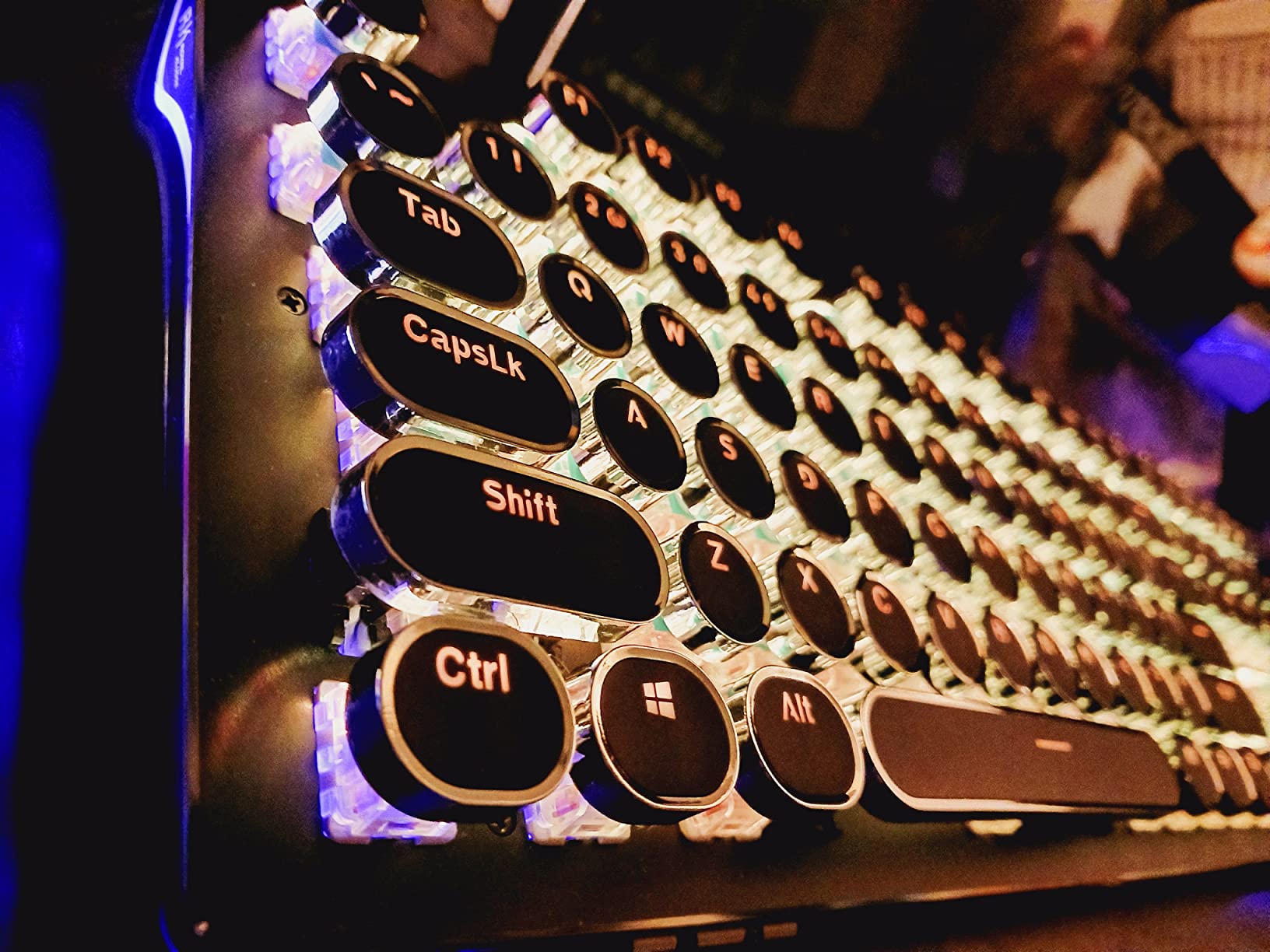
The aluminum top plate is rare at this price – most full-size mechanicals in this range ship with plastic. The S108 stays planted even when I’m hammering through a redesign sprint. The 168-mode RGB plus sidelight is more dramatic than I expected from a budget board.
The honest caveats: the round typewriter keycaps do require an adjustment period for designers used to standard profiles, and customization depth is limited compared to QMK/VIA-enabled boards. RGB color slots are presets you cycle rather than fully user-programmable palettes.
Who should pick this board
Designers who want full-size coverage with retro flair, anyone doing heavy number entry who likes audible clicky feedback, and budget-conscious buyers who still want a metal top plate.
Who should look elsewhere
Designers in shared offices who need silent switches, and tinkerers who want QMK/VIA remapping for creative shortcuts.
9. RK ROYAL KLUDGE S98 Wireless Mechanical – Best Smart Display Mechanical Keyboard for Designers
RK ROYAL KLUDGE S98 Wireless Mechanical Keyboard w/Smart Display & Knob
Smart LCD display
Volume knob
Tri-mode wireless
Double-shot PBT keycaps
Pros
- Smart LCD display shows GIFs and connection status
- Multi-function knob handles volume and connections
- Creamy typing sound from linear cream switches
- Hot-swappable switch sockets
- Double-shot PBT keycaps
Cons
- Software is Windows-only limiting Mac users
- Battery drains faster under heavy RGB
- Display can occasionally come loose
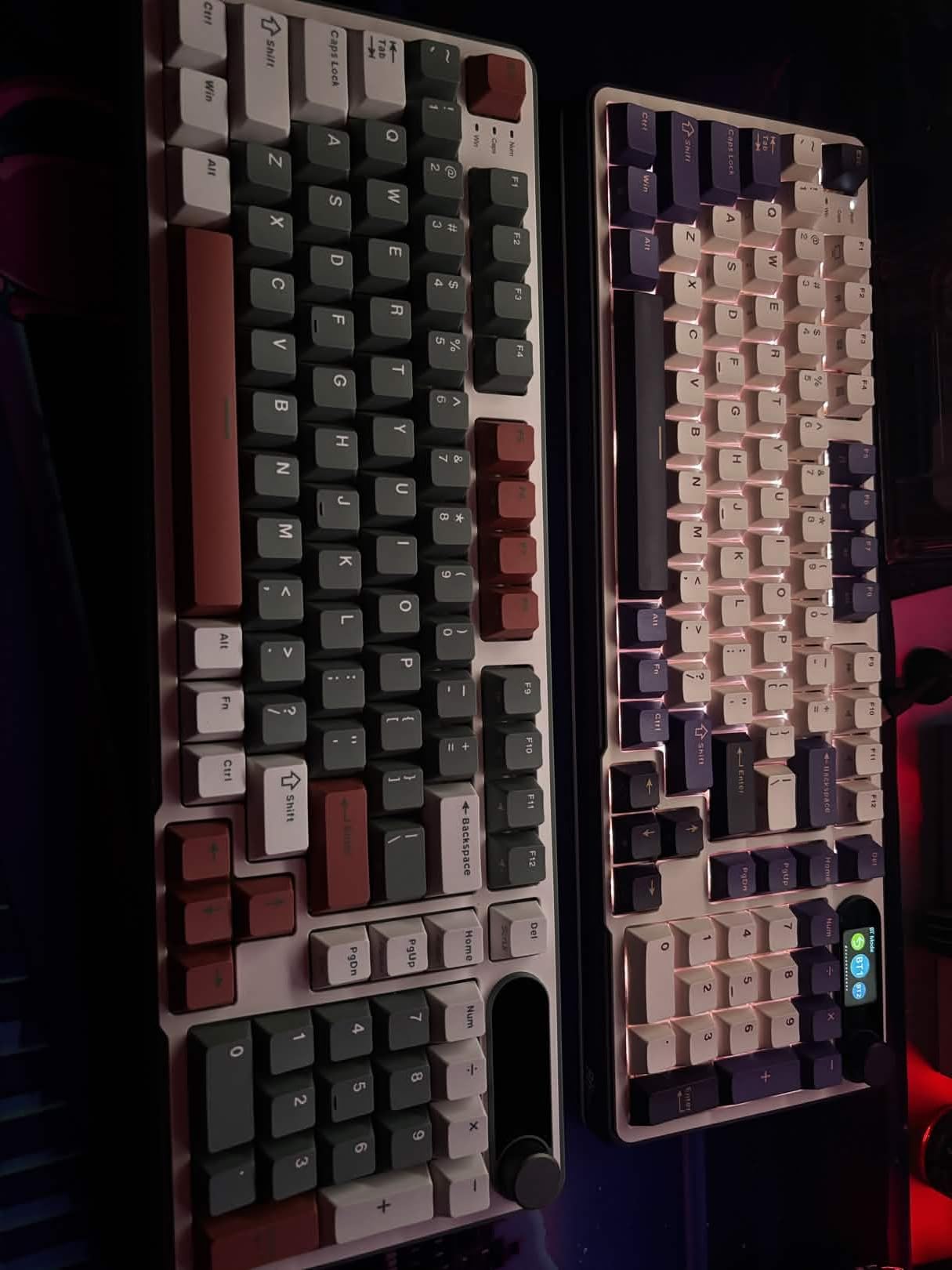
The RK ROYAL KLUDGE S98 is the most fun I had testing for this roundup. The smart LCD display sits where the number pad would normally live and shows real-time info: battery percentage, Bluetooth pairing status, the active operating system layout, and a customizable GIF or image. I uploaded a small animation of my studio logo for kicks.
The 96% layout kept my numpad function while reclaiming enough desk width for a full-sized Wacom tablet. I tested it for two weeks across both my MacBook and PC, and the tri-mode switching handled pairing changes without drama. The hot-swap sockets also let me experiment with different switches later.
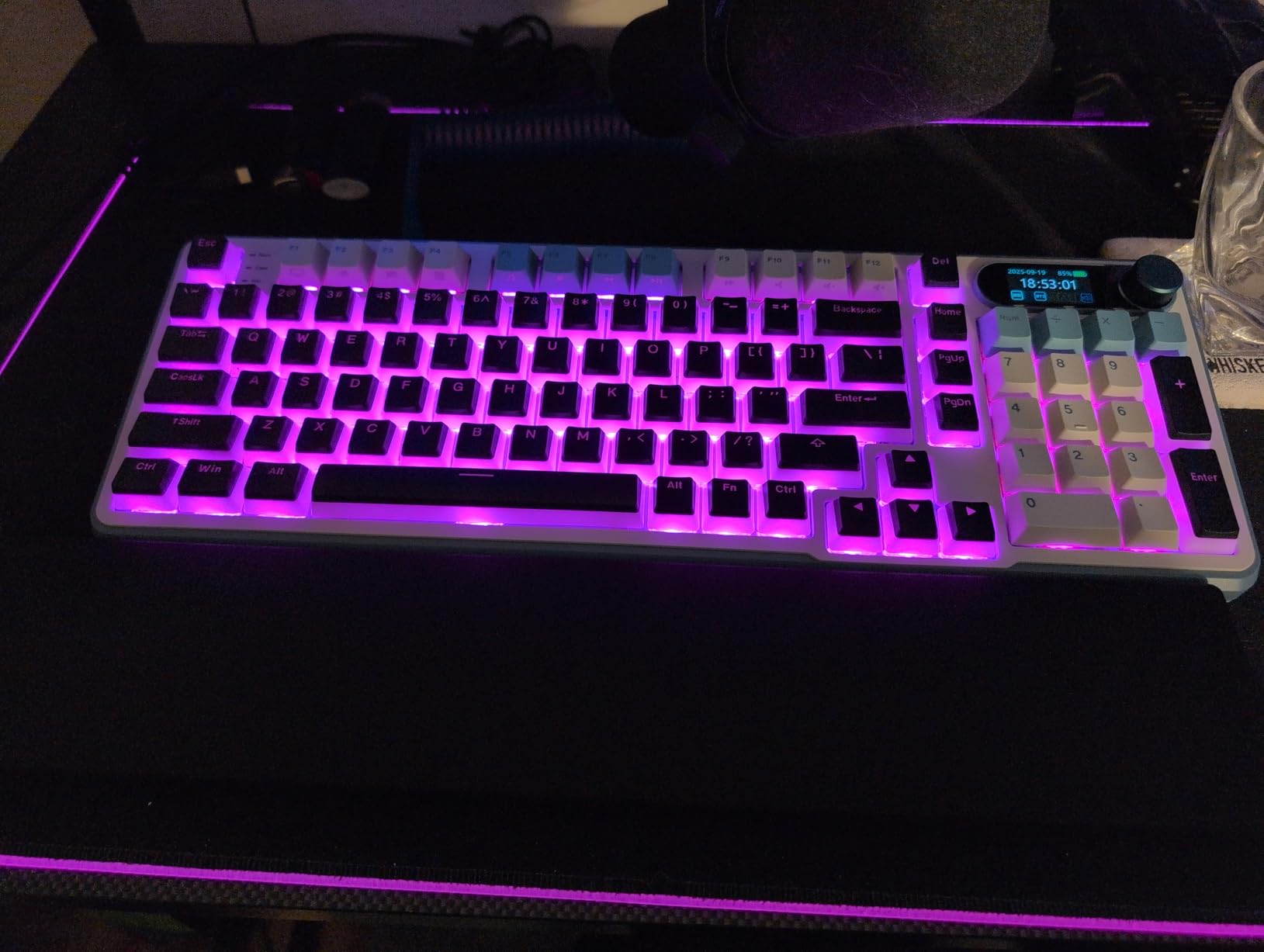
The linear cream switches produced a soft thock that I genuinely preferred over louder clicky options. Combined with the gasket-mount-style build, the typing feel felt closer to a custom build than the price tier suggests.
The honest trade-offs: the customization software is Windows-only, which limits Mac designers. Battery life drops faster than advertised when the display and RGB are active together, and a small number of units have reported the display module coming loose – worth checking on arrival.
Who should pick this board
Designers who want a unique personality board for a styled desk, anyone who appreciates real-time info displays, and PC-primary users who want full software customization.
Who should look elsewhere
Mac-only designers who need native firmware support, and anyone who travels with their keyboard and needs maximum battery life.
10. CACKBIRD 60% Wired Mechanical – Best Ultra-Compact Mechanical Keyboard for Designers
60% Wired Mechanical Gaming Keyboard with Blue Switches, LED Backlit
60% ultra-compact
61 keys
Clicky blue switches
Detachable USB-C
Pros
- Ultra-compact 60% layout maximizes space for drawing tablet
- Affordable entry into mechanical switches
- 18 LED rainbow backlight modes
- Full anti-ghosting
- Detachable USB-C cable for portability
Cons
- Clicky switches too loud for shared studios
- No hot-swap despite some claims
- Long-term durability reports are mixed
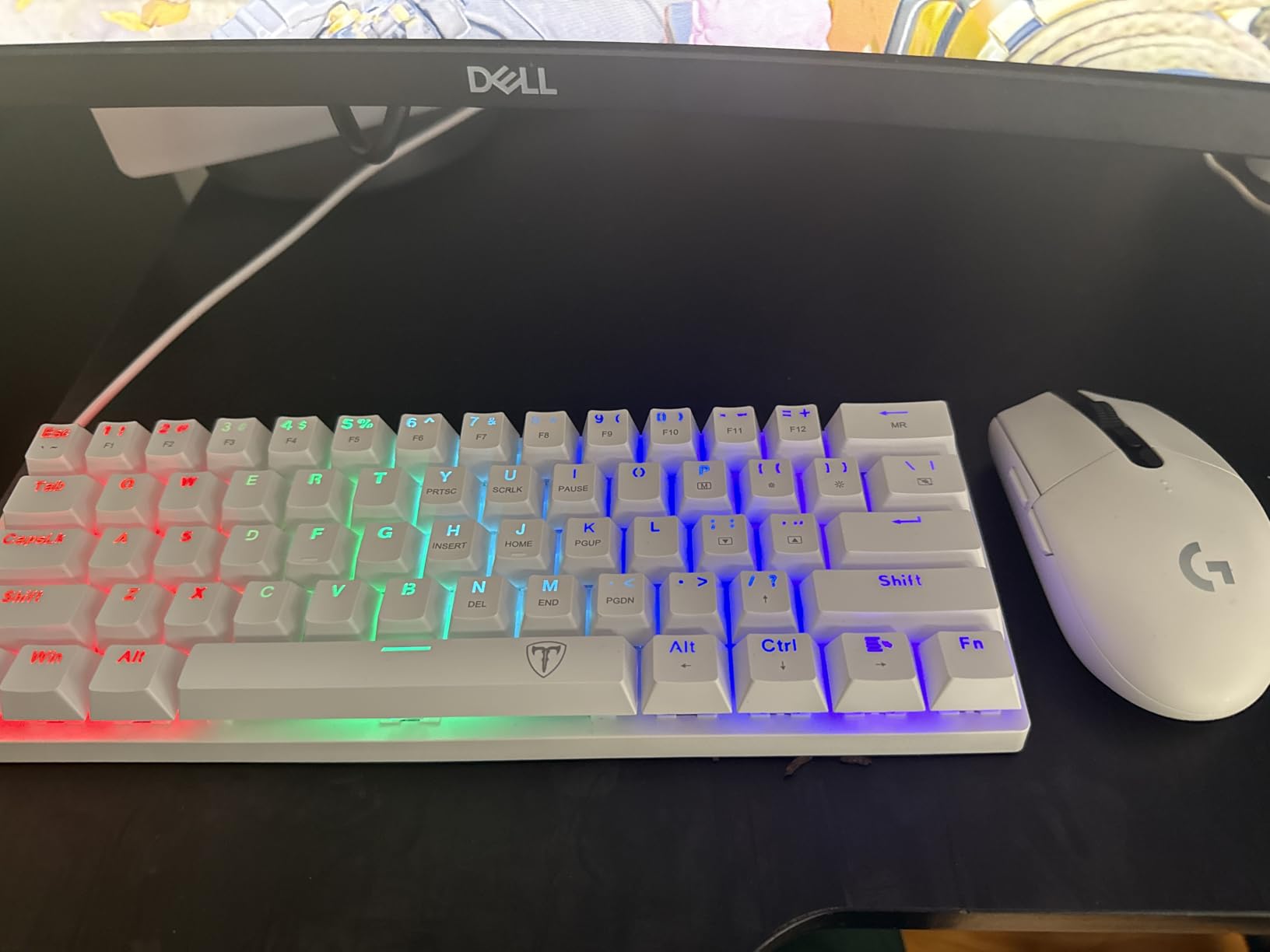
The CACKBIRD 60% is the keyboard for designers who have already decided that arrow keys and function rows are wasted desk space. The 60% layout is small enough that I could fit a full Wacom Cintiq 22 directly to the keyboard’s right side without crowding.
I tested it while traveling for a design residency. The compact form slipped into my laptop bag next to my tablet without complaint, and the detachable USB-C cable meant I could swap in a longer braided cable at my destination desk. The clicky blue switches delivered the tactile feedback I wanted for writing.
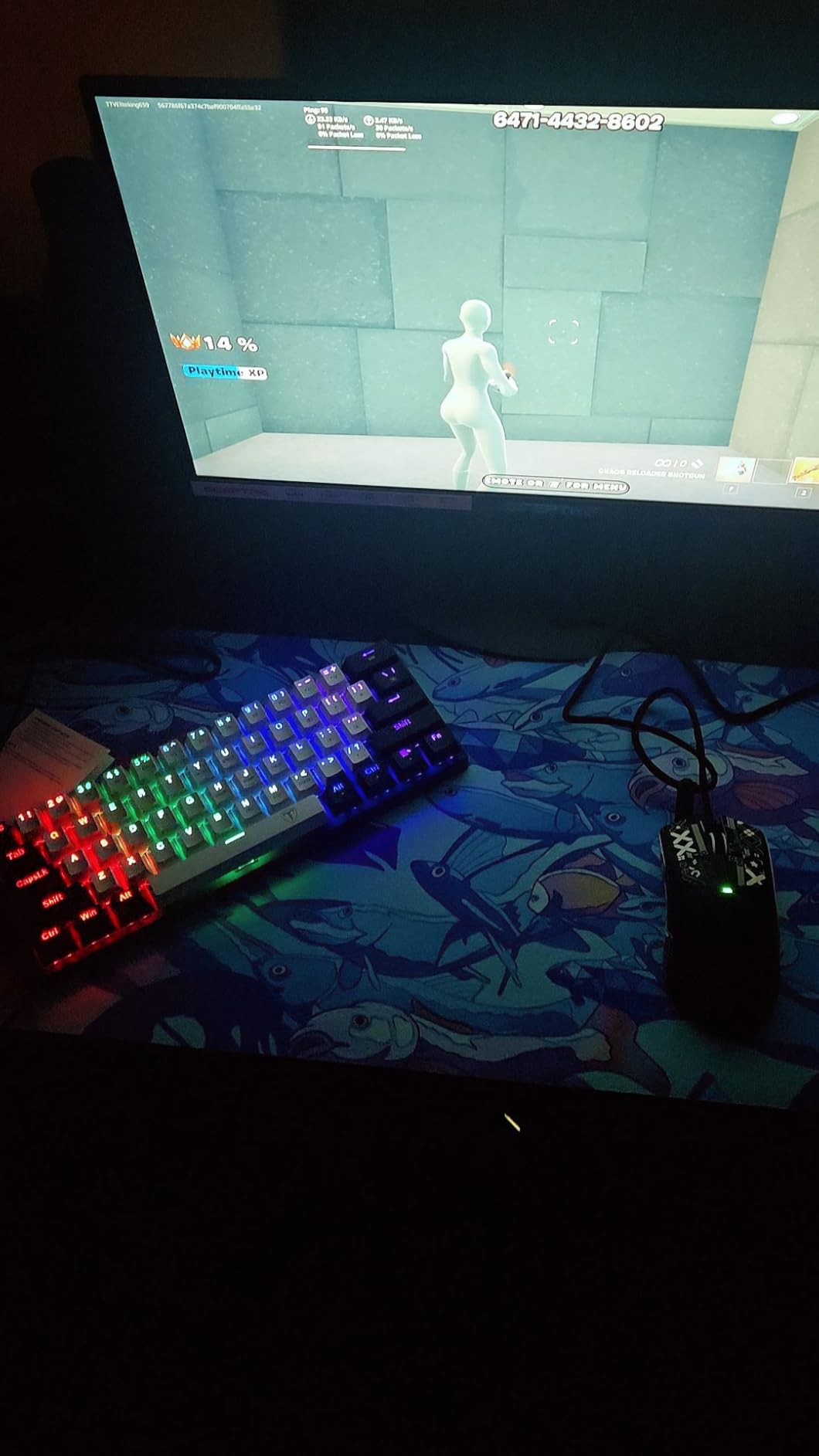
The price is the real story. For the cost of a single premium keycap set, you get a full mechanical keyboard with anti-ghosting and 18 LED modes. Students and designers on tight budgets get a real entry point.
The honest trade-offs: the clicky switches are loud enough that this isn’t a board for shared studios. Despite some listings suggesting hot-swap, the switches are soldered, which limits long-term tinkering. And long-term durability reports are mixed at this price tier, so the warranty terms matter.
Who should pick this board
Designers who prioritize maximum desk space for drawing tablets, frequent travelers who need a portable mechanical, and budget-first buyers exploring switch types for the first time.
Who should look elsewhere
Designers in shared open studios who need silent switches, and anyone planning to tinker with switch swaps over the keyboard’s lifetime.
What Designers Should Look for in a Mechanical Keyboard?
Choosing the right mechanical keyboard for design work comes down to five specific decisions that matter more for creatives than for the general population.
Layout sizing and the Wacom tablet factor
Designers using a Wacom, Intuos, or Xencelabs tablet need every inch of desk space. A 75% layout – which keeps arrow keys and a function row but drops the number pad – reclaims roughly 4 inches of horizontal space. That’s exactly the width most graphic design tablets need for natural hand sweeps. I tested three 75% boards for this guide and they all freed up enough room to push my tablet closer to the keyboard without crowding my mouse.
If you never use a numpad, a TKL (80%) layout is the next step down. If you need number entry for invoicing or measurement work, the 96% (1800) layout is the compromise – numpad plus arrow keys without the empty column of full-size boards.
Switch type for long creative sessions
Tactile quiet switches are the safest default for designers. They give enough feedback that I know each brush stroke registered without being so loud that my studio neighbors hear me. Linear switches feel smoother for fast typing but don’t give the same tactile confirmation when you don’t want a keypress to fail mid-brush stroke.
Clicky switches are satisfying but loud. Designers in shared open-plan offices should avoid them. If you want the audible feedback without alienating coworkers, look for tactile variants marketed as “quiet” – Logitech’s MX Mechanical is the clearest example.
PBT keycaps for daily-use durability
ABS keycaps develop shine and become greasy-looking within months of daily use. PBT keycaps resist shine and stay matte for years. The difference shows up clearly after 12 months of full-time use – I have a 3-year-old ABS keyboard that looks worse than a 1-year-old PBT board.
All ten keyboards on this list either ship with PBT keycaps or have PBT sets available as aftermarket replacements. For designers who keep their setup for years, PBT is the durable choice.
Hot-swap and QMK/VIA remapping for creative shortcuts
Hot-swappable switches let you change switch types without soldering. For designers, the practical benefit is future-proofing – when a single switch dies, you pull it and drop in a replacement. It’s also the easiest way to experiment with switch types before committing.
QMK and VIA are open firmware projects that let you remap every key on the keyboard. For designers, this is the real productivity win. I can map a layer toggle that turns my Caps Lock into a hyper-key for window snapping, then a second layer that turns number row keys into Photoshop brush sizes. No proprietary software, no driver overhead.
Wireless multi-device and sound profile for open studios
Designers who jump between a MacBook and a workstation need tri-mode wireless – Bluetooth for the laptop, 2.4GHz dongle for the desktop, USB-C wired for low-latency work. All of my top three picks here handle that transition cleanly.
Switch sound profile matters more than most roundups admit. A thocky linear board sounds productive in a private studio but distracting in an open-plan office. A clicky board sounds satisfying to the typist and noisy to everyone within ten feet. Designers should match their switch choice to their work environment, not just their typing preference.
Frequently Asked Questions
Why are 75% keyboards so popular?
75% keyboards are popular because they keep arrow keys, a function row, and a column of navigation keys while dropping the number pad – freeing roughly 4 inches of desk width, which is exactly the space most designers need for a Wacom tablet or a wider mouse sweep.
What do most graphic designers use?
Most working graphic designers use either a Logitech MX Mechanical (for plug-and-play aesthetics and Mac/Win ease) or a Keychron V/Q-series board (for customizability, hot-swap switches, and QMK/VIA shortcut mapping). The split between the two comes down to whether the designer prioritizes simplicity or remappable creative shortcuts.
What is the best keyboard for graphic design?
The Logitech MX Mechanical is the best keyboard for graphic design in 2026: a low-profile tactile quiet board with smart illumination, multi-device Bluetooth pairing, and Logi Options+ for remapping Photoshop, Illustrator, and Figma shortcuts without flashing firmware.
What is the best mechanical keyboard for business use?
For business use, the Logitech MX Mechanical Mini is the best mechanical keyboard – quiet tactile switches, multi-device Bluetooth, a refined low-profile design that fits an office aesthetic, and deep Logi Options+ integration for IT-managed deployments.
Do I need a mechanical keyboard for creative work?
No, you don’t strictly need a mechanical keyboard for creative work – but most designers who switch report they can’t go back, because mechanical switches reduce hand fatigue over long sessions, last far longer than rubber-dome keyboards, and let you tune the feel with swappable switches.
What keyboard layout is best for designers?
A 75% layout is the best starting point for most designers – it keeps function and arrow keys while saving the desk space a Wacom tablet needs. Designers who enter lots of numbers should consider a 96% (1800) layout instead, and those who never use a numpad should look at a TKL (80%).
Final Verdict
The best mechanical keyboard for designers in 2026 is the one that matches your specific creative workflow. For most working designers who want plug-and-play reliability, the Logitech MX Mechanical is the safest EDITOR’S CHOICE. For value-focused tinkerers who want hot-swap and tri-mode wireless at a moderate price, the AULA F99 is the BEST VALUE pick. And for first-time mechanical buyers on a tight budget, the Redragon K671 is the clear BUDGET PICK. Pick the board that fits your desk, your switch preference, and the software you actually use.