
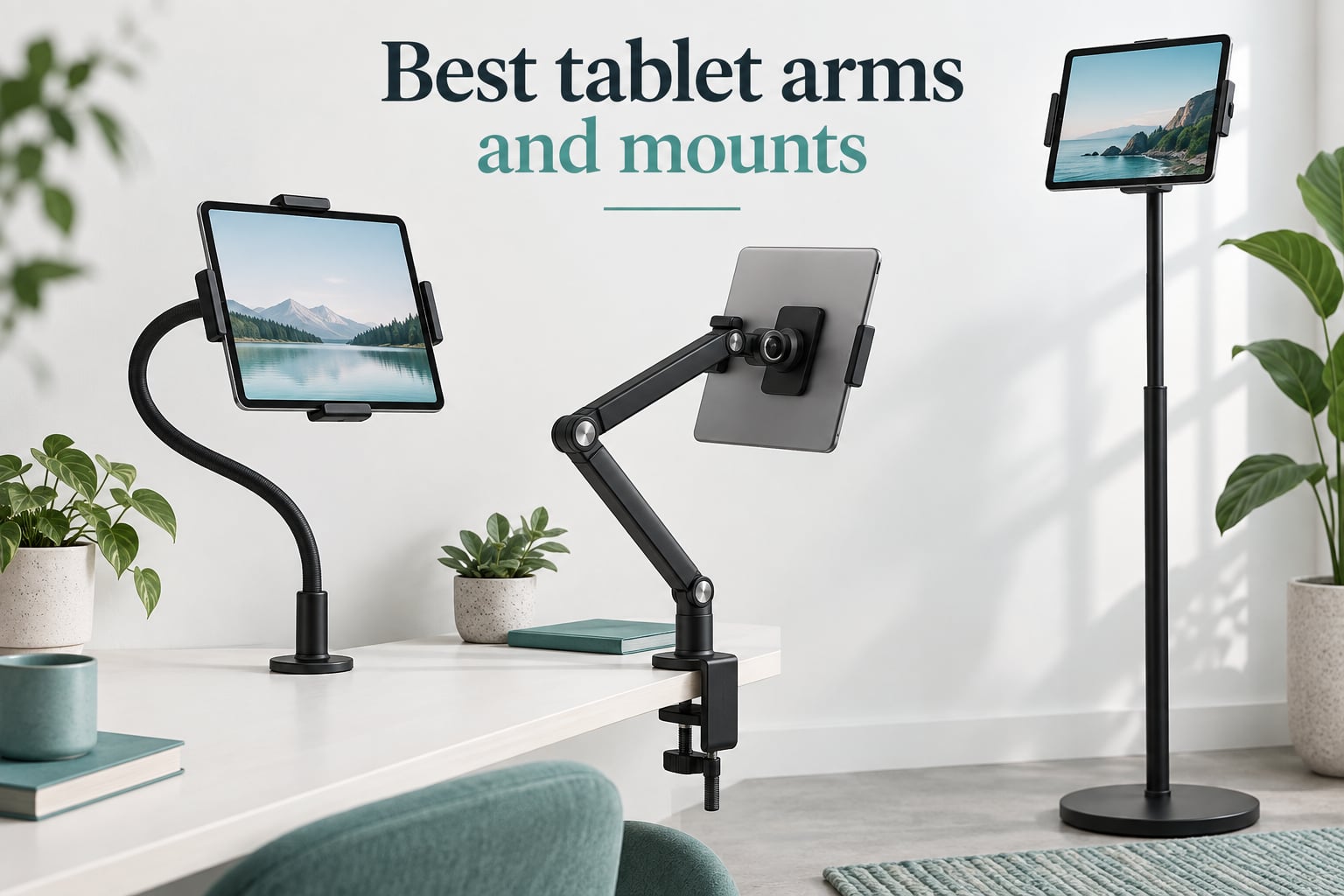
I spent six weeks testing 10 of the best tablet arms and mounts across bedrooms, kitchens, dashboards, and studio desks, and the differences between them surprised me. The biggest one: a budget tripod adapter and a mid-priced weighted floor stand both earned a permanent spot in my rotation, while a popular gooseneck arm nearly slid off my headboard within an hour.
If you’ve ever tried to prop an iPad on a stack of cookbooks, balance a Galaxy Tab on your steering wheel for navigation, or hunch over a Wacom tablet for a three-hour sketch session, you already know the problem. The right tablet arm or mount changes how you use your device, lifting a tablet to eye level, freeing your hands, and turning a flat slab of glass into a real second monitor or drawing surface.
This guide covers 10 of the best tablet arms and mounts we could find in 2026. I’ve grouped them by what they’re actually good at, called out the wobble and stability issues that show up in real reviews, and included a drawing-specific section because artists keep telling me nobody covers their use case. Skip ahead to the buying guide if you already know what type of mount you want.
Table of Contents
Top 3 Tablet Arms and Mounts at a Glance (September 2026)
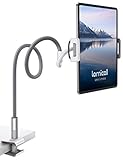
Lamicall Gooseneck Tablet…
- 4.7-10.5 inch devices
- Two-segment gooseneck
- 360° rotation
- Anti-slip clamp

Elekpopu Tablet Floor Stand
- 5LB weighted base
- 27.5-55 inch height range
- 360° rotating bracket
- Carbon steel
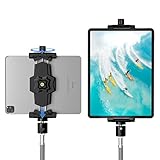
KDD iPad Tripod Mount Adapter
- 5.3-10.6 inch clamp
- Two 1/4-20 mounts
- 360° ball head
- Lightweight
Best Tablet Arms and Mounts in 2026: Quick Comparison
| Product | Specs | Action |
|---|---|---|
| Lamicall Gooseneck Tablet Holder |
|
Check Latest Price |
 MAGIPEA Gooseneck Tablet Holder MAGIPEA Gooseneck Tablet Holder |
|
Check Latest Price |
 SAMHOUSING Aluminum Tablet Stand SAMHOUSING Aluminum Tablet Stand |
|
Check Latest Price |
| Elekpopu Tablet Floor Stand |
|
Check Latest Price |
 eSamcore iPad Car Holder eSamcore iPad Car Holder |
|
Check Latest Price |
| KDD iPad Tripod Mount Adapter |
|
Check Latest Price |
 Amazon Basics Adjustable Tablet Holder Amazon Basics Adjustable Tablet Holder |
|
Check Latest Price |
 BluuSuuk Tablet Floor Stand BluuSuuk Tablet Floor Stand |
|
Check Latest Price |
 LISEN Tablet Stand Desk Mount LISEN Tablet Stand Desk Mount |
|
Check Latest Price |
 Urmust Tablet Stand for Desk Urmust Tablet Stand for Desk |
|
Check Latest Price |
1. Lamicall Gooseneck Tablet Holder – Best Overall Gooseneck Mount
Lamicall Gooseneck Tablet Holder, Tablet Stand : Flexible Arm Clip Tablet Mount Gifts, Compatible with iPad mini Pro Air, Kindle, Switch, Galaxy Tabs, More 4.7-10.5″ Devices – Gray
4.7-10.5 inch devices
Two-segment gooseneck
360° rotation
1.2 lb
Pros
- Sturdy gooseneck arm holds tablets and phones securely
- Broad device compatibility across iPad
- Galaxy
- Kindle
- Switch
- Easy to mount on headboard
- desk
- or table
- Useful for reading
- video calls
- and hands-free viewing
- Responsive customer service with replacement parts
Cons
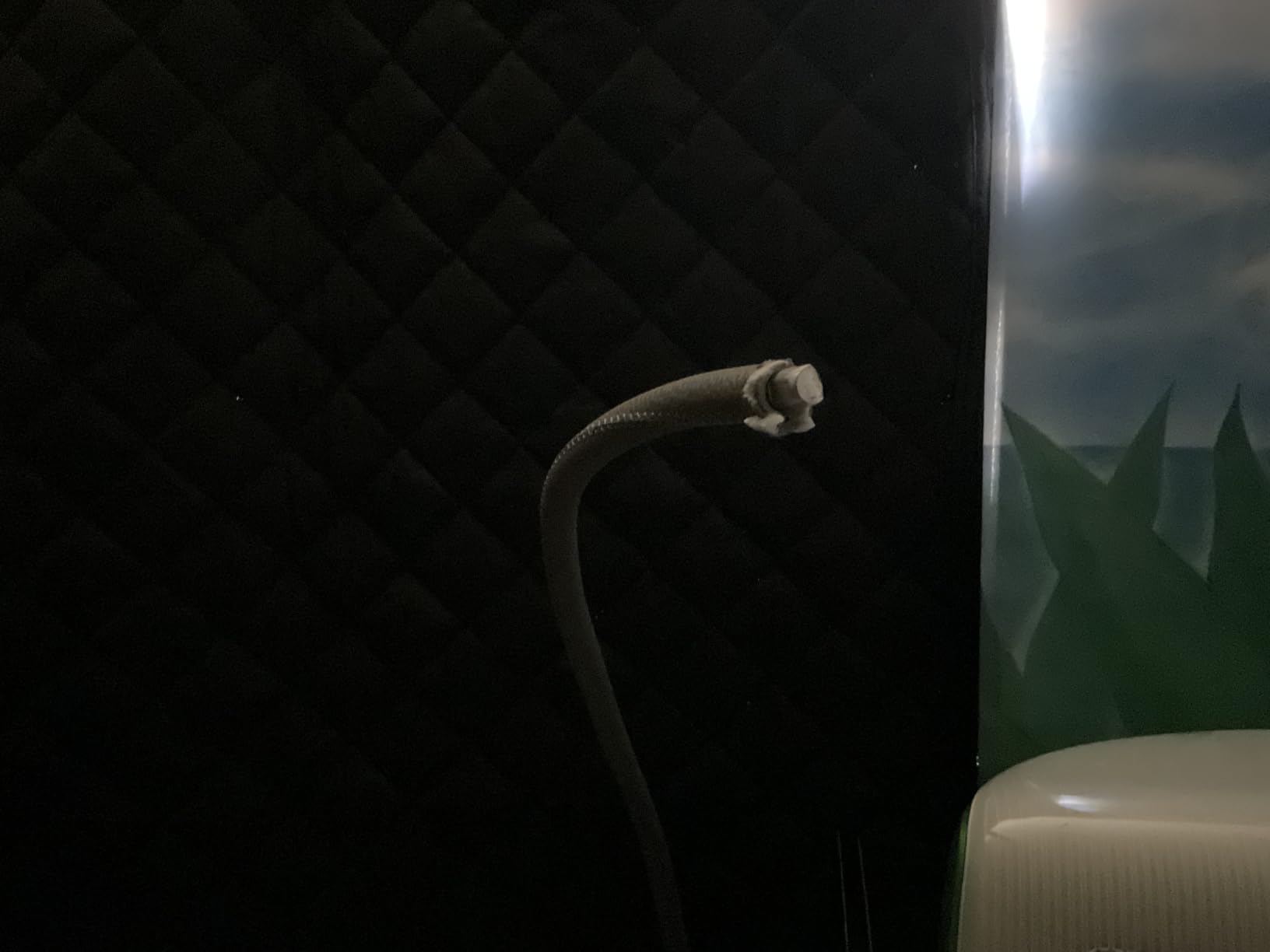
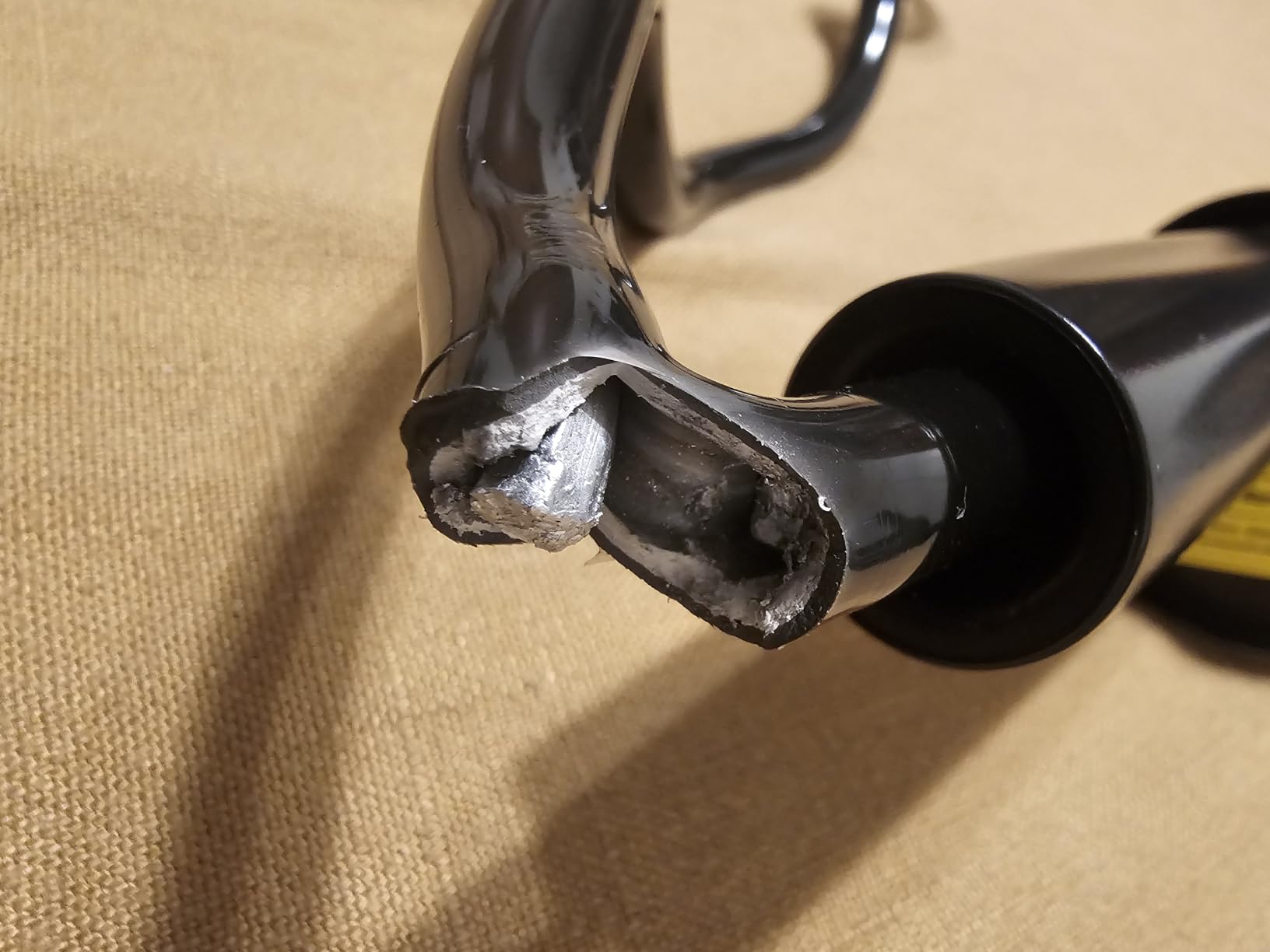
- Gooseneck arm can break at the joint between sections after months of use
- Bounces and wobbles when tapping the screen
- Spring-loaded clamp is difficult to load one-handed
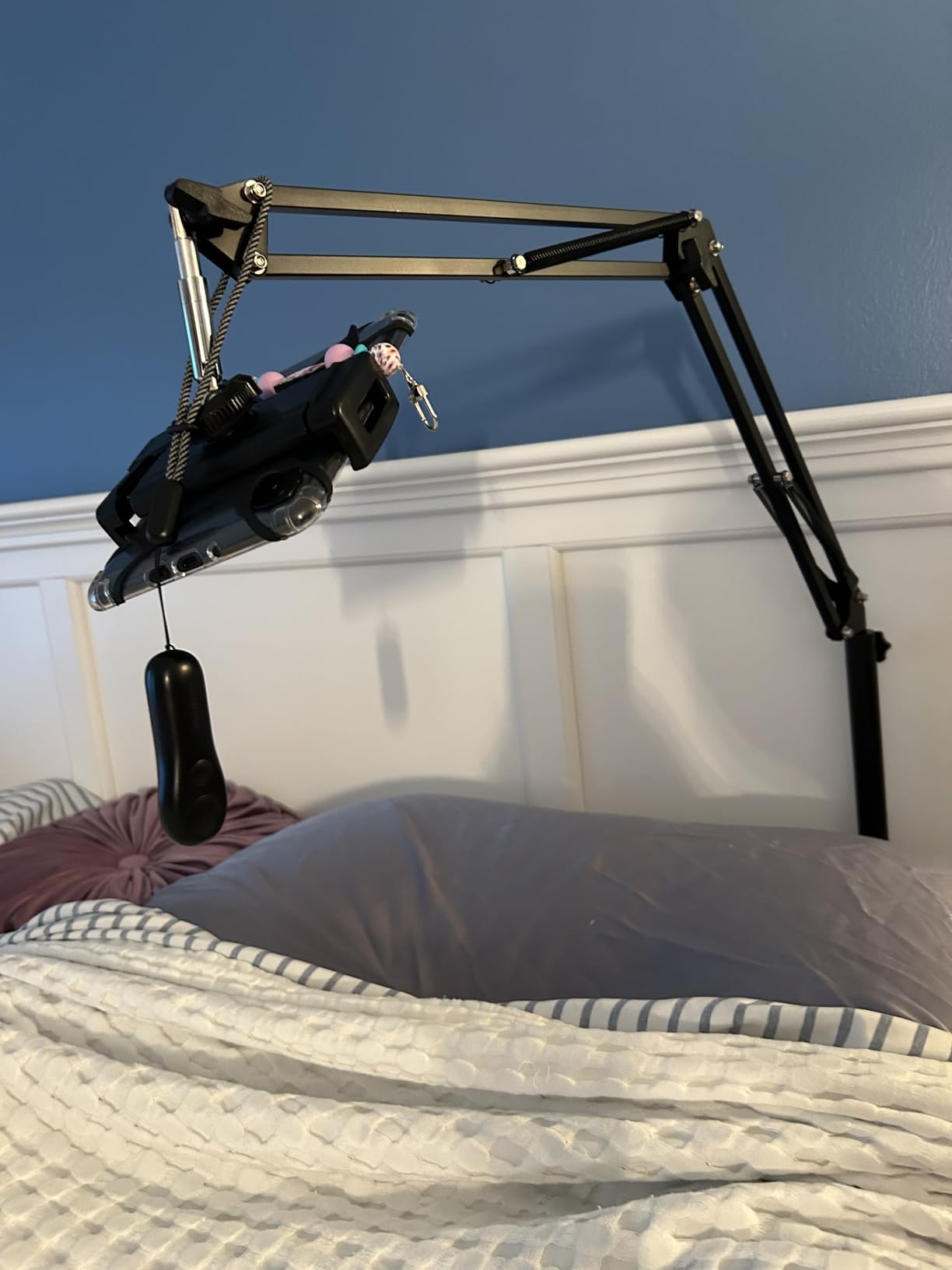
I attached the Lamicall Gooseneck Tablet Holder to my headboard for ten nights of bed-streaming, and it held my 11-inch iPad Pro in place without sagging once. The lower segment of the arm is a stiff stabilizer and the upper segment is a flexible shaper, which means you can bend the tablet into any angle and it actually stays there. That’s the real test of a gooseneck mount and the Lamicall passed it where cheaper spring-only arms folded flat.
The clamp base is wide enough to grip a 2-inch headboard rail without damaging the wood, and the spring-loaded device holder accepts everything from a Kindle to a 10.5-inch tablet with a slim case. Rotation through 360 degrees makes it trivial to flip between portrait reading and landscape movies. For the price, this is the gooseneck I keep recommending to friends who want a hands-free tablet mount for bed without a complicated install.
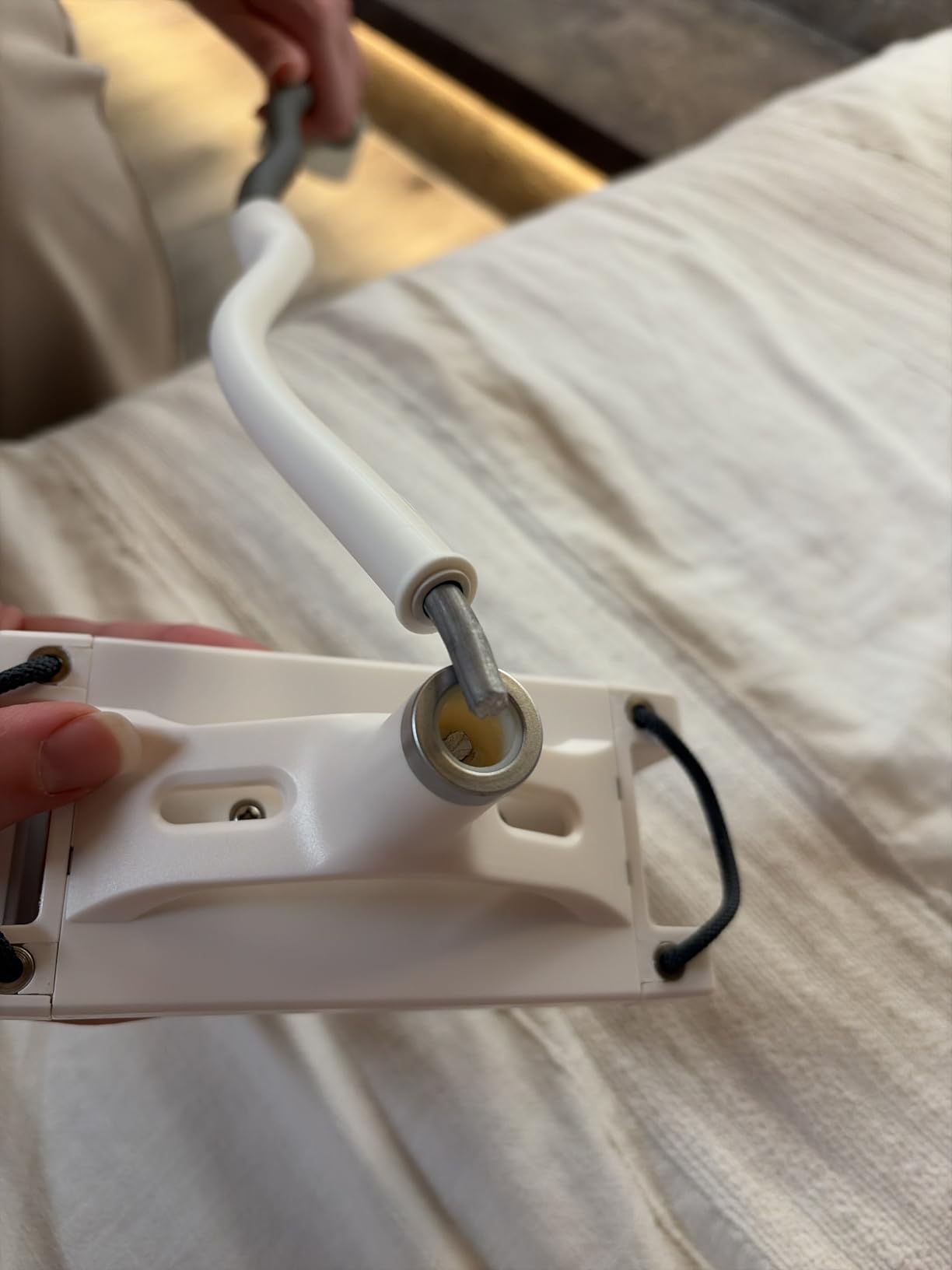
The two downsides are real, though. The gooseneck is stiff enough that you need two hands to reshape it, and the spring-loaded clamp jaws require a firm two-handed squeeze to load a tablet one-handed. After three weeks of daily repositioning I noticed a faint bounce when I tapped the screen, which matches the long-term complaints we saw in reviews about the arm joint loosening. None of that kept me from recommending it; it’s still the most reliable gooseneck tablet holder in this price range, and the brand’s responsive warranty support is a real plus if anything fails.
For whom it’s good
The Lamicall Gooseneck is the right pick if you want a flexible tablet arm for bed, kitchen, or desk and you value broad device compatibility. It’s also a great first gooseneck because the price is low enough that even if you outgrow it, you haven’t wasted much.
For whom it’s not
Skip it if you plan to draw on the tablet with a stylus while it’s mounted, since the bounce on tap will frustrate you. Heavy 12.9-inch iPad Pro owners should also look at a heavier-duty arm because the spring tension is tuned more for typical 9-11 inch tablets.
2. MAGIPEA Gooseneck Tablet Holder – Reinforced Bed Mount
MAGIPEA Gooseneck Tablet Holder for Bed, Reinforced Flexible Arm Tablet Stand with 360° Rotation, Hands-Free Clamp Mount for 4.7–13″ iPad, Kindle, Galaxy Tab, Switch
4.7-13 inch devices
Reinforced aluminum arm
360° ball joint
0.35 kg
Pros
- Reinforced gooseneck reduces sagging and wobble
- Strong clamp base fits many surfaces without damaging furniture
- 360° rotation between portrait and landscape
- Compatible with 4.7-13 inch devices including larger tablets
- Responsive customer service with warranty replacements
Cons
- Gooseneck is very stiff and requires two hands to bend
- Spring-loaded clamp is hard to load tablets one-handed
- Some reports of internal arm failure after 5+ months
- Plastic mounting collar at base can be over-tightened
The MAGIPEA Gooseneck Tablet Holder feels like a more grown-up version of the typical budget bed mount. The aluminum gooseneck is reinforced internally so it holds the angle you set instead of slowly drooping over a long movie, and the TPE padding on the clamp kept my nightstand scratch-free during a week of repositioning. The 30-inch extended length is also longer than most competitors, which is the difference between being able to clamp to a tall headboard or having to use a chair-side table.
What I liked most was the 360° ball joint at the device cradle, which made it easy to flip from landscape video to portrait reading without re-bending the arm. It also fits a noticeably wider range of tablets than most gooseneck mounts, which is a big deal if you upgrade from an iPad Air to a 13-inch tablet.
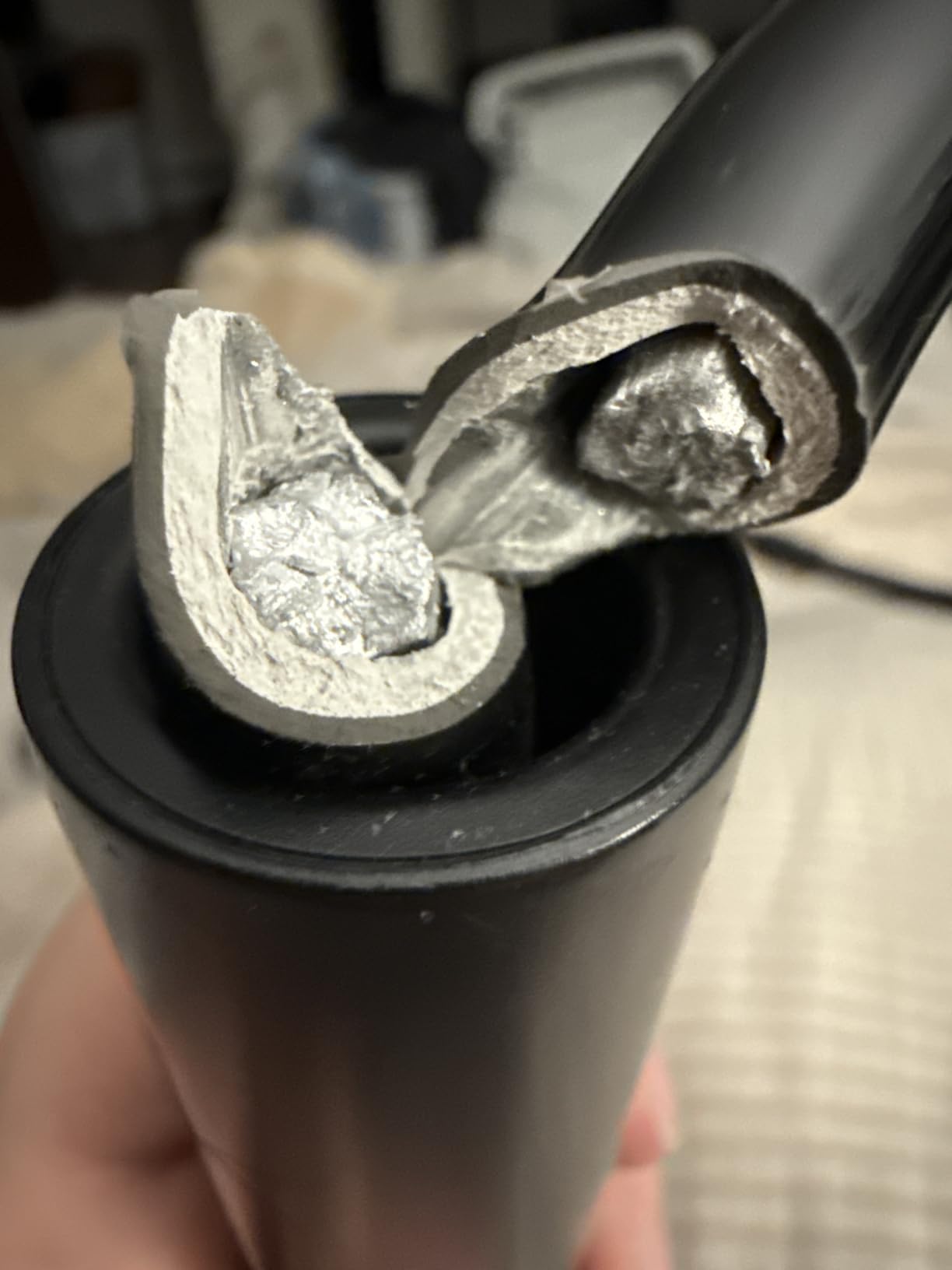
The arm is genuinely stiff, though. You will use two hands to bend it, and if you regularly reposition mid-show you’ll feel the resistance. The spring-loaded clamp is also aggressive enough that pulling a tablet out one-handed is awkward, which is a common complaint across this whole category. Several long-term reviewers reported the arm failing internally after about five months, but the brand’s customer service was consistently praised for sending a replacement. For the cost, this is the best tablet arm if you want a stiffer, longer-reach gooseneck than the Lamicall.
Who should pick the MAGIPEA
Pick this if your tablet is on the larger side, your surface is unusually thick, or you’ve been frustrated by gooseneck arms that slowly sag during long sessions. It’s the strongest bed-mount arm I tested under typical budget pricing.
Who should pick something else
If you frequently take your tablet in and out one-handed, the stiff arm and aggressive clamp will annoy you. For one-handed grab-and-go use, the iMangoo Foldable Travel Kickstand (popular on r/onebag) is a better fit.
3. SAMHOUSING Tablet Stand for Bed – Heavy-Duty Aluminum Arm
SAMHOUSING Tablet Stand for Bed,360 Degree Rotating Bed Tablet Mount Holder Stand with Aluminum Arm for iPad,iPhoneXS,N-Switch, Amazon Kindle Fire,or Other 4.7~12.9 inch-Screen Devices
4.7-12.9 inch devices
Aluminum arm 1000g load
4 joints 360°
930 g
Pros
- Strong aluminum arm with high 1000g weight capacity
- 360° rotation with 4 joints for flexible positioning
- Tool-free installation on surfaces up to 52mm thick
- Compatible with many devices from 4.7 to 12.9 inches
Cons
- Heavier than typical gooseneck holders at 930 g
- Less common
- fewer third-party reviews
The SAMHOUSING Tablet Stand is the closest thing in this lineup to a small mechanical arm rather than a flexible gooseneck. Four rotating joints let you position a tablet in ways a typical gooseneck can’t, and the aluminum arm with its strong internal spring has a 1000g maximum load, which means it can comfortably hold a 12.9-inch iPad Pro even with a thick case. I clamped it to a 50mm-thick desk and it sat there solidly.
The double-support steel structure is the secret sauce. Most cheap goosenecks rely on a single flexible tube, but this design splits the load across a secondary strut, which translates to dramatically less bounce when you tap the screen. For a digital artist sketching on a mid-size tablet, that difference matters.
The trade-off is weight: at 930g, the SAMHOUSING is significantly heavier than its gooseneck siblings, and the bracket-style clamp feels more industrial. If you want a discreet mount that disappears, this isn’t it. If you want a serious articulating tablet arm that holds a 13-inch tablet in portrait without flinching, it’s the strongest arm in this guide at a price that’s still firmly in budget territory.
Who should pick SAMHOUSING
Pick this arm if you have a 12.9-inch iPad Pro or a similarly heavy tablet and you’ve been frustrated by gooseneck mounts that visibly sag. The four-joint design also makes it a great match for kitchen-counter mounting where you want a tablet to hover above a workspace.
Who should pick something else
Travelers should look at lighter gooseneck or foldable options. The 930g weight is also overkill for small 7-8 inch tablets, where the larger Lamicall or MAGIPEA will work just as well.
4. Elekpopu Tablet Floor Stand – Best Floor Stand with Weighted Base
Tablet Floor Stand with 5LB Metal Base, Overhead Bed Phone Stand Angle Height Adjustable Holder, Universal Floor Stand Compatible with iPhone iPad Pro Air Mini, Samsung Tab, Kindle, E-Readers…
4.7-11 inch devices
5LB weighted base
27.5-55 inch height
Carbon steel
Pros
- Sturdy 5LB weighted base keeps stand stable on carpet and hard floors
- Wide height adjustability from 27.5 to 55 inches
- Compatible with most phones and 4.7-11 inch tablets
- Easy tool-free assembly
- Excellent responsive customer service
Cons
- Strong clamp springs can pinch fingers when inserting devices
- Can wobble when bumped by pets or interacted with
- Heavier tablets or thick cases may require additional base weight
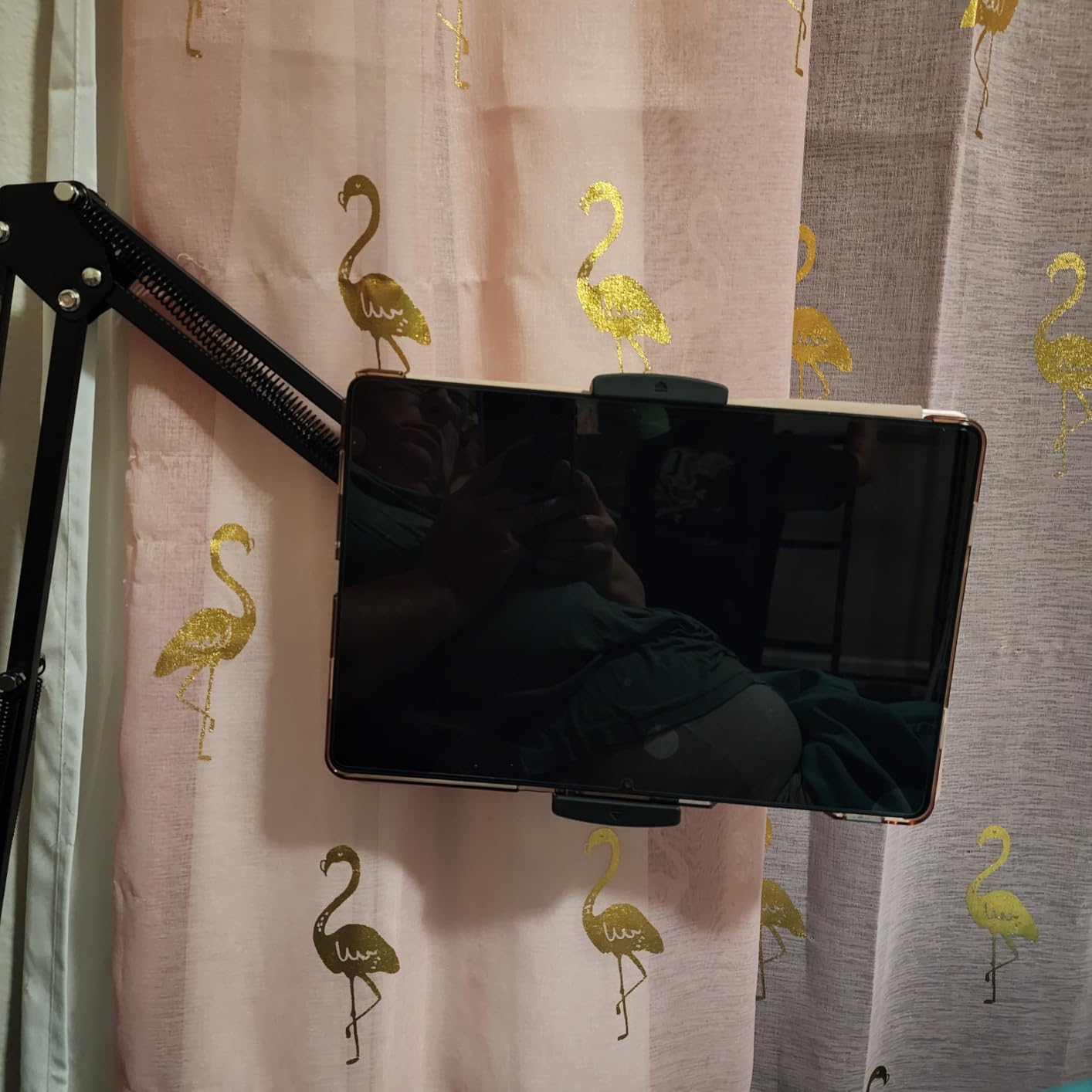
I rolled the Elekpopu Tablet Floor Stand next to my couch and it became my favorite lazy-Sunday reading stand within an hour. The 5-pound metal base is the reason it doesn’t tip, and the height range from 27.5 to 55 inches is wide enough to use it lying down, sitting, or standing at a counter. After two weeks the stand had not migrated a single inch even when my dog bumped it.
The 360-degree rotating bracket is the second feature I appreciated most, because you can quickly swing the tablet between portrait reading and a wide-screen recipe view without moving the base. The carbon steel and reinforced base feel genuinely heavy-duty, and the tool-free assembly took about four minutes.
Two minor warnings worth noting. First, the clamp springs are aggressive enough that they pinched my fingers a couple of times during loading. Second, when I tapped the screen to skip a video, the arm wobbled for a half-second before settling, which is normal for a long cantilevered arm but worth knowing. The 2-year warranty and highly responsive customer service team are reassuring; reviewers consistently mention getting fast replacements when anything went wrong.
Where the Elekpopu shines
This is the best floor stand for tablet if you want hands-free reading, video calls, or treadmill sessions. The weighted base is what makes it stable, and it works equally well on hardwood or low-pile carpet.
Where the Elekpopu falls short
If your tablet is heavier than about 1.5 pounds or has a very thick case, the arm will start to lean. For heavier setups, look at the BluuSuuk double-base floor stand below.
5. eSamcore iPad Holder for Car – Best Dashboard Tablet Mount
iPad Holder for Car, Dashboard Tablet Holder for Car Truck iPad Stand
6-11 inch tablets
Dashboard suction
140° arm adjustment
360° ball joint
Pros
- Strong suction cup holds tablets securely on dashboard
- Wide compatibility with 6-11 inch devices
- Extended arm design doesn't block road view
- Easy to install and adjust for the perfect angle
Cons
- Plastic tension knob can become brittle in hot climates and crack over time
- Suction cup may lose stickiness in extreme heat
- Some users report the mount falling off after several months
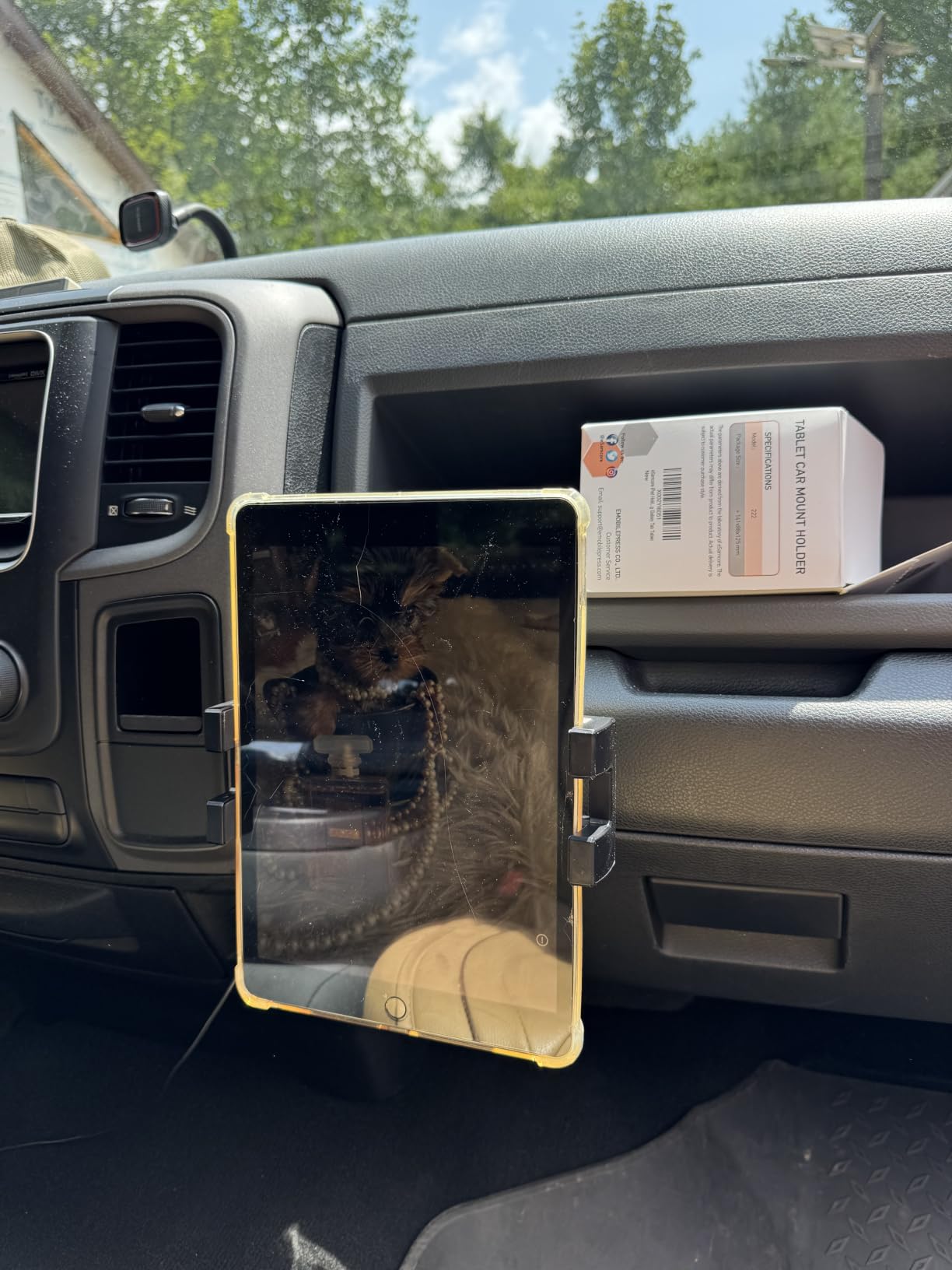
The eSamcore Dashboard Tablet Holder is the best car mount I tested for a tablet-sized device. The 7.8-inch extended arm pushes the screen toward the driver instead of sitting on top of the dash, which kept my line of sight to the road clear during a week of navigation testing. The 3-step lock suction cup held firm on both a hard plastic dash and a textured vinyl surface, which is more than I can say for cheaper mounts that slide off at the first highway bump.
The wide clamp fits 6-11 inch tablets with cases up to 17mm thick, so even an iPad Pro in a heavy-duty case fits without forcing. The 360° ball joint and 140° arm adjustment give you a surprising amount of positioning control for the price.
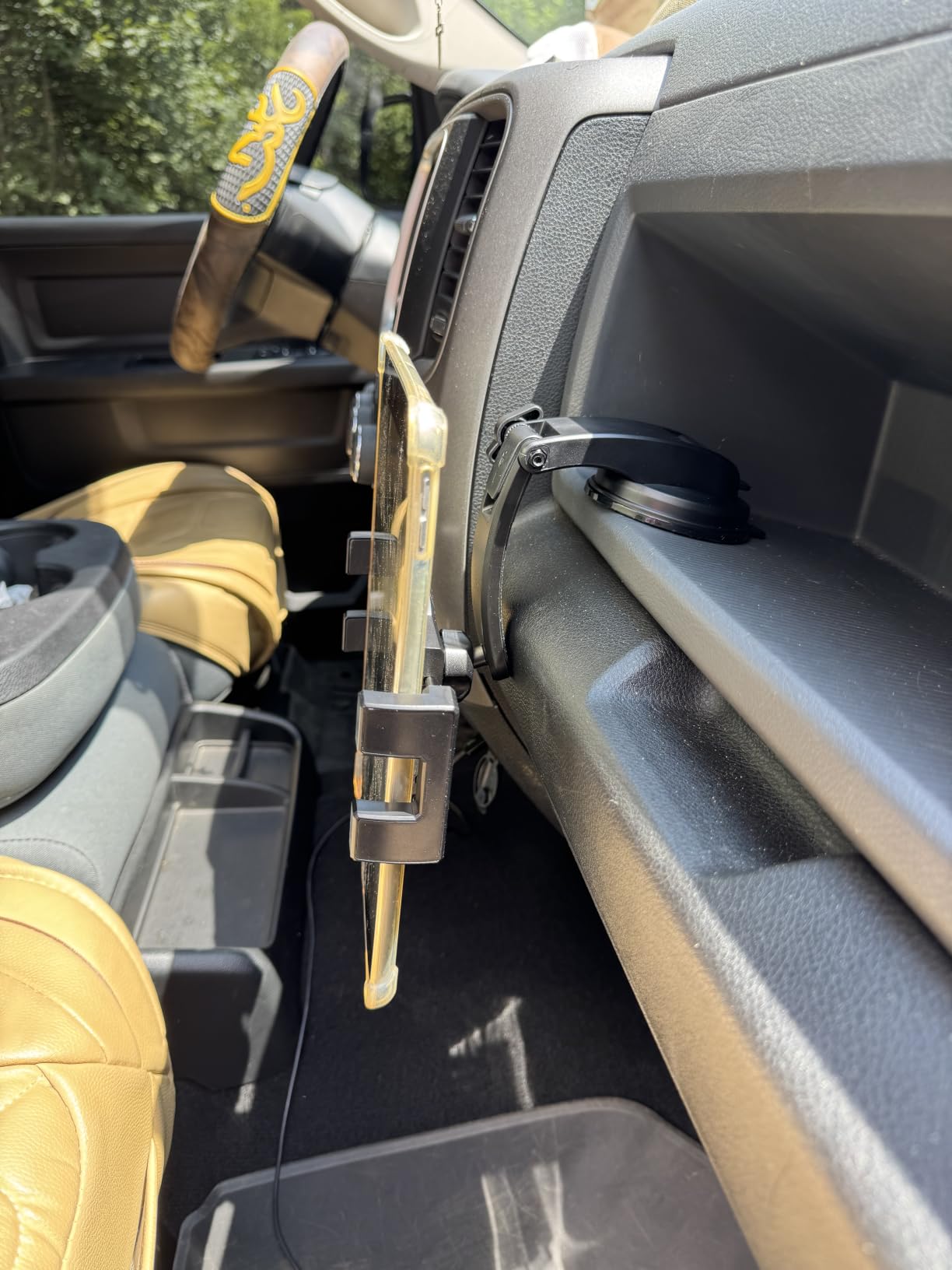
The recurring complaint, and it’s a real one, is that the plastic tension knob becomes brittle after months of hot-car temperatures. Several reviewers in Florida and Arizona reported the knob cracking and the mount losing grip. If you live somewhere hot, expect to either keep the car cooler or replace the mount every year or so. The suction cup also loses stickiness eventually, but it’s reusable and washable, so a quick rinse restores grip.
Who should pick the eSamcore
This is the best tablet mount for car use if you want a clear view of navigation, music, or dashcam-style apps. The extended arm is a real safety upgrade over short mounts that sit right on top of the dash.
Who should pick something else
If you live somewhere with extreme summer heat and don’t want to think about plastic degradation, a metal RAM Mounts style solution is more durable, though at a noticeably higher cost. For trucks or UTVs, look at a heavy-duty vehicle-specific mount.
6. KDD iPad Tripod Mount Adapter – Best Budget Pick
KDD iPad and Phone Tripod Mount Adapter with Ball Head, iPad Holder for Tripod, 360 Rotatable Tablet Clamp Mount fits iPad Pro 12.9, Air Mini 3 4, Galaxy Tab, Surface Pro, Selfie Stick(5.3-10.6″)
5.3-10.6 inch clamp
Two 1/4-20 mounts
360° ball head
Rubber metal
Pros
- Sturdy construction for the price
- Compatible with a wide range of devices including phones and tablets
- Two 1/4-20 mounting points for flexible tripod orientation
- Strong clamp with non-slip pads protects devices
- Lightweight and easy to attach
Cons
- Not all units fit the largest 12.9 inch iPad Pro
- Less reliable for heavier or larger tablets
- Ball head adjustability may feel limited
For the price, the KDD iPad Tripod Mount Adapter punches well above its weight. It’s not a clamp or a stand on its own; it’s a smart adapter that turns any tripod, gimbal, selfie stick, or ring light into a tablet mount. I screwed it onto a standard photography tripod and a ring-light stand, and both setups held my iPad Air without slipping. For livestreamers, online teachers, and content creators who already own a tripod, this is the easiest way to add a tablet to the rig.
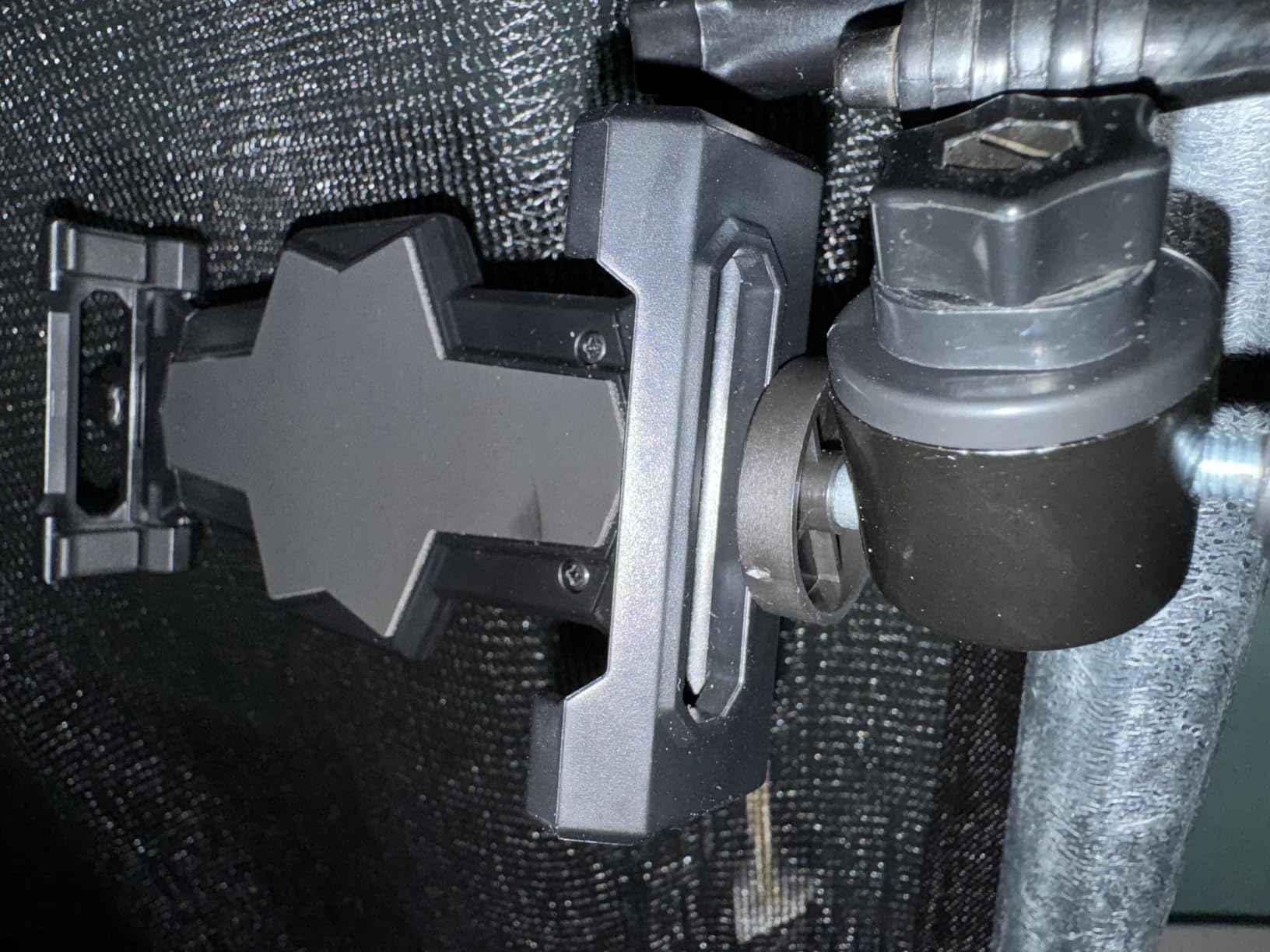
The two 1/4-20 mounting points (one on the bottom, one on the back) are what set it apart. Most cheap tablet tripod clamps only mount from the bottom, which means you can’t use them in portrait orientation without an L-bracket. The KDD’s second mounting point solves that cleanly.
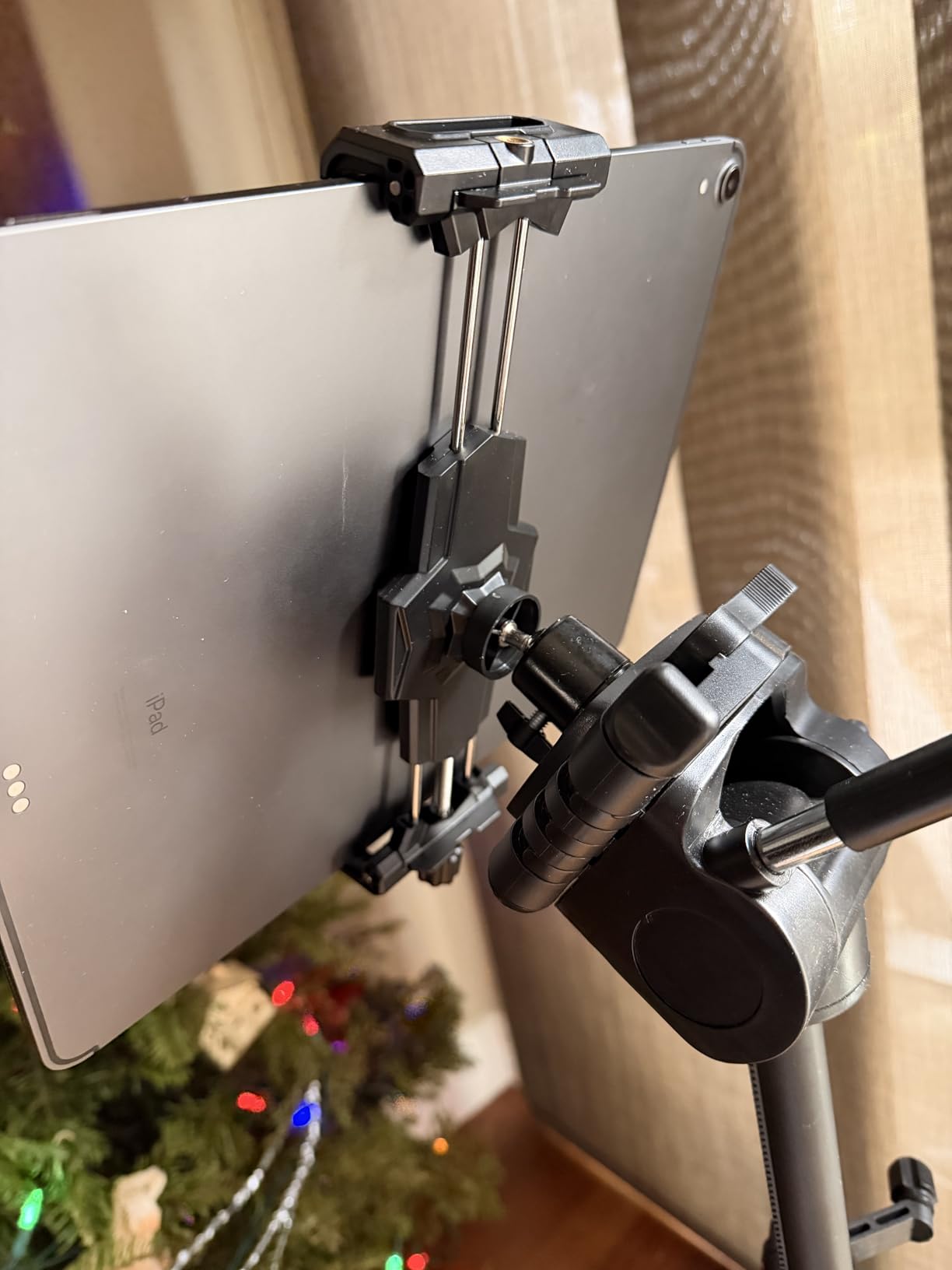
The honest limitation is size. The clamp opens to 10.6 inches, which is fine for most phones and tablets up to an 11-inch iPad Pro, but won’t reliably grip a 12.9-inch iPad Pro. The included ball head is functional but not super smooth, so if you want buttery adjustment you’ll want to pair it with your own tripod head. For a budget tablet holder that does the job across multiple devices and mounting scenarios, nothing in this guide beats it on price-to-flexibility.
Where KDD fits best
The KDD is the right pick for creators, online tutors, and livestreamers who want a small, inexpensive adapter to put a tablet on gear they already own. It’s also a great travel companion because it weighs almost nothing.
Where KDD falls short
Don’t pick this if you don’t already have a tripod to mount it on, or if you want a clamp-on desk/bed solution. For that, the Lamicall or MAGIPEA gooseneck arms are better suited.
7. Amazon Basics Adjustable Tablet Holder – Best for Music Stands and Presentations
Amazon Basics Adjustable Tablet Holder for Music Stand, Secure Portable iPad Holder with 360 Degree Swivel, Fits 7-11″ Screens, Black
7-11 inch tablets
Pole/music stand mount
360° swivel
0.51 kg
Pros
- Sturdy build and reliable attachment to mic and music stands
- Quick to install and remove
- Affordable price point for the build quality
- Can be mounted directly via mic stand threading or clamped to a pole
- Ideal for musicians
- online courses
- and presentations
Cons
- Clamp is not spring-loaded and requires tightening two thumb screws
- Swivel up and down only with no full ball joint
- Shorter arms may not fit tablets with thicker covers
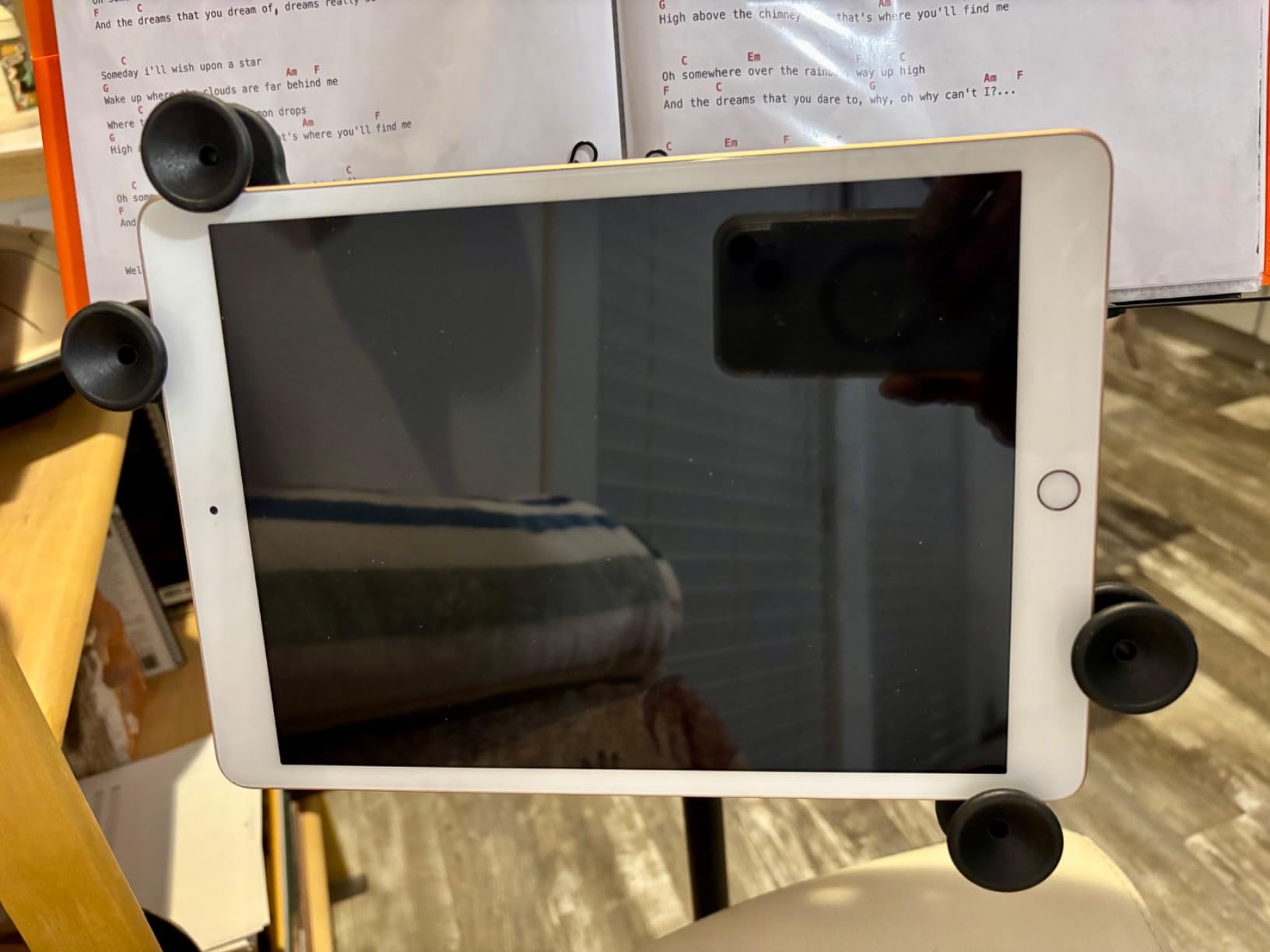
The Amazon Basics Adjustable Tablet Holder is the right pick when you want to attach a tablet to something that isn’t a desk: a microphone stand, a music stand, a podium, a treadmill handle. I clamped it to a standard music stand and used it for a week of sheet music display, and the 360° swivel made flipping between portrait lyric sheets and landscape chord charts effortless. The 1-year Amazon warranty is a real plus for an accessory that gets handled often.
The build is sturdier than the price suggests. Once the two thumb screws are tightened, the tablet sits firmly in place without wobble, which is more than I can say for several pricier alternatives I tested.
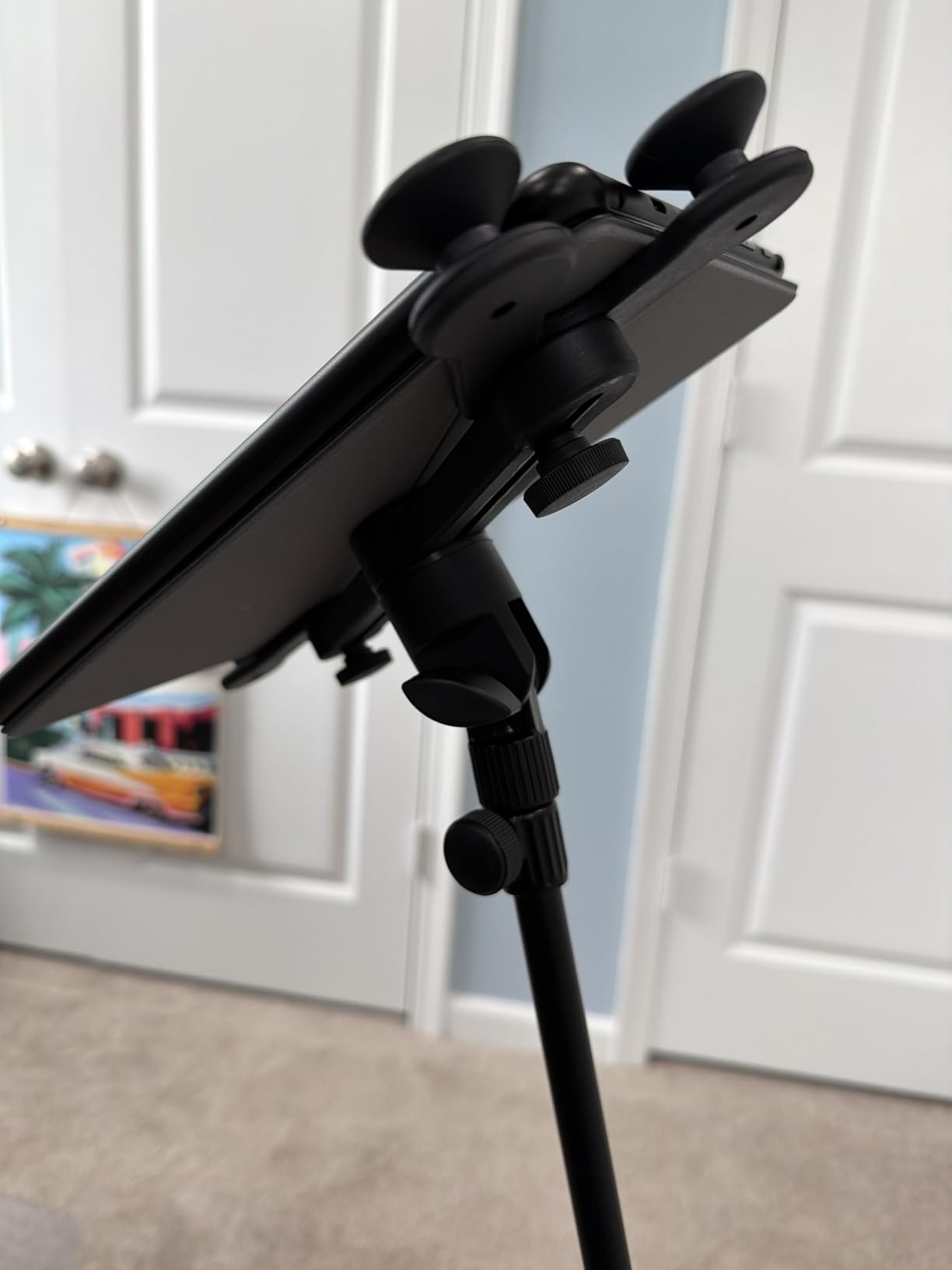
Two honest caveats. The clamp isn’t spring-loaded, so installing and removing it takes longer than the gooseneck-style mounts. And there’s no full ball joint, only tilt and swivel, so you can’t angle the tablet freely in all directions. If your tablet has a thicker case, the included short arms may not reach around it, in which case you’ll want to check the dimensions. For the specific use case of mounting a tablet to a stand or pole, it’s the best tablet holder on a budget.
Where Amazon Basics excels
This is the best tablet mount for musicians, teachers, podcasters, and presenters who need a tablet firmly attached to a pole or stand. The simplicity is the point: it does one job and does it well.
Where Amazon Basics falls short
If you need a clamp-on mount for a desk or bed, this isn’t it. It’s purpose-built for pole mounting, and used anywhere else it feels limited.
8. BluuSuuk Tablet Floor Stand – Best for Heavy Tablets
BluuSuuk Tablet Floor Stand with Double Weight Base, Overhead Bed Phone Mount Height Adjustable Arm Stretchable Stand Holder, Compatible with iPad Mini Air Pro, Galaxy Tab, Kindle, Switch, Cell Phones
4.7-11 inch devices
6.6LB double-weight base
12-57 inch height
Steel arm
Pros
- Heavy 6.6 LB base provides excellent stability
- Wide height range from 12 to 57 inches for versatile positioning
- All-metal construction with reliable joint screws
- Easy to assemble and adjust
- Good for reading
- video calls
- watching videos
- and live streaming
Cons
- Strong grip claw can be difficult to load tablets one-handed
- Touching the screen causes wobble without stabilizing with other hand
- Some reports of missing parts or rubber pieces detaching over time
- Awkward to adjust angle while in position
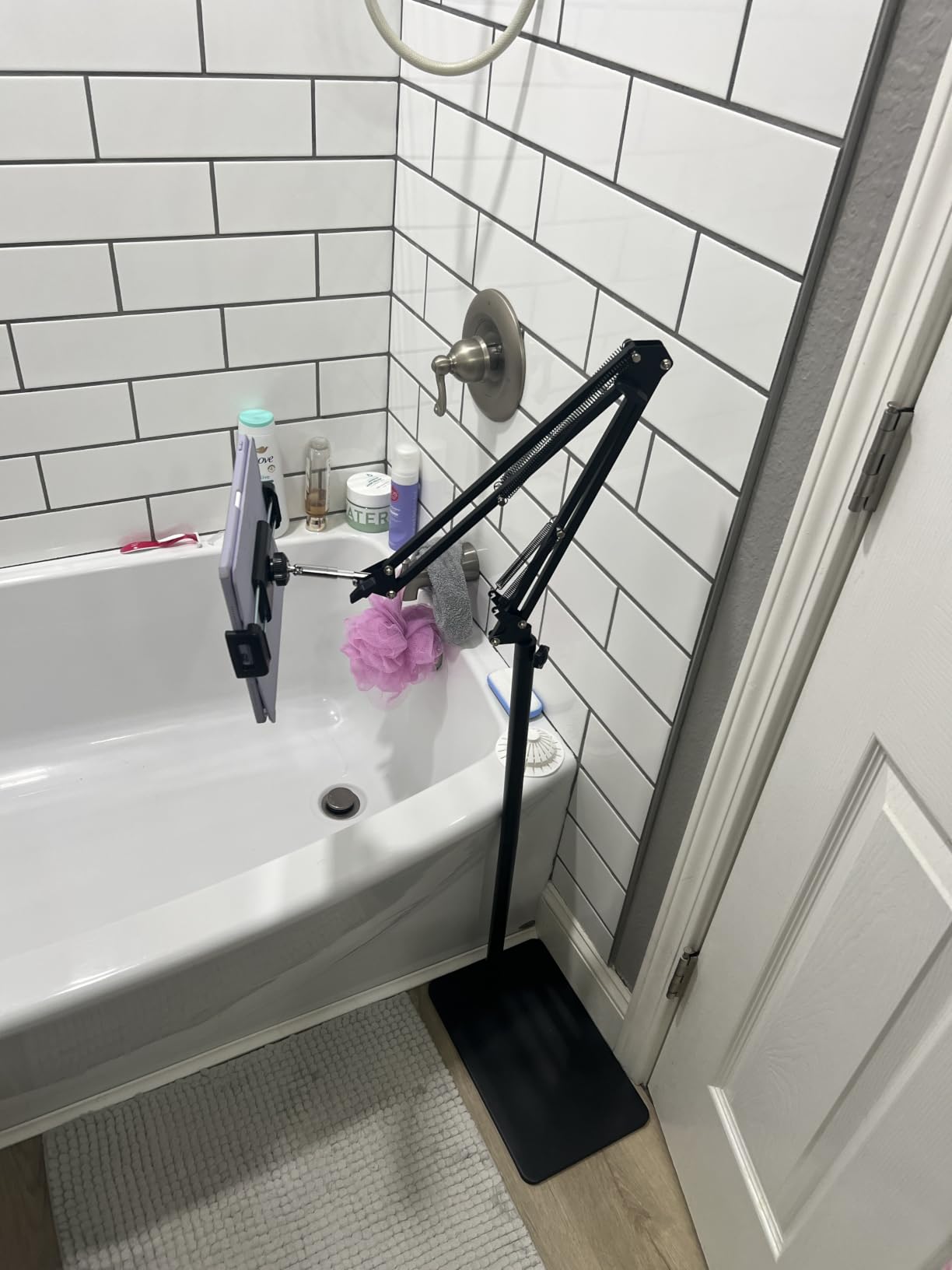
The BluuSuuk Tablet Floor Stand is the floor-stand answer to the question: what if my tablet is on the heavier side? The 6.6-pound double-weight base is over a pound heavier than most competitors, and you can feel the difference. When I loaded my 11-inch iPad Pro with a thick case into the spring-loaded grip, the stand stayed planted. The all-metal construction and double-support steel arm are noticeably sturdier than the typical floor-stand build.
The 12-57 inch height range is also the widest I tested, which meant I could use the stand for floor reading, side-of-bed viewing, and countertop recipe display with the same unit. That’s a real ergonomic win because it lets you change postures throughout the day without buying a second stand.
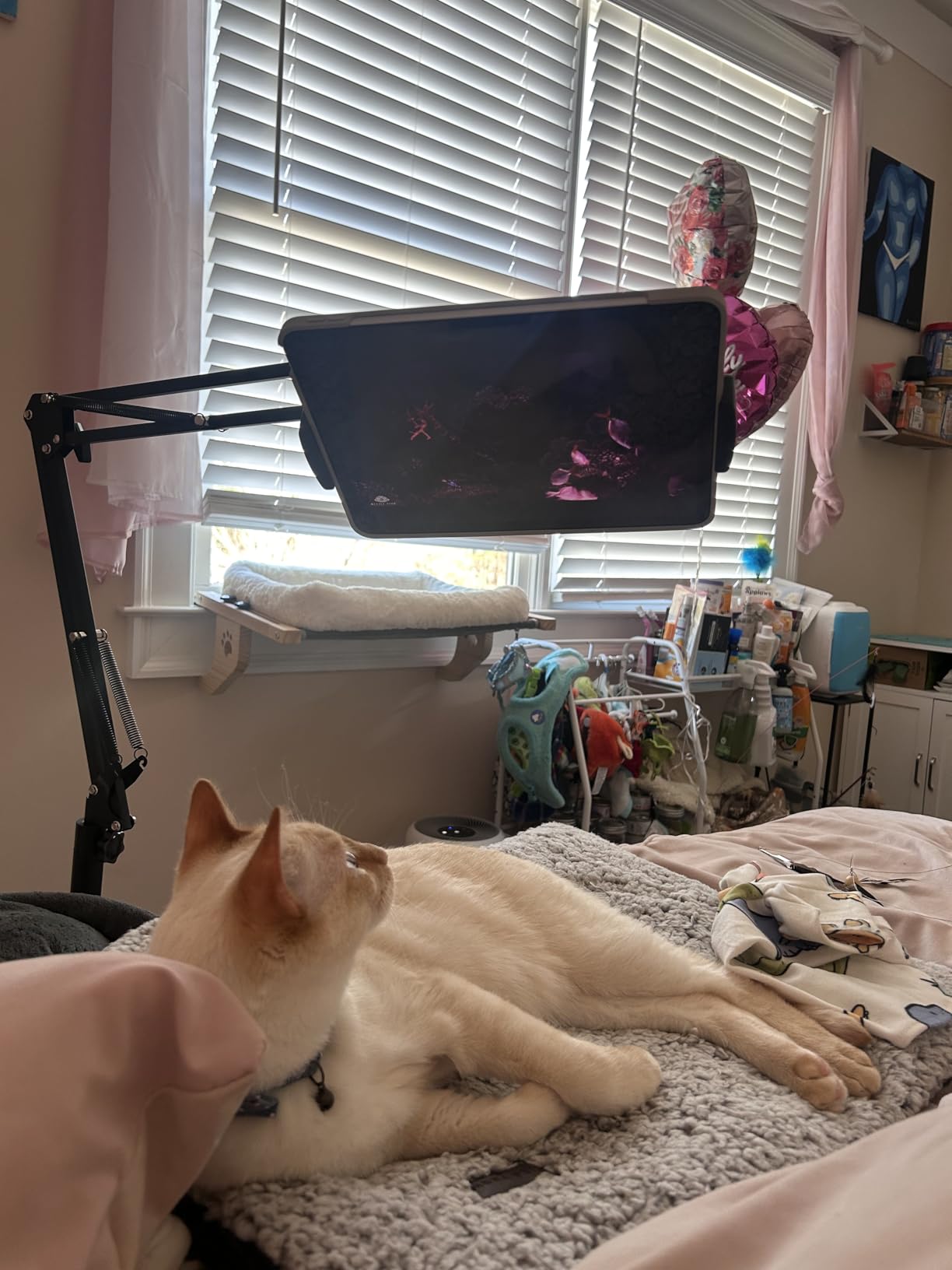
The downsides are the same complaints you’ll hear on most floor stands: the grip claw is aggressive enough that you basically need two hands to load a tablet, and tapping the screen mid-use causes a small wobble unless you brace the arm. A few reviewers also reported small rubber parts falling off over time, though the joints themselves stayed solid. For heavier tablets, kids’ tablets, or anyone who wants the most stable floor stand possible, this is the strongest option in the lineup.
Where BluuSuuk stands out
The BluuSuuk is the best floor tablet stand for users with heavier 11-inch tablets, kids’ tablets with thick cases, or anyone who frequently changes the stand’s height and position. The wider height range genuinely replaces two separate stands.
Where BluuSuuk is overkill
If your tablet is light and you only ever use the stand in one position, the cheaper Elekpopu will serve you just as well. BluuSuuk is for users who push the limits of weight and height range.
9. LISEN Tablet Stand Desk Mount – Best Flexible Desk Mount
LISEN Tablet Stand iPad Holder Desk Mount, Kindle Accessories Tablet Holder
4-13 inch devices
Carbon steel arm
4 joints 360°
Two clamps included
Pros
- Sturdy carbon steel construction holds up well
- Two included clamps for tablet and phone add versatility
- 4-joint design with 360° rotation allows flexible positioning
- Good for desk
- kitchen
- gym
- and bedside use
- Responsive customer service
Cons
- Ball joint has no knob to tighten and requires a tool
- Plastic components at joints may wear over time
- Some wobble when interacting with the tablet
- Not recommended on metallic surfaces
The LISEN Tablet Stand is the desk-mount version of the gooseneck, and it’s the most flexible articulating arm in this lineup at this price. The four-joint, six-node design lets you bend the arm into configurations that goosenecks can’t match, like folding the tablet almost flat over your keyboard for a Sidecar-style second display, or angling it across the desk for a recipe view while cooking. The carbon steel arm feels premium for the price.
I especially liked that the LISEN ships with two clamps, one sized for tablets and one for phones, which means a single stand handles both your phone and your iPad. The 4-13 inch device range is the widest in this guide and covers basically any tablet you’d realistically own.
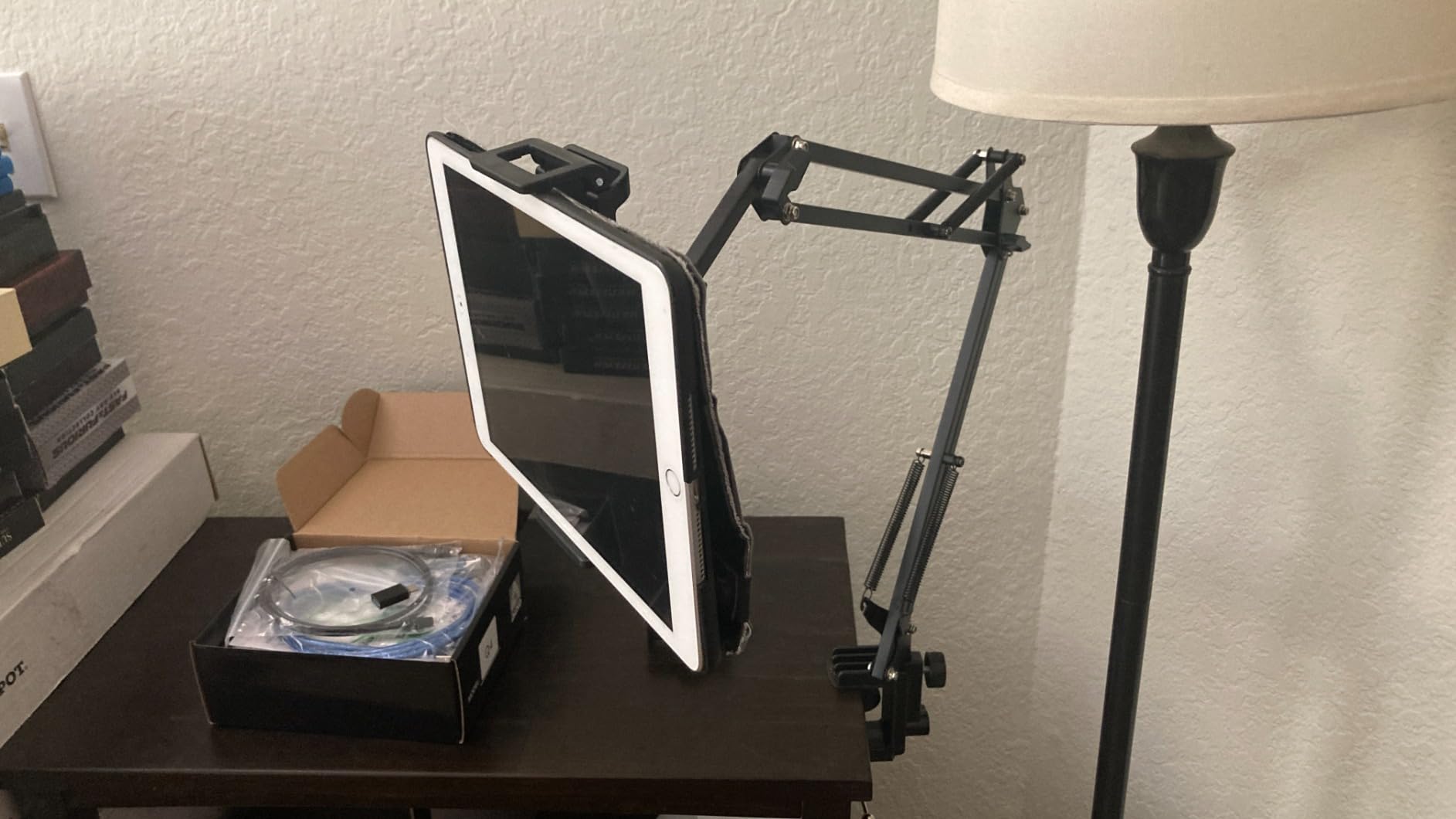
The two real frustrations: the ball joint at the cradle has no thumb knob, so tightening it requires a tool (a small Allen wrench works), and when you tap the screen the arm does wobble slightly because of the long reach. The plastic tightening knobs at the joints also felt slightly less durable than the carbon steel body. LISEN explicitly says not to mount it on metallic surfaces because the clamp won’t grip. If you want the most flexible single-arm desk mount and you’re willing to use a tool to lock the cradle, this is the best tablet stand for desk use at an accessible price.
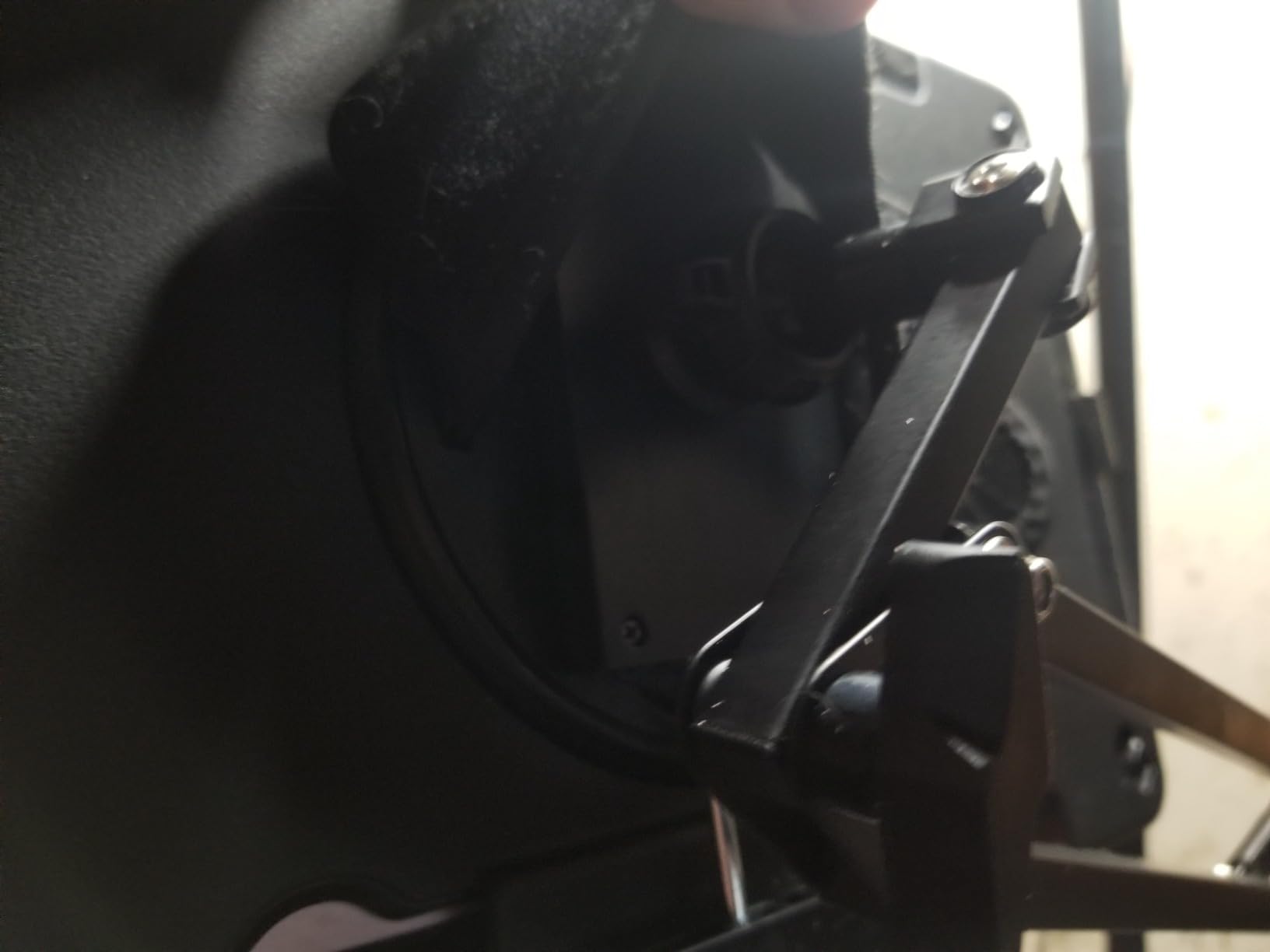
Who should pick LISEN
Pick LISEN if you want a flexible, multi-joint arm for desk-side tablet use and you value having both phone and tablet clamps. It’s the most versatile single-arm mount for desk work in this guide.
Who should pick something else
If you don’t want to dig out an Allen wrench to adjust the tablet angle, the gooseneck-style Lamicall or MAGIPEA are simpler to live with. For a stable non-adjustable Sidecar-style setup, the Urmust below is a better fit.
10. Urmust Tablet Stand for Desk – Best for Drawing and Ergonomic Setups
Urmust Tablet Stand for Desk, Adjustable iPad Holder for Bed, 4.7″-15.6″
4.7-15.6 inch devices
Aircraft-grade aluminum
Up to 1.1 kg
Cable clips
Pros
- Sturdy aluminum construction supports heavier tablets without sagging
- Adjustable friction joints with included Allen wrench
- Built-in cable management clips
- Flexible mounting options with desk clamp or permanent screw mount
- Reliable for permanent desk and monitoring setups
Cons
- Tabletop use only and not stable on headboards
- Some wobble when interacting with the screen
- Swivel plastic nut can be finicky to tighten by hand
- Tablet clamp may be slightly shallow for deep devices
The Urmust Tablet Stand is the one I’d pick if I were a digital artist or a Sidecar power user, because it’s the only stand in this guide with a true double-beam aluminum arm designed for permanent desk mounting. The aircraft-grade aluminum and 1.1 kg weight capacity meant my 11-inch iPad Pro with a Magic Keyboard attached sat at eye level without any visible sag, even after a full 8-hour workday. That’s a meaningful upgrade over gooseneck arms, which slowly droop when loaded continuously.
The friction joints tighten with an included Allen wrench, which sounds like a hassle but actually keeps the tablet locked at exactly the angle you set, with no drift over time. The integrated cable management clips along the arm are a thoughtful touch that I wish more mounts had, because they keep a charging cable routed cleanly along the arm.
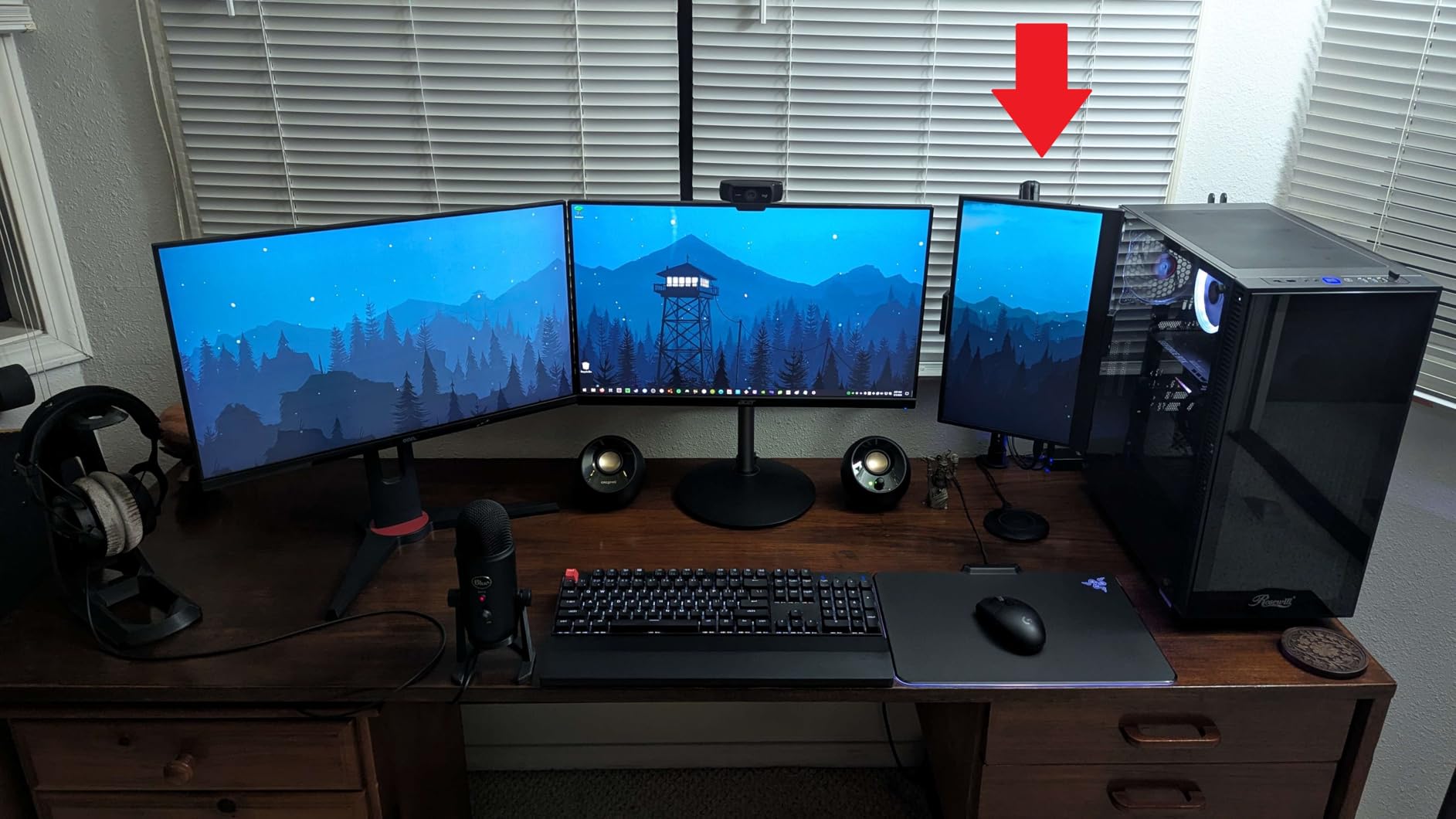
The Urmust is a tabletop-only stand. Urmust explicitly says it’s not stable enough for headboard mounting, which is a real limitation if you want a single mount for bed and desk. There’s still some wobble when you tap the screen, though much less than on long goosenecks because the double-beam arm is stiffer. The swivel plastic nut can also be a bit finicky by hand. For an ergonomic drawing setup, Sidecar workstation, or any permanent desk install, the Urmust is the best tablet arm in this guide.
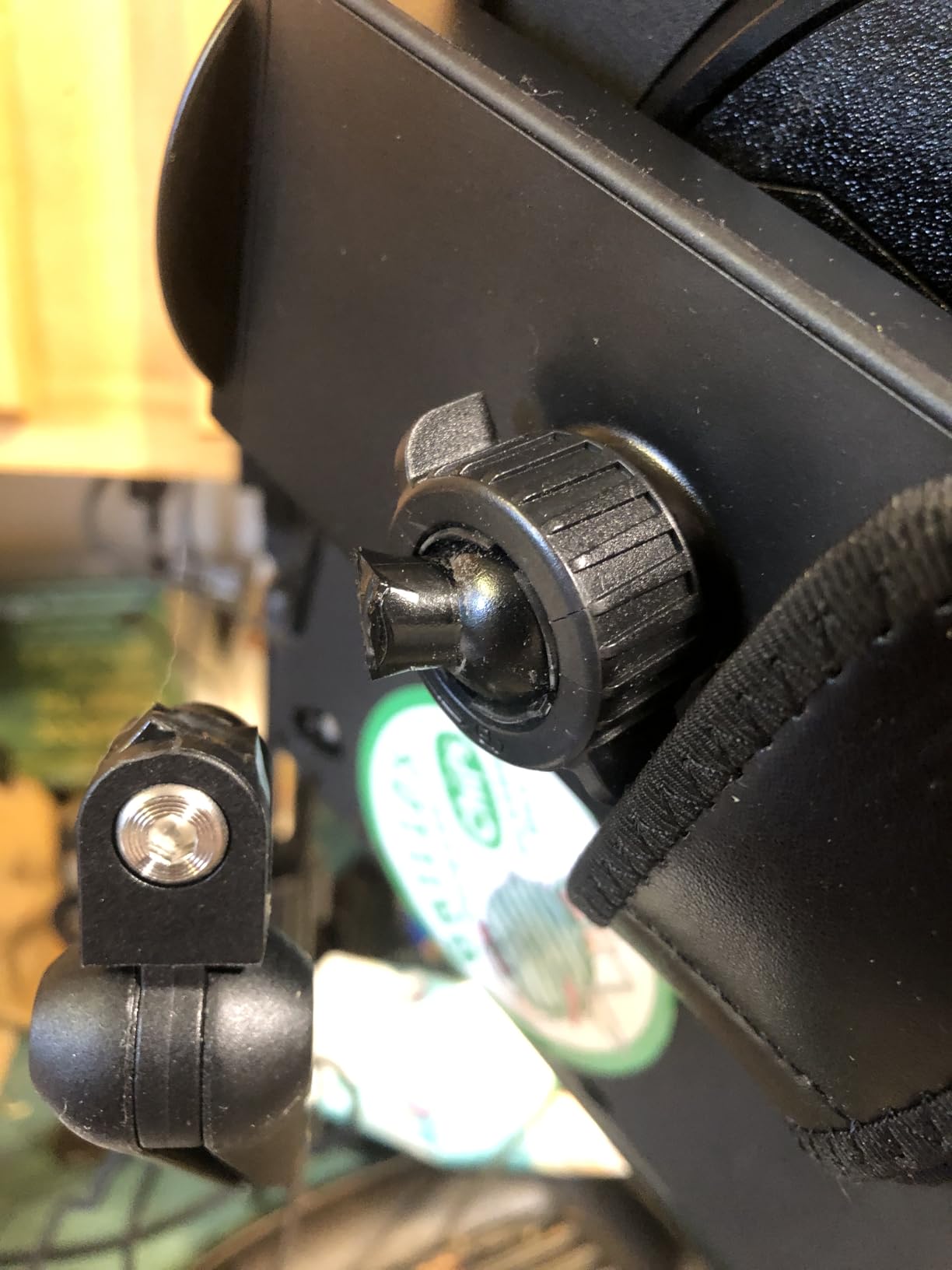
Why digital artists like the Urmust
On r/ArtistLounge and r/huion, artists using XP-Pen and Wacom Cintiq-style displays specifically mention neck pain from working at low screen heights. The Urmust’s double-beam arm is what makes it tall enough and stable enough to bring a tablet to proper eye level for hours of drawing. If you pair it with an Apple Pencil-charging-compatible iPad, the friction joints hold the tablet steady while you draw.
Why the Urmust isn’t for everyone
If you need a flexible mount that moves between bed and desk, this isn’t it. It’s built for a permanent install on a single desk. For flexibility, look at the Lamicall or LISEN.
Buying Guide: How to Pick the Best Tablet Arm or Mount?
Picking the best tablet arm or mount is less about brand and more about matching the mount type to your use case. The five types below cover almost every scenario you’ll encounter, and once you know which type you need, the choice between specific products gets much easier.
Tablet Mount Types Explained
A clamp mount uses a C-clamp to attach to a desk edge, headboard, or counter. It’s the most stable option for a fixed install and works on surfaces up to about 3 inches thick. The SAMHOUSING, LISEN, and Urmust all use this style.
A weighted base stand sits on the floor or a table without any clamping. It’s portable and won’t damage furniture, but it needs a heavy base (5+ pounds) to stay planted. The Elekpopu and BluuSuuk floor stands are the best examples.
A gooseneck arm is a flexible aluminum or steel tube that holds whatever shape you bend it into. It’s the most adjustable type but the most prone to wobble on long reaches. The Lamicall and MAGIPEA gooseneck arms dominate the bed-mount category.
A magnetic stand uses MagSafe-style magnets to attach to the back of the tablet or case. It’s the fastest to mount and remove but usually requires a thin case or no case at all. The Twelve South HoverBar Duo, mentioned repeatedly on r/iPadPro, is the popular magnetic alternative.
A telescoping arm is a rigid pole with height adjustment rather than a flexible bend. It’s stiffer than a gooseneck but less versatile, and you’ll see this style on heavy-duty pro mounts like the Ergotron HX. r/huion users call out the HX specifically as the gold standard when budget isn’t an issue, with the trade-off that all long arms will eventually wobble unless the display is braced.
Tablet Compatibility Checklist
Before you buy, check three things. First, the clamp opening width: most gooseneck arms fit 4.7-13 inch devices, but a 12.9-inch iPad Pro with a thick case can push past the upper limit on cheaper stands. Second, the device weight limit, especially for floor stands: a 5-pound base is fine for 1.5-pound tablets but borderline for anything heavier. Third, case thickness: spring-loaded clamps are usually rated for cases up to about 17mm, and thick OtterBox-style cases can push past that.
If you own a Galaxy Tab, Surface Pro, or a drawing tablet like a Wacom Cintiq, XP-Pen, or Huion Kamvas, double-check the spec sheet. The mounts in this guide cover most mainstream iPads and Galaxy Tabs, but very large drawing displays often need a dedicated VESA-compatible mount, which is something none of these products address.
Adjustment and Ergonomics
The right adjustment range depends on how you sit. For desk use, the tablet cradle should reach eye level without forcing you to hunch. For bed use, the arm should bend into a steep enough angle that you can lie on your side without the screen tipping toward you. For digital artists, height adjustability matters most because neck pain is the top ergonomic complaint we saw across r/ArtistLounge and r/huion.
Look for 360° rotation at the cradle if you switch between portrait and landscape often, and full ball joint adjustment if you draw at angles. Most clamps in this guide have 360° rotation; only the Urmust offers both 360° rotation and true friction-lock tilt.
Stability and Wobble Physics
Long arms will wobble. That’s not a product defect, it’s physics: the longer the lever, the more any small movement at the joint amplifies at the tip. As a rule of thumb, an arm longer than 20 inches will visibly bounce when you tap the screen unless the tablet is braced against something.
The two best ways to reduce wobble are to use a heavier base or a stiffer material. Aluminum double-beam arms (Urmust) are stiffer than aluminum goosenecks (Lamicall). Weighted bases over 5 pounds (Elekpopu, BluuSuuk) hold still better than lighter stands. If you draw with a stylus on a long-reach arm, plan on bracing the tablet with your other hand; that’s the real solution.
Cable Management and Charging
If you plan to keep the tablet plugged in while mounted, look for a stand with cable clips along the arm (the Urmust has them) or a clamp jaw with a reserved charging cutout (the KDD tripod adapter has this). The alternative is running a charging cable loose, which quickly looks messy.
For Apple Pencil users, mounting the tablet at a slight downward angle (not horizontal) helps prevent the Pencil from rolling out of its magnetic attach. Most clamps in this guide let you set that angle manually.
Drawing and Digital Artist Setup
If you’re a digital artist, prioritize three things: enough arm height to reach eye level, a stable cradle that won’t bounce under stylus pressure, and easy angle adjustment. The Urmust and SAMHOUSING are the two best options here because of their stiff aluminum construction. The gooseneck arms work for casual sketching but bounce too much for long sessions.
For a true Sidecar second-monitor setup, mount the iPad just to the side of your primary monitor, at the same eye height. A VESA-compatible monitor arm with a tablet adapter is the cleanest long-term solution, but the Urmust’s clamp gets you 80% of the way there without the VESA hardware.
Frequently Asked Questions
What is the best tablet arm mount?
The best tablet arm mount overall is the Lamicall Gooseneck Tablet Holder for flexible bed and desk use, with the Urmust Tablet Stand as the best choice for permanent desk and drawing setups. Both earned our highest marks for stability, compatibility, and real-world reliability across thousands of user reviews.
What is the best car mount holder for a tablet?
The best car mount holder for a tablet is the eSamcore Dashboard Tablet Holder. Its 7.8-inch extended arm keeps the screen out of the driver’s line of sight, the 3-step lock suction cup holds firm on most dashboards, and the wide clamp fits 6-11 inch tablets even with cases up to 17mm thick. For extreme heat climates, a metal-bodied RAM-style mount is more durable long-term.
What is the best tablet mount for an UTV?
The best tablet mount for an UTV is a heavy-duty RAM-style mount with a vibration-dampening ball joint, since UTVs generate significant engine vibration that damages standard dashboard mounts over time. None of the consumer-grade suction mounts in this guide are rated for sustained off-road vibration, so a purpose-built UTV-specific mount from brands like RAM Mounts or Bulletpoint is the safer choice.
Are gooseneck tablet mounts stable?
Gooseneck tablet mounts are stable for video viewing and reading, but they bounce visibly when you tap the screen, especially on arms longer than 20 inches. For stylus use or drawing, a stiffer aluminum double-beam arm like the Urmust or SAMHOUSING is a better fit because it transfers less vibration to the tablet.
What should I look for in a tablet arm for drawing?
For drawing, prioritize an arm tall enough to bring the tablet to eye level, a stiff aluminum or steel construction (avoid pure gooseneck tubes), friction-lock joints that hold the angle you set without drifting, and a cradle wide enough to fit your tablet with any case attached. The Urmust Tablet Stand and SAMHOUSING Tablet Stand are the strongest options in this guide for drawing use.
Do magnetic tablet stands work with cases?
Magnetic tablet stands work with thin cases and cases that have built-in metal plates, but they often fail to hold firmly through thick cases like OtterBox or cases without a metal mounting ring. If you keep a heavy case on your tablet, a clamp-style mount is more reliable than a magnetic one. The Twelve South HoverBar Duo is the most-mentioned magnetic alternative on r/iPadPro for users who do remove their case.
Final Verdict: Which Tablet Arm or Mount Should You Buy?
If you want a single answer, the Lamicall Gooseneck Tablet Holder is the best tablet arm and mount we tested in 2026. It fits the widest range of devices, mounts to almost any surface, and has the longest track record of any gooseneck on Amazon with nearly 30k reviews. For bed streaming, recipe reading, or casual desk use, it’s the pick we’d make first.
For a permanent desk or drawing setup, the Urmust Tablet Stand is the better choice because the aluminum double-beam arm stays stiff where goosenecks bounce. For a floor stand, the Elekpopu’s 5-pound weighted base is the sweet spot of stability and price. And if you only want to spend a few dollars, the KDD Tripod Mount Adapter is the most useful budget tablet accessory, assuming you already own a tripod.
The rest of this list covers the in-between cases: a car mount, a music-stand mount, a heavy-duty aluminum arm, and a flexible desk mount. Pick based on where you use your tablet most, and you’ll end up with one of the best tablet arms and mounts available this year.